-
-
Architecture New
-
Architecture
-
demo
-
demo
-
demo
-
demo
-
With Real Chat History and a Progress Tracker
-
With Real Chat History and a Progress Tracker
Study Buddy
About the Project
Studying is rarely just about knowing the material. The real challenge is remembering what you struggled with yesterday and making sure you actually understand it today.
We built Study Buddy to act more like a real study partner than a traditional quiz or flashcard app.
Most study tools either require students to create flashcards manually or generate generic questions that may have little connection to what they are actually studying. We wanted to build something different: an AI agent that works directly with your own notes, quizzes you specifically on that material, and remembers the concepts you struggle with.
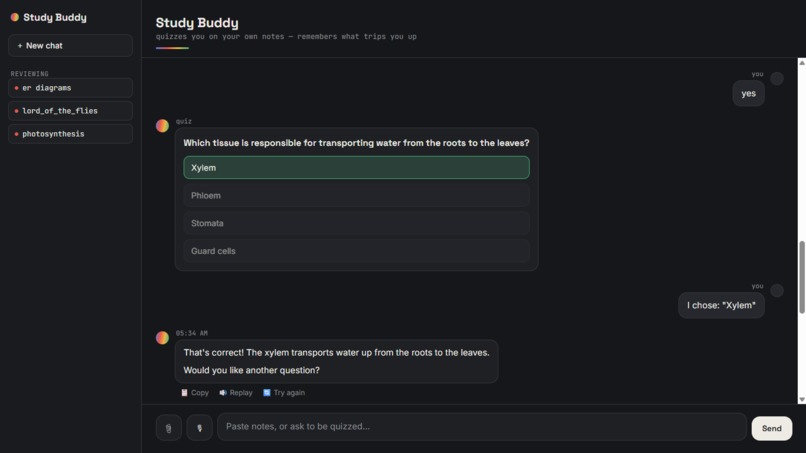
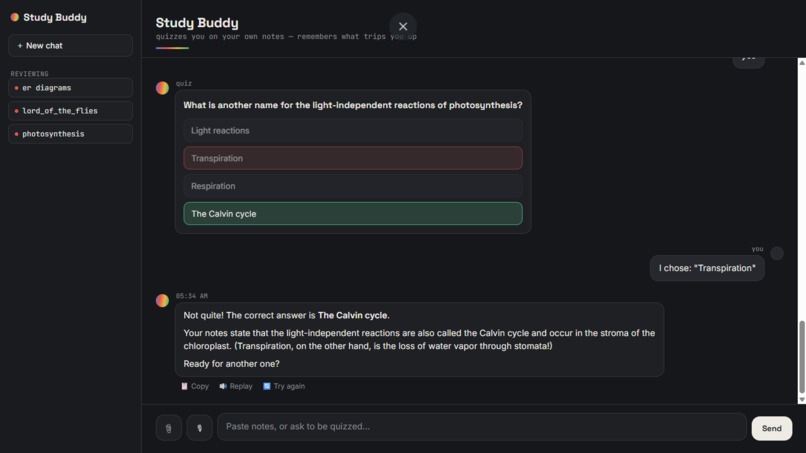
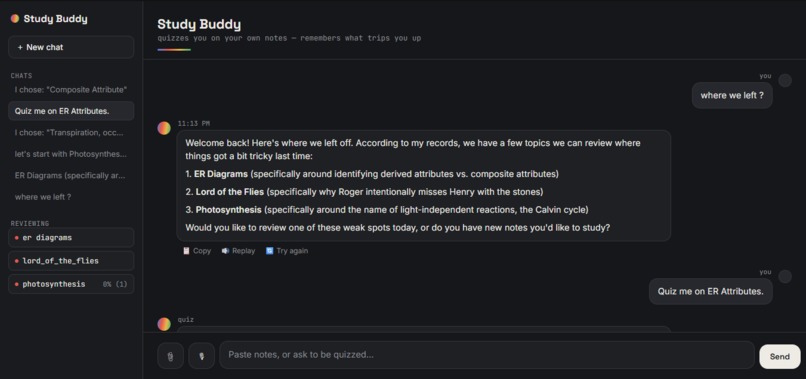
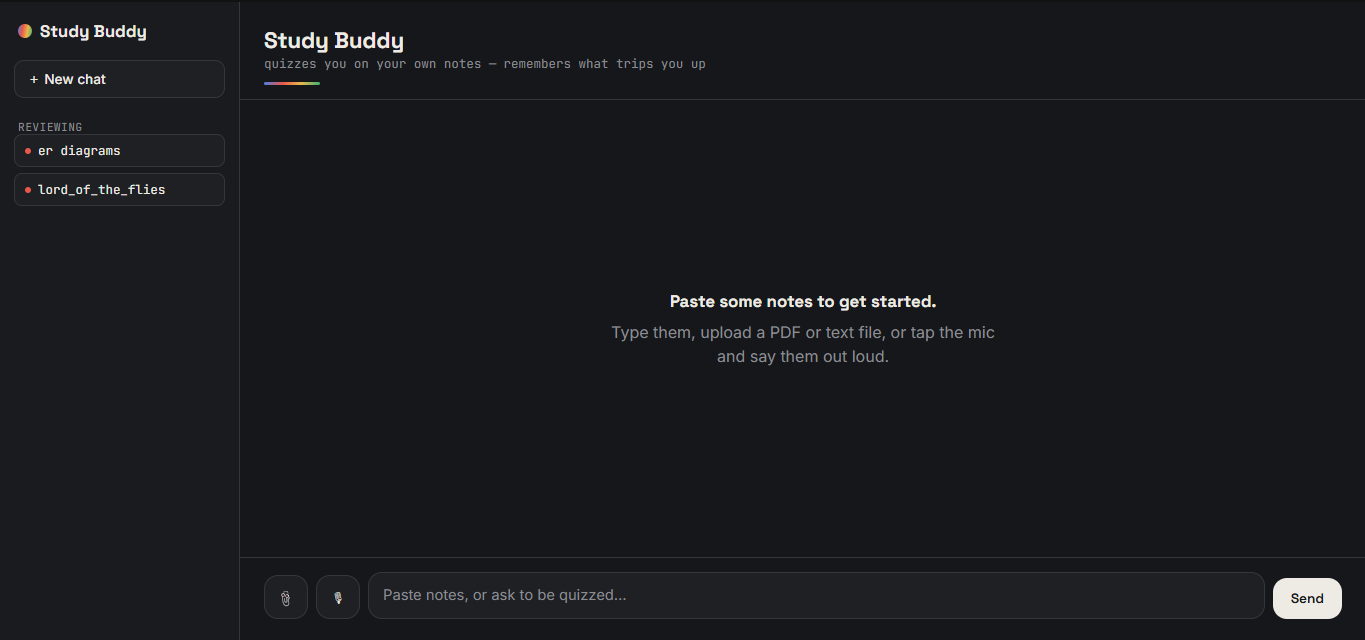
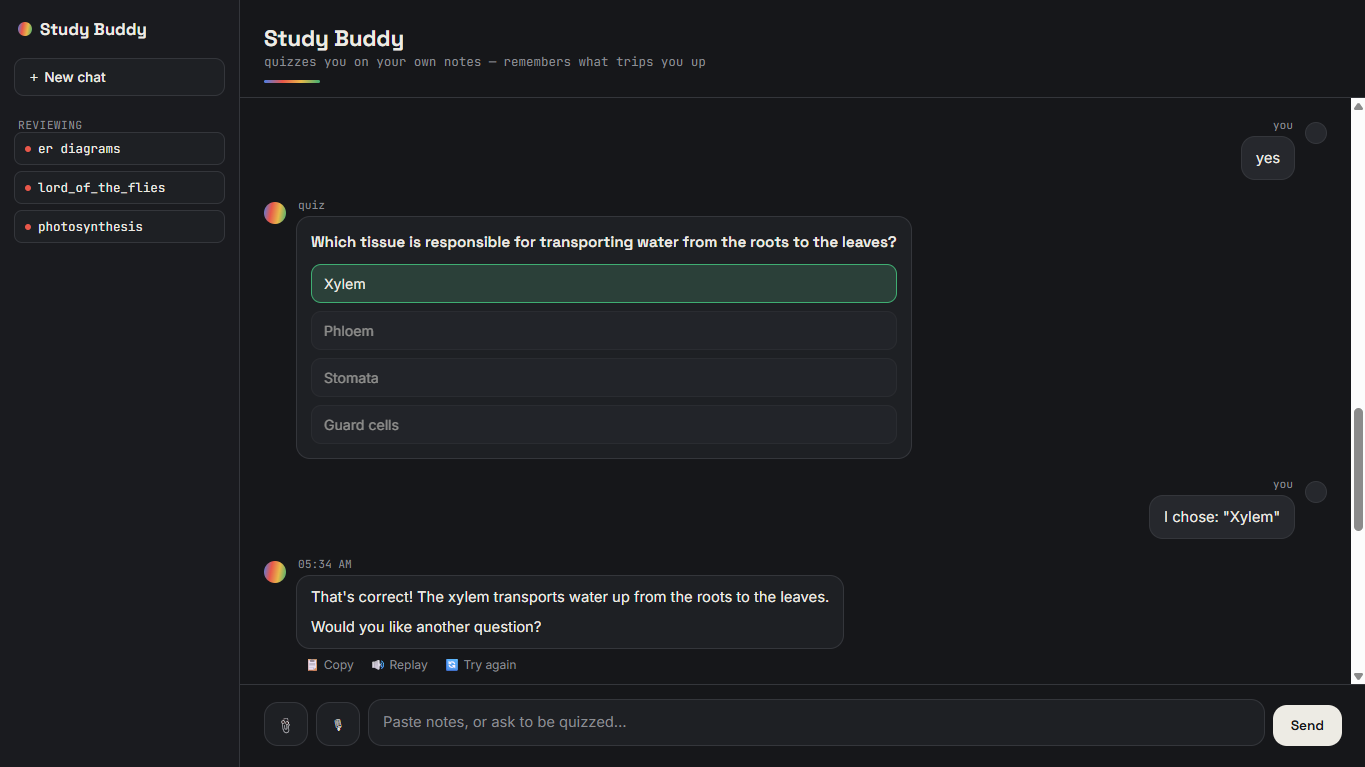
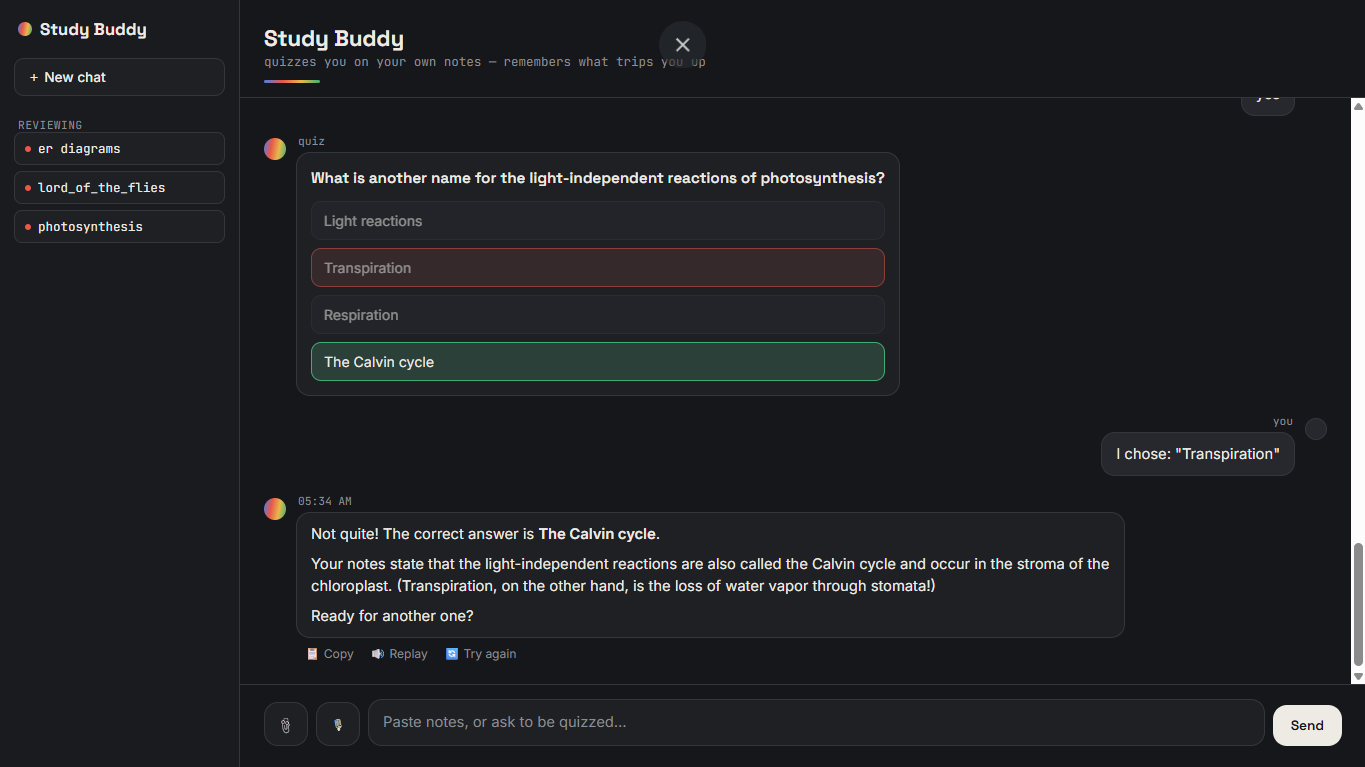
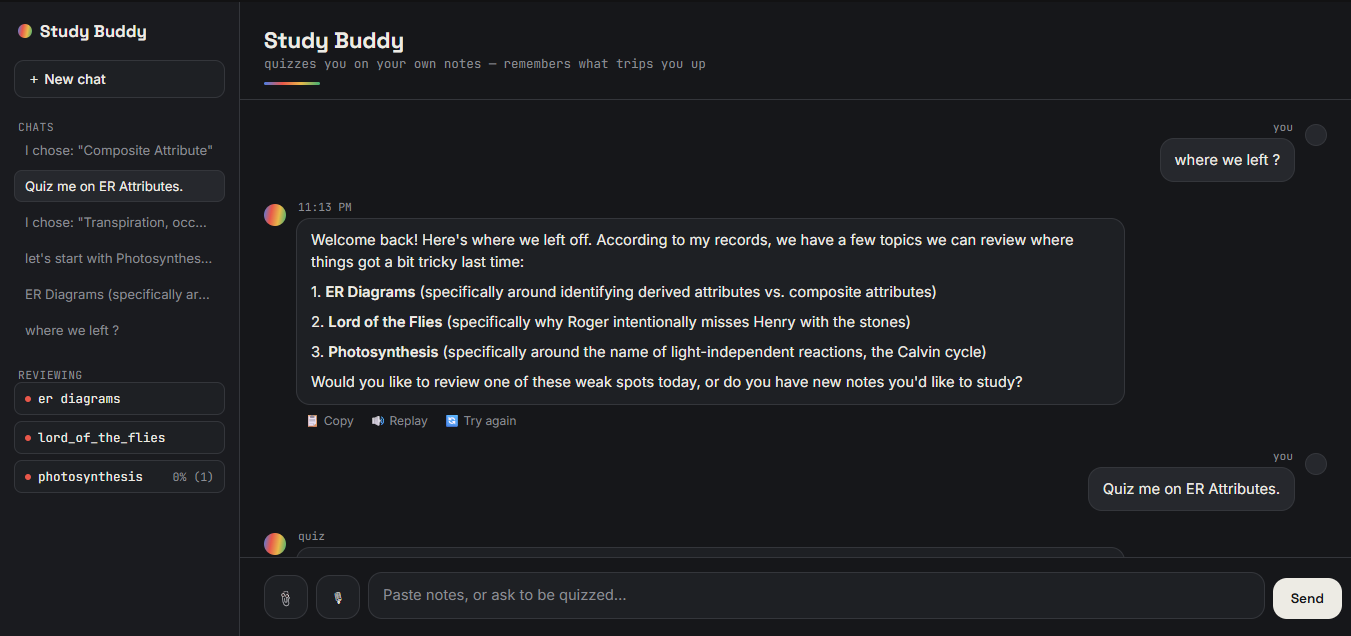
With Study Buddy, you can paste, upload, or speak your notes. The agent retrieves the notes you provided and generates interactive questions grounded in that material. When you get a question wrong, Study Buddy records that weak topic in persistent memory. When you return in a new session, it can bring that weak spot back up again instead of starting from zero.
The goal was simple:
Make studying feel like having a study partner who actually remembers you.
How We Built It
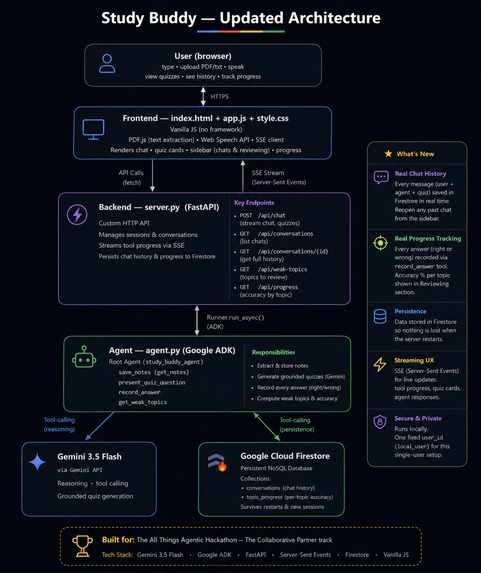
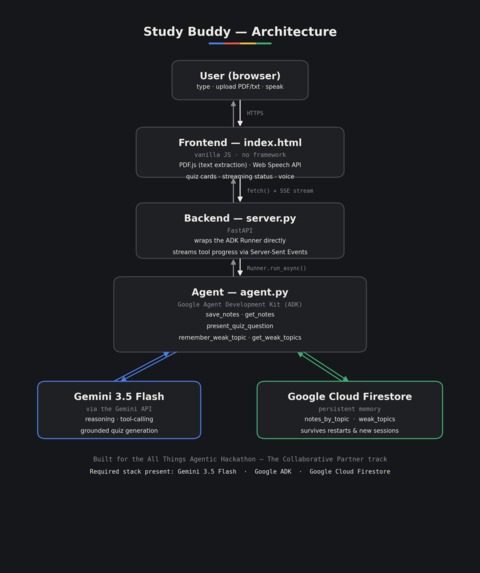
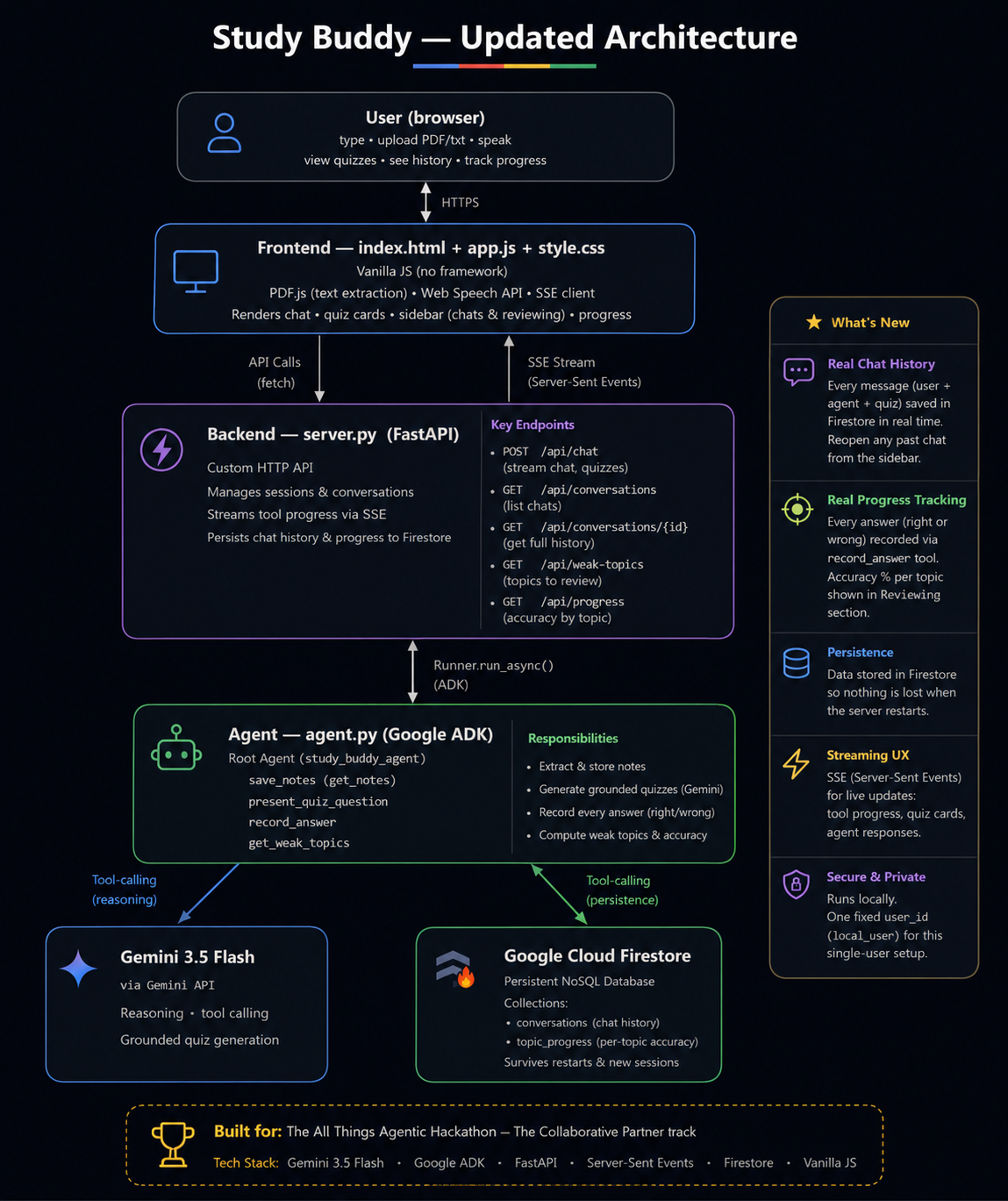
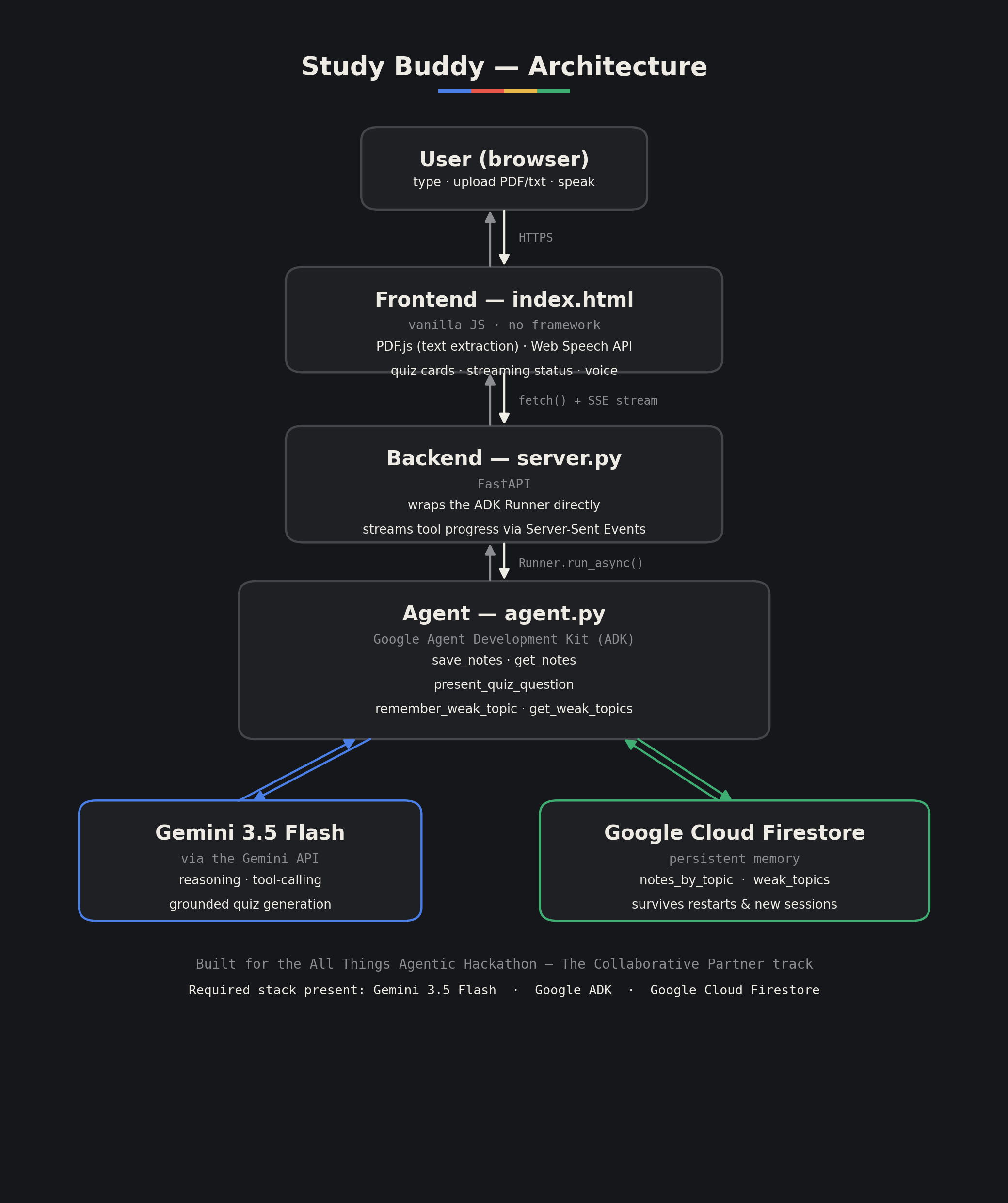
The core of Study Buddy is built using Google's Agent Development Kit (ADK) and Gemini 3.5 Flash.
Instead of building a chatbot that simply generates responses, we designed the agent around a small collection of tools that it can call autonomously:
- Save notes — stores the study material provided by the user.
- Retrieve notes — retrieves relevant material when generating a question.
- Record a weak topic — remembers concepts the student gets wrong.
- Recall weak topics — retrieves previously recorded weaknesses.
- Present a quiz question — turns the retrieved material into an interactive quiz experience.
This gives Study Buddy a lightweight retrieval-augmented pattern: questions are generated from the user's own notes rather than relying on the model's general knowledge.
For persistent memory, we use Google Cloud Firestore. Notes and weak topics are stored per topic, allowing information to survive application restarts and new sessions.
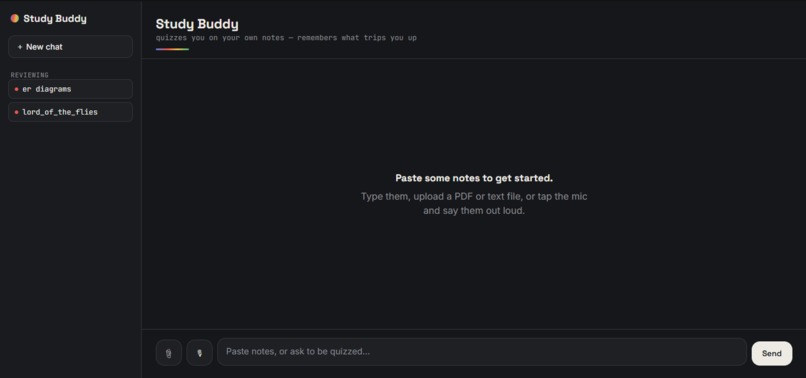
We also wanted the experience to feel like a real application rather than a developer demo. Instead of using the default ADK developer interface, we built a custom frontend with HTML, CSS, and JavaScript.
A FastAPI backend wraps the ADK Runner and streams the agent's progress to the browser using Server-Sent Events (SSE). This allows the interface to show what the agent is doing in real time, such as:
"pulling up your notes..."
The frontend also supports:
- Interactive multiple-choice quiz cards
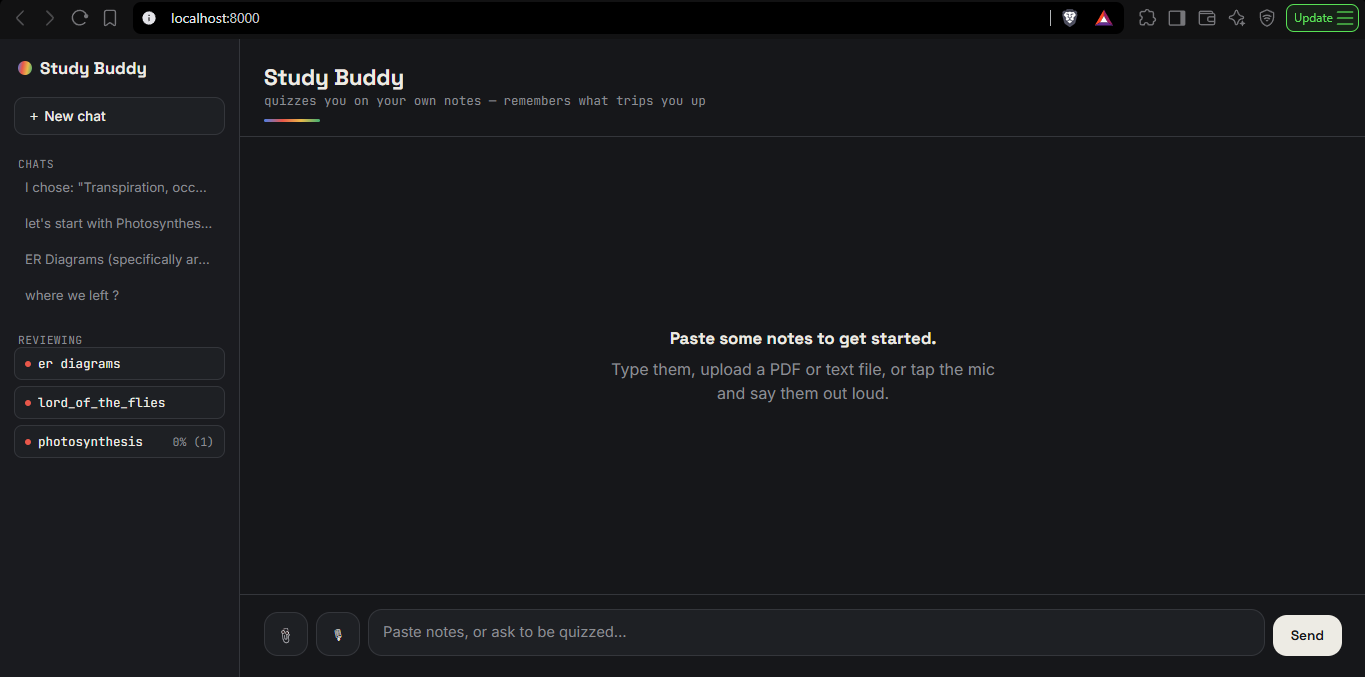
- PDF, TXT, and Markdown note uploads
- In-browser PDF text extraction using PDF.js
- Voice input using the Web Speech API
- Voice output
- Copy, replay, and retry controls
The result is an agent-driven study experience where the interface is built around the agent's actual workflow.
The Memory That Makes It Different
The most important part of Study Buddy is not simply generating questions.
It is remembering what the student struggles with.
For example, imagine a student is studying photosynthesis. They answer several questions correctly but repeatedly confuse the role of one particular process.
Study Buddy records that weak topic.
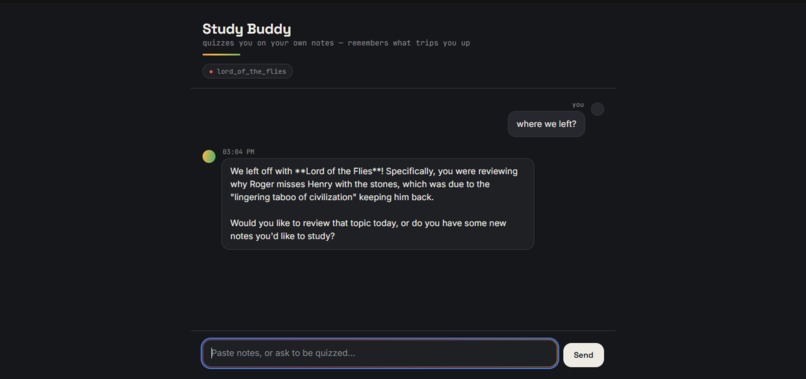
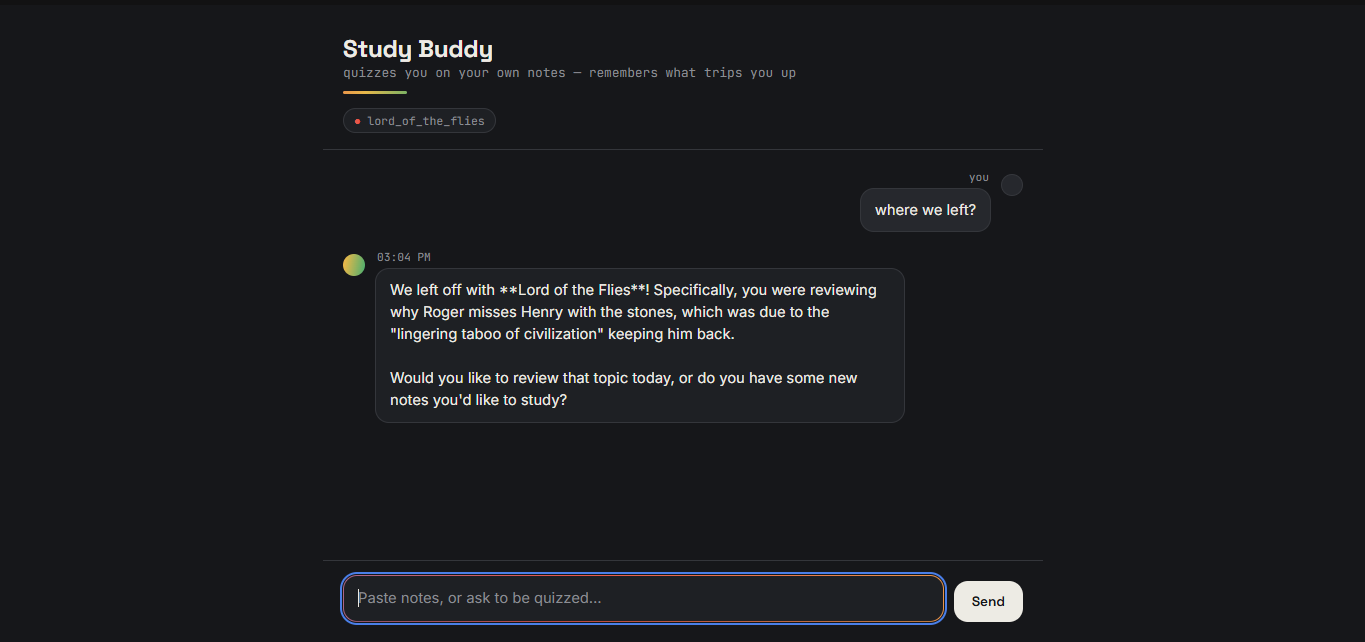
When the student returns later, the agent can recall that weakness and bring it back into the conversation without requiring the student to manually tell it what they got wrong previously.
This creates a simple feedback loop:
Study → Quiz → Make mistakes → Remember weak topics → Revisit → Improve
That persistent loop is what makes Study Buddy feel more like a collaborative partner than a one-off AI quiz generator.
Challenges We Faced
Building the project involved several challenges that were not immediately obvious when we started.
Working with ADK Outside the Default Developer UI
One of the first challenges was understanding how environment configuration behaves when using ADK.
ADK automatically loads .env files when launched through its own CLI commands such as adk web or adk run. However, our project uses a custom FastAPI server that directly wraps the ADK Runner.
That meant we had to explicitly handle environment configuration ourselves. This became an important debugging lesson when moving from the default development environment to our own application architecture.
Firestore Authentication
Getting persistent memory working locally also required more setup than simply installing the Firestore package.
We had to correctly configure:
- Application Default Credentials
- The Google Cloud project ID
- The Firestore database
- Local authentication
The distinction between a Google Cloud project's ID and its display name also caused debugging issues.
Real-World Cloud Constraints
We also encountered a practical infrastructure issue while setting up Google Cloud billing.
Google's payment processing presented a problem with Indian-issued debit cards for Cloud billing. This was a real-world constraint outside our application code and showed us that deploying an application involves more than simply getting the software working.
What We Learned
One of our biggest lessons was that building an agent is different from simply building a chatbot.
The useful behavior comes from giving the model the right tools, defining what those tools are responsible for, and allowing the agent to decide when to use them.
We also learned that persistent state changes the experience dramatically.
Without memory, every study session is independent. With memory, the agent can build continuity across sessions and use previous mistakes to influence what happens next.
We also learned how important the surrounding application architecture is. The agent itself is only one part of the experience. Streaming its progress through FastAPI, presenting its actions through a custom interface, and supporting multiple ways of providing study material made the system feel much more like an actual product.
What We're Proud Of
We are especially proud that the memory feature is visible and useful to the student, rather than being just a backend implementation detail.
The agent can proactively bring up something the student previously struggled with, even when they start a completely new session.
We are also proud that we built a fully custom interface around the agent instead of relying on the default ADK developer tooling.
The project combines:
Agent orchestration + retrieval + persistent memory + a custom UI
into one focused study experience.
What's Next
There are several directions we would like to take Study Buddy next:
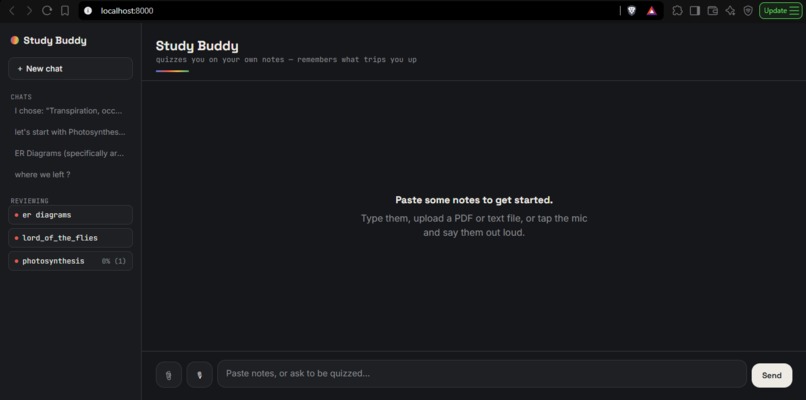
- Saved chat history — allowing students to browse previous study sessions.
- Per-topic mastery tracking — showing how a student's understanding changes over time.
- Multi-document sessions — allowing multiple study resources to be used together.
- More adaptive revision — using the student's previous performance to influence future questions.
The long-term goal is to make Study Buddy increasingly adaptive while keeping its most important principle intact:
The agent should study with you, not just talk at you.
Built With
- Google ADK
- Gemini 3.5 Flash
- Google Cloud Firestore
- Python
- FastAPI
- Server-Sent Events
- HTML5
- CSS3
- JavaScript
- PDF.js
- Web Speech API
Built With
- adaptivelearning
- adk
- agents
- cloudcomputing
- css3
- edtech
- fastapi
- flash
- gemini
- generative
- google-cloud
- googlecloudapis
- googlecloudfirestore
- html5
- inset-personalization
- javascript
- pdf.js
- personalizedlearning
- python
- retrieval-augmented
- server-sentevents(sse)
- webspeechapi


Log in or sign up for Devpost to join the conversation.