-
-

Study Buddy - Your New Best Friend
-
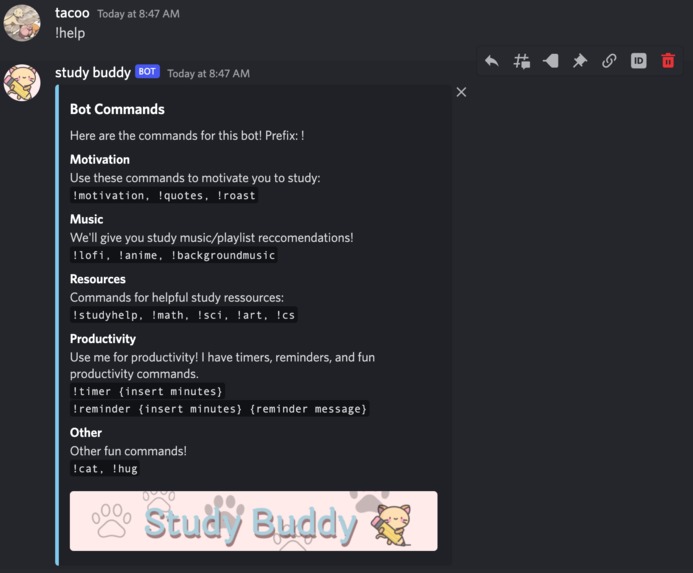
The !help command, which displays all the bot commands and what they do
-
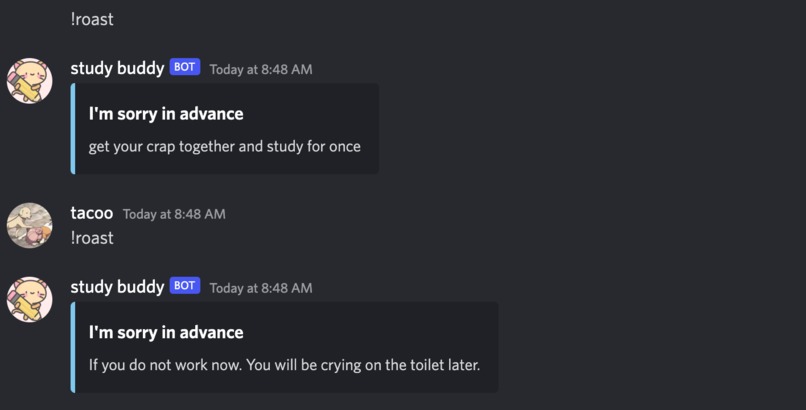
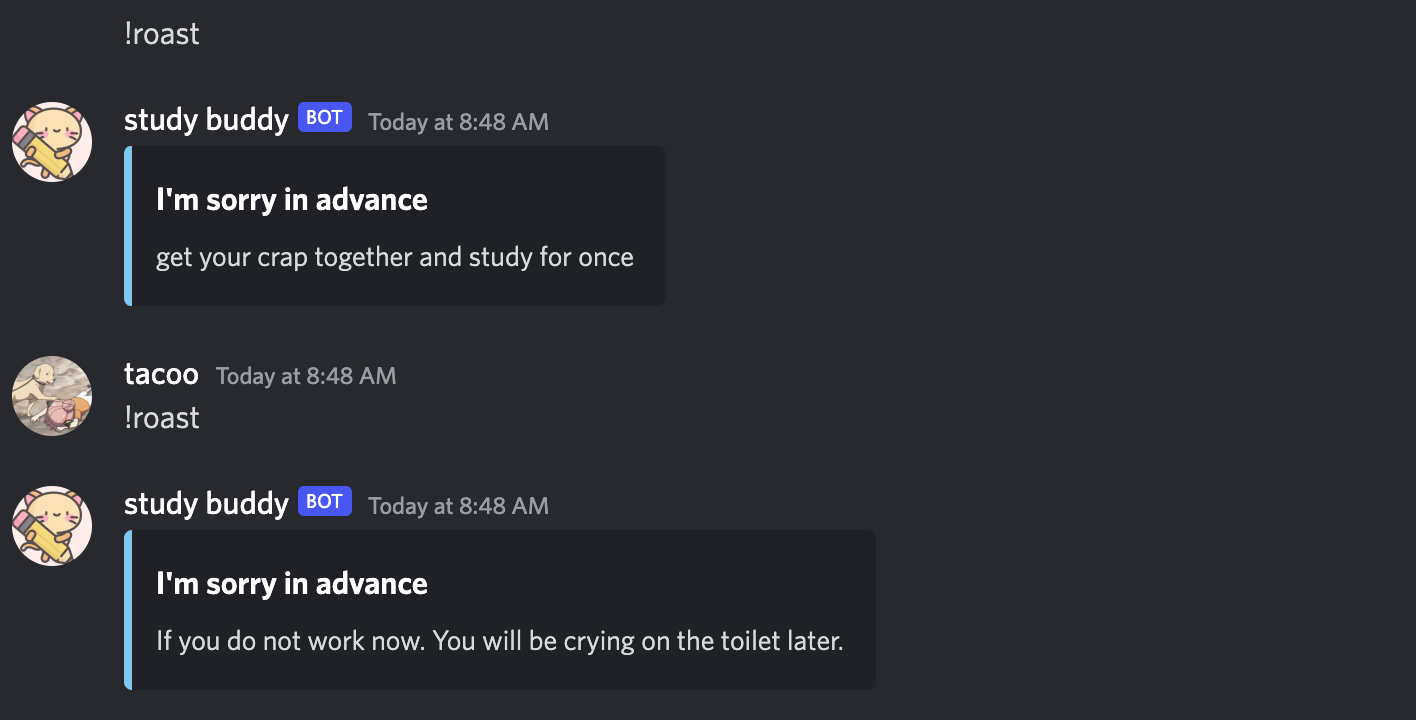
!roast command, which generates a random roast
-
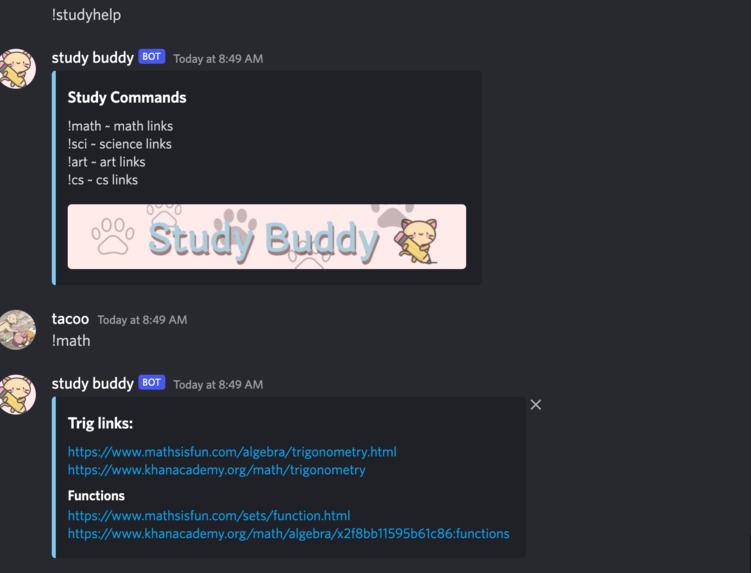
!studyhelp to find resources (math, CS, art, science)
-
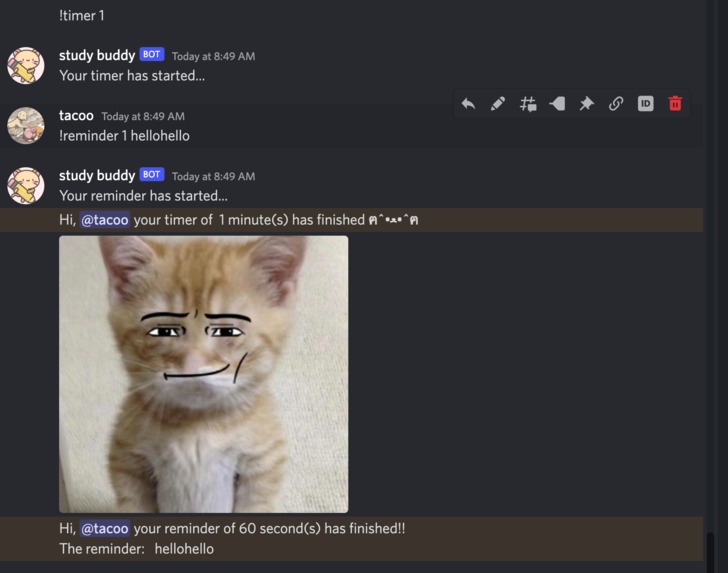
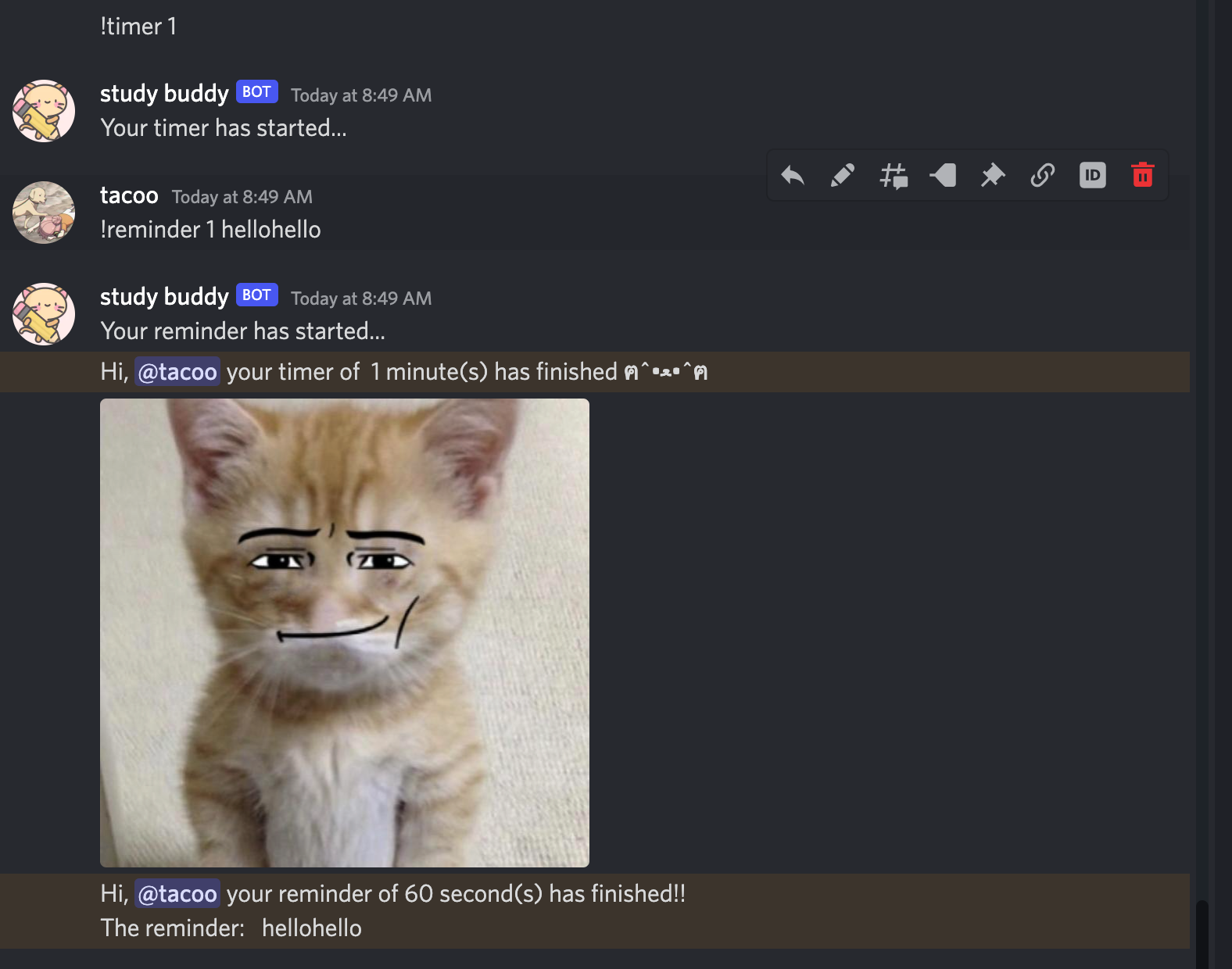
Productivity commands (!reminder, !timer), prints out a random funny cat meme when the timer is finished



Inspiration
From classmates playing League of Legends and going on Discord and Instagram for an excessive amount of time, to submitting assignments at 11:59 p.m. every day, this is normalized for high school students. Procrastination leads to a lot of stress and an overall lower quality of work. Our group recognized that many high school students struggle on a daily basis with staying on task and using their time effectively, especially when having a discord account. Not only other high school students but ourselves included; Study Buddy helps motivate and regulate the users to use their time wisely.
What it does
Study Buddy is a cat-themed Discord companion bot, with the goal of increasing overall productivity for the users. With dozens of fun commands, it helps motivate the user and help them manage their time more efficiently.
Our bot has two main time management commands: reminder, and timer. To make things simple and efficient, the commands were !timer {time} and !reminder {time}. When the user typed these commands, the bot will immediately start a timer and notify the user when it is over. To create an incentive to study, we put random and funny cat memes at the end of each timer.
We also included other fun commands to incentivize even more productivity. For example, there are hilarious motivations, roasting, quotes and even a wide variety of cat memes!
There’s still more! We noticed that students often have problems finding resources/good resources for school subjects, so we included some links for the users. Using the command !study help, users can find resources for various topics such as CS, math, art, and more.
How we built it
We coded using python (discord.py) on Visual Studio Code. We used different types of conditional statements, loops, and functions.
After creating @client.event, we defined several variables such as the username, usermessage, and channel. Then, we included several if and elif statements to create the commands. When the bot was finished printing a statement, it would return so that it wouldn’t cause errors (ie. printing it several times).
When coding the timer and reminder, we used various await, if, and while loops to build it.
Challenges we ran into
At the start, since none of us had previous experience with collaborative coding, it took us a while to get all members on the same VS Code file.
Also, since we all have limited coding experience in both hackathons and more specifically, coding discord bots, we struggled with the overall project. We found some commands easier to code as they became increasingly repetitive, but with the timer and reminder command, it took us several tries just to get it to ping the command user.
Also, at the start of building the project, we had trouble running the commands for our Discord bot. We thought it had something to do with importing, so we kept trying to fix import errors. We later found out that when a user typed the !roast command, it would break the whole file.
Accomplishments that we're proud of
In the end, our group was able to complete a functioning discord bot that meets our original aspirations. We are especially glad to have completed Study Buddy in time and have added many extra commands that add to the fun! In addition, we are particularly proud of the reminder and timer feature as they took the most thought and time.
What we learned
Participating in this hackathon and creating our first Discord bot helped us all learn how to collaborate, create different commands and problem-solve.
What's next for Study Buddy
In the future, Study Buddy will gain new features such as improvements including a user-customizable schedule. More features we plan on adding include a way to see all ongoing reminders and making it so that Study Buddy can also join calls and play music. We hope these features will further benefit the user and implement the main purpose of this project, preventing the misuse of one’s time.
Features that we hope to improve include our !help and !studyhelp commands by adding buttons to make Study Buddy more efficient and specific and adding even more study resources and categories to our !studyhelp commands.
Built With
- discord.py
- python
- vscode


Log in or sign up for Devpost to join the conversation.