-
-
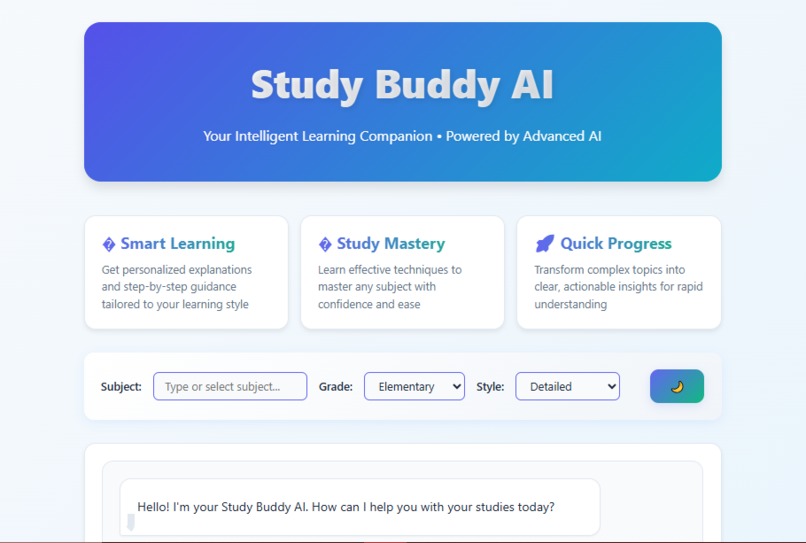
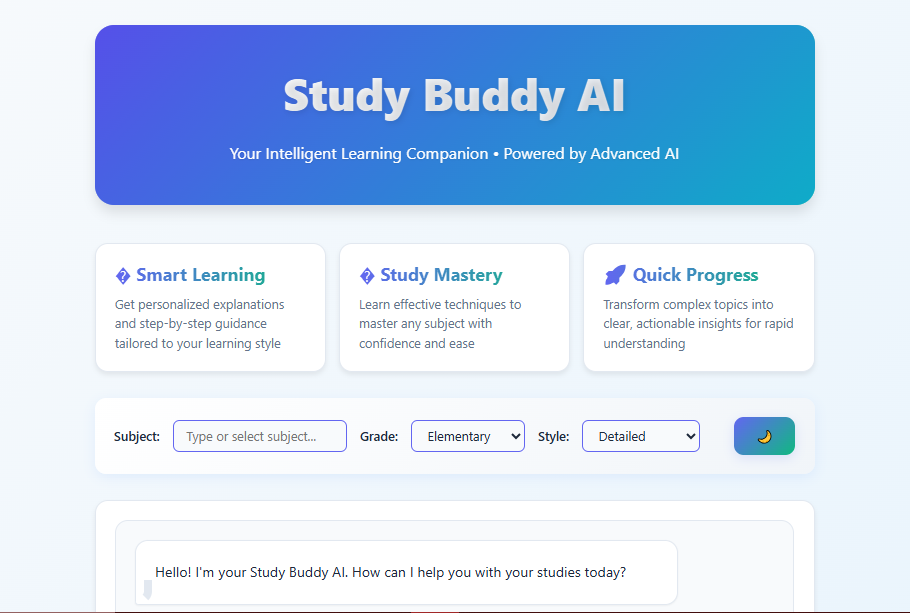
Main Web
-
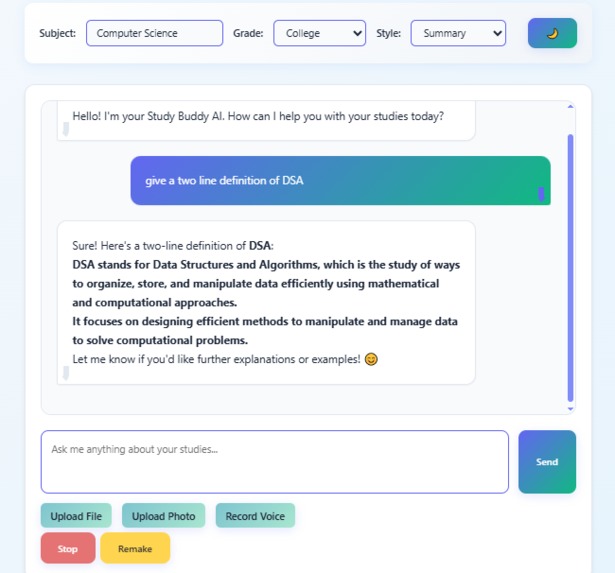
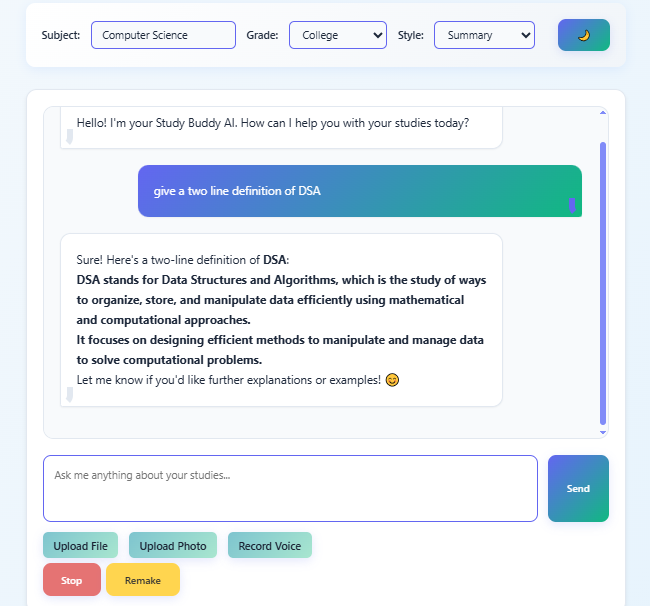
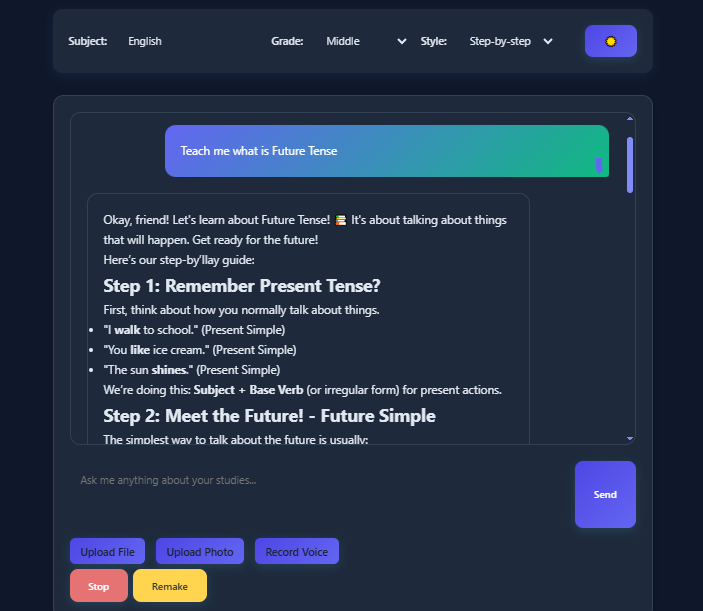
Chat Interaction
-
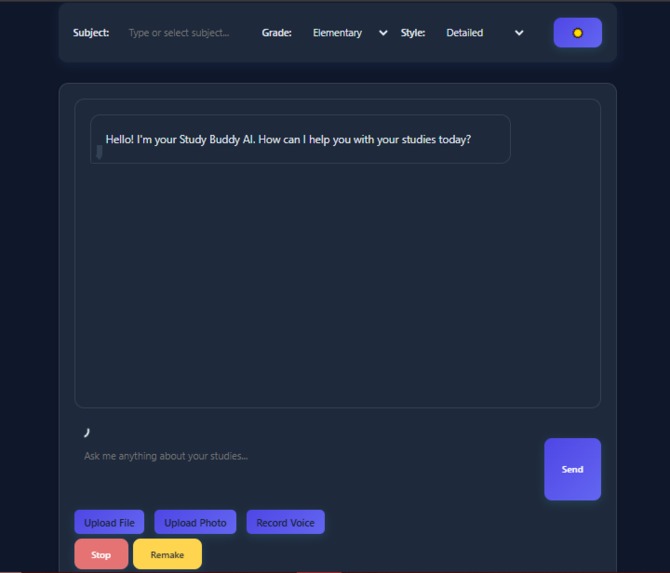
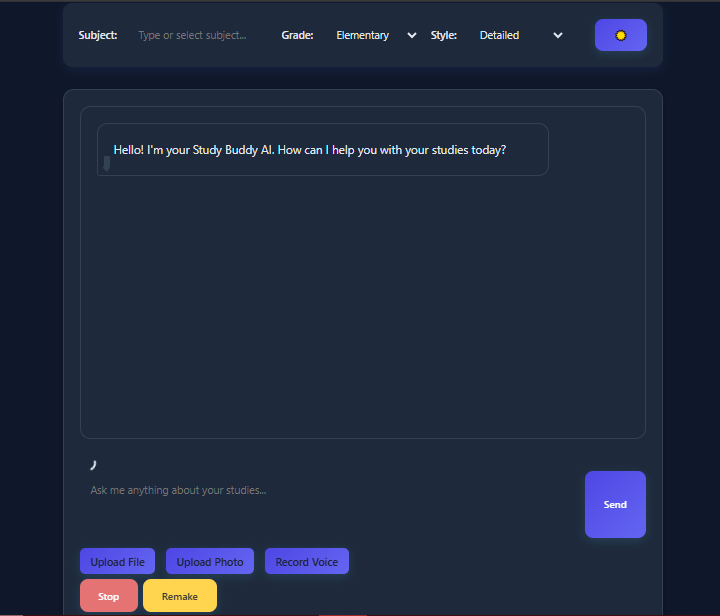
Darkmode
-
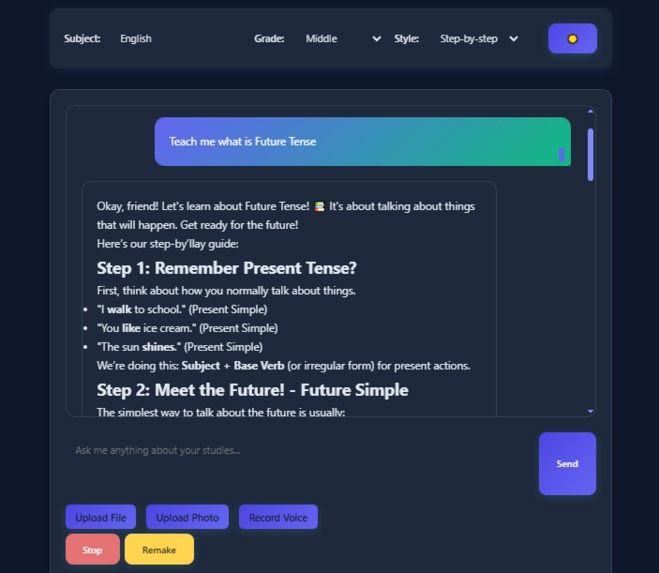
Prompt generate
Based on your Study Buddy AI project, here are the sections for your hackathon submission:
🌟 Inspiration The inspiration for Study Buddy AI came from witnessing the struggles students face in our digital learning era. During online classes, I observed classmates juggling scattered materials - PDFs from professors, handwritten notes, voice recordings, and photos of whiteboards. There was no unified way to process these different formats, and students were spending more time organizing than actually learning.
The breakthrough moment came when I realized AI could serve as a universal translator for education - taking any input format and transforming it into personalized, digestible knowledge. I wanted to create a 24/7 tutor that meets students where they are, regardless of how they prefer to learn or what materials they have.
🎯 What it does Study Buddy AI is an intelligent, multi-modal academic assistant that processes any type of learning material:
📄 Document Processing: Extract and analyze PDFs, Word documents, and academic papers 🖼️ Image OCR: Read handwritten notes, diagrams, and whiteboard photos using advanced OCR 🎤 Voice Input: Record lectures or thoughts with real-time speech-to-text transcription 💬 Interactive Chat: Natural conversation with AI tutor using streaming responses The AI personalizes every interaction based on:
Subject (Math, Science, English, History, Computer Science, or custom) Grade Level (Elementary through College) Learning Style (Detailed, Summary, Funny, Step-by-step explanations) Key features include real-time response streaming, stop/remake functionality, and seamless dark/light mode switching across all devices.
🛠️ How we built it I built Study Buddy AI using a pure web technology stack to demonstrate mastery of fundamentals:
Frontend Architecture:
HTML5/CSS3/JavaScript (no frameworks) for maximum compatibility CSS Custom Properties for dynamic theming and responsive design CSS Grid & Flexbox for mobile-first responsive layouts AI Integration:
OpenRouter API with DeepSeek R1 model for intelligent responses Real-time streaming implementation with custom timeout management Context-aware prompting for educational content generation Multi-Modal Processing:
PDF.js for client-side PDF text extraction Tesseract.js for OCR (handwritten text recognition) Mammoth.js for Word document processing Web Speech API + AssemblyAI for voice transcription Technical Implementation:
🚧 Challenges we ran into
Real-time Streaming with User Control Challenge: Implementing word-by-word streaming while allowing users to stop mid-generation or remake answers. Solution: Built a sophisticated timeout management system with global state tracking for streaming interruption.
Multi-Modal File Processing Challenge: Coordinating different processing libraries (PDF.js, Tesseract.js, Mammoth.js) while maintaining smooth UX. Solution: Created an asynchronous processing pipeline with immediate visual feedback, background processing, and comprehensive error handling.
OCR Accuracy for Handwritten Content Challenge: Tesseract.js struggled with handwritten notes and complex diagrams. Solution: Implemented image preprocessing, user guidance for optimal photo capture, and confidence scoring with fallback explanations.
Cross-Device Compatibility Challenge: Ensuring consistent experience across desktop, tablet, and mobile devices. Solution: Implemented mobile-first responsive design with touch-friendly interfaces and device-specific optimizations.
Context Management Challenge: Maintaining conversation flow across different input modalities (text, voice, images, documents). Solution: Built a comprehensive message history system with intelligent context preservation and prompt engineering.
🏆 Accomplishments that we're proud of Technical Achievements:
Built a fully functional multi-modal AI application using pure vanilla JavaScript (no frameworks) Implemented real-time streaming with stop/remake functionality Created seamless OCR integration for handwritten text recognition Developed responsive design that works flawlessly across all devices Achieved zero-dependency frontend architecture User Experience:
Intuitive file upload with drag-and-drop and visual processing feedback Personalized learning adaptation based on subject, grade, and style preferences Accessibility features including dark mode and mobile optimization Professional UI/UX with smooth animations and modern design Educational Impact:
Created a tool that genuinely helps students learn more effectively Demonstrated how AI can make education more accessible and inclusive Built something that works for students with different learning preferences and abilities 📚 What we learned Technical Skills:
Advanced JavaScript: Mastered async/await, File API, streaming implementations, and timeout management API Integration: Learned effective prompt engineering and context management for educational AI Multi-Modal Processing: Gained expertise in OCR, document parsing, speech recognition, and file handling Responsive Design: Perfected mobile-first development and cross-device compatibility AI Development:
Prompt Engineering: Crafting prompts that generate educational, grade-appropriate content Context Management: Maintaining conversation flow across different input types Error Handling: Building robust systems that gracefully handle API failures and edge cases UX/UI Design:
User-Centered Design: Creating interfaces that work for diverse users and use cases Performance Optimization: Ensuring smooth experiences even with heavy file processing Accessibility: Building inclusive web applications that work for everyone Problem-Solving:
Systems Thinking: Coordinating multiple complex technologies into a cohesive experience Performance Trade-offs: Balancing feature richness with speed and reliability 🚀 What's next for Study Buddy AI Immediate Enhancements:
Mathematical Equation Recognition: Integrate MathJax for processing mathematical formulas and equations Enhanced File Support: Add PowerPoint, Excel, and video transcript processing Advanced OCR: Improve accuracy for complex diagrams and scientific notation Collaboration Features: Enable shared study sessions and group learning Technical Scaling:
Backend Infrastructure: Develop Node.js/Python backend for enhanced processing capabilities Database Integration: Add user accounts, learning history, and progress tracking Mobile App: Create native iOS/Android applications with offline capabilities API Ecosystem: Build integrations with Canvas, Blackboard, Google Classroom AI Improvements:
Subject-Specific Models: Fine-tune AI models for specialized academic domains Multi-Language Support: Expand to support global students in their native languages Adaptive Learning: Implement personalized learning paths based on user progress Advanced Analytics: Provide insights into learning patterns and study effectiveness Long-term Vision:
Virtual Study Groups: Create collaborative learning environments with AI moderation Institutional Integration: Partner with schools and universities for campus-wide deployment Accessibility Features: Add support for students with disabilities and learning differences Global Education Platform: Scale to serve millions of students worldwide
Built With
- ai
- assemblyai
- css3
- deepseek
- es6+)
- github
- html5
- javascript
- mammoth.js
- marked.js
- openrouter
- pdf.js
- tesseract.js

Log in or sign up for Devpost to join the conversation.