-
-
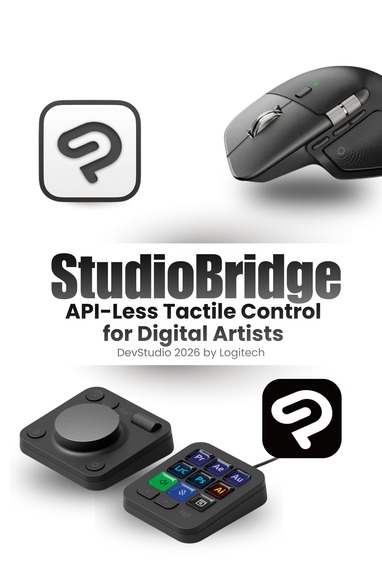
StudioBridge: Logitech MX Plugin for CSP Poster
Inspiration
If you have ever drawn a single webtoon episode or a full-color digital illustration, you know the physical toll it takes. Artists perform thousands of repetitive clicks per session—constantly swapping from a sketching pencil to an inking G-Pen, applying clipping masks, and adjusting canvas rotation. This constant menu-diving completely breaks an artist's "flow state" and leads to severe physical wrist fatigue.
Clip Studio Paint (CSP) is the global industry standard for this kind of work, but there is a massive roadblock: its developer API is locked entirely to the Japanese region. Global artists have zero official API-level hardware integrations. I wanted to build a solution that forces this closed ecosystem open, bringing tactile, eyes-free control back to digital artists so they can focus entirely on the canvas.
What it does
StudioBridge is an intelligent, API-less "Desktop Agent" that bridges the Logitech MX Creative Console and MX Master 4 directly into Clip Studio Paint. It turns deeply nested digital menus into physical muscle memory.
- Visual Auto Action Deck (MX Keypad): The 9 LCD screens act as a dynamic management board. A single press triggers complex CSP Auto Actions—instantly generating comic panels, applying screen tones, or grouping layers into a "Multiply" folder.
- Analog Canvas Control (MX Dialpad): The frictionless aluminum dial maps to step-free canvas rotation, letting artists angle the board to match their natural wrist movements. The vertical roller dynamically adjusts brush radius mid-stroke.
- Contextual Tooling (Actions Ring & MX Master 4): Clicking the mouse's gesture button opens the virtual Actions Ring directly at the stylus. It dynamically populates with specific sub-tools (e.g., swapping to a watercolor blender).
- Vector Haptics: The mouse delivers a subtle physical pulse when vector lines seamlessly intersect or lock onto a perspective ruler.
How we plan to build it
Because a traditional REST API isn't an option for global CSP users, the architecture is designed to think outside the box to ensure the final codebase is highly maintainable, readable, and scalable. The plan is to build the entire integration on a cleanly decoupled Node.js stack.
The Logitech Node.js Actions SDK will act as the hardware listener, running as a lightweight background service. When a physical dial is spun or an LCD key is pressed, the script will instantly communicate with nut.js—a powerful native desktop automation library. Instead of injecting risky code into CSP's memory, StudioBridge is designed to act like an "invisible hand." It will securely and consistently fire OS-level shortcuts and UI commands to trigger the desired tools, ensuring a fantastic developer and user experience without violating any software terms of service.
Anticipated Challenges
The absolute biggest challenge we anticipate facing during development is the lack of a global developer toolkit for Clip Studio Paint. Because traditional plugins communicate directly with a software's backend and we are completely locked out, we will need to carefully bypass this limitation without violating any Terms of Service or creating a brittle script. Perfecting the timing between the Logitech hardware inputs and the OS-level UI automation will require precise mapping and testing to ensure the final product feels truly instantaneous and consistent to the user.
Accomplishments that we're proud of
Even at this proposal stage, I am incredibly proud of designing the API-less bridge architecture. By planning a system that keeps the hardware listener completely decoupled from the OS execution script, the proposed architecture guarantees a highly maintainable, secure, and readable codebase. It proves that even closed software ecosystems can be enhanced with external premium hardware through clever, scalable design, ensuring a fantastic developer and user experience.
What we learned during the design phase
Researching and architecting this proposal has already pushed my understanding of hardware-to-software bridging. I have gained deep, practical insight into how the Logitech Actions SDK can interface with native operating system functions using Node.js desktop automation (nut.js). It has taught me that when the front door (an official API) is locked, a well-architected workaround can still prioritize seamless functionality and elegant code.
What's next for StudioBridge
If this proposal moves forward into development, the immediate next step is building the core Node.js listener and executing the first successful nut.js shortcut. Once the foundation is scalable and stable, the roadmap includes expanding the Actions Ring contextual menus to recognize specific illustration stages automatically (e.g., detecting when the user is in an "Inking" phase versus a "Coloring" phase and updating the hardware LCDs accordingly). I also plan to refine the MX Master 4 haptic feedback profiles to give physical weight to digital drawing tools.
Built With
- clip
- desktop-automation
- javascript
- logitech-actions-sdk
- node.js
- nut.js
- paint
- studio

Log in or sign up for Devpost to join the conversation.