-
-
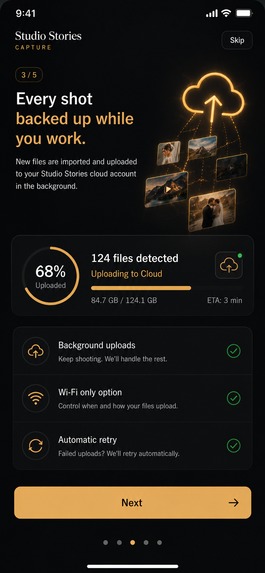
On boarding Screen
-
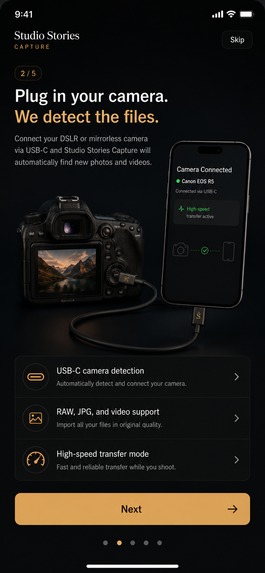
On boarding Screen
-
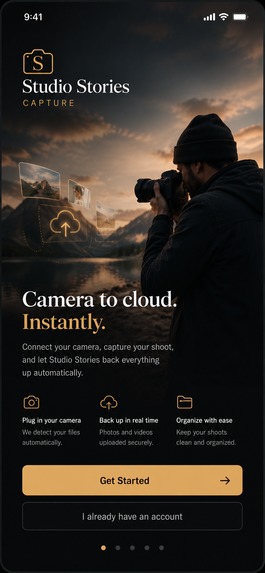
On boarding Screen
-
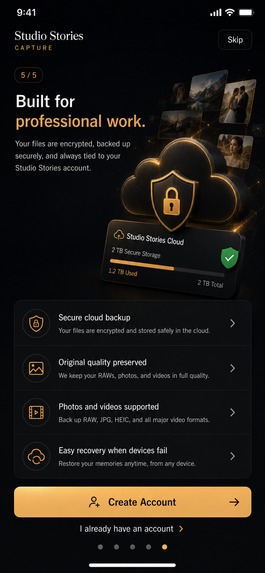
On boarding Screen
-
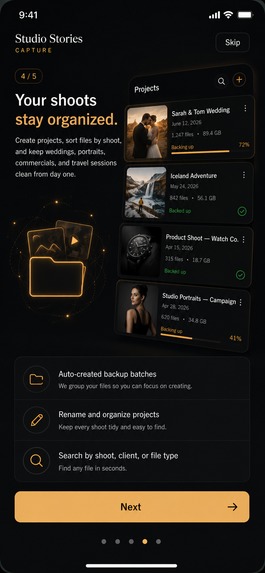
On boarding Screen
-
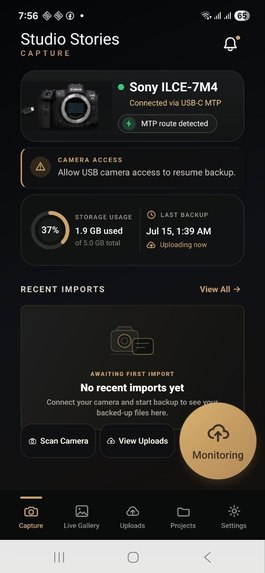
Screenshot Android App
-
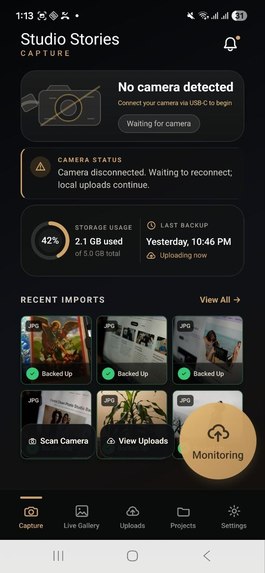
Capture Page
-
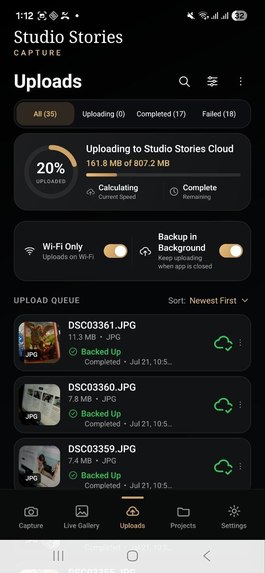
Upload Page
-
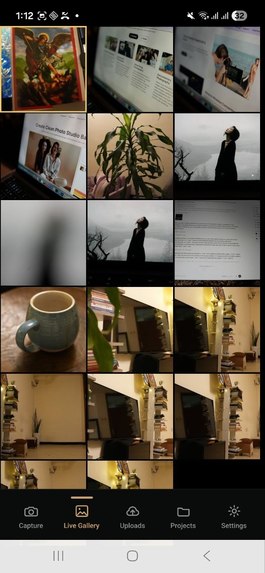
Live Gallery with imported photos
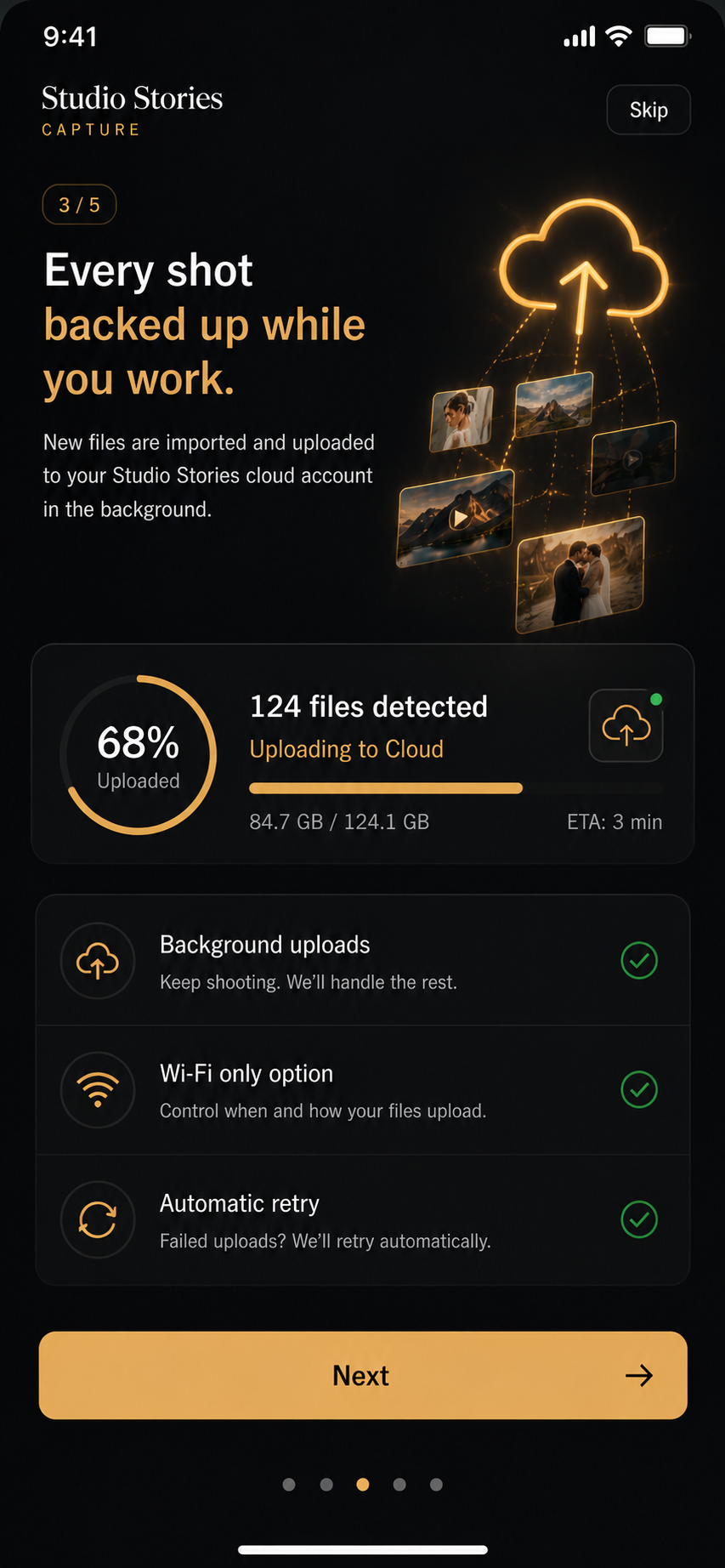
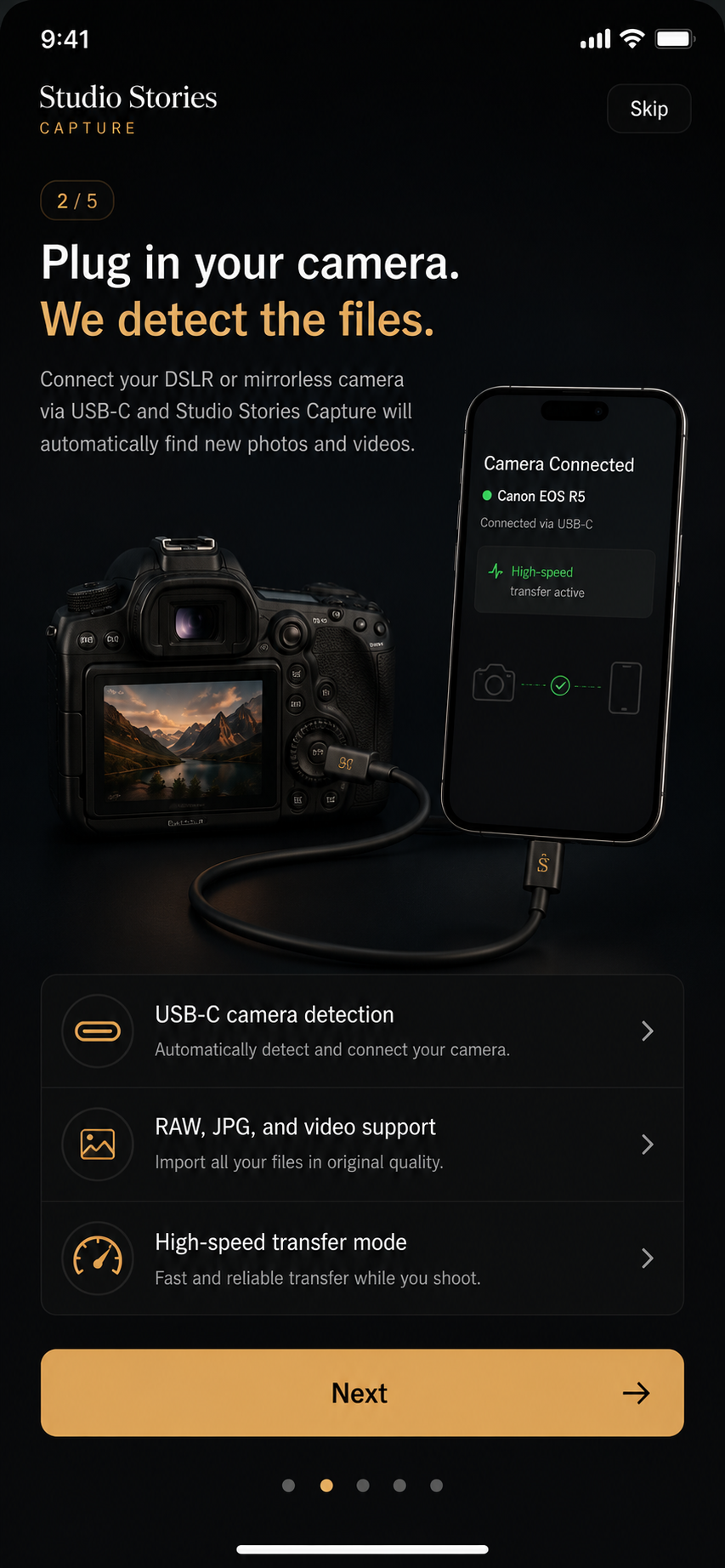
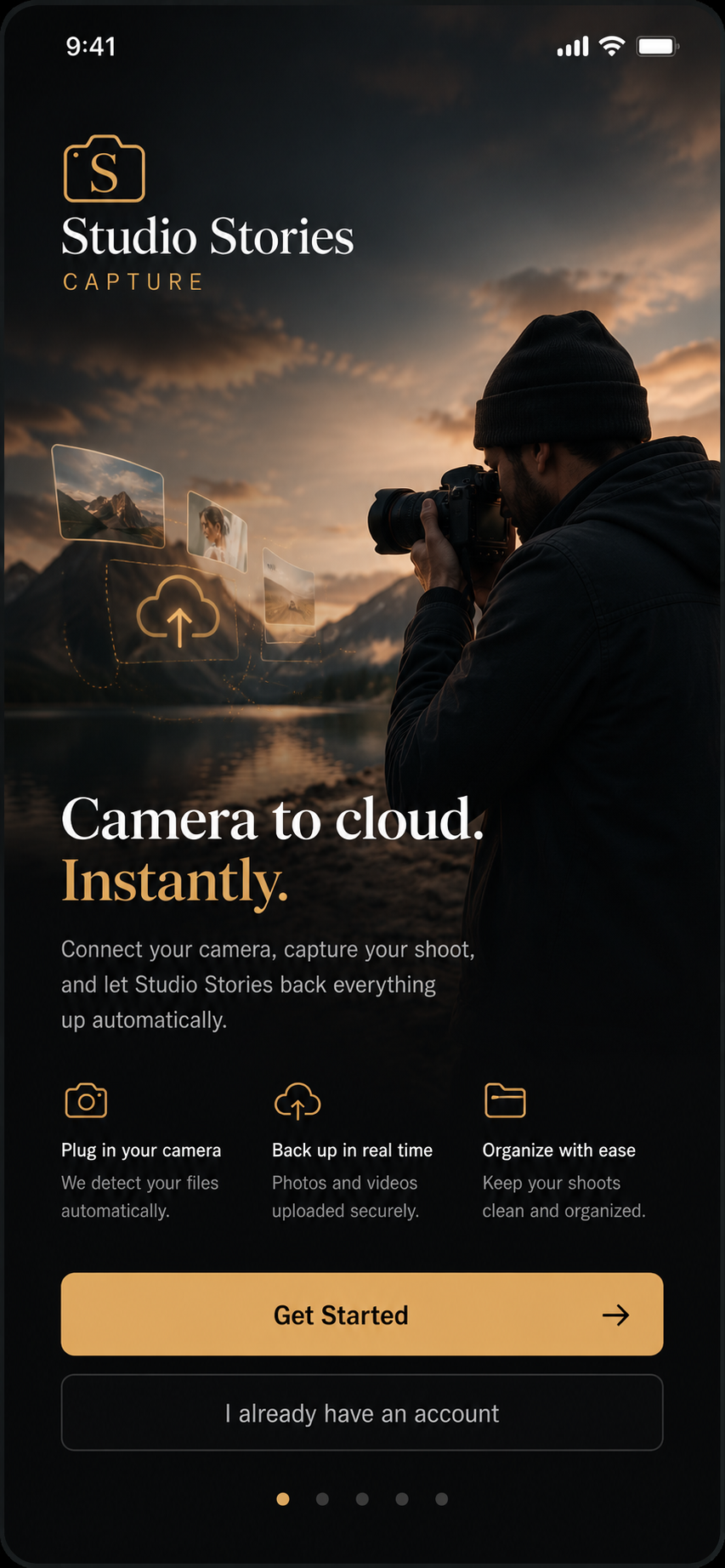
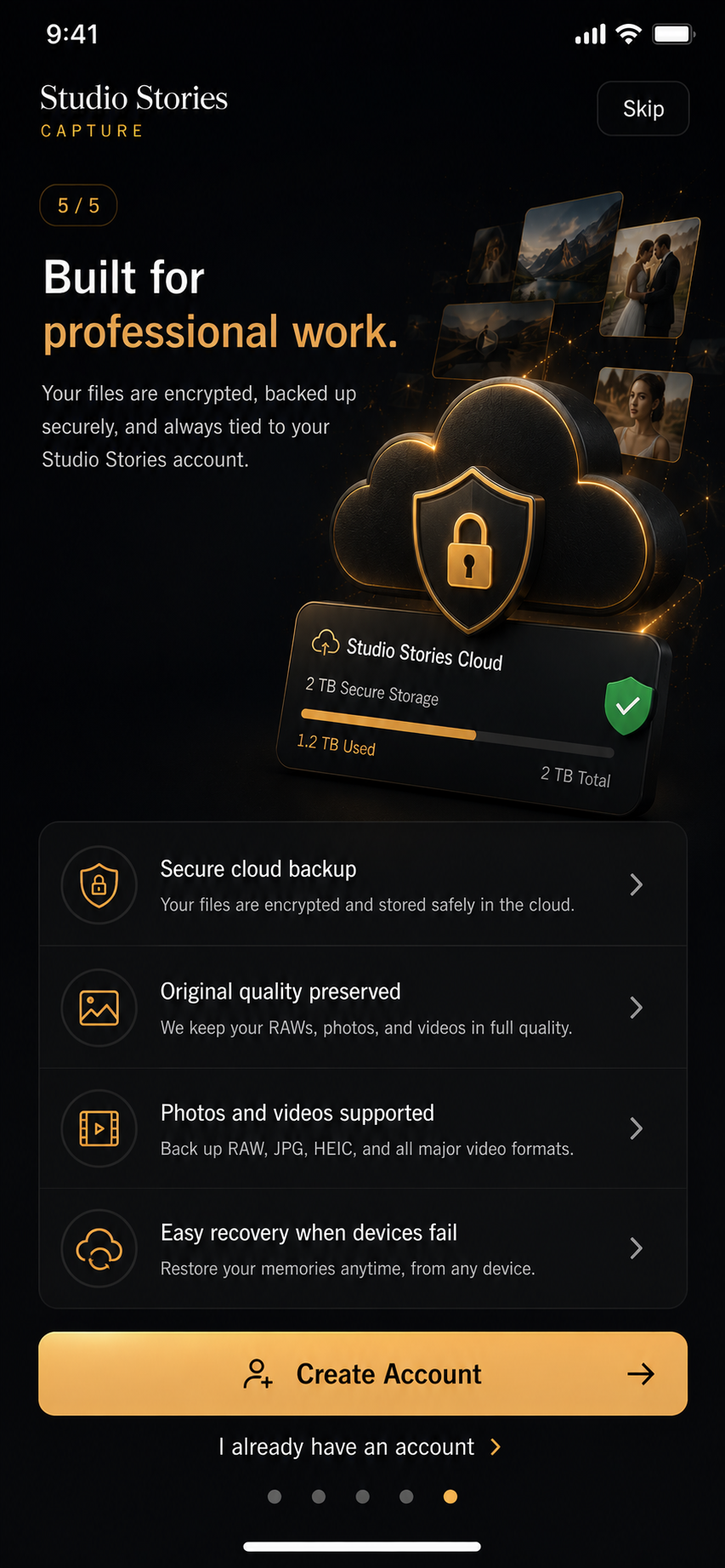
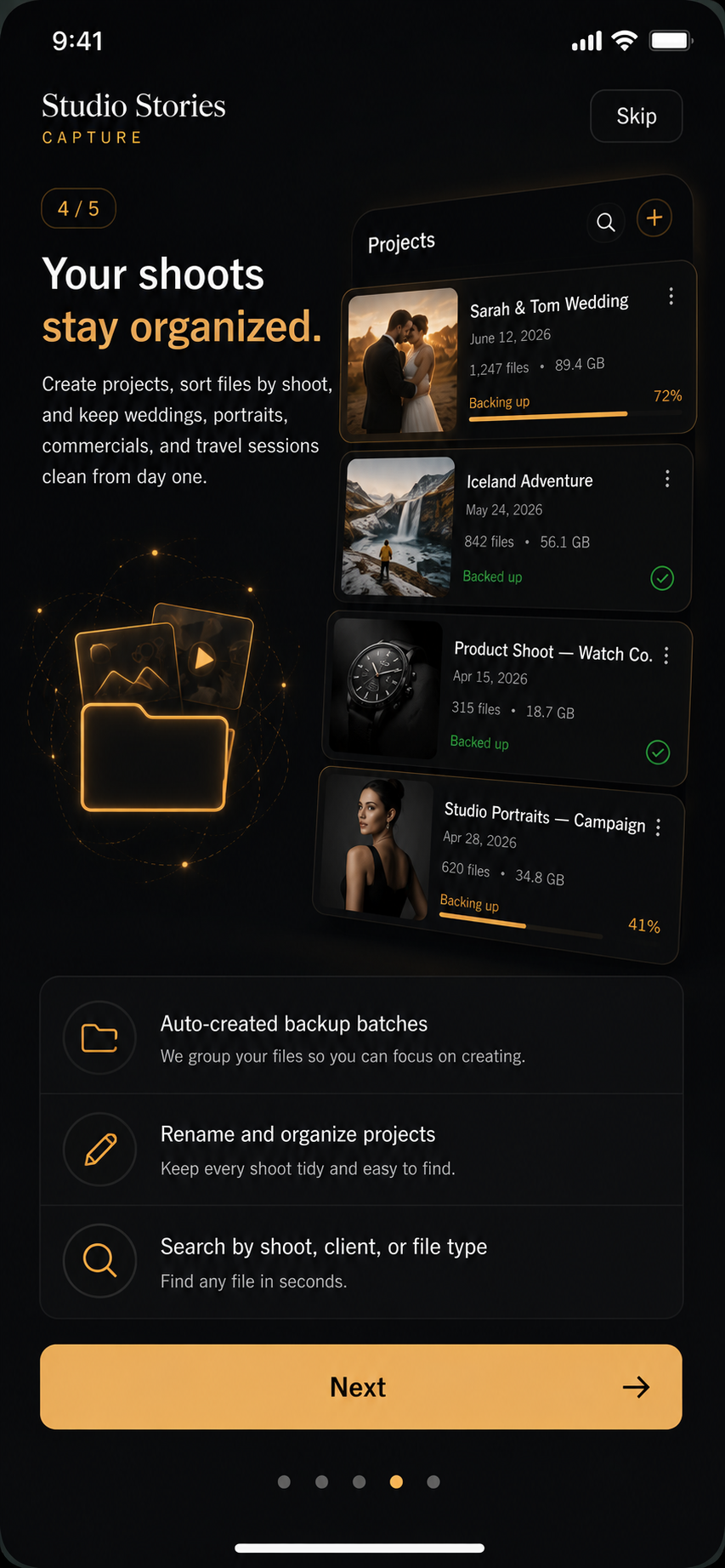
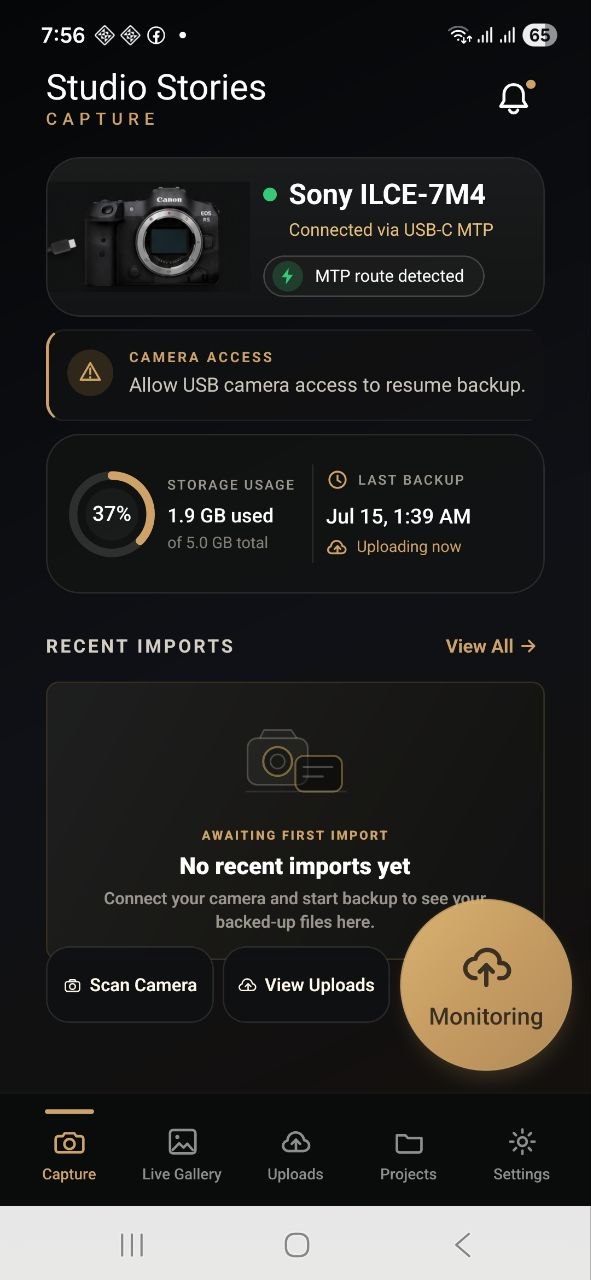
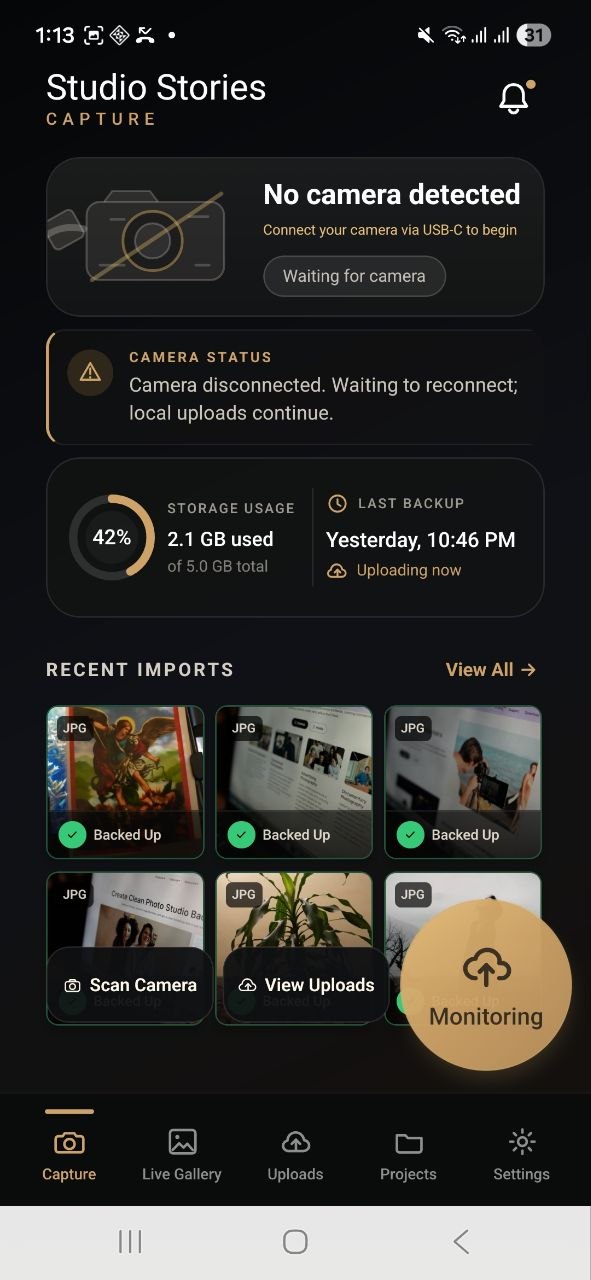
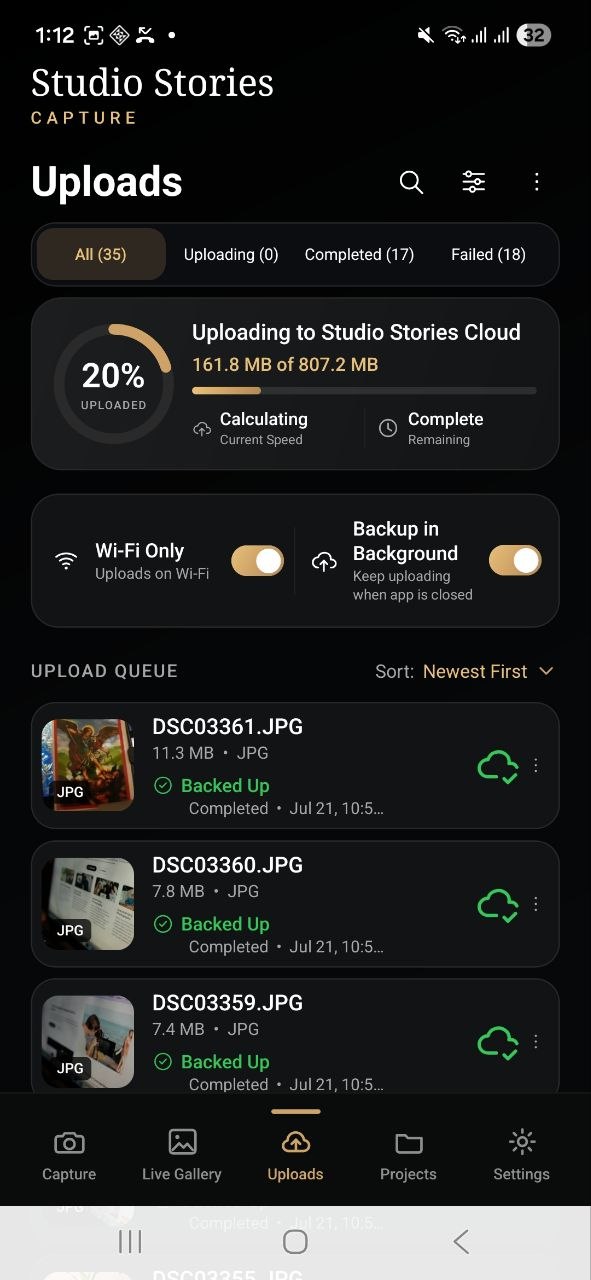
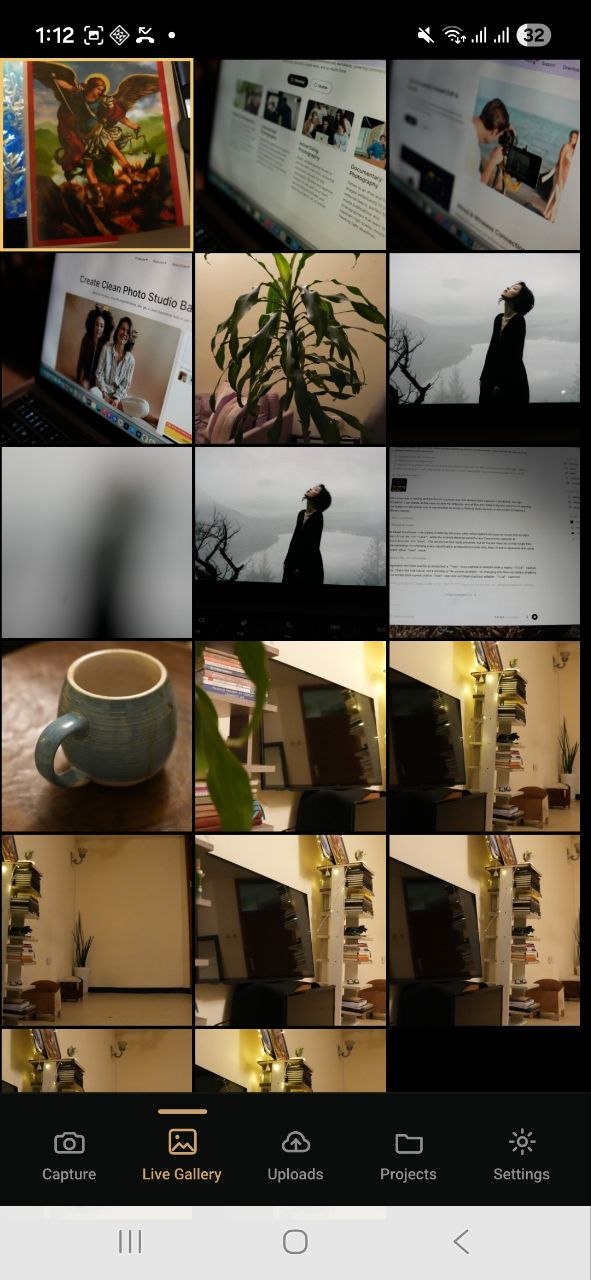
Studio Stories Capture
Inspiration
Studio Stories Capture began with a problem we repeatedly saw among professional photographers and studios in Ethiopia: an entire wedding, event, graduation, or commercial shoot could depend on a single SD card or external hard drive.
The usual workflow is slow and risky. A photographer captures hundreds or thousands of valuable photos, keeps them on the camera until the shoot is over, transfers them to a computer, organizes them into folders, edits selected images, and only then creates a backup or sends anything to the client. During that gap, a damaged memory card, misplaced drive, accidental deletion, or delayed transfer can put irreplaceable work at risk.
We were already building Studio Stories as a cloud storage and workflow platform for photographers. But we realized that asking photographers to upload their work after a shoot still left the most vulnerable and time-consuming part of the workflow unsolved.
We wanted to move protection and delivery closer to the exact moment a photograph is created.
What if a photographer could connect a professional camera to a phone, start shooting, and have every image automatically backed up, organized, AI-edited, branded, and made ready to share within moments?
Studio Stories Capture turns that idea into a camera-to-cloud and camera-to-ready workflow for photographers, studios, and live events.
What it does
Studio Stories Capture is a mobile companion app that connects a professional camera to the Studio Stories cloud workflow.
A photographer can:
- Sign in with an existing Studio Stories account.
- Select a studio workspace and project.
- Connect a supported professional camera.
- Choose a Live AI Edit preset for the shoot.
- Begin shooting normally.
- Automatically transfer each new image to the phone or tablet.
- Back up the untouched original to the selected Studio Stories project.
- Generate an AI-edited delivery version.
- Display the result on the connected device.
- Share the finished image through a link, live gallery, or QR code.
The original camera file is always preserved without compression, resizing, or destructive editing. Every AI-edited result is saved as a separate delivery-ready version.
The complete workflow is:
Capture -> Protect the Original -> Apply Live AI Edit -> Display -> Share
Live AI Edit
Live AI Edit is one of the core features of Studio Stories Capture.
Before a shoot begins, the photographer or studio can define how every incoming image should be prepared. A preset may include:
- Portrait and skin retouching
- Lighting and color correction
- A consistent visual style
- An event-specific theme or decorative frame
- A studio, sponsor, or client logo
- A watermark
- Background cleanup or replacement
- Custom instructions for the event
The moment Studio Stories Capture receives a new photograph, the system creates an editing job using OpenAI's image editing API and applies the selected instructions.
For example, a photographer covering a wedding can apply the couple's frame and visual theme to every image. At a conference or branded activation, each photograph can receive the sponsor's logo, event colors, and approved layout. At a photo booth or graduation, guests can scan a QR code and receive a polished photograph without waiting for a photographer to edit every image manually.
The finished image appears on the phone or tablet and becomes available through Studio Stories sharing tools or a QR-based live gallery. Clients and guests receive a retouched, branded, and share-ready photograph rather than an unprocessed camera file.
How we built it
We built Studio Stories Capture as a mobile extension of the existing Studio Stories platform.
The application uses React Native and TypeScript for the shared mobile experience, with native camera-access layers designed for Kotlin on Android and Swift on iOS. Professional camera communication cannot be handled reliably through a WebView, so the architecture separates the application interface from native device communication.
The high-level architecture is:
Professional Camera
        |
        v
USB-C / USB OTG / Supported Wireless Connection
        |
        v
Native Camera Module
        |
        v
Temporary Original-File Cache
        |
        +-------------------------------+
        |                               |
        v                               v
Durable Backup Queue              Live AI Edit Queue
        |                               |
        v                               v
Studio Stories Cloud             OpenAI Image Editing
        |                               |
        v                               v
Original File + Metadata         Edited Delivery Version
        |                               |
        +---------------+---------------+
                        |
                        v
              Phone / Tablet Gallery
                        |
                        v
             Share Link / QR Gallery
The product is organized into modules for:
- Authentication
- Studio and workspace selection
- Projects and folders
- Camera detection and communication
- Camera compatibility
- Capture and sync sessions
- Local upload queues
- Cloud storage uploads
- Live AI Edit presets and jobs
- Original and edited image versioning
- Mobile galleries and QR sharing
- Diagnostics and error reporting
- Settings
We designed both uploads and AI edits as durable state machines rather than one-time requests.
Detected -> Transferring -> Queued -> Uploading -> Verified -> Synced
Edit Requested -> Processing -> Edited -> Ready to Display -> Ready to Share
If connectivity becomes unavailable, the original file remains safely queued on the device. Uploading and AI editing can resume when the connection returns. Failed jobs can be retried, interrupted sessions can recover, and the original and edited versions remain clearly separated.
The backend uses Supabase Auth, PostgreSQL, Row Level Security, Edge Functions or RPCs, and private object storage. Before approving an upload or edit, the backend checks studio membership, project permissions, subscription access, file type, file size, available storage, duplicate status, and the selected editing preset.
Whenever possible, large files are uploaded directly to object storage instead of being passed through an application server. This reduces server load and better supports professional RAW photographs and large video files.
The Studio Stories dashboard then displays original captures, edited versions, camera information, uploader details, session progress, edit status, and sharing availability.
How we used AI, Codex, and GPT-5.6
Studio Stories Capture uses AI in two distinct ways: inside the product through Live AI Edit and during development through Codex with GPT-5.6.
AI inside the product
Live AI Edit uses OpenAI's image editing API to process a newly received photograph according to the studio's selected preset.
Instead of manually opening every image, repeating the same retouching steps, adding a frame, placing a logo, exporting the result, and then uploading it for delivery, Studio Stories Capture automates the complete sequence.
The system can apply a consistent event treatment across large numbers of photographs while preserving the original source file. Each result is stored as a separate version, giving the studio:
- The untouched professional original
- A ready-to-share AI-edited version
- The option to create additional versions later
- A clear history of which preset produced each output
Codex and GPT-5.6 during development
We used Codex with GPT-5.6 as an active engineering partner throughout the build, not simply to generate isolated code snippets.
We began with the product requirements and used Codex to turn them into a technical architecture. It helped us separate the React Native application, native camera modules, Supabase backend, persistent queues, Live AI Edit pipeline, versioning system, sharing workflow, and Studio Stories dashboard into clear responsibilities.
Codex helped us:
- Structure the React Native and TypeScript codebase
- Define boundaries between JavaScript and native camera operations
- Design the camera management interface
- Study camera communication through PTP, MTP, USB Host, and libgphoto2 patterns
- Model persistent upload and AI-edit queues
- Design versioning so AI edits never replace original files
- Separate camera-transfer latency from AI-processing latency
- Centralize shared error states across mobile, backend, editing jobs, and web
- Review authentication, storage, and Row Level Security boundaries
- Identify where large files must be streamed instead of loaded into JavaScript memory
- Design idempotent processing so a photograph is not uploaded or edited twice
- Break the camera-to-cloud-to-edit-to-share workflow into testable components
One of the biggest benefits of GPT-5.6 was its ability to reason across the complete system. A decision in the camera layer can affect local storage, upload recovery, edit-job creation, image versioning, dashboard visibility, QR sharing, and the final user experience. Codex helped us examine those relationships as one product rather than a collection of disconnected features.
Challenges we faced
Camera compatibility
Professional cameras do not all behave like ordinary USB storage devices.
Different manufacturers and models may expose files through PTP, MTP, USB Mass Storage, PC Remote mode, proprietary SDKs, or manufacturer-specific wireless systems. Even two cameras from the same brand may require different settings.
We learned that a professional product needs a tested compatibility catalog and camera-specific guidance, not a generic connection-failed message.
Moving large files safely
Professional RAW photographs and video clips can be extremely large. Passing them through the React Native JavaScript bridge can create memory pressure and crash the application.
We designed the native layer to stream files into app-private storage and pass only file paths and metadata to the JavaScript layer.
Editing images while the photographer keeps shooting
The camera workflow cannot stop while a photograph is uploading or being edited. A photographer may capture another image immediately or shoot a rapid burst.
We separated camera transfer, original backup, AI editing, and delivery into independent queues. New photographs can enter the system while earlier images are still uploading or processing.
Producing consistent AI results
An event may require hundreds of photographs to follow the same visual rules. Logos must remain correctly placed, frames must be consistent, and retouching should not vary unpredictably between images.
We designed reusable presets so the same approved instructions can be applied across the full event. We also keep job states and edit history so failed or repeated requests can be identified without producing duplicate versions.
Preserving the original
AI editing is valuable only if it does not compromise the professional source file.
We designed the system so that:
- The original remains untouched
- Every AI edit is stored as a separate derivative
- A failed edit never blocks the original backup
- The user can see whether an image is processing or ready
- A new preset can create another version without overwriting an earlier result
Unstable internet
Many shoots take place in venues with weak or inconsistent connectivity. A camera-to-cloud and AI editing product cannot assume every request will finish immediately.
We made queues persistent, added retry and offline states, and separated uploading, verification, editing, display, and sharing statuses.
Making a complex system feel simple
Behind the product are USB permissions, camera protocols, local storage, upload sessions, AI jobs, retry policies, access controls, versioning, and sharing permissions.
The intended experience must still feel simple:
Log in. Select a project and editing preset. Connect the camera. Start shooting.
What we learned
The biggest lesson was that camera-to-cloud is not just an upload feature. It is a reliability system involving hardware, native mobile development, networking, cloud storage, permissions, AI processing, and recovery behavior.
We also learned that cloud backup does not have to be the end of the workflow. At many live events, the real outcome is a finished photograph that can be viewed, branded, and shared immediately.
The most valuable workflow is therefore not only:
Camera -> Cloud
It is:
Camera -> Safe Original -> Live AI Edit -> Immediate Delivery
Photographers are not primarily buying storage or AI processing. They are buying confidence that an irreplaceable file is protected and that a professional result can reach the client faster.
That changed how we evaluated the product. A polished animation matters less than ensuring that:
- A pending file survives an app restart
- A duplicate is not uploaded or edited twice
- A failed transfer or edit remains visible
- An original file is never compressed or overwritten
- Every photograph follows the selected event preset consistently
- A shared image is clearly marked as processing or ready
- The cloud verifies a file before the application marks it as safe
What's next
Studio Stories Capture already brings together direct camera transfer, cloud backup, and Live AI Edit. What we are building next is the production-ready system that can run this complete workflow continuously during real events and deliver each finished photograph to clients or guests while the event is still happening.
Before an event begins, the studio will create a Capture session, select the Studio Stories project where the original files should be stored, connect the professional camera, and define one Live AI Edit preset for the event. That preset can include portrait retouching, lighting and color correction, an event theme or decorative frame, a sponsor logo, a studio watermark, background changes, or any other visual instruction that must be applied consistently to every photograph. The studio will also generate a QR code that opens the event's live photo gallery.
During the event, every new photograph will automatically move through the same workflow:
- Capture: The photographer takes the photograph normally using a professional camera.
- Transfer: Studio Stories Capture receives the original image on the connected phone or tablet.
- Protect: The untouched original is immediately queued for backup inside the selected Studio Stories project.
- Edit: Live AI Edit applies the event's approved preset using OpenAI's image editing API.
- Review: The completed version appears on the photographer's phone or tablet, either ready for automatic delivery or waiting for the photographer's approval.
- Deliver: The edited photograph is published through Studio Stories sharing tools and the event's QR gallery, where clients or guests can view and download a polished, branded, share-ready image.
The product we are building is therefore more than a camera backup application. It is a real-time professional photography workflow in which one press of the camera shutter starts the entire process—from protecting the original file to producing and delivering the finished photograph.
Our immediate work is focused on making that workflow dependable at production scale. We are expanding direct camera compatibility, improving recovery when a camera or internet connection is interrupted, strengthening the upload and AI-editing queues, building a visual preset creator, adding both automatic and photographer-approved delivery modes, and testing the complete capture-to-share experience at weddings, conferences, graduations, photo booths, and branded events.
Our long-term goal is for Studio Stories Capture to become the operating system for live professional photography: one platform that connects the camera, protects every original, applies the studio's creative direction consistently, and delivers finished photographs within moments of capture.
Built With
- codex
- gpt-5.6
- kotlin
- lovable
- openaiapi
- reactnative
- supabase
- swift
- typescript


Log in or sign up for Devpost to join the conversation.