-
-
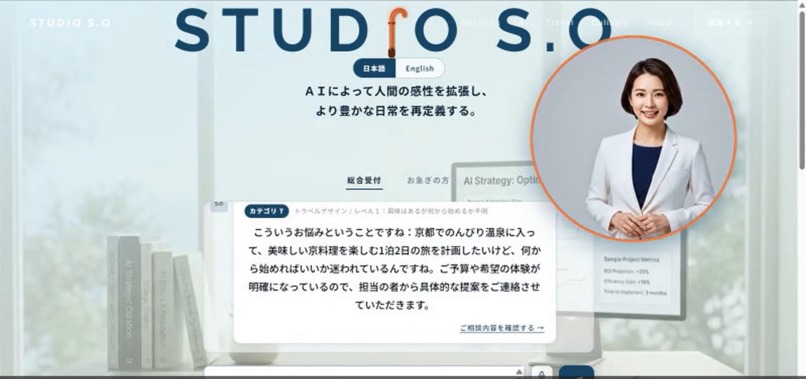
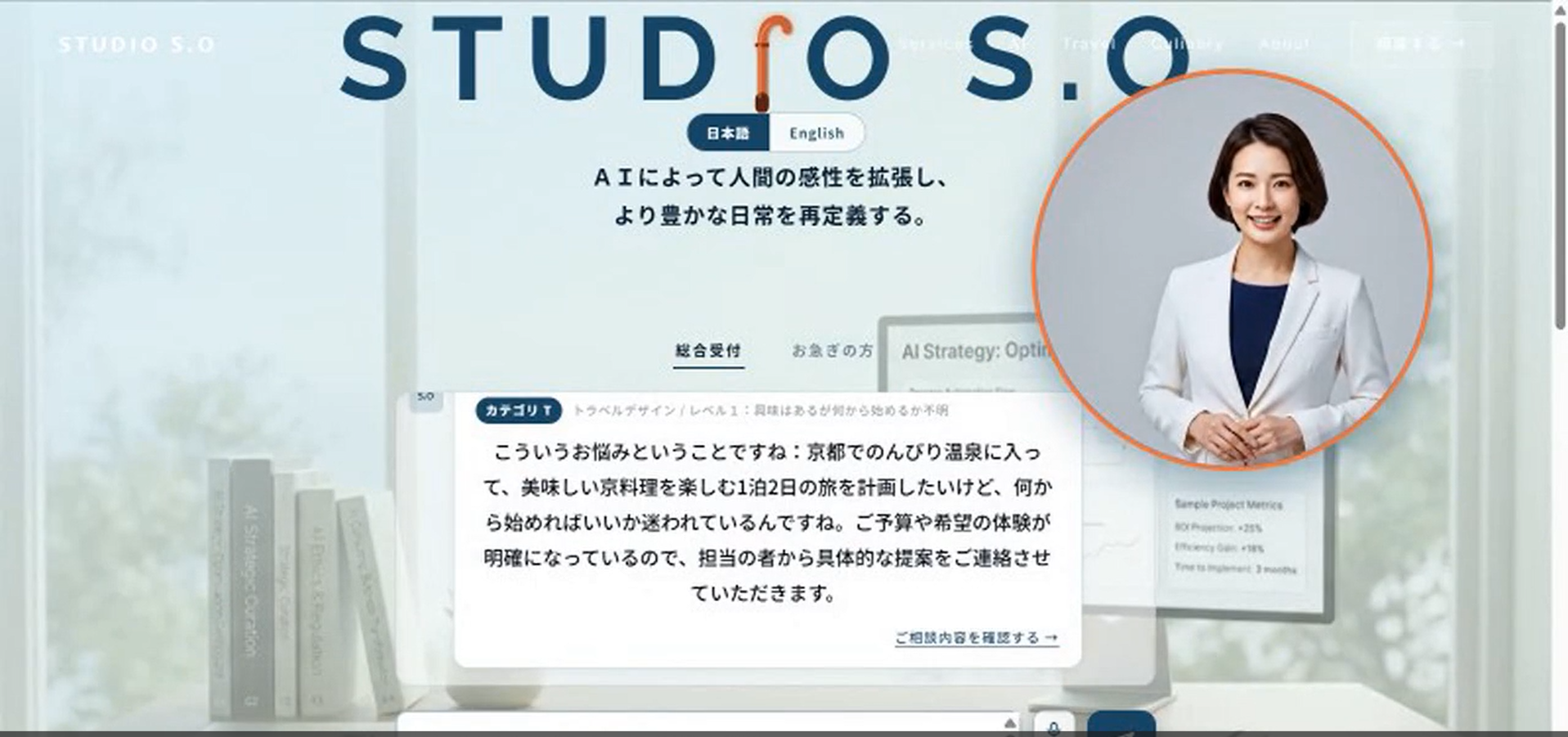
Hero screen (Japanese) — the default language on load
-
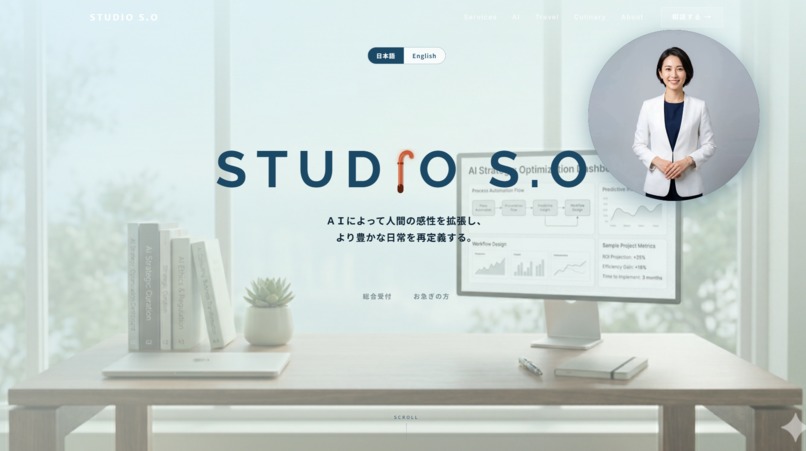
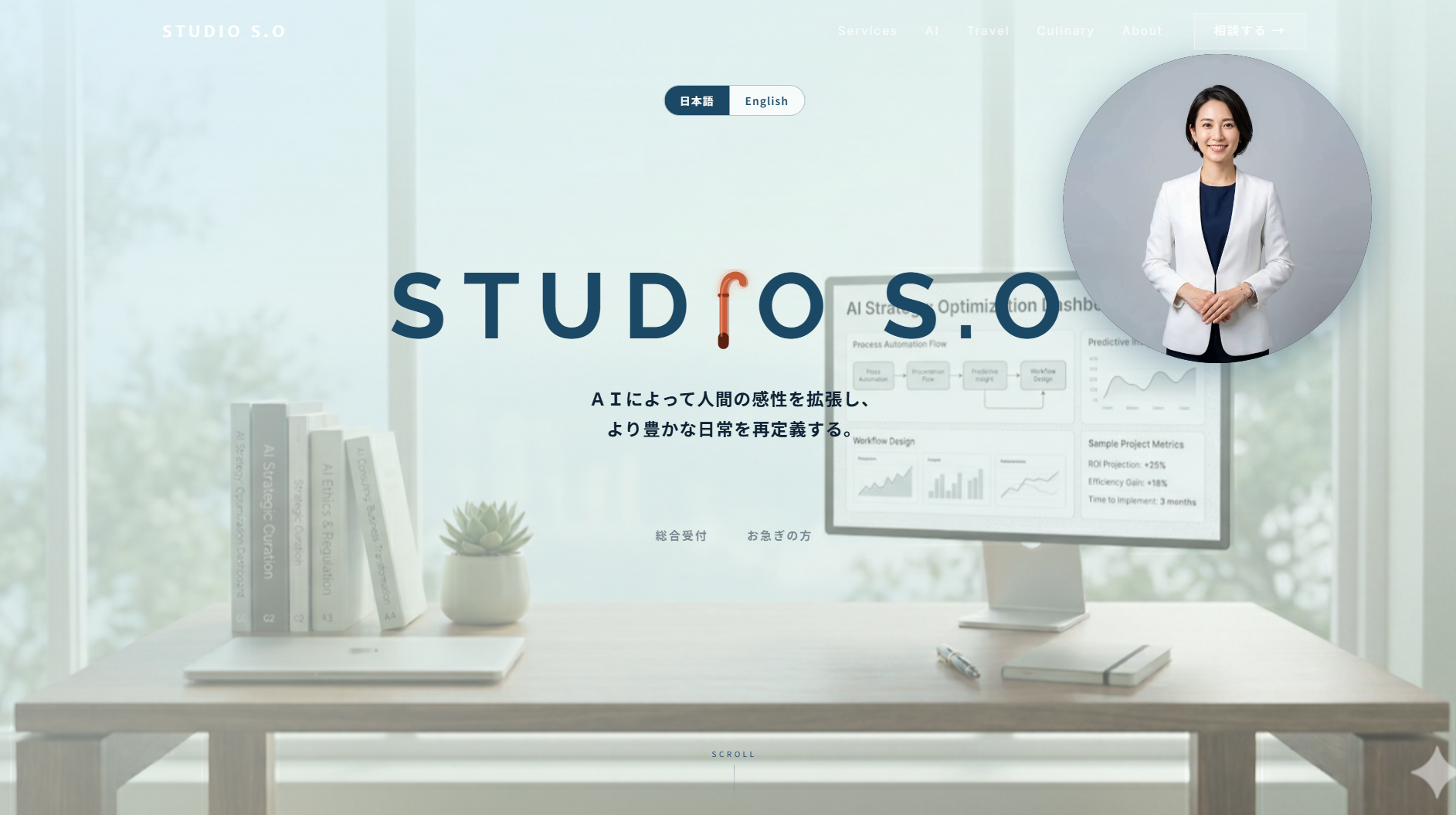
Hero screen (English) — one toggle switches the entire experience
-
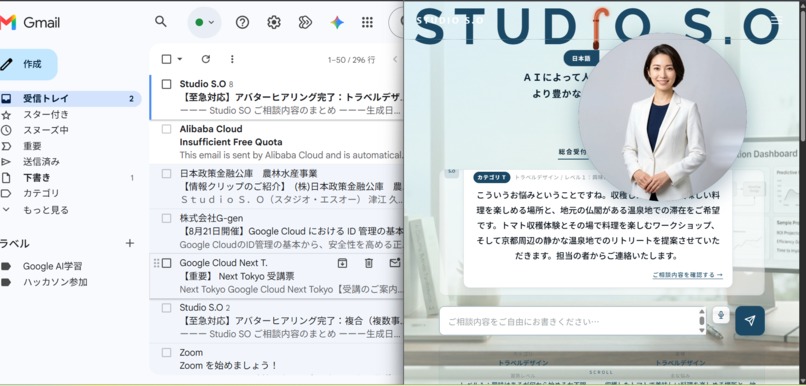
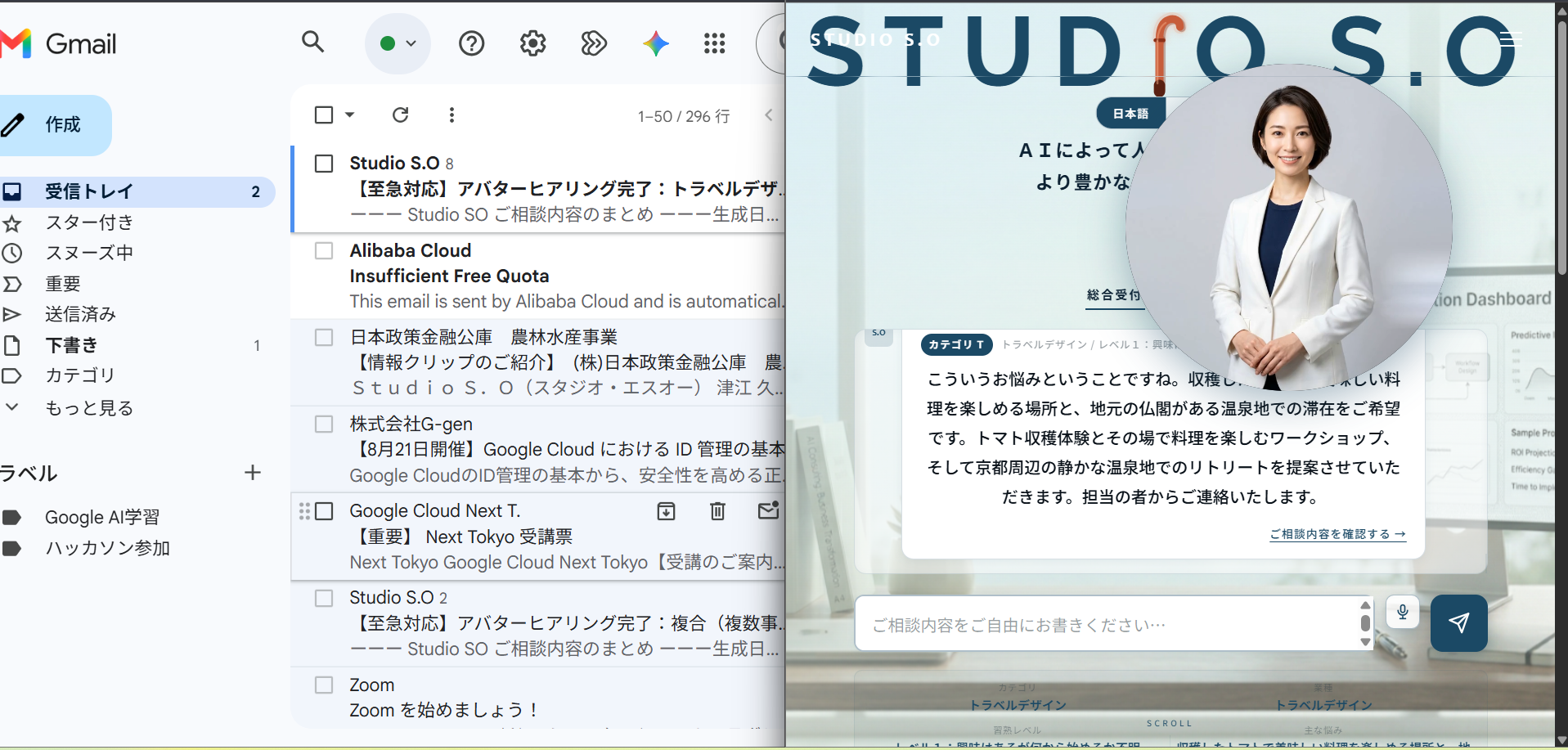
Live consultation dialogue — Qwen-Max listening in the customer's own words
-
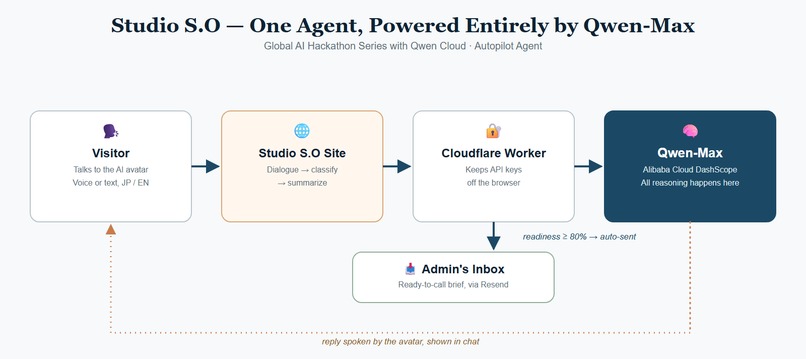
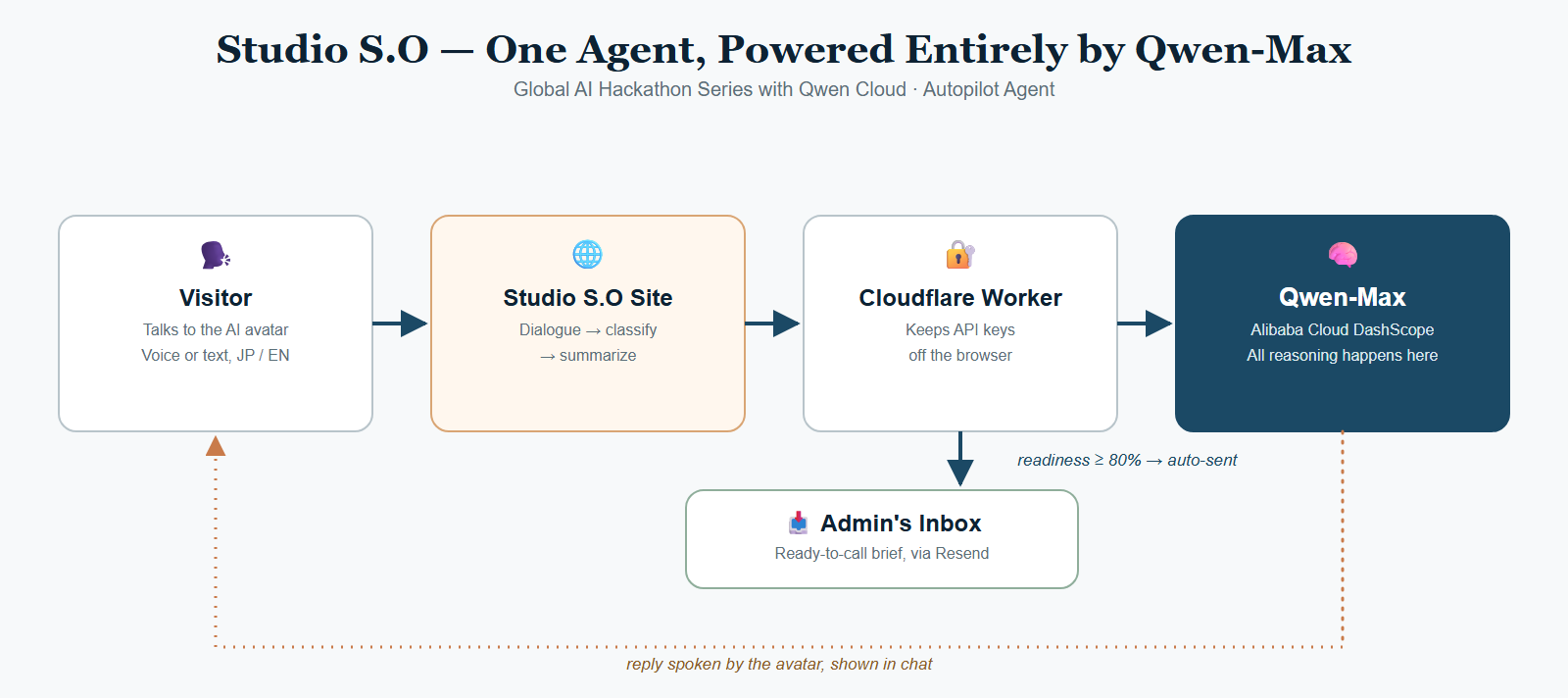
Architecture — Browser → Qwen-Max via Cloudflare Worker → automated admin handoff
Inspiration
Studio S.O is a one-person consulting practice covering three very different fields at once: AI/DX consulting, travel design, and culinary research. The founder personally handles the first consultation with every client — a manufacturer struggling with paper-based logs, a small trucking company trying to optimize next-day dispatch, a clinic wanting to digitize patient records, a farmer curious about AI but with zero technical background.
The problem: every industry speaks a different language. The same word "AI" means something completely different to a truck dispatcher than it does to a hospital administrator. Generic AI terminology ("automation," "machine learning," "RAG") scares away exactly the non-technical business owners who would benefit most. We wanted an AI intake assistant that doesn't just chat — it actively translates technical concepts into the vocabulary of whatever industry the visitor happens to be in, and hands the consultant a ready-to-use briefing before the real meeting even starts.
What it does
Studio S.O's consultation portal is an AI-powered front desk that:
- Greets visitors with a talking avatar and starts a natural, spoken-style hearing (intake interview) instead of a rigid form.
- Classifies the conversation in real time across three dimensions: business category (AI/DX, Travel, Culinary, or Mixed), industry (9 categories: manufacturing, food service, retail, service, transportation, construction, agriculture, healthcare, other), and the visitor's AI-literacy level (0–3).
- Translates jargon into industry-specific plain language using a local dictionary — e.g. for a trucking company, "AI Adoption" is rephrased as "a digital assistant that helps decide dispatch and loading," while for a clinic it becomes "support for records, diagnosis assistance, and shift scheduling."
- Generates a preparation sheet automatically after a few turns of conversation — a one-page brief with category, industry, concern, confidence score, and a recommended first-meeting approach, so the human consultant walks into the real meeting already prepared.
- Supports voice input and voice output (Web Speech API) with a Japanese female voice tuned for the avatar, and nudges idle visitors after 15 seconds with both a spoken and visual prompt so no one feels ignored mid-conversation.
How we built it
- Frontend: Static HTML/Tailwind CSS pages hosted on Firebase Hosting, with a modular vanilla-JS "consultation" layer (
chat.js,logic.js,dictionary.js,output.js,api.js) — no framework, no build step, so a solo developer can iterate fast. - AI backend: All conversation, classification, and summary generation is powered by Qwen (qwen-max) on Alibaba Cloud DashScope. Because DashScope's API isn't directly callable from a browser (CORS), we built a Cloudflare Worker that translates our Anthropic-style request format into DashScope's OpenAI-compatible format, forwards it to
dashscope-intl.aliyuncs.com, and converts the response back — so the frontend code never needs to know which model provider is behind the curtain. - Three-layer intelligence:
- Conversation layer (
api.js) — system prompt + classification prompt sent to Qwen. - Knowledge layer (
dictionary.js) — a hand-curated, per-industry translation dictionary plus keyword-based quick classification as a fallback if the LLM call fails. - Output layer (
output.js) — turns the classification + dictionary + conversation history into a formatted preparation sheet (HTML for the UI, plain text for clipboard export).
- Conversation layer (
- Avatar & voice: Short looping video clips for idle/talking states,
SpeechSynthesiswith automatic Japanese female voice selection (Kyoko/Haruka/Nanami/Ayumi, in priority order), andSpeechRecognitionfor hands-free input on both desktop and mobile.
Challenges we ran into
- Provider-format mismatch: Our existing frontend was written against an Anthropic-style Messages API. Rather than rewriting the whole frontend, we wrote a thin translation layer inside the Cloudflare Worker so only the Worker needed to know about Qwen/DashScope's OpenAI-compatible schema.
- Making an AI feel human, not creepy: Early versions had the avatar constantly moving during idle time, which was distracting while a visitor was trying to type. We tuned video playback rate down (0.6x) during idle/listening states and reserved full-speed motion for the moments the avatar is actually "speaking."
- Industry coverage: Our first dictionary only covered 4 broad industries. Real users kept mentioning trucking, construction sites, farming, and healthcare — so we expanded the classification system and dictionary to 9 industries with dozens of hand-written term translations, and verified classification accuracy against real, unseen example sentences before shipping.
- Making voice input trustworthy: The original speech-to-text implementation failed silently on
no-speechornot-allowederrors. We added explicit, human-readable error toasts for every Web Speech API failure mode, plus a toggle so the mic can be started and stopped like a real recording button.
Accomplishments that we're proud of
- A working, deployed, end-to-end voice-and-text consultation flow running entirely on Qwen via Alibaba Cloud, with real classification accuracy validated across all 9 industries.
- An avatar experience that feels calm and attentive rather than gimmicky — including a spoken idle-nudge so no visitor feels abandoned.
- A genuinely useful byproduct: the auto-generated preparation sheet saves the real-world consultant actual triage time before every first meeting.
What we learned
Good AI UX for non-technical users isn't about better prompts alone — it's about translation. The same underlying model output needs a completely different vocabulary depending on who's reading it, and building that translation layer explicitly (rather than hoping the LLM infers it) made the difference between a generic chatbot and something a truck company owner or a farmer would actually trust.
What's next for Studio S.O
- Expanding the local dictionary with real anonymized conversation data as more industries use the portal.
- Persisting conversation memory across sessions so returning visitors don't have to re-explain their business.
- Deeper Alibaba Cloud integration for the preparation-sheet generation pipeline.
Built With
- alibabacloud
- cloudflare
- dashscope
- firebase
- googleanalytics
- html5
- javascript
- qwen
- tailwind
- webspeechapi


Log in or sign up for Devpost to join the conversation.