-
-
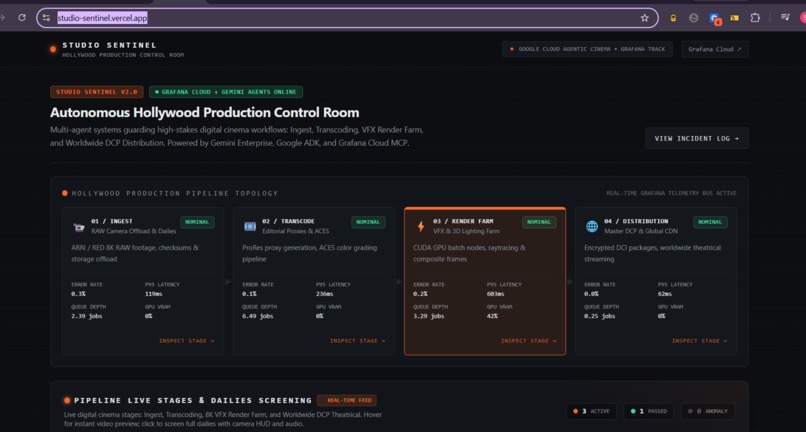
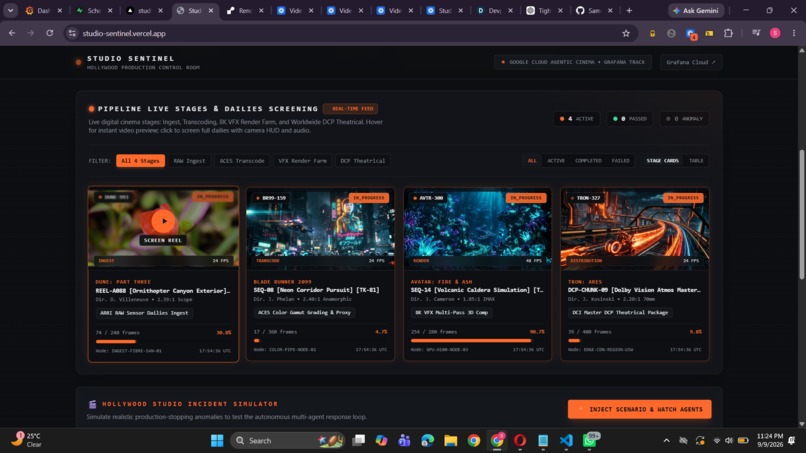
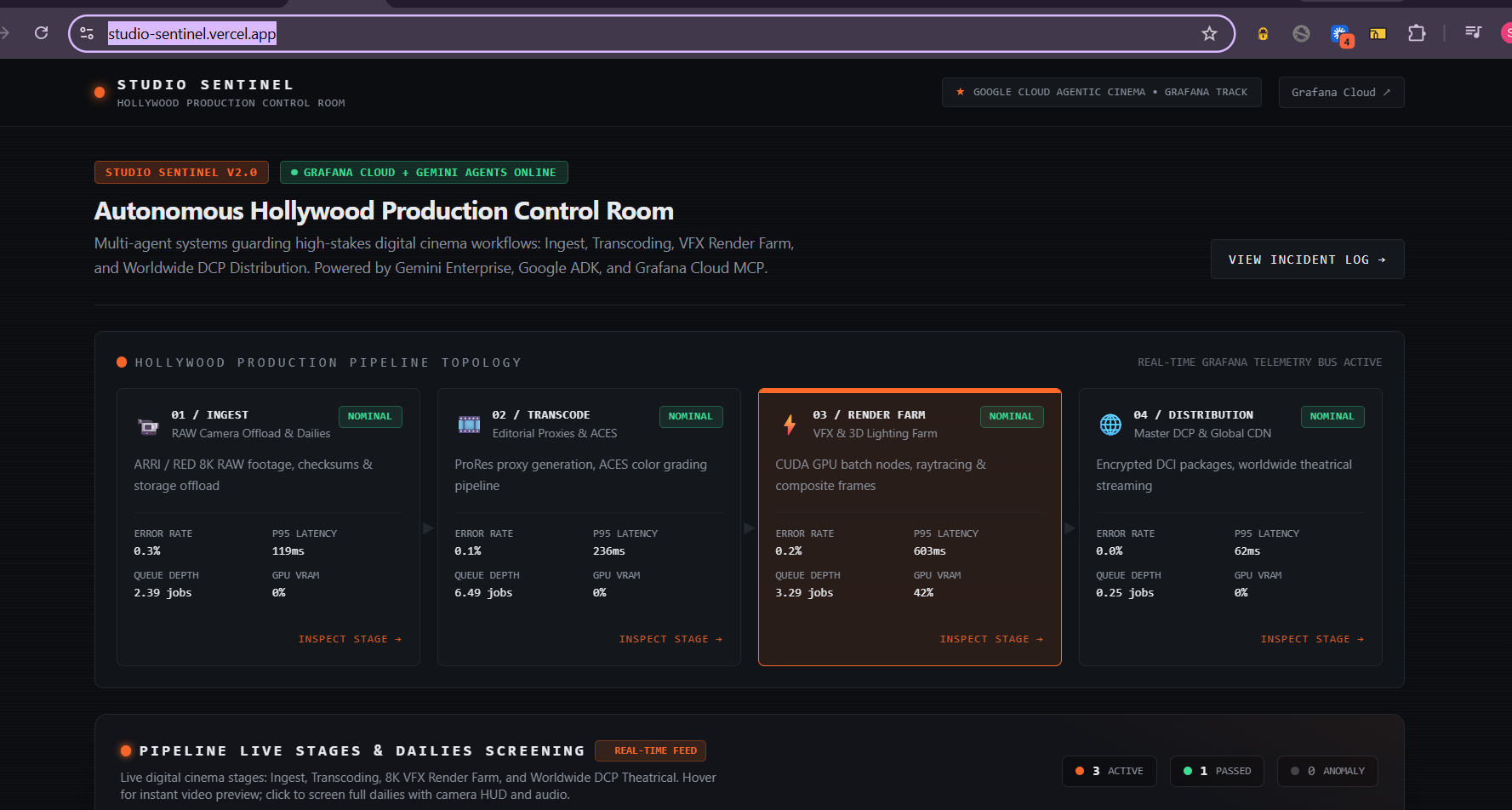
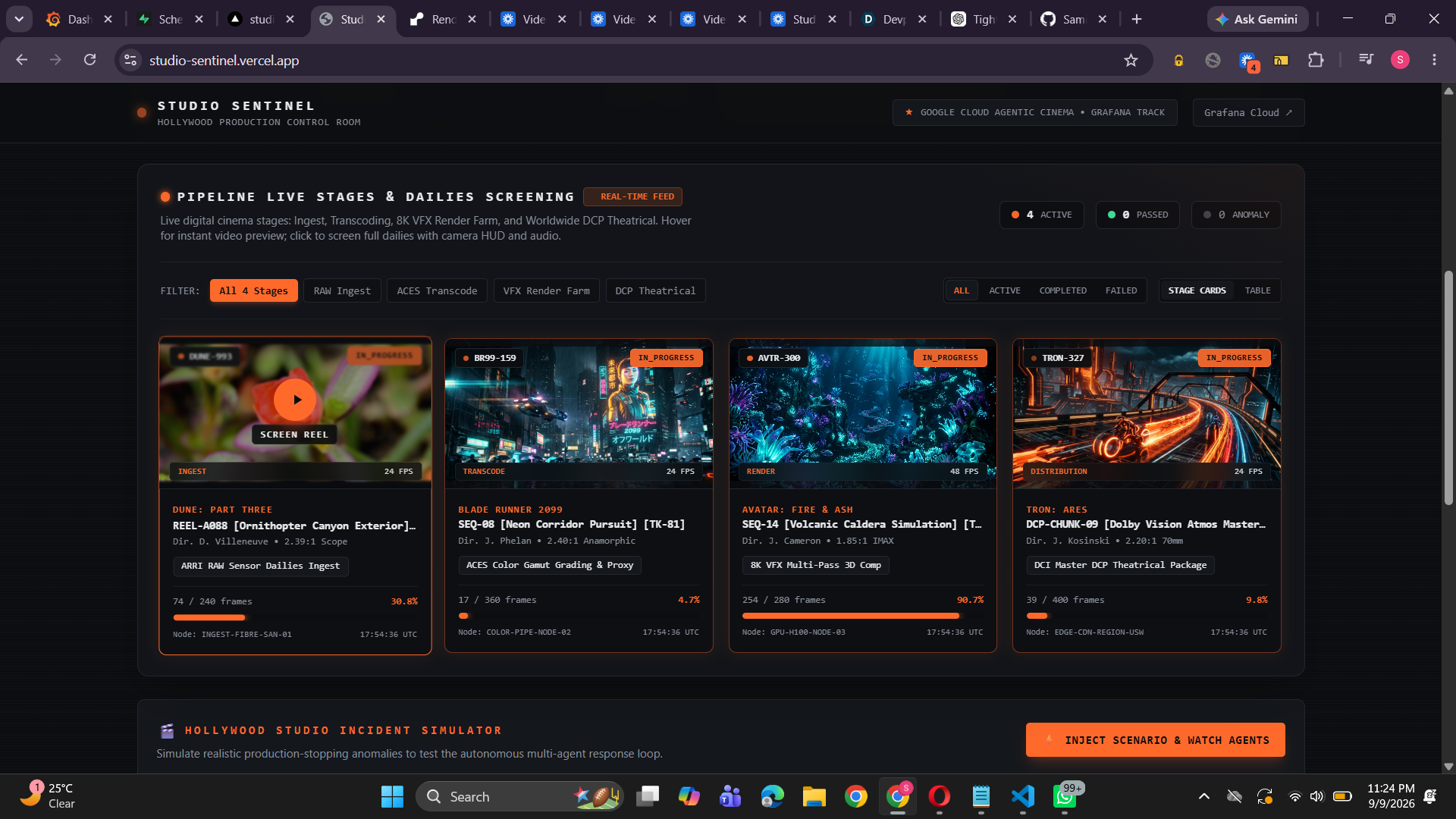
This is the Dashboard
-
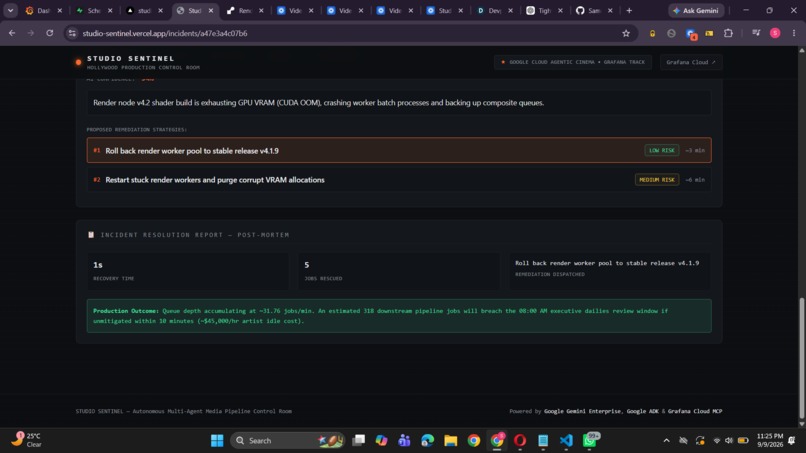
-
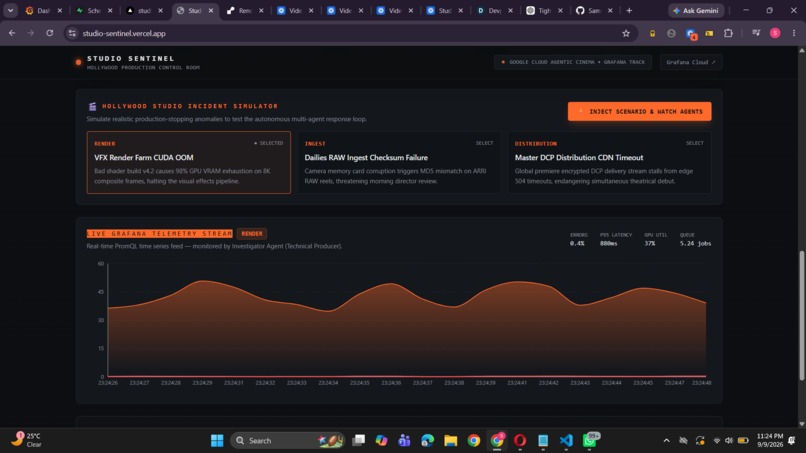
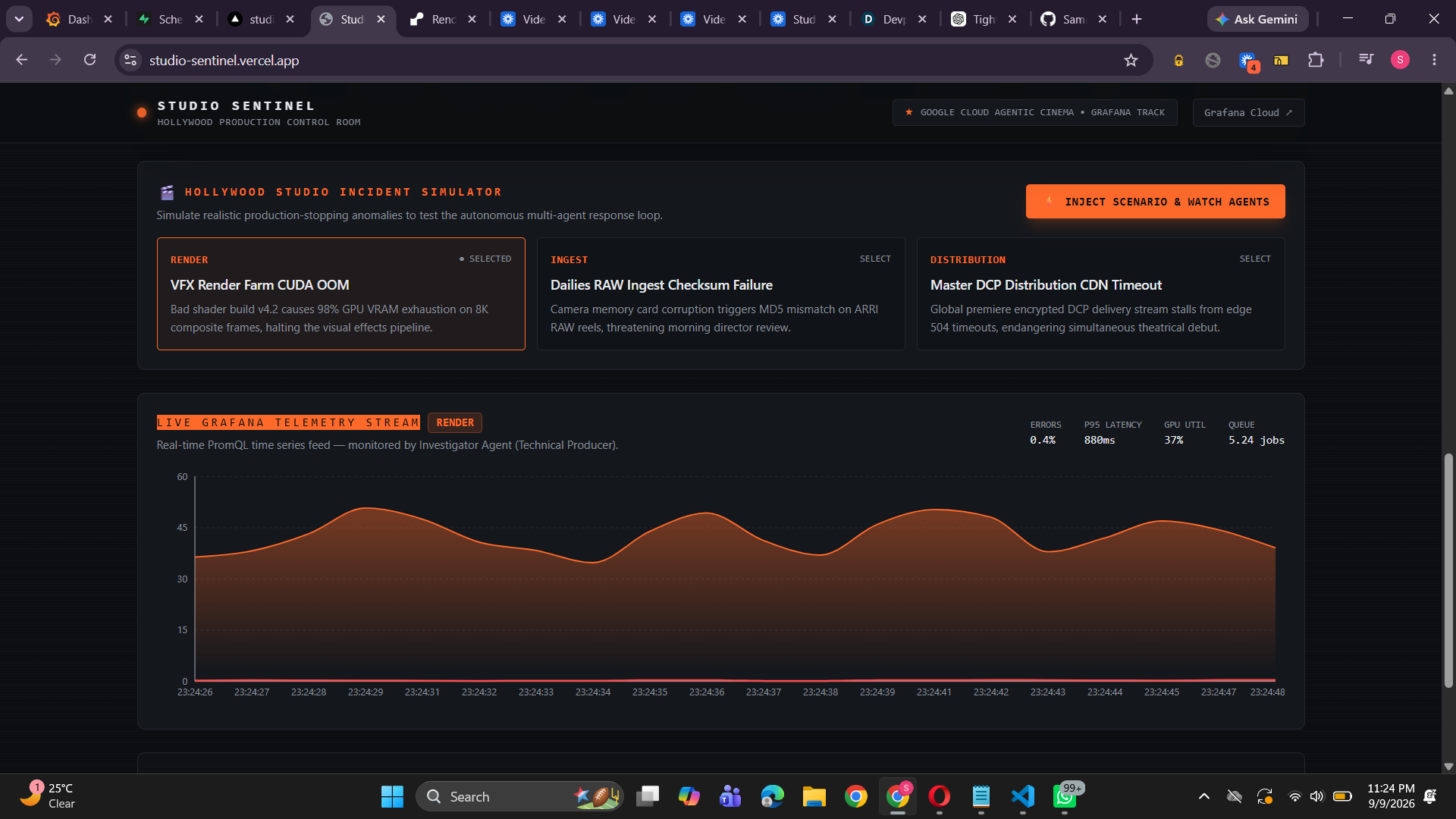
Injecting a failure
-
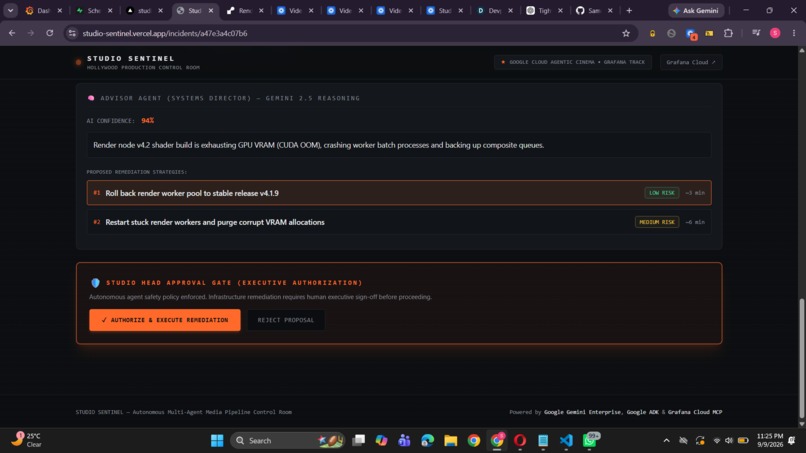
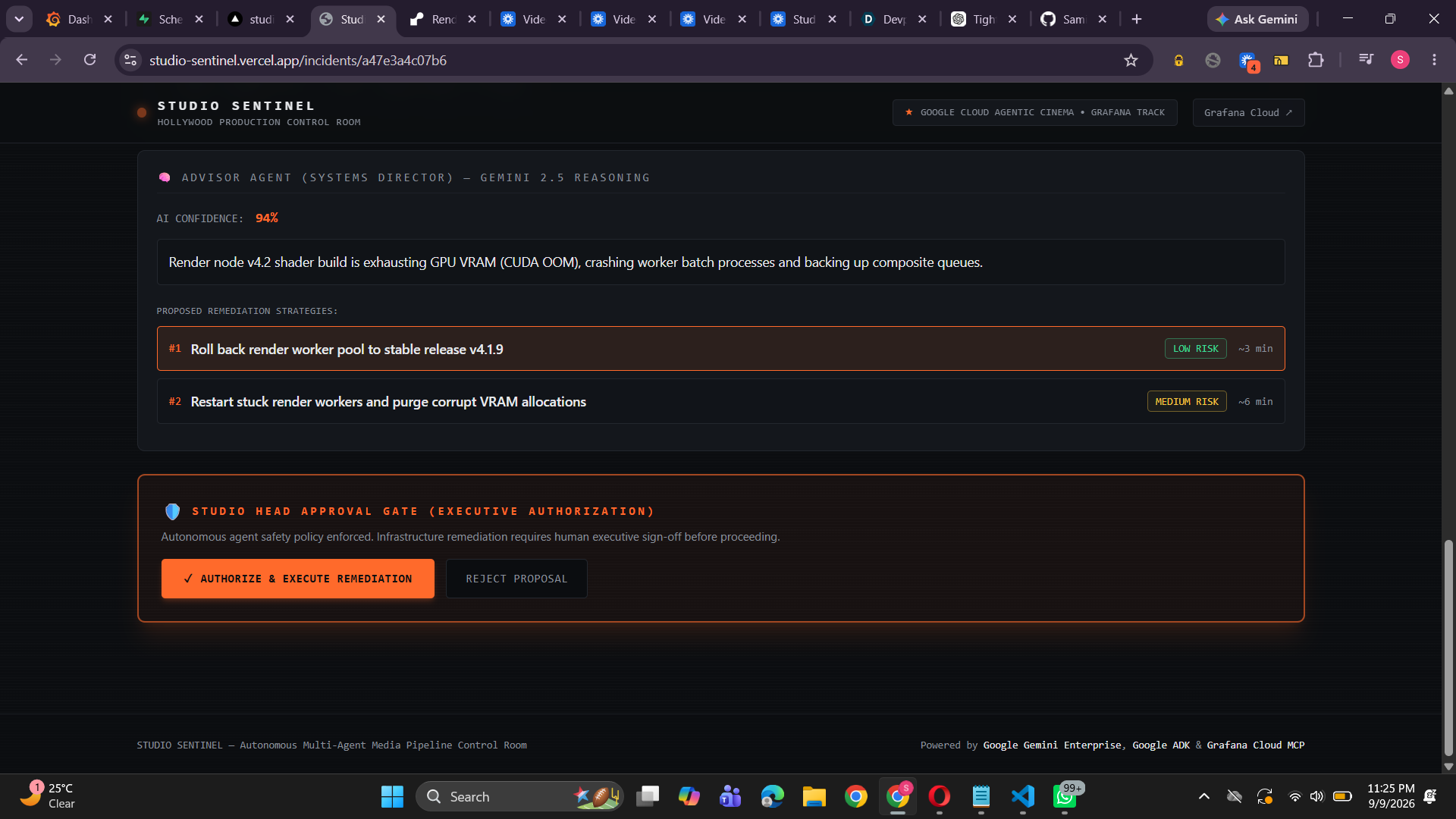
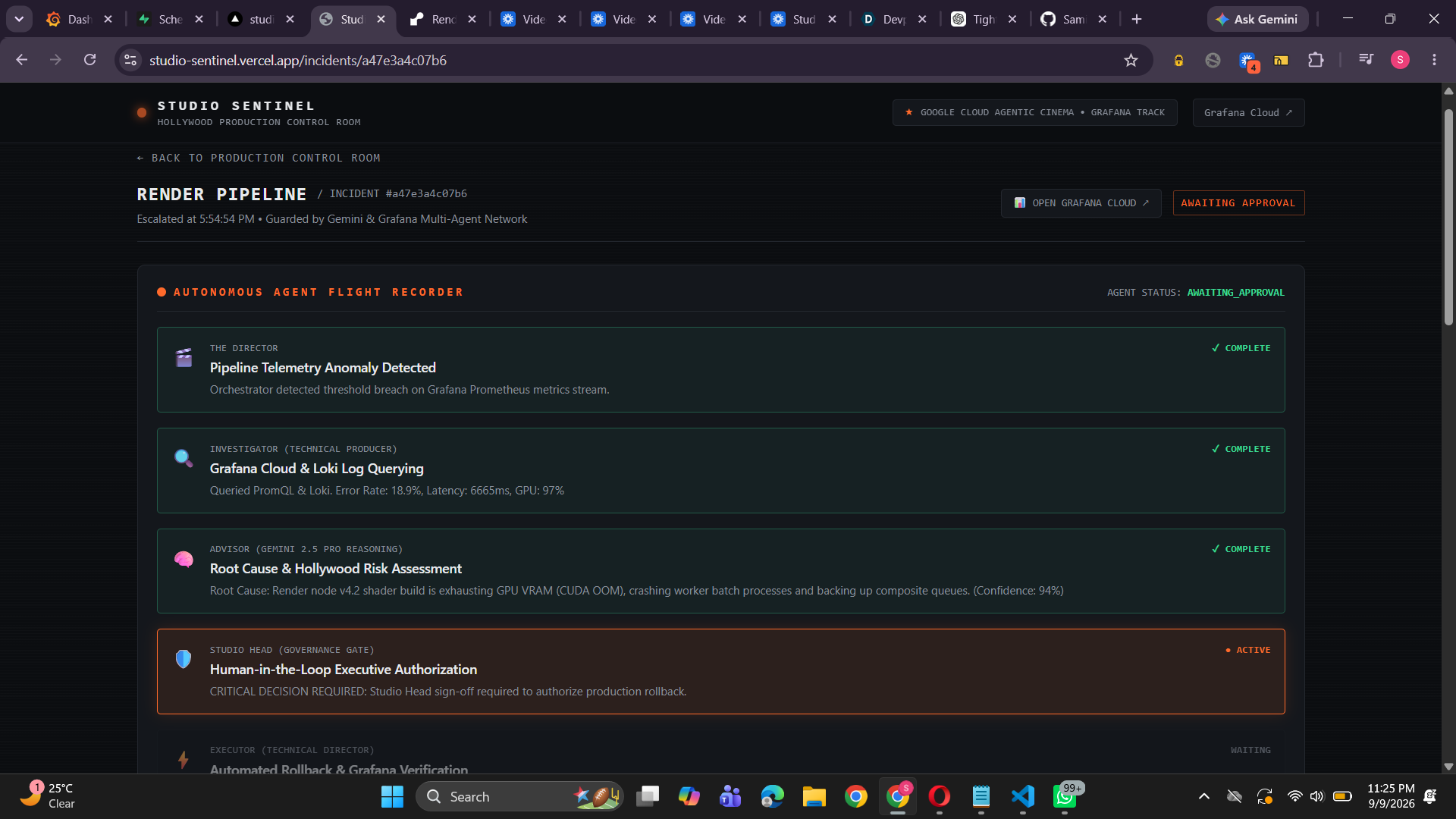
Awaiting for approval of human
-
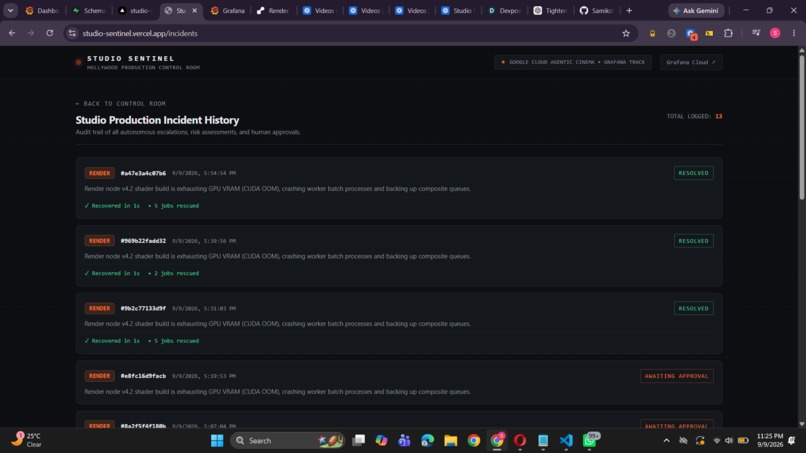
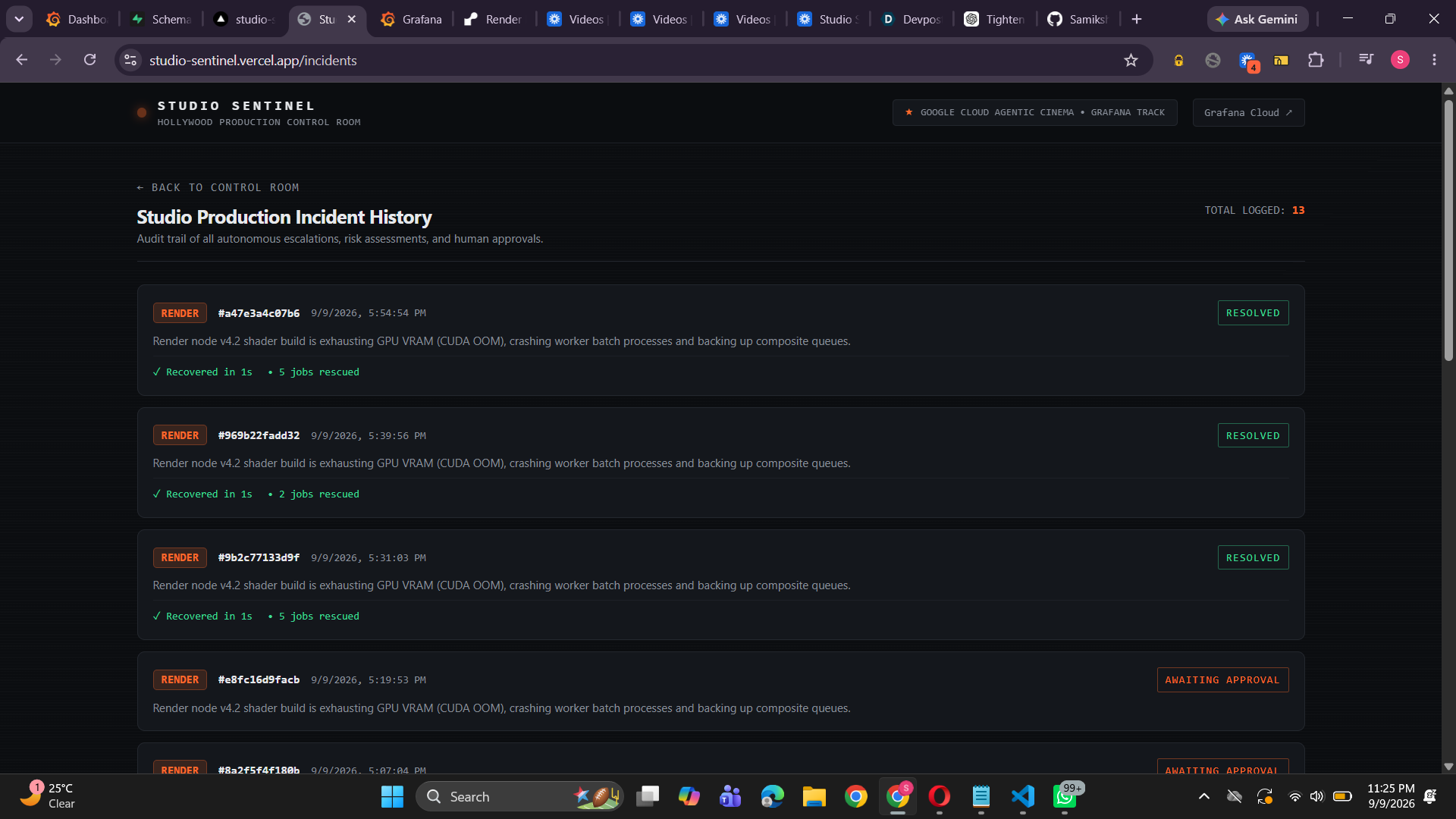
Incident Logs
-
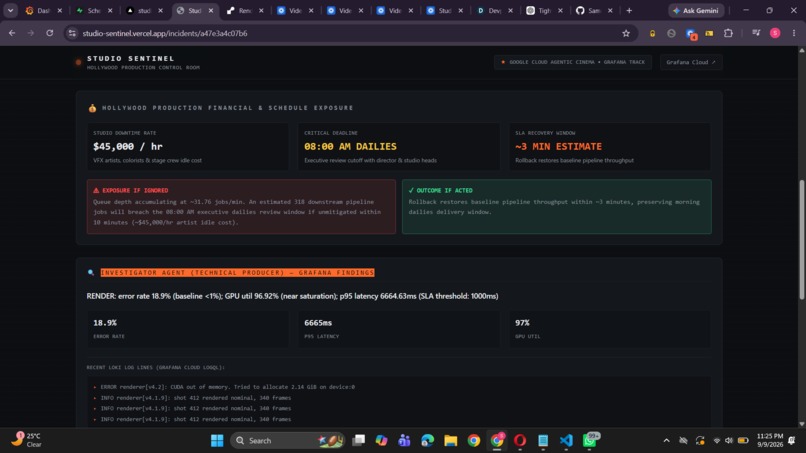
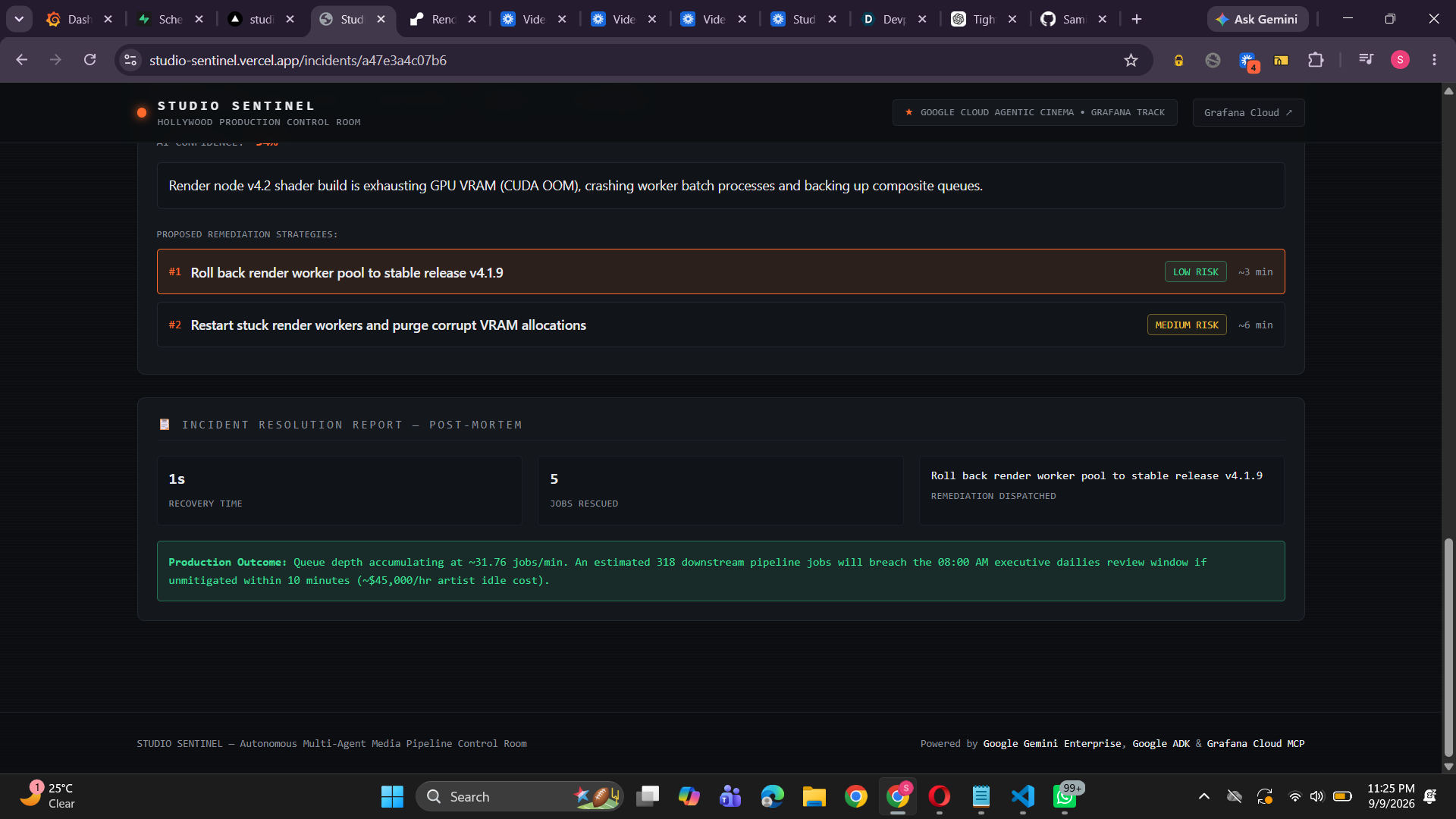
Solved the Failure
-
-
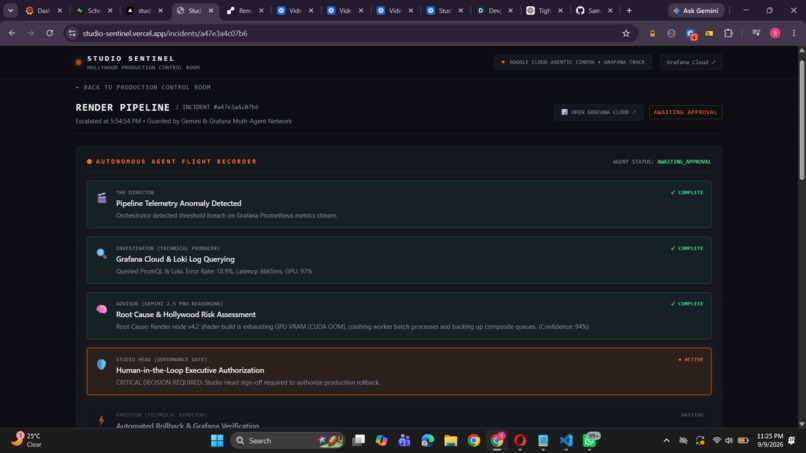
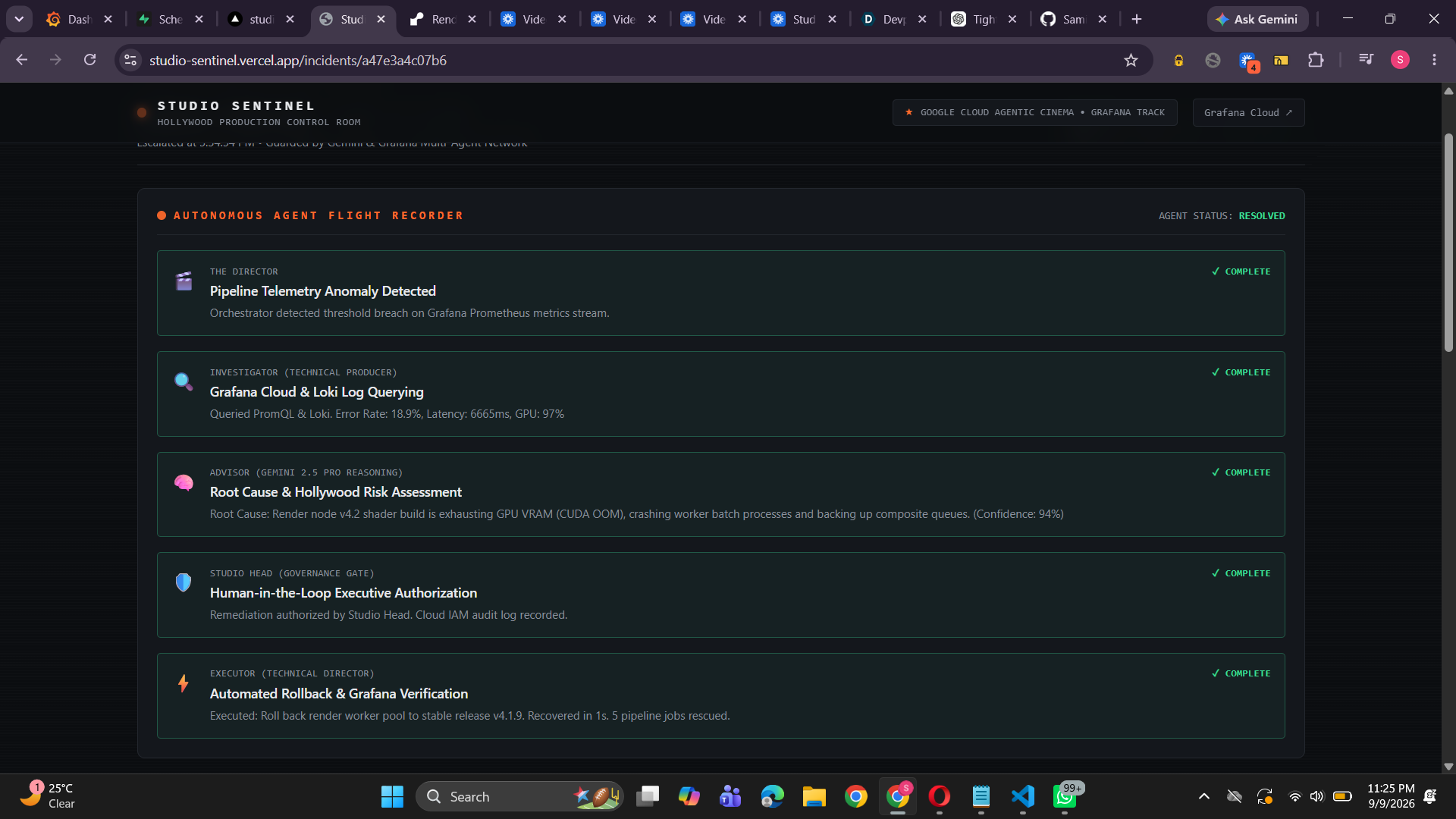
AI agents working to solve the failure
-
Demo videos
Studio Sentinel
Studio Sentinel is an AI-powered control room for managing problems in a movie and video production pipeline.
It monitors four important stages — ingest, transcoding, rendering, and distribution. When something goes wrong, our AI agents investigate the issue, find the possible cause, suggest a solution, and wait for a human to approve the action before making any production change.
Our goal is simple: find problems quickly, understand their impact, and help the production recover safely.
Inspiration
We were inspired by how much technology is involved in modern film and television production.
A movie is not just cameras and actors anymore. Large amounts of footage need to be uploaded, processed, rendered, and delivered. If something goes wrong in the middle of this process, the whole production can be affected.
For example, a GPU problem in a render farm could stop hundreds of jobs. A failed camera file could delay editing. A CDN problem could affect final delivery.
We wanted to build something that could do more than just show an alert.
Instead of telling an engineer "something is wrong," we wanted our system to answer:
What happened? Why did it happen? What is the impact? And what should we do next?
That idea became Studio Sentinel.
What It Does
Studio Sentinel monitors a four-stage media production pipeline:
- Ingest — Camera footage such as ARRI and RED RAW files is uploaded and checked.
- Transcode — Footage is converted into formats that can be used by editorial teams.
- Render Farm — GPUs process VFX, 3D scenes, and final frames.
- Distribution — Finished content is packaged and delivered through the global CDN.
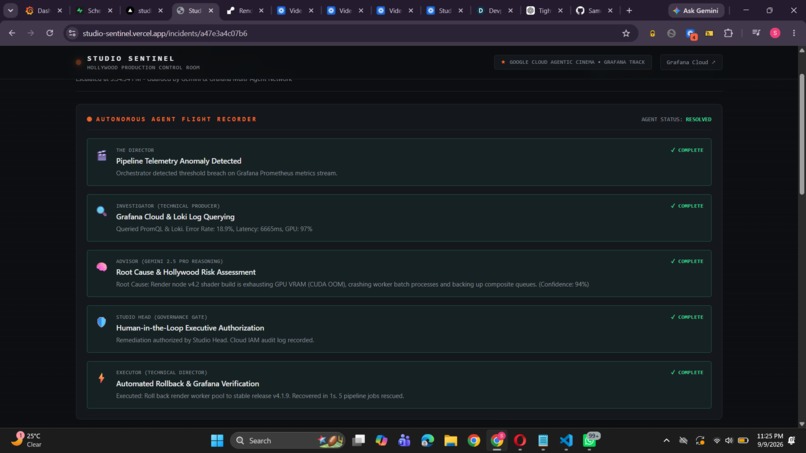
When something unusual happens, five agents work together:
- Director — Manages the overall incident and decides which step should happen next.
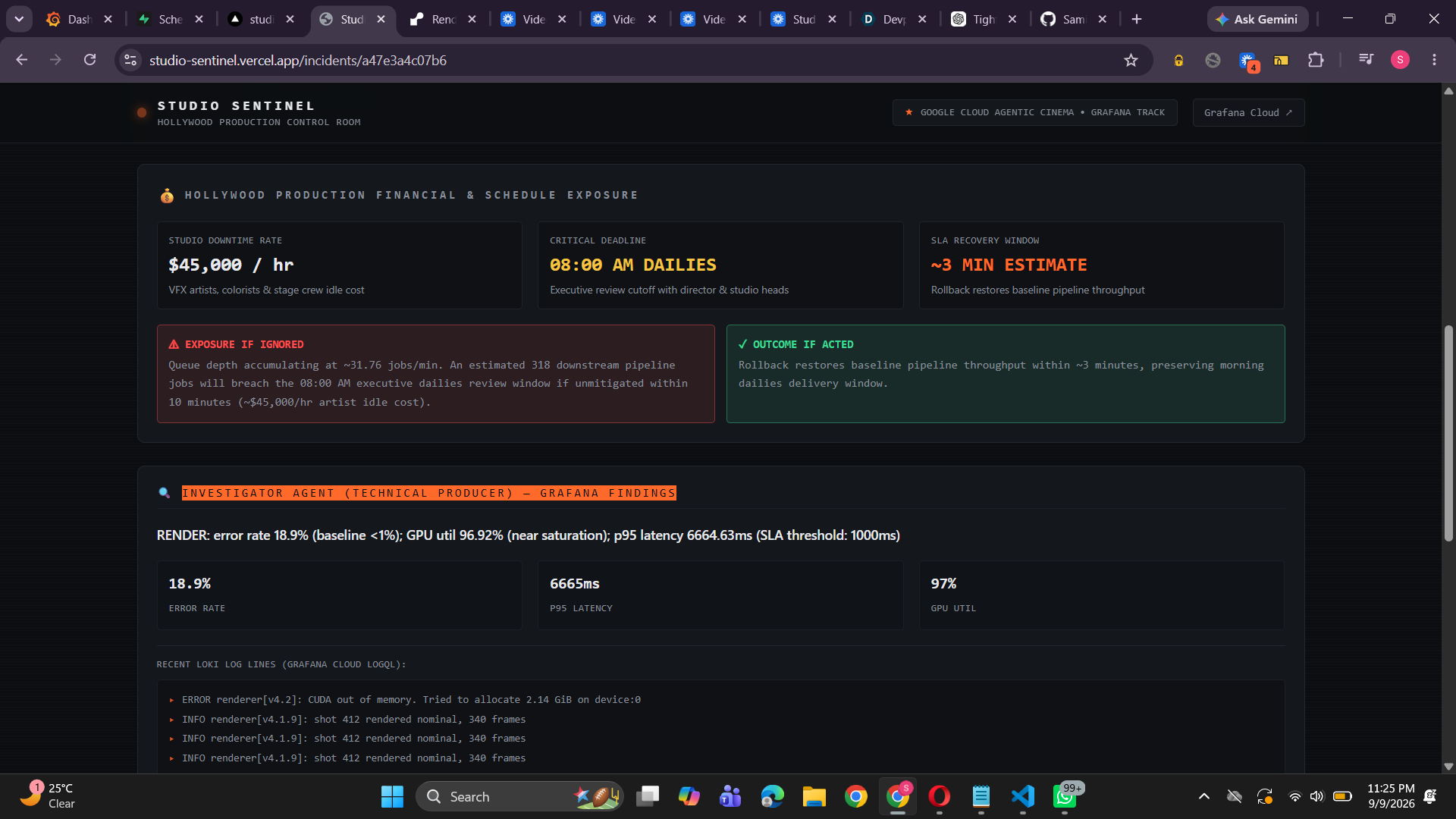
- Investigator — Looks at Grafana metrics and Loki logs to understand what happened.
- Advisor — Uses Gemini to find the likely root cause and understand the business and schedule impact.
- Studio Head — Acts as the human approval step before any production change is made.
- Executor — Performs the approved fix and checks whether the system has recovered.
We also created different incident scenarios, including GPU memory problems, camera file checksum failures, and distribution timeouts.
How We Built It
We built the backend using FastAPI and used a state-based workflow to control how each incident moves from detection to resolution.
For the AI part, we use:
- Gemini 2.5 Flash for fast investigation and summaries.
- Gemini 2.5 Pro for deeper analysis and remediation planning.
- Google Agent Development Kit (ADK) and the Google GenAI SDK for our agent workflows.
For observability, we use:
- Grafana Cloud Mimir for metrics.
- Grafana Loki for logs.
- Grafana Tempo for tracing.
- Grafana MCP to give our agents access to observability data.
For storing incident information, we use SQLModel and Supabase PostgreSQL.
The control room interface was built using Next.js, TypeScript, Tailwind CSS, and Recharts.
We also created a local telemetry simulator so that we can demonstrate the complete workflow even when live Grafana or Gemini credentials are not available.
Challenges We Faced
Making AI and Real Data Work Together
We didn't want the AI to simply make up numbers or conclusions.
For important values such as queue growth, recovery time, rescued jobs, and financial impact, we use data from the telemetry and deterministic calculations wherever possible.
Gemini is mainly responsible for understanding the situation, explaining the problem, and recommending what to do.
Making AI Actions Safe
One of our biggest concerns was allowing an AI system to make changes to production infrastructure.
We didn't want the AI to automatically perform a risky action without anyone checking it.
That's why we added the Studio Head Approval Gate.
The AI can investigate the problem and recommend a solution, but a human must approve it before the Executor can make the production change.
Making the Demo Work Without Live Services
During development and judging, we can't always depend on live Grafana or Gemini credentials.
So we built a local simulation mode that follows the same workflow as the live system.
This allows us to demonstrate the complete incident process reliably while still supporting the real integrations.
Making the UI Feel Like a Real Production System
We didn't want to build just another monitoring dashboard.
We wanted Studio Sentinel to feel like a real Hollywood production control room.
So we brought the pipeline, live telemetry, agent activity, incident details, approval screen, and recovery information together in one interface.
What We're Proud Of
We're especially proud that Studio Sentinel is more than a chatbot.
We built a complete workflow where AI agents actually work together:
Detect → Investigate → Analyze → Approve → Fix → Verify
Some of the things we're most proud of are:
- Building a complete multi-agent incident response system.
- Connecting our agents to Grafana metrics and Loki logs.
- Using a clear state machine to control the incident workflow.
- Adding a human approval step before production changes.
- Creating realistic Hollywood production failure scenarios.
- Building a control room interface designed specifically for film and television production.
- Showing the complete process from an incident happening to the system recovering.
What We Learned
One of our biggest learnings was that AI should not be responsible for everything.
Gemini is very useful for understanding problems, finding patterns, explaining what happened, and recommending solutions.
But important calculations and safety rules should remain under our control.
We also learned that monitoring becomes much more useful when we connect technical problems to real business impact.
For example, knowing that GPU usage is high is useful. But knowing that the problem could delay rendering and cause a production deadline to be missed makes the information much more useful to the people running the studio.
Most importantly, we learned that human approval doesn't make an AI system less autonomous.
For important production systems, having a human approve the final action makes the system safer and easier to trust.
What's Next
There is a lot we would like to add to Studio Sentinel.
Our next step is to connect it with real production management tools such as Autodesk ShotGrid and ftrack.
We also want to support multi-region recovery using Google Cloud infrastructure and add more automated recovery actions for different types of incidents.
Another feature we'd like to add is mobile approval through tools such as Slack or Discord, so a Studio Head could review and approve an incident without being in front of the main control room.
In the long term, we want Studio Sentinel to become a complete reliability platform for digital film production — from the moment footage is captured to the moment the final movie reaches audiences.
Built With
- fastapi
- gemini
- google-adk
- grafana
- nextjs


Log in or sign up for Devpost to join the conversation.