-
-
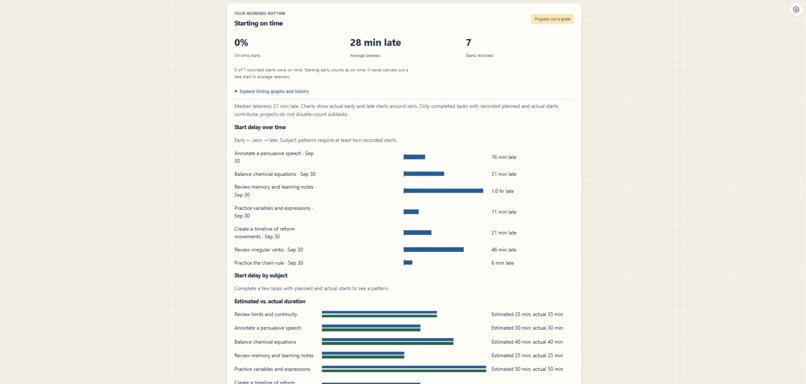
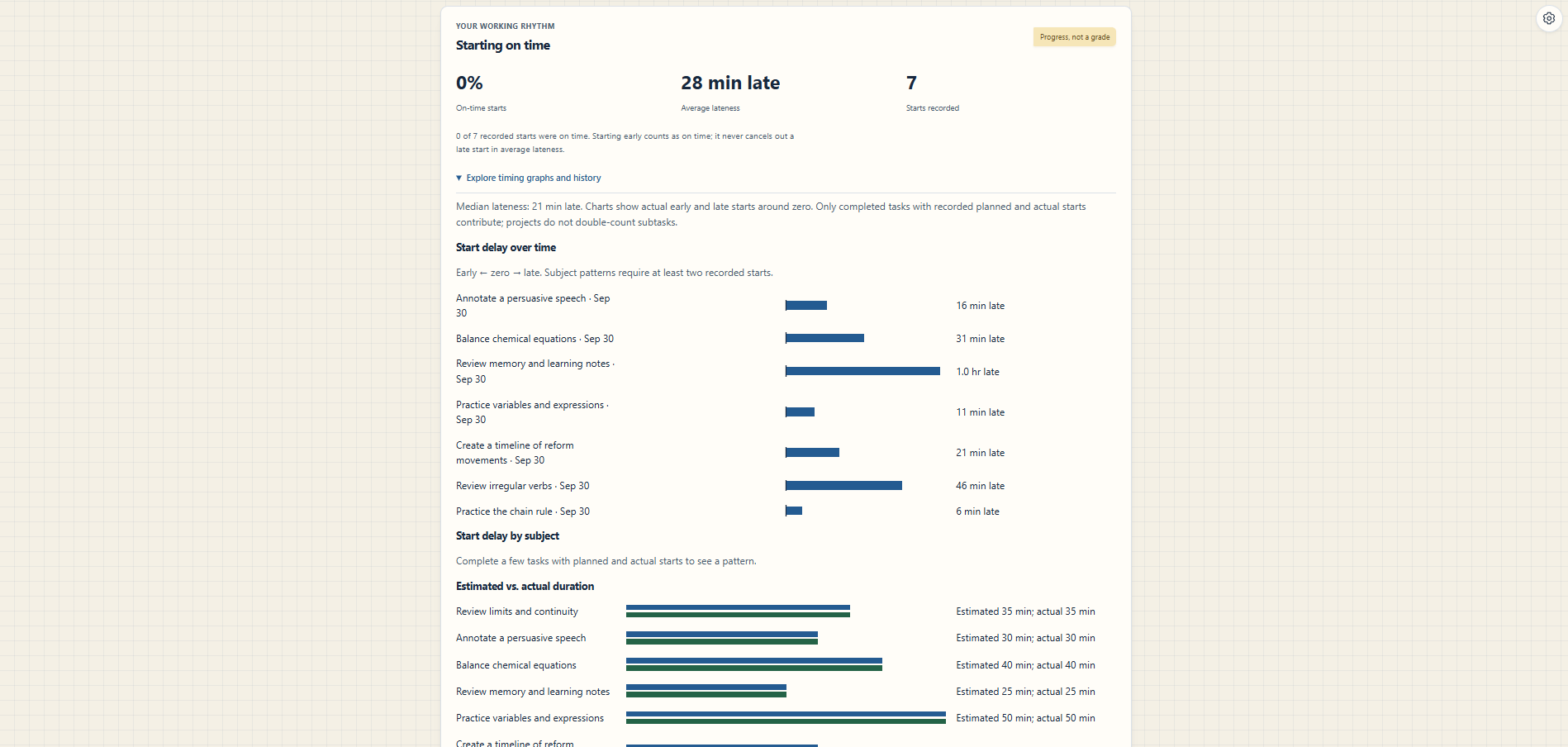
Progress and insights — populated graphs that help students understand their study habits.
-
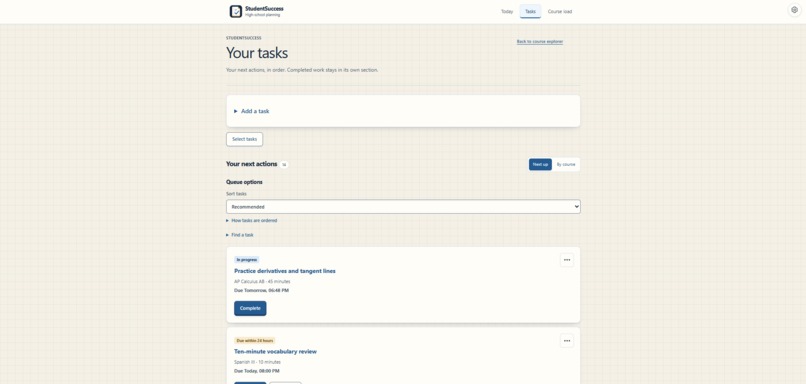
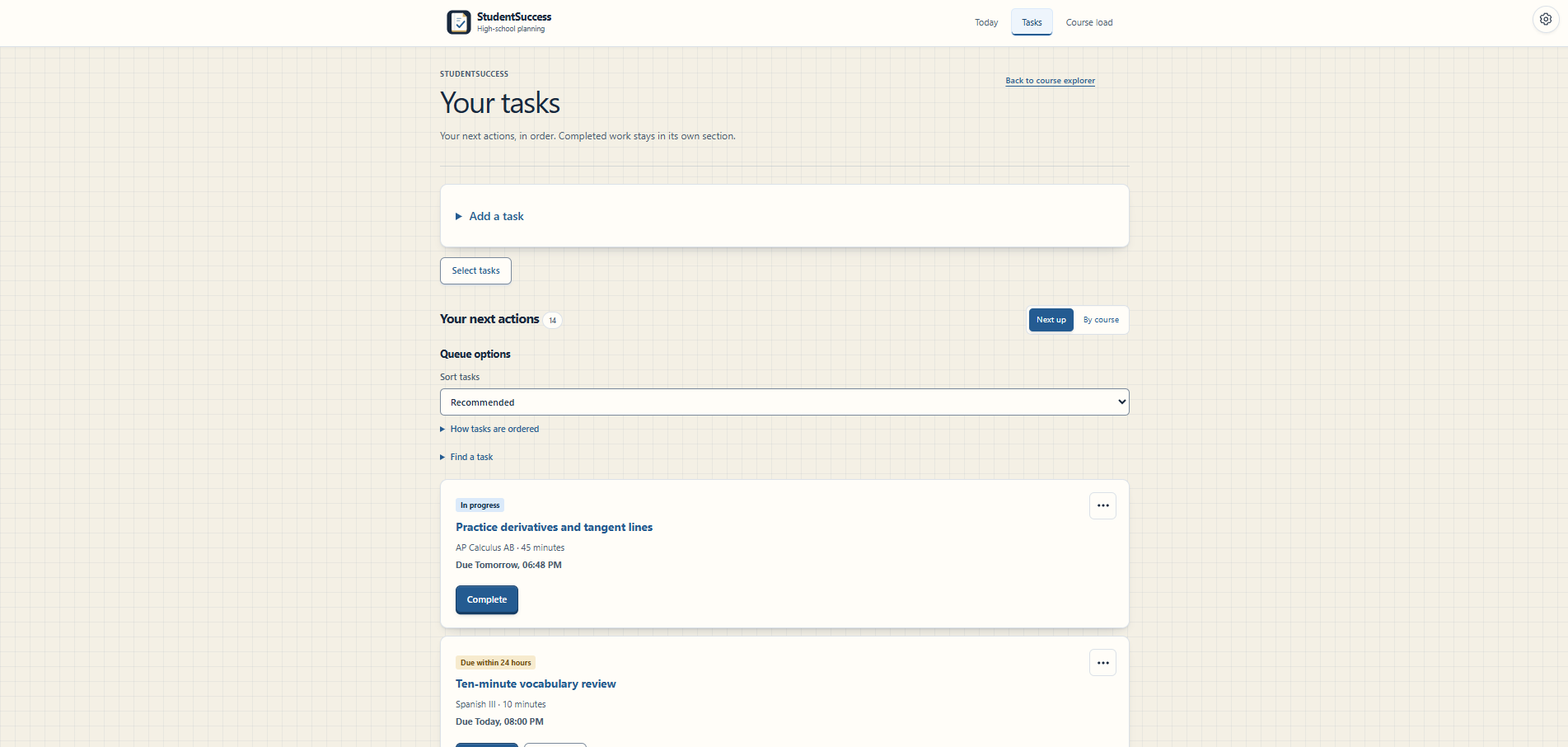
Task list — several subjects, deadlines, and progress states.
-
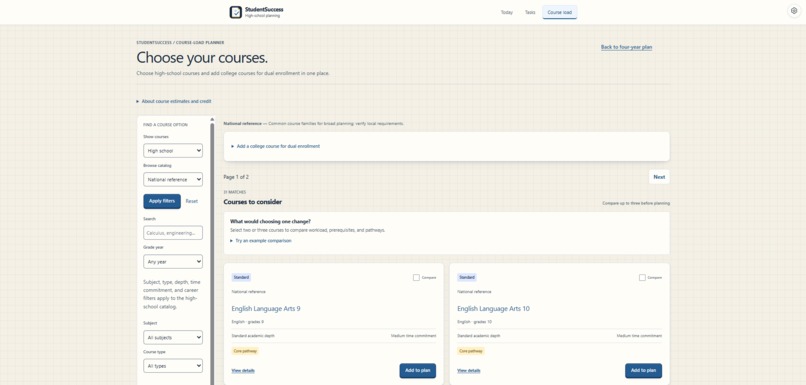
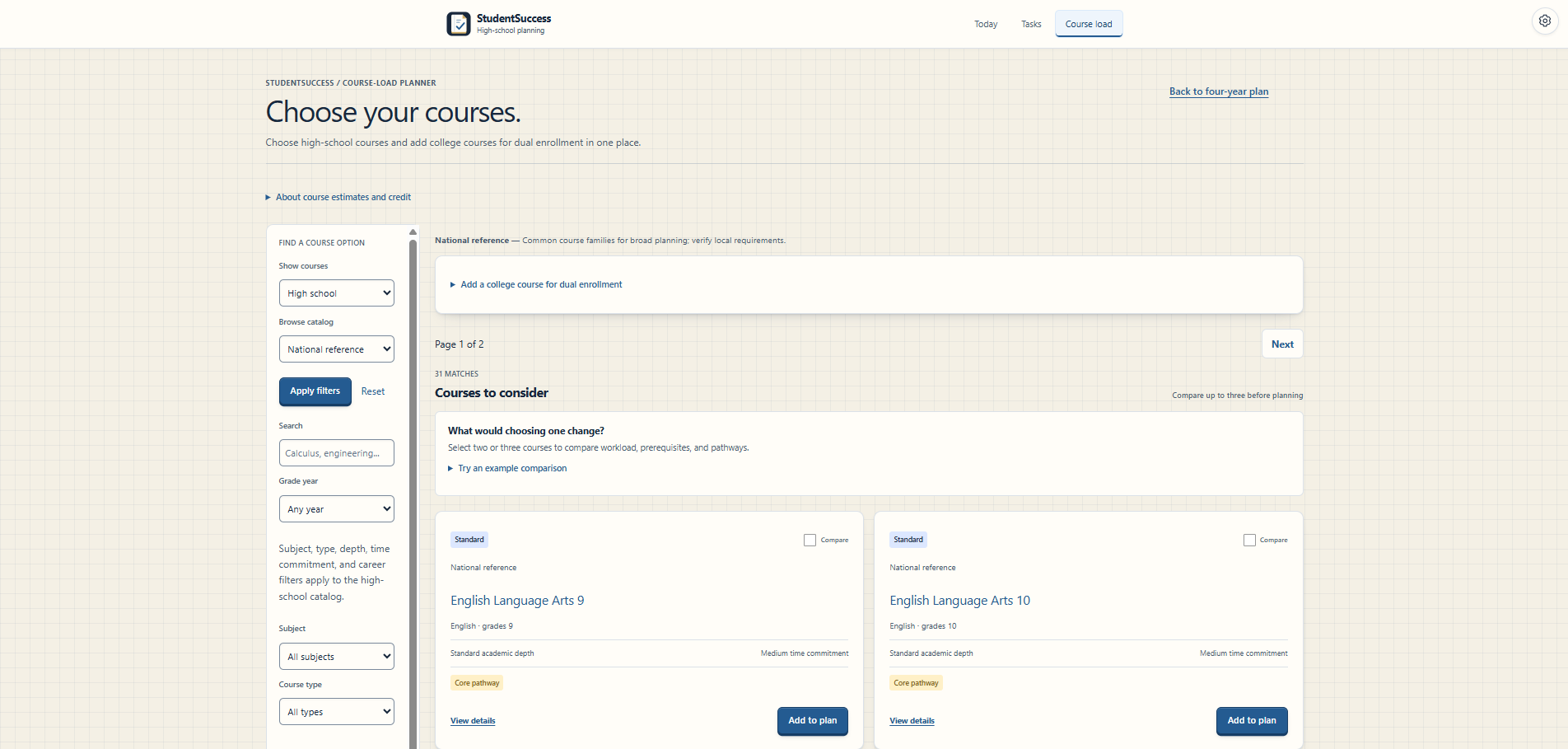
Course Explorer — Students can filter, compare, and add courses while building their academic plan.
-
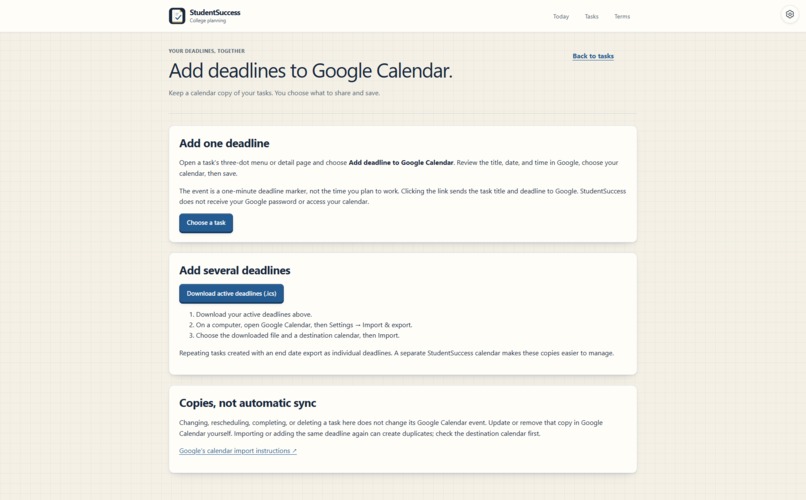
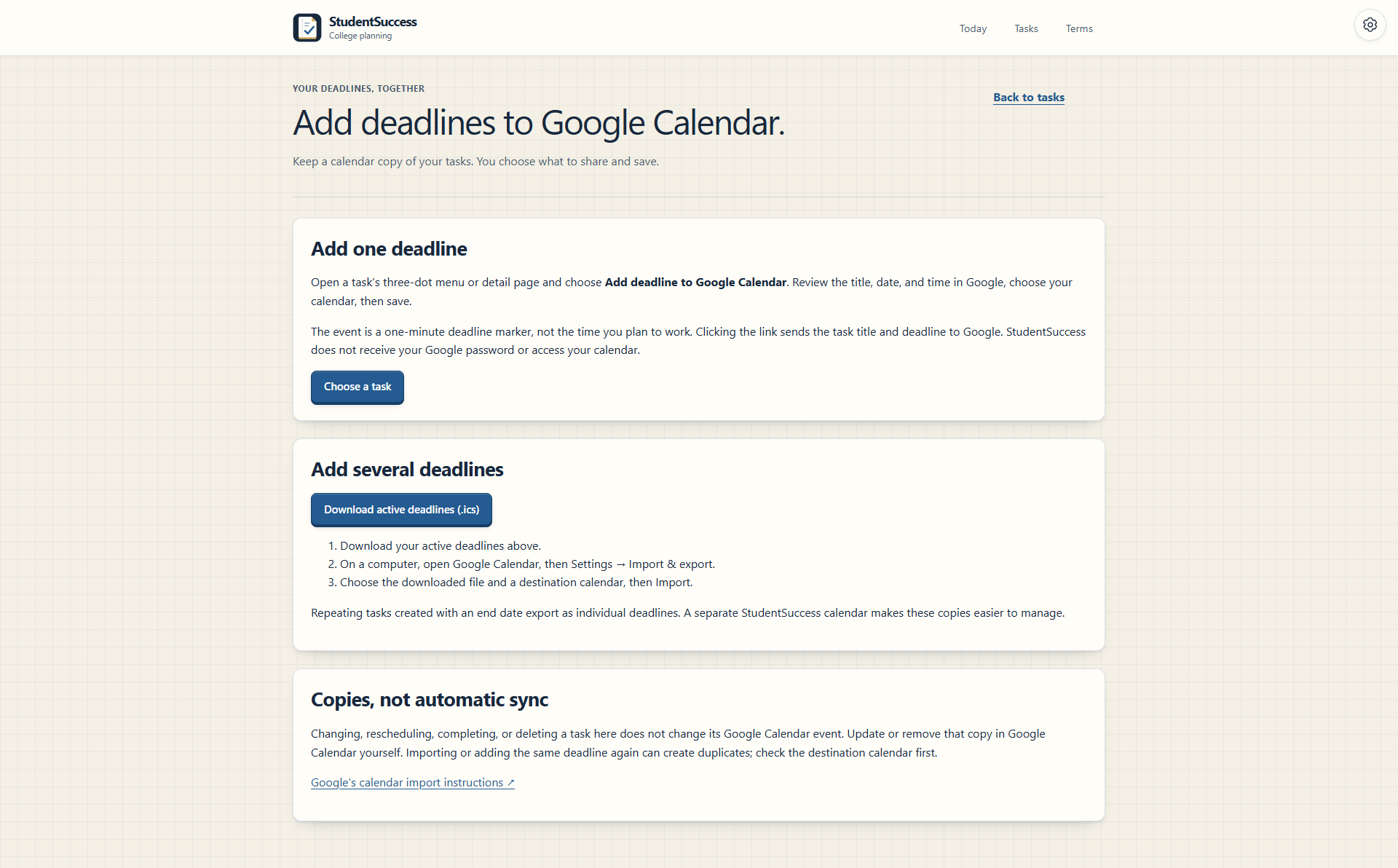
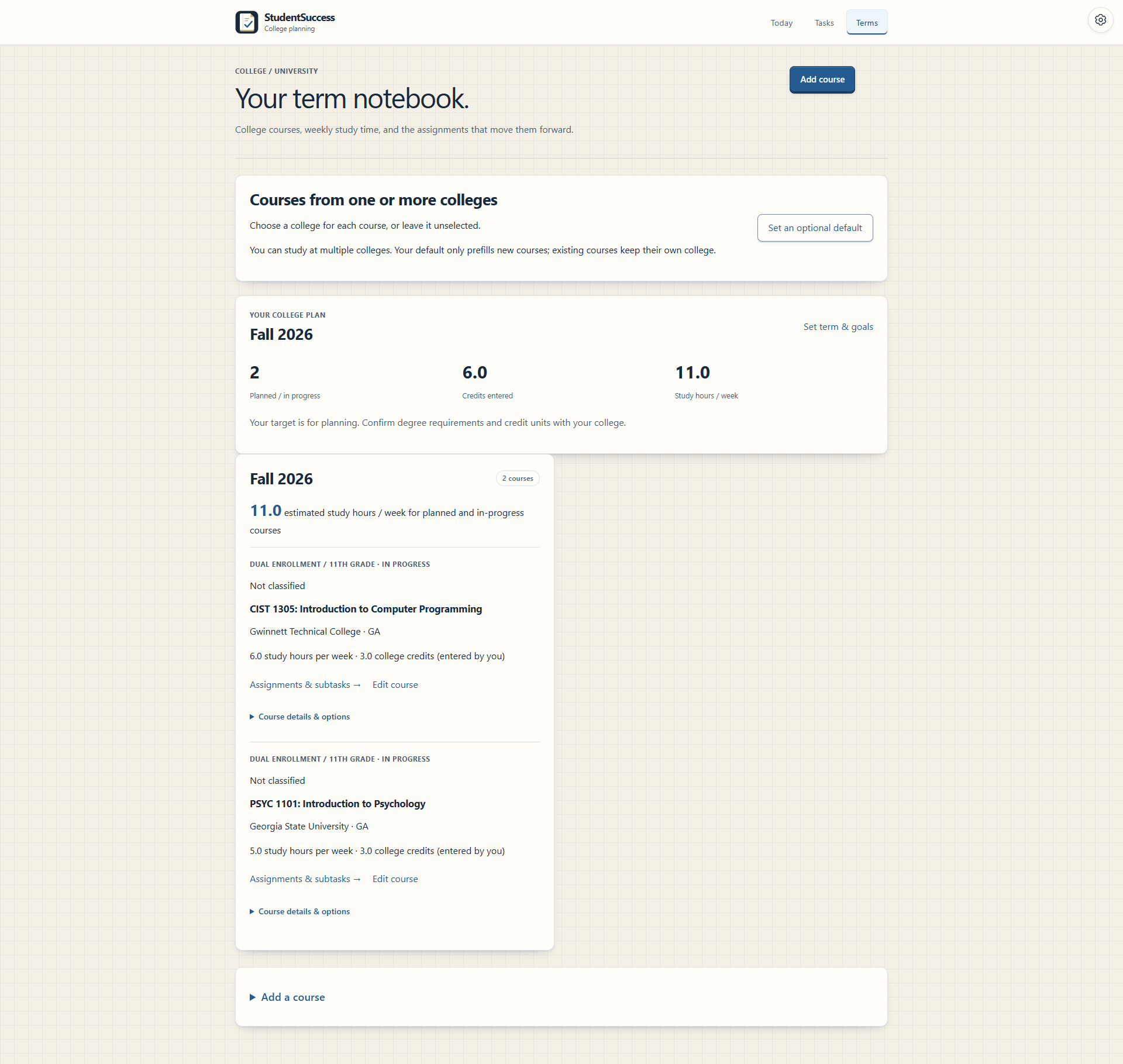
Calendar integration — Students can add individual deadlines to Google Calendar or export active deadlines as an .ics file.
-
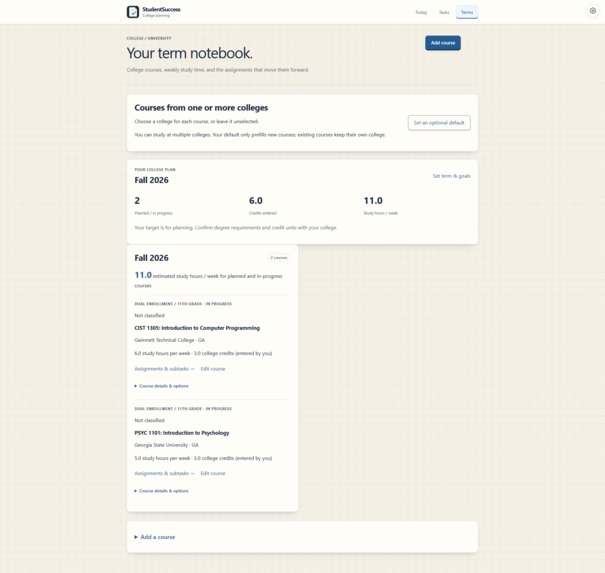
College planning mode — College students can organize courses by term, credit hours, and estimated weekly study time.
-
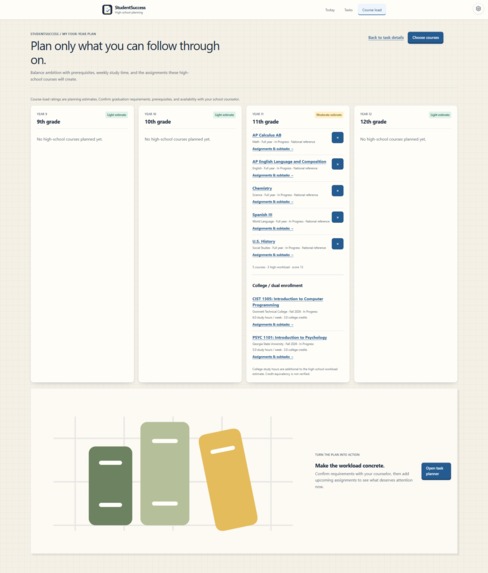
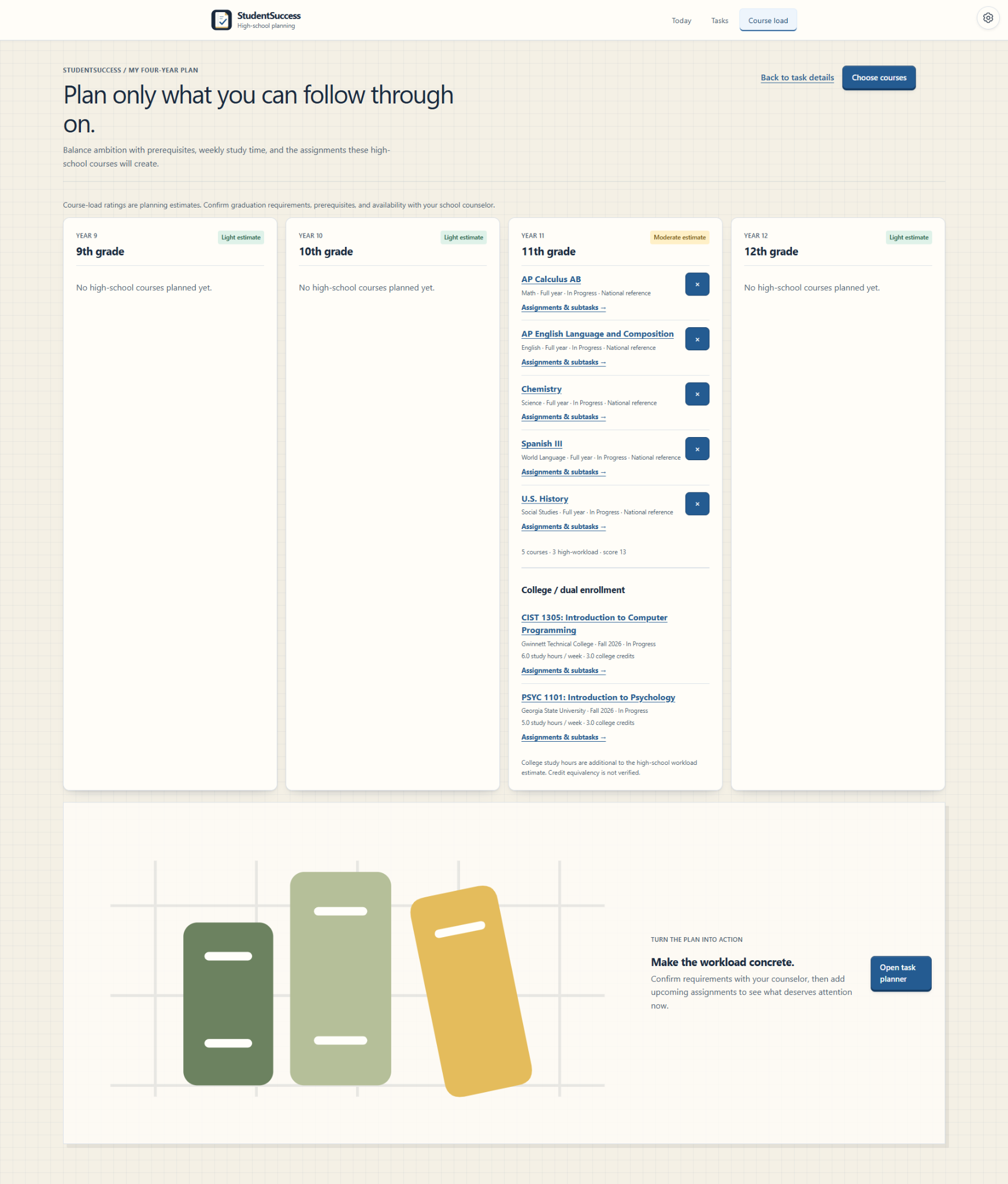
Four-year course planning — High-school students can plan courses across grades 9–12 with workload estimates and dual-enrollment coursework.
-
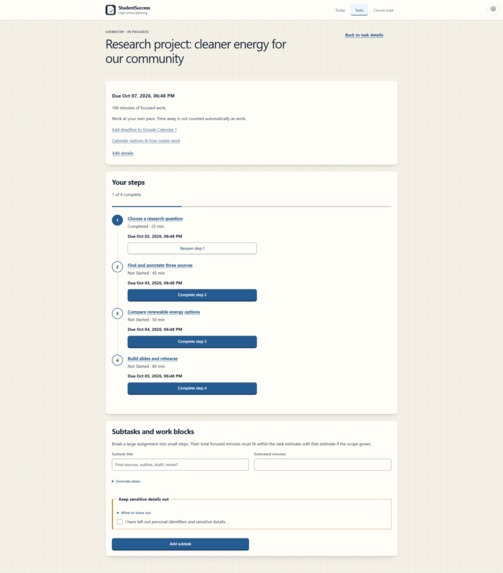
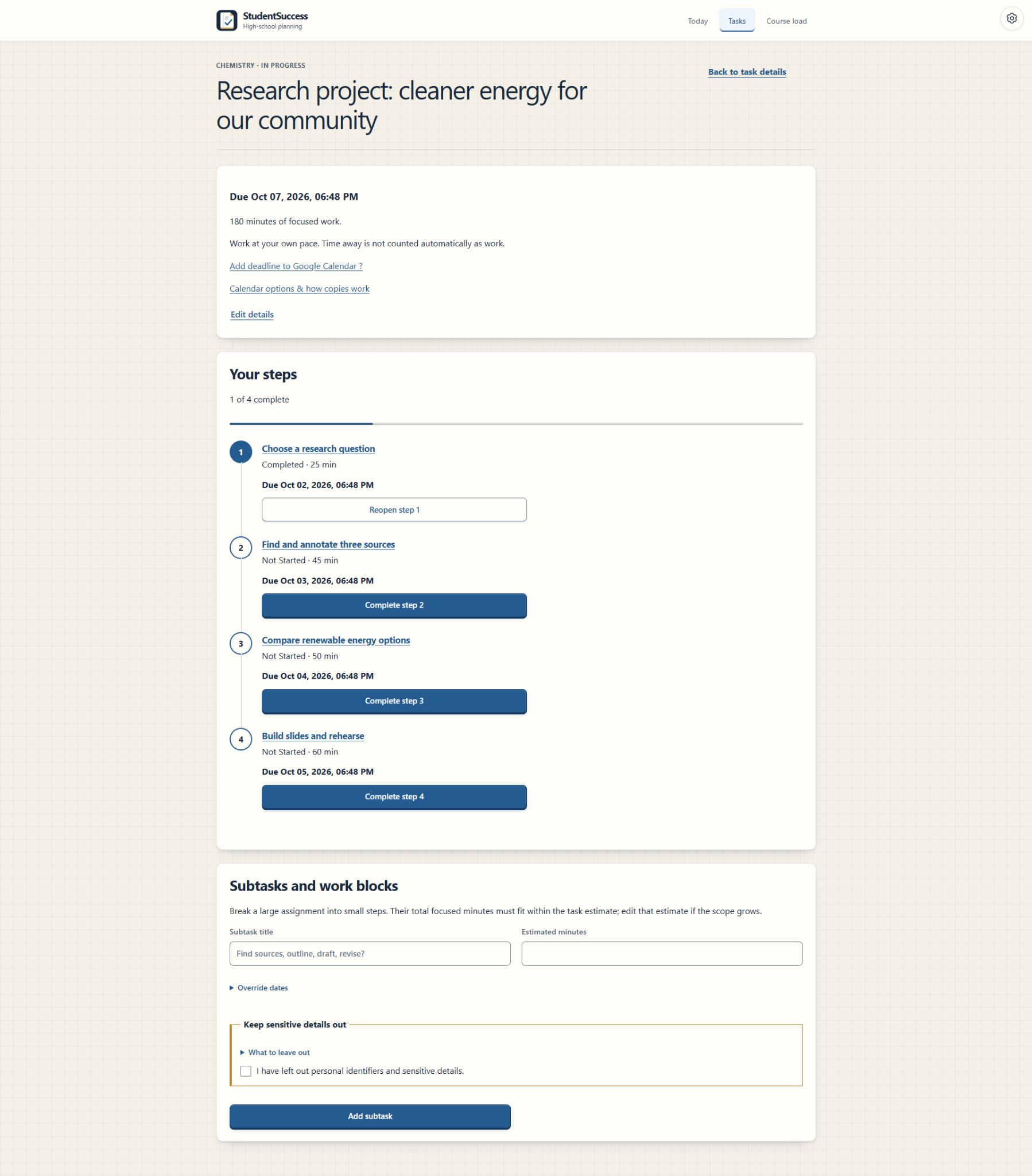
Breaking down large assignments — Larger projects can be divided into smaller subtasks and work blocks with individual deadlines.
-
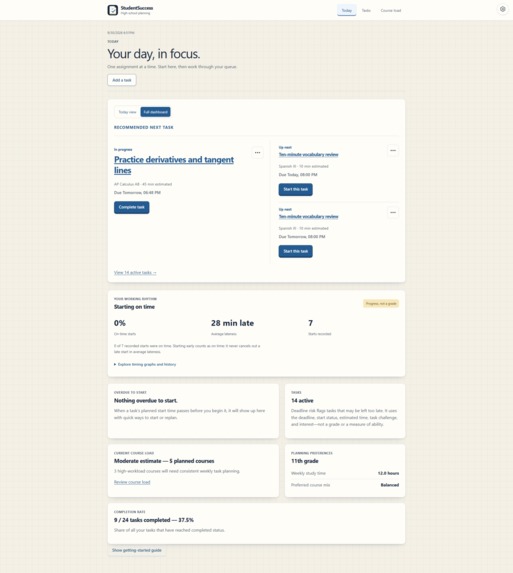
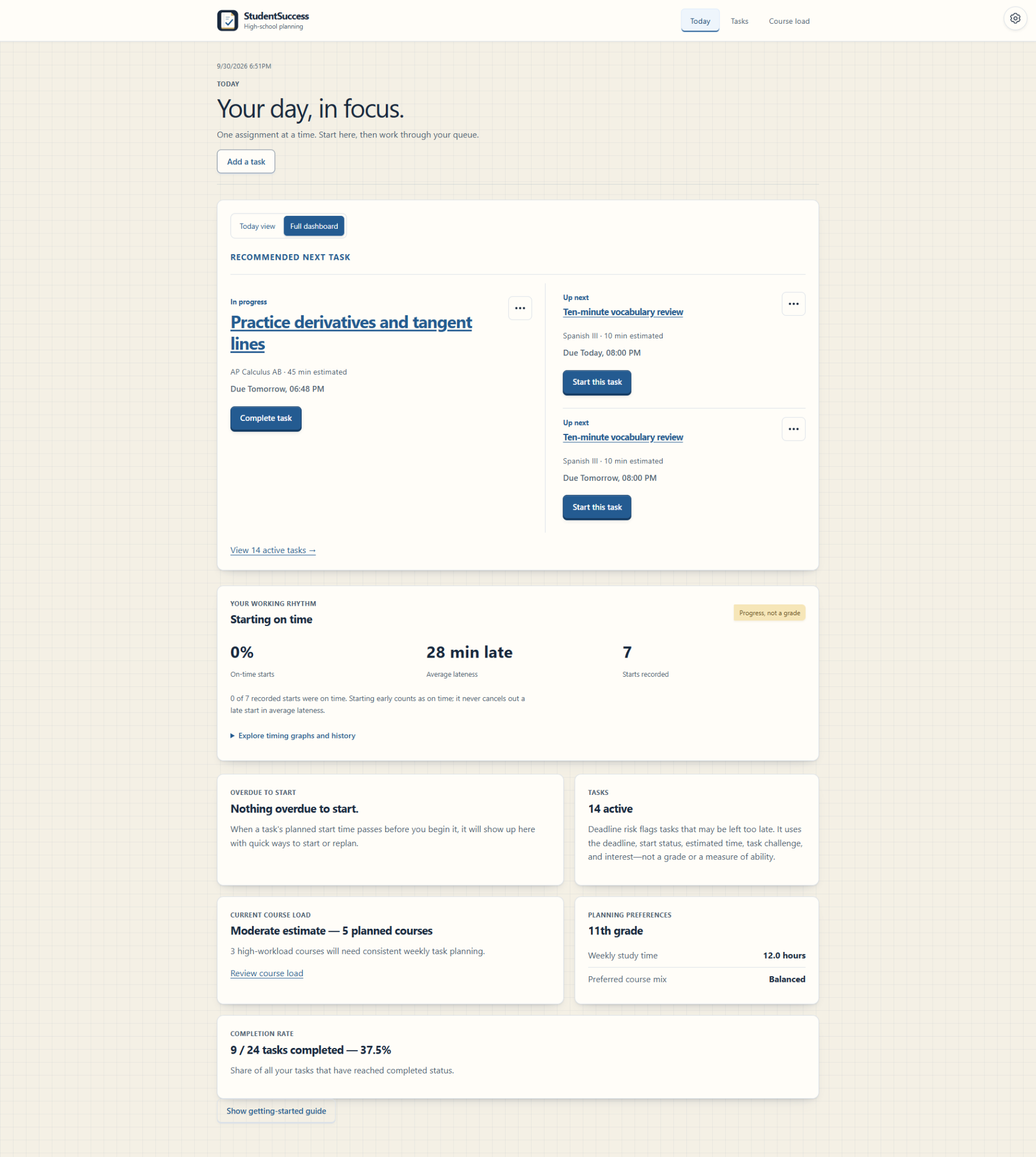
Personalized task dashboard — StudentSuccess recommends what to work on next while tracking start behavior, workload, and progress.
Inspiration
StudentSuccess started with a problem I kept having myself: I would know everything I needed to get done, but I’d still waste time deciding what I should actually start first.
Most student planners helped me keep track of deadlines, but knowing that something was due Friday didn’t really tell me whether I should start it today. I wanted to build something that did more than store assignments. I wanted it to help with the part of procrastination I struggled with most: actually deciding what to start and when to start it.
That led to the main question behind StudentSuccess:
What should I start now?
What it does
StudentSuccess is an academic planner built around procrastination and task prioritization for high school and college students.
Students can add assignments, estimate how long they’ll take, choose when they want to start, and record when they actually start. StudentSuccess then uses that information to recommend which assignment they should focus on next.
For now, I built the recommendation system to be rule-based and explainable instead of jumping straight into AI. Tasks are grouped based on urgency, such as work already in progress, overdue assignments, missed planned starts, and assignments due within 24 hours. StudentSuccess also looks at workload, difficulty, interest, and whether the student has delayed similar work before.
As students build more of their own behavioral history, I want to explore AI and machine learning to make recommendations more personalized while still making it clear why a task was recommended.
StudentSuccess also includes course planning, high school and college modes, dual-enrollment support, subtasks, reminders, calendar export, workload planning, accessibility settings, and tracking for planned vs. actual start times and estimated vs. actual work time.
How I built it
I built StudentSuccess as a full-stack web application using Python, Flask, SQLAlchemy, PostgreSQL, HTML, CSS, and JavaScript.
Flask handles the backend routes and application logic, SQLAlchemy manages how the application interacts with the database, and PostgreSQL stores production data. The application is deployed through Render.
As the project got bigger, I split different parts of the application into routes, models, and services so everything wouldn’t end up mixed together.
For the recommendation system, I wanted the logic to stay predictable and understandable. An overdue assignment gets more urgency than something due several days later, while longer tasks or tasks the student has delayed before can get additional weight. I also added tie-breaking so equally ranked tasks don’t randomly switch places.
At a simplified level, each task receives a score based on several factors:
$$ \text{Task Score} = N + D + E + F + I + H $$
where:
- (N) = whether the task has not been started
- (D) = deadline urgency
- (E) = estimated effort
- (F) = difficulty
- (I) = interest level
- (H) = historical start-delay behavior
For example, part of the actual scoring logic looks like this:
if task.started_at is None:
    score += 2

if hours < 0:
    score += 4
elif hours <= 24:
    score += 3
elif hours <= 48:
    score += 2
elif hours <= 168:
    score += 1

if task.estimated_minutes >= 120:
    score += 2
elif task.estimated_minutes >= 60:
    score += 1
The numerical score is not the entire algorithm. Tasks are first separated into priority groups:
- In progress
- Overdue
- Planned start has passed
- Due within 24 hours
- Other upcoming tasks
The score then helps determine the order of tasks within each group. This lets StudentSuccess prioritize urgent situations while still accounting for differences between individual assignments.
Testing became a much bigger part of the project than I expected. I used pytest and automated tests to make sure new features didn’t break old ones, while still manually testing the actual experience of using the site.
Challenges I faced
One of the hardest parts was figuring out how much information to show at once.
StudentSuccess tracks a lot of information, and at first I tried to put too much of it directly on the screen. The result was cluttered, especially on mobile. I had to rethink task creation, simplify screens, move less important information into optional sections, and redesign some parts of the interface instead of just shrinking the desktop version.
Another challenge was figuring out when AI would actually make sense. At first, I liked the idea of adding it because it could make recommendations more personalized. But I realized that using a model without enough meaningful behavioral data probably wouldn’t make the recommendations any better.
Because of that, I started with a rule-based system that gives StudentSuccess a reliable baseline while collecting the kinds of patterns that could eventually support a more personalized model.
User testing also changed a lot of things I thought were already clear. People got confused by parts of onboarding, task entry had way too many steps, and some features that made perfect sense to me as the developer were confusing to someone seeing StudentSuccess for the first time. I used that feedback to simplify the interface and rethink parts of the product.
What I learned
The biggest thing I learned was that building a feature that works and building something people actually want to use are very different.
I learned how the frontend, backend, database, deployment environment, and testing all connect in a full-stack application. I also became much more comfortable with Flask, SQLAlchemy, PostgreSQL, debugging, responsive design, and working with a growing codebase.
But I also learned that adding more does not always make something better. Some of the biggest improvements to StudentSuccess came from removing clutter, cutting unnecessary steps, and making features I had already built easier to understand.
Most importantly, I started treating feedback as part of development instead of something that happens after I think I’m finished. StudentSuccess changed a lot once other people started using it, and the cycle of building, testing, learning, and rebuilding became one of the most useful parts of the project.
What’s next
My next goal is to keep improving StudentSuccess based on how people actually use it instead of just adding features because I can.
I want to keep refining the prioritization system as more behavioral data becomes available, improve the mobile experience, make long-term assignments easier to break into smaller work sessions, and explore integrations that could reduce how much information students have to enter manually.
The main goal is still the same question that started the project:
When a student has too much to do, can StudentSuccess make it easier to simply start?
Built With
- css3
- flask
- git
- github
- gunicorn
- html5
- hypothesis
- javascript
- jinja
- postgresql
- pytest
- python
- render
- sqlalchemy
- sqlite

Log in or sign up for Devpost to join the conversation.