-
-
StudentOS cover image
-
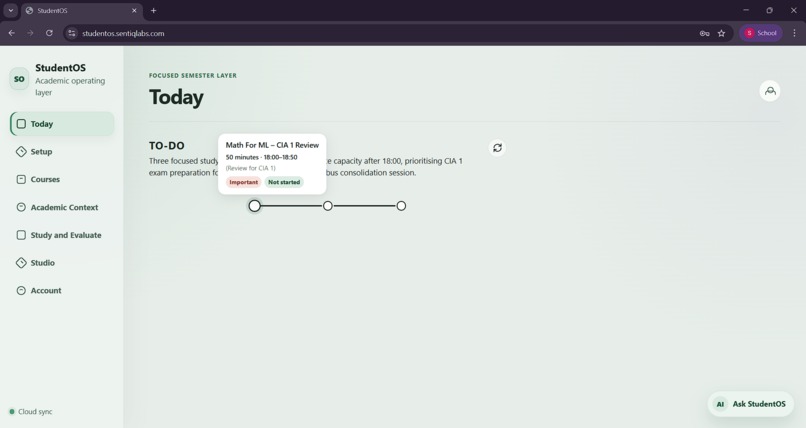
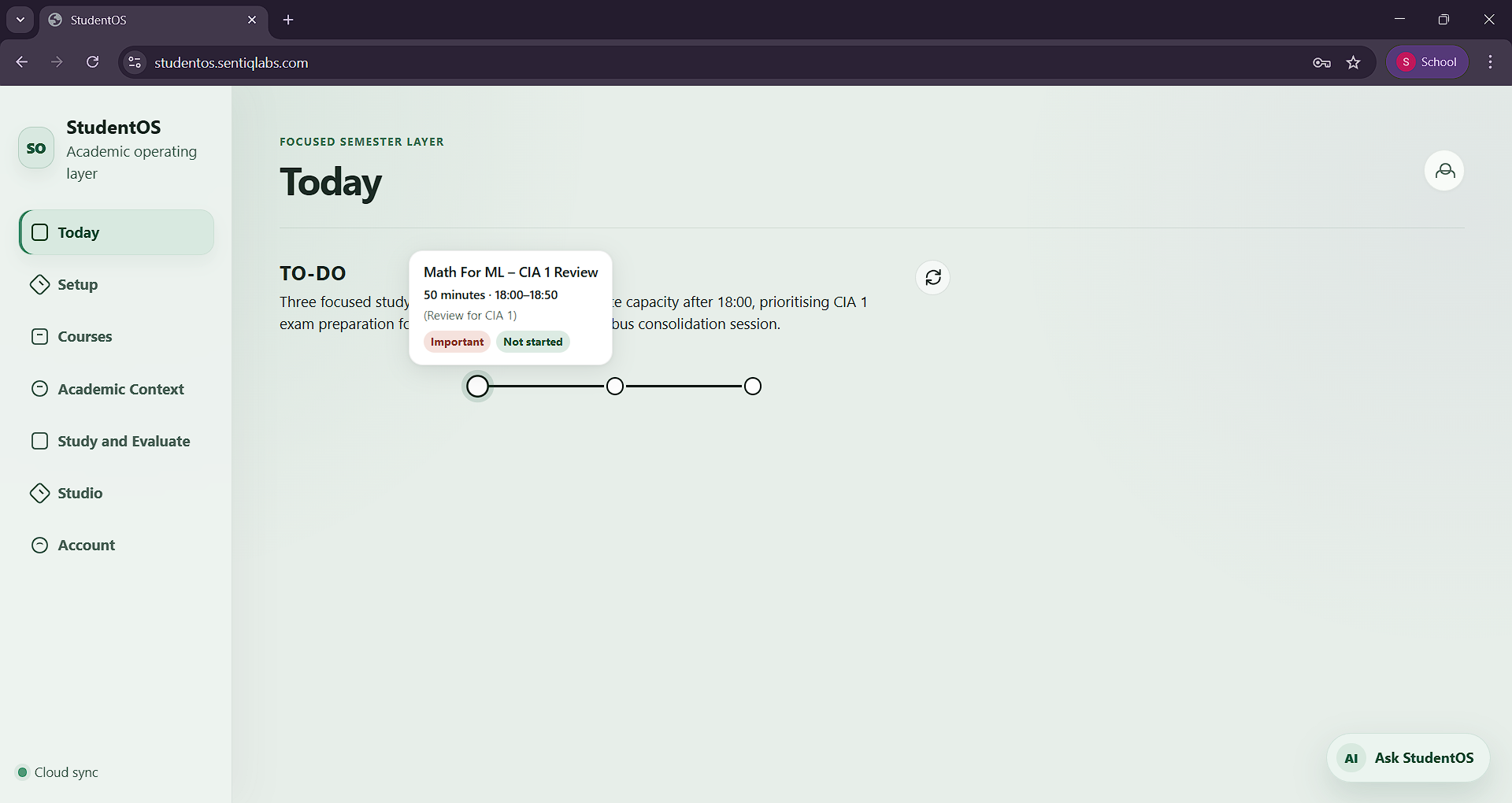
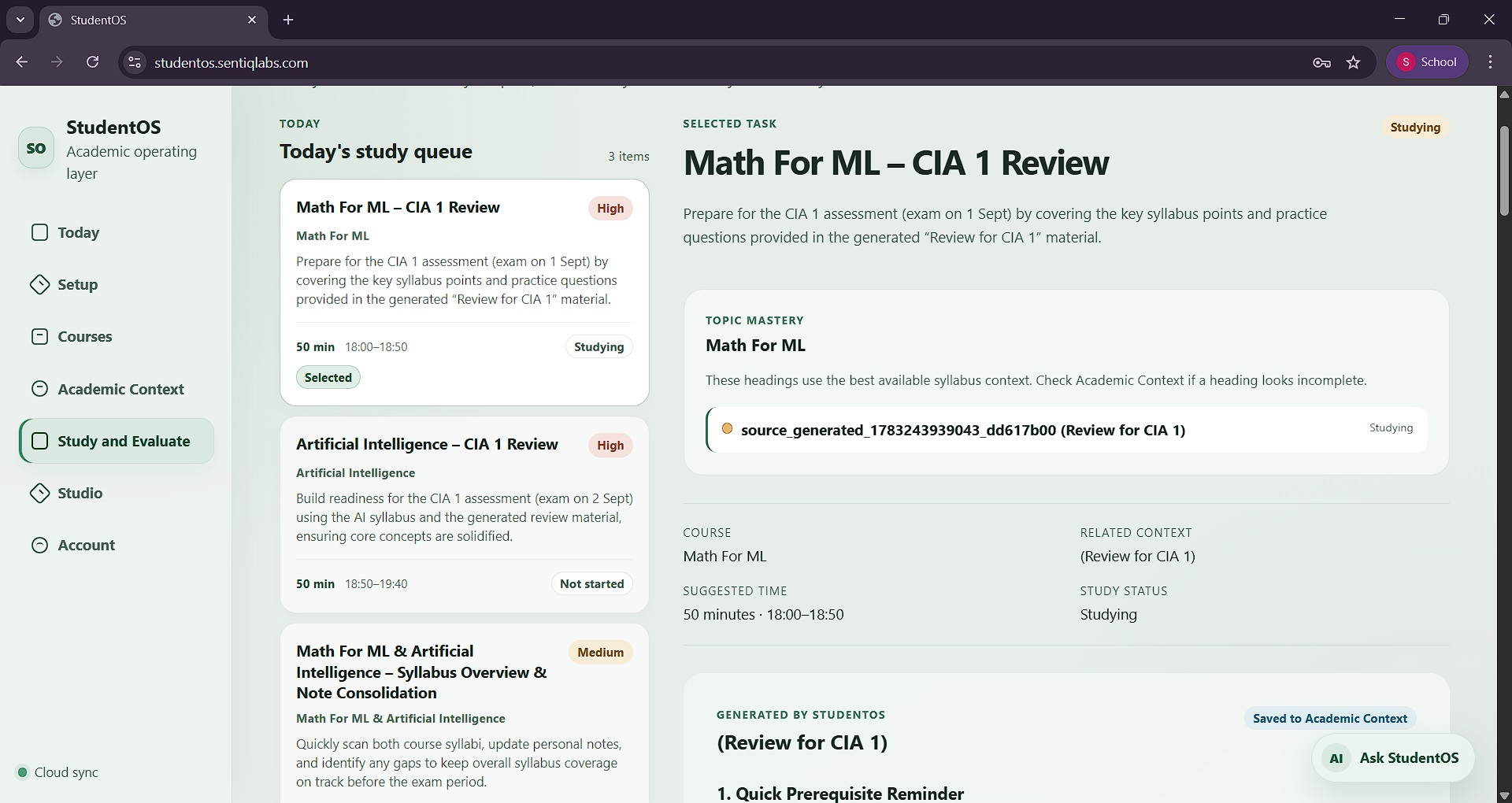
Today view - generated daily plan and TO-DO list
-
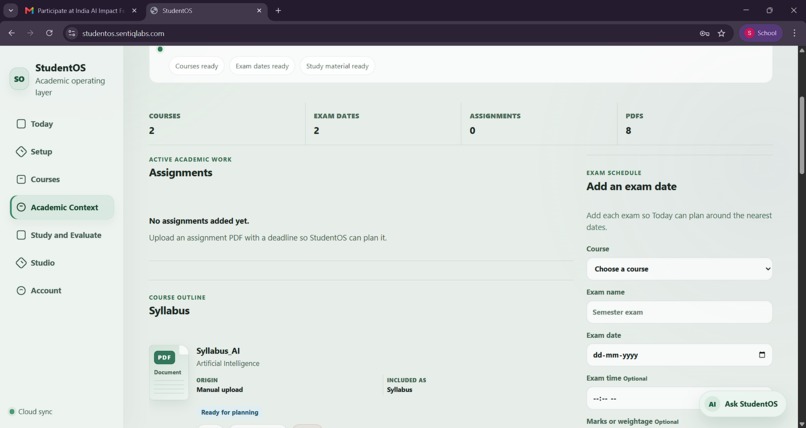
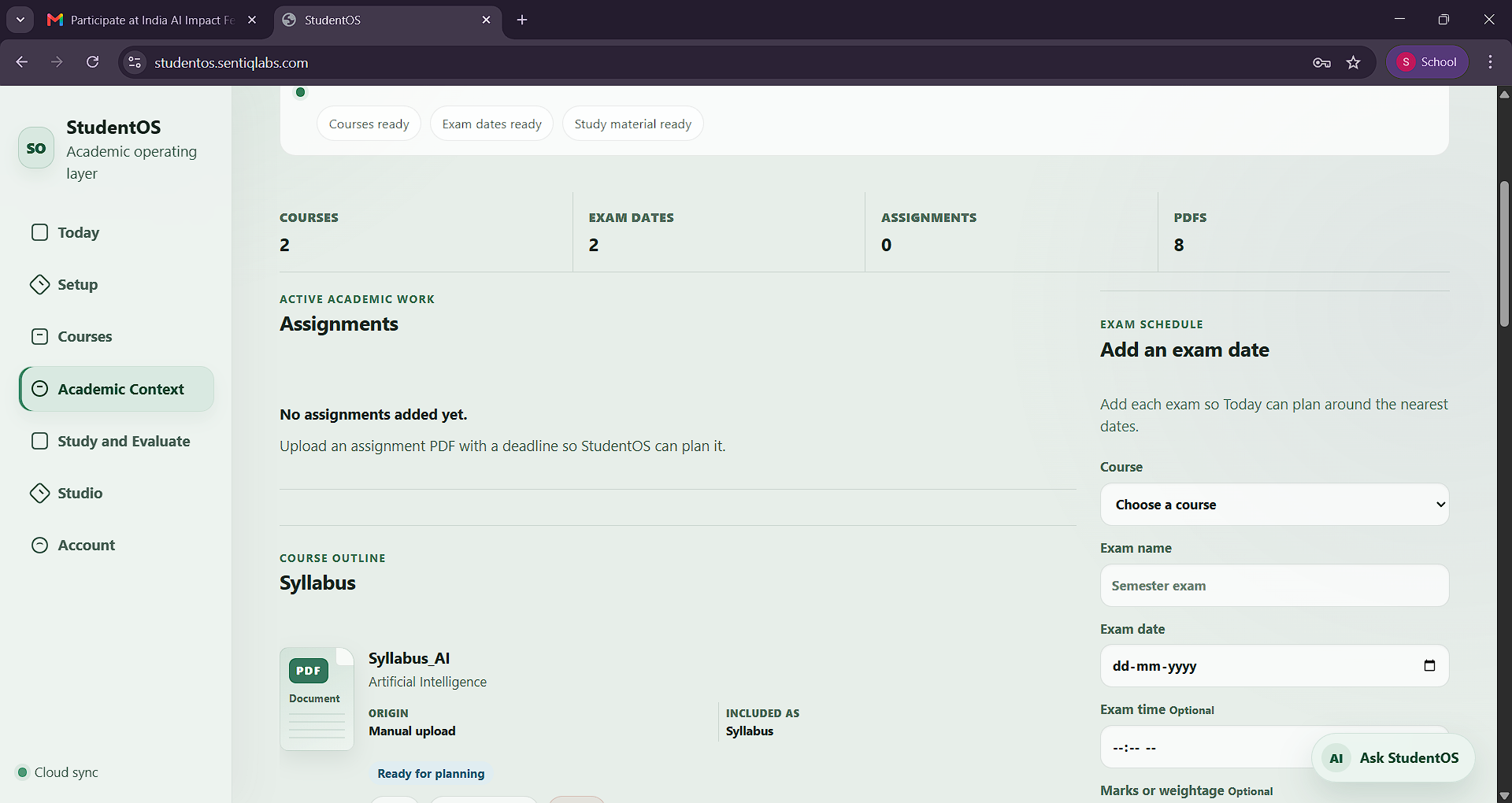
Academic Context - syllabus and exams
-
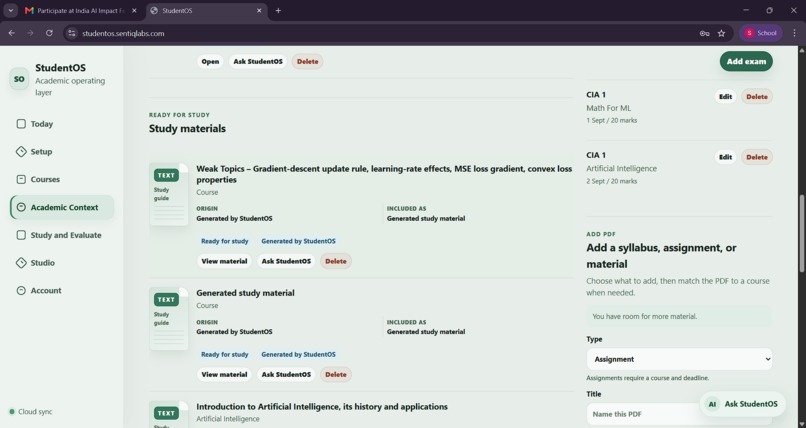
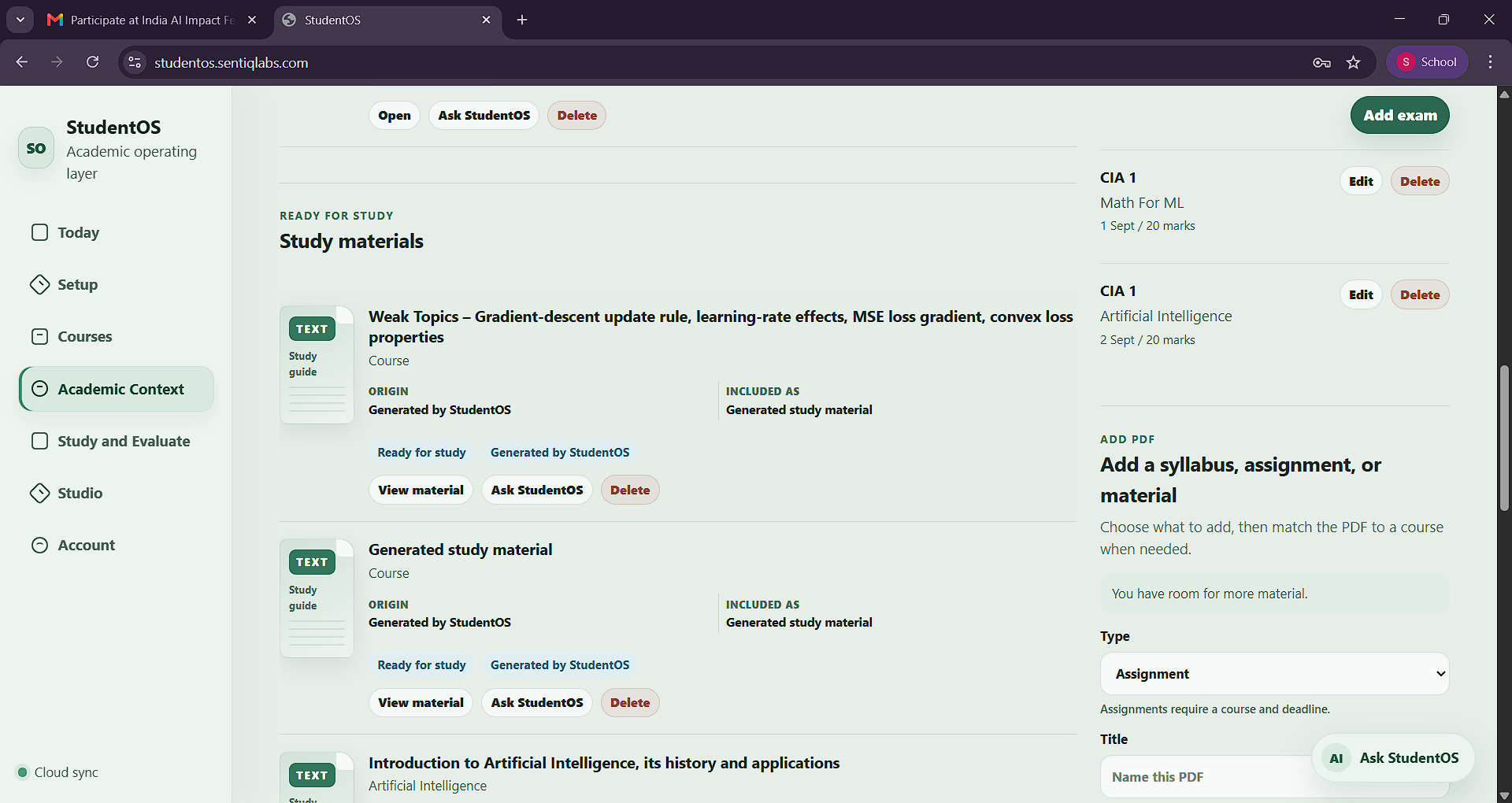
Academic Context - study materials stored in StudentOS
-
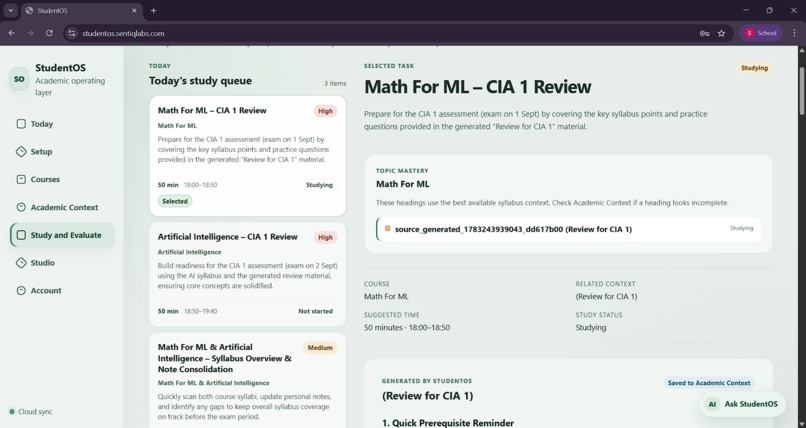
Study and Evaluate with left panel on focus - the left panel shows the TO-DO list items
-
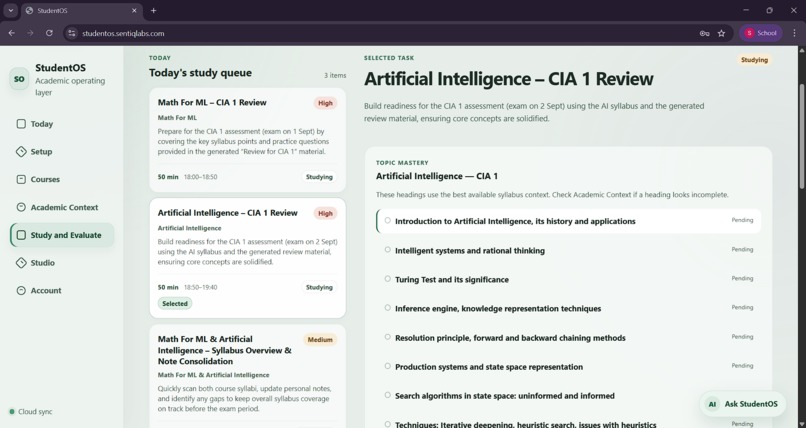
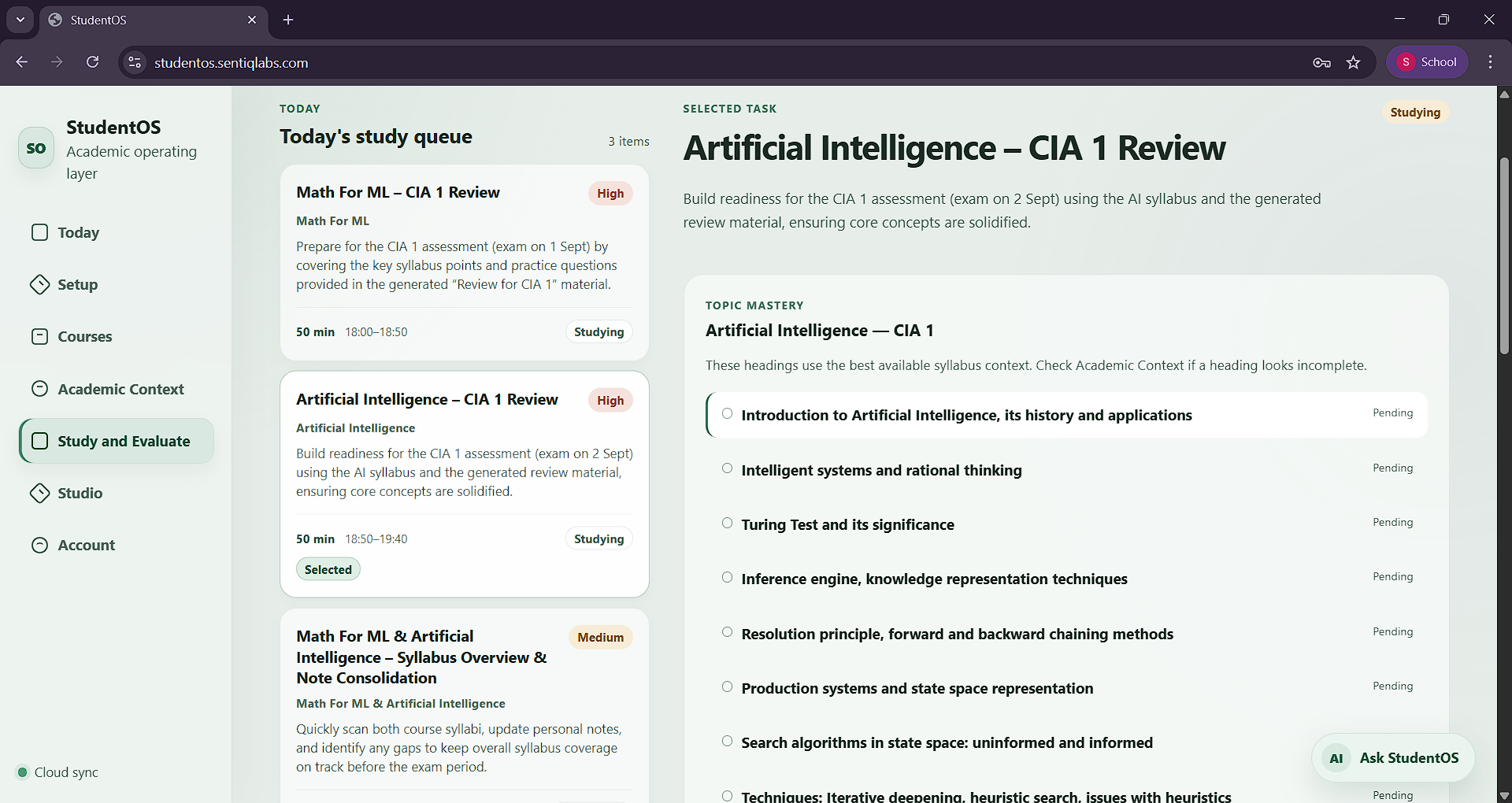
Study and Evaluate with the right panel on focus - shows the topics to be covered for the selected subject, for the upcoming exam.
-
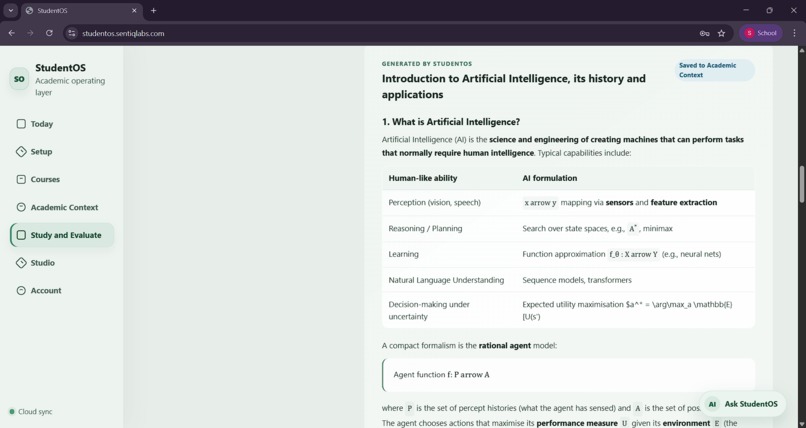
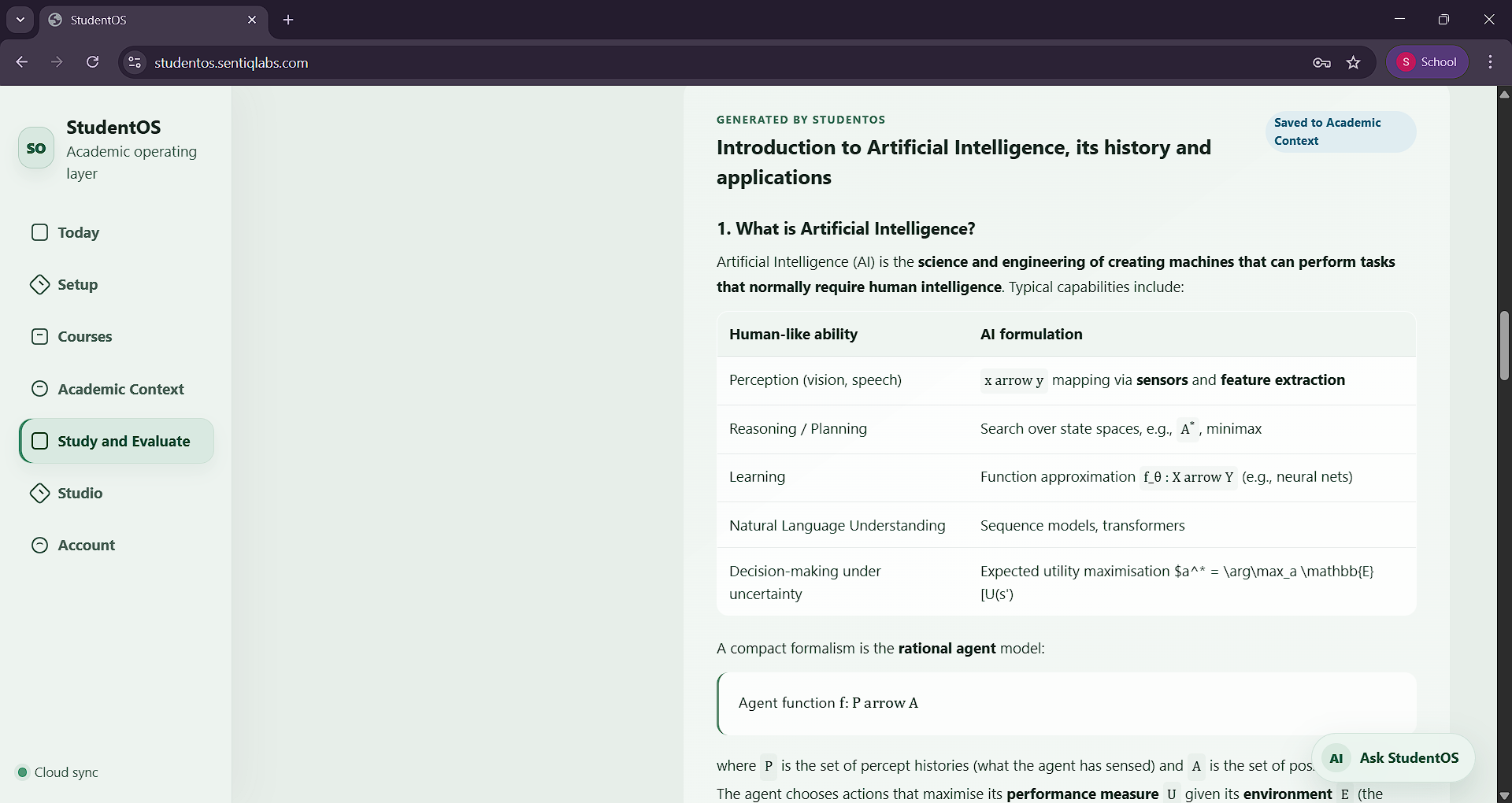
Topic focused, well structured note to study (full note is not included in this screenshot).
-
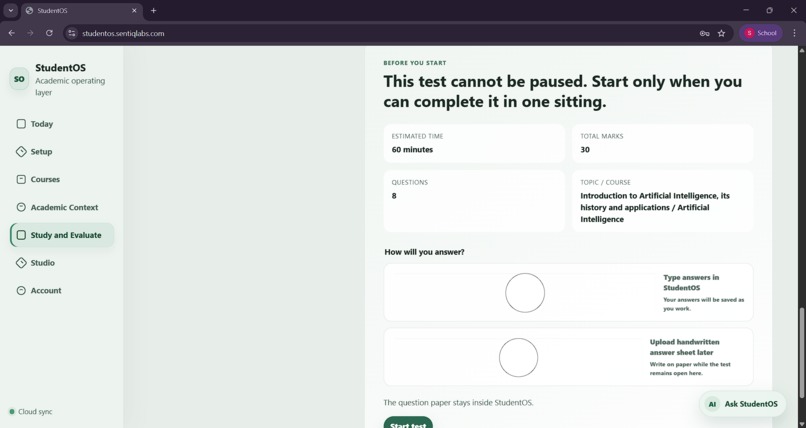
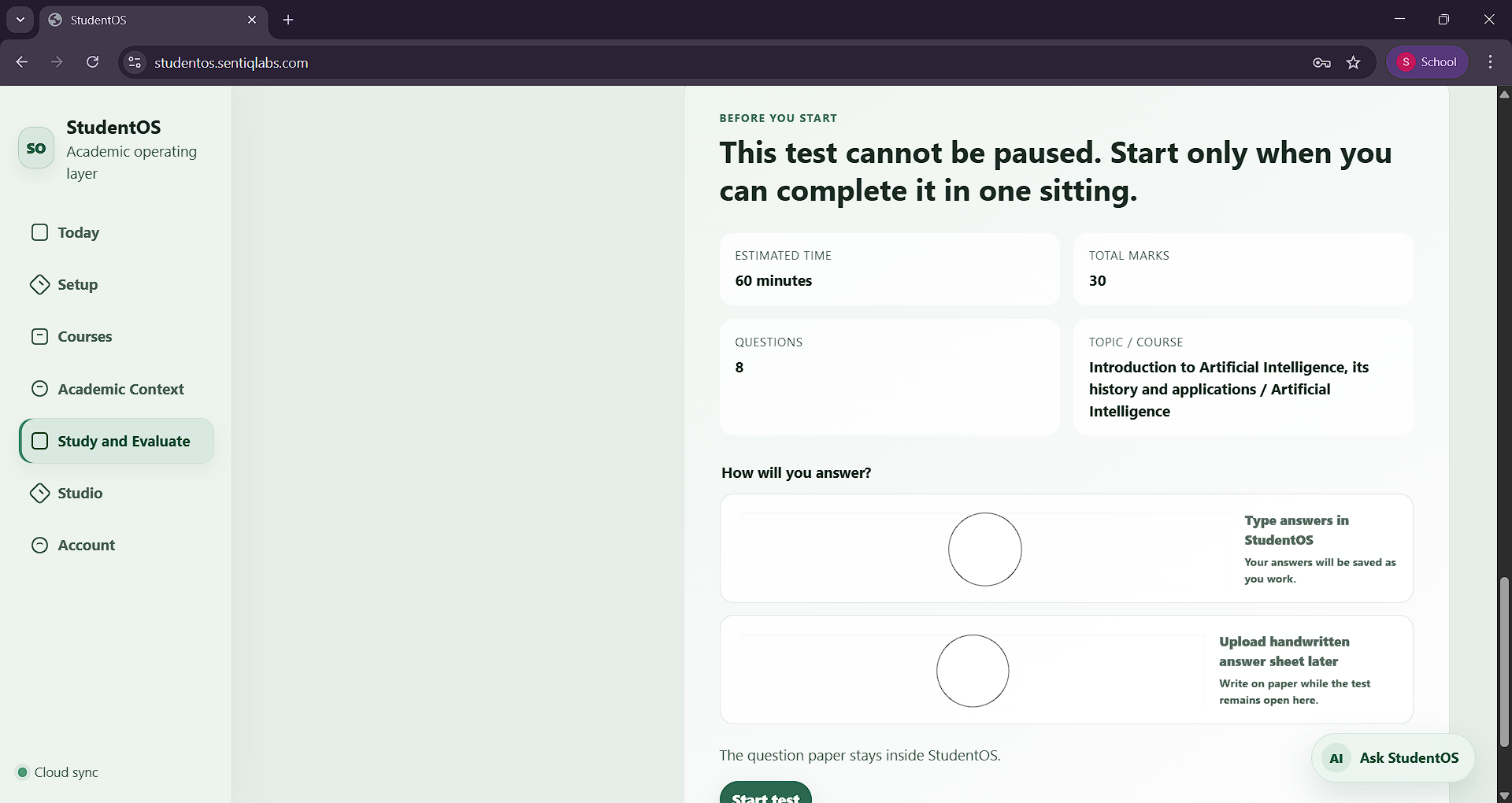
Finished reading the note -> Marked note as done -> StudentOS will generate a timed test based solely on the note, which cannot be paused.
-
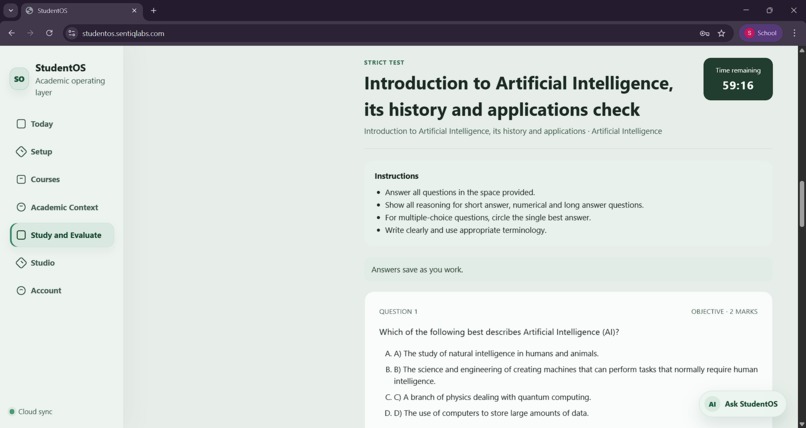
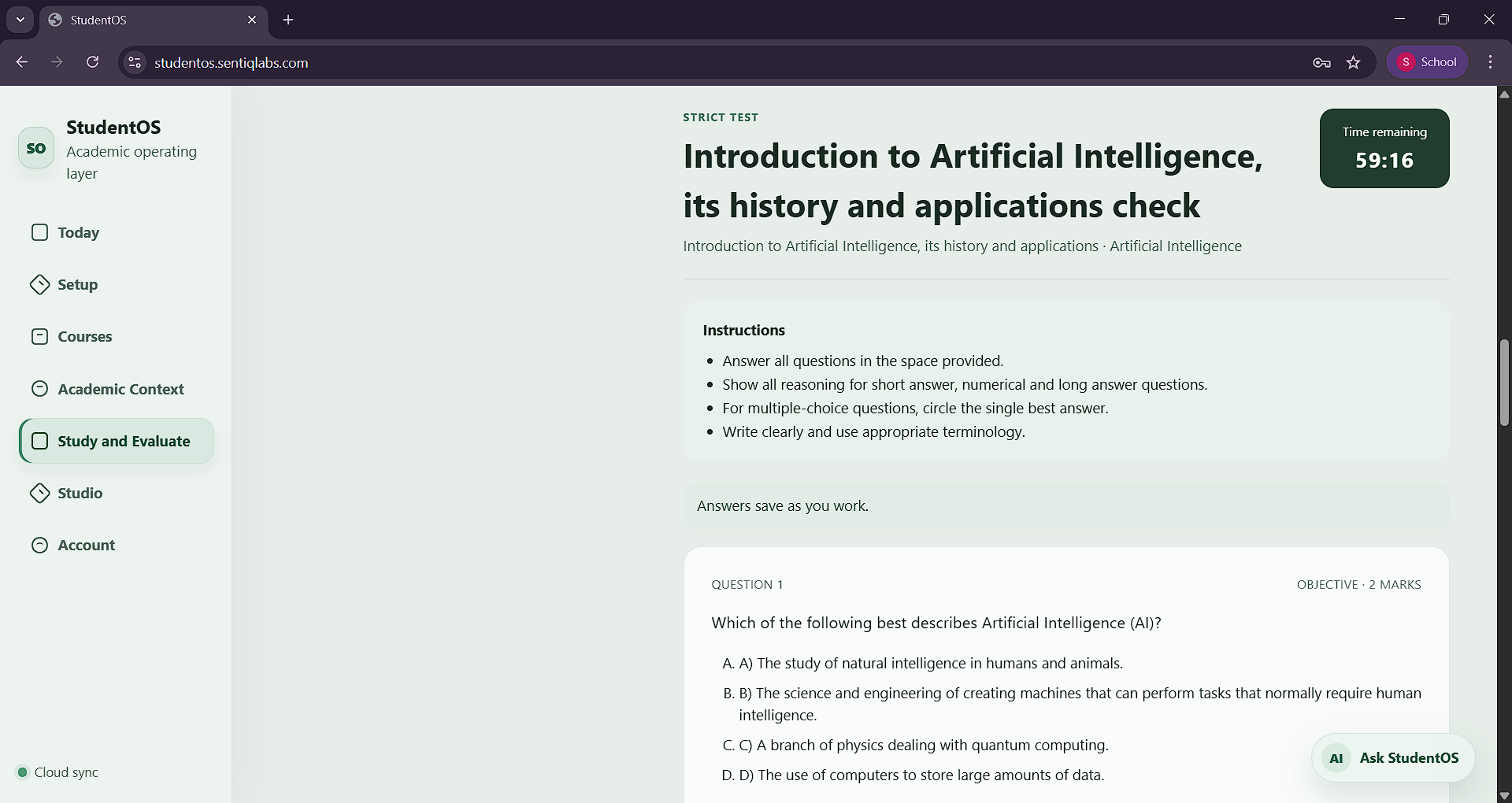
Focusing on the instructions, active timer of the test so generated. The test accepts both handwritten and typed answers.
-
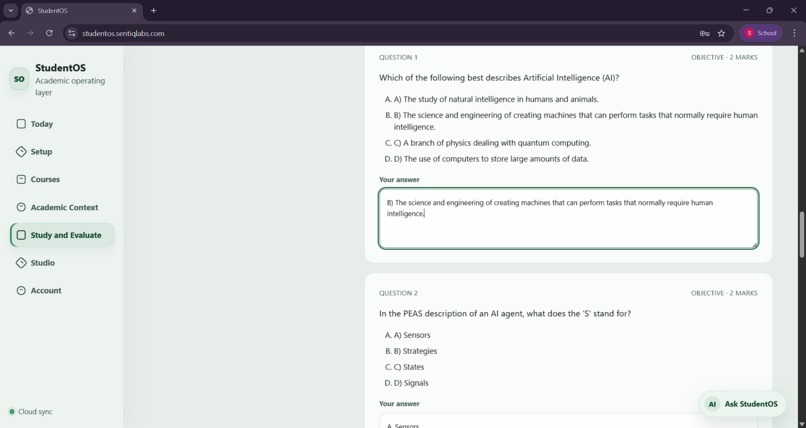
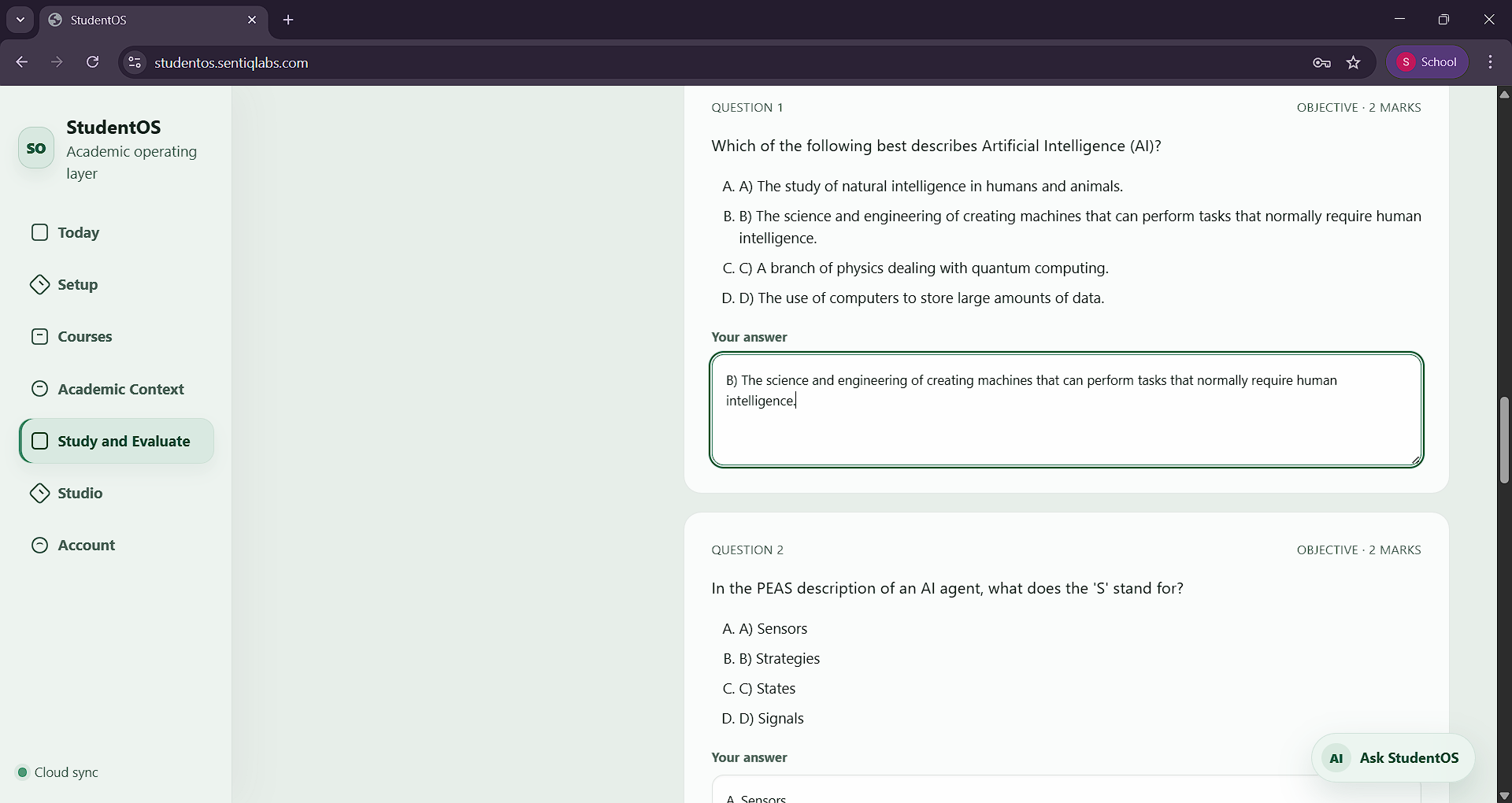
Focusing on the questions, answers boxes to receive the answer for each question. Both subjective and objective types are included.
-
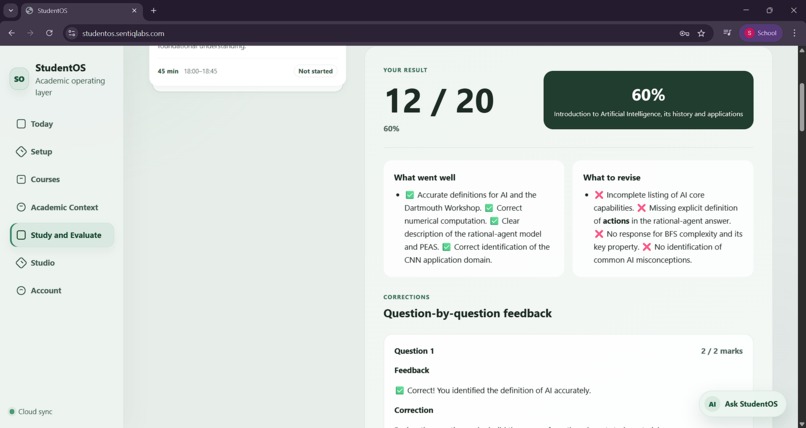
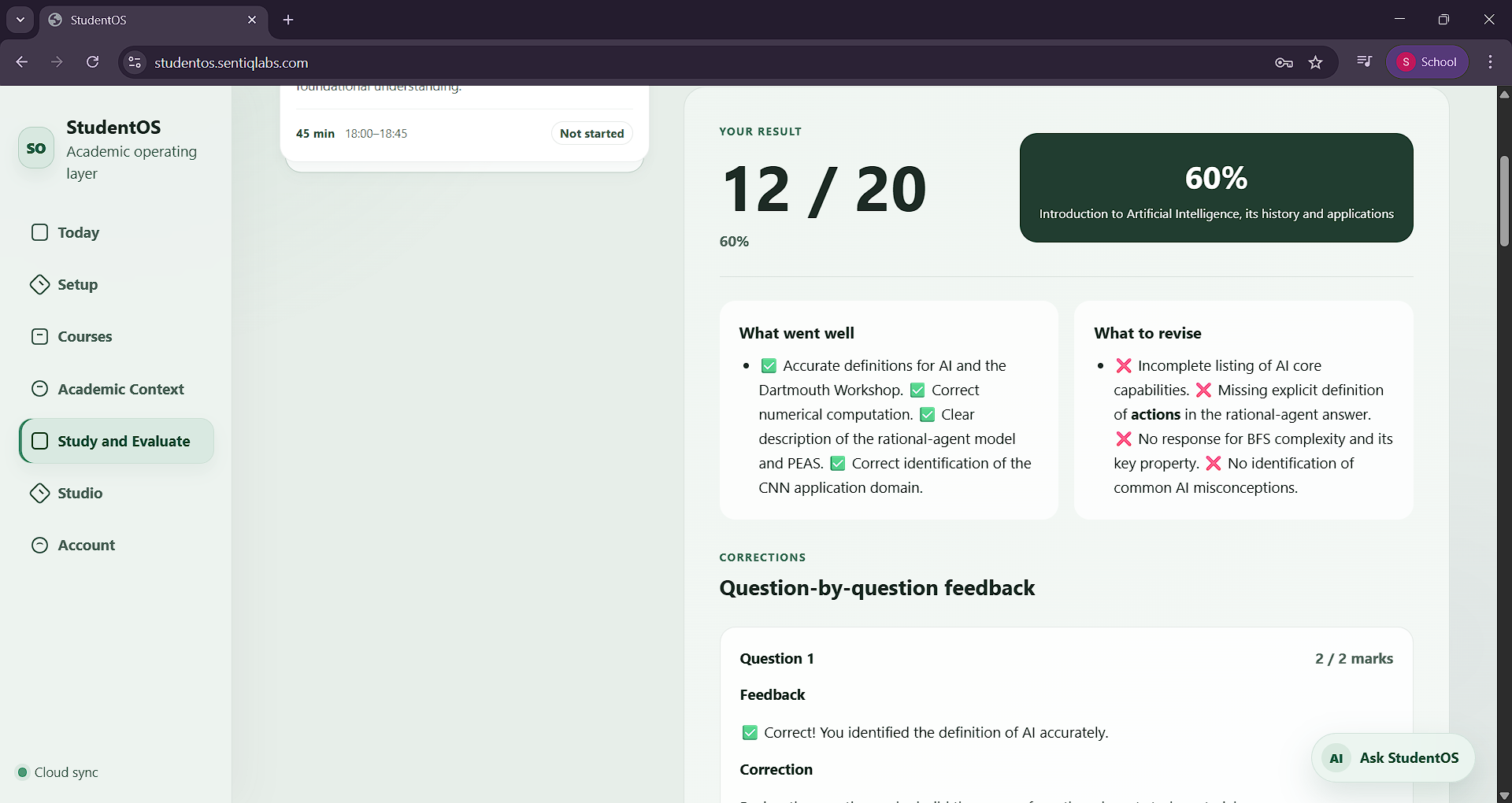
Assessment results with question-level marks, feedback, corrections, and weak-topic identification.
-
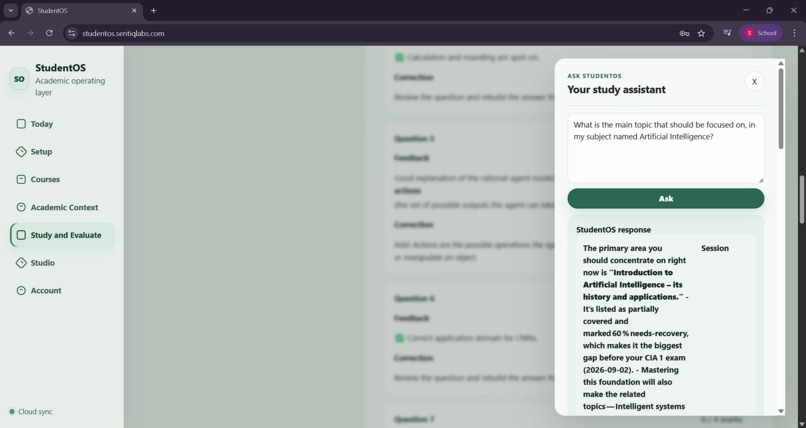
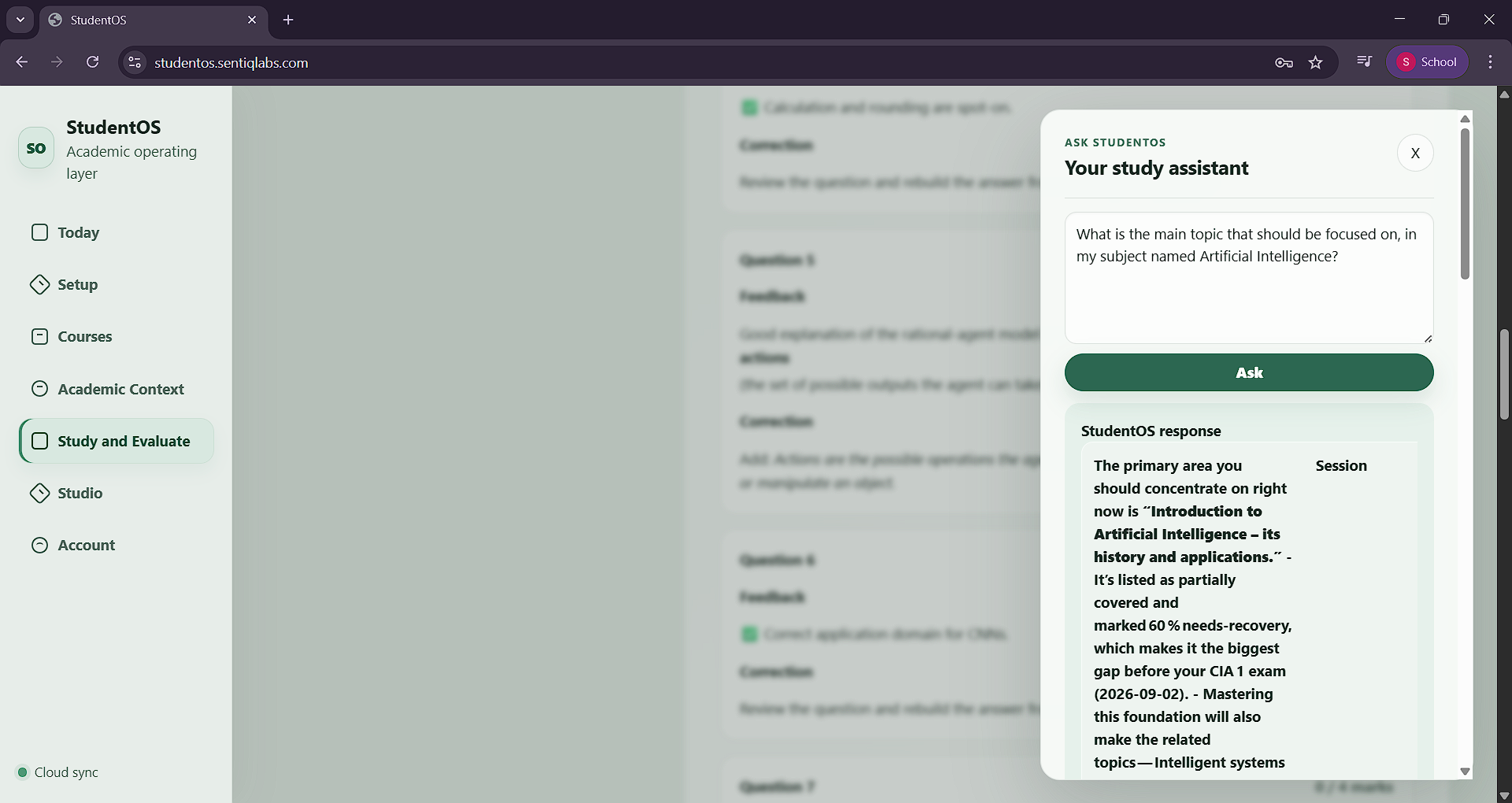
I asked StudentOS AI about which topic I should focus on, and it correctly pointed out my weak topic which deserved my attention.
Inspiration
As a student myself, I realised that student life rarely breaks because there is no study material available. It usually breaks because too many things are moving at once.
Everything is fragmented. Assignments are in one place, the class timetable in another, and notes and materials somewhere else. So, before even studying, we get stuck in analysis paralysis.
There is not a suitable academic workspace that has all of this packed together. I wanted something that:
- Knows my entire semester syllabus.
- Knows when my exams are.
- Knows when I am free to study.
- Knows my study preferences, such as 25 minutes of focus with a 5-minute break, 50 minutes of focus with a 10-minute break, or 40 minutes of focus with an 8-minute break.
- Knows the topics where I am falling behind.
- Not only knows the deadlines for assignments in Google Classroom, but also prepares me for each assignment individually, lets me solve it, and evaluates its correctness.
- Adapts to my learning capacity in real time.
- Generates topic-by-topic notes personalised to my academic performance.
- Adheres to the materials and notes that my faculty has included or posted in Google Classroom.
- Tests me only on the topic covered in the note or material it just generated.
- Evaluates my responses and identifies what I did not understand properly.
- Generates the next material as a mix of the next syllabus topic and the topics where I performed poorly in the latest assessment.
- Has a compact area where I can manage my notes, upload more material, or read existing material.
- Performs periodic Google Classroom checks, informs me about newly uploaded assignments or materials, and asks whether they should be included in my Academic Context before updating my study plan. This matters because some uploaded material may be optional, extra-curricular, or unrelated to the academic plan.
- Provides an inbuilt assistant across the workspace for questions about topics, assignments, study material, revision, and what to work on next.
- Most importantly, generates a step-by-step TO-DO list every morning, guiding me on how to utilise my day without analysis paralysis or procrastination.
I started building StudentOS to solve that problem for myself. I wanted one academic workspace that could understand my academic life and my semester as a whole, then turn it into a realistic plan.
What StudentOS does
After a one-time onboarding setup, StudentOS brings together a student's:
- courses and syllabus
- timetable and weekly or daily availability
- assignments and exams
- study materials
- assessments and topic performance
- unfinished work
- daily study plan based on the student's availability and recent academic performance
It then uses that context to help the student decide what deserves attention next.
The Today view provides a focused study plan and TO-DO list based on the student's current workload and available time. Academic Context keeps courses, topics, materials, assignments, and exam information organised.
Students can also study from their materials, generate focused learning support, take assessments, and ask StudentOS questions using their academic context.
The goal is not to add another place where students collect information. The goal is to reduce the amount of planning they have to carry in their head.
Accomplishments that I'm proud of
The latest major feature I added to StudentOS is the Adaptive Recovery Engine.
A normal study planner creates a plan once. The recovery engine is designed for what happens after that plan stops being realistic.
It can respond to changes such as:
- an assessment revealing weak syllabus topics
- a reassessment showing improvement
- a missed or unfinished task
- reduced study availability
- a changed exam or assignment deadline
- newly imported academic work
The engine builds a versioned snapshot of the student's current academic state, gathers evidence, evaluates what changed, and produces a recovery plan preview.
The model does not directly control the schedule or write arbitrary changes into the database. StudentOS validates the evidence, calculates final priorities in application code, checks time and workload constraints, and uses its existing planner to place work into valid study windows.
This keeps the system adaptive ,without making it unpredictable.
How I built StudentOS
StudentOS currently has a static HTML, CSS, and JavaScript frontend with a Node.js HTTP backend.
Supabase provides authentication, persistent user data, and private file storage. The repository separates authentication from three sharded StudentOS data projects and uses stable user routing across those data shards. Academic source material and generated account exports use private storage.
The Academic Context pipeline supports authenticated PDF uploads for syllabi, assignments, study material, and exam schedules. Files are checked by extension, content type, and file signature before being stored privately. StudentOS extracts readable PDF text, divides it into chunks, tracks processing through background jobs, and retains source metadata for retrieval and deletion.
Ask StudentOS uses the student's selected Academic Context. Retrieval combines source and chunk matching with keyword relevance, available semantic signals, course and topic relationships, recency, and confidence checks. The repository currently uses deterministic 384-dimensional embeddings by default and contains an optional OpenAI-compatible embedding adapter when separately configured.
The AI execution layer has adapters for Groq, Gemini, and Pollinations AI. It includes provider key pools, timeouts, cooldowns, policy-block handling, fallback attempts, idempotent logical operations, and weekly AI allowance accounting.
General AI operations support feature-flagged provider cycling. The Adaptive Recovery Engine uses a fixed Groq to Gemini to Pollinations order.
Text models
- Groq: GPT OSS 120B
- Gemini: Gemini 3.1 Flash Lite
- Pollinations AI: Minimax M3, GPT-5.6 Luna, GPT-5.6 Terra, and others
The recovery engine uses the same provider infrastructure. Provider output must follow a strict Zod schema and is checked against real course, topic, and assessment records before it can influence planning.
Daily planning receives the student's local date, time, and timezone, together with prepared Academic Context, availability, study rhythm, timetable, fixed commitments, exams, assignments, unfinished work, completed topics, and evidence-derived weak topics.
StudentOS validates the generated structure, limits workload to available study time, and preserves a deterministic planning path when grounded provider output is unavailable or unsuitable.
Study and Evaluate connects the generated daily plan to a topic-by-topic study workflow. StudentOS maintains a syllabus mastery queue and generates a note combining one active syllabus topic or subpart with topics that may need more attention or practice based on the latest evaluation. It renders Markdown and mathematical notation and allows generated notes to be exported as PDF.
After a topic is completed, StudentOS can generate a strict topic-focused test. The test has a server-authoritative deadline and supports typed answers or a handwritten answer-sheet flow.
Readable PDF and DOCX answer sheets can be evaluated. Results include question-level marks, feedback, corrections, strengths, weak topics, and next steps. Weak-topic planning is updated only from mapped question-level assessment evidence.
The Google Classroom connector uses read-only OAuth scopes. Classroom checks discover pending work and material metadata without automatically treating everything as academic context.
The student explicitly chooses which items should be included in Academic Context. The selected items can then influence the notes and materials generated by StudentOS. StudentOS does not submit, grade, edit, turn in, or delete anything in Google Classroom.
The Adaptive Recovery Engine is a backend subsystem that records bounded academic events, creates versioned state snapshots, grounds recommendations in real evidence, validates provider output with Zod, calculates final priorities deterministically, and produces a reviewable plan preview.
Preview application uses version checks, idempotency, and transactional persistence so that stale or duplicate changes cannot silently replace the current plan. The dedicated frontend Recovery Mode is yet to be implemented.
The repository also includes:
- plan entitlements
- weekly AI allowances
- rate limiting
- redacted diagnostics
- background-job infrastructure
- account export and deletion flows
- migration verification
- Playwright tests
- focused backend test suites
- a repeatable Adaptive Recovery evaluation suite
The repository contains deployment configuration for a Cloudflare-hosted frontend and an Azure Container Apps backend.
The following provider and model APIs are ready, but their complete implementation and wiring are yet to be finished:
Image generation for diagrams and visuals inside generated notes
Pollinations AI:
- Sana Sprint 1.6B
- Z-Image Turbo
- Flux Schnell
Live bidirectional voice communication
- Gemini 3 Flash Live
The Adaptive Recovery backend includes:
- semantic academic events
- immutable academic state snapshots
- topic recovery states
- durable recovery runs
- evidence grounding
- deterministic priority scoring
- constrained recovery planning
- backend-generated plan diffs
- preview before apply
- transactional and idempotent plan application
- stale-plan protection
- account export and deletion coverage
- focused tests and an evaluation suite
I used GPT-5.6 through OpenAI Codex to inspect the existing repository, plan the architecture, implement new subsystems, review production risks, and perform remediation passes.
OpenAI's direct GPT-5.6 API is not used inside StudentOS. GPT-5.6 models are accessed through Pollinations AI. The current runtime application uses a model-provider pool that includes Groq, Gemini, and Pollinations AI.
Challenges I ran into
The hardest part was not generating a new list of tasks. It was making sure the system could change a real plan safely.
A recovery run may take place while the student is changing another part of their academic state. That meant I had to handle concurrency, stale previews, idempotency, retries, immutable plan history, and transactional application.
Another challenge was keeping the model within a narrow role. The provider can recommend a direction, but it cannot invent syllabus topics, fabricate evidence, choose final priority scores, or schedule work outside the student's availability.
The engine also had to preserve completed work, avoid duplicate tasks, and clearly defer work when there was not enough time.
What I learned
This project changed how I think about AI product design.
The useful part is not simply getting a model to return a good answer. The difficult part is building the surrounding system that decides what the model is allowed to see, what it is allowed to suggest, how its output is verified, and what happens when it fails.
I also learned that adaptive planning needs a reliable history of state changes. Without events, snapshots, versions, and evidence, a system cannot explain why a plan changed or safely decide whether an older recommendation is still valid.
What's next for StudentOS
Include diagrams, visuals, flowcharts, and other graphical representations inside generated notes.
Introduce live speech-to-speech capability across StudentOS, allowing students to communicate with StudentOS and control the platform directly through voice. This would make StudentOS easier to use and require less typing and clicking. The manual onboarding process would especially benefit from this.
Make it easier to add academic information to StudentOS using the same voice capability. A student could open StudentOS and say:
Hey StudentOS, today our Physics teacher mentioned the addition of Electrostatics to our Physics syllabus for the upcoming 20-mark class test.
StudentOS could then add it to Academic Context.
Or:
Hey StudentOS, our DSA teacher started a new topic, Dynamic Programming, but I could not understand it properly. Please explain it to me this evening after I come back home.
StudentOS could then update the TO-DO list already planned for the evening and include the new topic.
Introduce camera and microphone-proctored assessment sessions for better fairness during student evaluation.
Launch StudentOS as an Android app in addition to the current web version.
Build an additional personality-development chapter inside StudentOS as part of its extra-curricular experience. The goal would be to help students socialise and prevent them from becoming over-dependent on AI.
It could provide daily and weekly challenges such as:
Talk to one of your friends today and describe how you felt when your father surprised you with a sudden family outing plan.
Meet 10 new people in your college this week and learn about their favourite subjects or future goals.
Or occasionally:
Ask your teacher to give you some questions about Linear Programming, solve them, and get them checked.
StudentOS can become highly engaging and powerful. That also creates a responsibility to make sure students do not spend more time interacting with AI at home than engaging with the world outside.
StudentOS should train students to use AI as a tool, rather than becoming dependent on it.
StudentOS is currently being built as an entire academic ecosystem around a simple idea: students should spend less time deciding how to manage their semester and academic life, and spend more time doing the actual work that matters.
Built With
- api
- apps
- azure
- classroom
- cloudflare
- codex
- container
- css3
- github
- gpt-5.6
- html5
- javascript
- microsoft
- node.js
- oauth
- openai
- pages
- playwright
- postgresql
- rest
- supabase
- zod

Log in or sign up for Devpost to join the conversation.