-
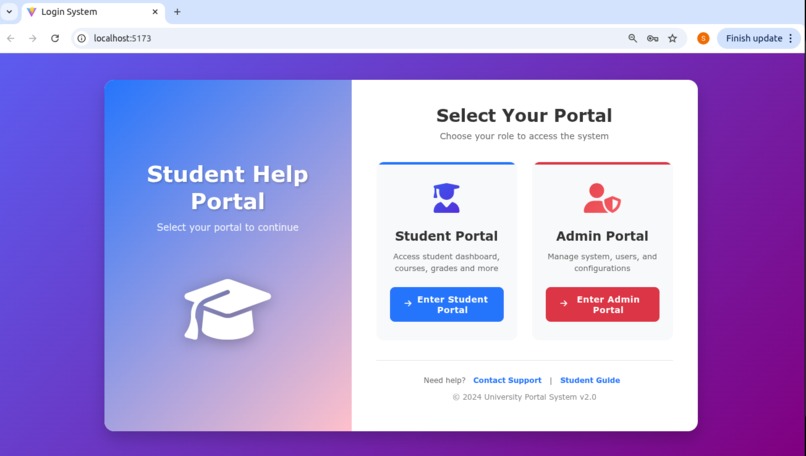
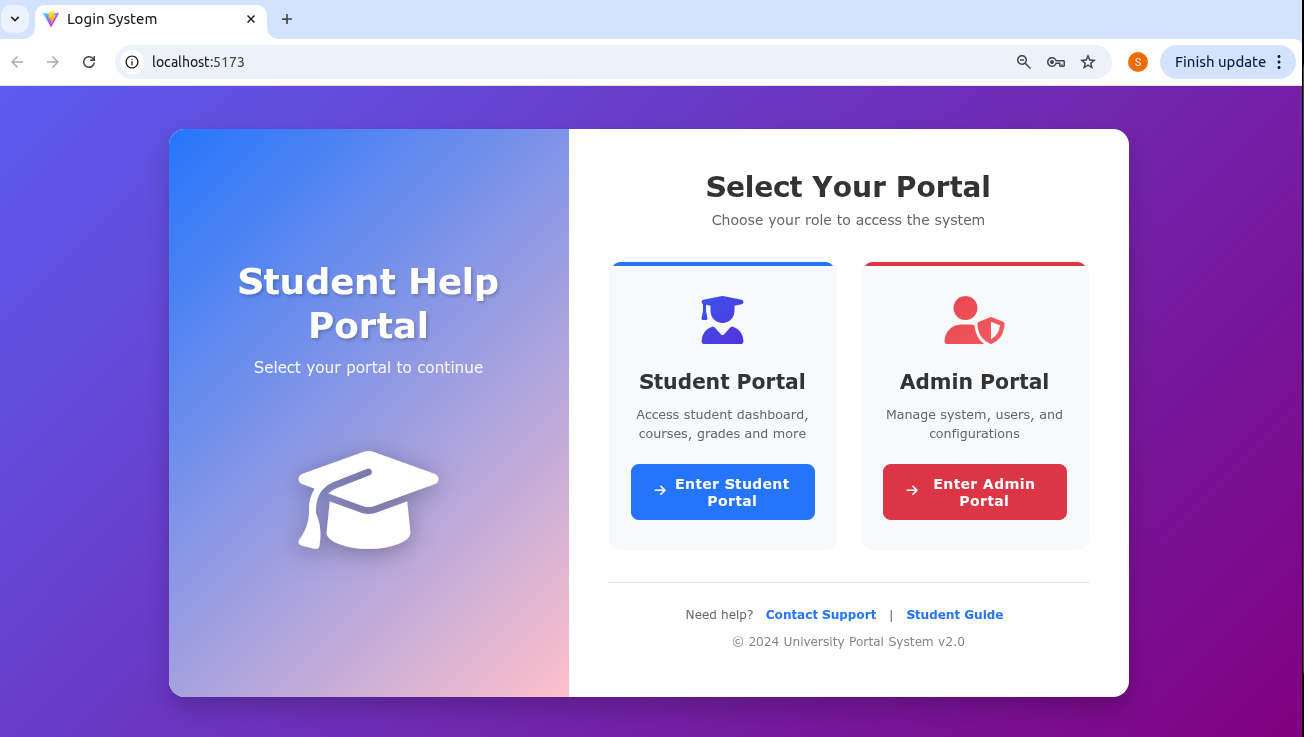
The login portal makes login of student and admin into their respective pages.
-
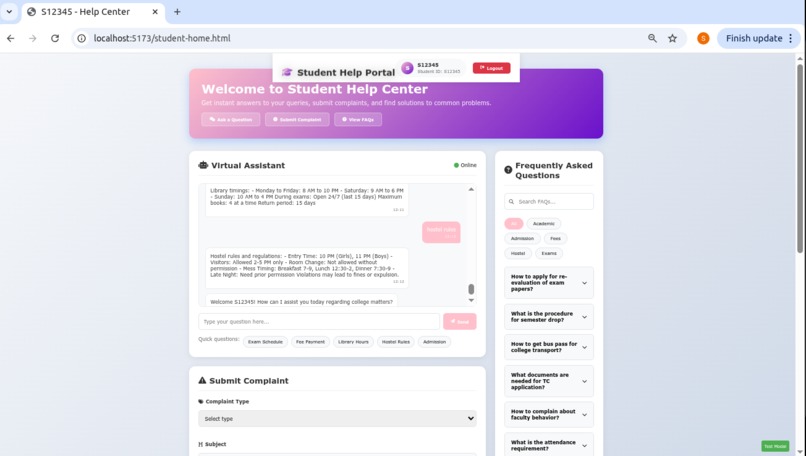
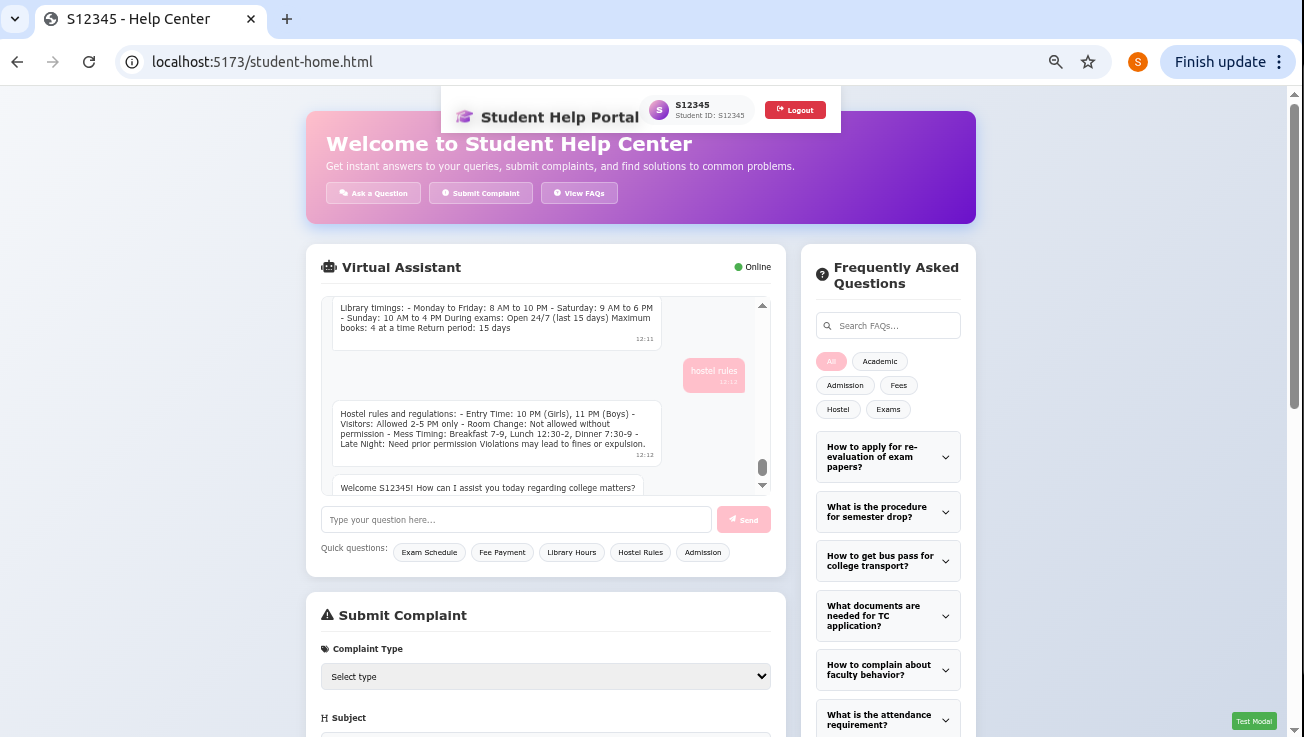
This is a student page.And they can ask queries related to campus on chatbot.
-
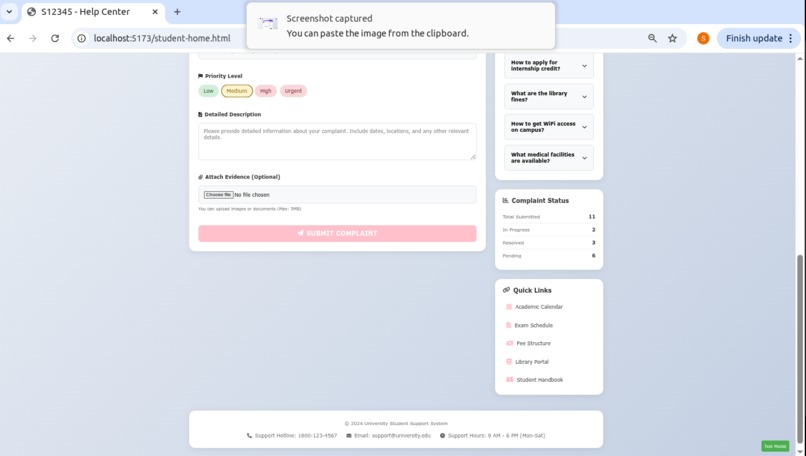
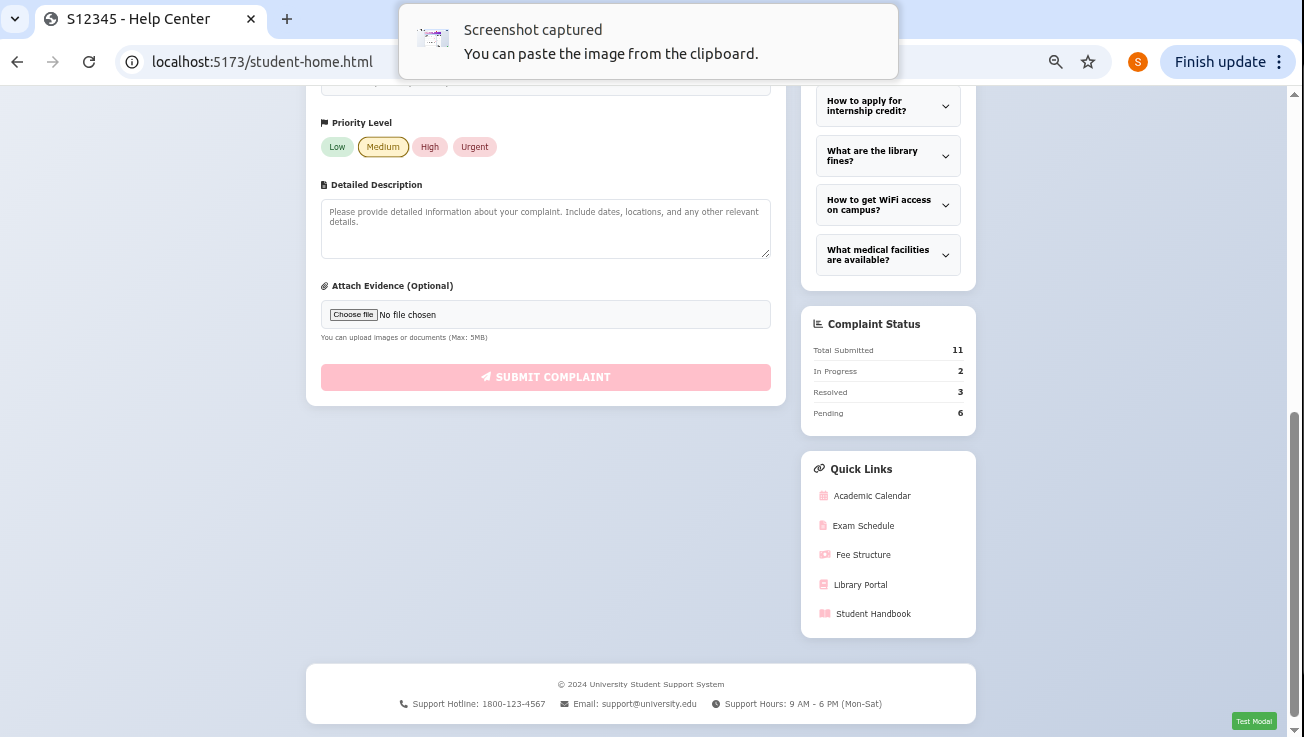
This is a complaint form in student page ,so that student can give complaint related to their issues in campus.
-
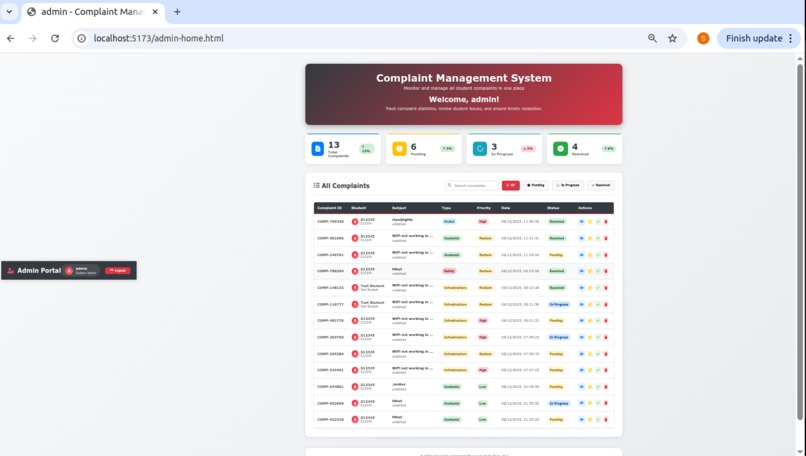
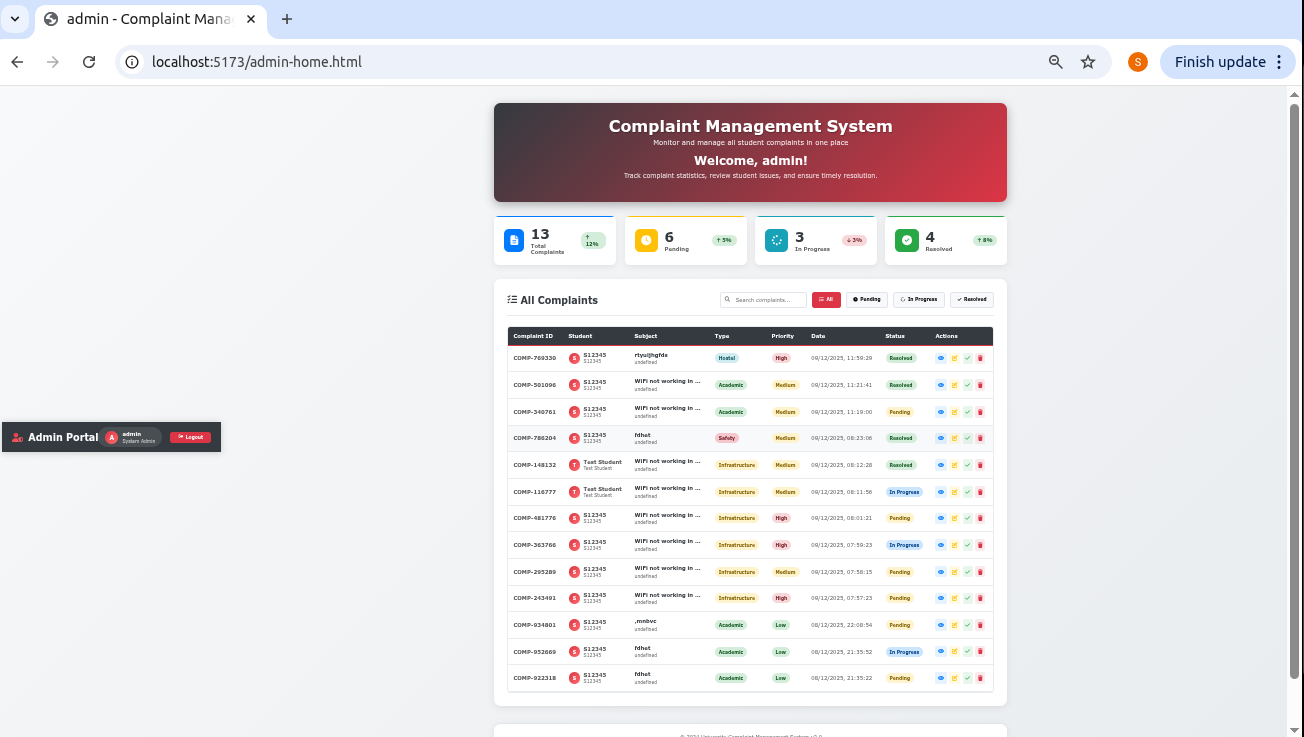
This is a Admin page.They can get complaints from students and resolve them.
Inspiration
Every semester, students face confusion when trying to get accurate information from college authorities. Queries about timetables, attendance, exams, or events often go unanswered or require reaching out to different faculty members individually.
This sparked an idea:
What if students could get accurate, official answers instantly—without waiting for faculty?
That’s how this project was born: A smart Student Query & Complaint Management System that uses automation, official data, and a simple UI to give students reliable answers.
What it does
This system is a web-based Student Query and Complaint Management platform designed to help students get accurate answers and support without needing to contact faculty directly. It allows students to ask college-related questions, submit complaints, and track the status of their issues, all through a clean and user-friendly interface. Faculty and administrators can log in to review student submissions, update complaint progress, and send responses back to students through the system. The platform ensures fast communication, transparency, and proper record-keeping by relying on official documents and providing secure login access for students, faculty, and admins.
How we built it
We built this system by designing a clear structure for both the frontend and backend, starting with user requirements such as student queries, complaint submission, and admin responses. The frontend was developed using React, creating pages for login, queries, complaints, dashboards, and protected routes to ensure only authorized users access certain features. Components like forms, navigation, and responsive UI elements were added to make the interface clean and easy to use. The backend (built using Flask or Node.js, depending on the setup) handles authentication, stores complaints, processes queries, and sends responses back to students. We connected the frontend and backend using REST APIs with Axios, enabling smooth data flow between users and the server. The system was tested step-by-step—first verifying login, then query submission, then complaint tracking, and finally admin response handling—to ensure everything works together as a complete, reliable student support platform.
Challenges we ran into
Some challenges we ran into during the development of this system included setting up a smooth authentication flow for three different user roles—students, faculty, and admin—which required careful routing and protected components. We also faced issues with managing state across the application, especially when updating complaint statuses and ensuring the UI reflected changes instantly. Integrating the frontend with the backend APIs brought its own difficulties, such as handling CORS errors, inconsistent data formats, and making sure responses were properly validated. Designing a clean and user-friendly UI for multiple pages (login, queries, complaints, admin dashboard) took time, especially to ensure the layout was responsive and easy to navigate. Maintaining data accuracy from official documents and structuring the chatbot/query system to provide reliable answers was also challenging. Debugging JSON errors, file structure issues, and routing bugs in React added extra hurdles—but overcoming them helped strengthen our understanding of full-stack development.
Accomplishments that we're proud of
We are proud of several key accomplishments achieved while building this system. First, we successfully created a complete end-to-end platform where students, faculty, and admins can interact smoothly through a clean and secure interface. We implemented a fully functioning multi-role login system, which was a big milestone because it required proper authentication, routing, and protected pages. We also built a working query and complaint module that allows students to submit issues and track their status—something that makes the system genuinely useful. Another accomplishment is the admin dashboard, which enables faculty to review, update, and respond to complaints in a structured way. We are proud of how the frontend and backend communicate seamlessly through APIs, making the system feel fast and responsive. Solving tough errors, building organized folder structures, and designing UI pages from scratch also helped us grow as developers. Overall, we’re proud that we turned a complex idea into a functioning real-world project that improves communication between students and college administration.
What we learned
We learned a lot while building this project, both technically and conceptually. We gained hands-on experience in designing a complete full-stack application—from creating UI pages in React to connecting them with backend APIs. We learned how to structure a project properly, manage components, handle routing, and implement protected routes for secure access. We also understood how authentication works for different user roles and how to maintain global user state using context. On the backend side, we learned how to build APIs, handle requests, manage databases, and fix common issues like CORS errors and incorrect JSON formatting. We also improved our problem-solving skills by debugging routing issues, API failures, and UI rendering problems. Most importantly, we learned how to convert a real-world problem into a functional system by identifying user needs, creating features accordingly, and ensuring smooth interaction between students and admins. This project helped us gain confidence in teamwork, system design, and full-stack development.
What's next for StudentHelpPortal
ChatGPT said:
Next for the Student Help Portal, we plan to expand the system with more advanced features that make it even more helpful, intelligent, and user-friendly. One major improvement is integrating a smart AI-driven assistant that can automatically answer student queries using college documents, reducing workload on faculty. We also want to add notification features—such as email or SMS alerts—so students instantly know when their complaint status changes. In the future, we aim to introduce a mobile app version so students can access the portal anywhere. Analytics dashboards for admins would also help track common issues and improve campus facilities. We can integrate a file upload option for students to attach evidence or documents to complaints. Additionally, we plan to strengthen security by adding two-factor authentication and better role-based controls. With these upgrades, the Student Help Portal can become a complete digital support ecosystem for students and the college administration.


Log in or sign up for Devpost to join the conversation.