-
-
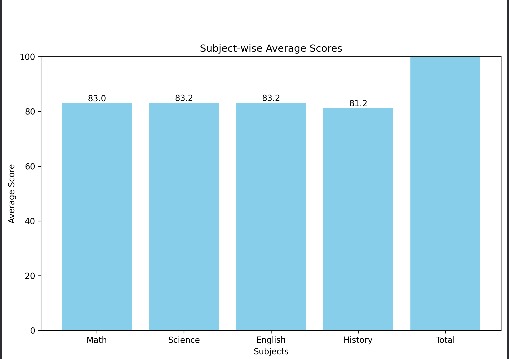
A chart generated by it
Inspiration
As a student, I’ve often noticed how academic performance data like marksheets or Excel files just sit unused. Teachers are busy, and students rarely get personal feedback unless it’s exam season. I wanted to create something simple but smart — a system that can take raw data and turn it into useful insights in seconds.
I found out about this hackathon only two days before the deadline, but I decided to participate anyway. I treated it as a way to learn something new and build a complete project from scratch using ADK.
What it does
The ADK Student Insight System is a web-based tool that helps analyze student performance using natural language queries. You just upload a CSV or Excel file with scores, and the system returns:
- The top student and a full ranking
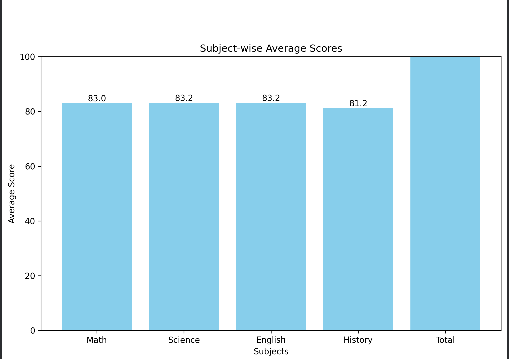
- Subject-wise average scores
- Feedback for each student
- A bar chart showing subject performance
- All presented in a clean, readable Markdown report
How I built it
- I used Google’s Agent Development Kit (ADK) to build a multi-agent system — each agent handles a specific task like reporting, charting, or feedback.
- The backend is written in Python, using pandas for data analysis and matplotlib for chart generation.
- The project runs entirely on ADK’s web interface, making it interactive and accessible without setup.
- I added file upload support, bar chart generation, and clean Markdown formatting for better presentation.
Challenges I ran into
- Understanding how to structure tools and agents properly in ADK took some trial and error.
- Working with base64-encoded files and ensuring compatibility with both CSV and Excel was tricky.
- Making the report clear, visual, and easy to read while keeping the logic modular took careful planning.
Accomplishments I’m proud of
- Created a working multi-agent system using ADK’s web platform
- Cleanly separated tasks across agents and utilities
- Delivered a smooth user experience: upload a file, ask a question, get insights instantly
- Integrated data analysis, visualization, and feedback generation in one pipeline
What I learned
- How to build, test, and deploy ADK agents effectively
- Real-world usage of Python data analysis libraries
- The importance of clarity in user-facing outputs
- That even small tools can make raw data meaningful
What’s next
- Add grading scale support (A/B/C, Pass/Fail, etc.)
- Export reports as downloadable PDFs
- Enable question filtering or subject-specific analysis
- Continue refining UI prompts and multi-agent coordination

Log in or sign up for Devpost to join the conversation.