-
-
Weather Manager
About the Project
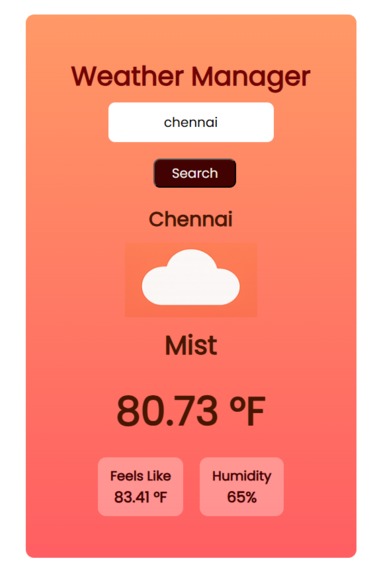
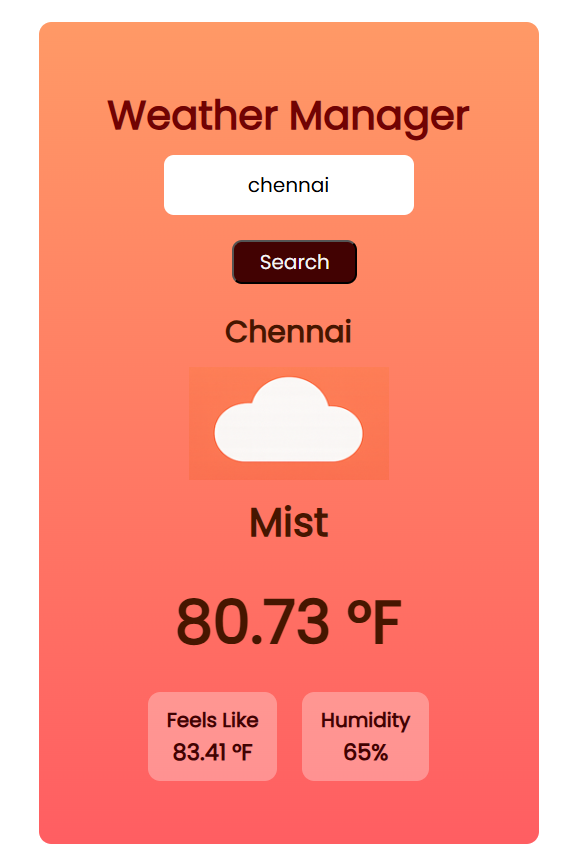
WeatherVision was inspired by the need for quick, simple, and intuitive access to weather information. Often, students and professionals are overwhelmed by cluttered weather apps that display too much data. I wanted to create a tool that focuses only on the most important information — current temperature, feels-like temperature, and humidity — and presents it in a visually engaging way.
Inspiration
The idea came from personal experience: checking the weather every morning before leaving home can be time-consuming. Many apps provide excessive details like min/max temperatures, pressure, or wind patterns, which aren’t immediately useful for quick decisions. I wanted an app that anyone could open, enter a city, and instantly see the weather at a glance.
How I Built It
The project is a full-stack web app built with:
- Flask (Python) for the backend
- HTML, CSS, and JavaScript for the frontend
- OpenWeatherMap API for real-time weather data
The app follows a simple architecture:
User Browser → Frontend (HTML/CSS/JS) → Flask Backend → OpenWeatherMap API → Return Weather Data
I focused on creating a clean UI where the temperature is displayed in large text, with humidity and feels-like temperature below. I also implemented a dynamic color-coding system for temperature:
[ \text{Temperature Color} = \begin{cases} \text{Blue} & \text{if } T \leq 50°F \ \text{Orange} & \text{if } 50°F < T \leq 75°F \ \text{Red} & \text{if } T > 75°F \end{cases} ]
This visual cue helps users quickly gauge whether it’s cold, moderate, or hot.
What I Learned
- Integrating Flask with JavaScript for real-time updates
- Fetching and handling API data efficiently
- Designing a responsive and intuitive UI
- Implementing dynamic styling based on data values
- Handling errors gracefully, e.g., when a user enters an invalid city
Challenges Faced
- Ensuring the temperature updates dynamically without page reload
- Managing API errors and displaying meaningful messages
- Designing a layout that works for both desktop and mobile screens
- Making the app lightweight and fast, even with API calls
Future Improvements
- Adding multi-day forecasts and additional metrics like wind speed
- Animating weather icons for sun, rain, snow, etc.
- Allowing users to save favorite cities
- Adding dark mode and custom themes

Log in or sign up for Devpost to join the conversation.