-
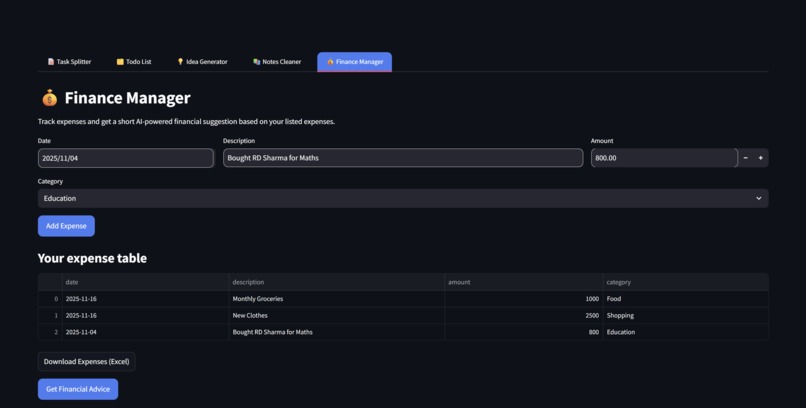
Finance Manager
-
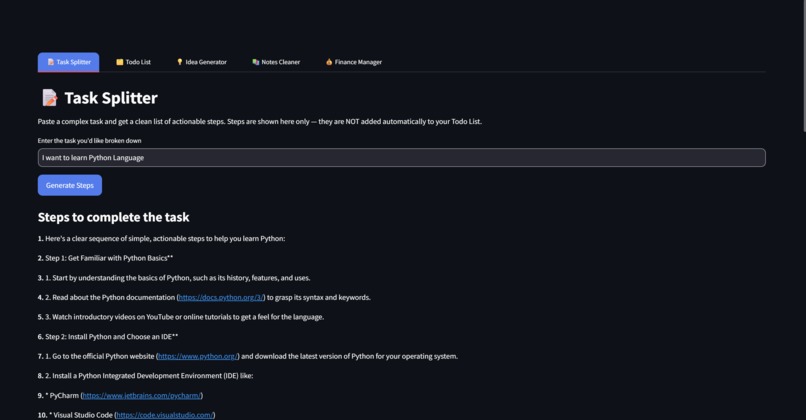
Task Splitter
-
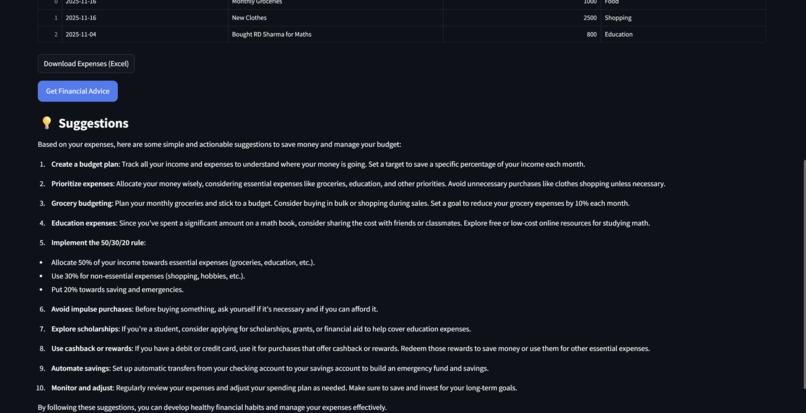
Financial Tips
-
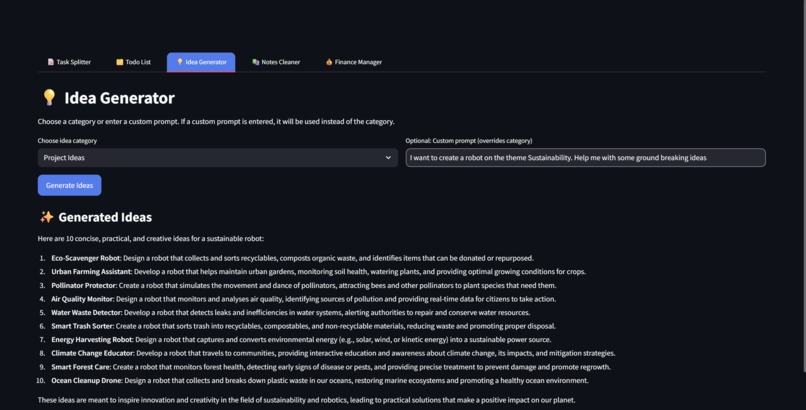
Idea Generator
Inspiration
Managing studies, organizing tasks, cleaning messy notes, and keeping track of personal expenses can quickly become overwhelming for students. Most tools handle only one part of this problem. I wanted to create a single, unified dashboard that brings together productivity, idea generation, note cleanup, and financial tracking—all powered by AI. This inspired the Student Command Centre, designed to help students study smarter, stay organized, and save time.
What it does
Student Command Centre combines multiple essential student tools into one streamlined interface:
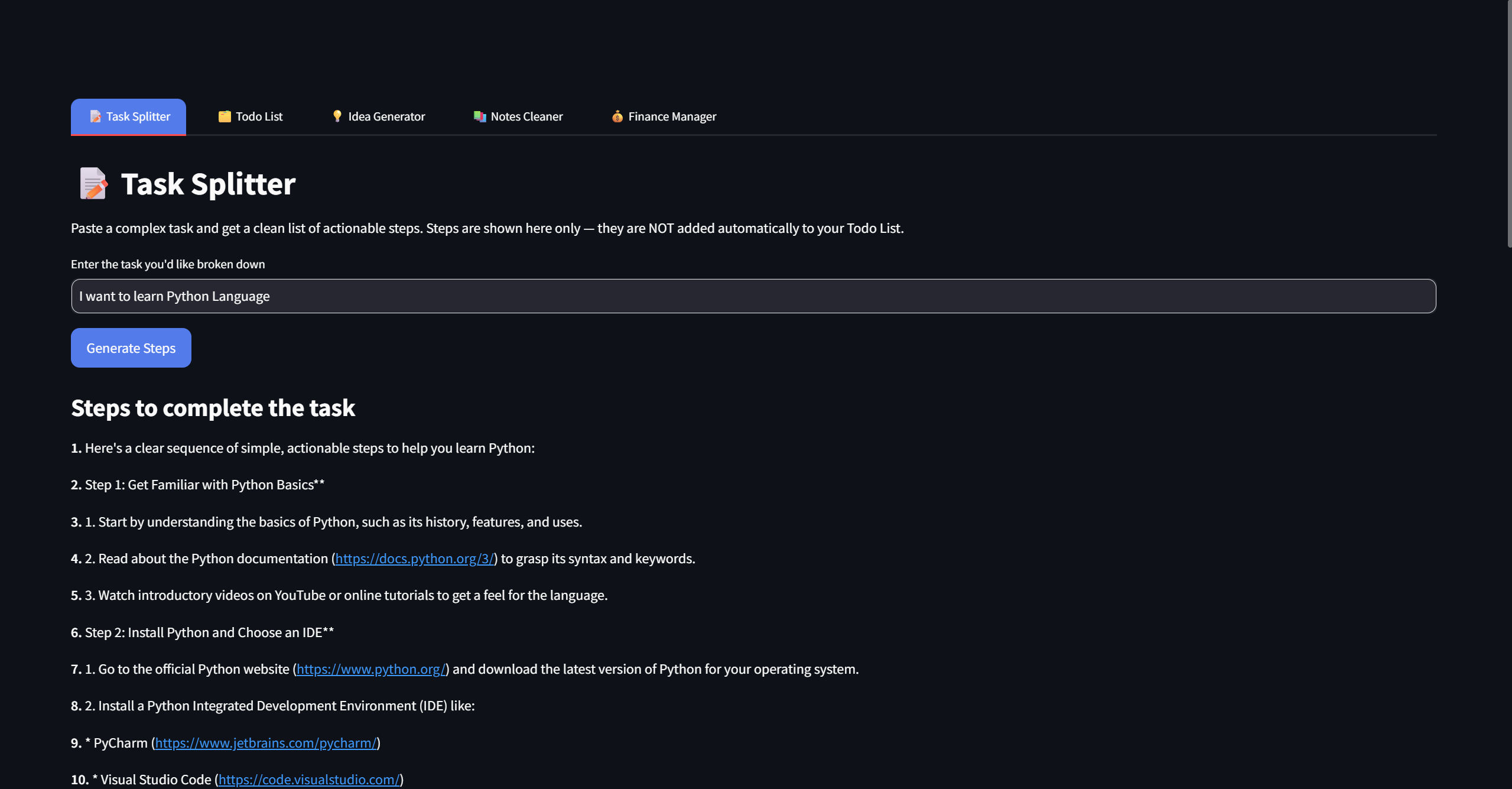
- Task Splitter: Converts complex tasks into simple, actionable steps.
- Todo List: A manual task tracker where users can add, check, and download tasks.
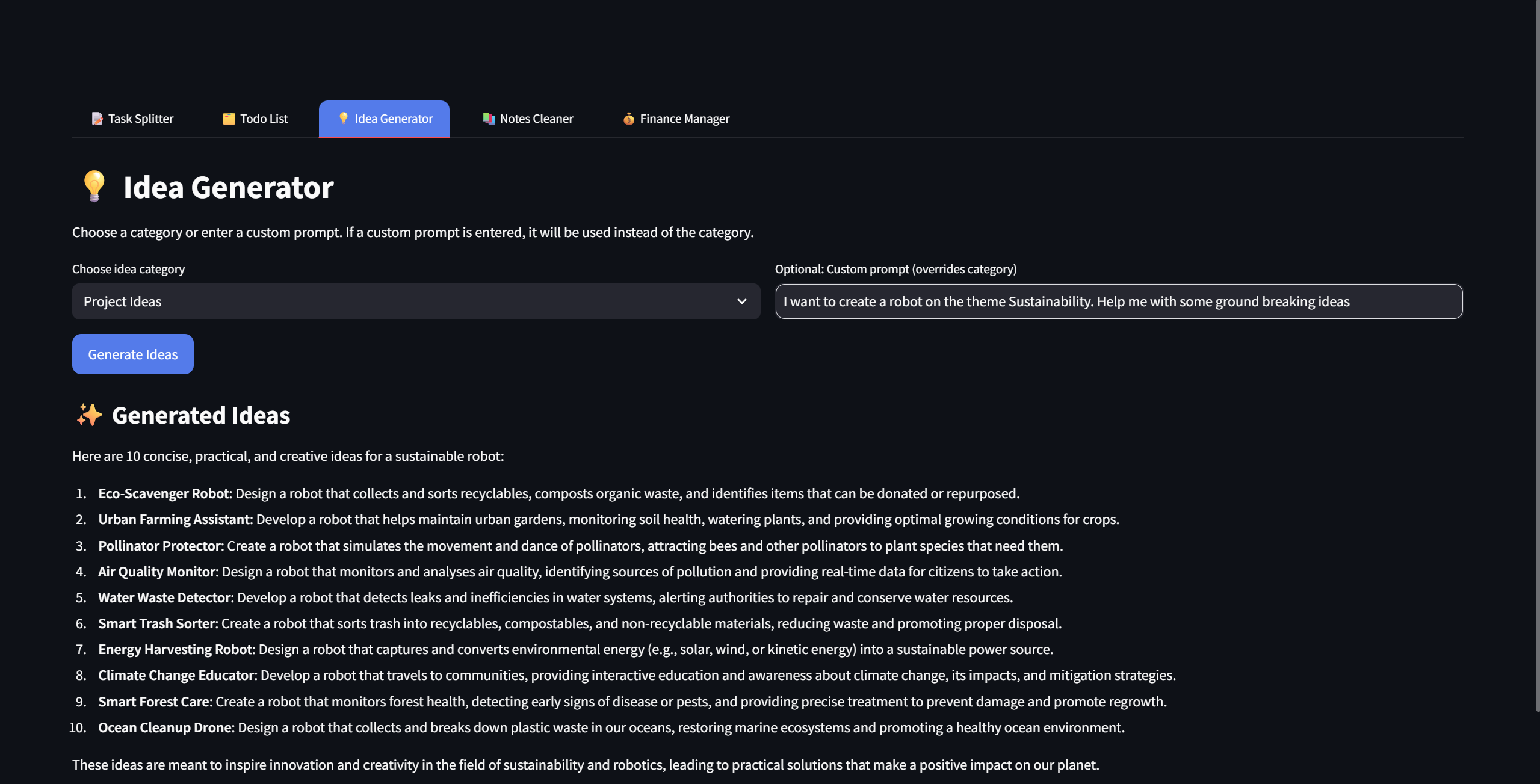
- Idea Generator: Creates project ideas, study ideas, personal goals, or custom AI-generated suggestions.
- Notes Cleaner: Upload messy notes or PDFs and get clean, structured study-ready content with an exportable PDF.
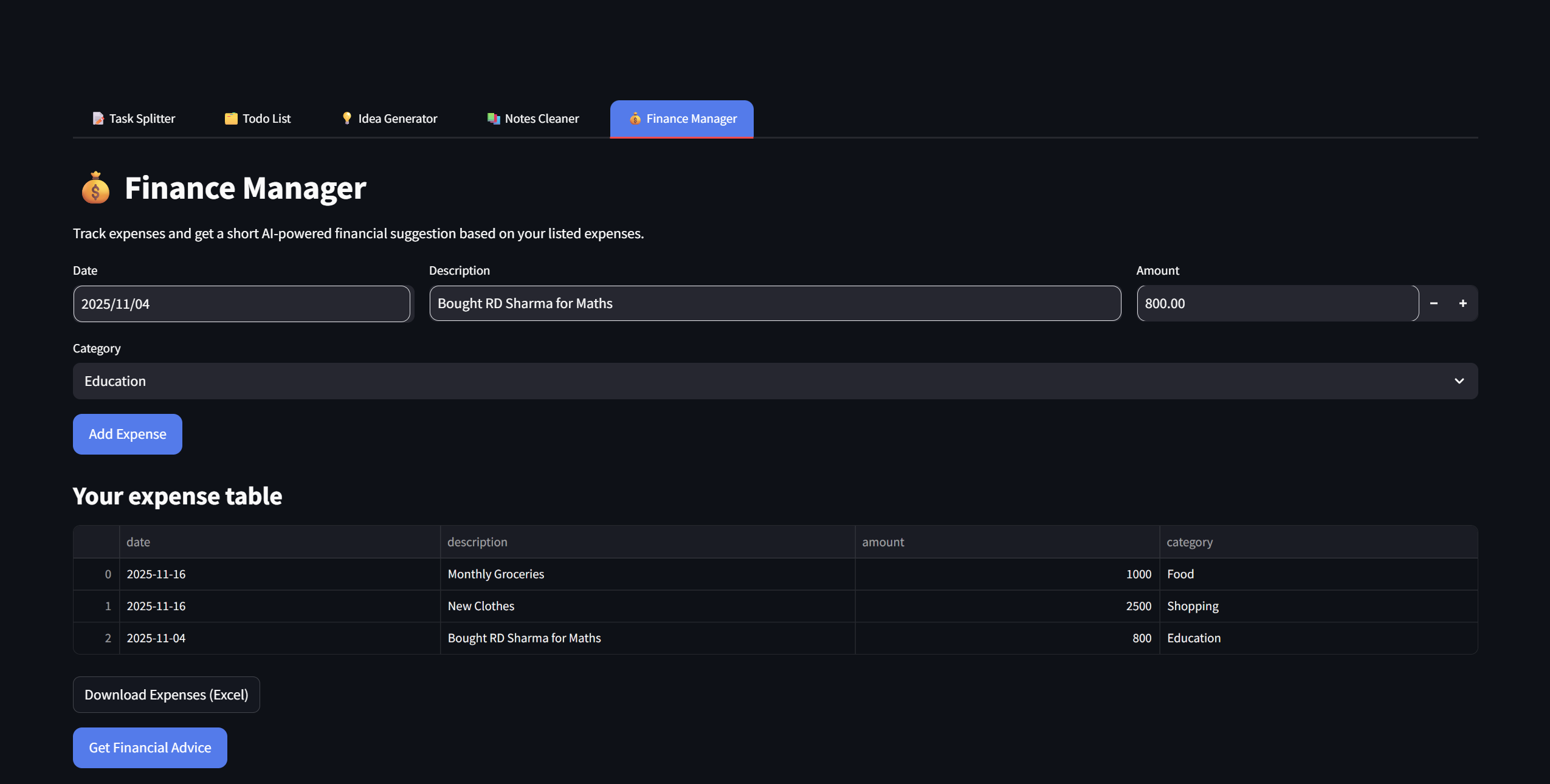
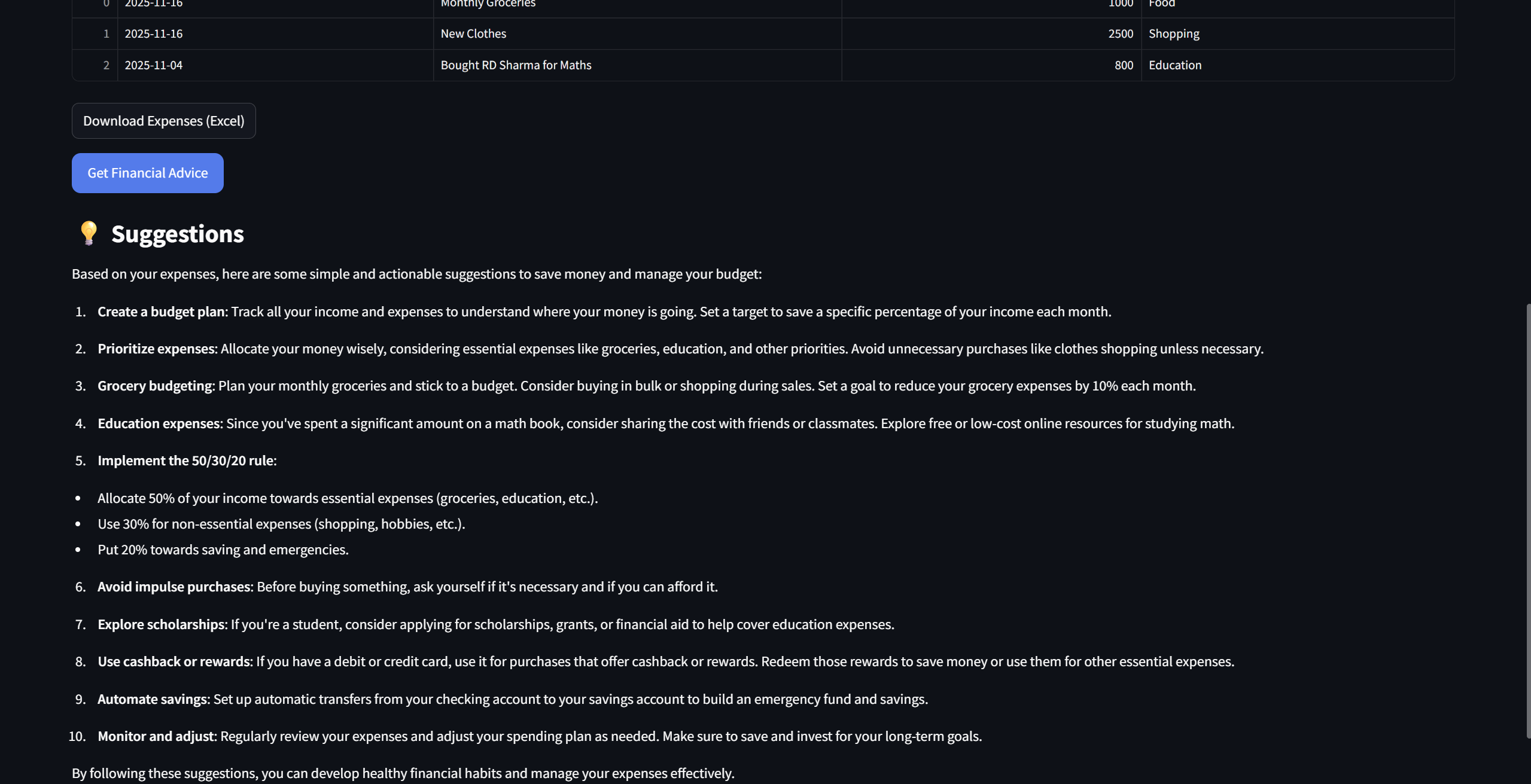
- Finance Manager: Tracks expenses, generates Excel reports, and provides AI-based financial suggestions. It becomes a student’s daily productivity hub, eliminating the need for multiple apps.
How we built it
The project is built in Python using Streamlit for a fast and interactive UI. Key technologies include:
- Groq API (LLaMA 3.1) for fast and free AI generation
- PyPDF2 for PDF text extraction
- FPDF for generating downloadable PDFs
- Pandas for storing and exporting financial data
- Custom CSS for a clean, modern UI We structured the app into independent tabs, each handling a different student workflow.
Challenges we ran into
- AI-generated bullets and Markdown formatting accidentally turned into checkboxes in Streamlit, requiring a custom cleaning function.
- Extracting text from PDFs was inconsistent, so we added error handling and fallback logic.
- Initial API quota issues forced a migration from OpenAI to Groq, which solved speed and cost challenges.
- Designing a clean UI across multiple tools required CSS tuning and layout adjustments.
Accomplishments that we're proud of
- Creating a complete student productivity ecosystem in one app
- Achieving smooth AI integration with reliable results
- Building a polished UI that feels simple and clean
- Implementing PDF cleaning + PDF exporting
- Running everything on free AI models, making the tool accessible to all students
What we learned
We learned how to integrate LLM APIs, structure multi-tab Streamlit apps, sanitize AI output, manage app state, style custom interfaces, process PDFs, and handle user-friendly file downloads. We also gained experience writing effective prompts and designing tools that feel intuitive.
What's next for Student Command Centre
- Dark mode + advanced UI themes
- Cloud sync for to-dos, notes, and expenses
- Smart study planner with progress tracking
- AI-generated roadmaps for any subject
- Mobile-friendly version
- Collaboration features for group projects The Student Command Centre will continue evolving into a complete academic assistant for every student.

Log in or sign up for Devpost to join the conversation.