-
-
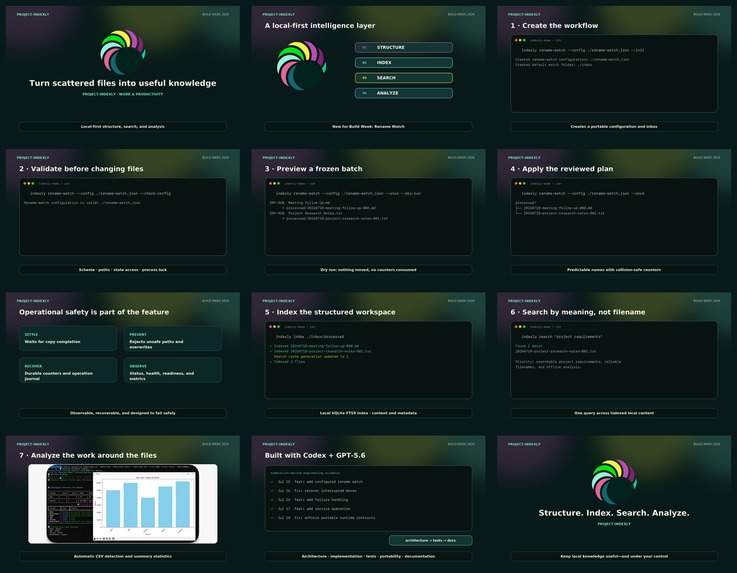
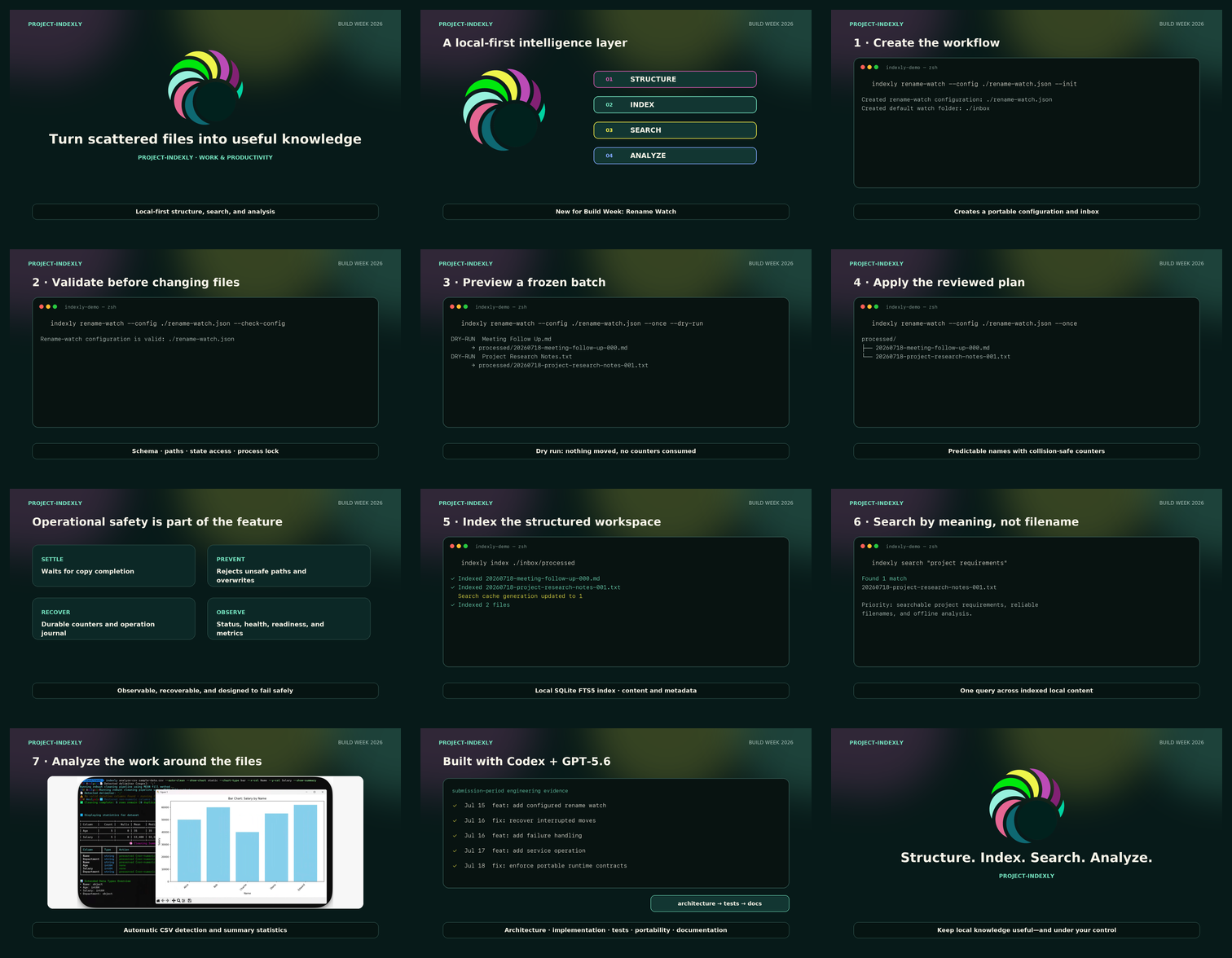
storyboard-contact-sheet
-
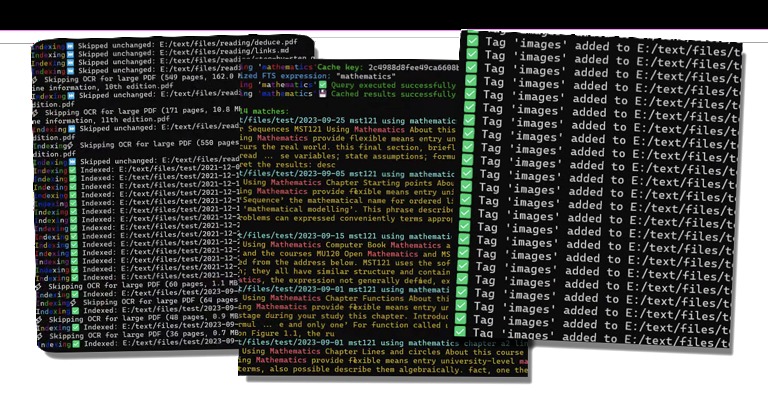
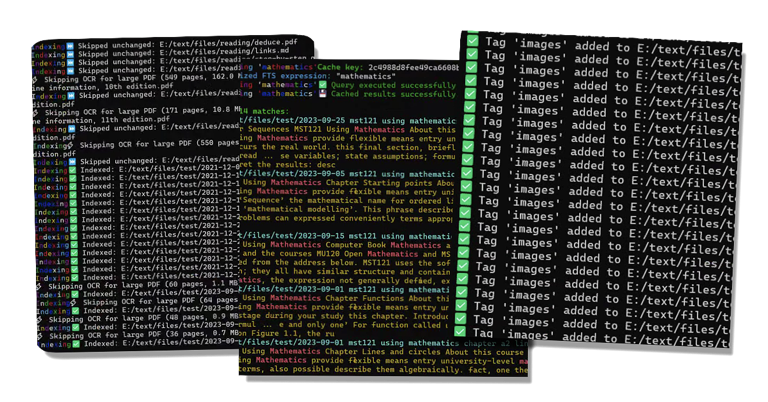
Indexing, teaching and tagging
-
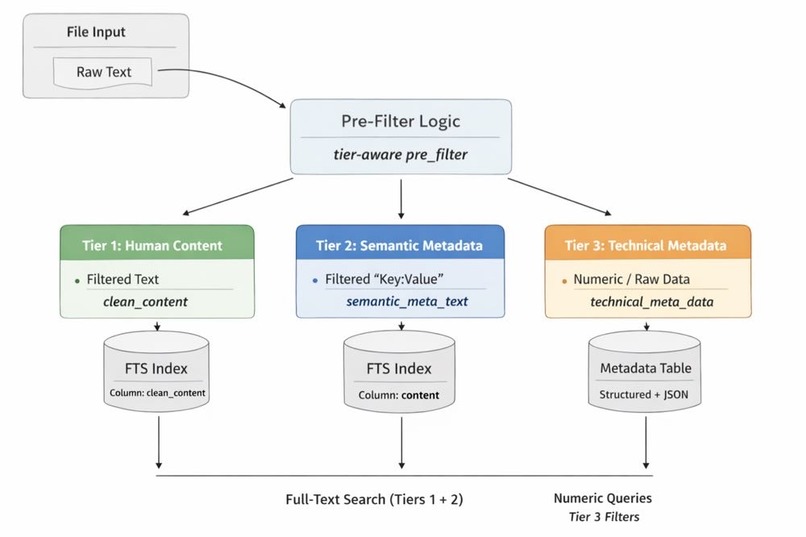
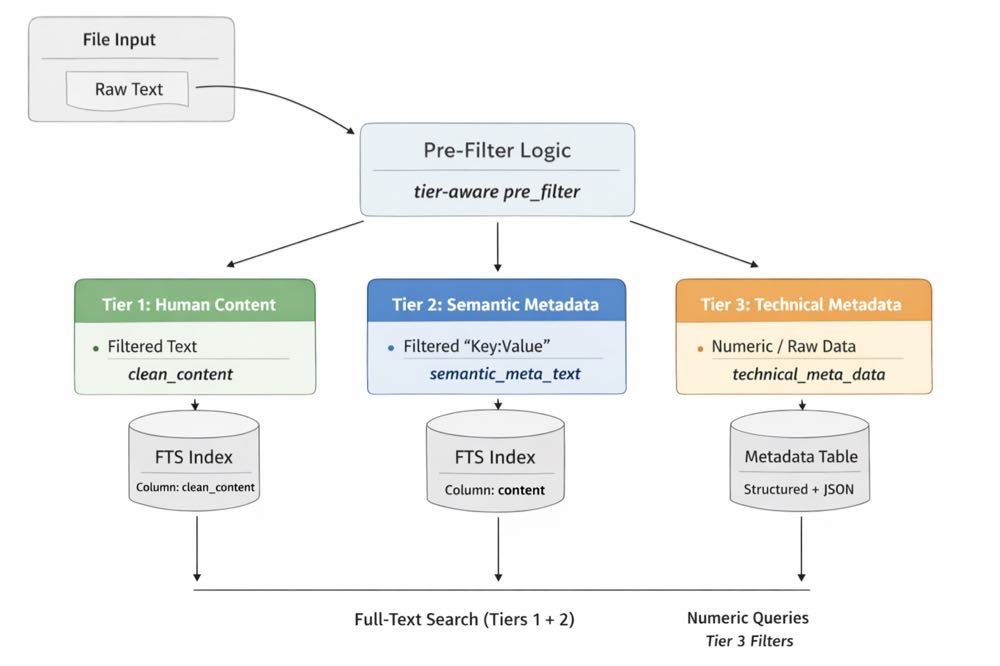
Semantic indexing
-
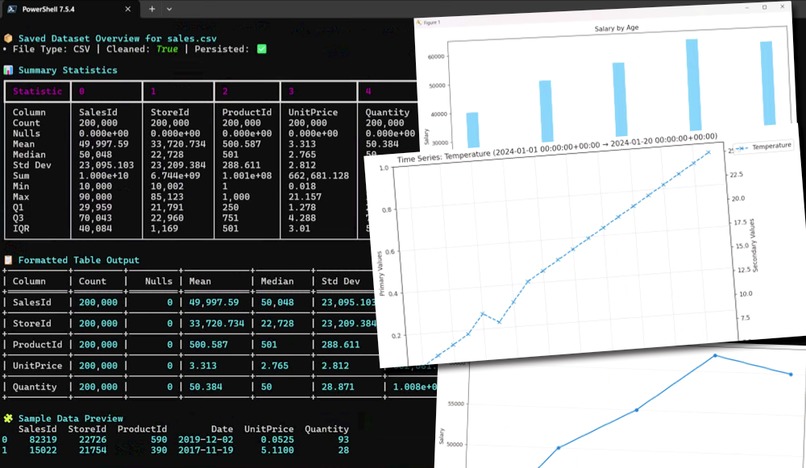
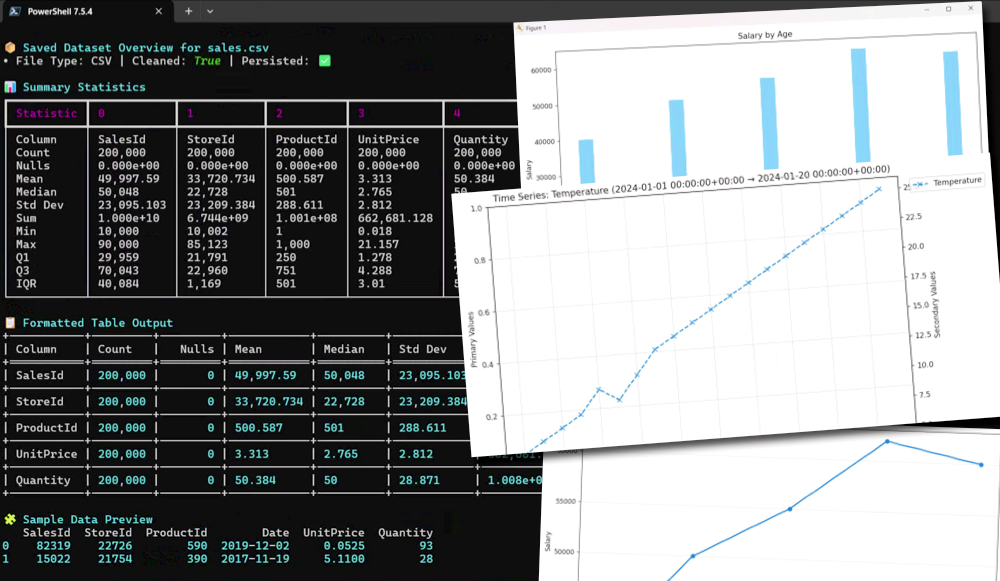
Analyzing structured data
From a Simple Search Question to Inclusive Local Knowledge
Inspiration
Project-Indexly began with a simple question:
How can I easily find information that a colleague at the support desk saved while working on a support ticket?
In technical support, valuable knowledge is created every day. It may appear in ticket notes, text files, spreadsheets, exported reports, troubleshooting guides, or folders maintained by individual team members. Finding that information later can be surprisingly difficult.
The challenge is not only technical. Colleagues may describe the same problem using different languages, terminology, software tools, or levels of technical detail. Access to ticketing systems and structured data can also be limited. Cultural background, professional experience, and language skills all influence how information is recorded and searched.
This made me think about diversity in a practical way. A useful knowledge system should not assume that everyone describes a problem in the same language, uses the same filename, or has access to the same software. It should help people find knowledge from the content that is available while keeping the original information under their control.
That question became the foundation of Project-Indexly.
What Project-Indexly Does
Project-Indexly is a local-first file intelligence command-line tool for Windows, macOS, and Linux. It helps users transform scattered local files into structured, searchable, and analyzable knowledge.
It can:
- Index supported files and preserve their exact local paths
- Search file content rather than relying only on filenames
- Use full-text, logical, regular-expression, filtered, and saved searches
- Analyze CSV, JSON, databases, and other structured data
- Produce summary statistics and optional visualizations
- Organize incoming documents through predictable local workflows
- Keep sensitive operational information on the user's own system
For OpenAI Build Week, I meaningfully extended the existing Project-Indexly foundation with Rename Watch.
Rename Watch monitors a local inbox and safely processes incoming files. It validates its configuration, waits for files to finish copying, previews proposed changes with a dry run, prevents unsafe paths and overwrites, maintains durable counters, retries temporary failures, and supports recovery after interruptions.
This creates a complete workflow:
Structure → Index → Search → Analyze
How I Built It
Project-Indexly is primarily built in Python. It uses a command-line interface, local SQLite FTS5 indexing, structured configuration, file-extraction pipelines, and data-analysis components.
I developed Rename Watch as a separate, safety-focused intake pipeline. The workflow begins with configuration initialization and validation. Users can then preview a frozen batch before allowing any file to move. Once reviewed, the same batch can be applied with predictable names and collision-safe counters.
I collaborated with Codex and GPT-5.6 during Build Week. Codex helped accelerate:
- Architecture and implementation
- Failure-path and recovery analysis
- Cross-platform portability work
- Automated regression testing
- Technical documentation
- Packaging and release preparation
I remained responsible for defining the problem, selecting the product direction, establishing safety boundaries, reviewing the implementation, and making the final release decisions.
The v2.1.6 release was validated through focused Rename Watch tests, broader regression tests, package checks, Python 3.11 installation testing, and Windows-oriented portability checks.
Challenges I Faced
One major challenge was designing automation that users could trust. Renaming files sounds simple until the process is interrupted, two files produce the same destination name, a file is still being copied, or multiple processes try to operate on the same folder.
To address this, Rename Watch required settling checks, process locks, durable counters, retries, recovery journals, quarantine handling, status reporting, and non-destructive previews.
Another challenge was cross-platform behavior. Windows, macOS, and Linux handle paths, filenames, services, and file locking differently. The implementation and tests had to account for those differences without weakening the safety guarantees.
The diversity problem also remains broader than technology. People may use different words for the same support issue, and a search system can still reflect language and terminology biases. Project-Indexly does not claim to solve every multilingual or cultural challenge. Instead, it provides a practical foundation: search across actual content, preserve context, support multiple file formats, and avoid forcing everyone into one central application.
What I Learned
I learned that good search begins before the search box. Information must first be collected safely, named consistently, indexed correctly, and kept synchronized with its source.
I also learned that inclusive design is not only about interface appearance. It includes differences in language, technical confidence, software access, data formats, and working practices.
Most importantly, I learned that reliable automation must be observable and recoverable. A useful tool should explain what it plans to do, avoid destructive assumptions, preserve evidence, and help the operator recover when something goes wrong.
Project-Indexly grew from one support-desk question into a broader goal: make local knowledge easier to organize, find, understand, and share across diverse teams.

Log in or sign up for Devpost to join the conversation.