Inspiration
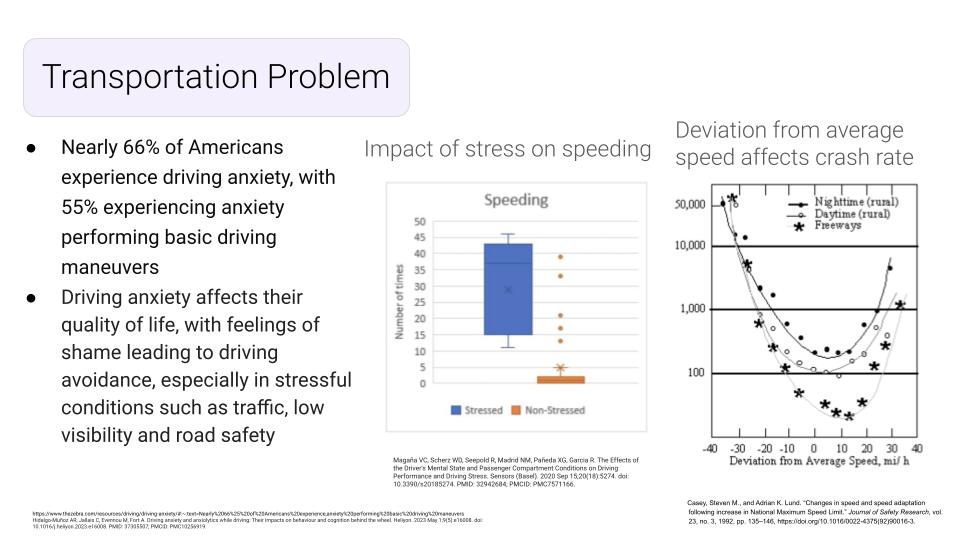
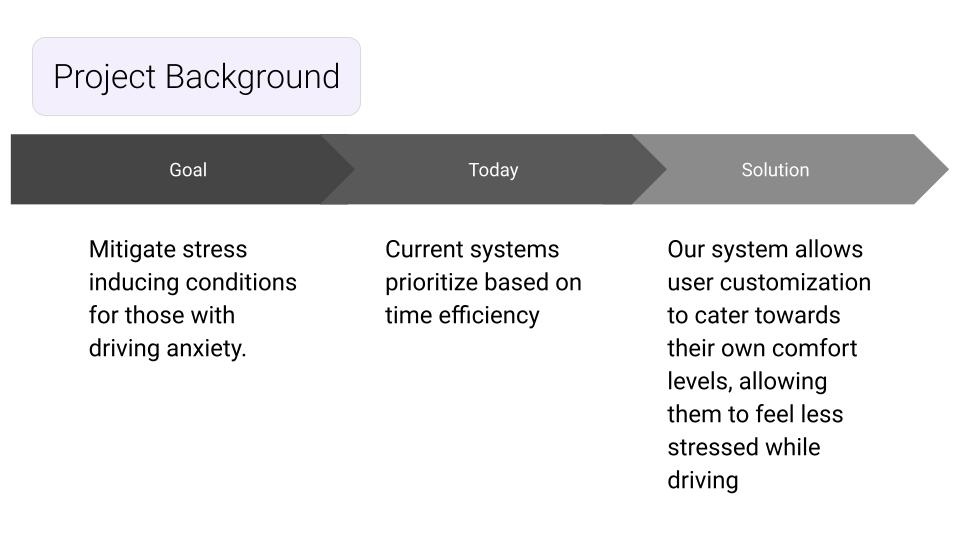
We sought to create a routing website that could address additional accessibility needs beyond that of current programs. We have all individually experienced stress while driving, and 55% of Americans experience anxiety performing basic driving maneuvers. These stressors arise from being in driving situations the driver is uncomfortable with, which often results in the driver making impaired decisions, impacting the safety of all users on the road. By taking these stressors, which can be tailored to the individual, into consideration in our routing software, we allow the individual to have control over _their_ driving environment rather than expecting the individual to drive safely in an environment that does not suit them. This not only will increase safety on the roads, but will also improve the quality of life for those who have more anxiety or limitations surrounding driving.
What it does
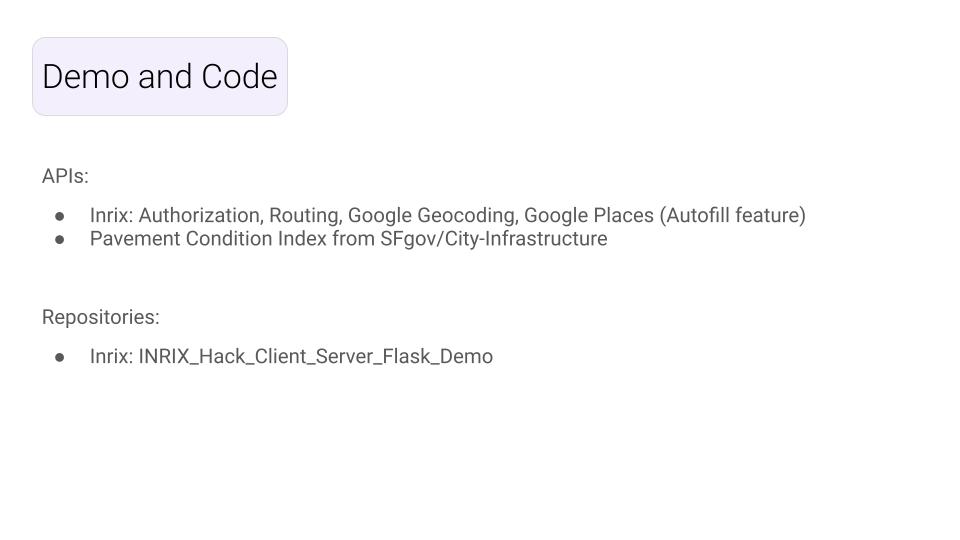
This website allows you to further filter routes to your destination based on personal preference in what will make your driving experience less stressful. Particularly taking the emphasis off of time efficiency and placing it on the comfort level of the driver. As of now, we are only able to filter based on driving speed preference, where the user can select the maximum speed they are comfortable driving at from dropdown options on the website. Upon selection of preferences, the google maps API generates three possible routes to the users destination, all accounting for current traffic conditions. Then, the routes will be further filtered as per the user’s selection (maximum speed they are comfortable with), allowing the user to navigate to their destination with confidence that they will not be routed on streets that they are not comfortable driving on.
How we built it
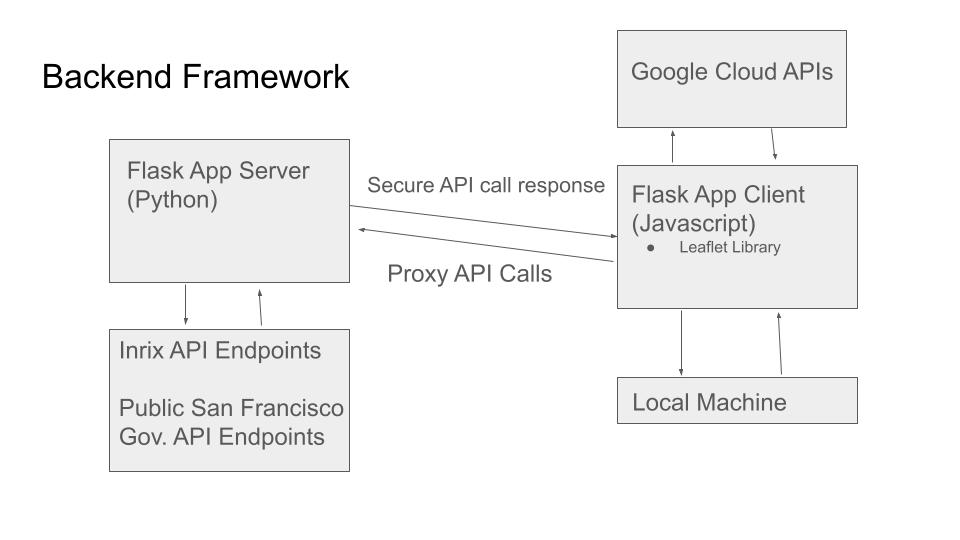
Our group of six split into four teams to complete front-end, back-end, product development, and website interface. Part of our team searched for datasets that we thought could indicate one’s stress and anxiety levels while driving in order to build a method to indicate which roads would result in increased stress/anxiety for the driver. Although we ultimately were only able to implement max speed selection, which was taken from the Inrix traffic routing API.
Have ready to implement:
PCI (Pavement Condition Index) in San Francisco: External dataset, accessed using datasf.org API endpoints. This dataset contains coordinates and Index scores of roads in San Francisco. A score above 55 indicates that the road is in fair to good condition. So, if the user is concerned about their road condition, selecting the road condition filter would filter out routes that bring the user on roads with a PCI less than or equal to 55. The API returned a single point on street segments (midpoint of a block) for most streets in San Francisco and we attempted to create a buffer around every point below the 55 score threshold. If a route intersects with one of the buffers, the route will be deemed as unsafe if the user inputs that criteria. We ran into issues with implementing the point and buffer layers and were not able to implement it within the given timeframe.
Not ready but would like to implement:
311 Cases in San Francisco: External dataset, contains 311 call history and coordinates these calls were made on. The goal of this filter would be to avoid roads that have frequent 311 calls made near them, thus decreasing the variability experienced by the driver while driving, as 311 calls are made for non-emergency service requests. We do not have this ready to implement, but in a general sense we would’ve used the same method for the 311 filter as we used for the PCI case filter. Noise Reports: External dataset, contains the coordinates of noise reports in San Francisco. Loud noises create stress and distraction while driving, so by allowing the user to avoid roads with higher noise levels, they can further mitigate stressors while driving. We also were unable to implement this in our routing software, but again would have used a similar method to the PCI filter.
Challenges we ran into
Learning to use API calls within 24 hours to create a project Determining the best way for our proxy app to be designed in order to ensure our website was secure Creating and designing the HTML website Meshing Leaflet library with Google Maps and APIs 2/6 group members had previous experience in coding, but not in API calls Finding datasets that allowed us to gauge the stress level of streets in San Francisco
Accomplishments that we're proud of
Successfully implemented API calls With the given time frame and starting abilities, we were able to develop a HTML website and integrate API calls without previous knowledge of either.
What we learned
How to use HTML Learned API calls Learned how to mash API calls with Leaflet and Google Maps How to find datasets for a specific city and form a method to filter routes that intersect with parameters pulled from these data sets.
What's next for Stress Less
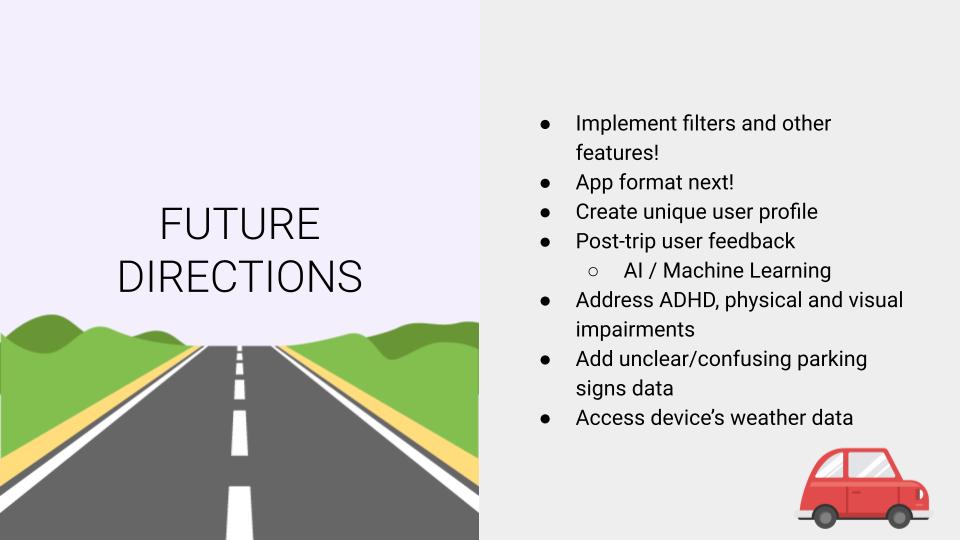
We plan on implementing filters and additional features. Turning the website into an app format would make it easier to use, especially while on the road. We also want to create a unique user profile using post-trip user feedback and AI/Machine Learning. We want to expand to other accessibility issues such as ADHD, physical impairments and visual impairments. We also want to add more parameters, such as unclear/confusing parking signs and potentially accessing the device’s weather data in order to create a more tailored and comprehensive experience.

Log in or sign up for Devpost to join the conversation.