-
-
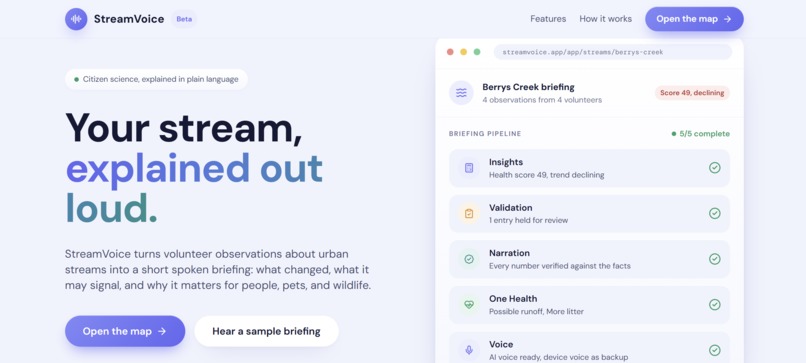
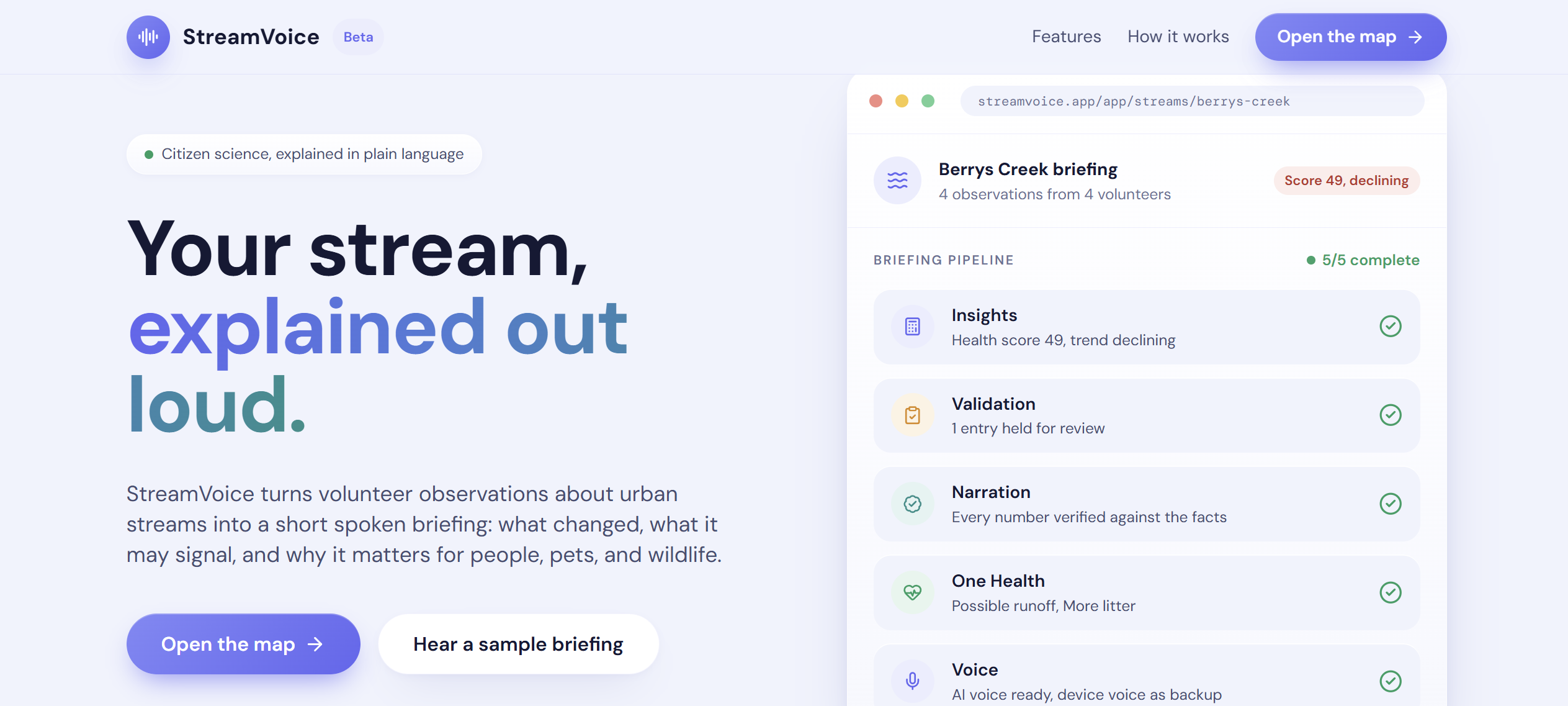
Homepage
-
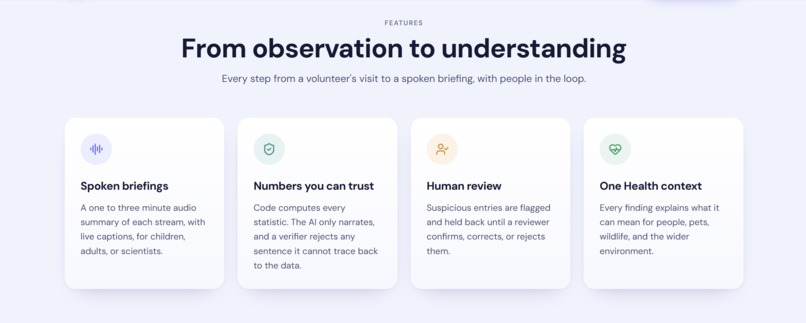
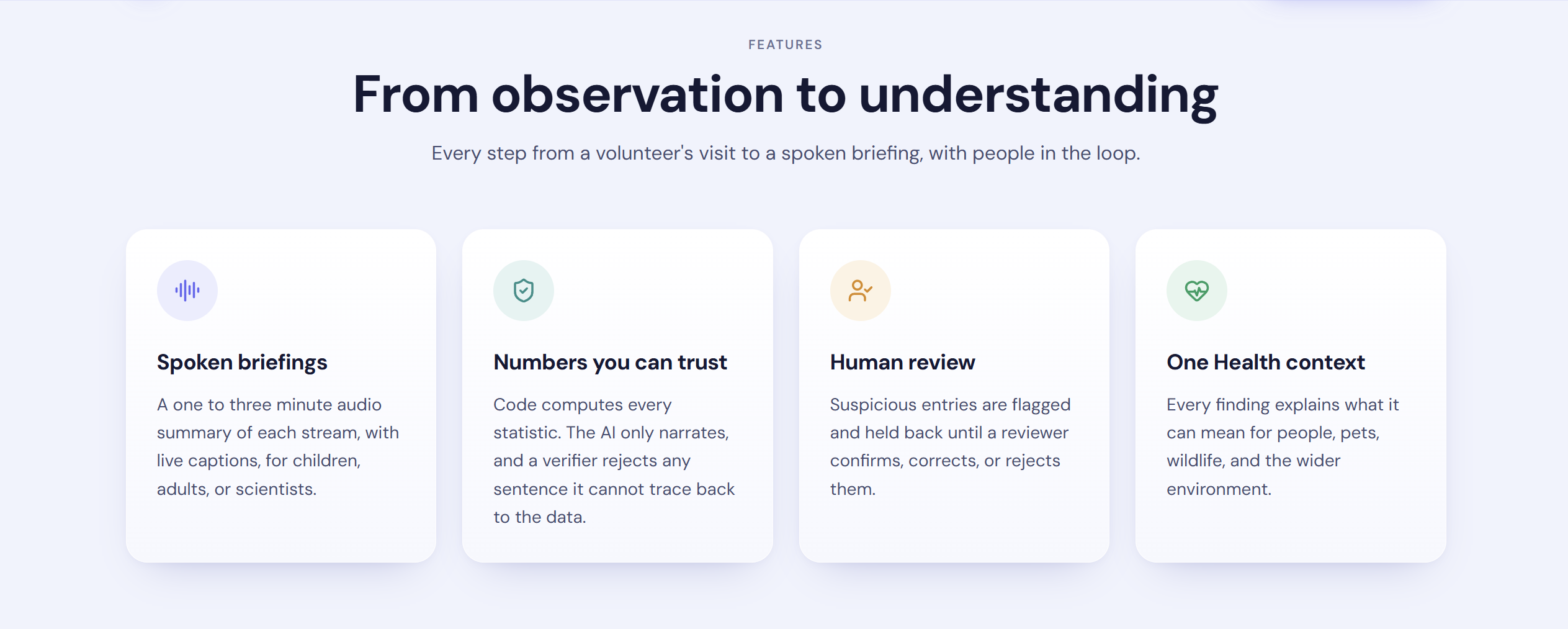
Features
-
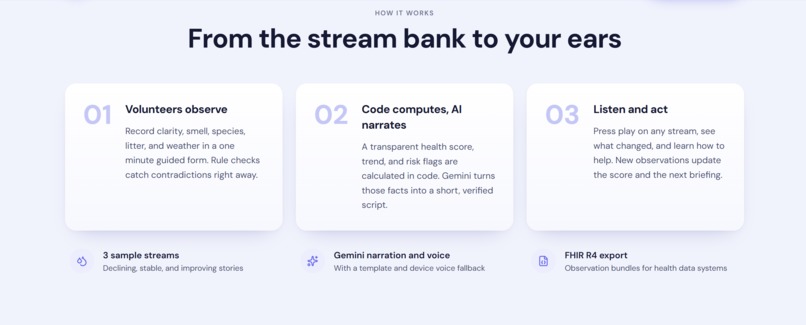
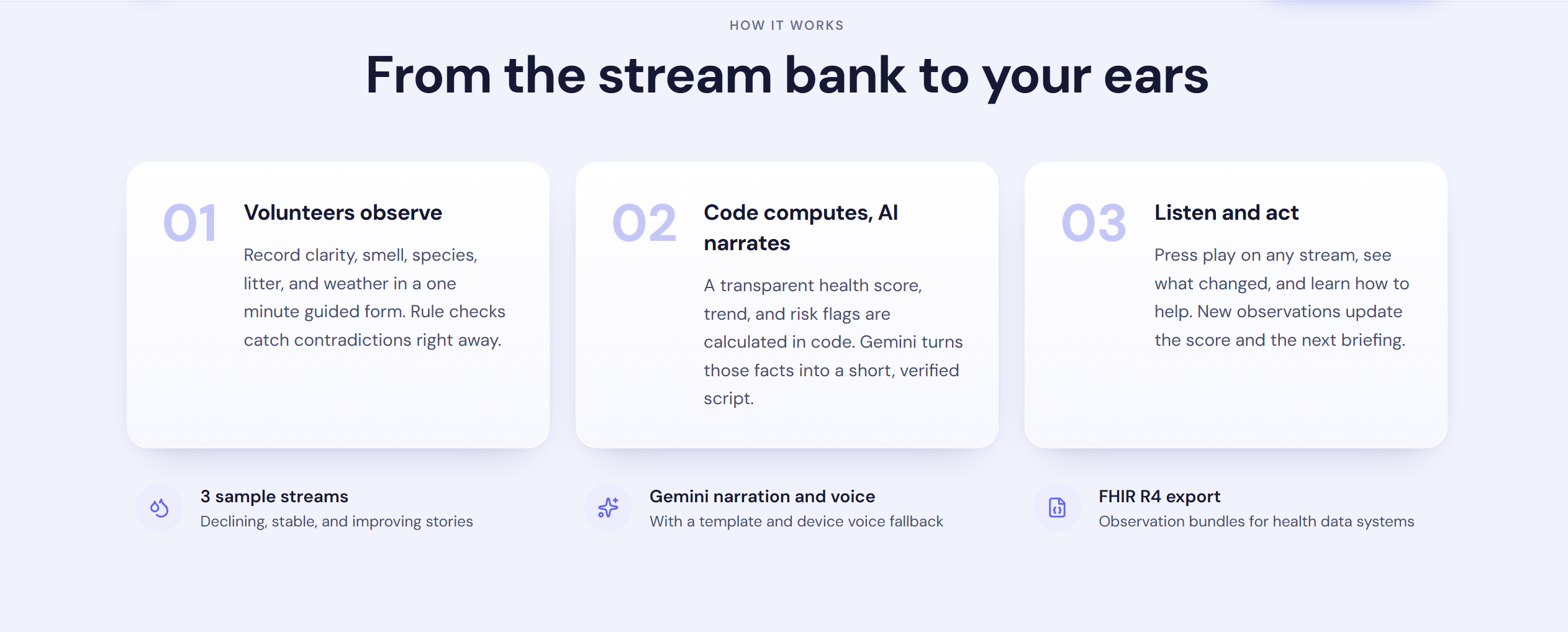
How it works
-
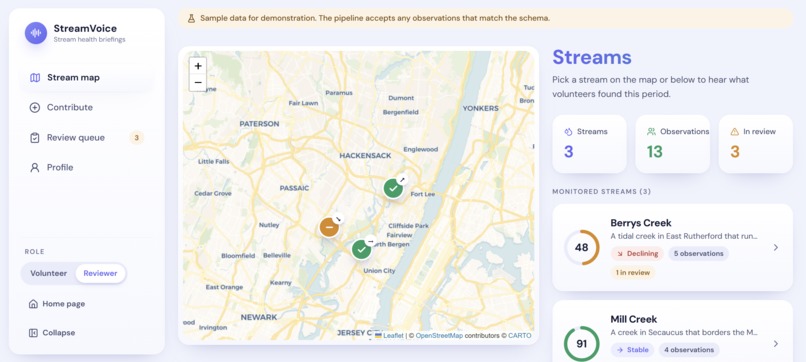
Stream Map
-
Stream Details
-
Briefing
-
Contribution Page
-
Review Page
-
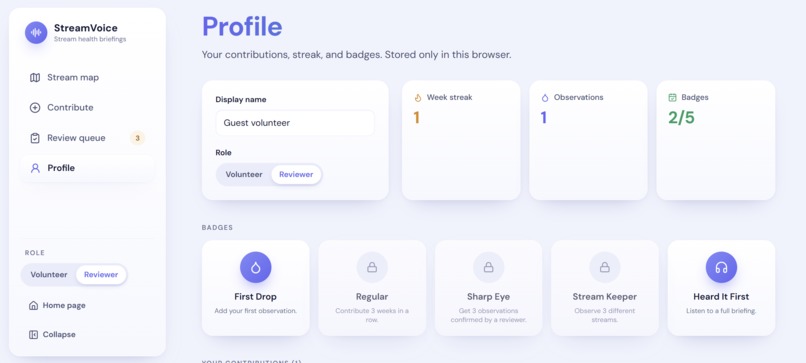
Profile and Badges
Inspiration
Citizen science runs on volunteers who show up at a creek, look closely at the water, and write down what they see. They note whether it's cloudy, whether it smells off, which bugs are hiding under the rocks, and how much trash is caught on the bank. Then that data goes into a spreadsheet, and that's usually the last they hear of it.
We kept coming back to one question: what does a volunteer actually get back for their time? Most of the time the answer is a chart built for specialists, or nothing at all. And the people who live right next to the stream, like parents, dog owners, kids walking home from school, never find out what the data says either.
At the same time, a murky creek isn't only an environmental problem. It can matter for the kid who splashes in it, the dog that drinks from it, and the heron that feeds there. That connection between water, animals, and people is what OneAquaHealth's One Health mission is about, and we wanted a way to say it out loud in plain words.
So we asked: what if every stream could give you a short spoken update, like a weather report, built from what volunteers recorded? And what if you could actually trust every number in it?
What it does
StreamVoice turns volunteer observations into a short spoken briefing about a stream's health.
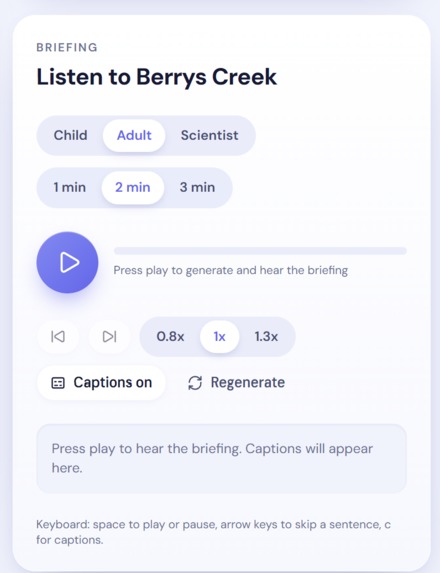
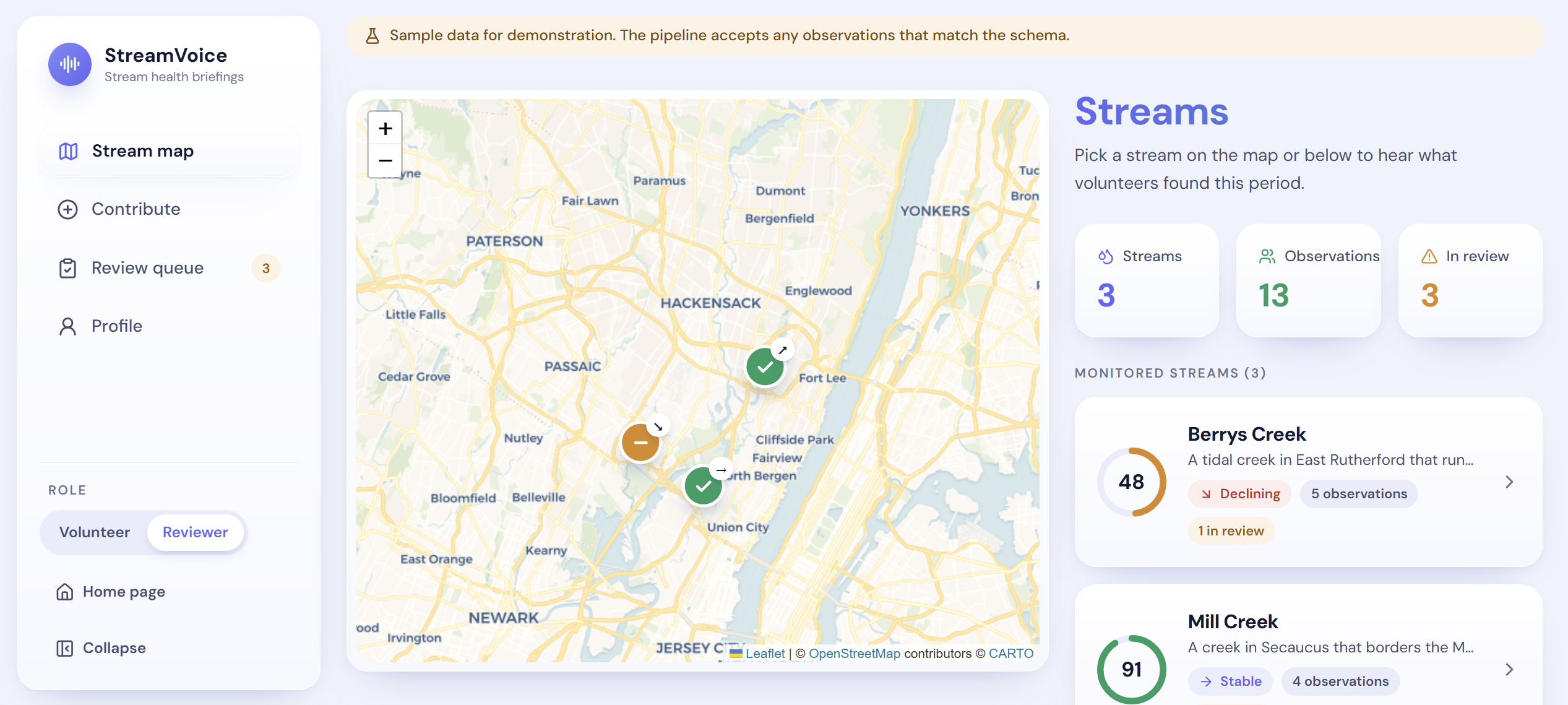
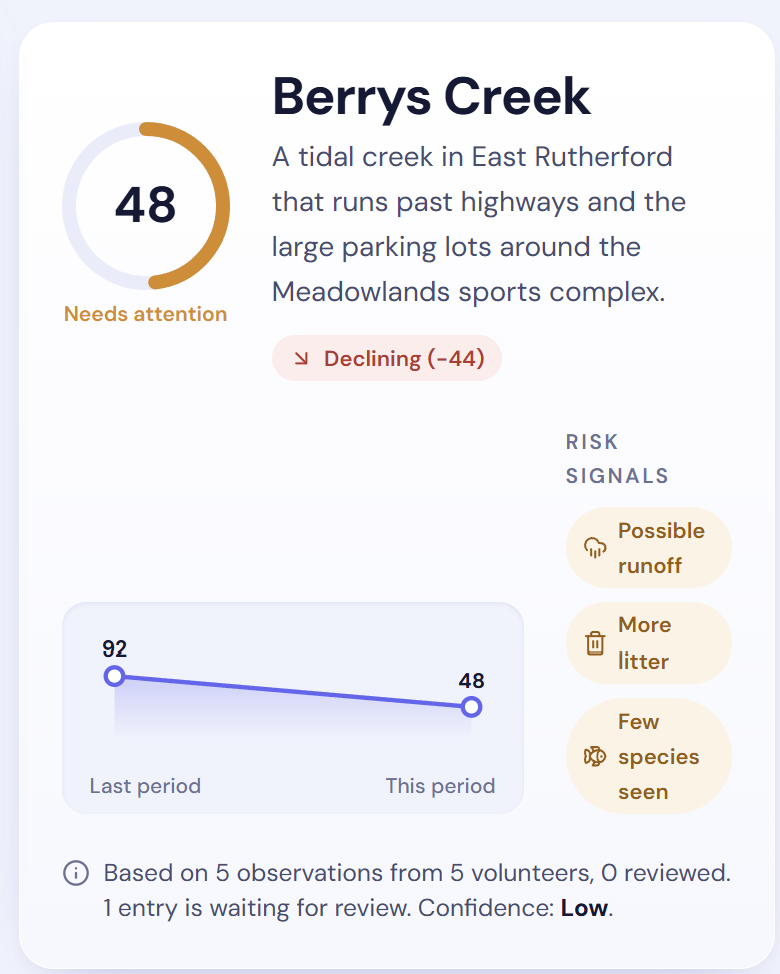
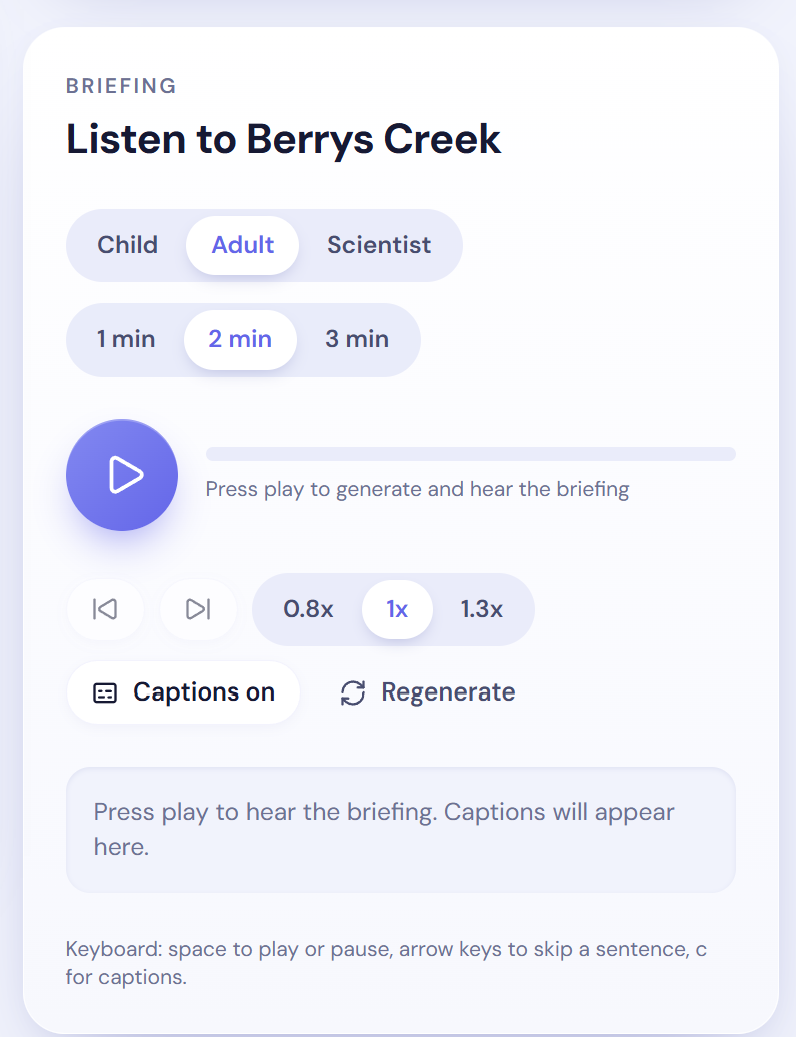
You open the map, pick a creek, and press play. You hear something like: "This month, 4 people checked Berrys Creek. Water clarity dropped from 4.3 to 2.5, and fewer species were spotted. That can signal runoff pollution. Here is why that matters for people, pets, and wildlife." Captions follow along sentence by sentence.
- Choose who it's for. Every briefing comes in three listener levels (child, adult, scientist) and three lengths (1, 2, or 3 minutes). A classroom and a researcher hear the same facts in very different words.
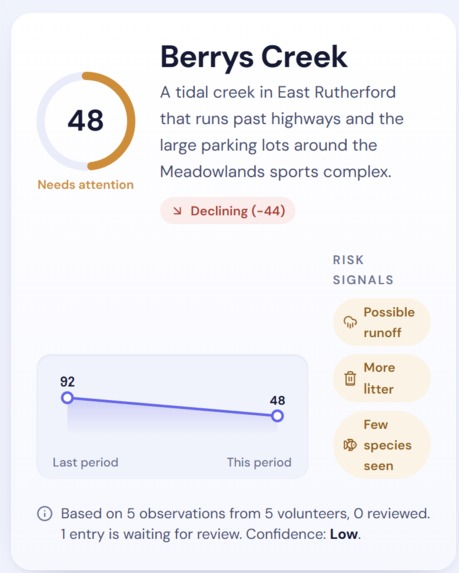
- See the stream at a glance. Each creek gets a 0 to 100 health score, a trend, risk signals like "possible runoff" or "more litter," and a confidence label. A source line tells you exactly how many observations and volunteers the briefing is based on.
- Understand why it matters. One Health cards explain what each risk can mean for people, pets, wildlife, and the environment.
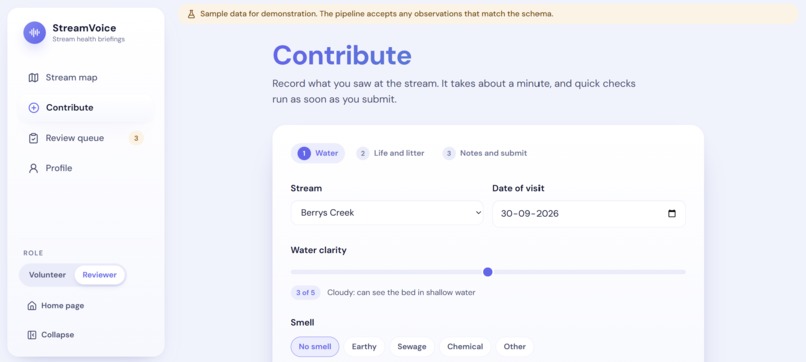
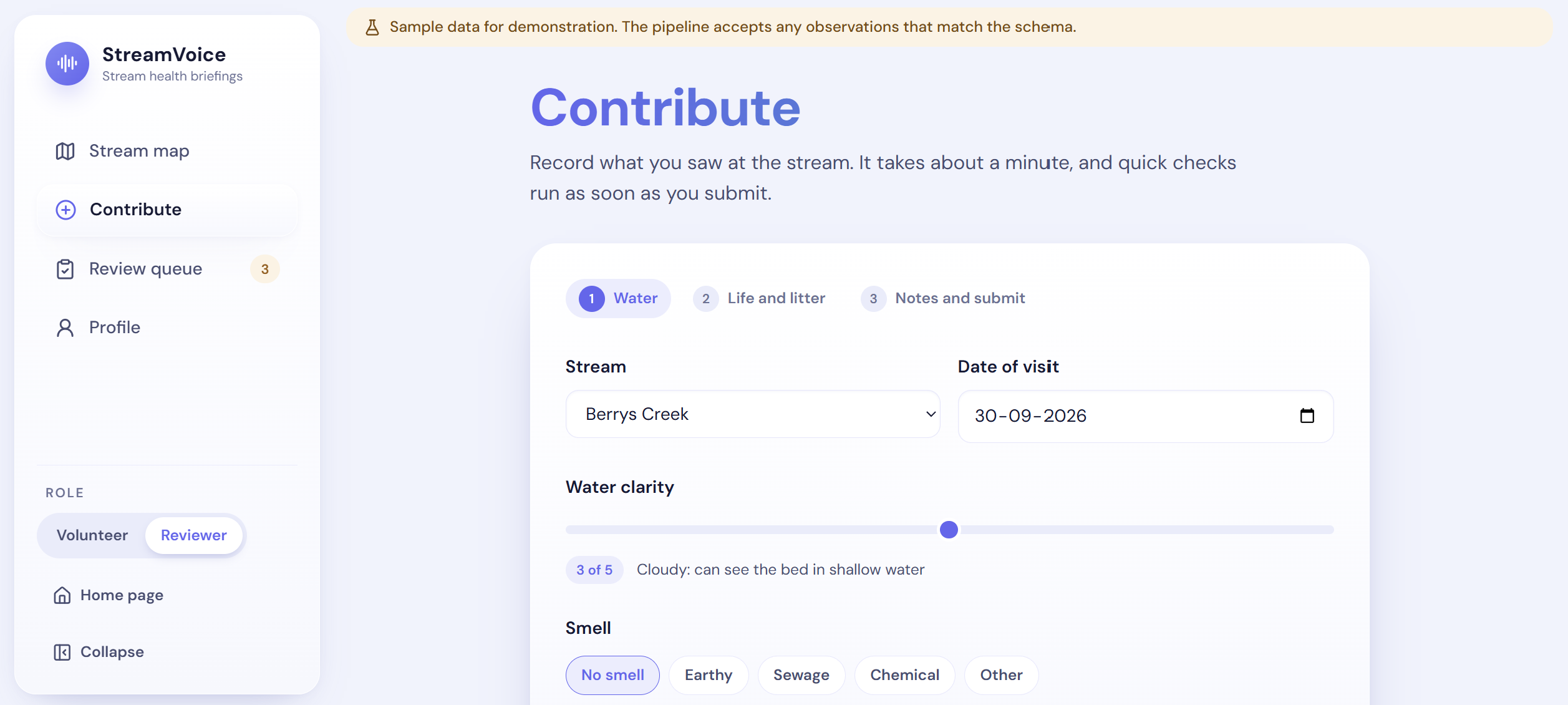
- Contribute in about a minute. A three-step form records clarity, smell, species, litter, and weather. When you submit, you see how your observation changed the score and can play the updated briefing right away.
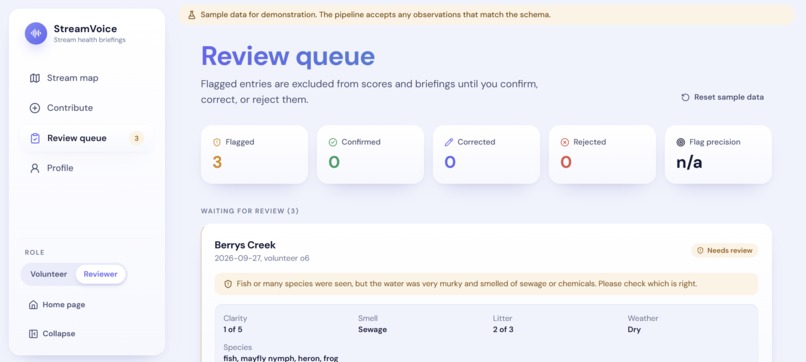
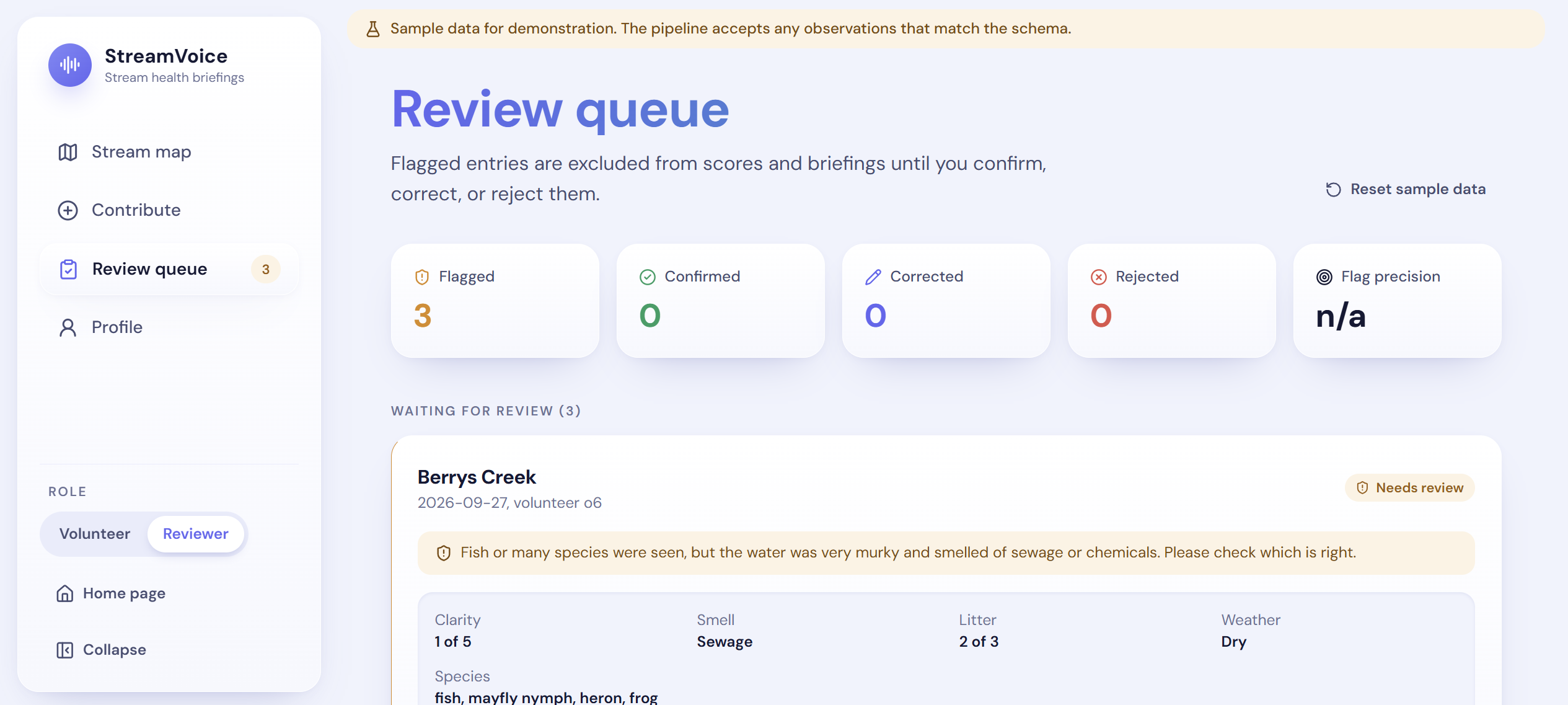
- Catch bad data before it spreads. Quick checks flag entries that contradict themselves, like "lots of fish spotted" next to "very murky water that smells like sewage." Flagged entries sit in a reviewer queue and don't count until a person confirms, corrects, or rejects them.
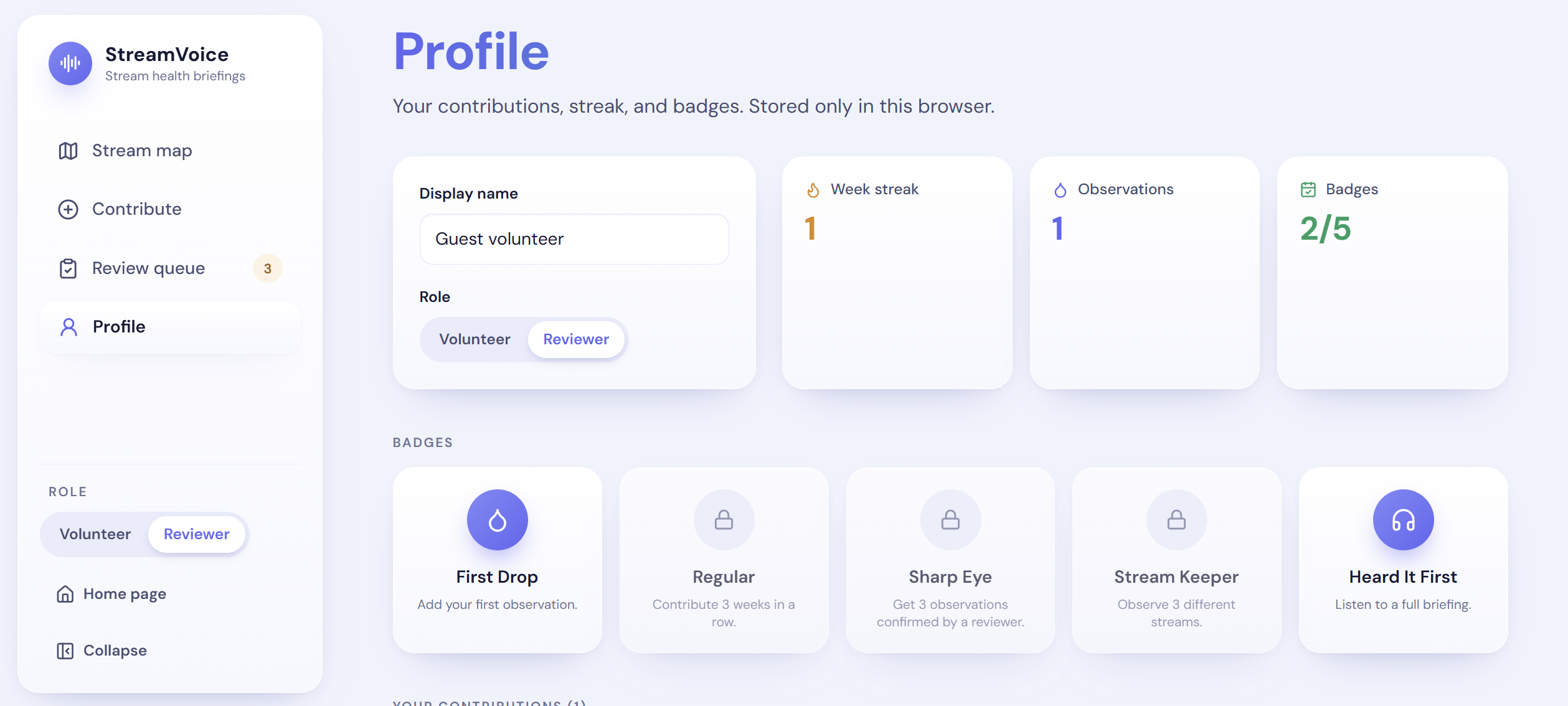
- Keep volunteers coming back. Weekly streaks and badges reward regular visits, covering more streams, and listening to a full briefing.
- Plug into health systems. Any stream's data can be downloaded as a FHIR R4 bundle, the standard format health data systems already use.
The demo uses three real creeks in the New Jersey Meadowlands (Berrys Creek, Mill Creek, and Overpeck Creek) with clearly labelled sample data: one declining, one stable, one improving.
How we built it
The whole project is built around one rule: the AI never invents numbers.
- Code computes. Every score, trend, and risk flag comes from plain TypeScript functions with unit tests. The health score is a transparent weighted blend: clarity 40%, species diversity 30%, litter 15%, smell 15%. Those functions produce a numbered list of neutral facts, and every fact points back to the observations it came from.
- The AI narrates. Gemini 2.5 Flash gets only that list of facts plus a small, hand-written set of One Health notes. It writes the script one section at a time in JSON mode at low temperature, and every sentence has to say which facts it relies on.
- A verifier checks. Before anything reaches a listener, a checker reads each sentence. Every number has to exist in the facts it cites. Species and place names have to appear in the facts or notes. Wording like "is caused by" or "proves" is rejected, so the AI can only say a signal "can point to" a cause. A failed section gets two more tries with feedback, and then it's replaced with a template version.
- Humans confirm. Flagged observations stay out of every score until a reviewer acts.
For the voice, Gemini TTS reads each section of the script as its own clip. While one clip plays, the next one loads, and captions are timed to the real audio. If the AI voice fails or takes longer than 8 seconds, the browser's built-in voice picks up from the same sentence. Without an API key at all, the whole app still works using template narration and the device voice.
Stack: Next.js 14 with TypeScript, Tailwind CSS, Gemini 2.5 Flash and Gemini TTS through the @google/genai SDK, Zod for checking every AI response, Leaflet with CARTO map tiles, Vitest with 24 tests, GitHub Actions, and Vercel. The server recalculates every fact itself on each request and never trusts numbers sent from the browser, and the Gemini key never leaves the server.
Challenges we ran into
- Getting an AI to stop being creative with facts. Early drafts would round a number, mention a species nobody saw, or say flatly that runoff "was caused by" rain. We stopped trying to fix that with prompts alone and built the verifier instead. The bigger change was moving the outline out of the AI's hands: code now decides which facts each section is allowed to use, and the AI only writes the sentences.
- Hitting a target length. "Make it one minute" turns out to be hard. Parallel sections sometimes come back too long or too short, and occasionally two sections make the same point. We added a word budget and a resize pass, but it isn't perfect yet, and we're honest about that in our docs.
- Turning Gemini audio into something a browser can play. Gemini TTS returns raw audio with no file header, so we write a small WAV header on the server before sending it to the browser.
- Browsers block autoplay. Audio can only start from a real click or key press, so the player had to be designed around that rather than fighting it.
- Bad data versus unusual data. A strange observation isn't always a wrong one. That's why our checks only flag entries for a person to review and never delete them.
Accomplishments that we're proud of
- Every number you hear can be traced back to an observation. That's the thing we care about most. The same verifier also checks our template narration, at all nine level and length combinations, in our test suite.
- It never leaves you stuck. No API key, a rate limit, a slow voice, or a browser without speech: in every case the app keeps working and tells you which mode you're in ("AI-narrated" or "Template-narrated," "AI voice" or "Device voice").
- One set of facts, three audiences. Hearing the same creek explained to a child and to a scientist, with the same numbers underneath, was the moment it clicked for us.
- Closing the loop for volunteers. You submit an observation, see the score move, and hear the new briefing seconds later.
- Accessibility built in from the start. Captions, keyboard shortcuts, screen reader labels, reduced motion support, and map markers that use shapes and arrows as well as color.
- It's live and it works end to end, from the map to Gemini narration to Gemini voice, on a public URL.
What we learned
- Trustworthy AI is mostly about what you don't let the model do. Our biggest gains came from narrowing the AI's job, not from clever prompts.
- Plain language is a real design problem. Writing One Health notes that are accurate, short, and kind at three reading levels took more care than we expected.
- Fallbacks are a feature. Designing the template narrator and device voice first meant we always had a working demo, and it made the AI version better because it had a clear standard to match.
- Volunteers need a reason to come back. Showing someone that their visit changed something is probably worth more than any badge.
- Health data standards are approachable. Mapping our observations to FHIR showed us how environmental monitoring could sit alongside the systems public health teams already use.
What's next for StreamVoice
- Real data. Connect to OneAquaHealth and other citizen science programs. The pipeline already accepts any data in our schema, so this is mostly integration work.
- A shared backend. Real reviewer accounts, an audit trail for every decision, and photo uploads so reviewers can see what the volunteer saw.
- More languages. Multilingual narration with verifier rules for each language, so the people living by a stream hear about it in their own language.
- Alerts. Let neighbors, schools, and dog walkers subscribe to a creek and get a short audio update when its health changes.
- Coordinator dashboards. Help program leads see which streams need more visits, which volunteers are most active, and where reviews are piling up.
- Instant demo audio. Pre-generate briefings and audio for known streams so playback starts immediately and survives API limits.
- Closer ties to health systems. Replace our custom FHIR codes with standard terminology, working with public health partners, so stream data can sit next to health data in the tools agencies already use.
All the observations in the demo are sample data. The creeks are real places, but every number, volunteer, and score you see in StreamVoice is made up for demonstration.
Built With
- css
- gemini
- gemini-live
- javascript
- typescript
- vercel

Log in or sign up for Devpost to join the conversation.