Inspiration
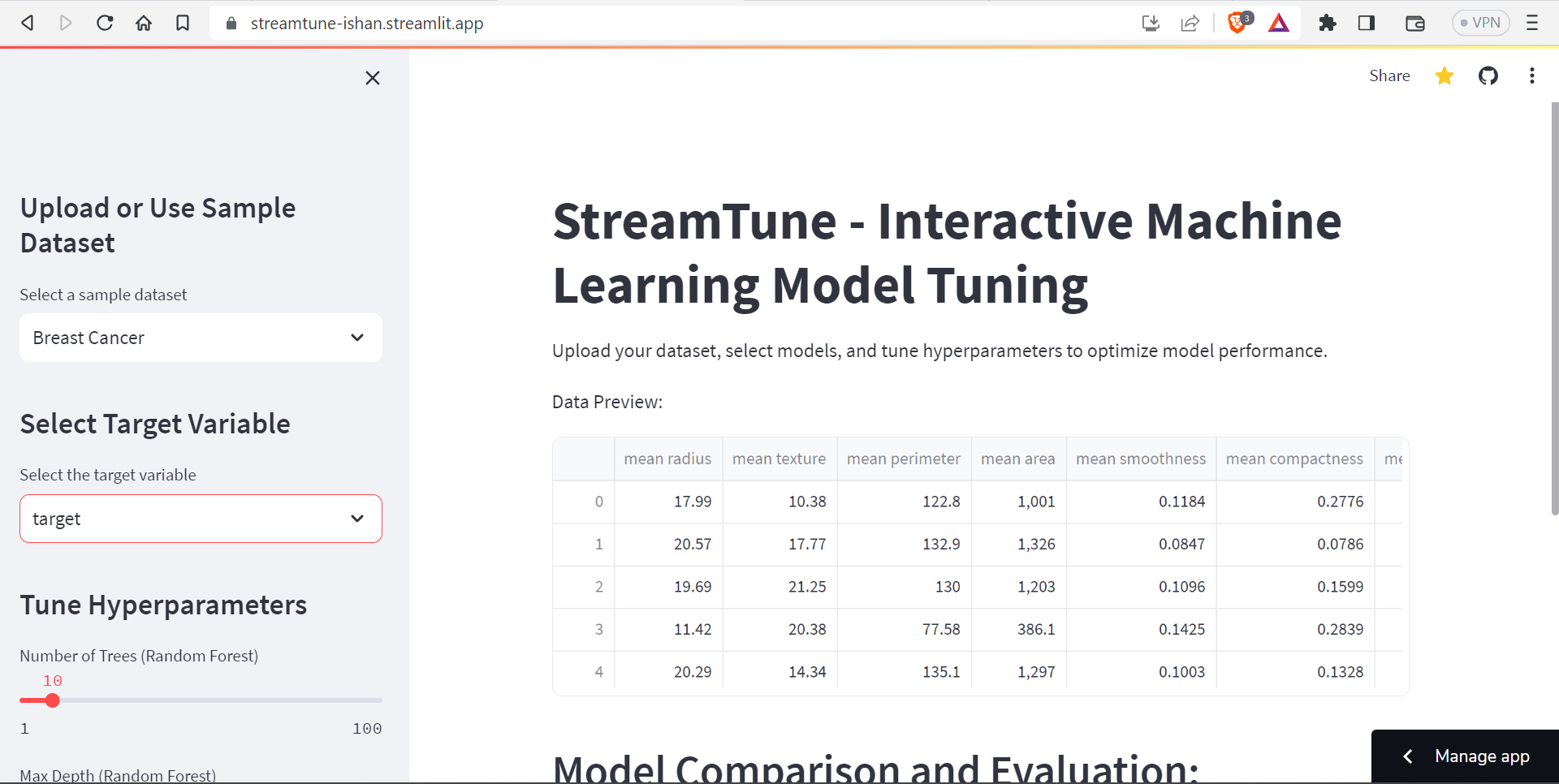
The inspiration behind StreamTune came from the desire to create an interactive and user-friendly machine learning model tuning tool. We wanted to build a platform that allows users to easily upload their datasets, select various machine learning models, and tune hyperparameters to optimize model performance.
What it does
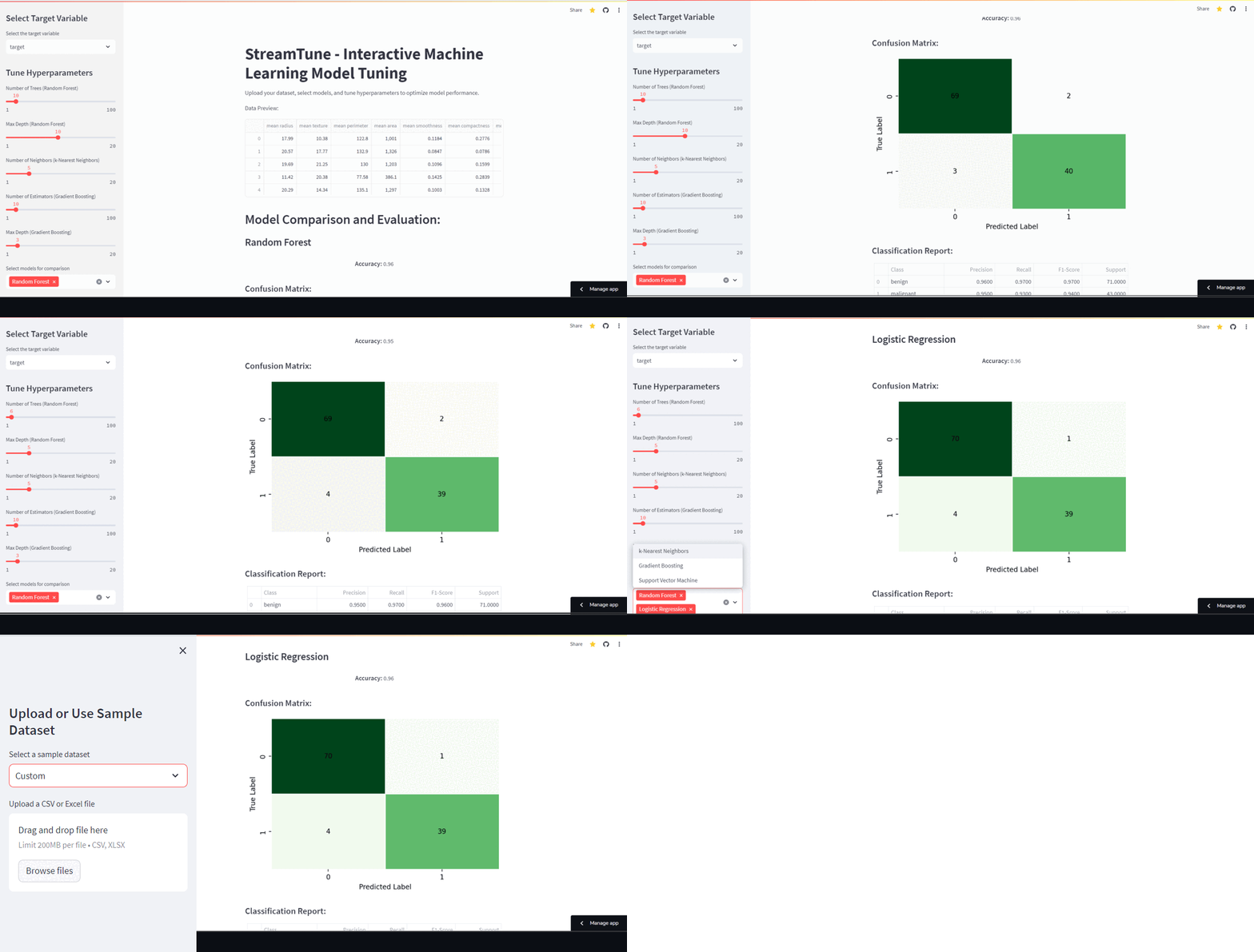
StreamTune is an interactive web application that enables users to perform the following tasks:
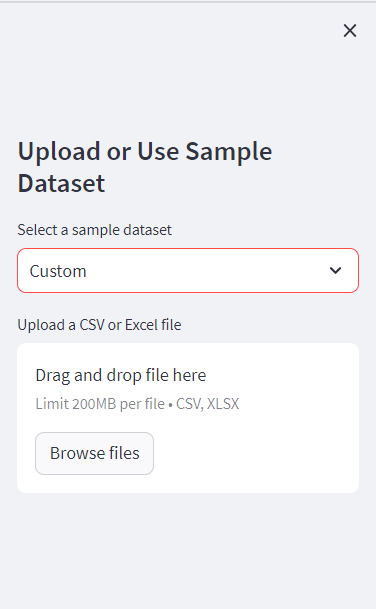
Dataset Upload: Users can either upload their custom CSV or Excel files or select from sample datasets like Iris and Breast Cancer.
Model Selection: Users can choose from a variety of machine learning models, including Random Forest, k-Nearest Neighbors, Logistic Regression, Gradient Boosting, and Support Vector Machine.
Target Variable Selection: Users can select the target variable from the dataset for model training and evaluation.
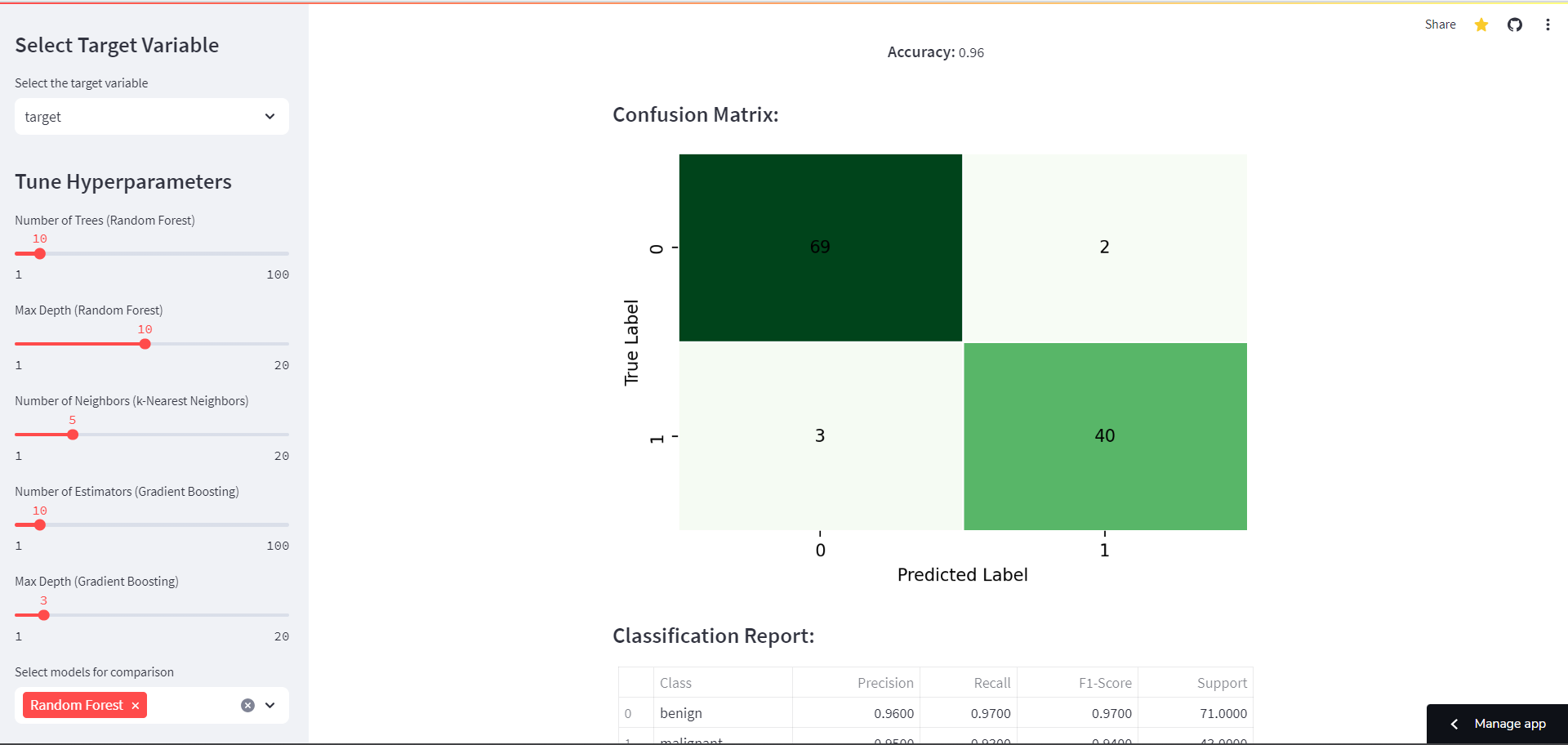
Model Hyperparameter Tuning: For tunable models, users can adjust hyperparameters using sliders to achieve the best model performance.
Model Comparison: Users can select multiple models for comparison to determine which model performs best on their specific dataset.
Model Evaluation: StreamTune provides users with a detailed model evaluation, including accuracy, confusion matrix, and classification report.
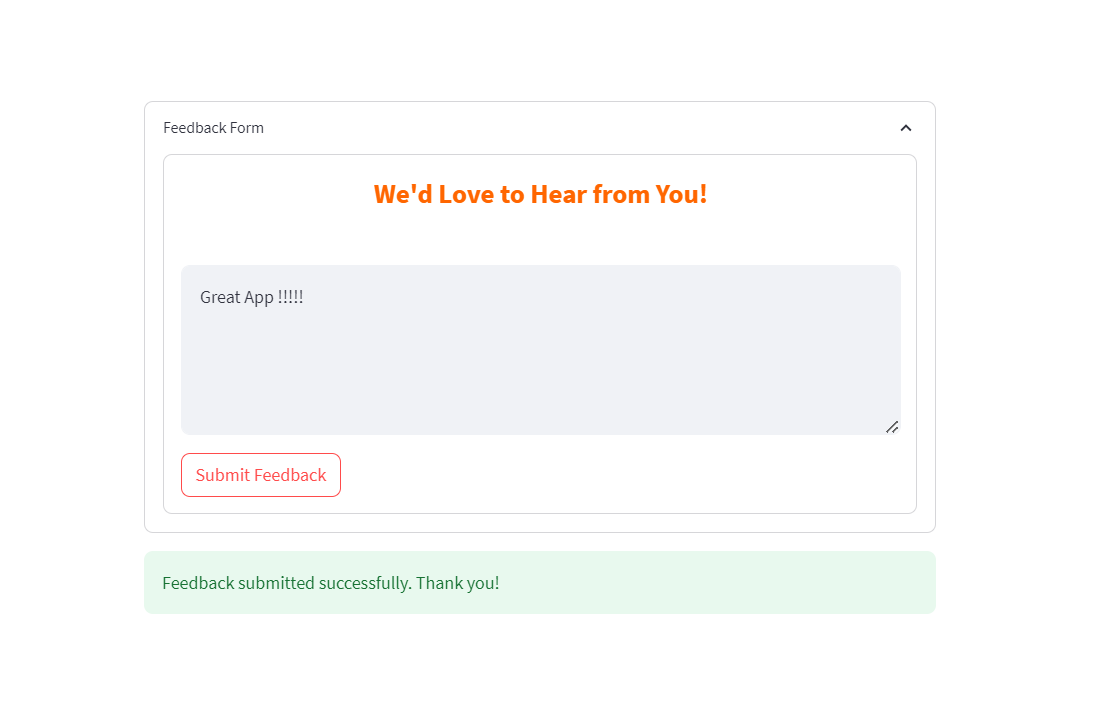
User Feedback: Users have the option to provide feedback on their experience using the app.
How we built it
StreamTune was built using the following technologies and frameworks:
- Python: The core programming language for implementing the machine learning models and data manipulation.
- Streamlit: The web application framework used for creating the interactive user interface.
- Pandas: Used for data manipulation and analysis of the dataset.
- scikit-learn: The machine learning library used for training and evaluating the models.
- Matplotlib and Seaborn: Used for creating data visualizations and enhancing their appearance.
Challenges we ran into
Throughout the development of StreamTune, we encountered a few challenges:
Hyperparameter Tuning: Implementing hyperparameter tuning for multiple machine learning models required careful consideration and handling of different tuning parameters.
Visualization: Designing visually appealing and informative data visualizations, such as the confusion matrix, required a balance between aesthetics and functionality.
Deployment: Deploying the app on Streamlit Cloud required some adjustments to ensure smooth functionality in a cloud environment.
Accomplishments that we're proud of
We are proud of creating an intuitive and user-friendly interface that allows users to easily interact with machine learning models. Additionally, we achieved seamless deployment on Streamlit Cloud to make the app accessible to users online.
What we learned
During the development of StreamTune, we gained valuable experience in:
- Building interactive web applications using Streamlit.
- Working with different machine learning models and tuning hyperparameters for optimal performance.
- Deploying applications on cloud services like Streamlit Cloud.
What's next for StreamTune
In the future, we plan to enhance StreamTune by adding more machine learning models and additional tuning options. We also aim to incorporate advanced visualizations and data exploration features to provide users with a comprehensive understanding of their datasets.
We look forward to receiving user feedback and continually improving StreamTune to meet the needs of data scientists and machine learning enthusiasts.
Built With
- github
- matplotlib
- pandas
- python
- scikit-learn
- seaborn
- streamlit
- streamlit-cloud


Log in or sign up for Devpost to join the conversation.