Inspiration
City streams suffer from sewage, dirty runoff, litter and loss of wildlife. Volunteers can watch far more streams than experts ever could, but their data is often seen as unreliable. They rarely get feedback, and science words put new people off. And the links between a stream and the health of the people and pets around it (toxic algae and dogs, sewage and children playing in the water) are rarely made clear.
We wanted a tool that makes a volunteer's 10 minutes at the water's edge count: data that experts can trust, and clear warnings that the public can act on.
What it does
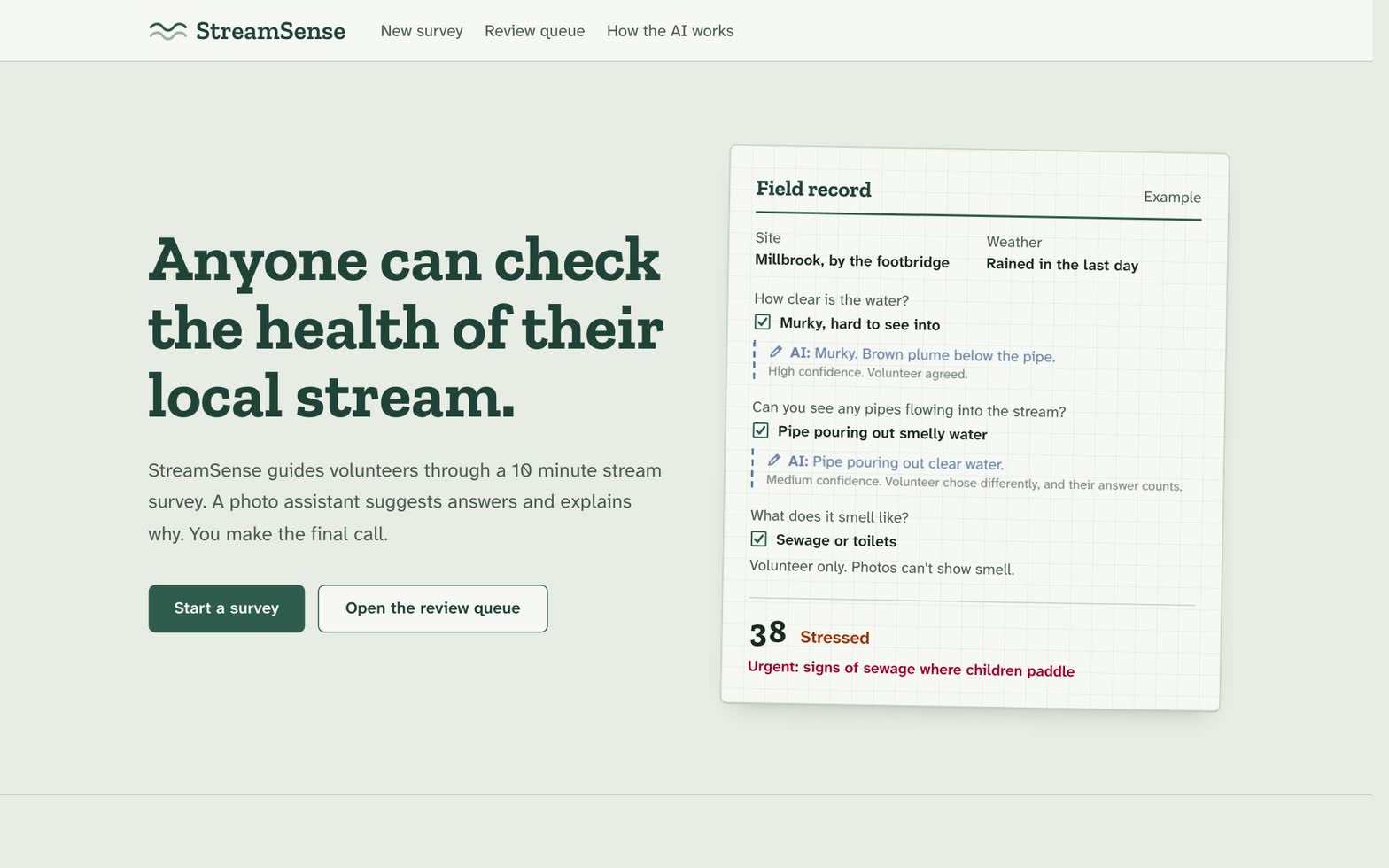
StreamSense walks anyone through a stream check in about 10 minutes:
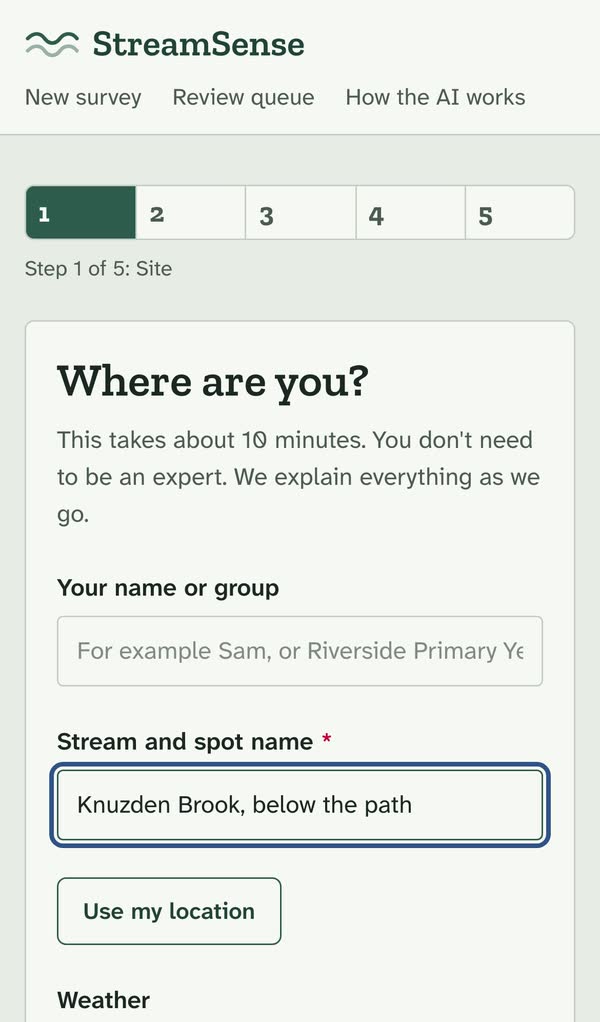
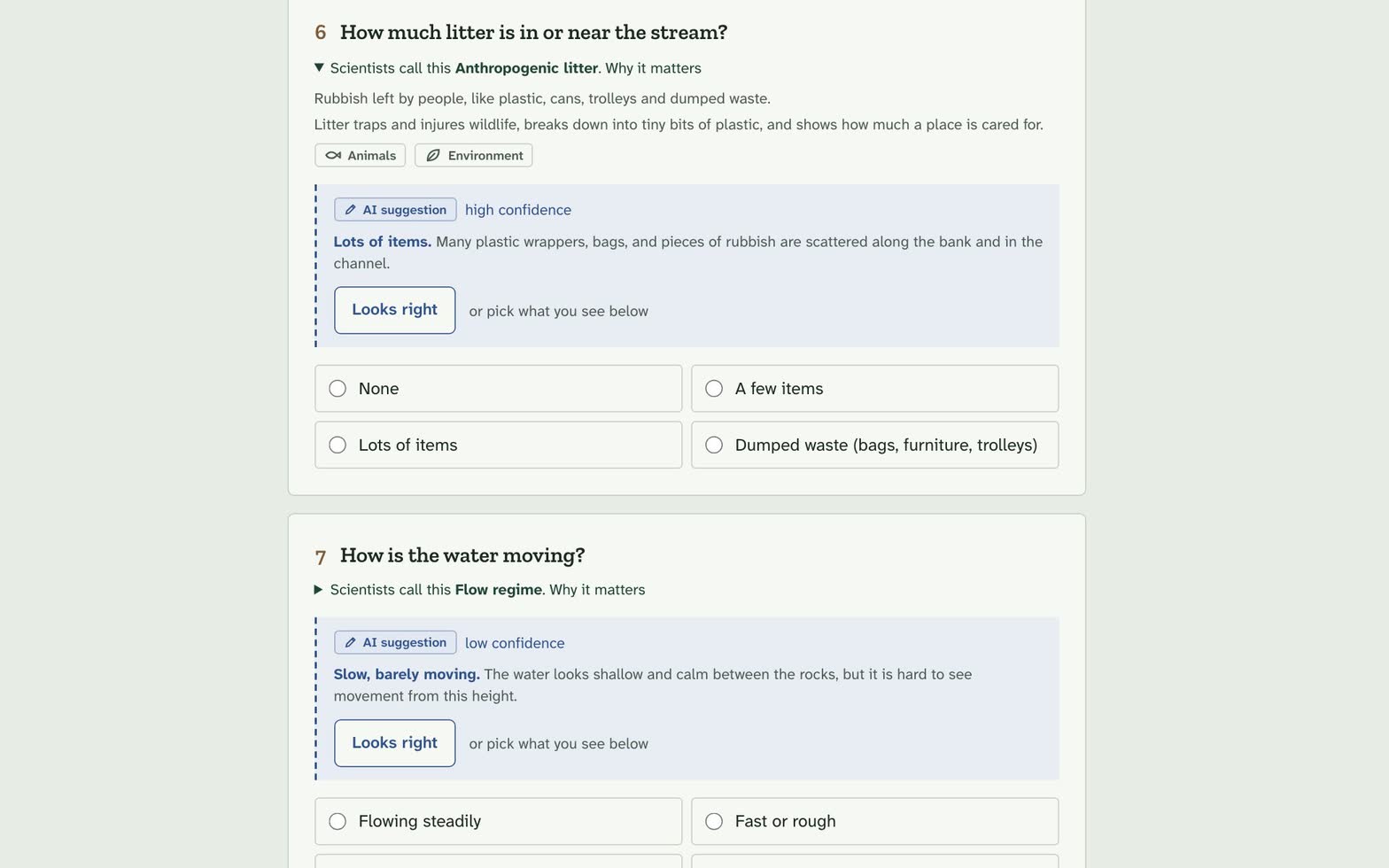
- Guided survey. 10 simple questions. Each one shows the science word behind it and why it matters, so volunteers learn as they go.
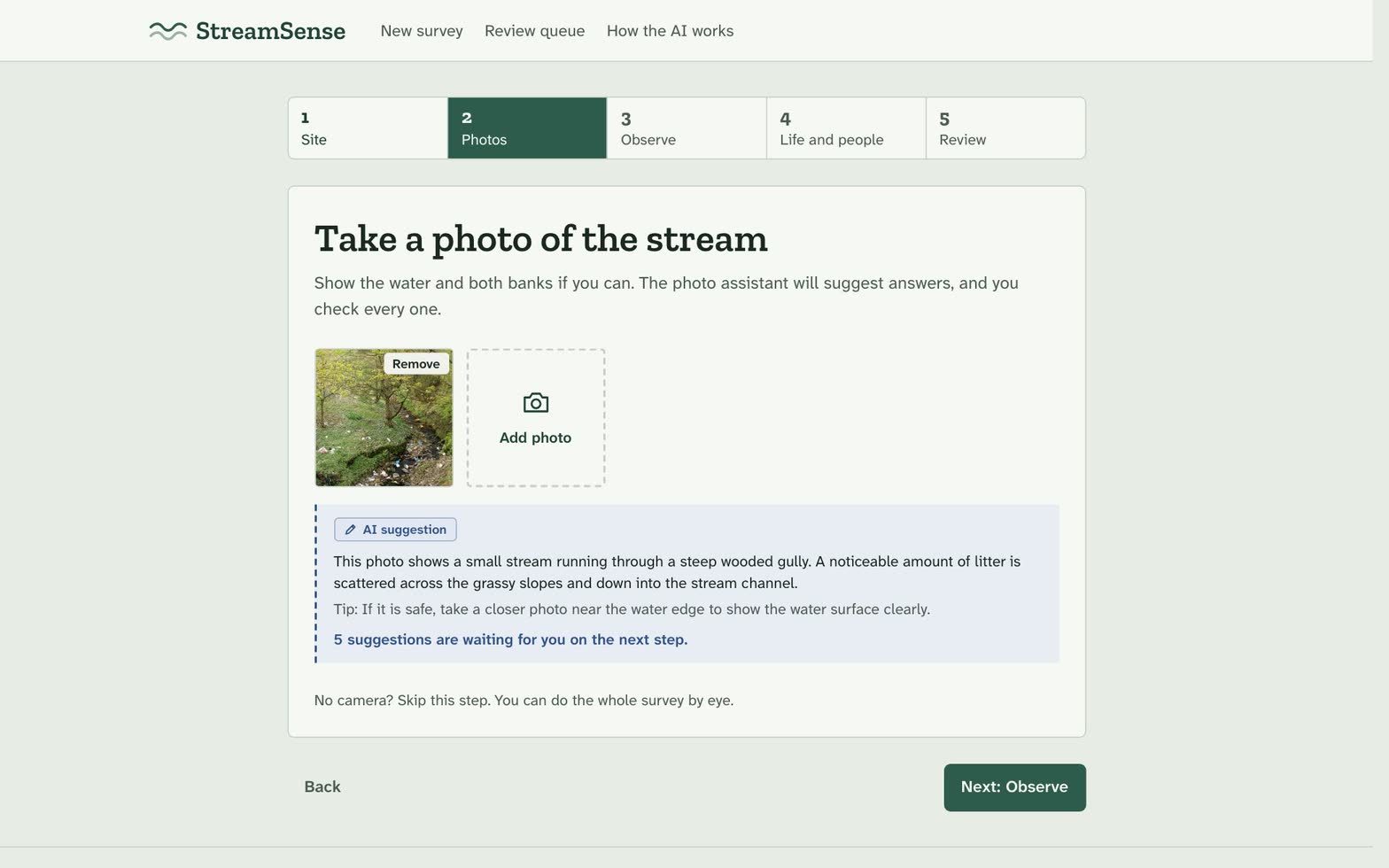
- Photo assistant. The AI looks at your photo and suggests answers. It shows how sure it is and what it saw, and says "can't tell" instead of guessing. It never guesses smell or water chemistry.
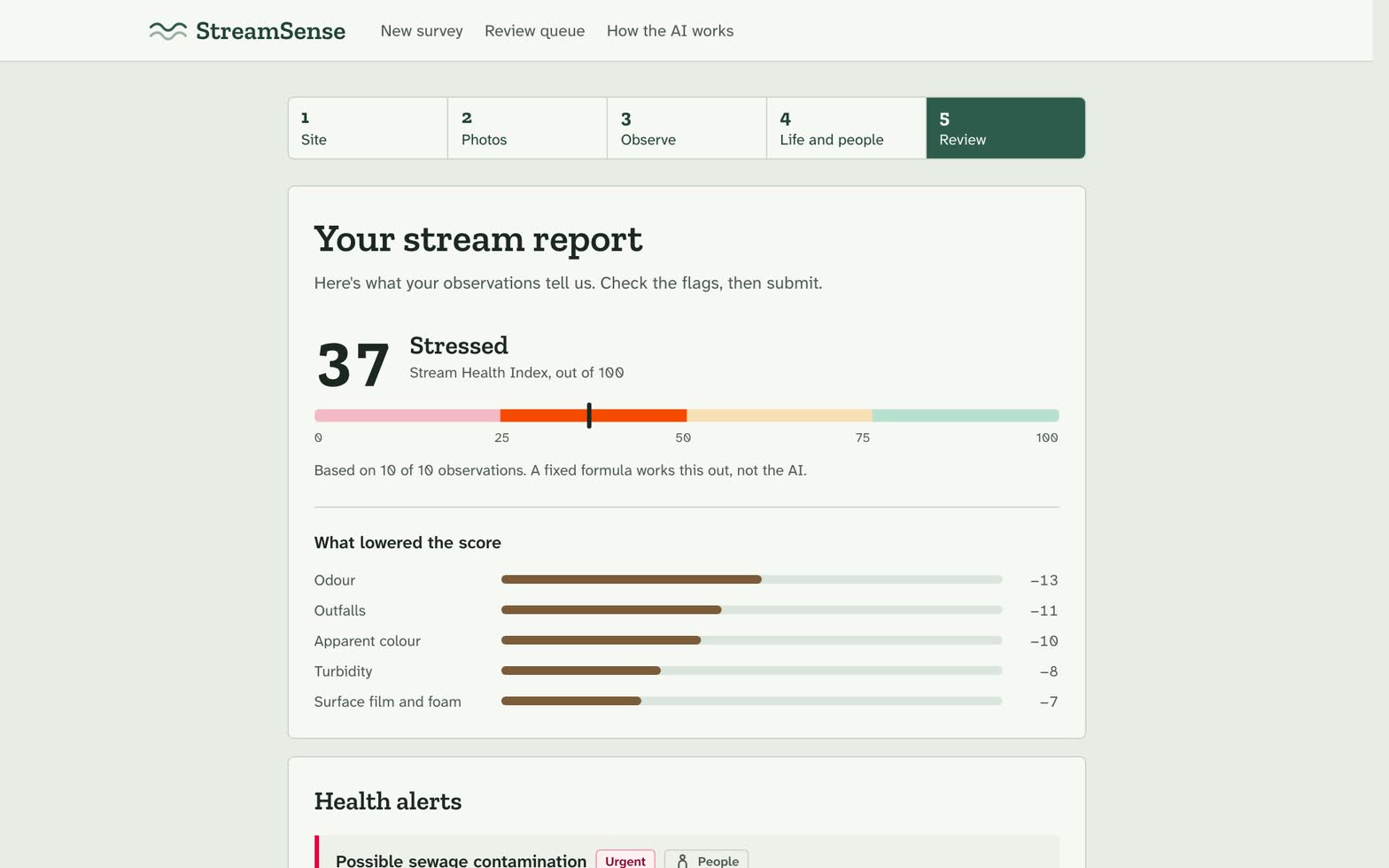
- Health score. A fixed, published formula works out the score. The AI does not.
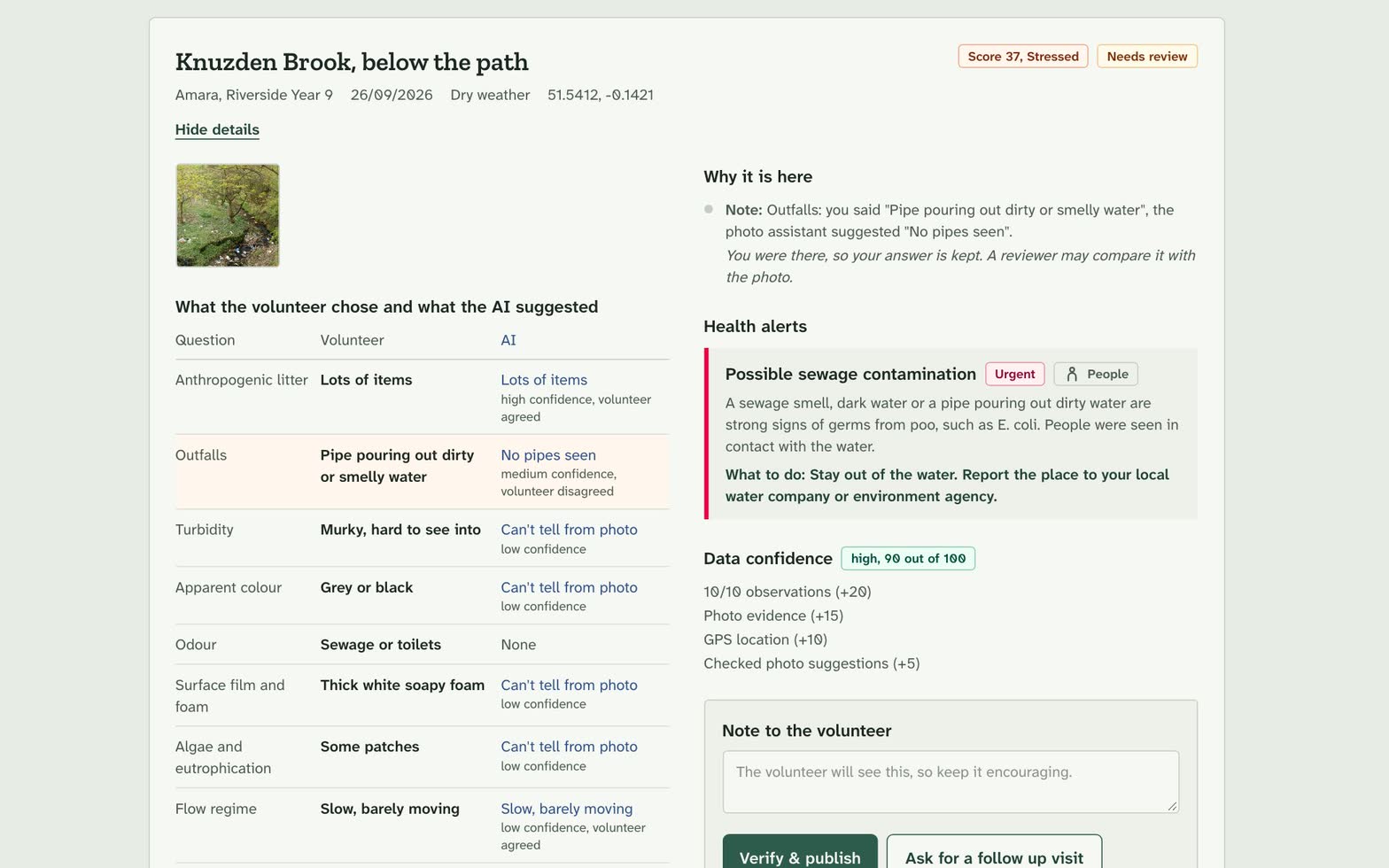
- Health alerts. Simple rules link what you saw to risks for people, animals and nature (One Health).
- Data checks. If answers look odd or clash, the app asks you to double check.
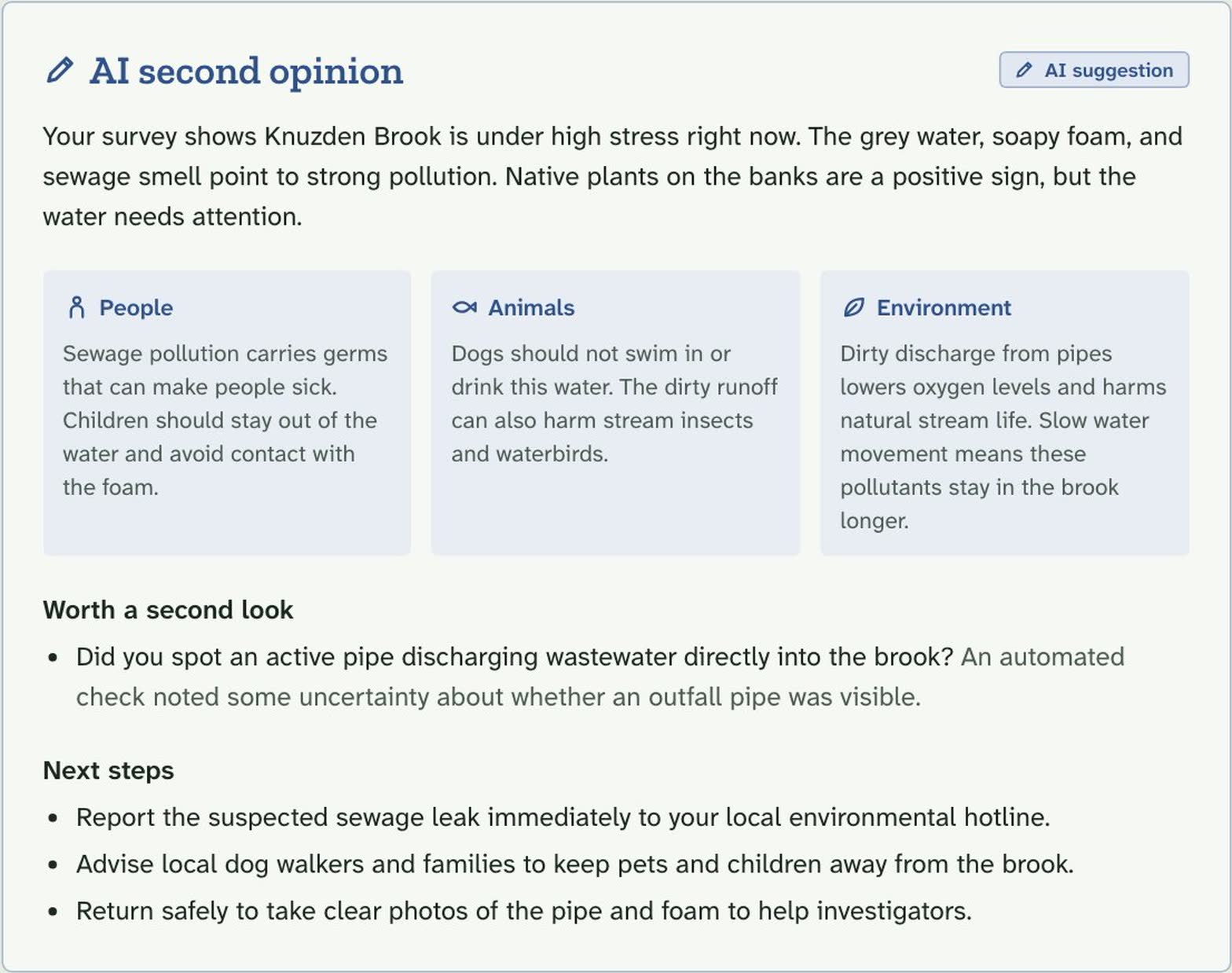
- AI second opinion. A short plain-English summary with next steps.
- Expert review. Reports where the person and the AI disagree, or that look unusual, go to a reviewer before they are published.
How I built it
- Next.js 16 (App Router), TypeScript and Tailwind CSS 4 for the app.
- Google Gemini through the Google Gen AI SDK for photo analysis and the second opinion. Every AI response is checked against a Zod schema and cleaned before it reaches the user.
- Core logic (the survey protocol, scoring, alert rules and validation) lives in plain TypeScript modules with Vitest unit tests.
- Two server routes,
/api/analyze-photoand/api/review. The server works out the score again itself, so the client can't fake it. - Demo mode: with no API key, the app uses clearly marked sample answers, so it works offline and anyone can try it.
The Stream Health Index is a weighted mean of indicator stress, inverted onto a 0–100 scale:
$$\text{score} = 100 \left(1 - \frac{\sum_i w_i s_i}{3 \sum_i w_i}\right)$$
where \( s_i \in [0, 3] \) is the stress level of each answered indicator and \( w_i \) is its weight. Unanswered questions are left out instead of being counted as healthy, so a half-finished survey never looks better than it is. Each indicator's share of the penalty is shown, so users can see why they got their score.
Challenges I ran into
- Keeping the AI in its lane. The hardest design problem was stopping the AI from quietly becoming the decision maker. We made sure AI answers are never filled in for you, that every accept or reject is logged, that the score comes from a formula and not the model, and that the second opinion can read the score but never change it.
- Honest uncertainty. Getting the model to say "can't tell" rather than guess from a blurry photo took careful prompting plus schema checks on its output.
- Switching AI providers mid-build. We moved from one AI provider to Google Gemini so the free tier would be enough for testing. Wrapping every model call behind one structured-call helper made that switch manageable.
- Plain language. Rewriting science terms and error messages so a first-time volunteer understands them, without losing accuracy for experts.
What I learned
- Trust in AI-assisted citizen science comes from transparency: confidence levels, visible reasoning and an audit trail of human vs AI agreement.
- Rule-based, testable logic for high-stakes outputs (scores and health alerts) combined with AI for perception and explanation is a strong pattern.
- Disagreement between a person and the AI is a useful signal. It is exactly where an expert's time is best spent.
What's next
- A real database with offline support for use at the stream.
- Export in standard formats used by environment and health agencies.
- Tuning the score against lab and agency data, and tracking AI accuracy over time.
- A map and trends for each site, with alerts routed to the right authority.
- More languages.
Built With
- google-gemini
- google-genai-sdk
- next.js
- node.js
- react
- tailwind-css
- typescript
- vitest
- zod

Log in or sign up for Devpost to join the conversation.