-
-
StreamLens
-
How it works
-
explainable AI
-
In the loop
-
one health index
-
In mobile
-
community map
-
expert queue
-
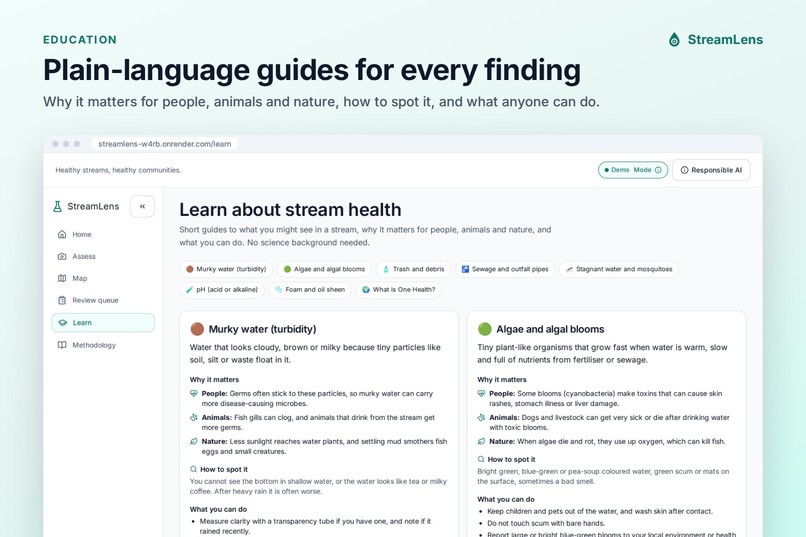
Learn
-
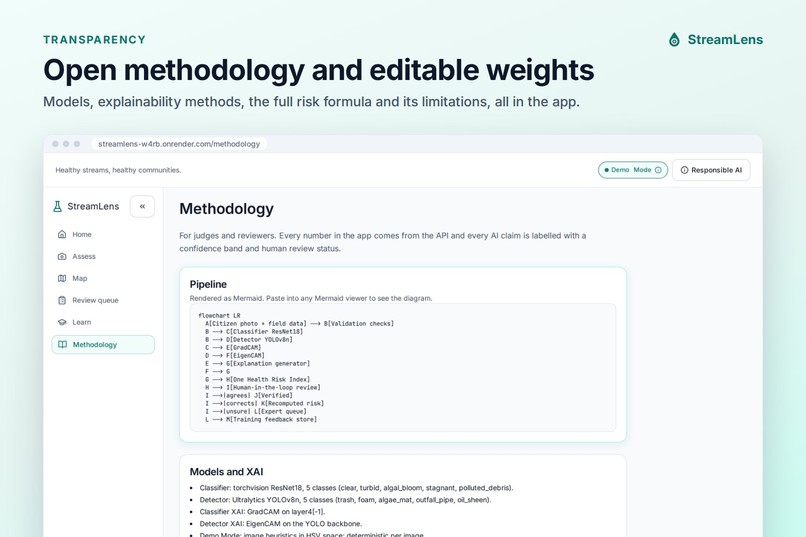
methodology
-
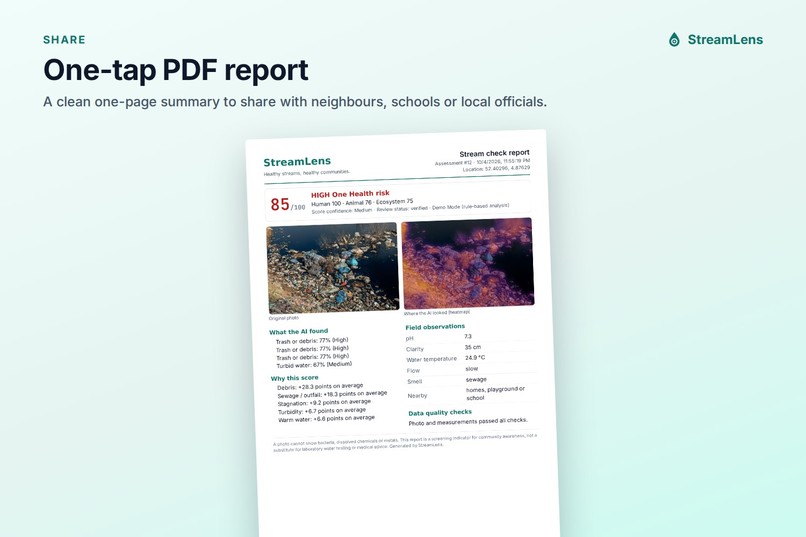
pdf report
Inspiration
Urban streams flow past homes, schools and markets, yet most of them are never checked. Citizen scientists can help, but their observations are hard to compare, and many people do not know what a murky stream or a green film actually means for their health. We wanted a tool that helps anyone take a useful first look at a stream, understand what they see, and stay in control of the result. AI should support human judgment, not replace it.
What it does
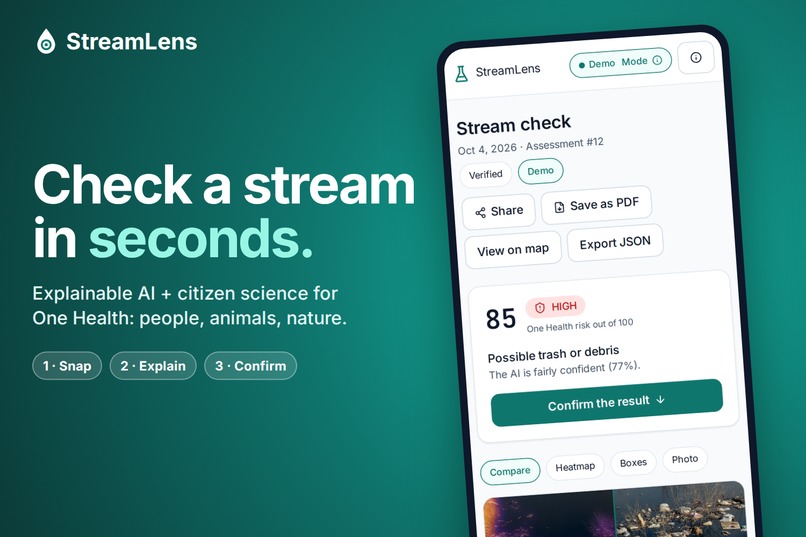
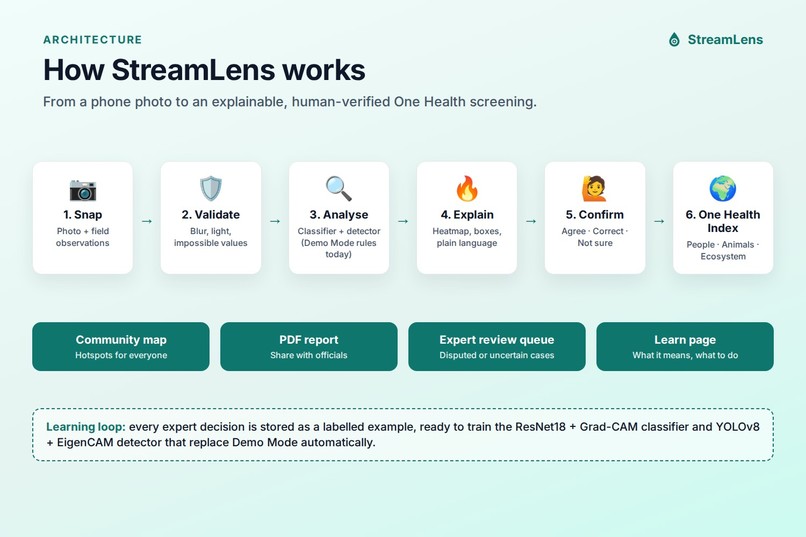
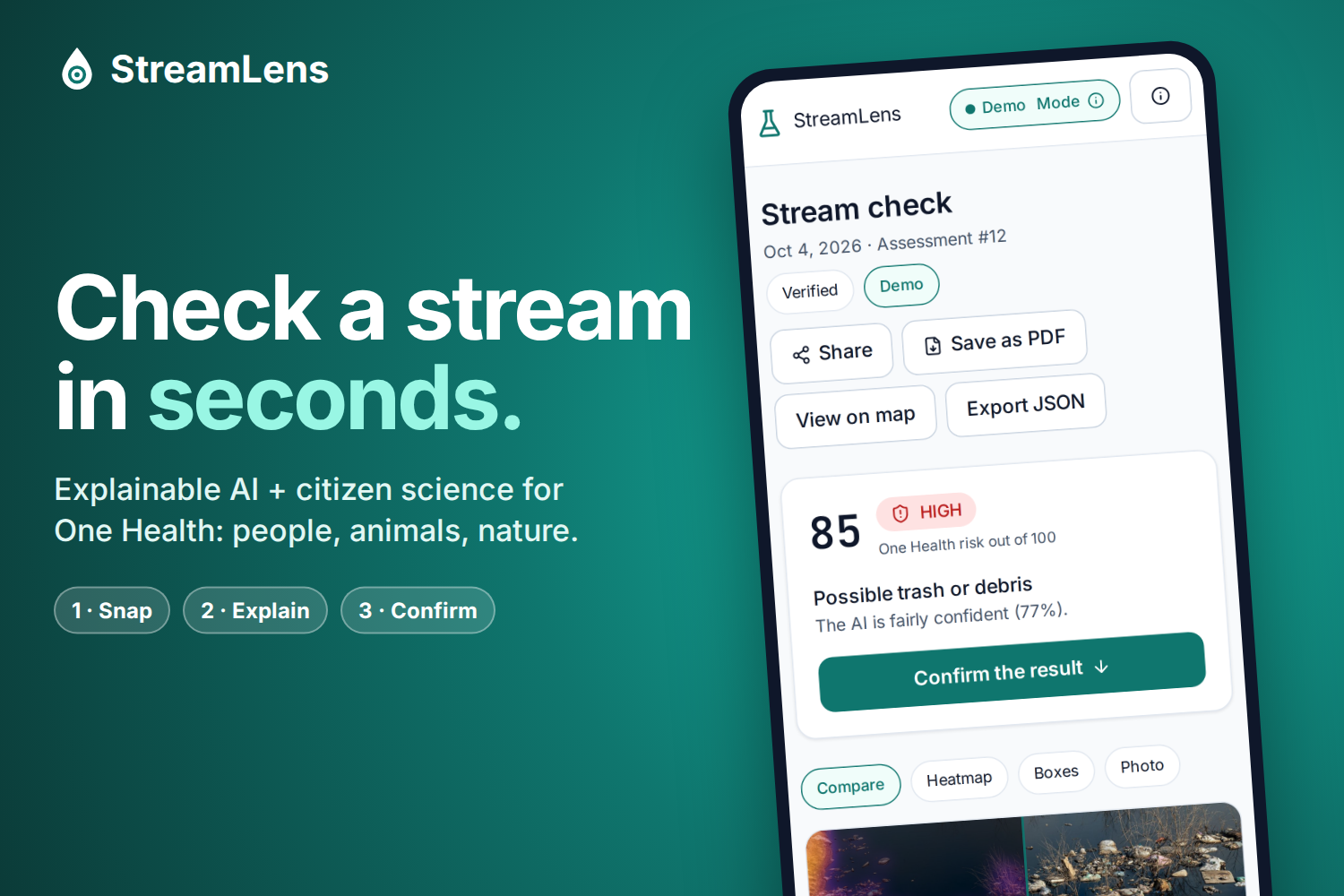
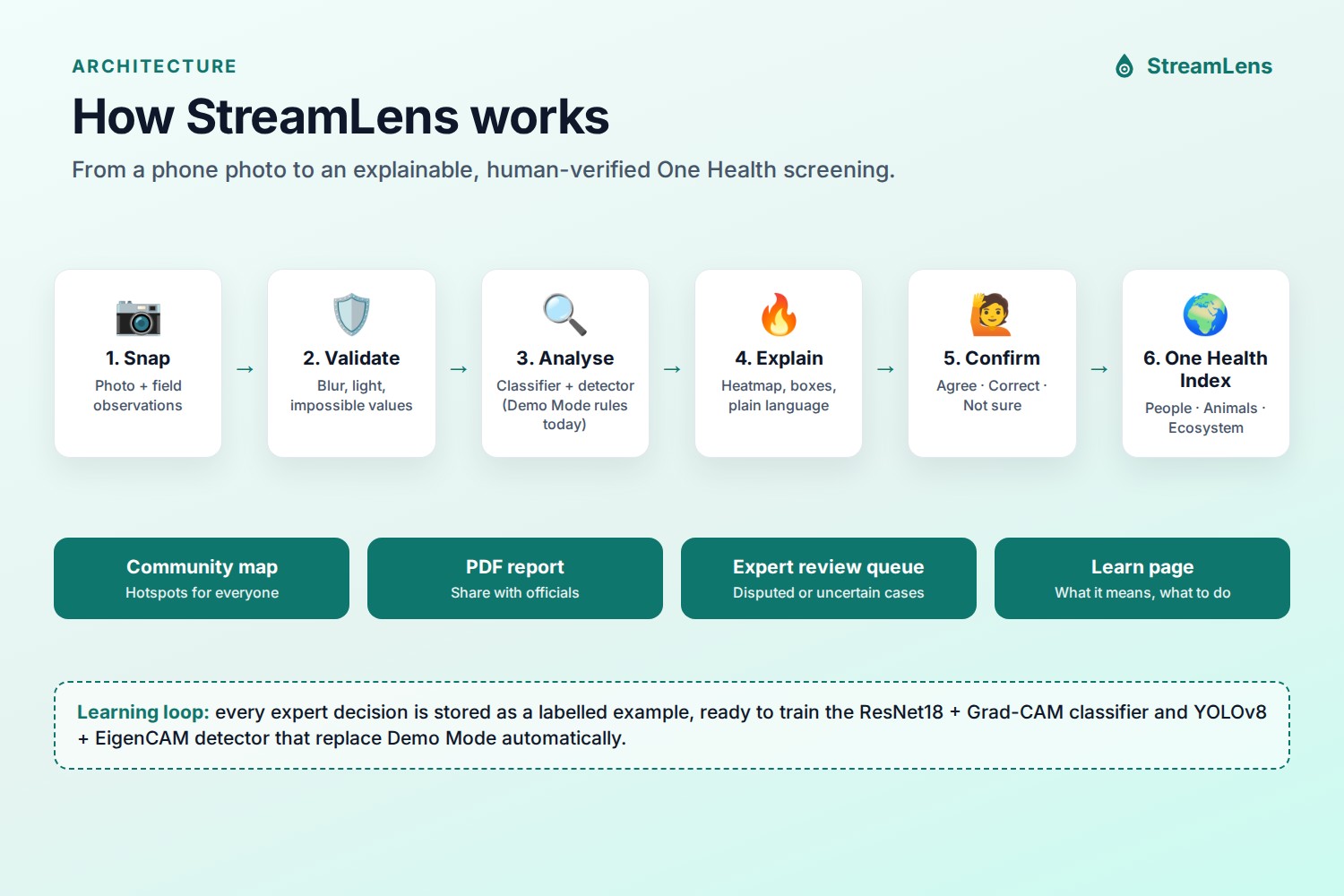
StreamLens turns a phone photo and a few simple field observations into an explainable One Health screening:
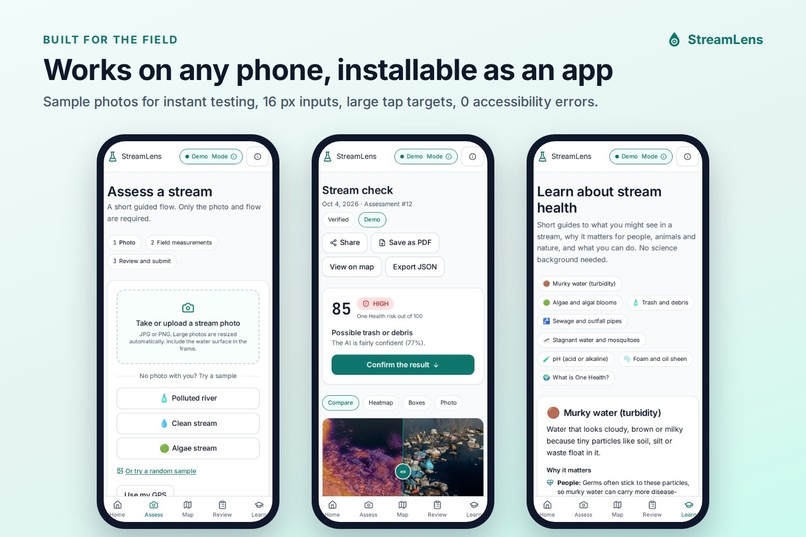
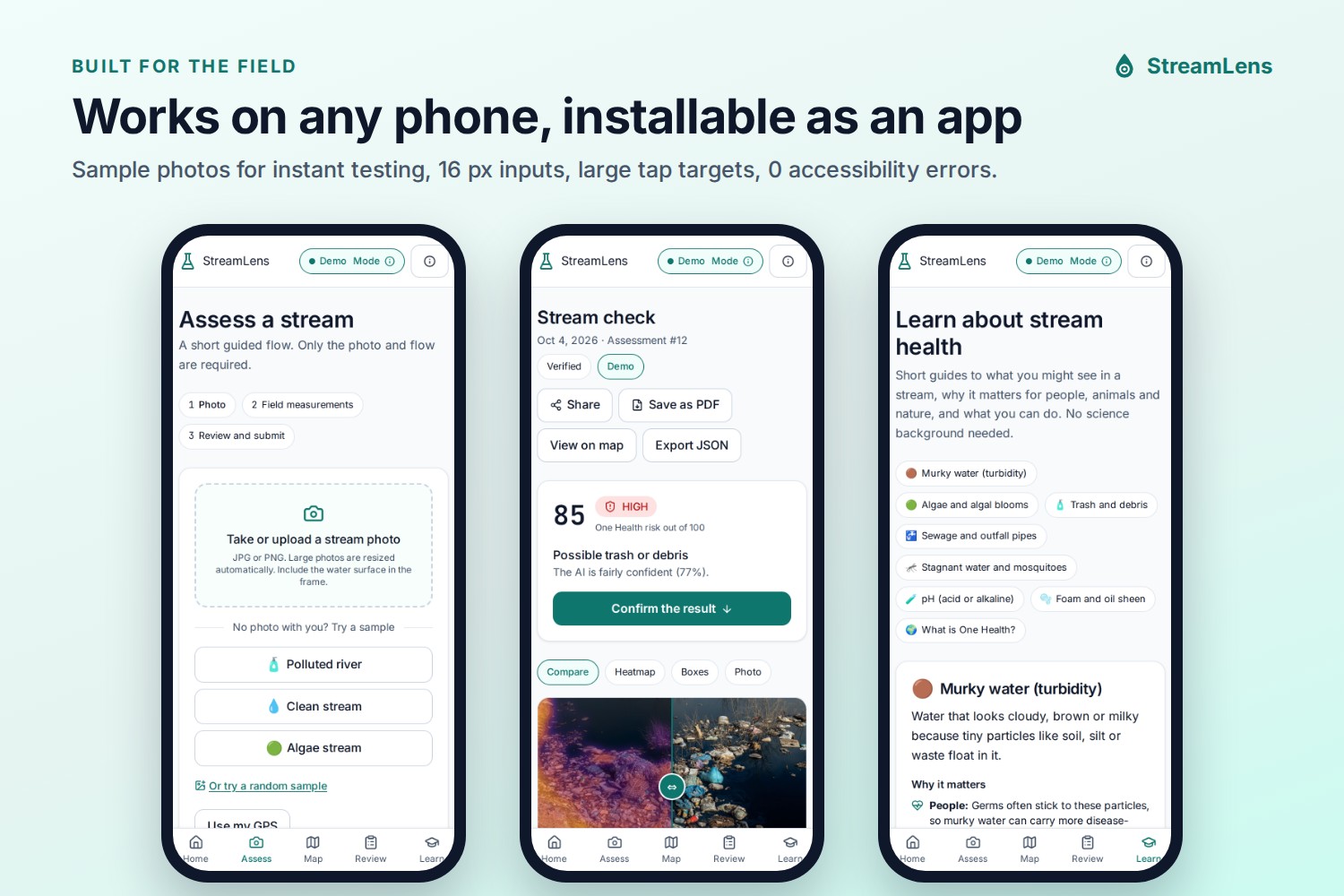
Snap and observe. The user uploads a stream photo (or tries a sample) and adds optional measurements: pH, clarity, temperature, flow, smell, and whether homes, schools or farm animals are nearby.
Validation checks. Before any AI runs, StreamLens checks photo quality (blur, darkness, size) and flags implausible values (for example a pH of 15), so bad data is caught early.
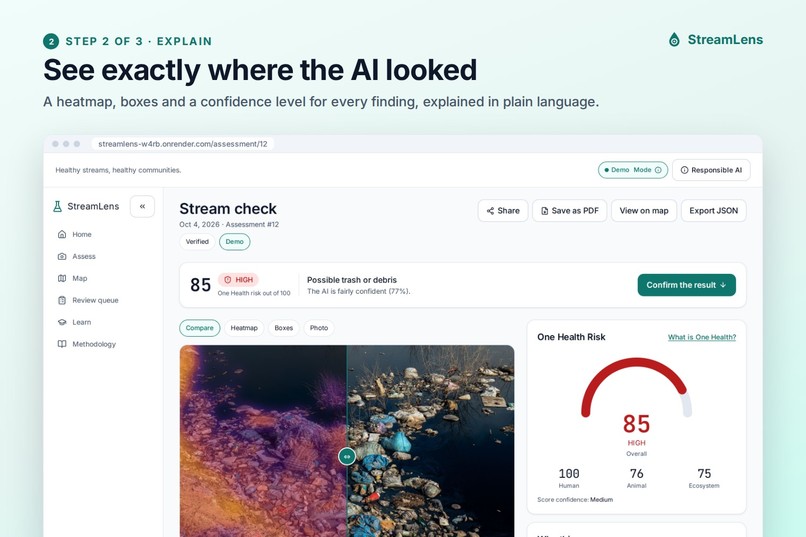
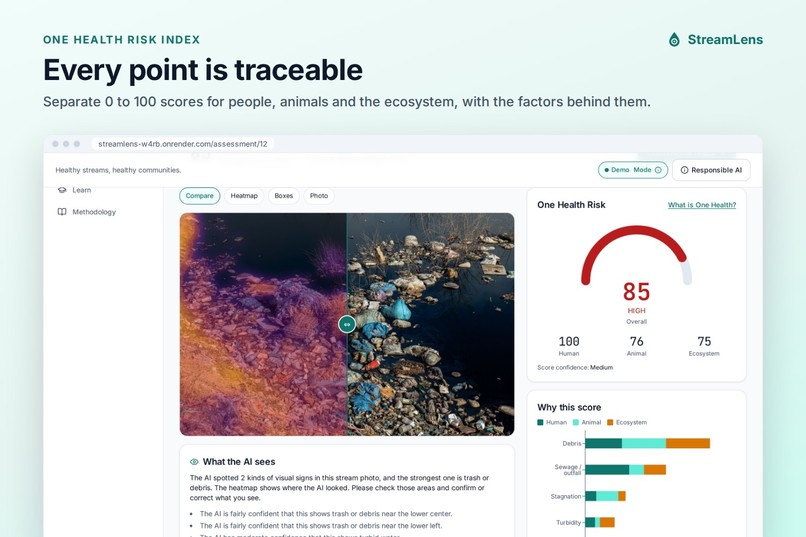
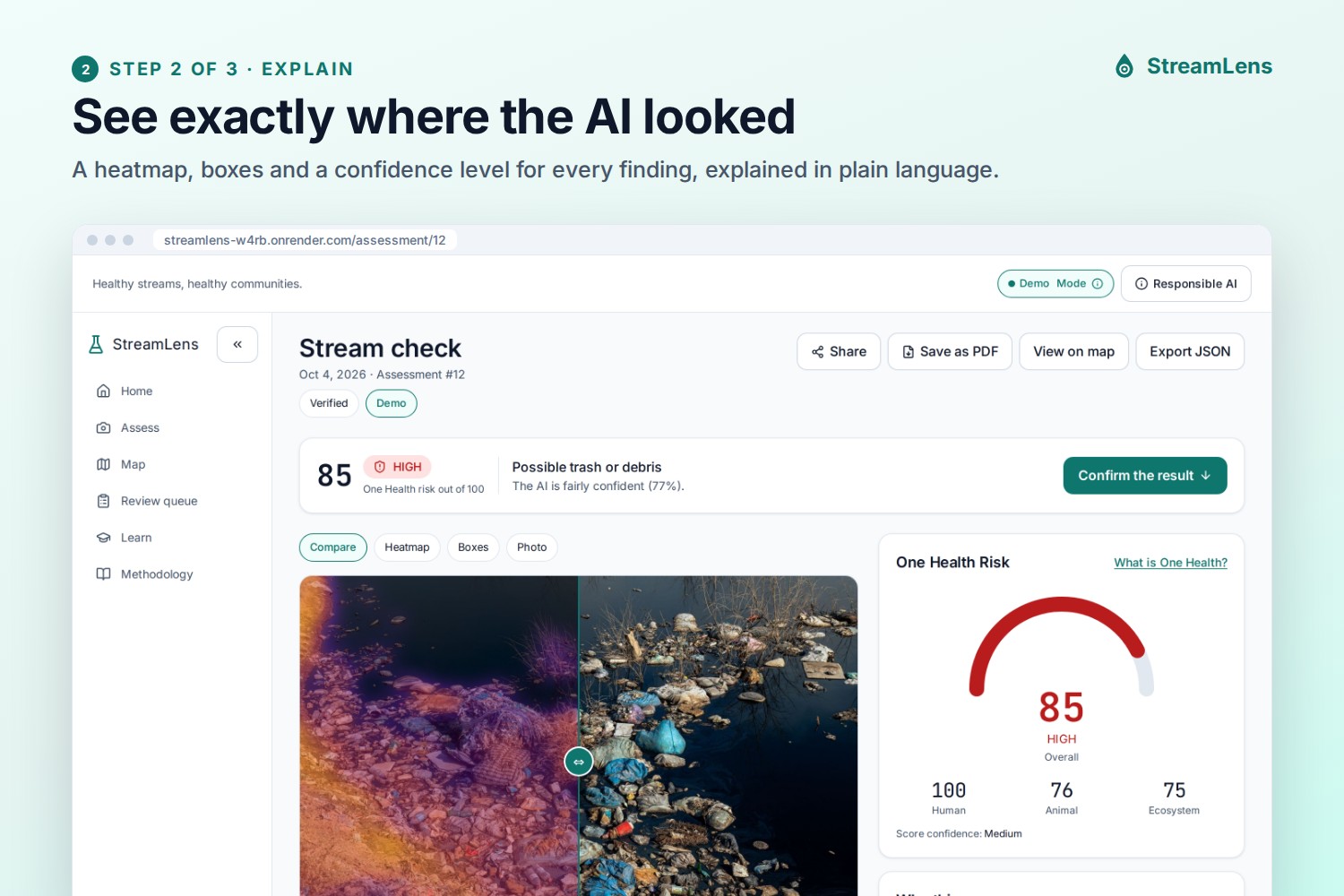
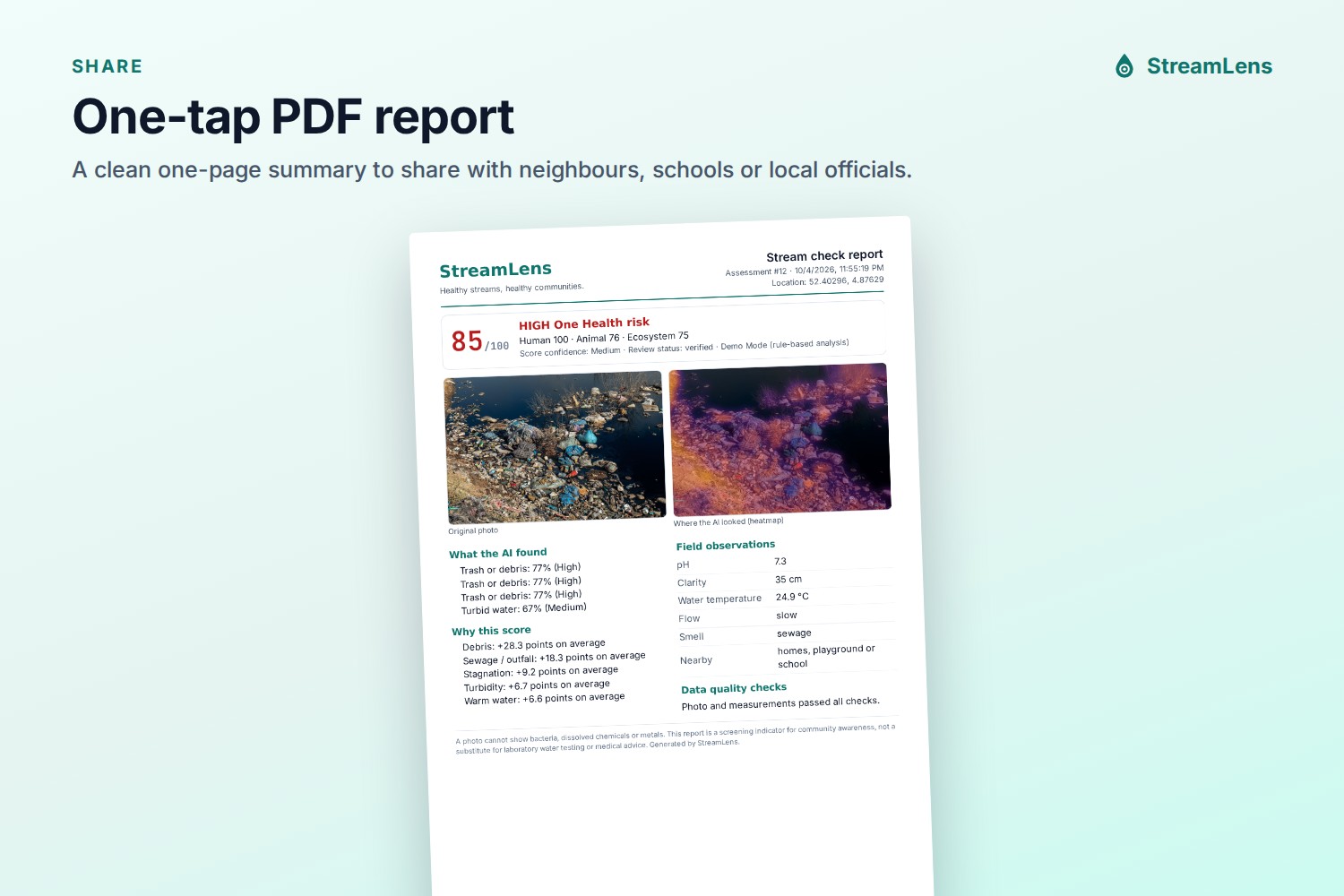
Explainable AI. The AI flags visible stressors such as trash, murky water, algae, foam and stagnant water, and shows why: a heatmap with a before/after slider, boxes around findings, confidence dials, and a plain-language explanation. It is also honest about its limits: a photo cannot show bacteria or chemicals.
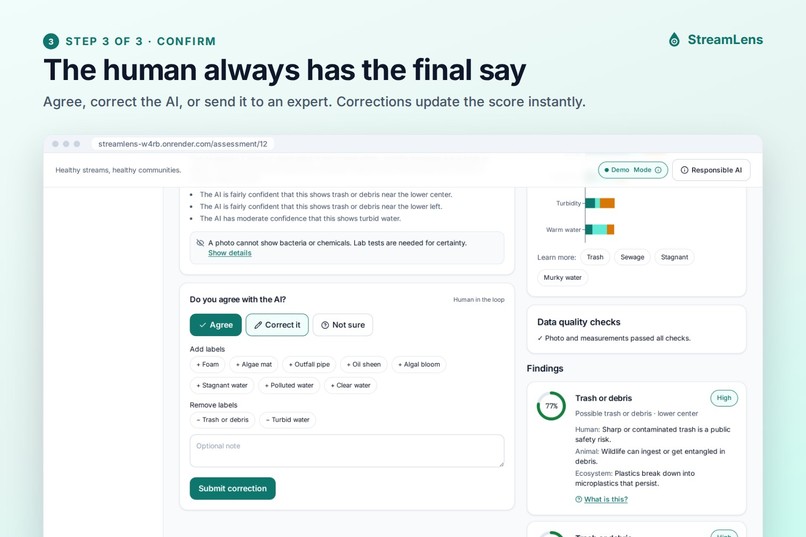
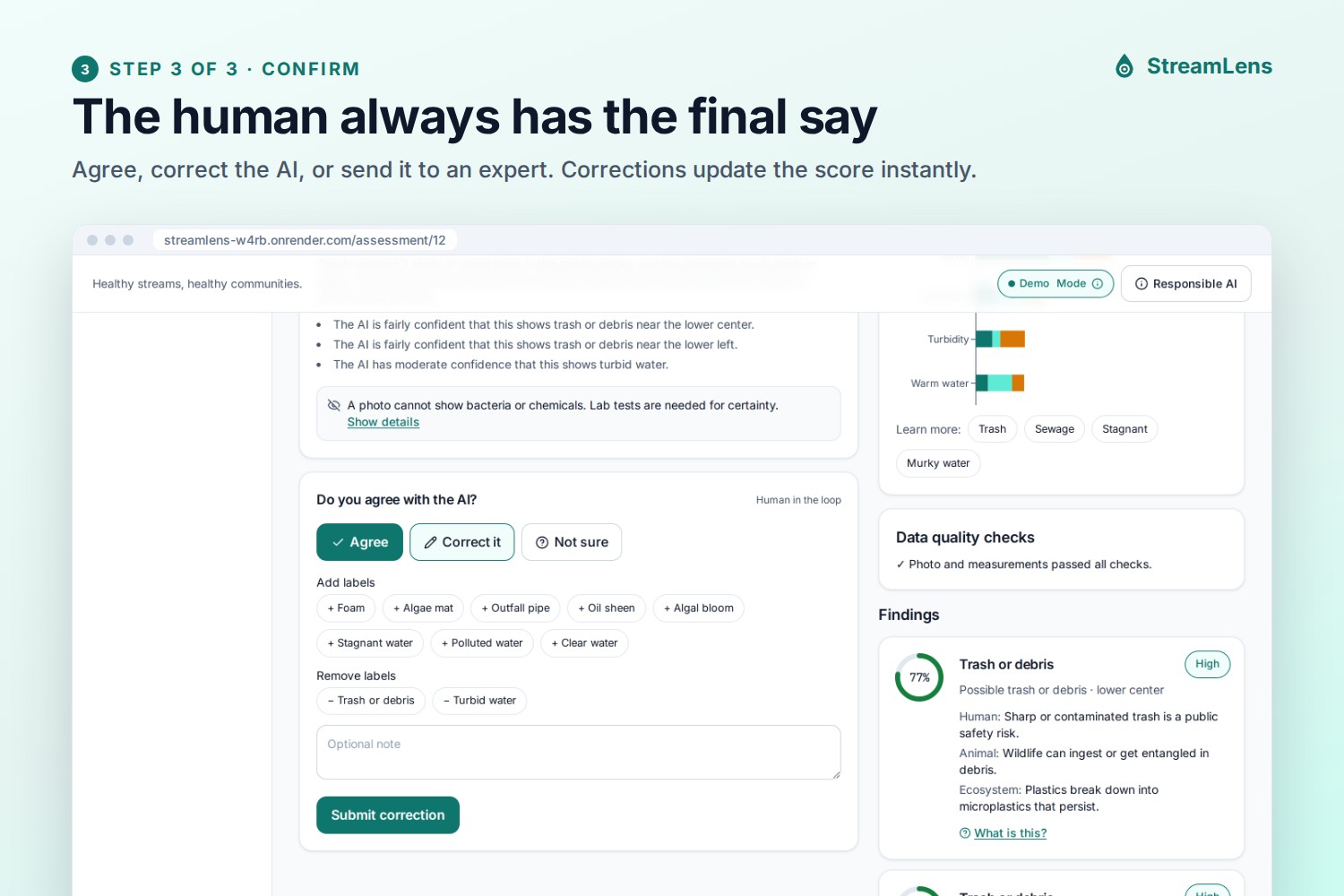
Human in the loop. Every result asks "Do you agree with the AI?" The user can Agree, Correct it (add or remove labels, which recalculates the score) or say Not sure. When the AI itself is unsure, it asks the user to take a closer look instead of giving an answer.
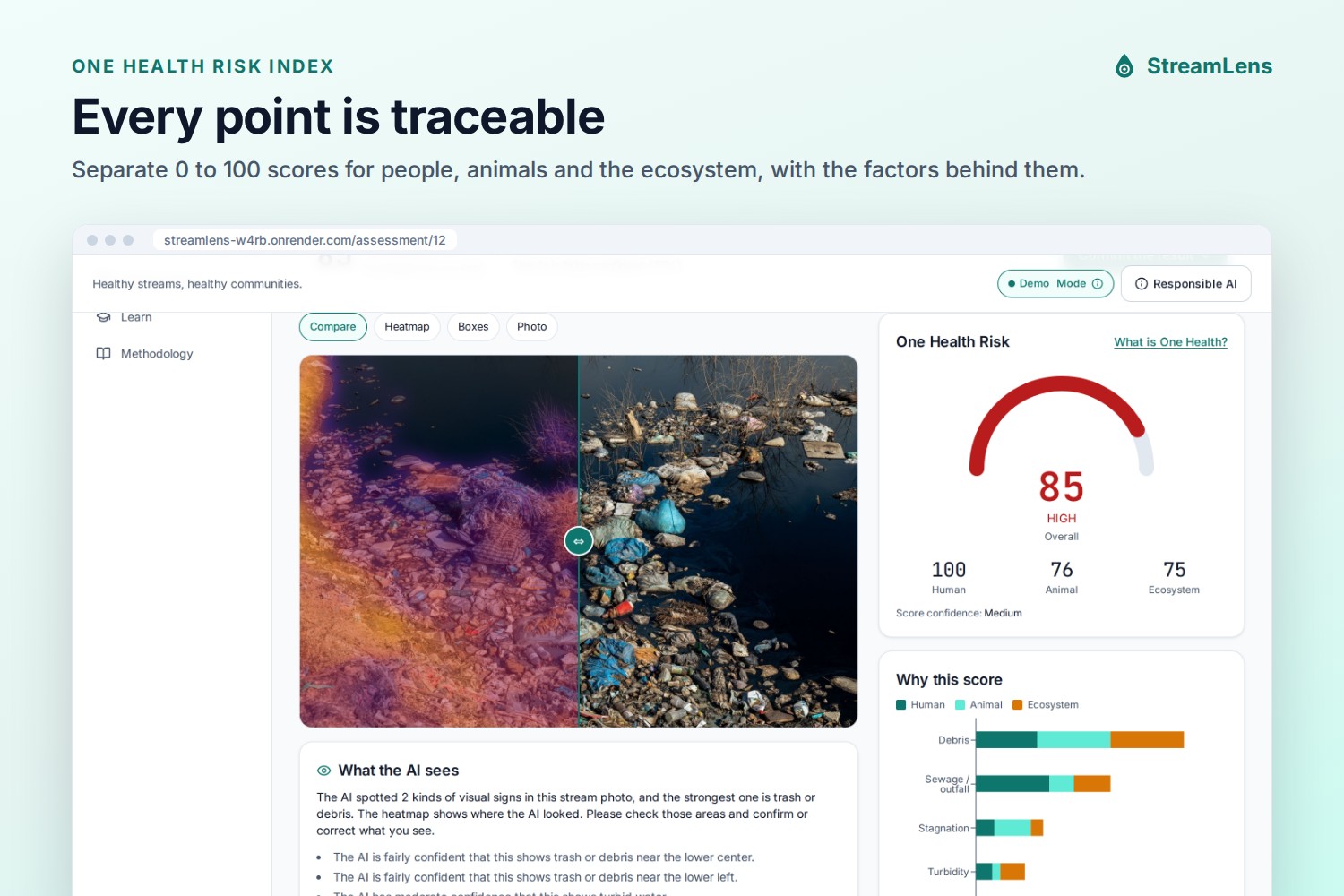
One Health Risk Index. A transparent 0 to 100 score with separate Human, Animal and Ecosystem scores, and a "Why this score" chart showing exactly which factors added points. It includes interaction terms for real-world links, such as still, warm water (mosquito breeding) and trash in murky water (often a sign of sewage).
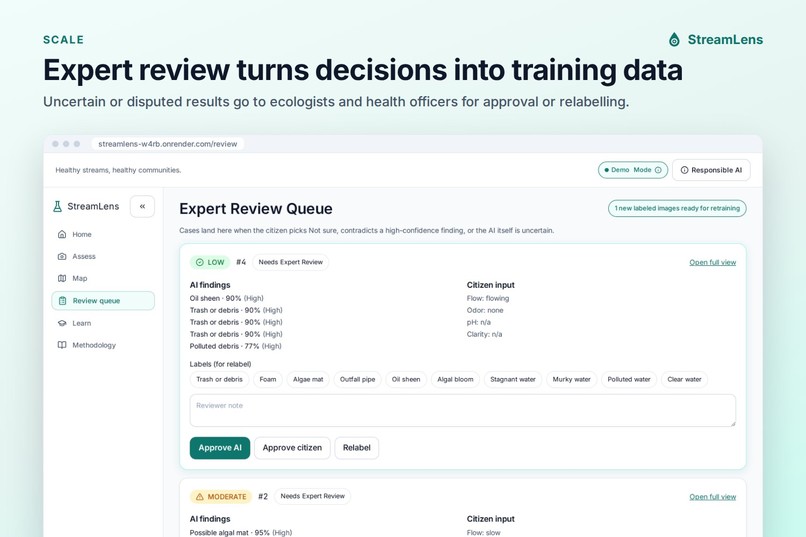
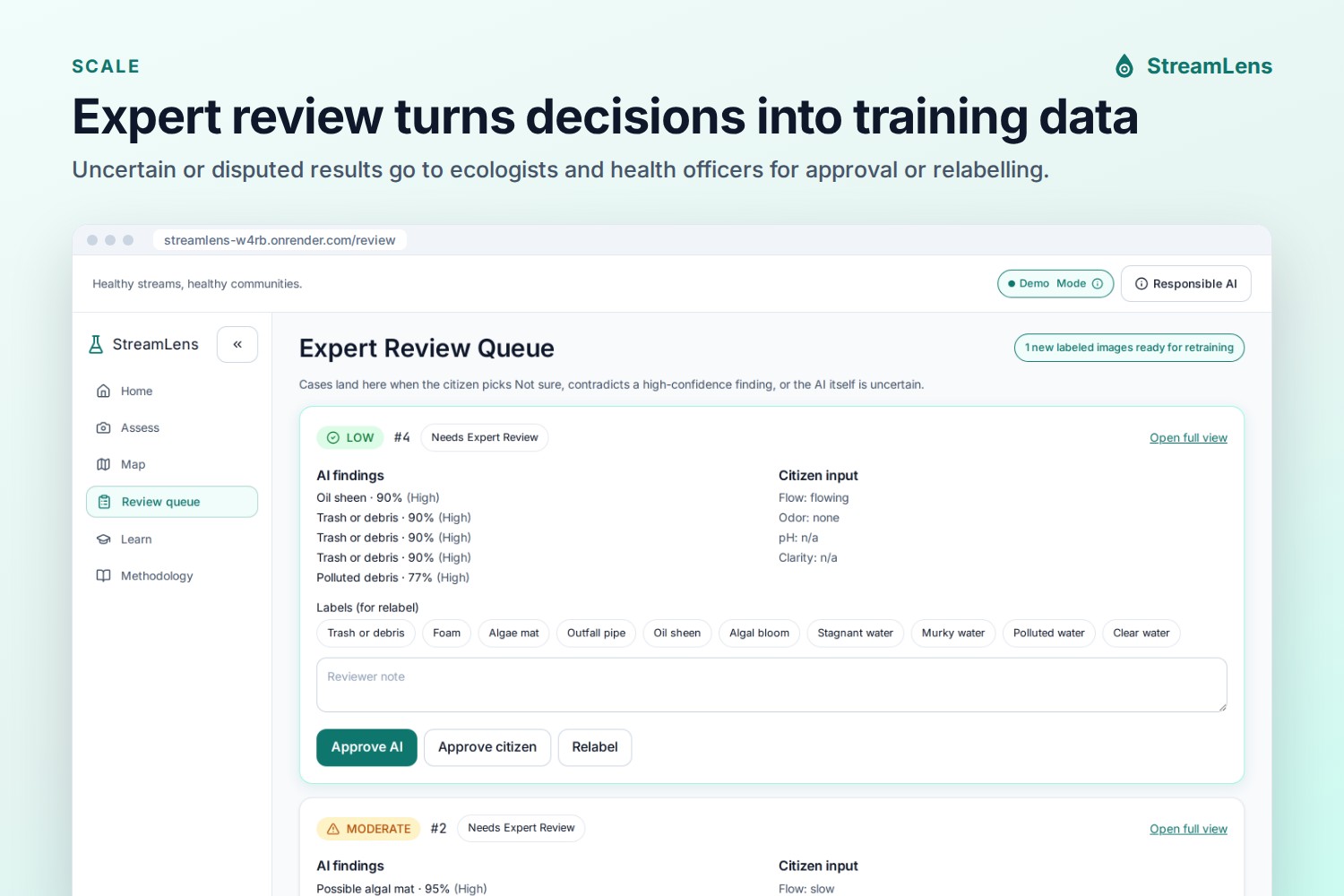
Expert review queue. Uncertain or disputed results go to ecologists or health officers, who approve or relabel them. Each decision becomes a labelled example for future model training.
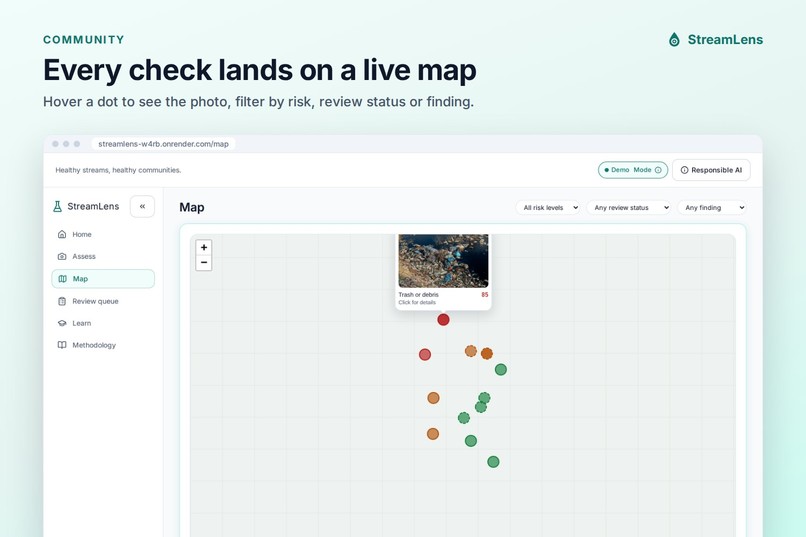
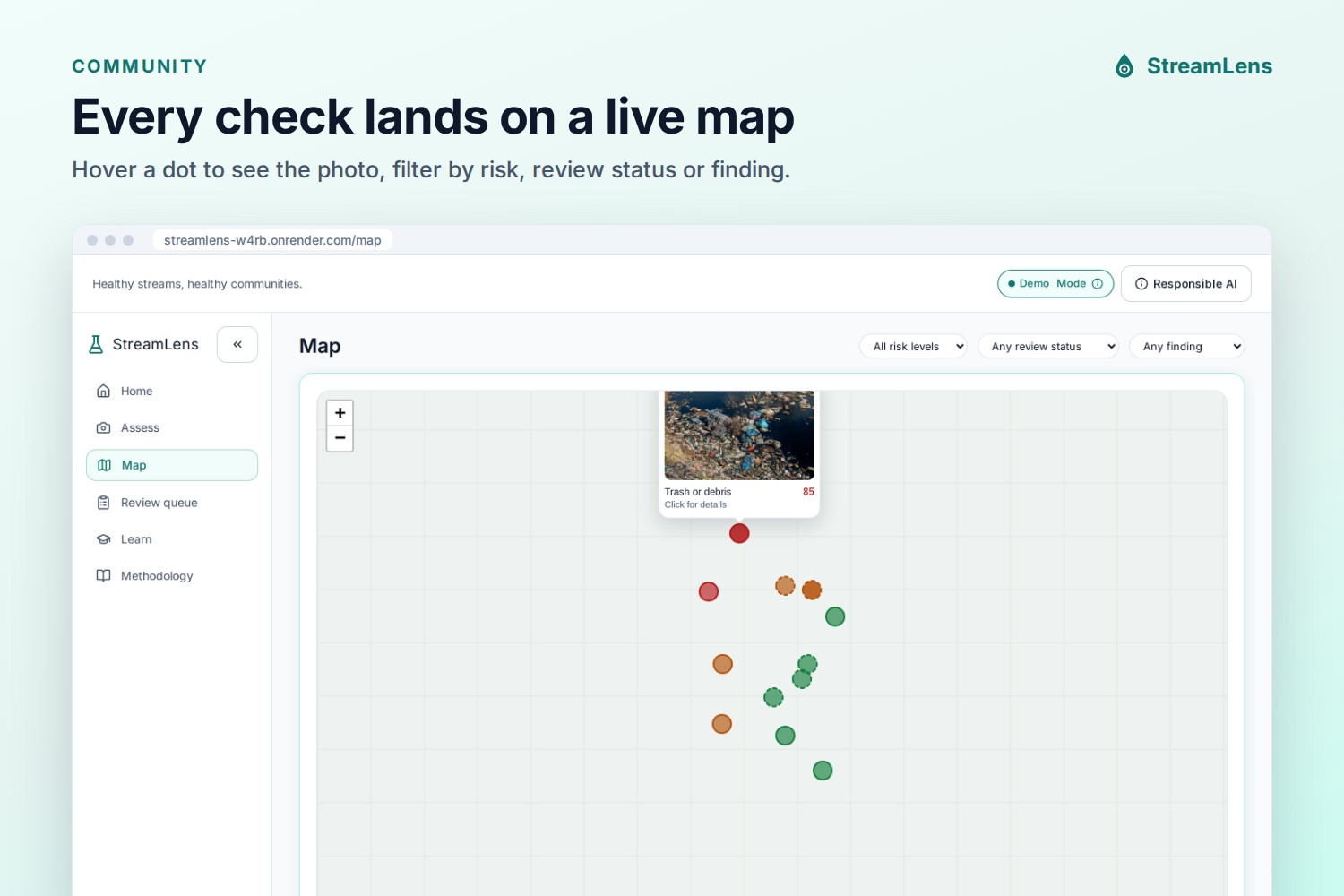
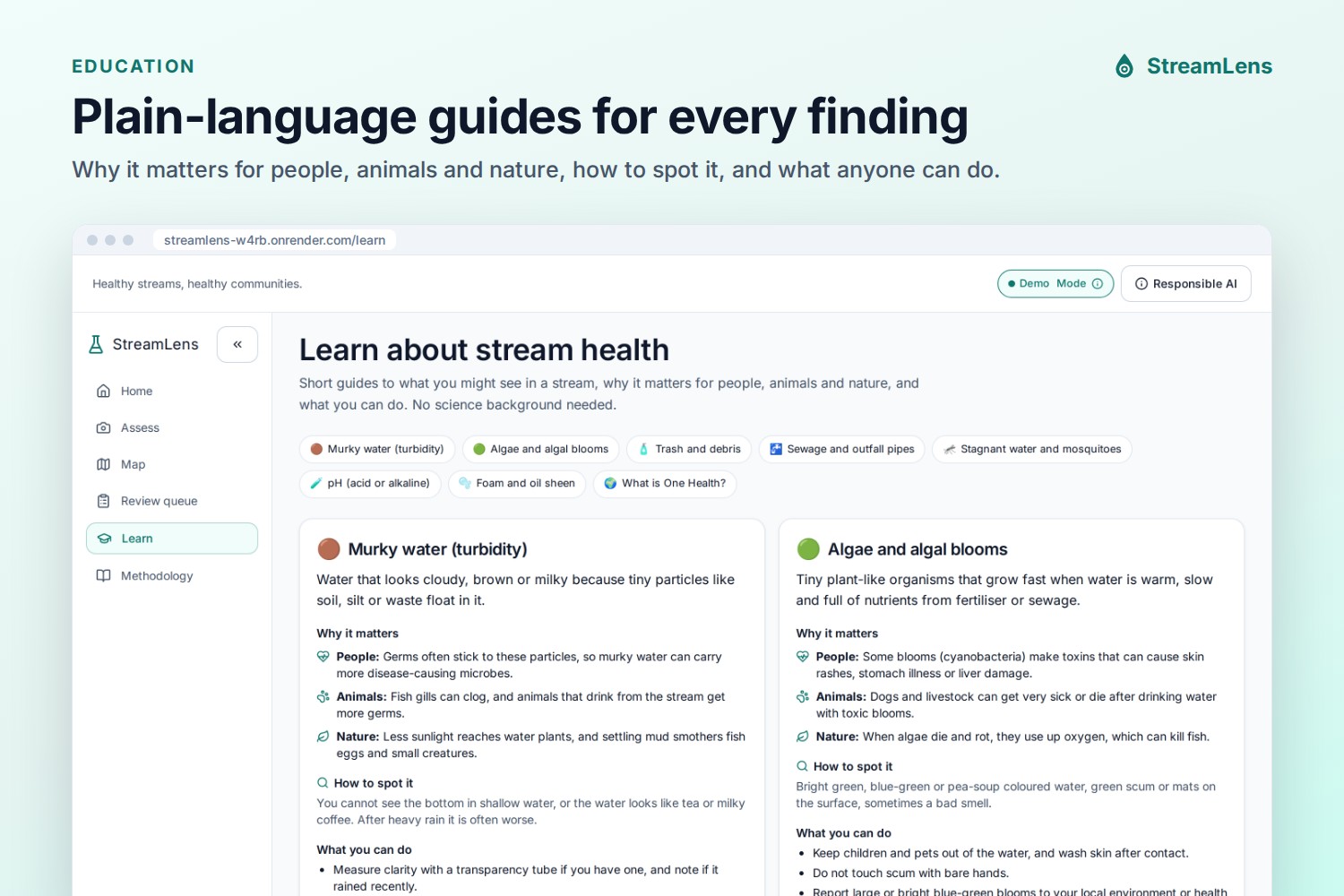
Map, learning and sharing. All results appear on a map (hover a dot to see the photo). A Learn page explains each problem in plain language, with "What is this?" links from every finding. Results can be shared, and the app can be installed on a phone like a native app.
How we built it
Frontend: React, TypeScript, Vite, Tailwind CSS, Framer Motion, Recharts and Leaflet. It is mobile-first, tested from 320 px phones to laptops, passes automated WCAG AA accessibility checks (axe-core), and works as an installable Progressive Web App.
Backend: Python FastAPI with an image pipeline built on OpenCV, NumPy and Pillow, and SQLite for storage.
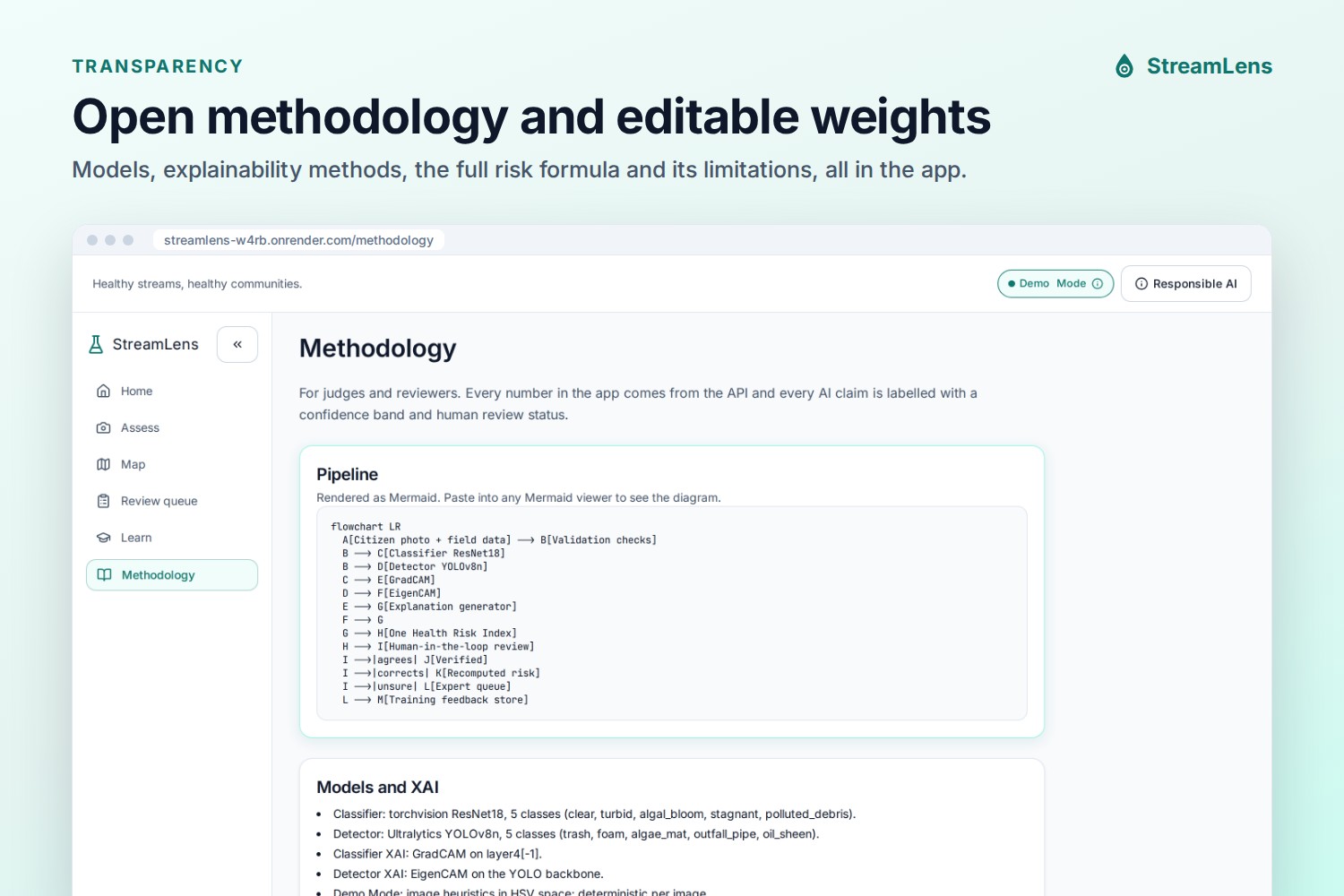
AI and explainability: The pipeline is designed for a ResNet18 classifier with Grad-CAM and a YOLOv8 detector with EigenCAM, and switches to them automatically when trained weights are added. For this submission it runs in a clearly labelled Demo Mode that uses transparent colour and texture rules (for example, many small sharp-edged plastic-coloured objects mean trash), with saliency heatmaps that show exactly which pixels each rule used.
Risk index: Weights are kept in one editable config file and shown on the Methodology page, so experts can inspect and adjust them.
Deployment: One Docker container (the backend serves the built frontend), deployed on Render from GitHub, with 19 automated tests.
Challenges we ran into
Honesty versus impressiveness. We did not have time to train a reliable model on a labelled stream dataset, and we did not want to fake accuracy. So we built Demo Mode as a transparent stand-in, labelled everywhere, with an explanation of what it means.
Our first rules were wrong. Testing on real photos showed that brown water was being called "trash" and green nets were being called "algae". We rewrote the rules around what trash and algae actually look like, and recalibrated the risk weights so a heavily littered river scores Moderate from the photo alone and High once a sewage smell and nearby homes are reported.
Speed. An early version took about 16 seconds per photo. Rewriting one step with OpenCV and resizing large photos brought it to about 1 second.
Accomplishments that we're proud of
Every Track 3 element works end to end: AI prompts, validation checks, explainable AI and human-in-the-loop review.
A risk score that anyone can inspect: every point can be traced back to a visible factor.
A clean, accessible app that works on any phone and can be installed.
Being honest about limitations inside the product itself.
What we learned
Explainability is not only a heatmap. People trust a result when they can see where the AI looked, understand why it matters, see what it cannot know, and correct it easily. We also learned how much real photos expose the weaknesses of simple rules, which is exactly why the human review step matters.
What's next for StreamLens
Train the classifier and detector on labelled stream photos, starting with the expert-reviewed corrections the app already collects.
Connect with the OneAquaHealth citizen science app and existing data standards.
Track the same site over time with trend charts, and add personal contribution badges to keep volunteers engaged.
Translations (Hindi) and offline photo capture for field use.
Pilot with local schools and community groups.
Note for judges:-
The app is hosted on a free server. If you see a loading screen, please wait up to a minute. Results are a screening indicator for community awareness, not a substitute for laboratory testing.
Built With
- built-with:-react
- docker
- fastapi
- framer-motion
- leaflet.js
- numpy
- opencv
- pillow
- python
- recharts
- render
- sqlite
- tailwindcss
- typescript
- vite

Log in or sign up for Devpost to join the conversation.