
For judges: the store update is still in review, so please install the latest build (v0.8.8) from the ZIP: https://github.com/uzerkayat2004-gif/streamlaughs/releases/tag/v0.8.8 Unzip it, open chrome://extensions, turn on Developer mode, click Load unpacked and pick the folder. Then open any Twitch stream and tap the smiley. No account needed. You can also try it in your browser at https://streamlaughs.vercel.app/try
Inspiration
When your favorite streamer says something hilarious, thousands of fans laugh at the exact same second. But you're sitting alone at your desk, and chat only shows what people type, not how the room feels. I wanted a tiny, fun way to feel that shared laugh, without anyone ever uploading their voice.
What it does
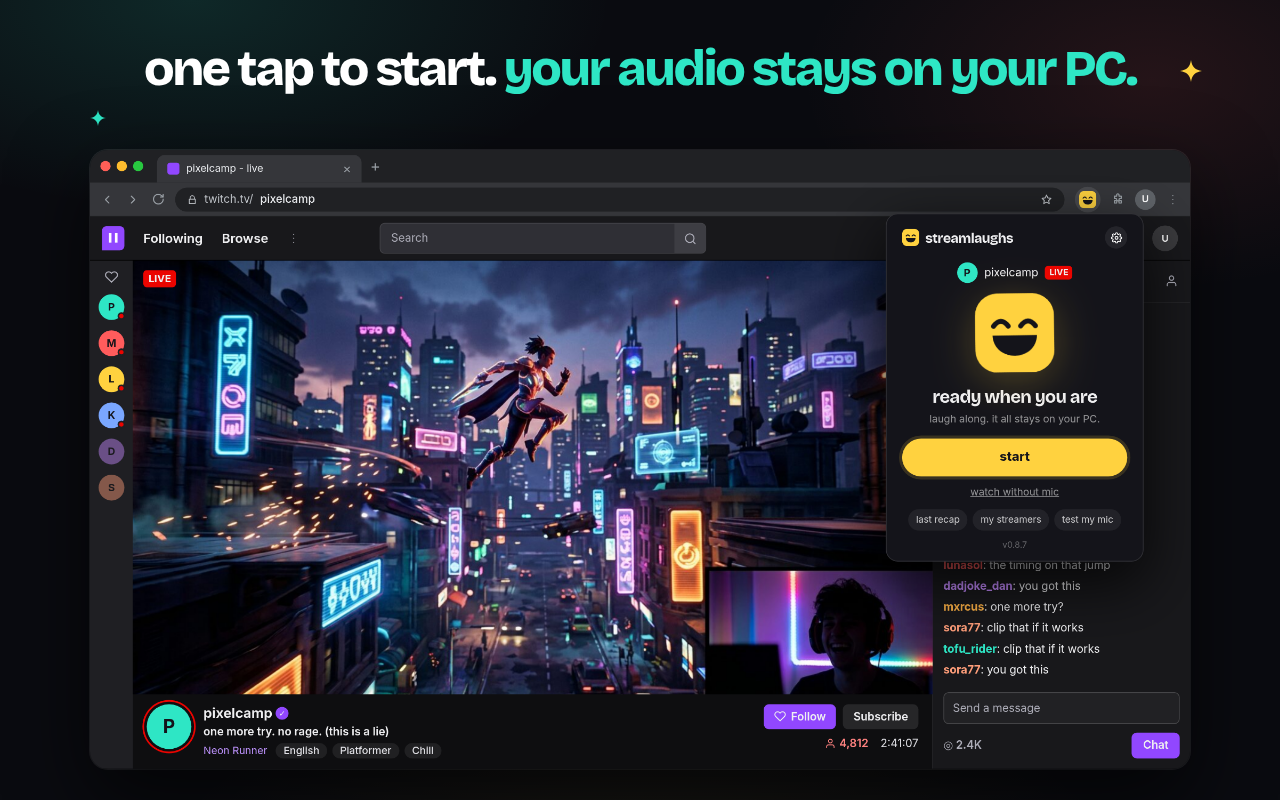
StreamLaughs is a free Chrome and Edge extension for Twitch.
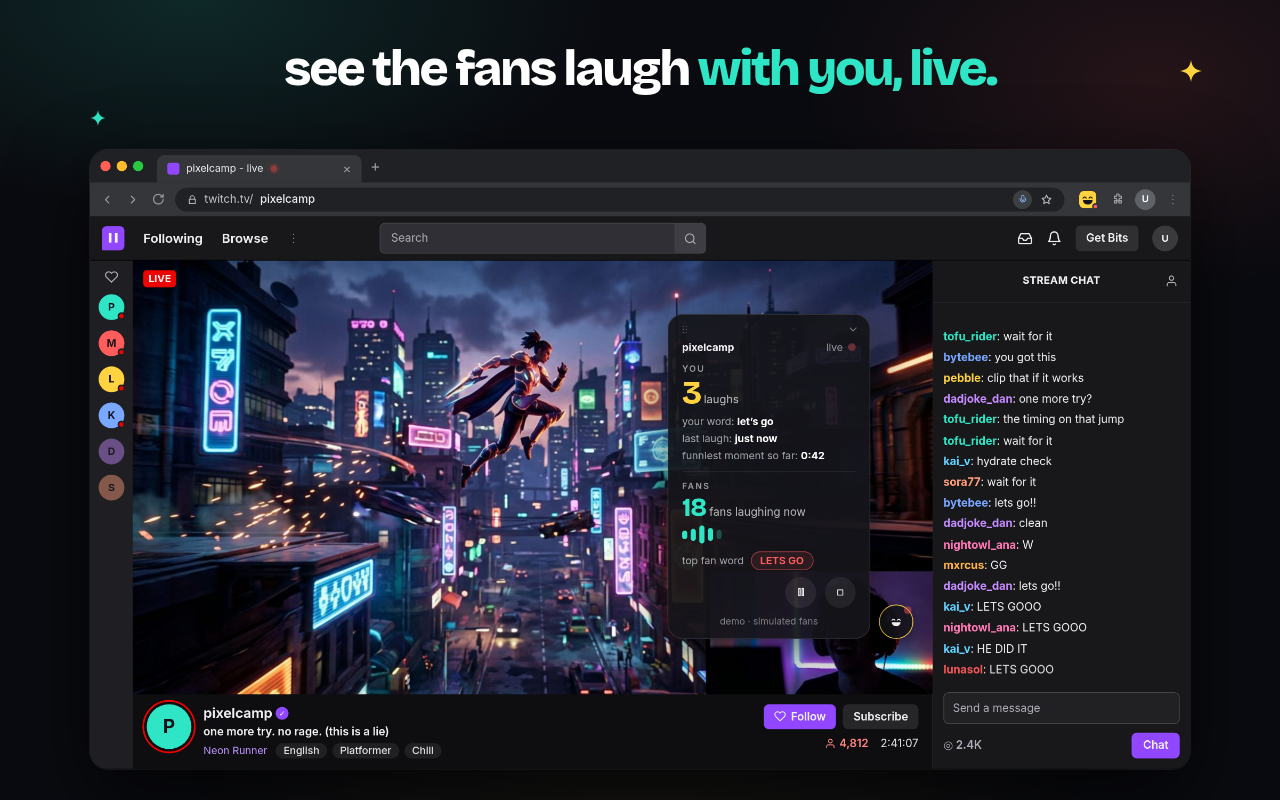
For fans: open any stream, tap the smiley and press start. No account, no sign up. When you laugh, cheer or say "let's go", your count goes up. A small dot on the stream shows how many fans are laughing with you right now, plus the top reaction word.
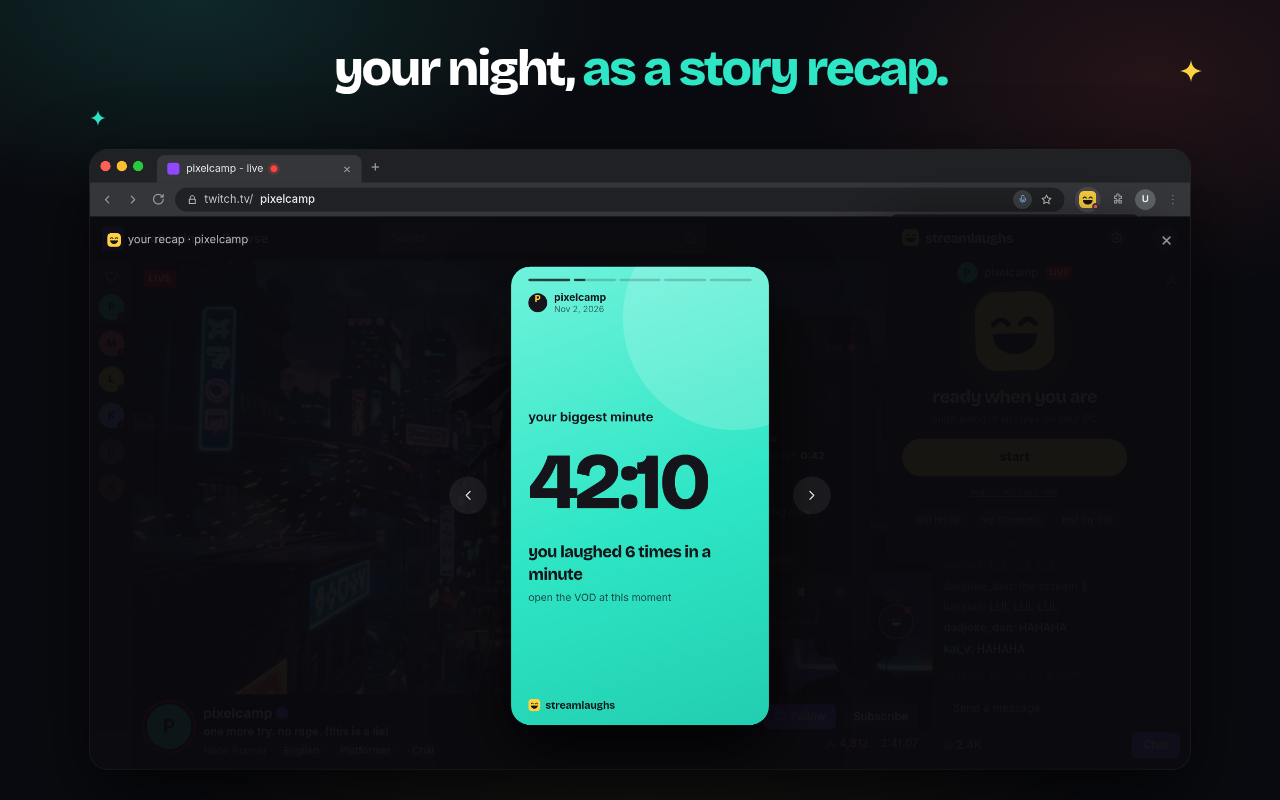
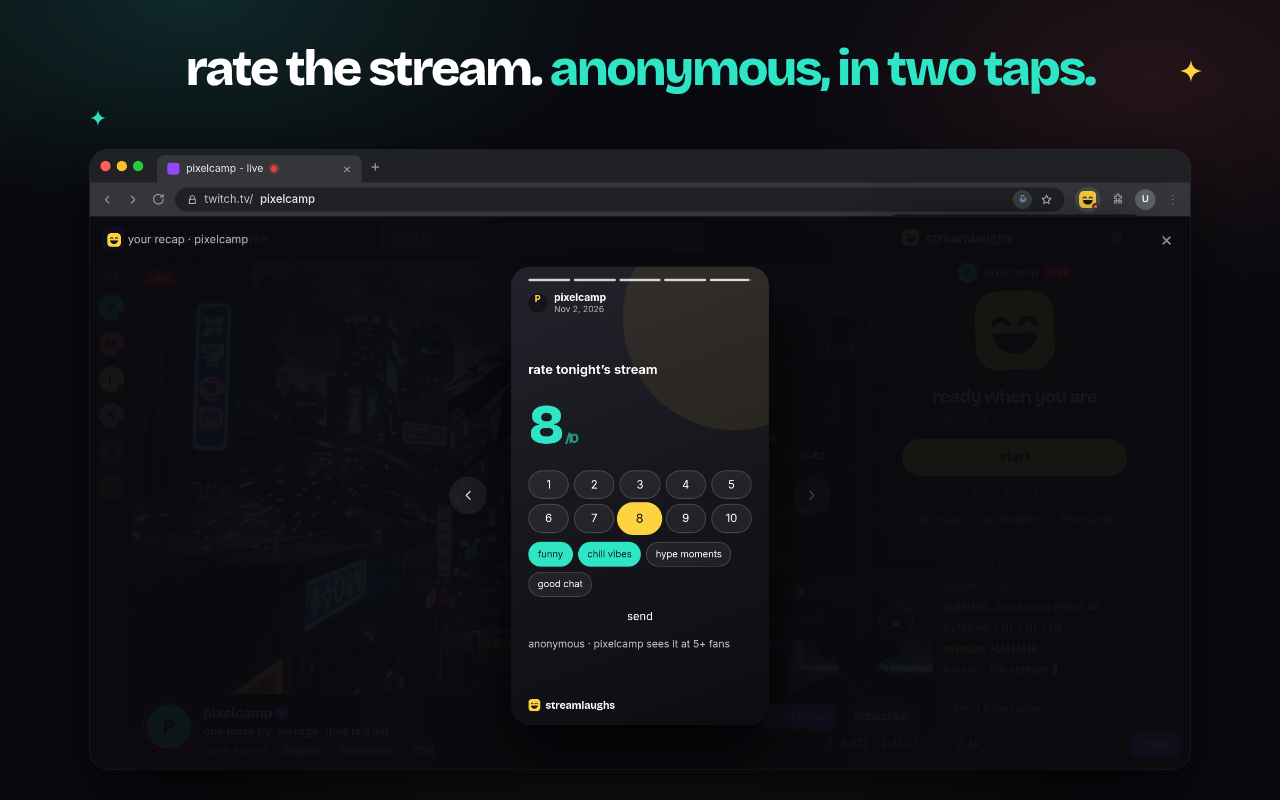
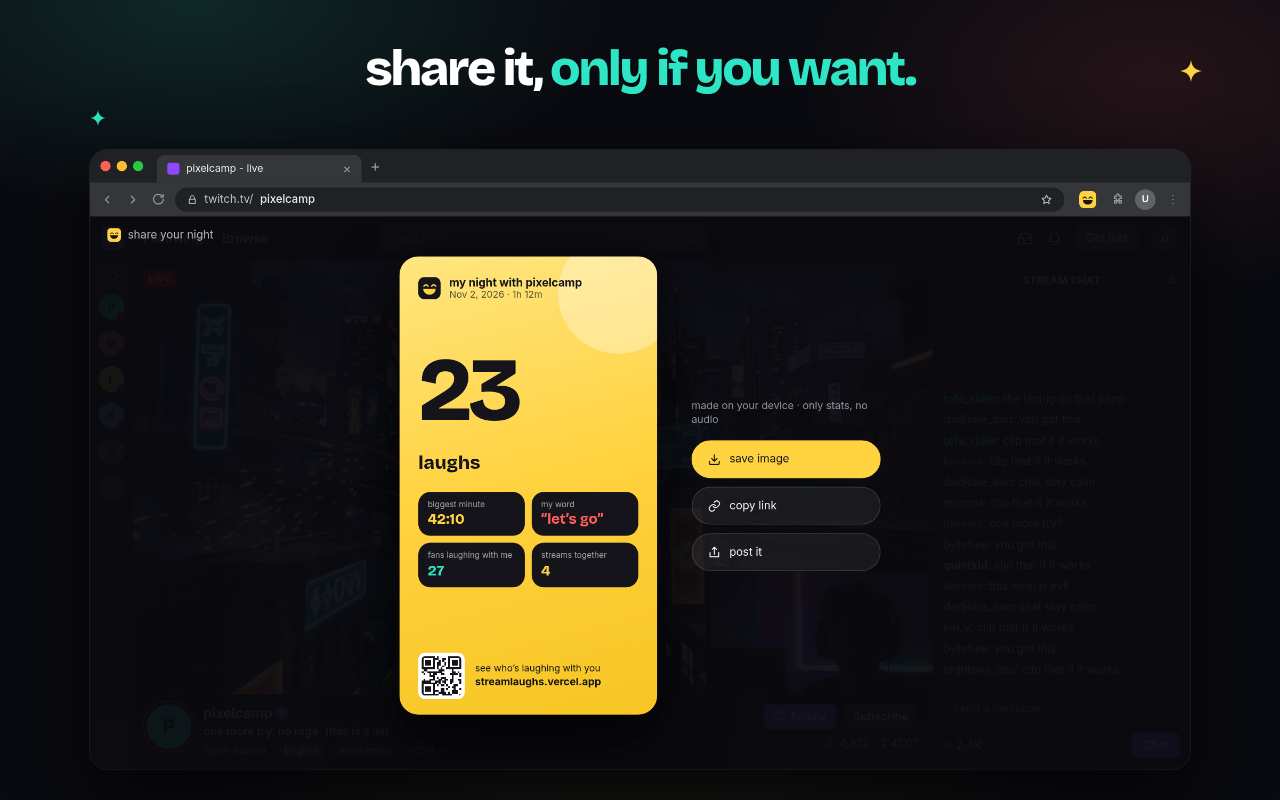
Your night, as a story: when the stream ends you get a private recap: your laughs, your biggest minute, your favorite words, and your history with that streamer. You can rate the stream from 1 to 10 with up to three reasons in two taps, fully anonymous. If you want to brag, you can make a share card, but only when you choose to.
For streamers: streamers sign in with Twitch and see laugh waves across their stream, so they know exactly which moments landed, plus how fans rated the night. Only totals, never names. Nothing shows until at least 3 fans laughed or 5 fans rated.
How we built it
I wrote the idea and the design. OpenAI Codex was my engineer: it built the extension, the website and the backend, one focused prompt at a time.
- Extension: TypeScript, React and WXT (Manifest V3). Three small AI models run right inside the browser: one hears your voice (Silero VAD), one spots laughter (YAMNet), and a tiny speech model catches short words (Whisper via Transformers.js, WebGPU/WASM).
- Privacy by design: audio is processed in memory and thrown away. Nothing is recorded and nothing is uploaded. Only if you turn on sharing, an anonymous count or an approved word like "W" goes to the server.
- Backend: Hono on Cloudflare Workers with Durable Objects and WebSockets, which share live totals with every fan on that channel and enforce the 3-fan minimum on the server.
- Website: Next.js on Vercel, with a no-login demo, an install page and an owner-only streamer page using Twitch sign-in.
Challenges we ran into
- Twitch audio stuttering while the extension listened. Codex added debug tools, reproduced it with recorded audio and fixed it.
- Normal talking counted as a laugh. We tuned detection with real clips and added tests so it stays fixed.
- Counts stuck at zero on a real PC. A calibration bug only showed up on real hardware. Codex reproduced it with microphone test clips, fixed it, and added a hidden diagnostics view (hold the version number) to see mic level and model status.
- Chrome Web Store rejected one build because a library put a hidden invalid character into the code. Codex found it and added a build step that escapes it.
- Telling the viewer's own laugh apart from the streamer's audio, and keeping small streams private with honest "not enough fans yet" states.
Accomplishments that we're proud of
Seventy-seven test files later, StreamLaughs is live on the Chrome Web Store and Edge Add-ons. The AI runs fully on-device, there are no analytics, and no audio ever leaves your PC.
What we learned
Privacy has to live in the code, not just in nice words. And small details, like a smooth empty state or a two-tap rating, matter as much as the big feature.
What's next
An Android app, better laugh detection from more consented test clips, and more fun recap moments for fans and streamers.
Built With
- chrome
- cloudflare-workers
- dexie
- durable-objects
- hono
- microsoft-edge
- next.js
- onnx-runtime-web
- openai-codex
- react
- silero-vad
- transformers.js
- twitch
- typescript
- web-audio-api
- webgpu
- whisper
- wxt
- yamnet


Log in or sign up for Devpost to join the conversation.