-
-
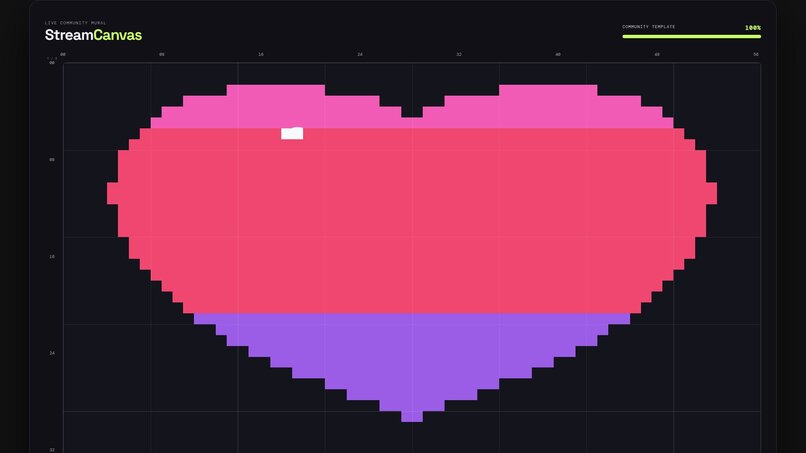
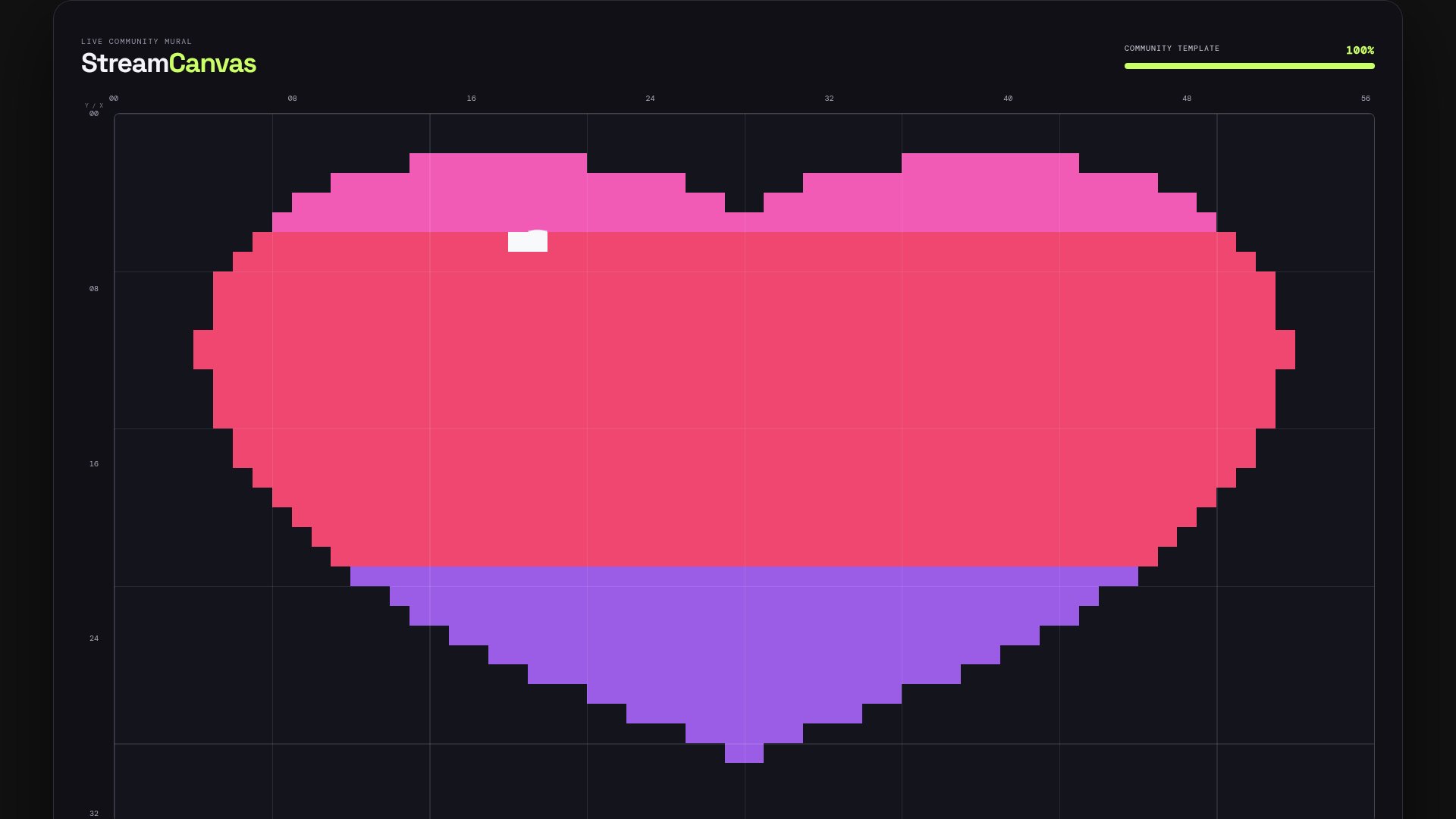
OBS stream overlay - heart mural painted by Twitch chat
-
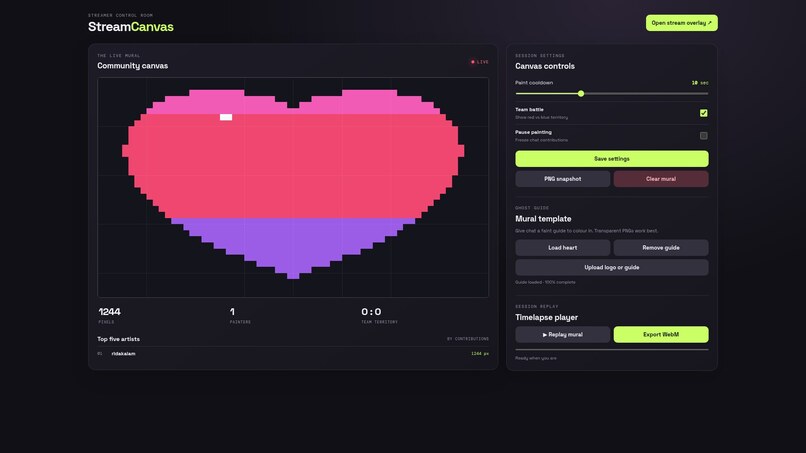
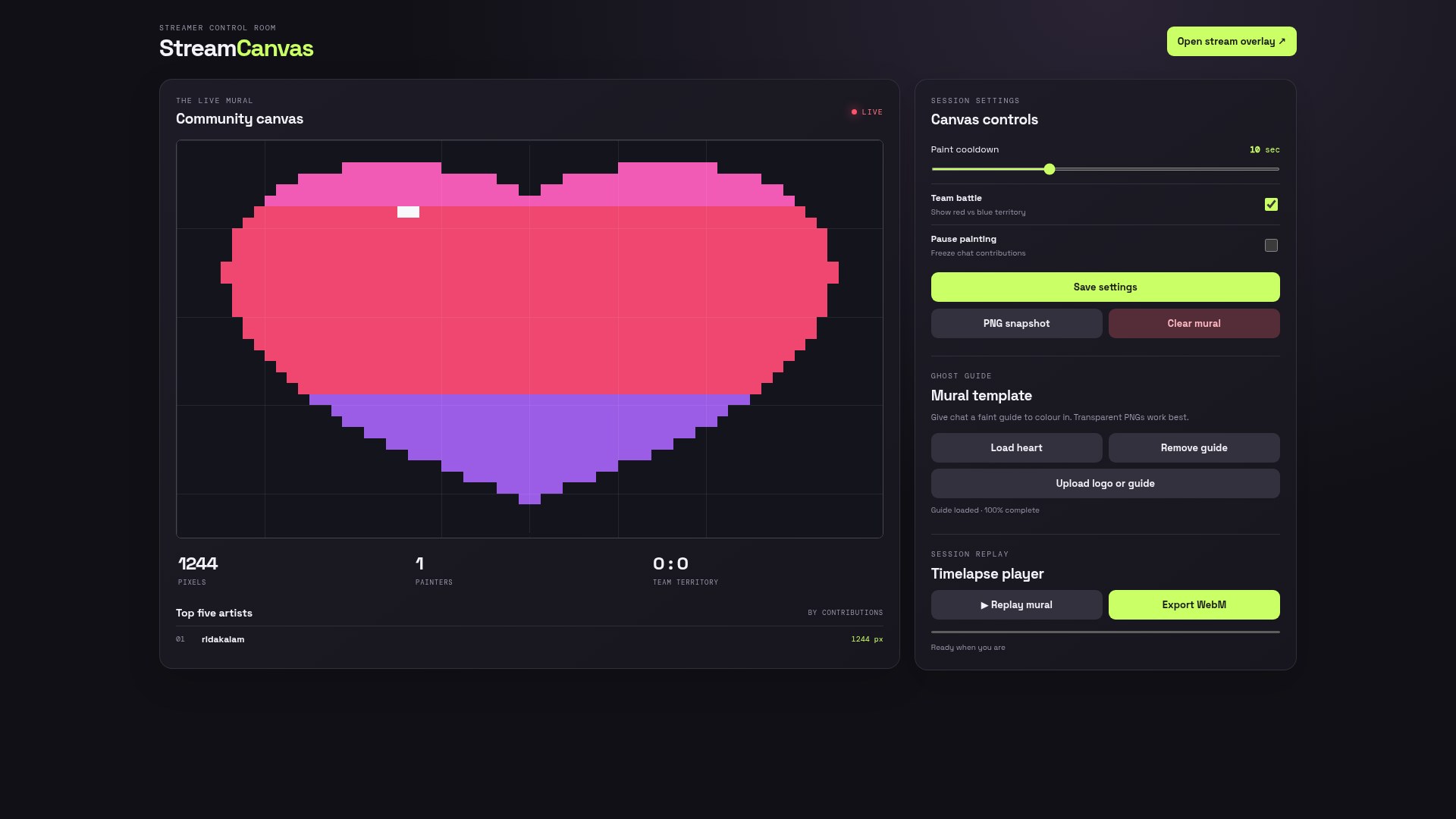
Voter dashboard showing live mural progress
-
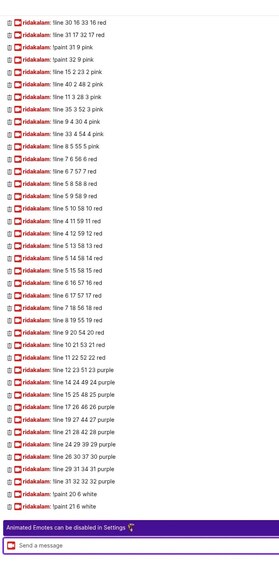
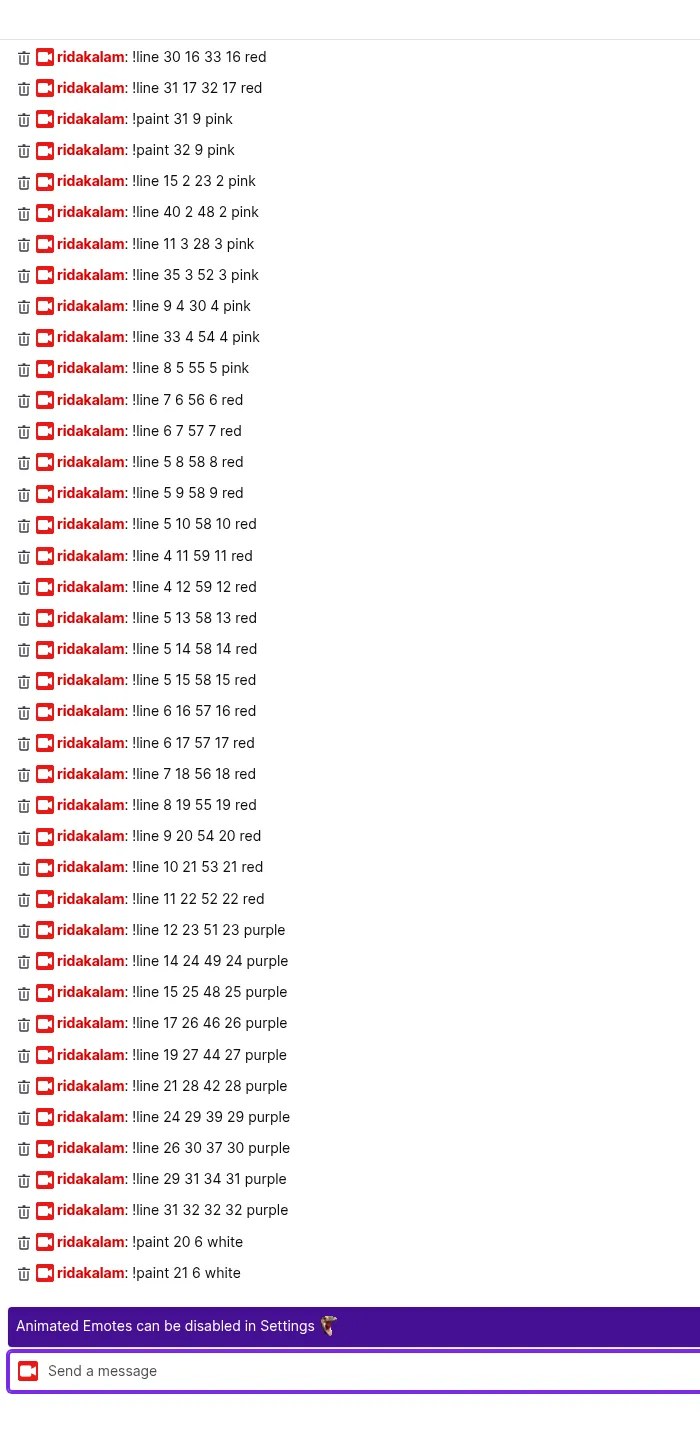
Twitch chat driving the overlay pixels
Inspiration
Chat is the heart of a Twitch stream, but most of the time it can only scroll past. We wanted to give viewers something they build together and can watch grow on stream, the way r/place did, scaled down to one community and one broadcast.
What it does
StreamCanvas turns chat into a shared 64×36 pixel mural on an OBS browser-source overlay.
!paint x y color: anyone drops a pixel onto the mural, with per-user cooldowns (halved for subscribers, and cheers add a burst).!line x1 y1 x2 y2 color: broadcaster, mods, VIPs and subs draw lines.!team red|blue: a team battle bar shows territory live.- Mod tools:
!undo @userand!ban @user. - Mural templates: the streamer loads a ghost guide (a heart, or their logo) that chat colours in, with a % complete meter on the overlay.
- Raids and follows (EventSub) set off a confetti burst and a banner.
- Streamer control room: live stats, top artists, cooldown slider, pause, teams toggle, PNG snapshot, and a timelapse of the whole session exported as WebM for clips.
- The mural persists across restarts, and a demo mode simulates a busy chat.
How it connects to Twitch
- Chat: Twitch IRC over WebSocket (
wss://irc-ws.chat.twitch.tv) with tags, badges and bits capabilities. Read-only works anonymously, and an optional bot token enables chat replies. - EventSub WebSocket: optional channel.raid and channel.follow subscriptions trigger on-overlay events.
- Overlay: a transparent 1920×1080 page added as an OBS Browser Source. We tested it live on twitch.tv/ridakalam: 48 real chat messages, every one received and applied, ending with chat completing a heart template to 100%.
How we built it (Codex)
The project was built end to end with the OpenAI Codex CLI in one main session (01a18063-fa92-7062-89dc-1524b2b090a3):
- We gave Codex a single written brief (in the repo as BRIEF.md). Codex scaffolded the Node/Express/ws server, the Twitch IRC client, the EventSub client, canvas state and persistence, the command engine, overlay, dashboard and tests. It then ran the test suite and a demo boot check until both passed.
- In a second pass in the same session, Codex reformatted the code for readability, made the overlay broadcast-ready (pixel drop-in animation, painter ticker, axis labels, team bar), built the dashboard and timelapse export, added mural templates, and grew the suite to 20 tests.
- The first live test on Twitch found a real bug: the broadcaster couldn't use
!line. Back in the same Codex session, Codex added broadcaster privileges and rejection logging. The suite now has 23 tests, all passing.
Challenges
Twitch privileges come from IRC tags and badges, and the broadcaster isn't a "mod", so the live test was essential. Getting a crisp, readable grid at 1080p while letting viewers aim by coordinates led to the axis labels every 8 cells.
Accomplishments
A working end-to-end loop from real Twitch chat to the server to the overlay, a polished control room, and a timelapse streamers can post as a clip.
What's next
Twitch Extension panel with click-to-paint, Channel Points redemptions for big brushes, per-stream mural galleries, and saving the timelapse straight to clips.
Built With
- express.js
- html5
- javascript
- mediarecorder
- node.js
- openai-codex
- twitch
- twitch-eventsub
- twitch-irc
- websockets

Log in or sign up for Devpost to join the conversation.