-
-
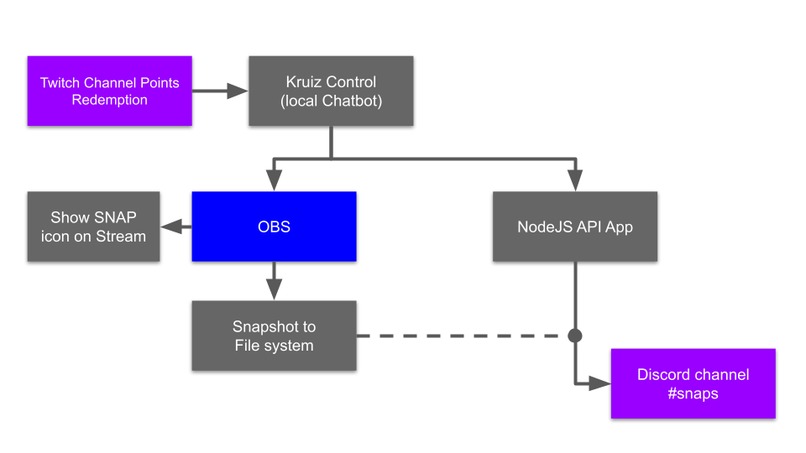
SNAP Workflow
-
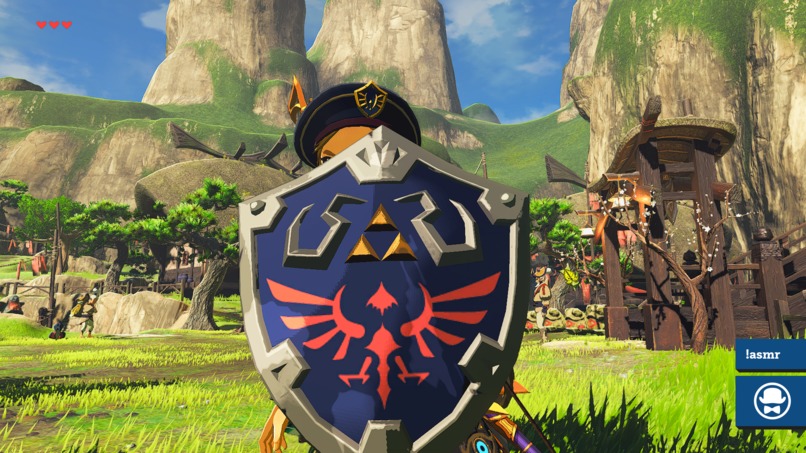
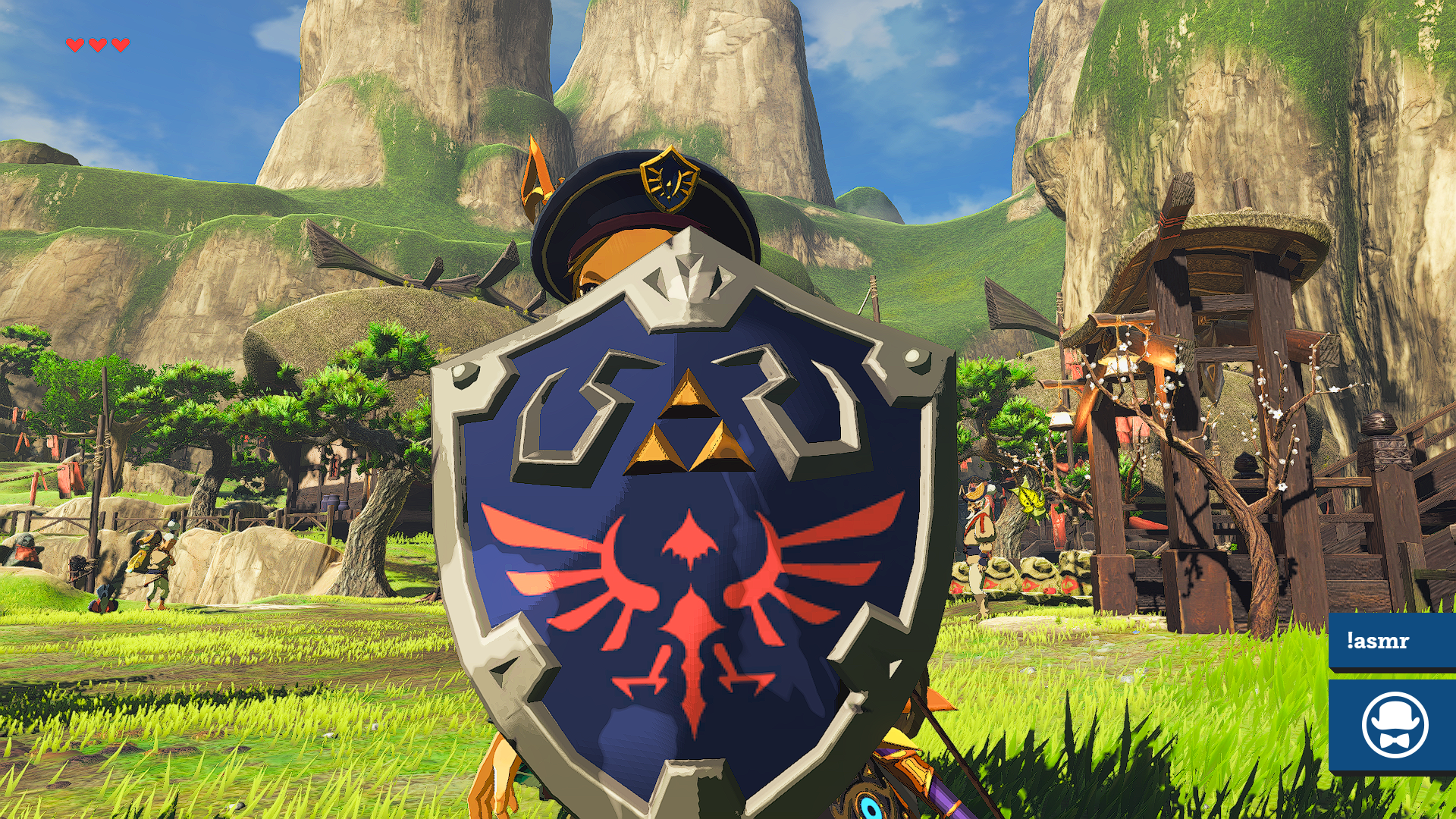
SNAP made using the Channel Points redemption
-
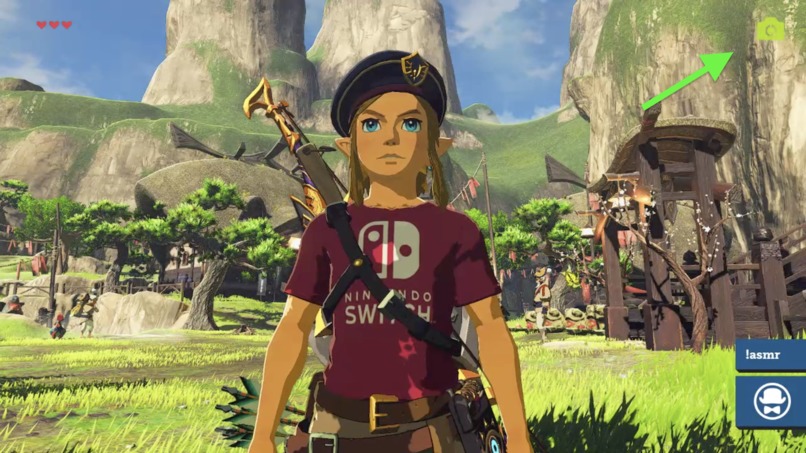
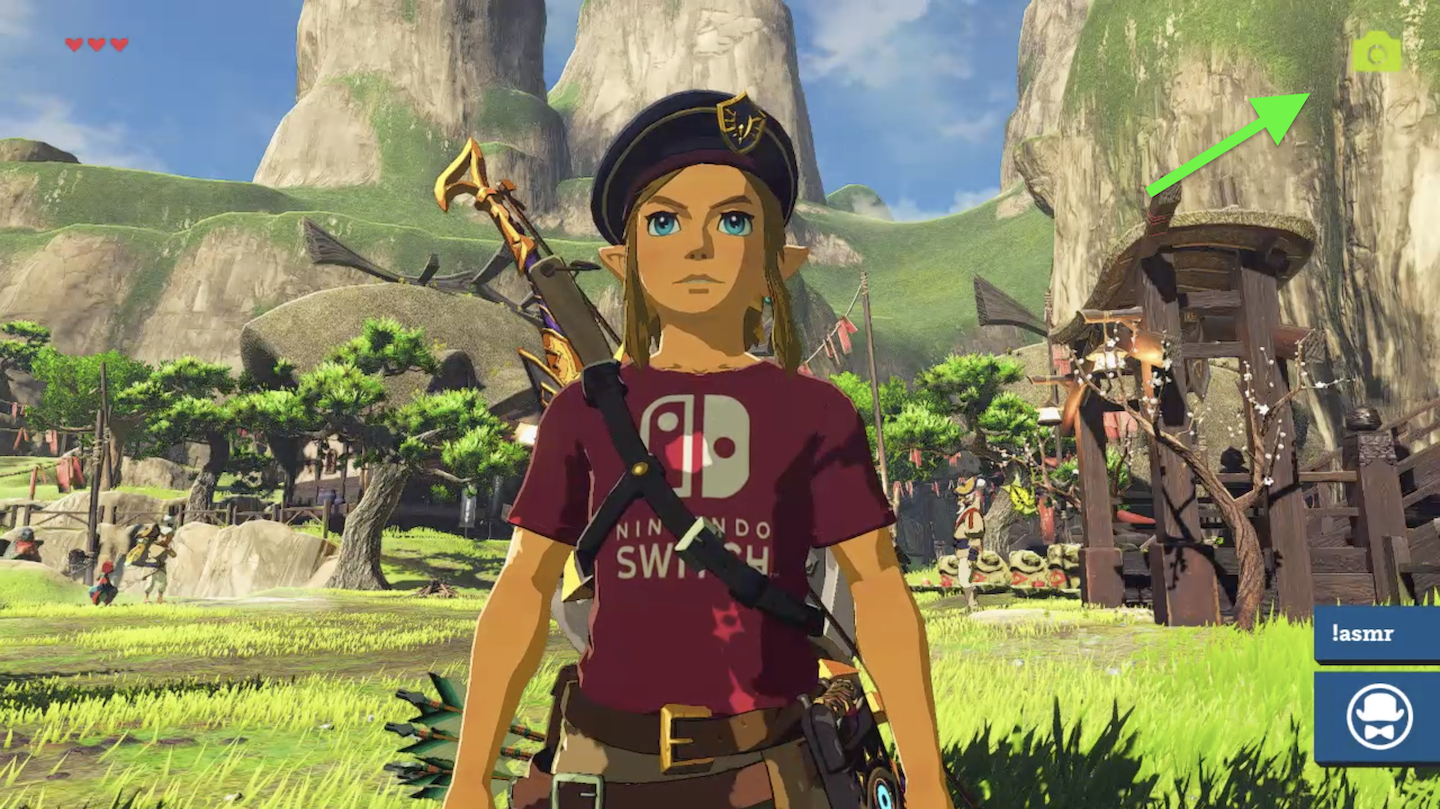
On-stream SNAP indicator
Inspiration
The idea for SNAPS came from a loyal viewer to my stream. He found it a nice addition to my daily streams to be able to make snapshots of certain scenes of my stream. I thought it would be nice to share those SNAPS with the people who weren't online on that stream, and I wanted to post them to Discord.
What it does
Using a Channel Points redemption, or a command for Subs, Mods and VIPs, viewers can create a snapshot (screenshot) of my stream. Upon triggering the redemption it will take a snapshot of the active source in OBS and stores it as a PNG on the filesystem. Right after the snapshot has been created it will then upload the same image to a specific channel on my Discord. This last part is an addition I've written myself an API for. My local chatbot is configured to trigger the API call with the path to the image to upload the image and post it to Discord
How we built it
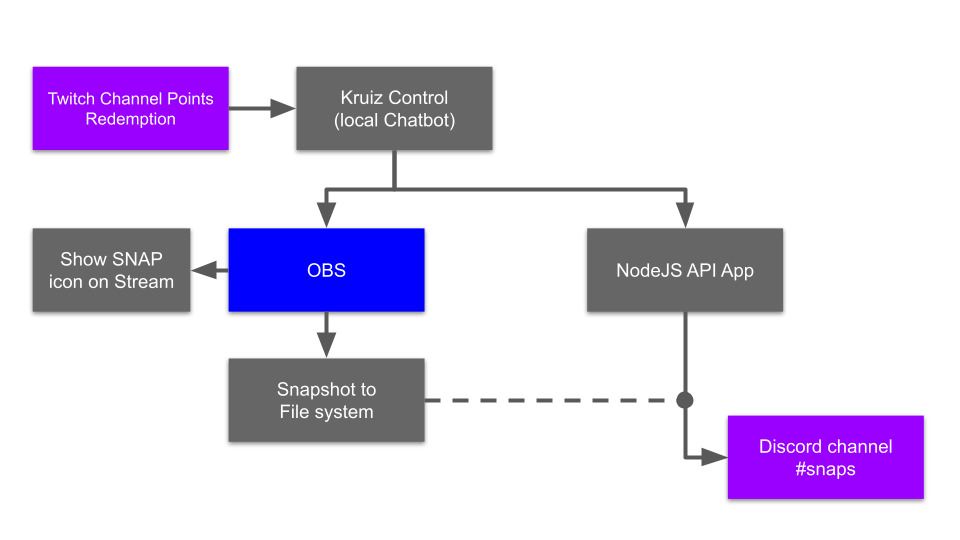
My channel point redemptions are being tracked by my local chatbot, Kruiz Control. When a redemption is done it will tell OBS to make a snapshot of the active source and store it in an appointed location on my filesystem. In addition I've built my own API NodeJS app the chatbot can call. The API app takes the URL parameters (filepath) and using a Discord NPM package it will upload the image and post it to a specific channel on my own Discord.
Challenges we ran into
I had to make sure the API app is able to take the path without any windows file permissions issues. Also, the timing of taking the snapshot in OBS and taking the image to upload should be enough for the OBS image storing event to be finished before I upload the image to Discord. As a visual support I've added an icon on the stream overlay to indicate a SNAP has been made. This posed another challenge to include websockets into the mix of code, along with the upload to Discord, AND and the right time so the icon isn't included to the snapshot.
Accomplishments that we're proud of
The fact I can let viewers make a snapshot of my Twitch stream and have it posted directly, within seconds, to my Discord, is something I am extremely proud of. Given my NodeJS developer skills I'm also very happy I can build my own intermediate layer to make it possible for these services to be connected. Different technologies and approaches have been used to make this possible. I'm very happy and proud of myself to be able to pull this off.
What we learned
The one major learning moment I've add is that given the right API a lot of things can be interconnected. Using packages and libraries really saved me a lot of headache and struggle. Also the community behind these libraries and frameworks were a tremendous help to get this done.
What's next for Stream Snapshots
The one thing I still want to improve is to be able to take snapshot of the Twitch stream itself, not from a source in OBS. This would give the viewer a real-time snapshot and not one from a second, or a few, ahead of what they're looking at. Storing all images in the file system, once my API app is hosted in the cloud. If I would store ALL images on my own computer it would fill up my drives in no-time! Storing all snapshots and timestamps, users into a database for future reference. Basically creating a library of snapshots by anyone.
Requirements to run the application
Make sure to fill in the following fields in the 'configuration/config.json' file: Twitch:
- client_id
- client_secret
- bot_username
- channel
- display_name
- oauth_token
Discord:
- webhook
- bot_name
- bot_profile
- bot_avatar
In order to get snapshots from the stream you need to have OBS running with Kruiz Control chatbot as a browser source. How to set up Kruiz Control you can see here: https://github.com/Kruiser8/Kruiz-Control
Built With
- discord
- kruizcontrol
- node.js
- obs


Log in or sign up for Devpost to join the conversation.