-
-
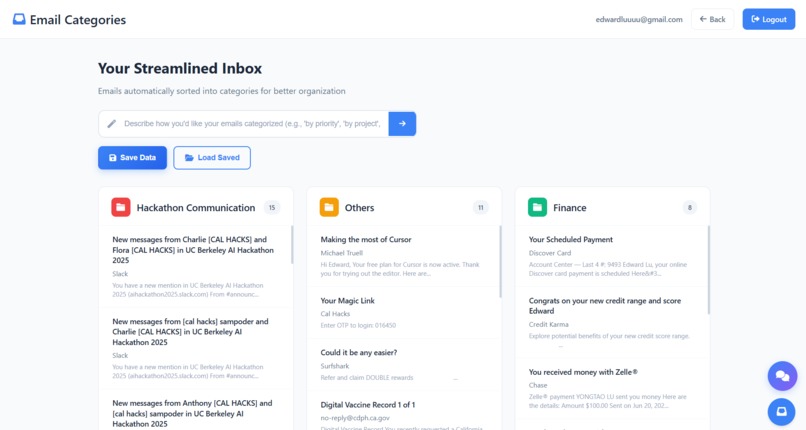
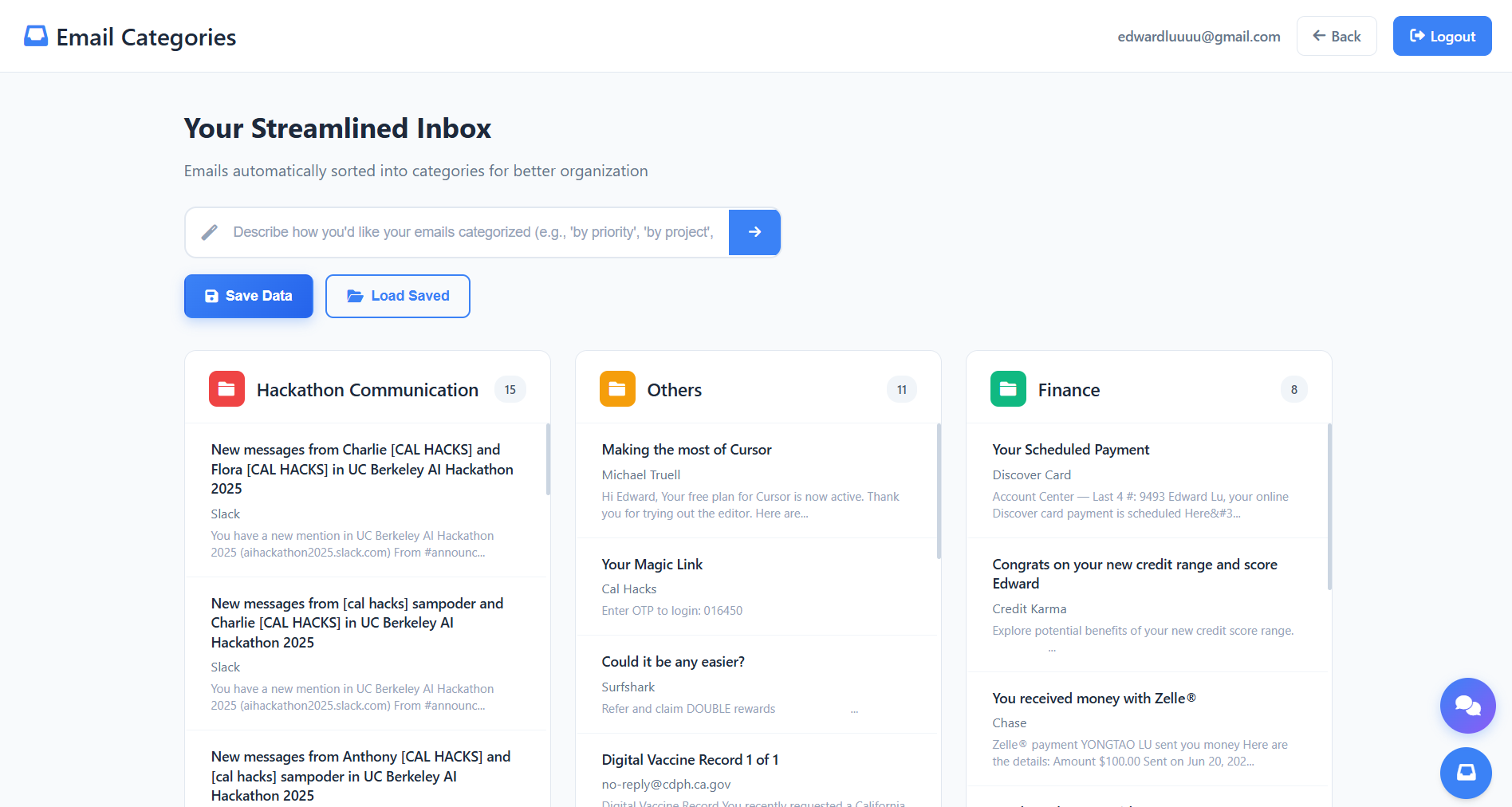
Custom Folders!
-
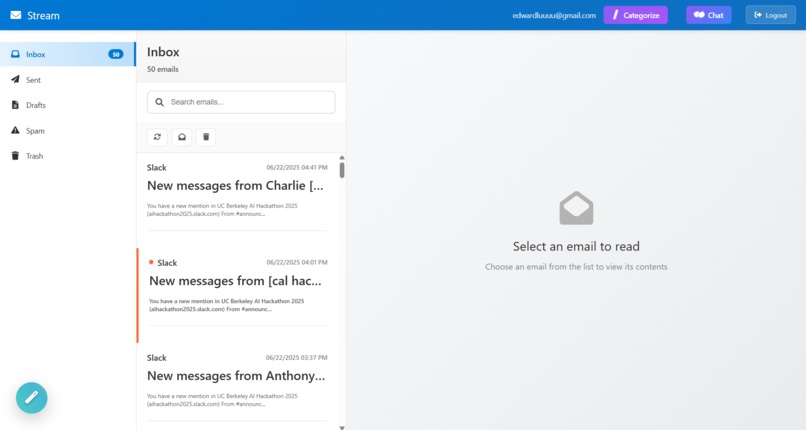
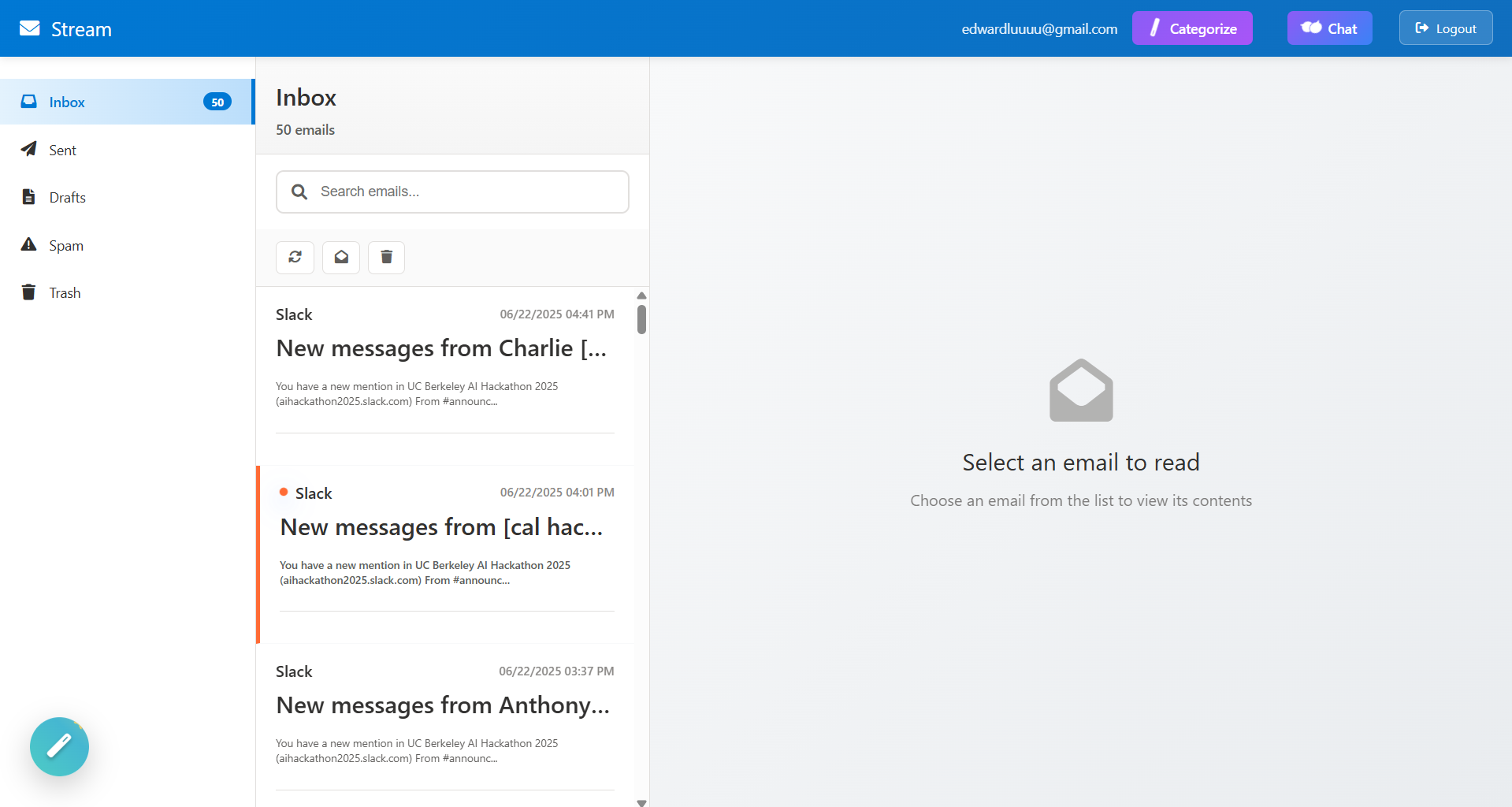
Chose your own email interface!
-
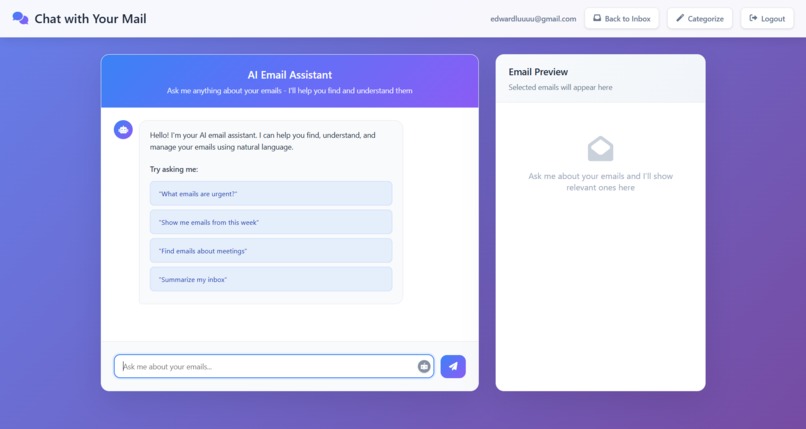
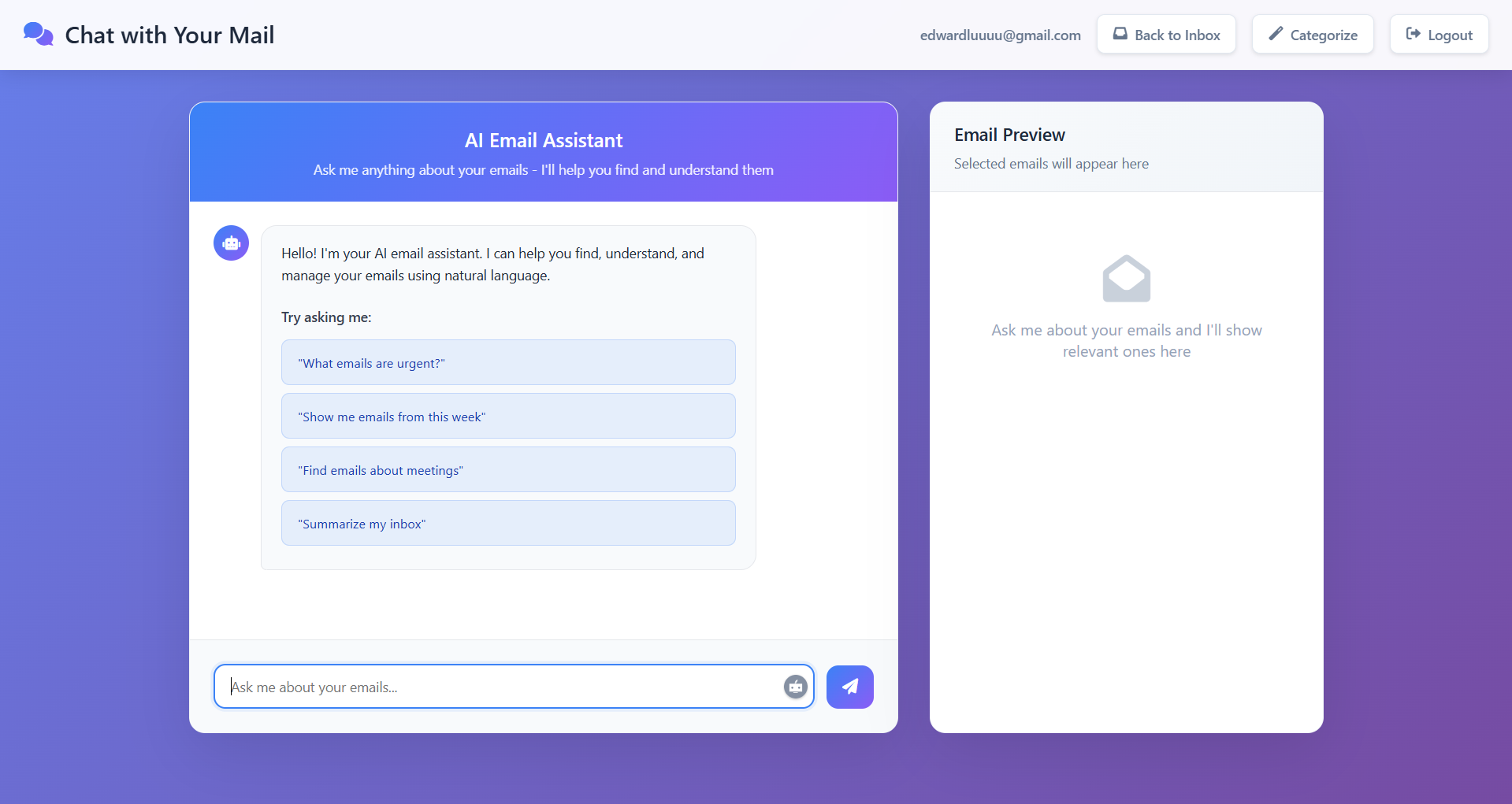
Chat with a custom Agent to learn more about your emails!
-
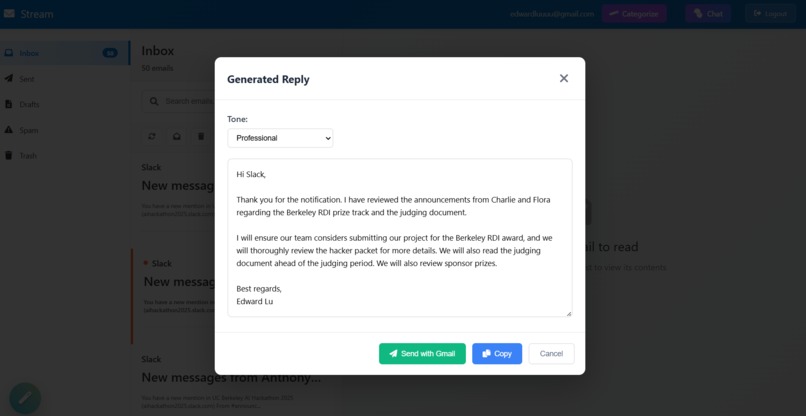
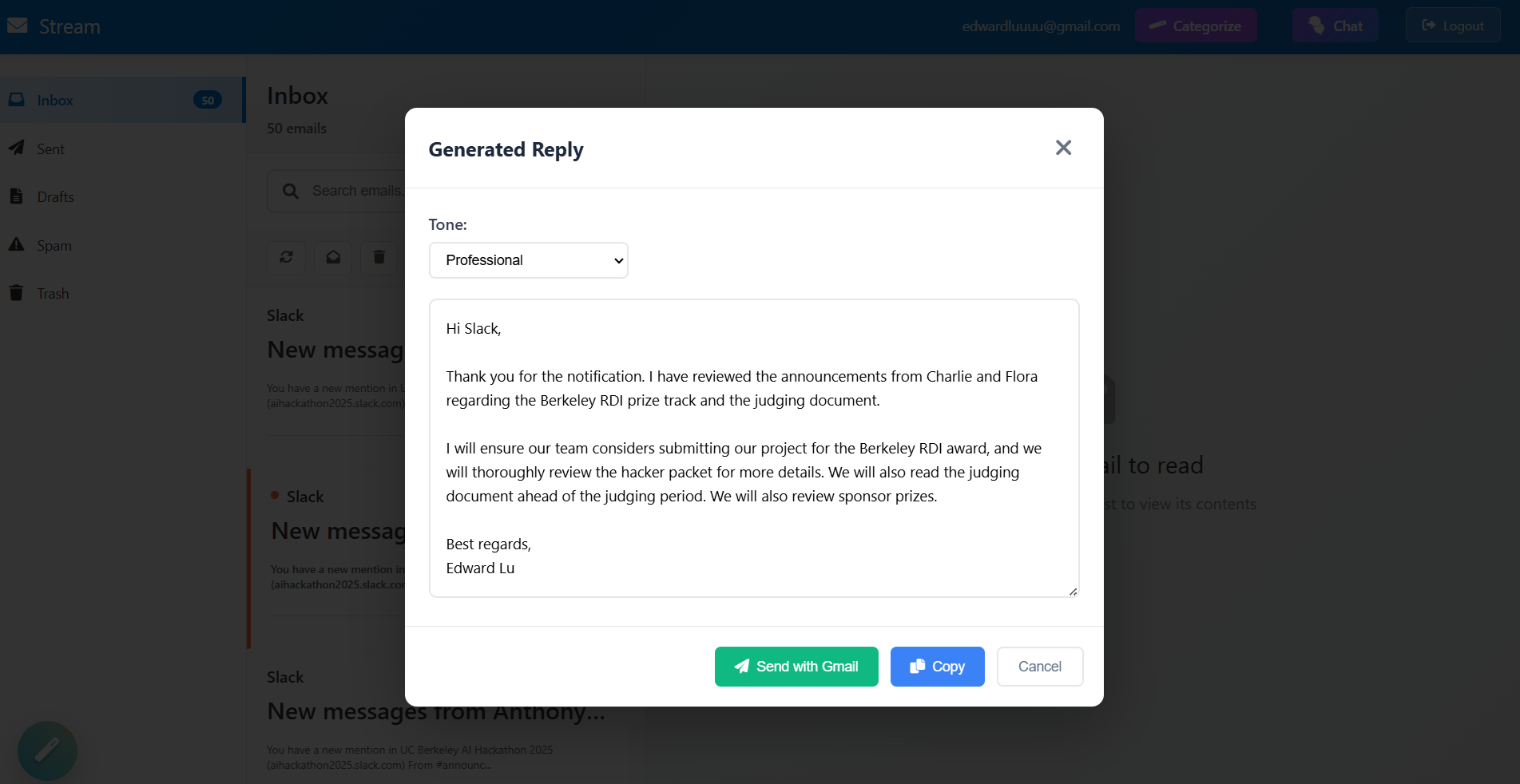
AI generated automatic replies!
Inspiration
As students juggling classes, work, and extracurriculars, email is a crucial tool—but Gmail’s interface often feels clunky and outdated. Important messages get buried, spam gets through, and finding what you need is harder than it should be. At Team Stream, we envisioned a Gmail experience that’s smarter, more intuitive, and powered by AI. So we built Stream, an AI-enhanced email system that simplifies inbox management and introduces conversational interactions, making your email feel more like your assistant, not your chore.
How we built it
We built Stream using Flask as our backend framework and JavaScript/HTML for the frontend interface.
Key technologies and components: Google OAuth for secure login and permissioned access to users' Gmail inboxes. Gemini API (via Google’s Vertex AI) to: Categorize emails into smart folders (e.g., Work, School, Promotions, Events). Power an AI email assistant that allows users to talk to their inbox—ask it things like "Show me all unread school-related emails from this week" or "Summarize emails I got today." Gmail API to fetch, label, and manipulate email threads in real-time. Flask routes serve dynamic content and relay user interactions between the frontend and Gemini.
Challenges we ran into
Integrating OAuth and Gmail API was tricky. Dealing with scopes, tokens, and threading models required careful debugging and sandbox testing.
Accomplishments that we're proud of
Created a functional AI email assistant with natural language understanding. Successfully classified emails using Gemini with high accuracy, and auto-labeled them into categories. Built a full-stack web app that integrates several complex APIs under one cohesive user experience. Demoed real-time email conversation with the Gemini-powered agent. Smart reply templates powered by Gemini—get quick, tone-matching suggestions for professional, casual, or apologetic emails. Save time and reply right.
What we learned
How to work with Google’s suite of APIs, including Gmail, OAuth, and Gemini. Build production-ready Flask endpoints and serve dynamic content. Fine-tuning prompts and understanding prompt engineering for email-related tasks. Frontend/backend coordination using asynchronous requests and Google’s data models.
What's next for Stream - Smart AI Email Agents
Mobile version so users can manage smart folders and AI chat on the go Google Chrome Extension that overlays directly onto Gmail, allowing users to manage smart folders and chat with the AI assistant within the Gmail interface itself. Further Gemini training to understand tone and urgency
Built With
- flask
- gemni
- google-auth
- html
- javascript
- json
- python

Log in or sign up for Devpost to join the conversation.