-
-
terminal
-
ai
-
rdp
-
script
-
sftp
Description — features and functionality
XConnect is a server-management client for iPhone and iPad. It puts SSH, Telnet, SFTP and Windows Remote Desktop in one app, and adds an AI agent that works inside the terminal session rather than beside it. Everything core works with no account at all.
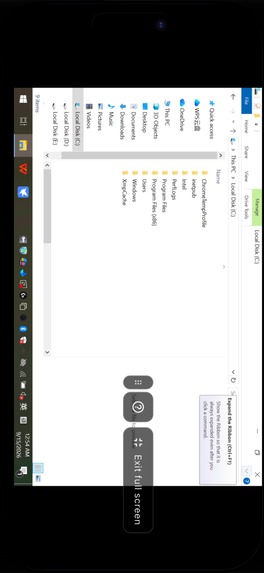
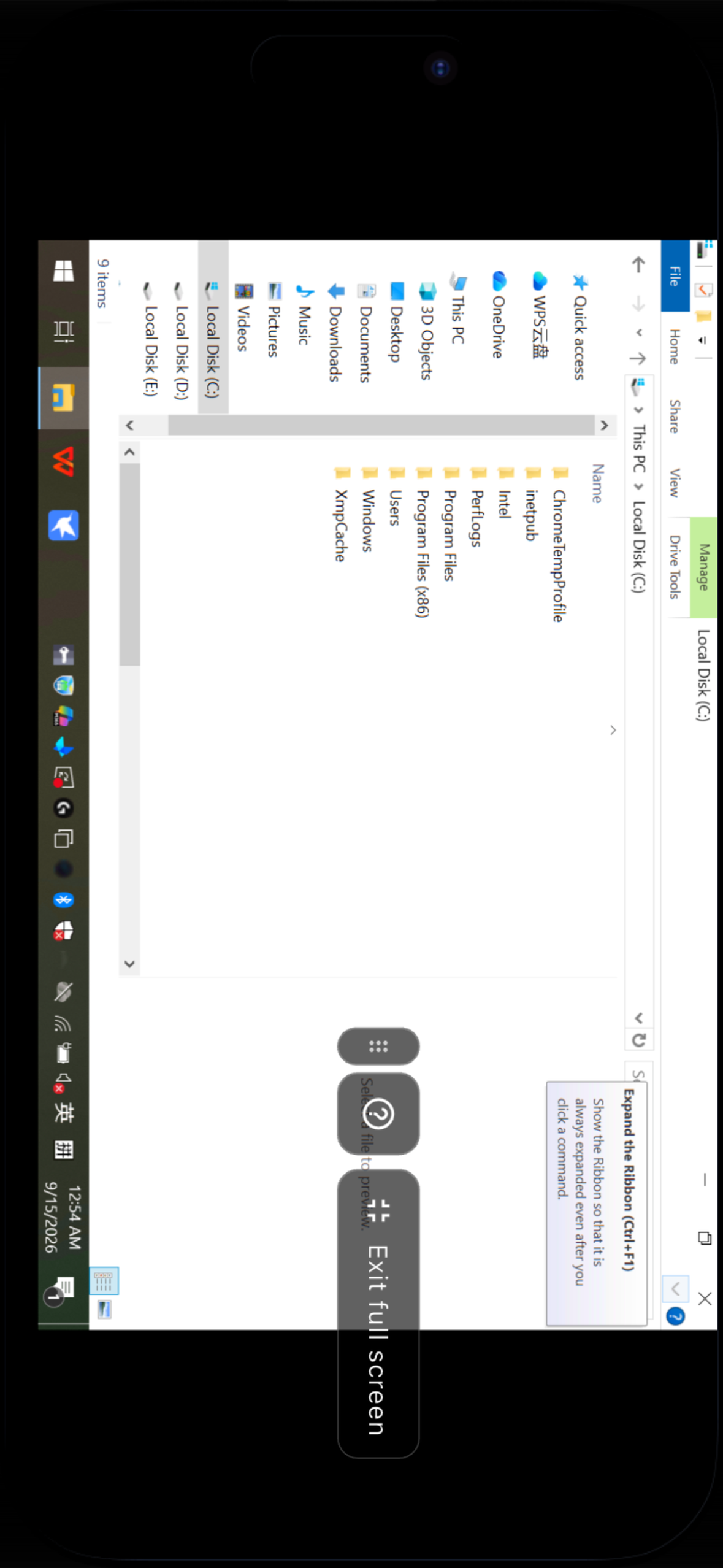
Windows Remote Desktop, actually usable on a phone Not screen mirroring, and no relay PC in the middle — a native RDP client built into the app. Two pointer modes: trackpad, where your finger moves a cursor so hover states work, and direct touch, where your finger is the pointer. Plus two-finger scrolling, pinch to zoom, hold-and-drag, two-finger tap for right-click, a modifier rail with sticky Ctrl / Alt / Shift / Win, hardware keyboard support, and a full-screen mode with a draggable control cluster.
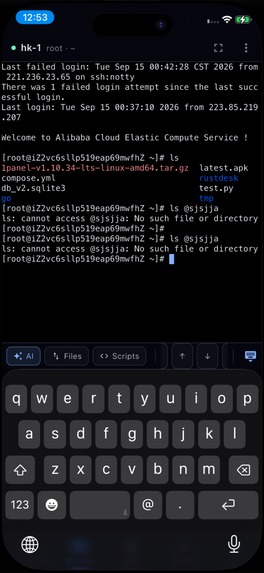
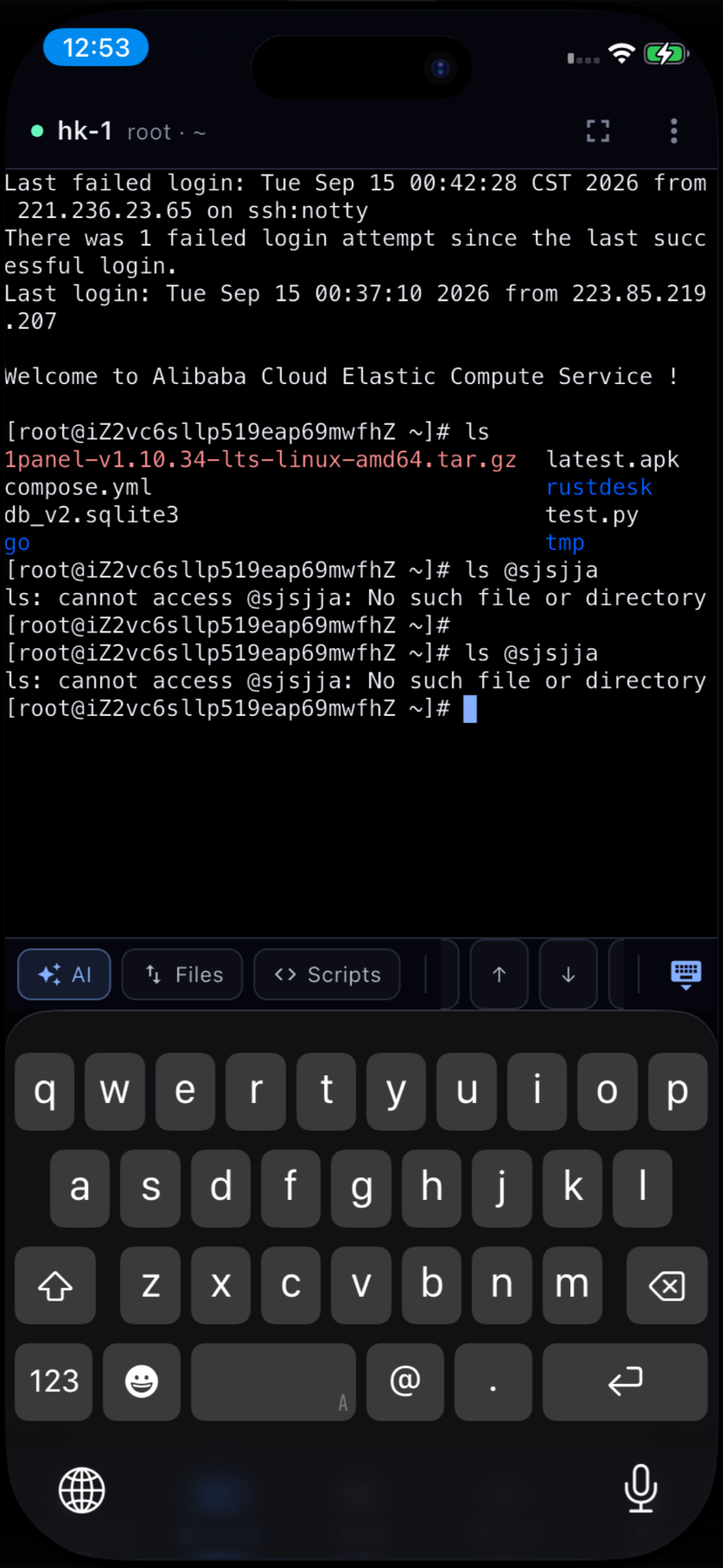
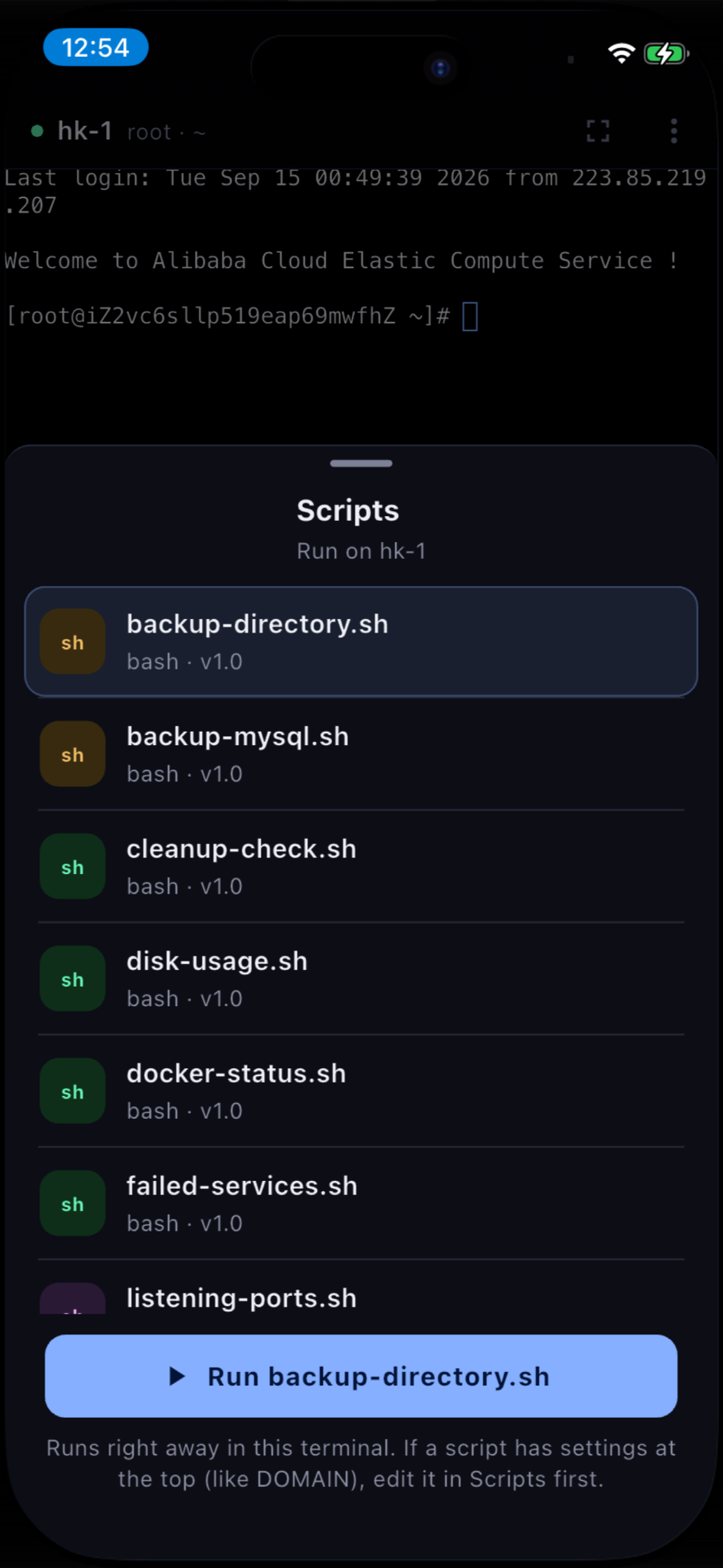
An SSH terminal designed for a touchscreen Full xterm emulation with a dedicated key row above the keyboard for arrows, Tab, Esc and Ctrl, and one-tap access to AI, files and scripts. Sessions outlive the screen you opened them from: every live session is listed in the Terminal tab, so switching between three servers doesn't mean reconnecting to three servers.
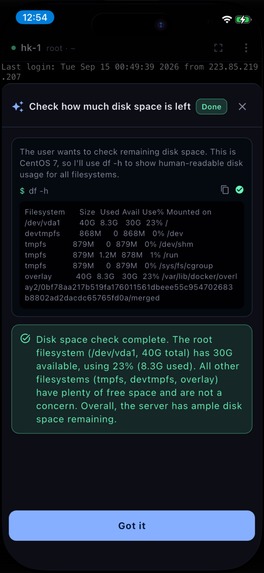
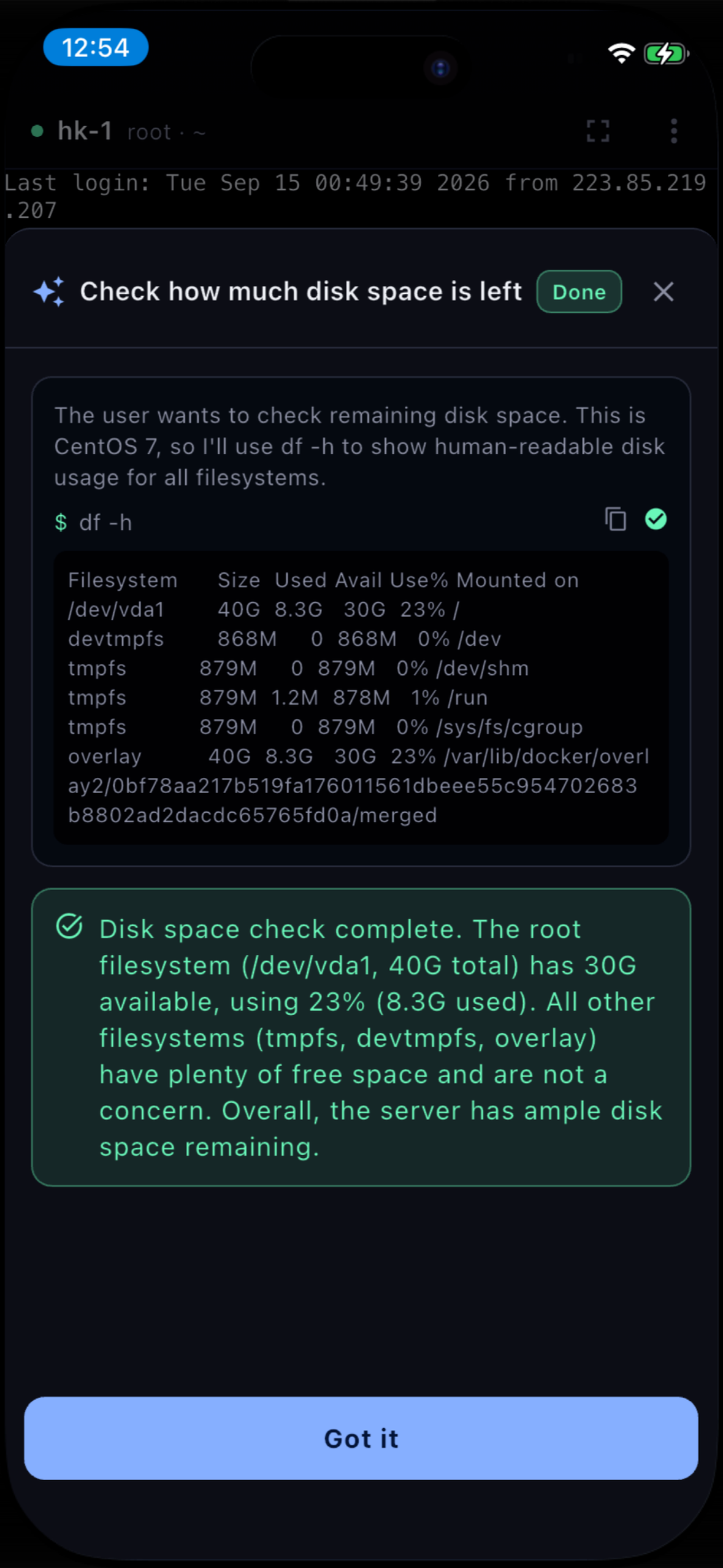
An AI agent that runs commands, not a chat window Describe the task in plain language. The agent reads the real output of your session, decides what to run, executes it, and shows you each command and its result. Anything destructive or irreversible stops and waits for an explicit confirmation. Use the built-in quota, or bring your own key — OpenAI, Anthropic, DeepSeek, Moonshot Kimi, Qwen, Zhipu GLM, SiliconFlow, a local Ollama model, or any OpenAI-compatible endpoint. Your key is stored in the device keychain and is only ever sent to the endpoint you chose.
Jump hosts Bastions work like OpenSSH ProxyJump: define a jump host once, attach it to any connection, and the phone reaches production networks it cannot dial directly. The terminal and the file browser take the same route.
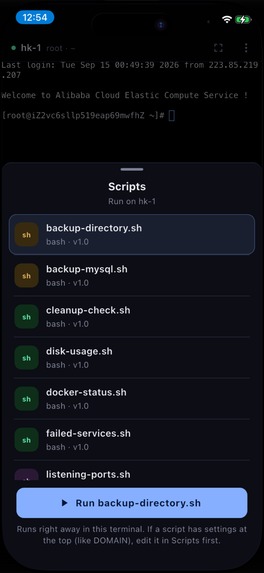
Script library Bash / Python / JS snippets organised by category, each with a one-tap "run on this server". Ships with ready-made ops scripts — disk usage, Docker status, failed services, listening ports, backups — and the library is the same one the desktop app uses, so scripts written at a desk are on the phone.
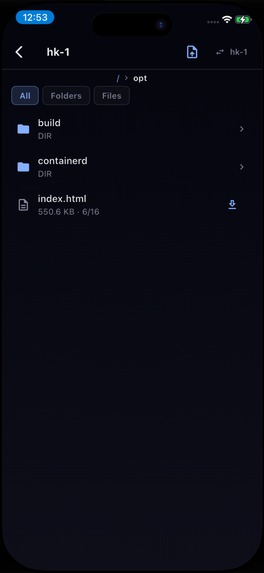
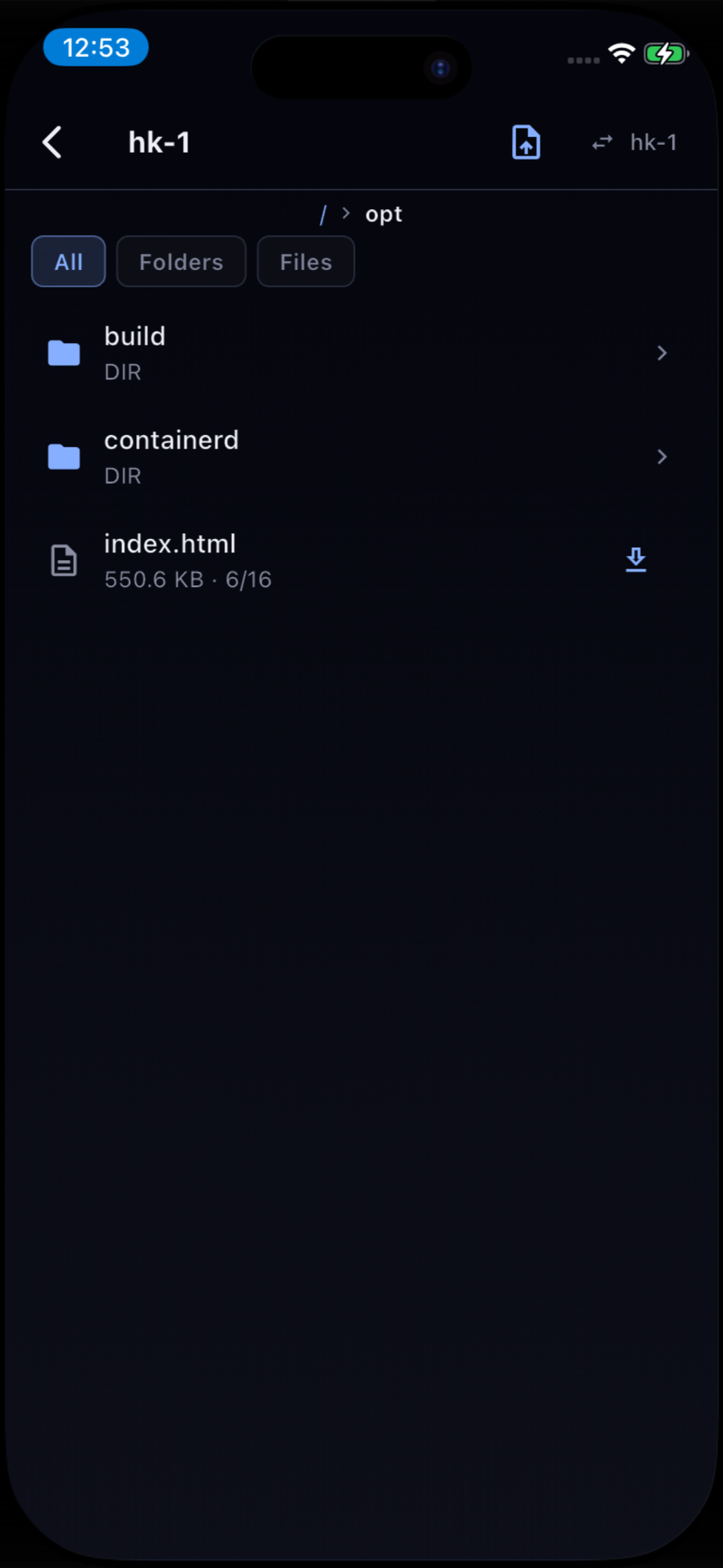
SFTP file manager Browse remote directories, filter folders and files, upload from the Files app, download and open on the device, with live transfer progress.
Local-first, and private by default Connections, groups, scripts and SSH keys are stored AES-256 encrypted on the device, and every core feature works with no account. Cloud sync is opt-in and end-to-end encrypted — the server stores ciphertext it cannot read — and any single connection or key can be marked "this device only" so it never leaves the phone. Ten UI languages.
One subscription, every platform XConnect also ships as a desktop app for Windows, macOS and Linux. Pro is an account-level entitlement, so a subscription bought on the App Store unlocks the desktop too — and a subscription bought on the web is recognised inside the app, which explains that rather than selling a second one.
Free: unlimited SSH / Telnet / SFTP connections and groups, one jump host, the script library, the SSH key library, AES-256 local storage, no account required. Pro: Remote Desktop (RDP), the AI assistant, running scripts from the terminal, unlimited jump hosts, and end-to-end encrypted sync across all your devices.
How RevenueCat is used
RevenueCat is the purchase layer and the source of truth for store subscriptions:
purchases_flutter+purchases_ui_flutter, with a RevenueCat-hosted paywall on theprooffering, so pricing and paywall copy change without an App Store review.Purchases.logIn(accountId)binds every purchase to the XConnect account id instead of an anonymous one. That is what makes a purchase made on a phone reachable from the desktop client: the backend's RevenueCat webhooks are keyed byapp_user_id, and an anonymous id has no account to attach to.- A Cloudflare Workers backend merges RevenueCat (App Store) and Paddle (web) into a single
/api/v1/entitlementanswer, so entitlement is platform-agnostic. Right after a purchase or a restore the app calls/api/v1/entitlement/sync, which reads RevenueCat's REST API directly rather than waiting on a webhook — that removed a whole class of bug where a paying user was still sitting on the free tier because a webhook went to the wrong environment or its retry was swallowed. - Free-tier limits are served by the backend, not compiled into the app, so changing the plan doesn't need a release.
- The paywall pre-checks entitlement and refuses to sell to someone who is already Pro from another platform — a double charge is a refund request and a one-star review.
- The entitlement answer is cached in the Keychain with a server-issued
notAfter, so Pro survives a tunnel or a flight without trusting a stale value forever.
Inspiration
Managing servers from a phone has always meant a choice between a terminal app that only does SSH and a remote-desktop app that only does Windows — and neither of them knows anything about the other. I wanted the thing I actually reach for when something breaks while I'm away from a desk: one app that can open a shell, move a file, and take over a Windows box, without me deciding in advance which of those the emergency was going to need.
What it does
See the description above: SSH / Telnet / RDP / SFTP in one client, an AI agent that operates the real session, jump hosts, a script library, and encrypted local-first storage with optional end-to-end encrypted sync to the desktop app.
How I built it
Flutter and Riverpod, with dartssh2 for SSH and SFTP and xterm.dart for the emulator. RDP is a
native plugin wrapping FreeRDP, since no Dart package renders a real RDP session. Local data is
SQLite, secrets live in flutter_secure_storage (Keychain / Keystore). The backend is a Cloudflare
Worker on D1, handling accounts, entitlement, end-to-end encrypted sync and the official AI quota.
Purchases are RevenueCat on iOS and Paddle on the web, reconciled server-side into one entitlement.
Challenges I ran into
Making RDP feel like an input device rather than a video player took the longest: a desktop expects hover, a right button and sticky modifiers, and a touchscreen has none of those. Two pointer modes and a modifier rail were the answer.
The other hard part was entitlement across four purchase surfaces. Webhooks alone are not enough — they land in the wrong environment, or the retry is swallowed, and the user who just paid is still on the free tier. Having the app ask the server to re-read RevenueCat right after a purchase, and treating the server's answer as the only truth, is what made Pro reliable.
What I learned
That a purchase has to be attached to an identity before it happens, not after. Binding the RevenueCat app user id to the account at sign-in — rather than trying to reconcile an anonymous purchase later — removed most of the entitlement bugs at the source.
What's next
Google Play, an app preview video, SSH tunnels on mobile, and team features that let an operator's permissions follow them from the desktop to the phone.
Built With
- cloudflare
- d1
- dart
- dartssh2
- flutter
- freerdp
- revenuecat
- riverpod
- sqlite
- workers
- xterm.dart

Log in or sign up for Devpost to join the conversation.