-
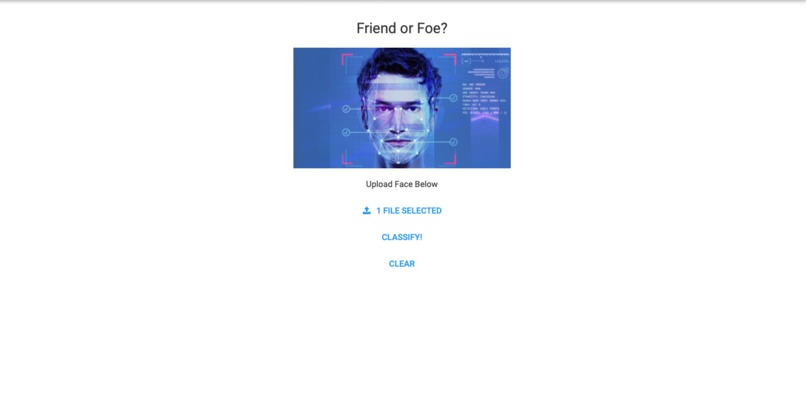
Home Page
-

Success identifies trained individual
-
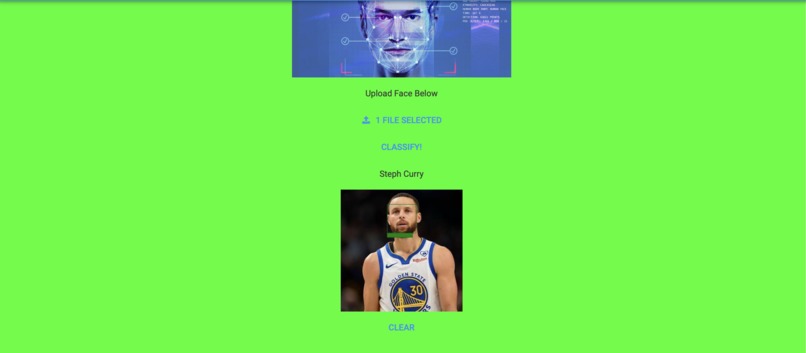
Successfully identifies trained individual
-

Successfully identifies strangers in same image as trained individual
-

Successfully identifies a stranger




Inspiration
The inspiration for this project is to keep individuals safe from strangers through the use of cameras. Imagine you are sitting in your house and hear the bell ring in the middle of the night. Stranger Danger! will allow you to identify whether you know the individual at the door, as well as who it is, or if it is a stranger, in which case you don't have to open the door. All we need is a camera at the front door that can take a picture of the individual and upload it to our service.
What it does
Our project trains a machine learning model on sets of images for individuals to be able to identify these individuals in new images generated by the camera feeds at peoples' front doors or wherever they need protection. This machine learning model will be able to search all of its training information to see if it knows who the person is in new image based on all of its old images. If the answer is a no, then the user receives a Stranger Danger! message. Else, the name of the identified person is received.
How we built it
We built the machine learning model using a set of Python libraries that save the training data in dictionaries of encodings. These dictionaries are then searched every time a new image is sent in, to identify all of the people in this new image. Then, bounding boxes are drawn around all of the identified faces, with their names in the bottom left of the bounding box. The box will be green if identification was successful, else red.
Challenges we ran into
The main challenge we ran into was handling the case of multiple faces being in the same picture. We dealt with this by splitting each face into its own bounding box that will be analyzed separately, and then we combined the results back together. If at least 1 of these boxes contains a stranger, then we just say Stranger Danger!
Accomplishments that we're proud of
We are proud of developing a working machine learning model that can analyze images. Previously, we have only worked with data-based machine learning models, so expanding to using images was a cool thing to try at Bitcamp!
What we learned
We learned how to use a variety of technologies like Anvil to create a UI and numerous Python libraries like pickle and face_recognition.
What's next for Stranger Danger
The next steps are to improve the model by providing it with even more training data, so that the accuracy improves. Also, we want to make a better UI so that interacting with the model becomes even smoother.
Built With
- anvil
- computer-vision
- jupyter-notebook
- machine-learning
- python


Log in or sign up for Devpost to join the conversation.