StrandLab: about the project
Live app: https://strandlab-youcam.vercel.app · Demo video: https://youtu.be/a3W9PW61wXw · Store widget demo: https://strandlab-youcam.vercel.app/store-demo
Inspiration
Curly, wavy and coily shoppers famously buy and abandon dozens of products. Labels say "for 3B curls", "for fine hair" or "for high porosity", but most people don't know which of those they are. And the same product changes behaviour with the weather: a glycerin gel that defines curls on a mild day causes frizz on a humid or freezing one.
YouCam's hair diagnostics can measure what people currently guess, yet almost every hair project uses only colour or style try-on. We wanted Skin-AI-style diagnostics for hair, connected directly to shopping.
What it does
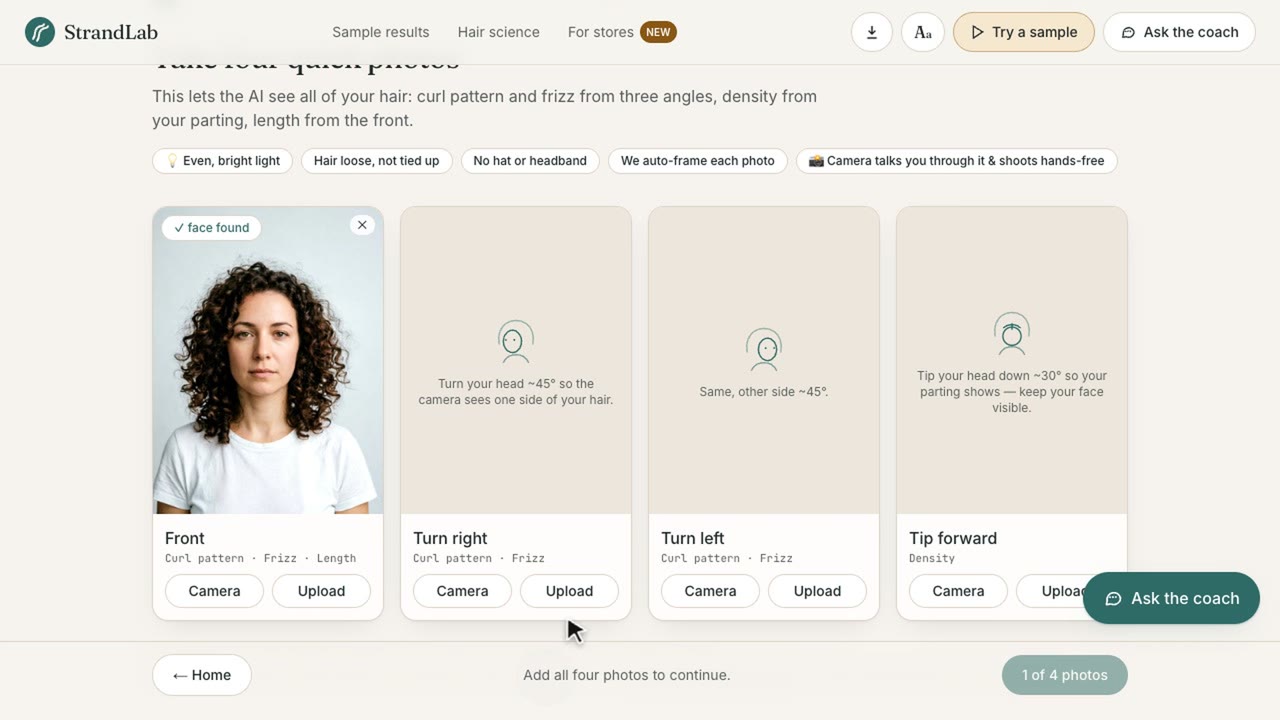
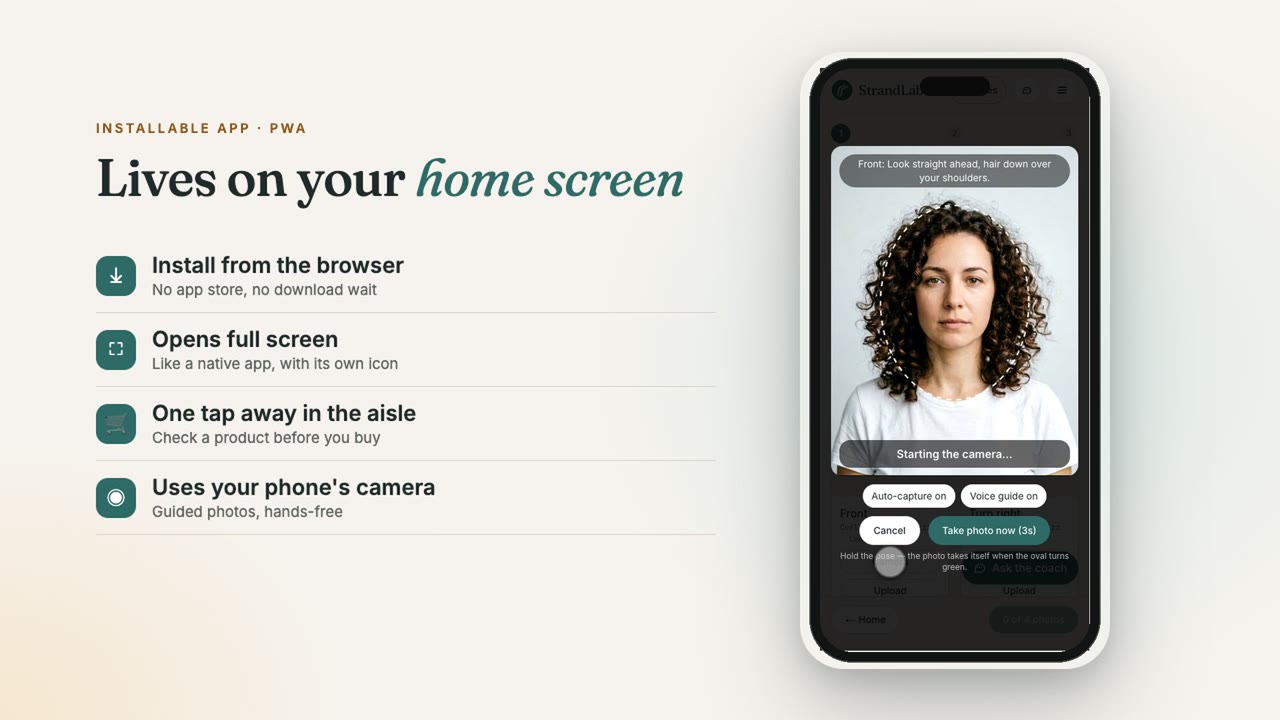
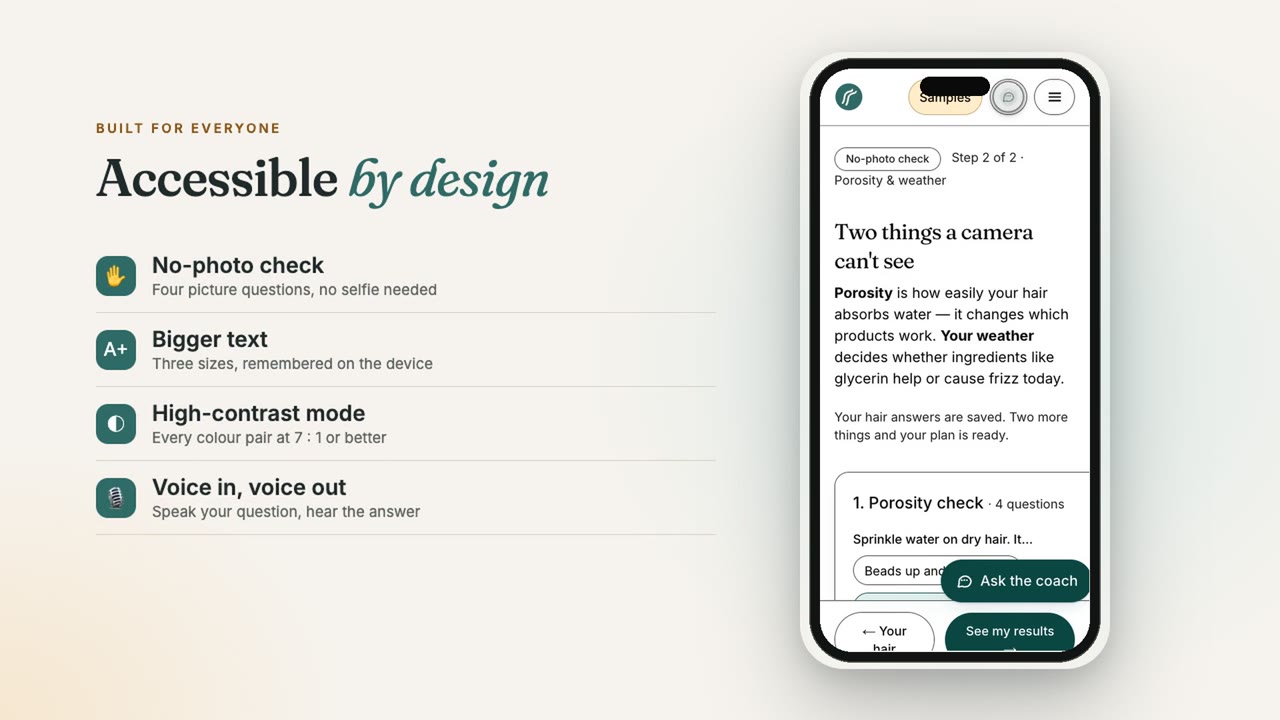
- Four guided photos: front, left, right, and head tipped forward. The camera checks your pose live (distance, centring, head turn, head tip, lighting), talks you through it out loud, and takes the photo itself when the pose is right, so you can do the tipped-forward shot alone. Gallery uploads work too. No camera or prefer not to share photos? A no-photo check builds a clearly labelled, self-reported plan from 4 picture-based questions.
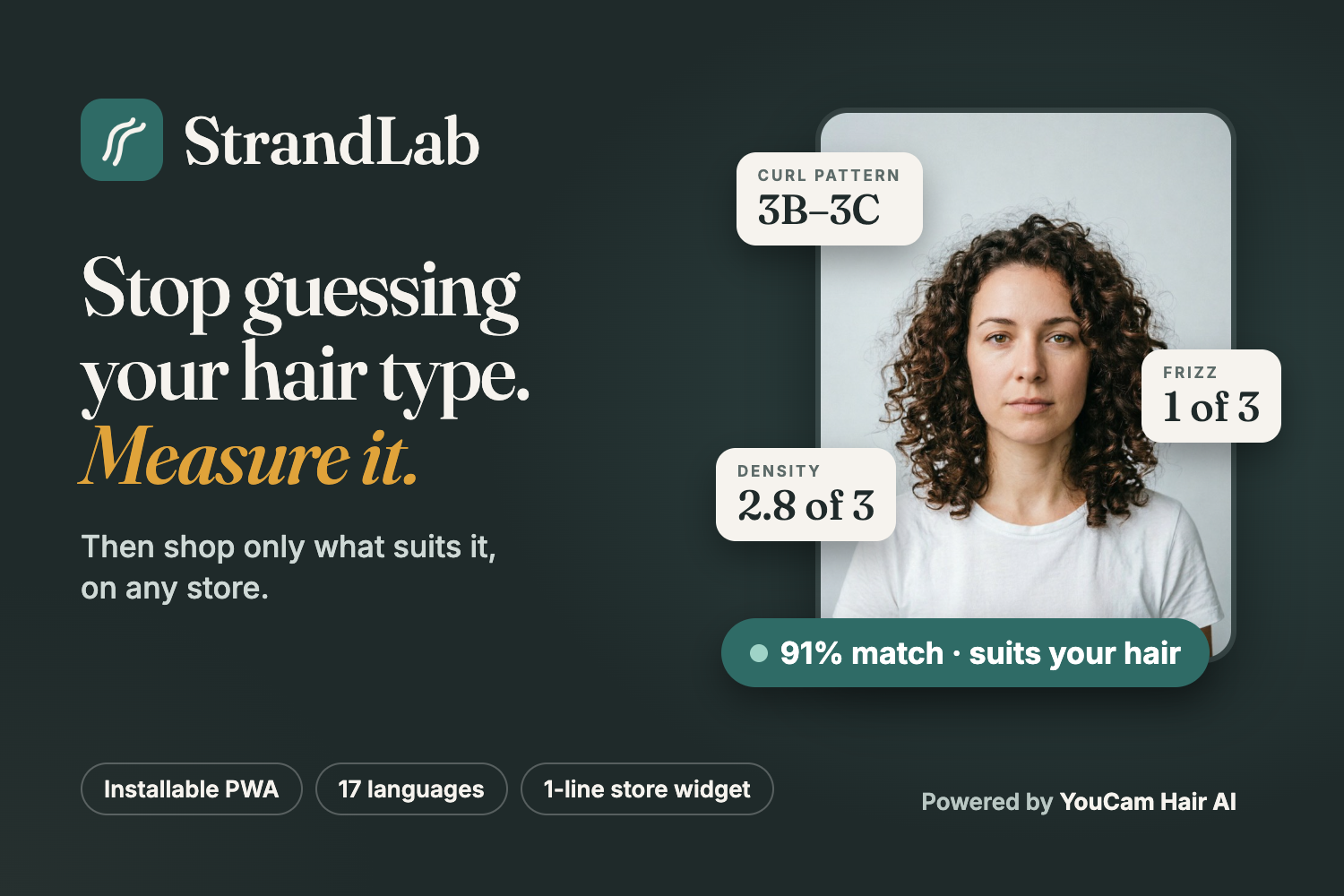
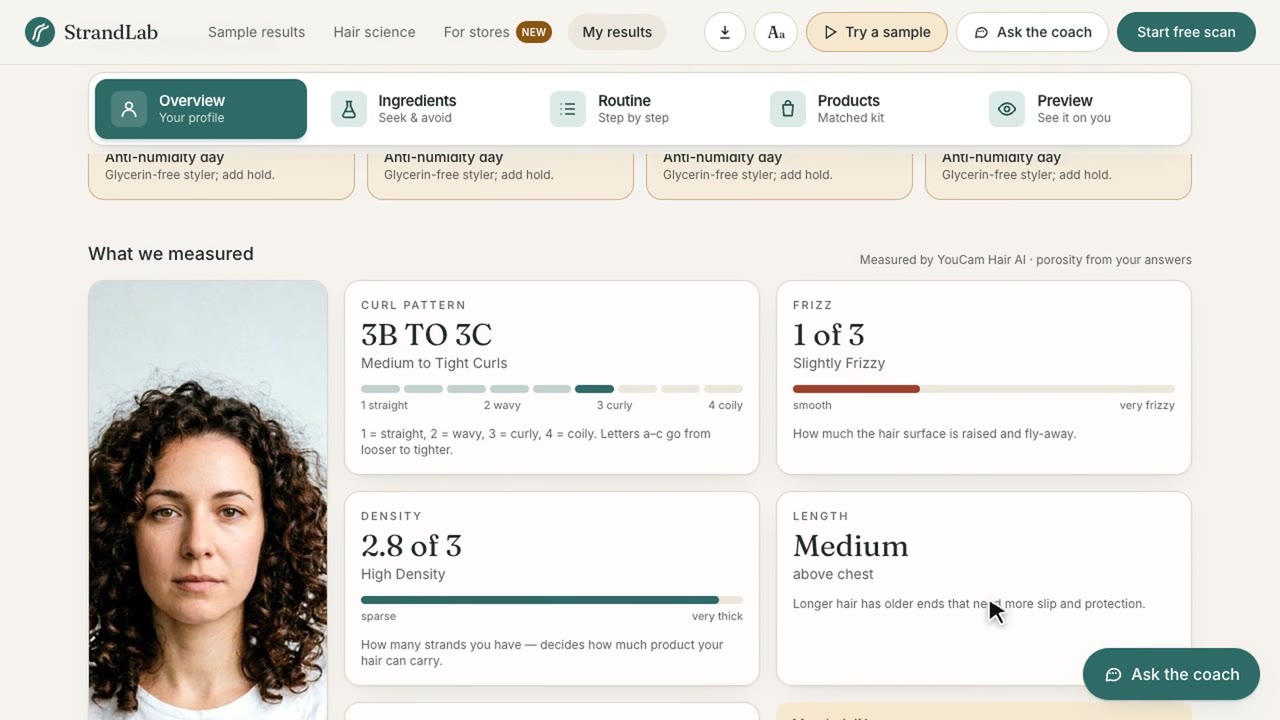
- Four YouCam detectors measure the hair: curl pattern (Hair Type Detection), frizz 0–3 (Hair Frizziness Detection), density 0–3 (Hair Density Detection) and length (Hair Length Detection). They run in parallel with live progress.
- Two things a camera can't see: a 4-question porosity check, and the live dew point for your city.
- An explainable plan:
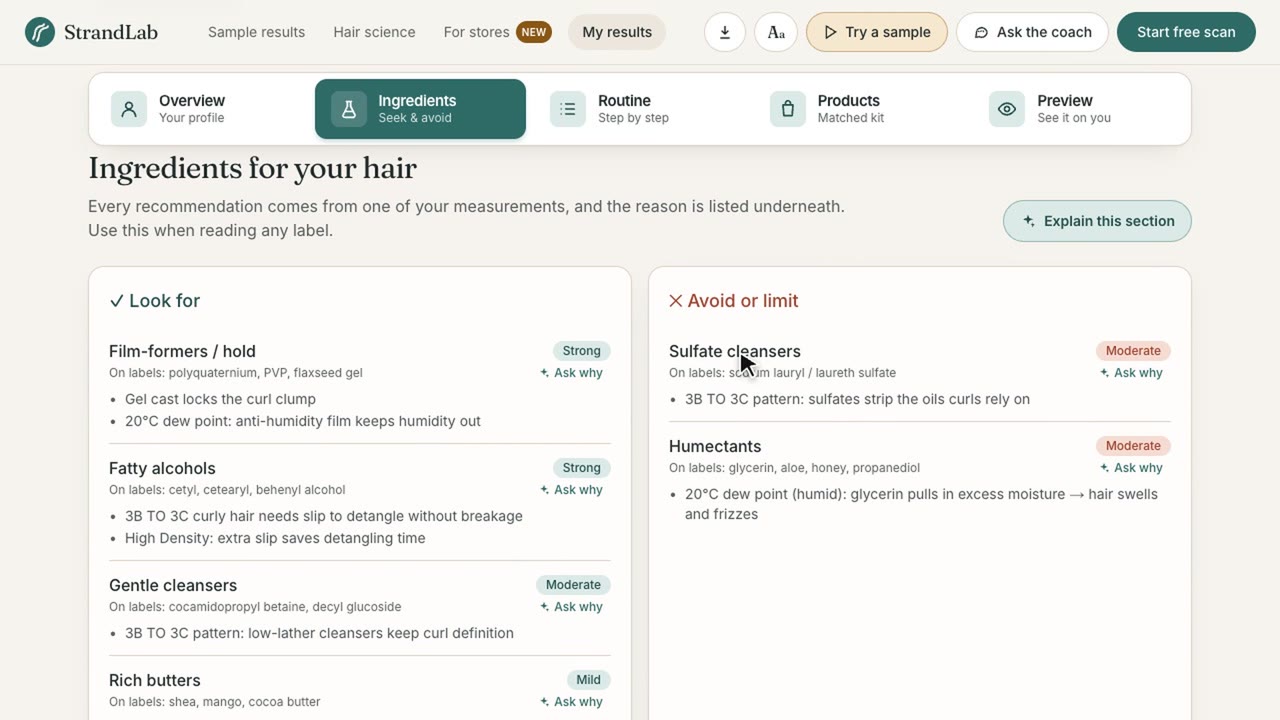
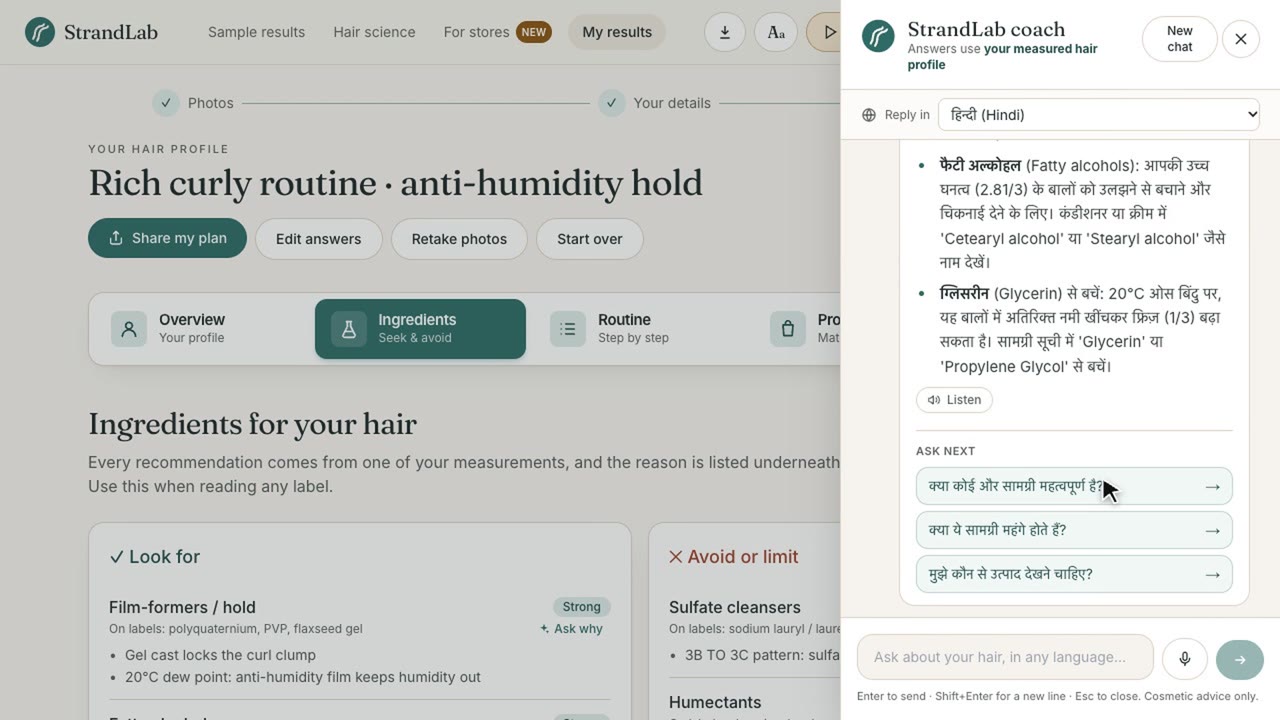
- The Ingredients tab is a label cheat sheet: what to look for, what to avoid and why, each naming the measurement behind it (e.g. "Avoid glycerin: 22 °C dew point means humid air makes it swell and frizz").
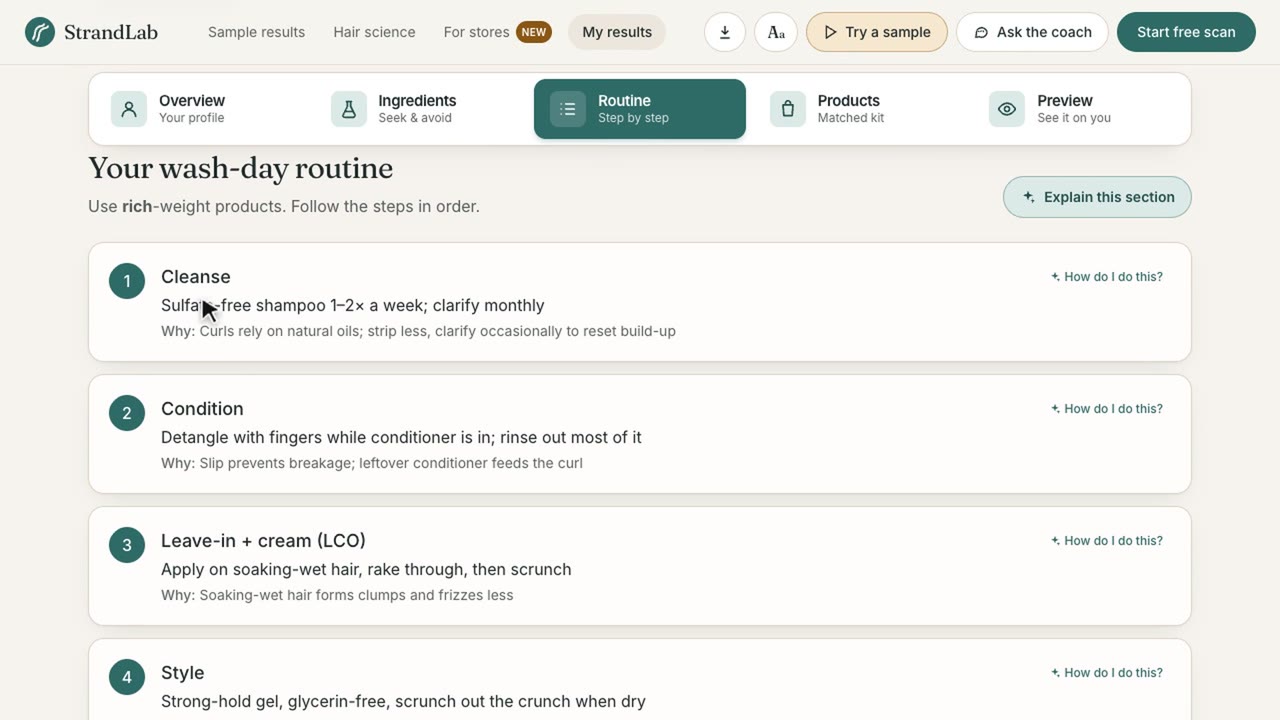
- The Routine tab gives four wash-day steps (cleanse, condition, leave-in, style), each with its reason.
- The Overview plans each day of the week from the forecast.
- Shopping:
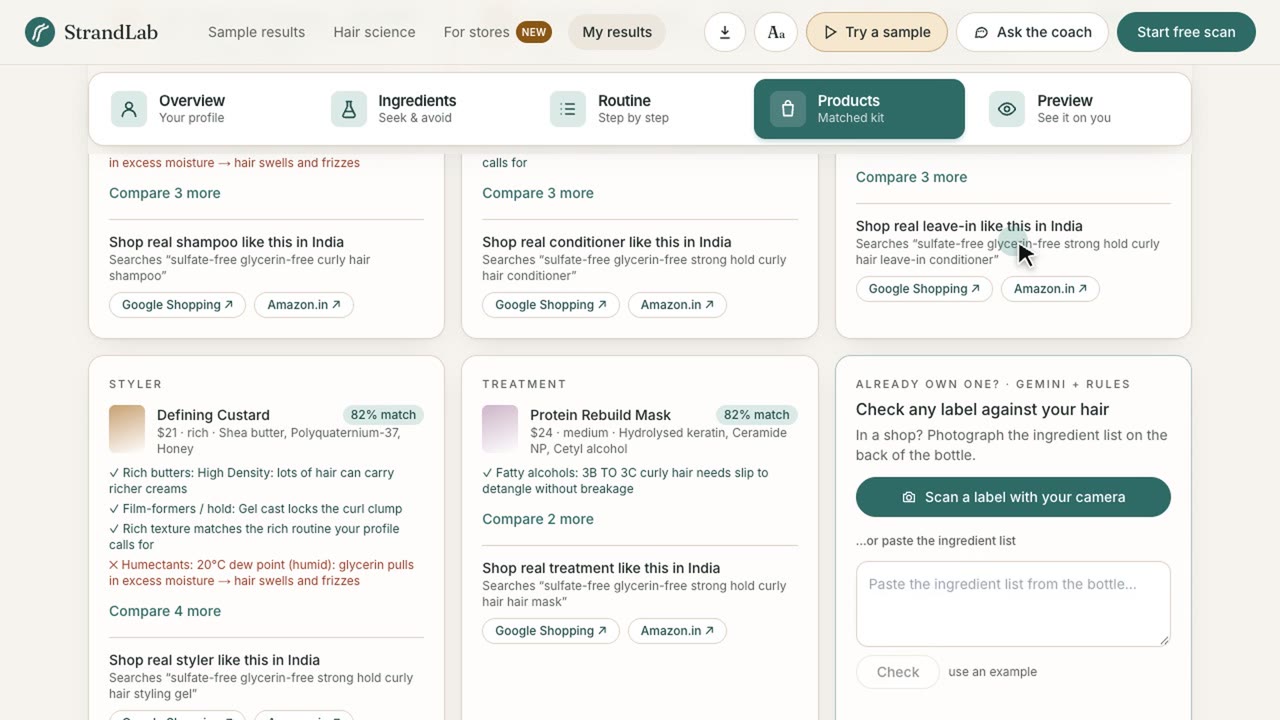
- a ranked starter kit
- a "Shop real … like this" search built from your rules, localised to your country (Google Shopping region + the right Amazon store, e.g. amazon.in, amazon.co.uk)
- a label checker: photograph the back of a bottle in the shop (Gemini reads the ingredient list) or paste it; Gemini maps it to ingredient families, and deterministic rules score it
- share your plan (phone share sheet, WhatsApp, email), copy it, or print / save it as a PDF
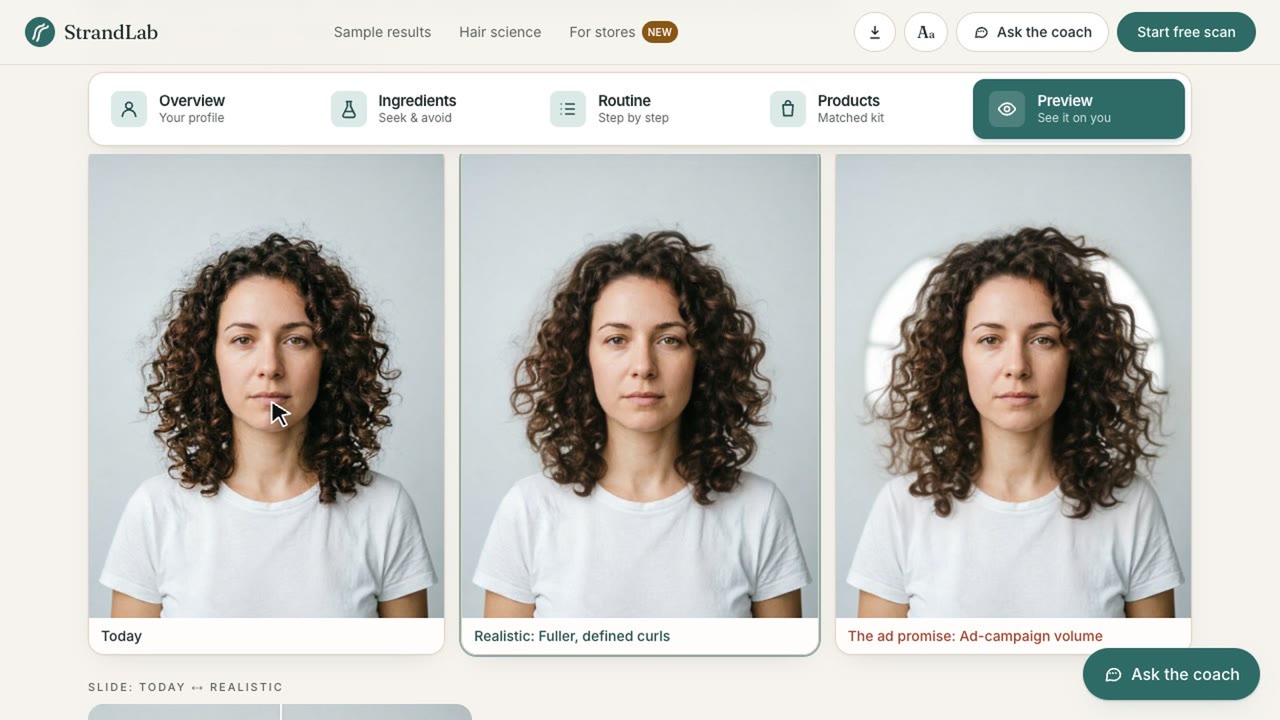
- Expectation check: YouCam Hair Volume / Wavy Hair try-on shows the realistic result of the routine next to the "ad promise", on your own photo.
- Coach: available on every page and grounded in your measurements. It offers follow-up questions, an "Explain this section" button in each section, and "Ask why" on every ingredient and step. Ask by voice, hear answers read aloud, and get replies in 17 languages (auto-detects the language you write or speak in: Hindi, Spanish, Portuguese, Arabic, Swahili, Yoruba and more).
- Accessible to everyone: text size and high-contrast settings, and 0 axe-core WCAG 2.1 AA violations across every page in both display modes.
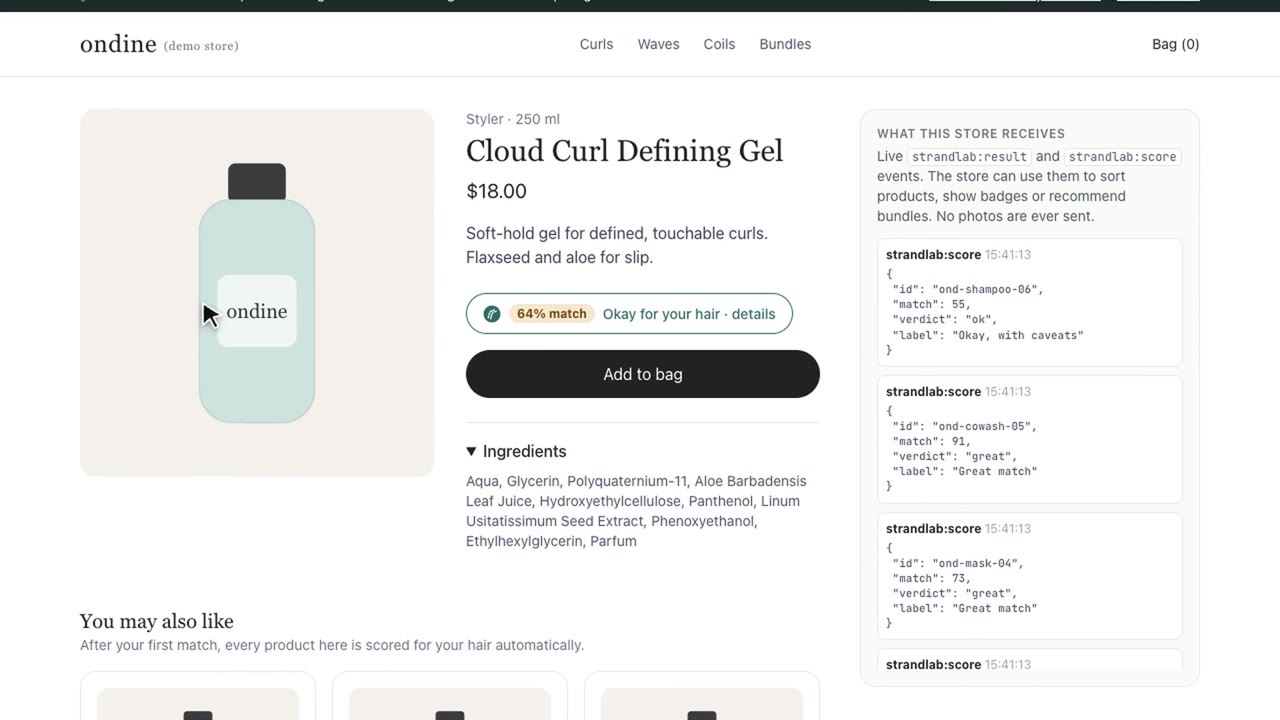
- For stores (eCommerce integration): one
<script>tag adds a "Find my hair match" button to any store's product page. The shopper matches once, inside an isolated dialog, and every product on the page then shows a match badge. The store's code receives the result (match %, reasons,lookFor/avoid) as a JavaScript event. Photos never reach the store. Live demo store: https://strandlab-youcam.vercel.app/store-demo · docs: /for-stores. - Installable PWA: install it from the browser, with no app store. It opens full screen from the home screen in the store aisle, uses the phone camera for the guided scan and label photos, and has an offline fallback.
- Proof it works: re-scan in two weeks (calendar reminder included) and StrandLab charts whether frizz actually dropped. Scans are stored only on your device.
How we built it
- App: Next.js 14 + TypeScript + Tailwind, deployed on Vercel, installable as a PWA with offline support.
- YouCam API v2 (upload → task → poll) for the four detectors plus the Hair Volume and Wavy Hair try-ons. The Hair Type result decides which try-on API and template to call.
- Auto-framing ladder:
- What the detectors require: the face at 50–80% of the image width, three angle photos at identical pixel size, and specific head angles.
- How we meet it: the browser computes a MediaPipe face box. The server crops, pads and resizes with sharp, and retries tighter or looser framings when YouCam rejects one. Rejected tasks aren't billed, so the retries are free.
- Transparency: every attempt is traced and shown in "How we measured this".
- Rule engine: scores 14 ingredient families from curl family, frizz, density, length, porosity and dew point. Every score carries its reasons, and it's covered by unit tests.
- Gemini: INCI label parsing and the grounded coach, with key rotation and failover.
- Open-Meteo: live dew point and a 4-day outlook.
- Store widget:
public/widget.js(about 10 KB, no dependencies). The button sits in Shadow DOM, StrandLab opens in an iframe dialog, and everypostMessageis checked against its origin. Product badges are scored in the browser by a deterministic INCI classifier. - Guided camera: MediaPipe Tasks face landmarks with spoken guidance (Web Speech synthesis) and auto-capture.
- Quality: 19 Vitest unit tests (rule engine, scoring, INCI classifier), and axe-core audits of every page in default and high-contrast modes.
Challenges we ran into
1. YouCam rejecting real-world selfies. The hair detectors' input rules are strict and partly undocumented, and we found each one by testing live:
- the face must fill roughly 50–80% of the image width (
error_face_position_too_small/ out-of-boundary errors) - the three angle photos must have exactly the same pixel size (
error_mismatch_image_size) - density needs a head-tipped-forward photo that still shows the face, and it is very sensitive to framing
Workaround: an auto-framing ladder.
- MediaPipe finds the face in the browser.
- The server crops, pads and resizes with sharp, then retries tighter or looser framings until YouCam accepts one.
- Rejected tasks aren't billed, so the retries are free, and "photo rejected" became a measurement for almost any selfie.
2. Serverless time limits. The four detectors run as upload, then task, then poll. Add framing retries, and one analysis request blew past Vercel's function time limit. Workaround: the browser fires three requests in parallel (curl + frizz, length, density), so each gets its own time budget. The UI shows live per-detector progress, so waiting feels like progress rather than a frozen screen. Results are cached by image hash, so a repeat run spends no API units.
3. The tipped-forward photo is hard to take alone. Density needs your head tipped forward with your face still visible. You can't see your screen in that pose, and most attempts were rejected. Workaround: a guided camera. MediaPipe face keypoints check distance, centring, head turn, tip angle and lighting in real time. The app speaks corrections ("tip a little more") and takes the photo automatically once the pose holds steady. The feature started as a fix for rejected photos and became one of our biggest accessibility wins.
4. AI rate limits during demos. Gemini powers the label reader and the coach. Free-tier rate limits and occasional outages meant features could fail exactly when a judge tried them. Workarounds:
- Requests rotate across API keys, with failover.
- Label scoring always goes through a deterministic INCI classifier (unit-tested), with Gemini only reading the label photo. If Gemini is down, pasted ingredient lists still get a verdict.
- The coach falls back to answers built from the rule engine's own reasons instead of showing an error.
5. Getting the shopper's profile into someone else's store, safely. The widget runs on a store's domain, and browsers now partition third-party storage, so the iframe can't simply read the profile the shopper saved on our site. The store's CSS could also break our button, and any page can send postMessage.
Workarounds:
- The scan profile is shared through a first-party pop-up, and only after the shopper taps Share.
- The button lives in Shadow DOM, so store styles can't reach it.
- Every message is checked against its origin.
- Per-product badges are scored in the browser, so they never hit an API or a rate limit.
Smaller one: voice input via the Web Speech API doesn't work in every browser (Firefox, some iOS setups). We switched to recording with MediaRecorder and transcribing with Gemini, so the mic works in every modern browser.
Accomplishments that we're proud of
- Six YouCam APIs, chained: Hair Type, Frizziness, Density and Length Detection, plus the Hair Volume and Wavy Hair try-ons. The Hair Type result decides which try-on and template run next.
- No black box. Every recommendation names the measurement behind it, and every YouCam call is visible in "How we measured this": the photos used, each framing tried, the outcome and the time taken.
- Real eCommerce integration, not a mock-up. One script tag gives any store per-product match badges and result events, with photos never leaving StrandLab.
- Accessibility built in from the start:
- 0 axe-core WCAG 2.1 AA violations on every page
- a hands-free spoken camera, and a no-photo route
- voice in and out, and replies in 17 languages
- text size and high-contrast modes
- A complete, installable product. It goes from landing page to scan, results, coach, shopping and PWA, with no login, and works on desktop and phones.
- Resilient under load. Caching, key rotation and deterministic fallbacks mean the core flow keeps working even when an AI provider is rate-limited.
What we learned
- Hair care is about more than the camera. It depends as much on the environment (dew point) and on hidden properties (porosity) as on what the camera sees. The value comes from combining all three.
- Explainability builds trust. "Avoid glycerin today" is far more convincing when it says why: "20 °C dew point, so it pulls moisture in and frizzes."
- Treat the API as a sensor. Measuring over time (re-scans) and adding context turns a one-off result into something people act on.
- Accessibility often comes out of fixing a real problem. The spoken, auto-capturing camera started as a fix for rejected tipped-forward photos.
- Retail integration is mostly about trust boundaries: storage partitioning, origin checks and consent. Those mattered more than the AI itself.
What's next for StrandLab
- Real retailer catalogues via affiliate and product feeds, so match badges and the ranked kit cover real products end to end.
- A Shopify and WooCommerce app that installs the widget without touching code, plus a dashboard showing stores which hair profiles their shoppers have.
- Push reminders for re-scans, and for switching routines on humid days.
- Progress tracking for hair recovery: density trends over time for people going through postpartum shedding or chemotherapy recovery. This would be honest tracking, not diagnosis.
- Beard and scalp care modes using YouCam's beard and scalp APIs.
- Salon handoff: share a measured profile with a stylist before the appointment.
Built With
- nextjs

