-
-
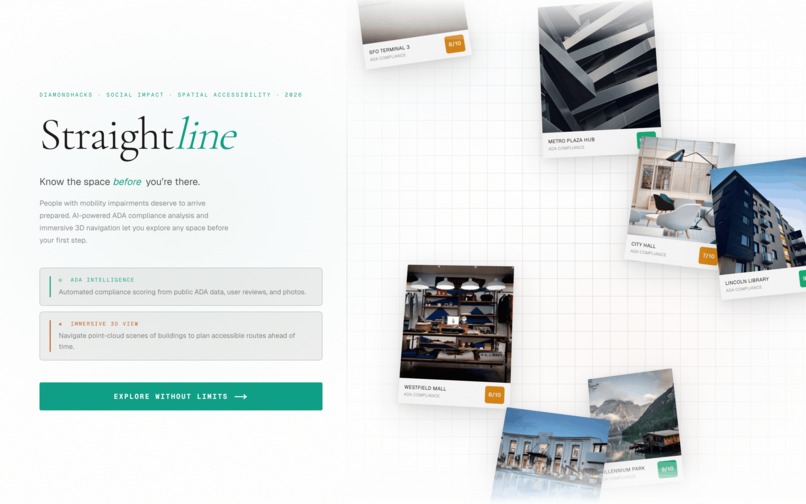
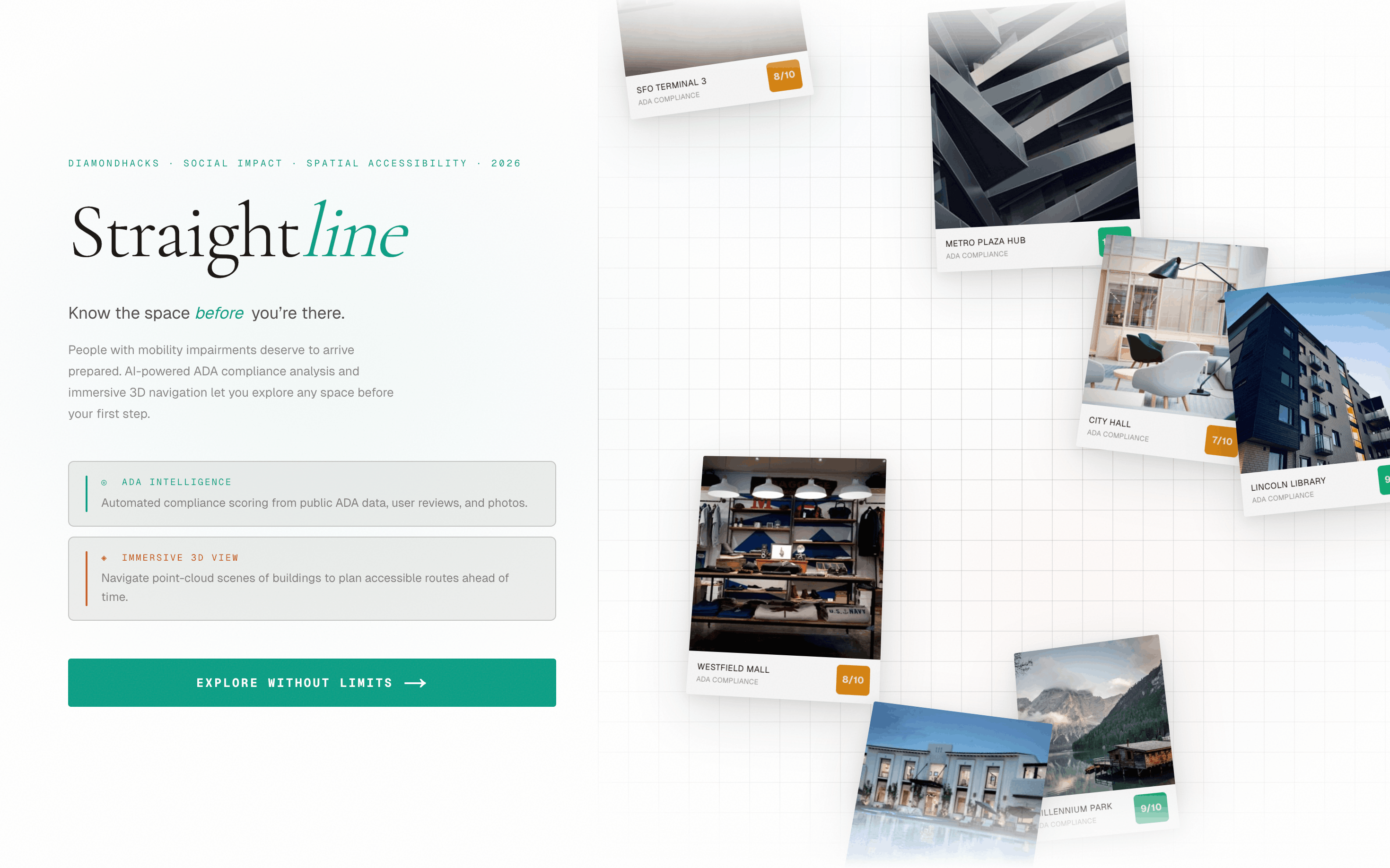
The Straightline home page
-
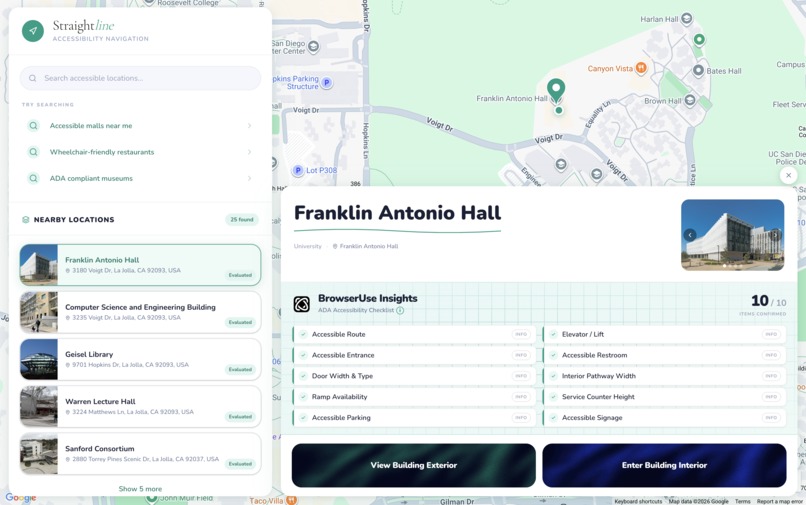
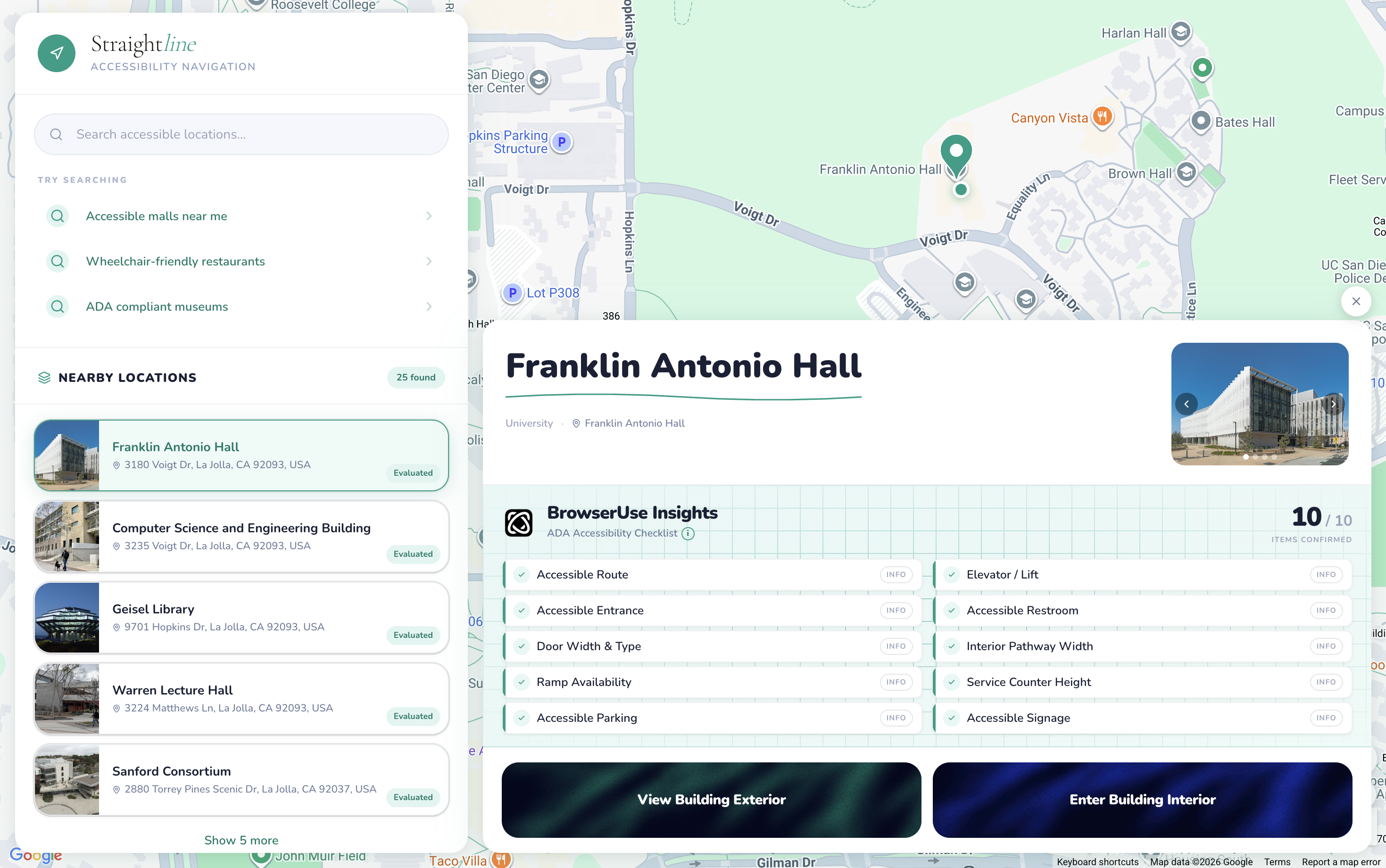
The map visual for locations and ADA compliance determination
-
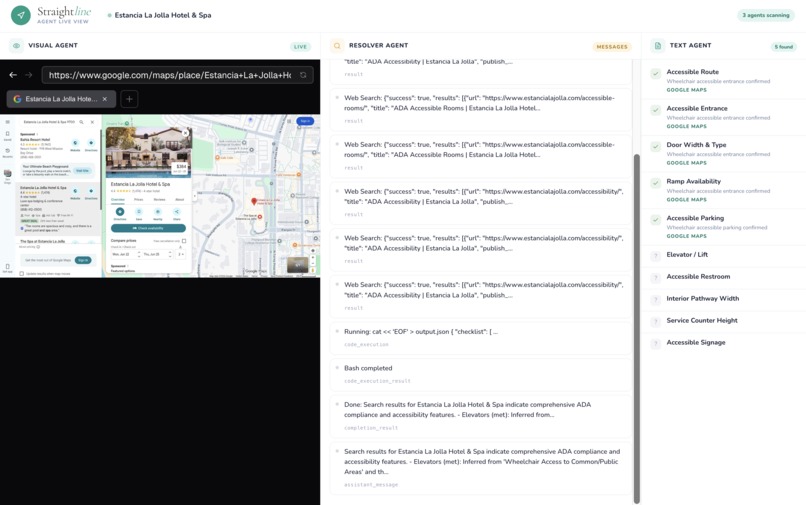
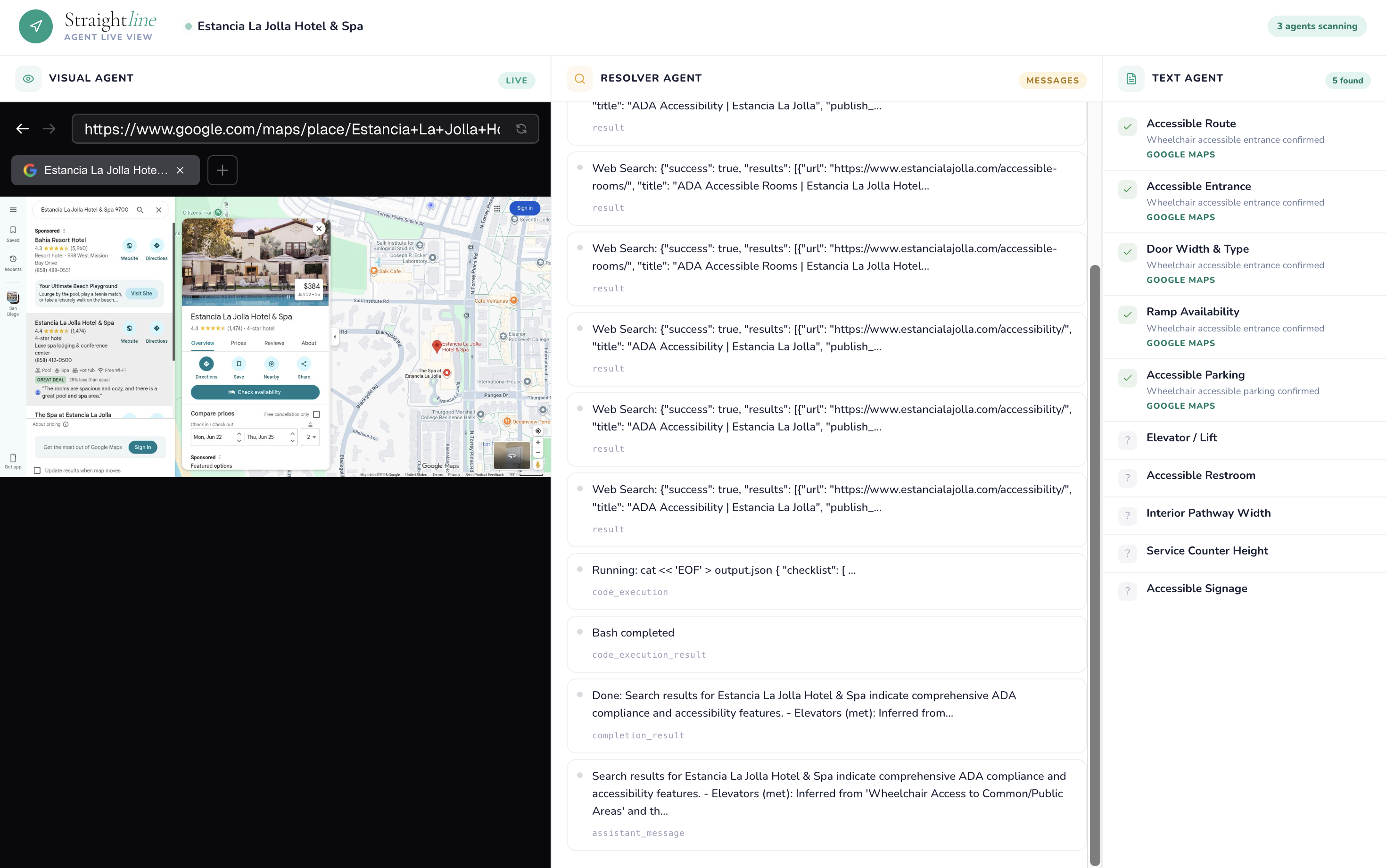
Three BrowserUse Agents running in parallel to determine ADA compliance
-
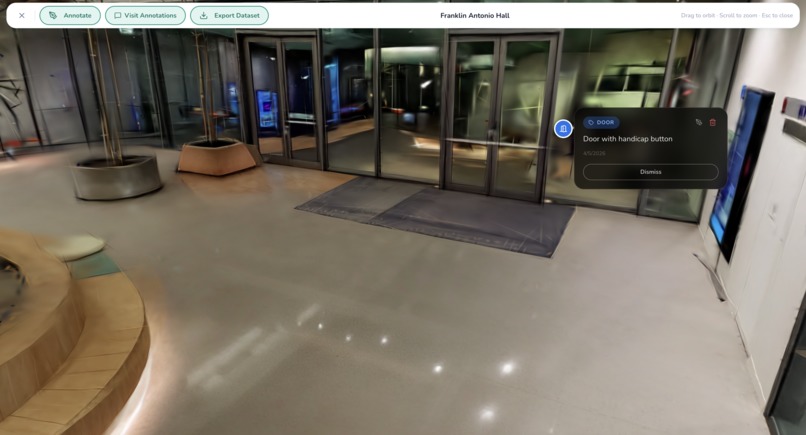
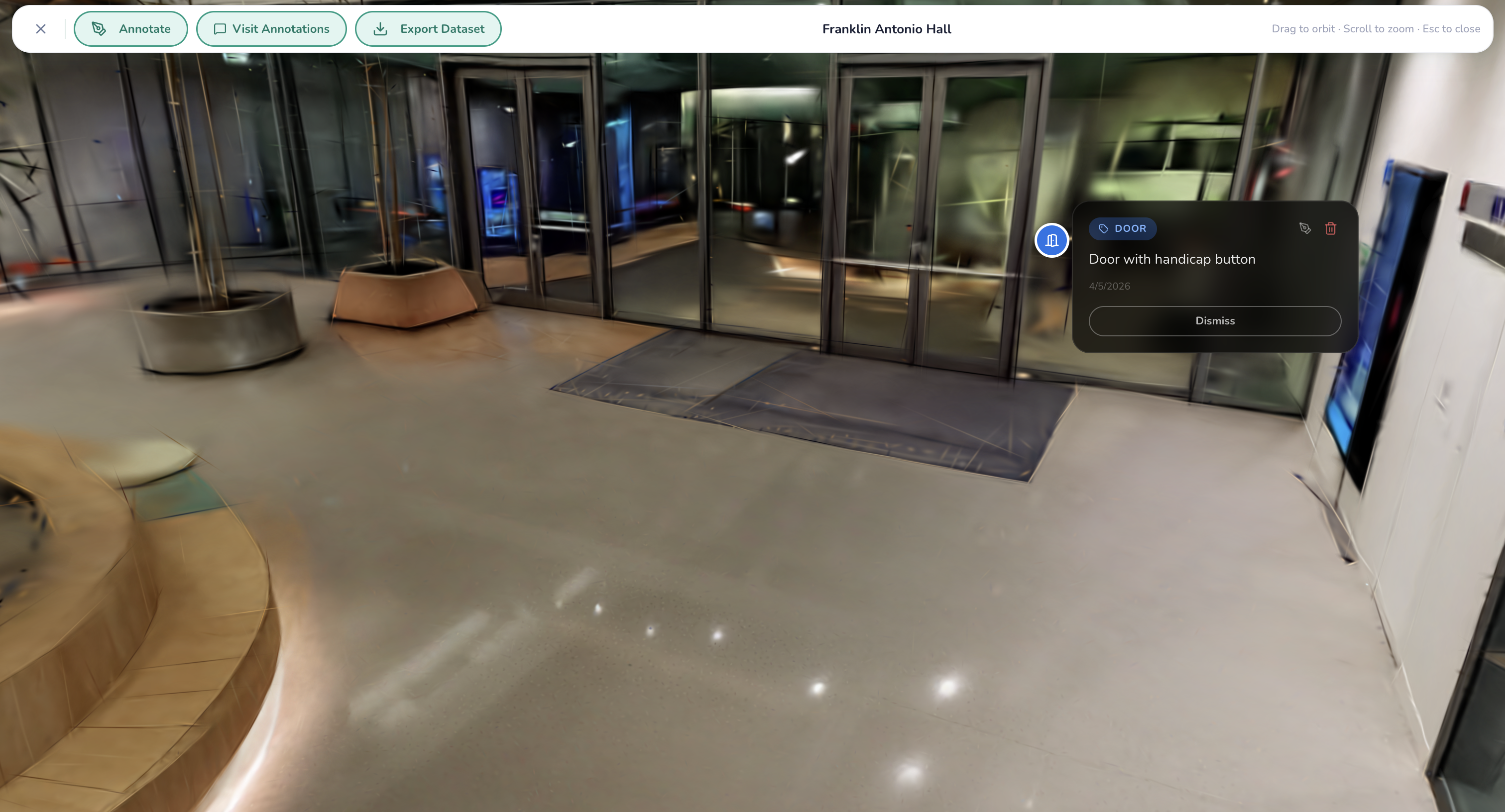
Our annotated Franklin Antonio Hall gaussian splat
-
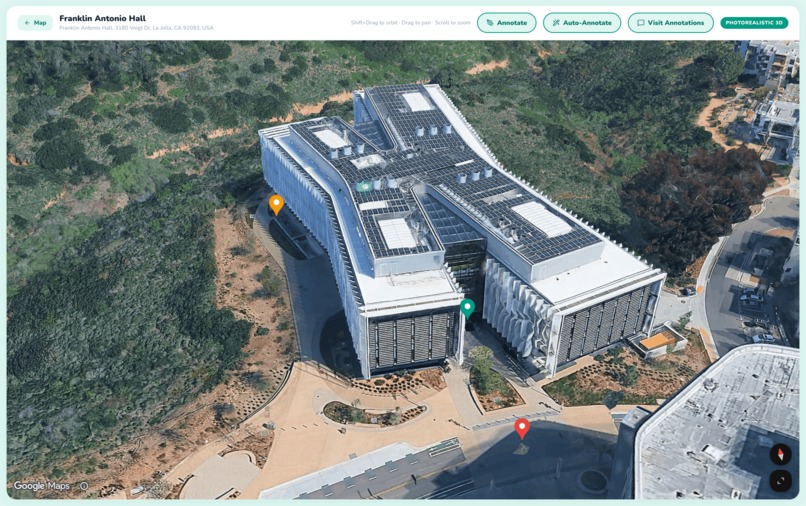
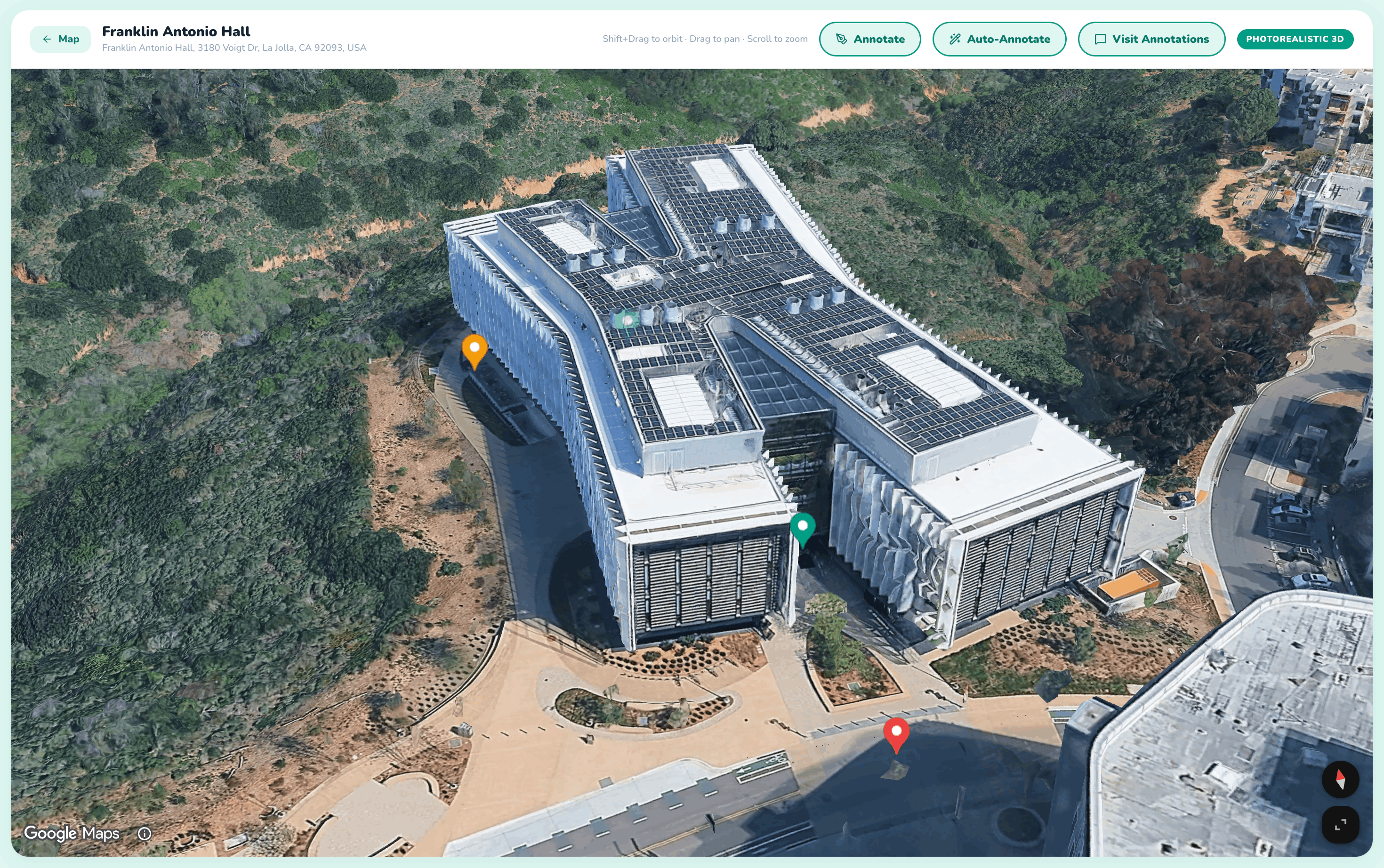
An annotated external view of FAH
Inspiration
At the start of Winter Quarter, I (Alex) tore my ACL. Stuck on crutches for ten weeks straight, one logistical difficulty emerged above the rest: I could never figure out how to enter or exit my classes. It was after much stumbling up and down lecture halls and long detours to find the only slopes I was familiar with that the idea for Streamline emerged.
Approximately 18 million Americans living with mobility impairments undergo these struggles daily, entering a building blind with no context as to whether a ramp even exists, if doors are automatic, or if the restroom is accessible. We built Straightline so anyone can explore a location through written accounts and 3D visualizations before they ever reach inside, with accessibility features already annotated and ADA compliance pre-checked through AI (BrowserUse) agents.
What it does
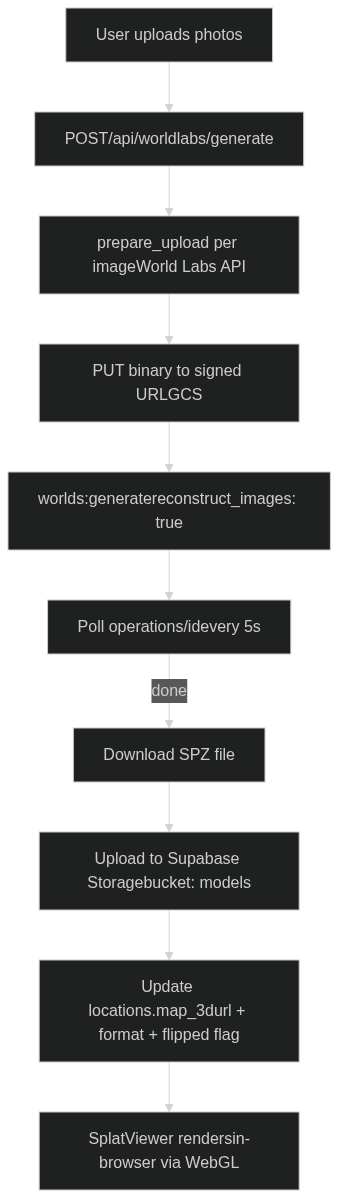
- World Gaussian Splatting: Reconstructs a photorealistic 3D Gaussian Splat of any location. The model is stored and streamed directly in the browser. This allows easy navigation.
- Annotated World: Navigate the 3D space with accessibility annotations (ramps, elevators, doors) placed directly in the scene. Know exactly what to expect before you arrive.
- ADA Compliance Agents: Three AI agents run in parallel to check 10 ADA accessibility criteria: a text agent (Google Places API + Claude), a visual agent (BrowserUse + Gemini browsing Google Maps photos), and a resolver agent (BrowserUse Googling targeted yes/no questions for anything still unknown).
- Exterior 3D View: An interactive Google Maps 3D flyover of the building exterior with annotation support, so you can understand the outdoor approach before even entering.
- Annotator Agent: An autonomous agent powered by BrowserUse that navigates through the Google Street View. As it moves through the space, it identifies accessibility-relevant features (ramps, doors, elevators, etc.) and places annotations at the correct 3D coordinates.
- Dataset Export: Download any annotated location as a research-ready ZIP, SPZ model + structured
annotations.json+ metadata under CC BY 4.0, to help train the next generation of accessibility AI. Make impact yourself by using our data!
How we built it
Tech Stack
| Layer | Technology |
|---|---|
| Framework | Next.js 16 (App Router) + React 19 + TypeScript |
| Styling | Tailwind CSS v4 + Framer Motion |
| 3D Rendering | @mkkellogg/gaussian-splats-3d + Three.js |
| 3D Reconstruction | World Labs Marble API (SPZ format) |
| AI Agents | BrowserUse Cloud API v3 + Claude Haiku (Anthropic) |
| Maps | Google Maps/Places API v1, @vis.gl/react-google-maps (Map3D) |
| Database | Supabase (Postgres + Storage) |
| Dataset Bundling | fflate (server-side ZIP) |
3D Gaussian Splat Pipeline
ADA Compliance Agent Pipeline
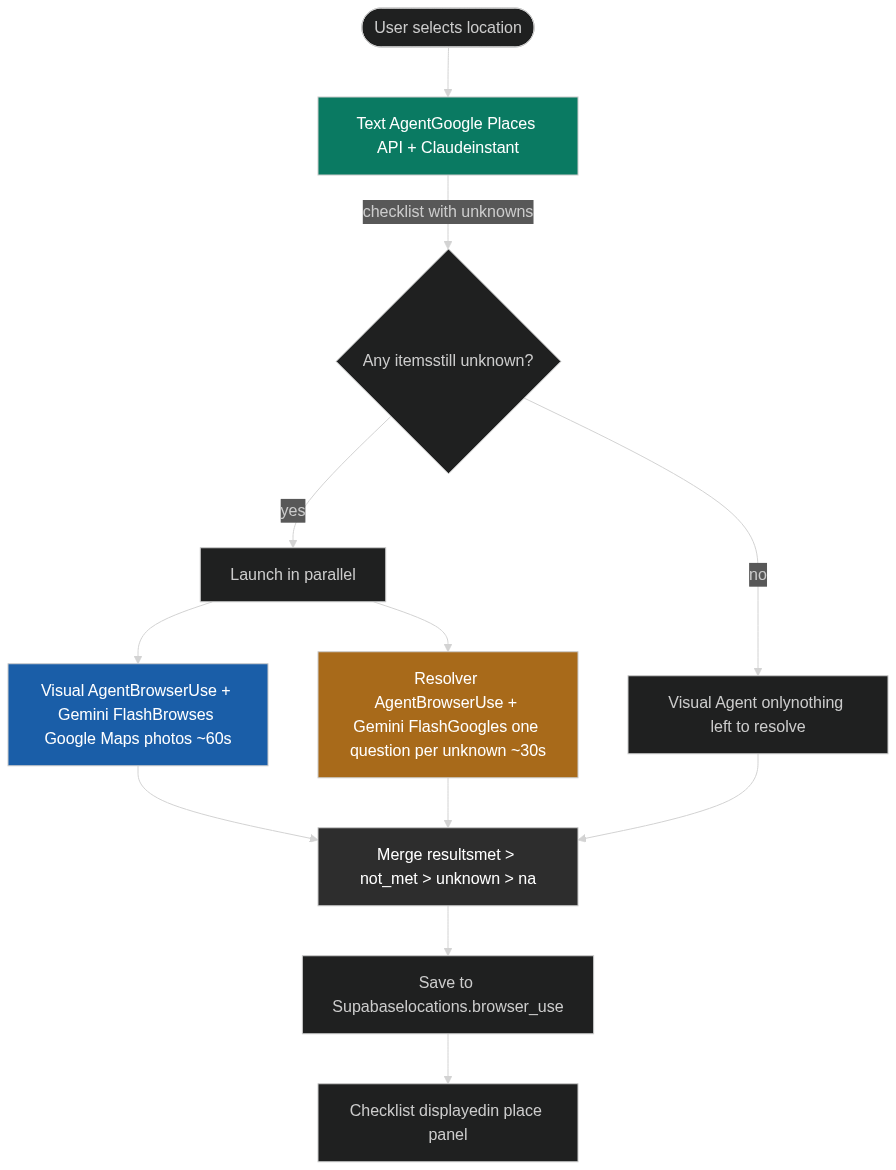
met beats not_met beats unknown beats na — so a confirmed attribute from Google Places can never be overridden by a less certain agent.
Annotation System

Labels are rendered as HTML overlays that track the 3D position in real time, with X/Y/Z axis handles for precise repositioning after placement.
Annotator Agent
The annotations are placed directly onto the 3D Gaussian Splat model, removing the need for any manual labeling.

Challenges we ran into
Gaussian splatting: We first tried a COLMAP video pipeline on RunPod GPU instances, but sparse reconstruction is CPU-bound, the process ran for hours without completing for videos over 10s that are cut by 5+ fps. It was really unfortunate that sparse reconstruction is CPU native while the other processes can be dealt with the GPU. We also tried feeding Google Street View panoramas into a splat pipeline, but the limited angles produced a jagged, unusable model. We pivoted to the World Labs Marble API for multi-image reconstruction, which gave us clean results in under 5 minutes.
BrowserUse speed: BrowserUse was too slow for ADA checking, sessions ran for minutes, visited irrelevant pages, and didn't stop even after producing output. We fixed this by splitting into three focused agents: the text agent hits the Google Places API instantly, the visual agent is constrained to 8 photo actions on Google Maps only, and the resolver agent Googles one targeted question per unknown item and reads only the snippet, never clicking through to full pages.
Upside-down splat models: World Labs generates models in an inverted coordinate space for some locations. We solved this with a per-location
flippedflag in the database, which inverts the camera's up vector ([0, -1, 0]) at init time rather than rotating the mesh post-load (which caused a black screen).
Accomplishments that we're proud of
- A fully working in-browser Gaussian Splat viewer with 3D annotation placement, axis gizmos for repositioning, and per-annotation focus navigation
- An agent that could fully annotate worlds. Really helps with datasets.
- A three-agent ADA compliance system that completes in under 90 seconds, with a live agent view page showing real-time BrowserUse messages
- An open research dataset export that makes every annotated location immediately useful for ML researchers
- The exterior 3D flyover view using Google Maps 3D API with annotation support, giving users both the outside and inside view
What we learned
- Gaussian splatting needs serious compute, CPU-bound reconstruction is a non-starter for a live product. Cloud GPU APIs (World Labs) are the right abstraction for now.
- LLM agents need aggressive constraints to be fast. Without strict action budgets and explicit "output immediately" instructions, they will keep searching indefinitely.
- ADA compliance data is shockingly sparse. Google Places
accessibilityOptionscovers the basics, but most of the 10 checklist items still require inference from photos and reviews.
What's next for Straightline
- On-device capture: Integrate lidar scanning from iPhone Pro to capture higher-quality splat inputs directly from the field
- Annotator agent: An AI agent that automatically pre-labels ramps, doors, and elevators in the splat scene using the 3D model geometry — so users arrive to an already-annotated world
- Accessible routing: Use the annotated mesh to compute the most accessible path through a building (entrance → elevator → destination), avoiding stairs and narrow corridors
- Community updates: Let users flag outdated accessibility info and re-run the agent pipeline to keep data fresh
- Growing open dataset: Publish the annotated SPZ dataset so researchers can train accessibility detection models on real labeled 3D scenes
Built With
- browseruse
- claude
- nextjs
- supabase
- three.js


Log in or sign up for Devpost to join the conversation.