-
-
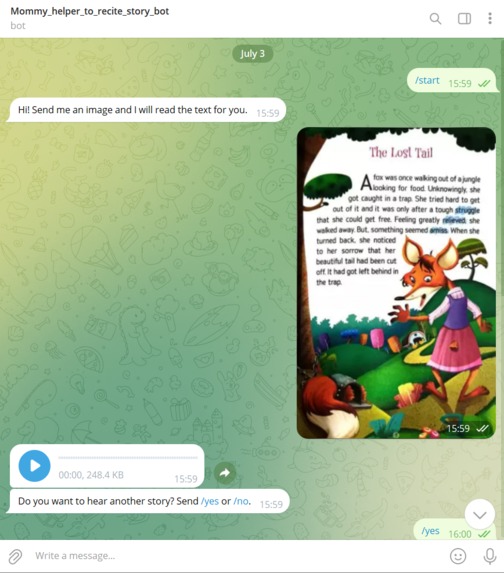
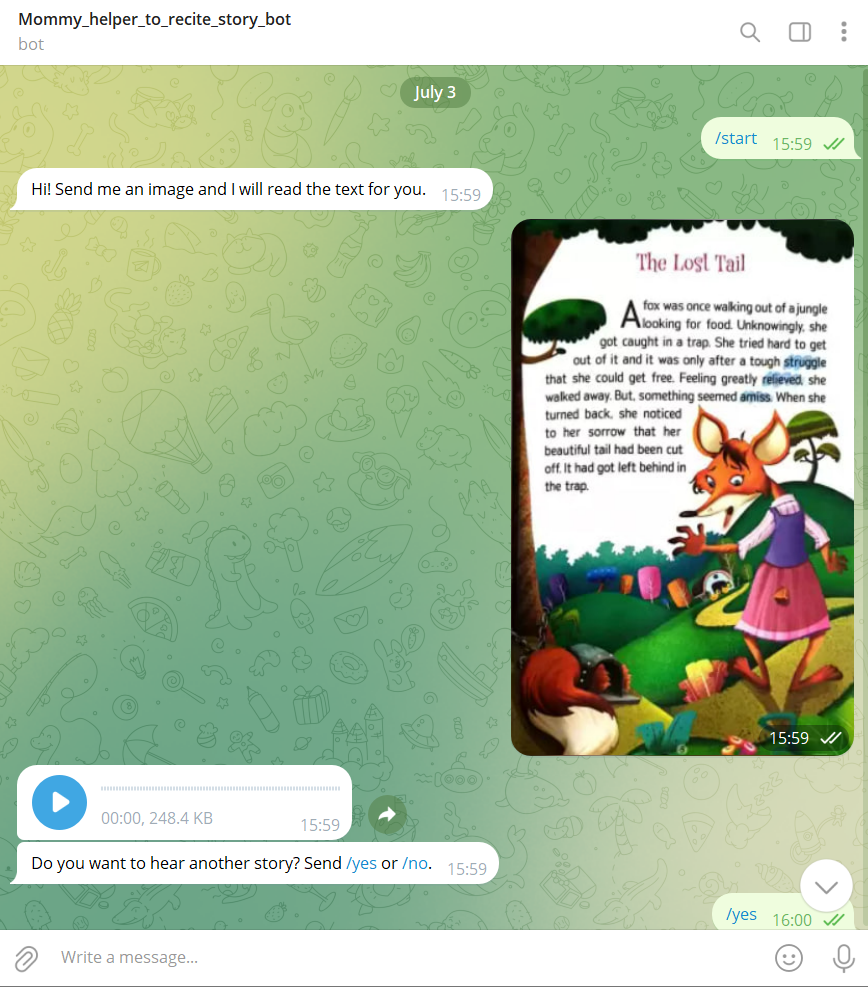
Responses of Chatbot (First half)
-
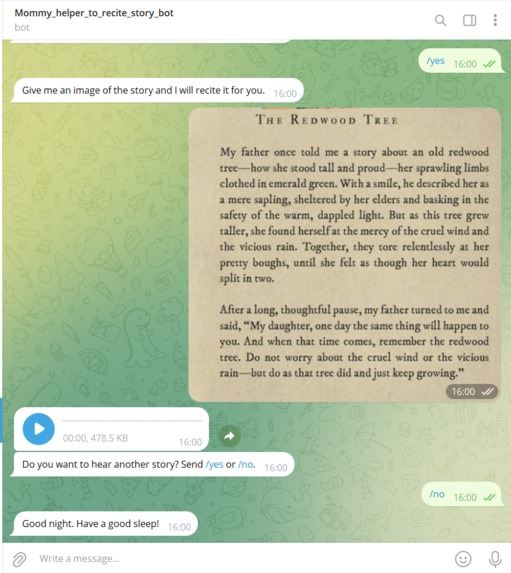
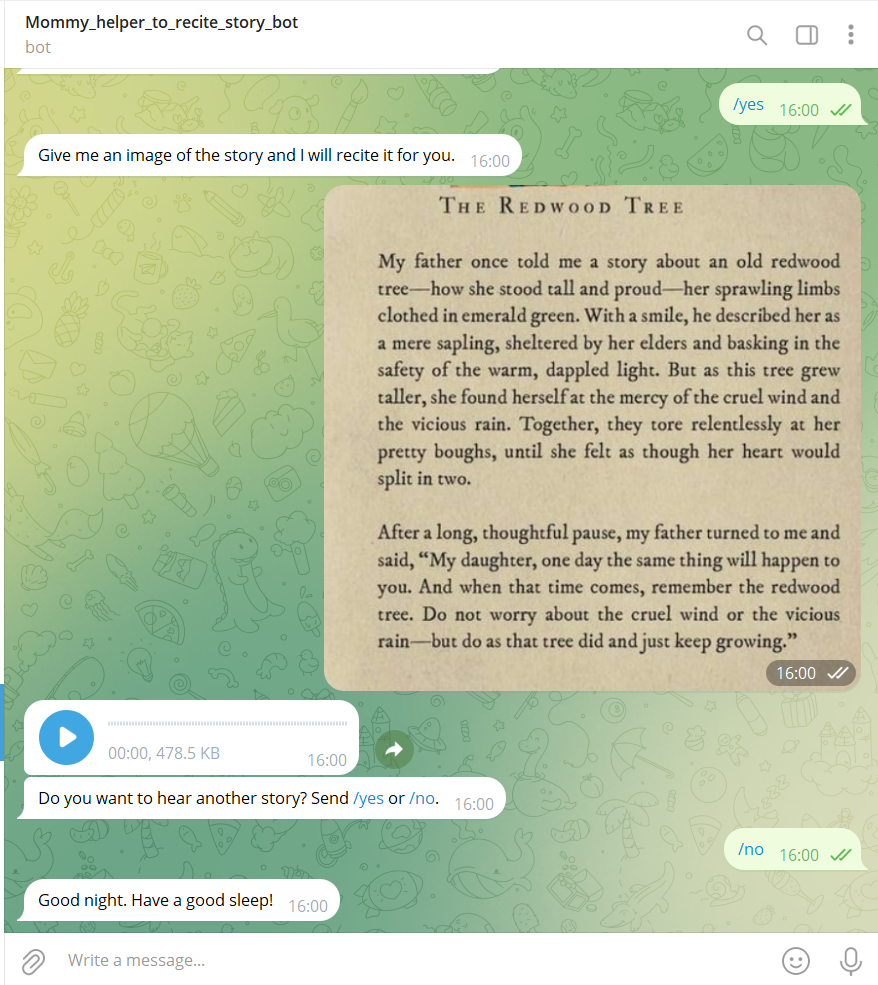
Responses of Chatbot (Second half)
Story Whisper: Magical Bedtime Tales for Kids and Busy Parents
About the Project
Story Whisper is a Telegram bot designed to ease the nighttime routine for busy parents by transforming bedtime stories into magical audio experiences for children. The inspiration for this project came from the need to support hardworking parents who, after a long and chaotic day, might find it challenging to tell bedtime stories to their children. Story Whisper provides a simple solution: parents can send an image of a story, and the bot will read it aloud, creating a voice message that can be played anytime.
Inspiration
The idea for Story Whisper stemmed from observing the struggles of parents who juggle work, household chores, and parenting responsibilities. With modern lifestyles becoming increasingly hectic, finding time for bedtime stories can be difficult. However, bedtime stories play a crucial role in a child's development and help them relax and sleep better. Story Whisper aims to bridge this gap by offering an easy and reliable way for parents to ensure their children still enjoy their bedtime stories, even on the busiest of days.
What it Does
Story Whisper allows parents to send an image of a story through Telegram, and the bot processes the image, extracts the text using Optical Character Recognition (OCR), and converts the text to speech. The bot then sends back a voice message of the story, creating an audio experience for children that can be played anytime. This ensures that children can enjoy their bedtime stories even when their parents are busy or exhausted.
How We Built It
The development of Story Whisper involved the following steps:
- Library Installation: We installed necessary libraries such as
telebotfor Telegram bot development,pytesseractfor OCR,Pillowfor image processing, andgttsfor text-to-speech conversion. - OCR Configuration: We configured Tesseract OCR to process images and accurately extract text.
- Bot Initialization: We initialized the Telegram bot and set up message handling functions to respond to user commands and messages.
- Image Processing: We implemented a function to handle images, using OCR to extract text and convert the text into speech.
- Voice Message Delivery: We developed a feature to send the generated audio file back to the user as a voice message.
- User Interaction: We added functions to guide users through the process, including asking if they want to hear another story and handling their responses.
Challenges We Ran Into
Building Story Whisper presented several challenges:
- OCR Accuracy: Ensuring accurate text extraction from images was a challenge, especially with varying image qualities and text formats.
- Natural-Sounding Speech: Creating natural and pleasant-sounding audio files required fine-tuning the text-to-speech conversion process.
- User Experience: Designing an intuitive user experience that could handle different scenarios and provide clear instructions to users was crucial.
- Bot Responsiveness: Ensuring the bot responded promptly and correctly to user inputs, especially when handling multimedia content, required careful attention.
Accomplishments That We're Proud Of
We are proud of several key accomplishments:
- Effective OCR Implementation: Successfully configuring Tesseract OCR to accurately extract text from a wide variety of images.
- Seamless Text-to-Speech Conversion: Creating a smooth and natural-sounding text-to-speech conversion process that brings stories to life.
- User-Friendly Interface: Designing an intuitive and engaging user interface that makes it easy for parents to use the bot and interact with it.
- Positive User Feedback: Receiving positive feedback from parents who have found the bot helpful in managing their nighttime routines.
What We Learned
Throughout the development of Story Whisper, we learned:
- Optical Character Recognition (OCR): How to effectively use Tesseract OCR to extract text from images, understanding its strengths and limitations.
- Text-to-Speech (TTS) Conversion: How to use the gTTS library to convert text into speech, learning to create natural-sounding audio files.
- Telegram Bot Development: Gaining experience in building and deploying a Telegram bot, managing user interactions, and handling multimedia content.
- User Experience Design: The importance of designing a user-friendly interface that provides clear instructions and seamless interactions for users of all technical backgrounds.
What's Next for Story Whisper
The future of Story Whisper includes several exciting developments:
- Improving OCR Accuracy: Enhancing the OCR process to handle more complex and varied text formats with greater accuracy.
- Enhancing TTS Naturalness: Further refining the text-to-speech conversion to produce even more natural and engaging audio experiences.
- Multilingual Support: Expanding the bot's capabilities to support multiple languages, allowing parents and children from different linguistic backgrounds to benefit.
- User Feedback Integration: Continuously gathering and integrating user feedback to improve the bot's functionality and user experience.
- Story Database: Developing a database of popular bedtime stories that parents can choose from, eliminating the need to upload images.
By addressing these challenges and pursuing these future developments, Story Whisper aims to become an indispensable tool for busy parents, turning bedtime stories into magical moments for children.
Conclusion
Story Whisper is more than just a Telegram bot; it's a solution that enhances the bond between parents and children. By transforming written stories into captivating audio tales, StoryWhisper ensures that children can enjoy bedtime stories even when their parents are stretched thin with work and responsibilities. This project stands as a testament to the power of technology in making everyday life a little easier and more magical.
Task List
- Develop the Telegram bot
- Implement OCR for text extraction
- Convert text to speech
- Design user interactions
- Gather user feedback
- Improve OCR accuracy
Example Code
Here is the sample code
Dictionary to store user states
user_state = {}
@bot.message_handler(commands=['start']) def handle_start(message): bot.send_message(message.chat.id, 'Hi! Send me an image and I will read the text for you.')
@bot.message_handler(commands=['help']) def handle_help(message): bot.send_message(message.chat.id, 'Send me an image and I will extract the text and read it out to you.')
@bot.message_handler(content_types=['text']) def handle_text(message): if message.text.lower() == '/yes': bot.send_message(message.chat.id, 'Give me an image of the story and I will recite it for you.') user_state[message.chat.id] = 'waiting_for_image' elif message.text.lower() == '/no': bot.send_message(message.chat.id, 'Good night. Have a good sleep!') else: bot.send_message(message.chat.id, "I can only process images. Please send an image.")
@bot.message_handler(content_types=['photo']) def handle_photo(message): # Check if message contains photo if message.photo: photo_id = message.photo[-1].file_id file_info = bot.get_file(photo_id) downloaded_file = bot.download_file(file_info.file_path)
    # Process image with OCR
    text = extract_text_from_image(downloaded_file)

    # Convert text to speech
    audio_file = convert_text_to_speech(text)

    # Send audio file to user
    bot.send_voice(message.chat.id, audio_file)

    # Ask if user wants to hear another story
    ask_another_story(message)
else:
    bot.send_message(message.chat.id, 'Please upload an image.')
def ask_another_story(message): bot.send_message(message.chat.id, 'Do you want to hear another story? Send /yes or /no.') user_state[message.chat.id] = 'waiting_for_response'
@bot.message_handler(func=lambda message: user_state.get(message.chat.id) == 'waiting_for_response', content_types=['text']) def handle_another_story_response(message): response = message.text.strip().lower() if response == '/yes': bot.send_message(message.chat.id, 'Give me another image of the story.') user_state[message.chat.id] = 'waiting_for_image' elif response == '/no': bot.send_message(message.chat.id, 'Good night. Have a good sleep!') user_state[message.chat.id] = None else: bot.send_message(message.chat.id, 'Please send /yes or /no.')
@bot.message_handler(func=lambda message: user_state.get(message.chat.id) == 'waiting_for_image', content_types=['photo']) def handle_new_image(message): photo_id = message.photo[-1].file_id file_info = bot.get_file(photo_id) downloaded_file = bot.download_file(file_info.file_path)
# Process image with OCR
text = extract_text_from_image(downloaded_file)

# Convert text to speech
audio_file = convert_text_to_speech(text)

# Send audio file to user
bot.send_voice(message.chat.id, audio_file)

# Ask if user wants to hear another story
ask_another_story(message)
def extract_text_from_image(image_file): image = Image.open(BytesIO(image_file)) text = pytesseract.image_to_string(image) return text.strip()
def convert_text_to_speech(text): tts = gTTS(text) audio_stream = BytesIO() tts.write_to_fp(audio_stream) audio_stream.seek(0) return audio_stream
Step 5: Start the bot
bot.polling() .
Built With
- gtts
- pillow
- pytesseract
- python
- telebot
- telegram-bot-api


Log in or sign up for Devpost to join the conversation.