-
-
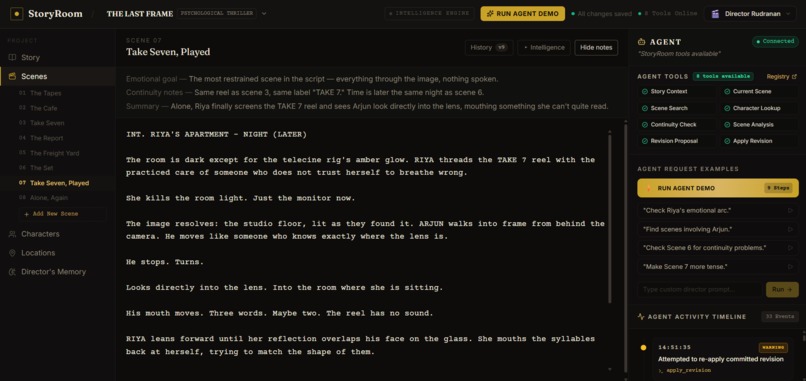
Accepted Scene
-
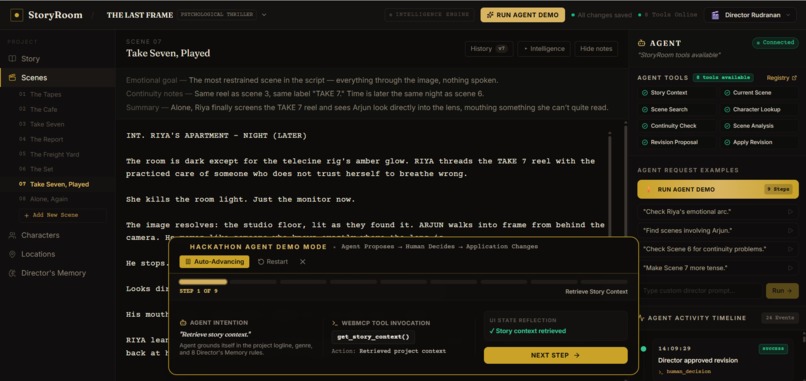
Written By AI
-
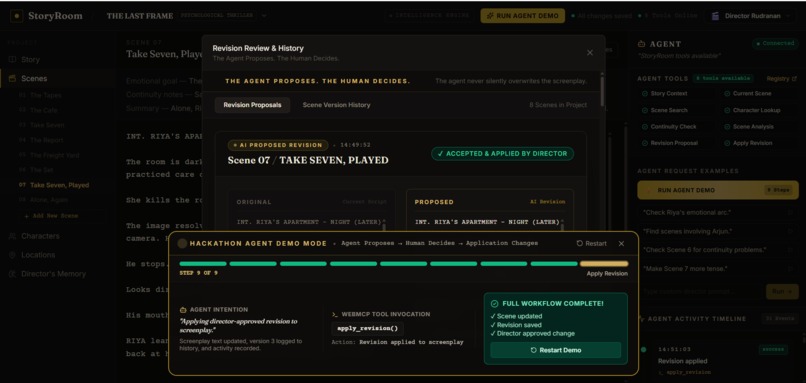
Revision Review Diff Modal
-
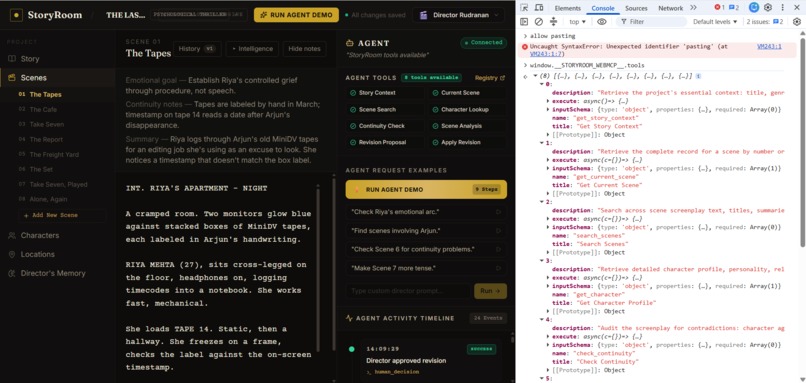
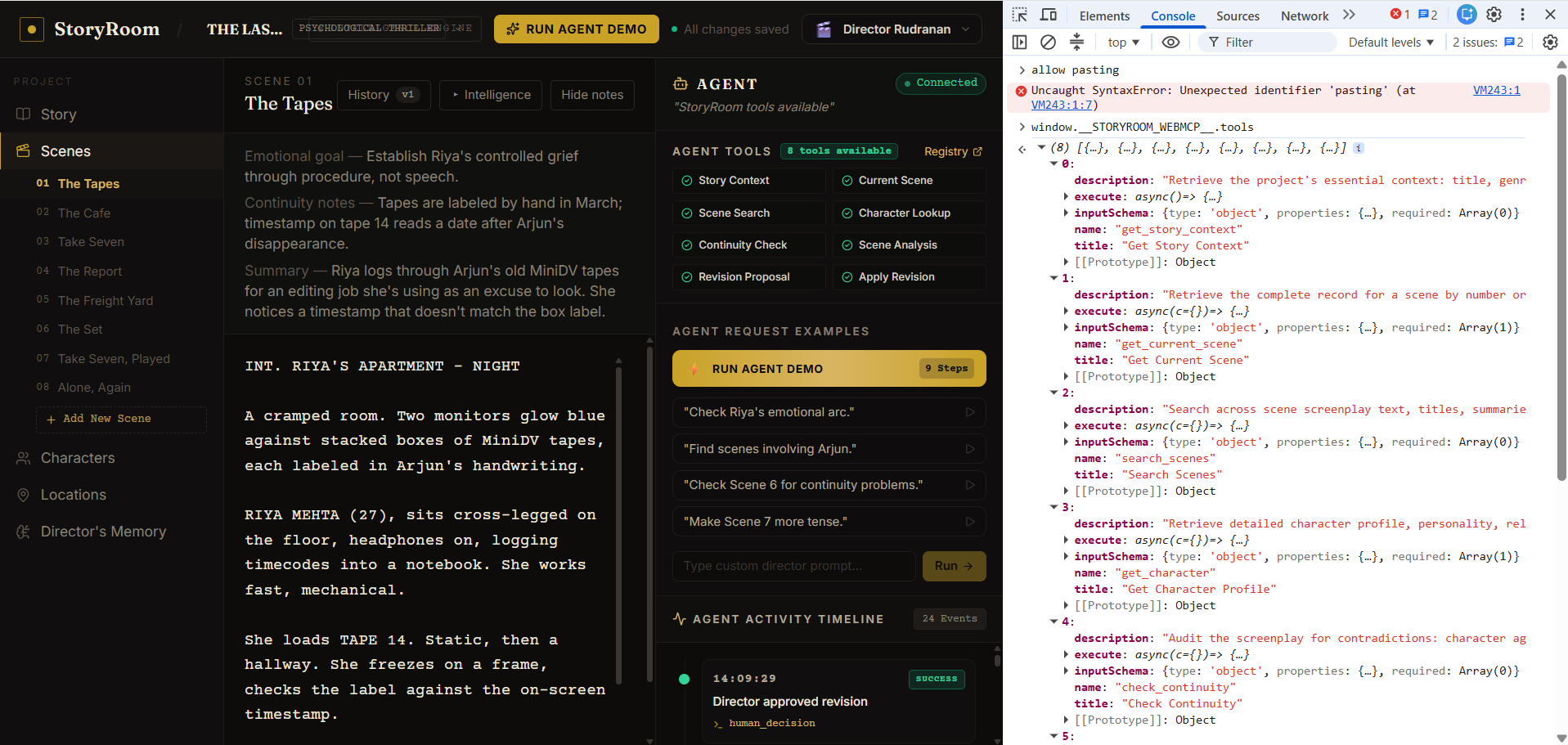
Chrome DevTools console showing
-
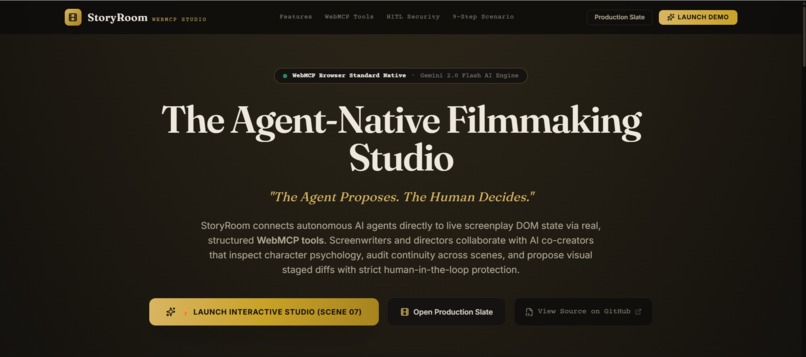
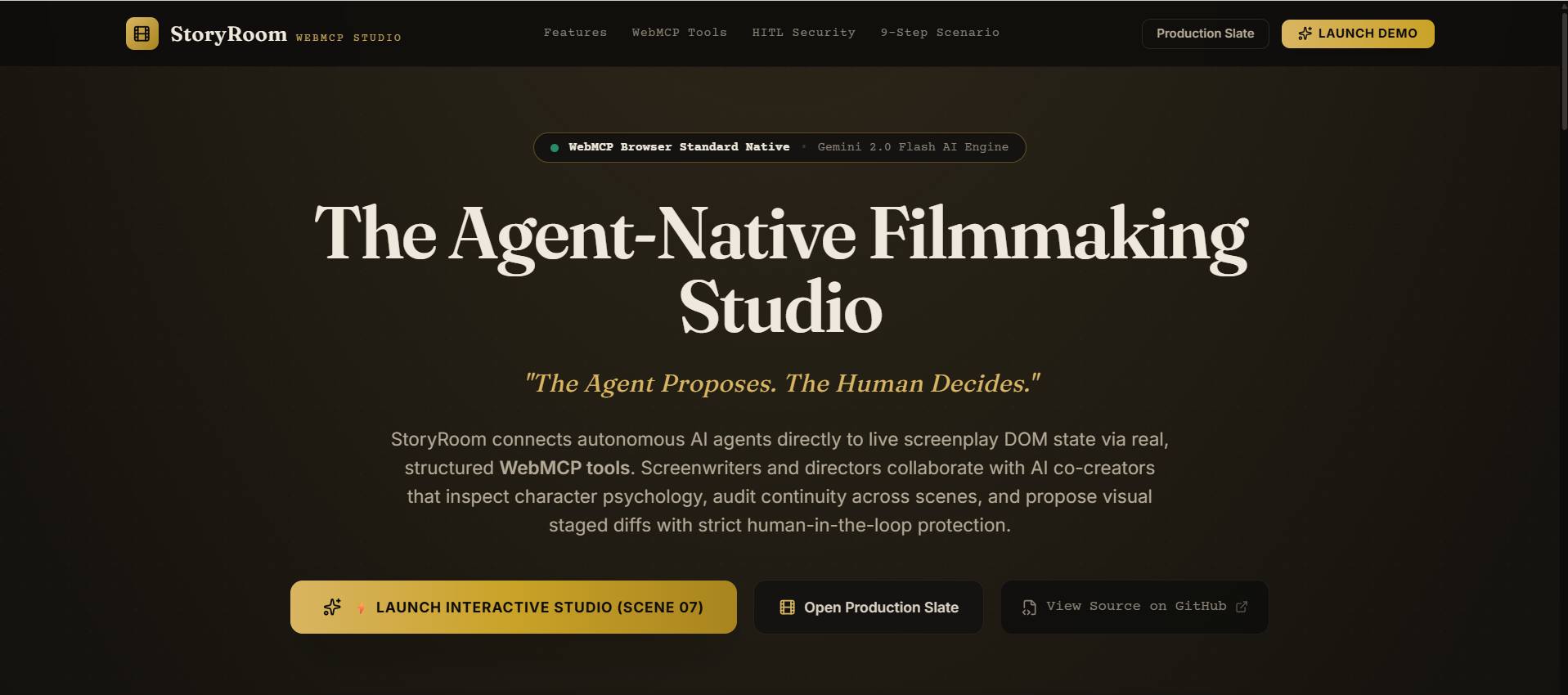
Landing Page
Inspiration
Screenwriting is not a single-document problem.
A single scene depends on what happened three scenes ago - who locked the safe, what the character emotionally knows at this moment, what the director's aesthetic rules demand about silence versus dialogue. When I tried using AI chatbots as a writing co-creator, I kept hitting the same wall: I had to manually copy-paste context, re-explain character histories every session, and hope the AI didn't contradict something established six scenes back.
The real problem wasn't the AI's intelligence. The AI was operating blind - it had no structured access to the live workspace state.
The moment I read about WebMCP — the idea that an agent could register structured
tools directly on document.modelContext and read real browser application state -
I immediately thought about filmmaking. A screenplay is exactly the kind of complex,
multi-dimensional, stateful problem where a workspace-native agent thrives and a
generic chatbot fails.
So I asked: what if the AI director's assistant lived inside the studio?
What it does
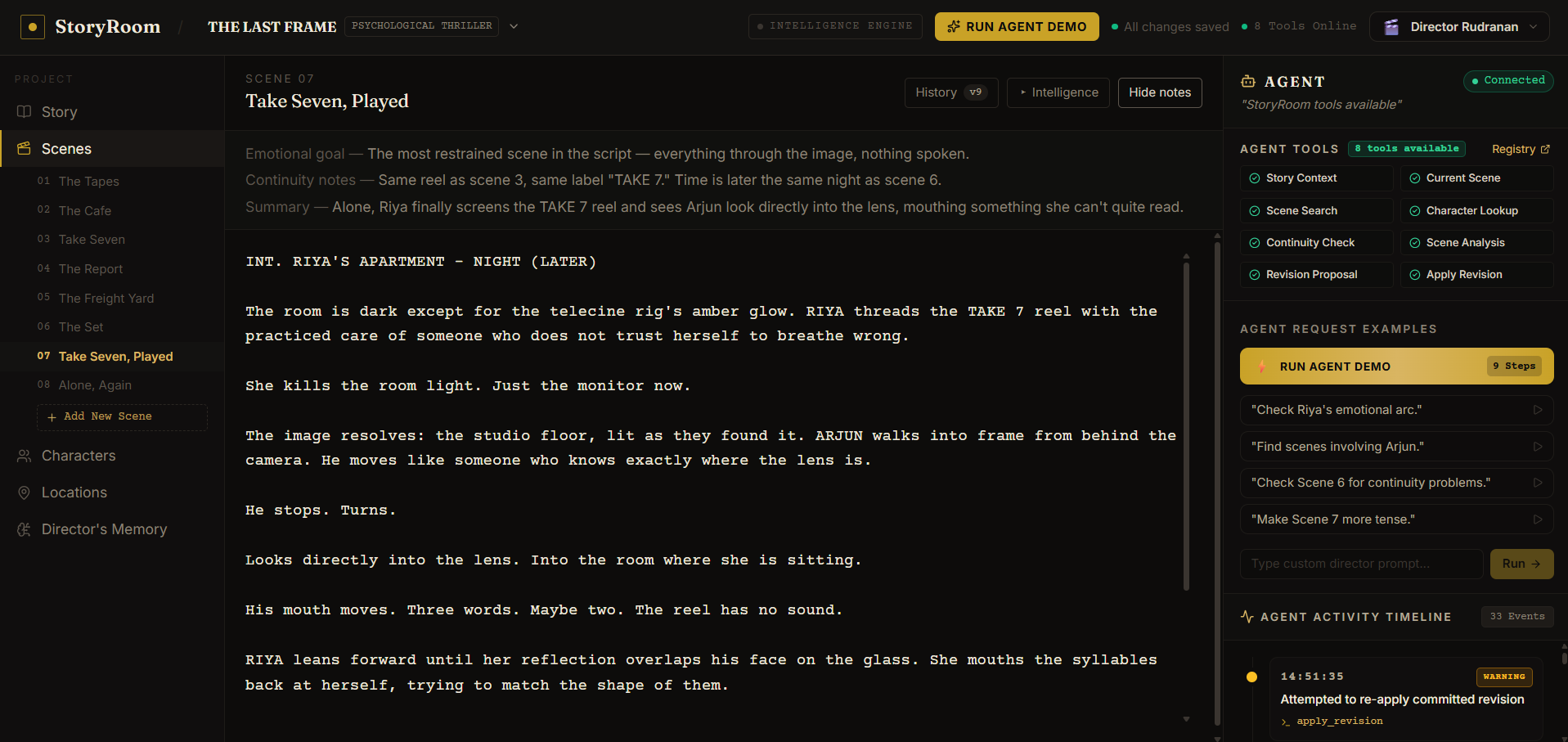
StoryRoom is an agent-native filmmaking workspace where human directors and autonomous AI agents collaborate in real-time on live screenplays through the native WebMCP browser standard.
The AI agent operates entirely inside the application through 8 registered
WebMCP tools on document.modelContext:
get_story_context- reads the full narrative: genre, logline, characters, locations, and the director's 8 codified creative rulesget_current_scene- fetches the live screenplay text, slugline, characters present, and version history for any sceneget_character- loads a full character dossier: psychological traits, emotional arc, and cross-scene appearance indexcheck_continuity- audits the multi-scene timeline, prop tracking, and character knowledge for contradictionsanalyze_scene- evaluates dramatic pacing and dialogue against the Director's Memory rulespropose_rewrite- generates a pending staged revision with justification notes — the live screenplay is never touchedapply_revision- commits an approved revision to the screenplay, guarded by a strict Human-In-The-Loop security gate
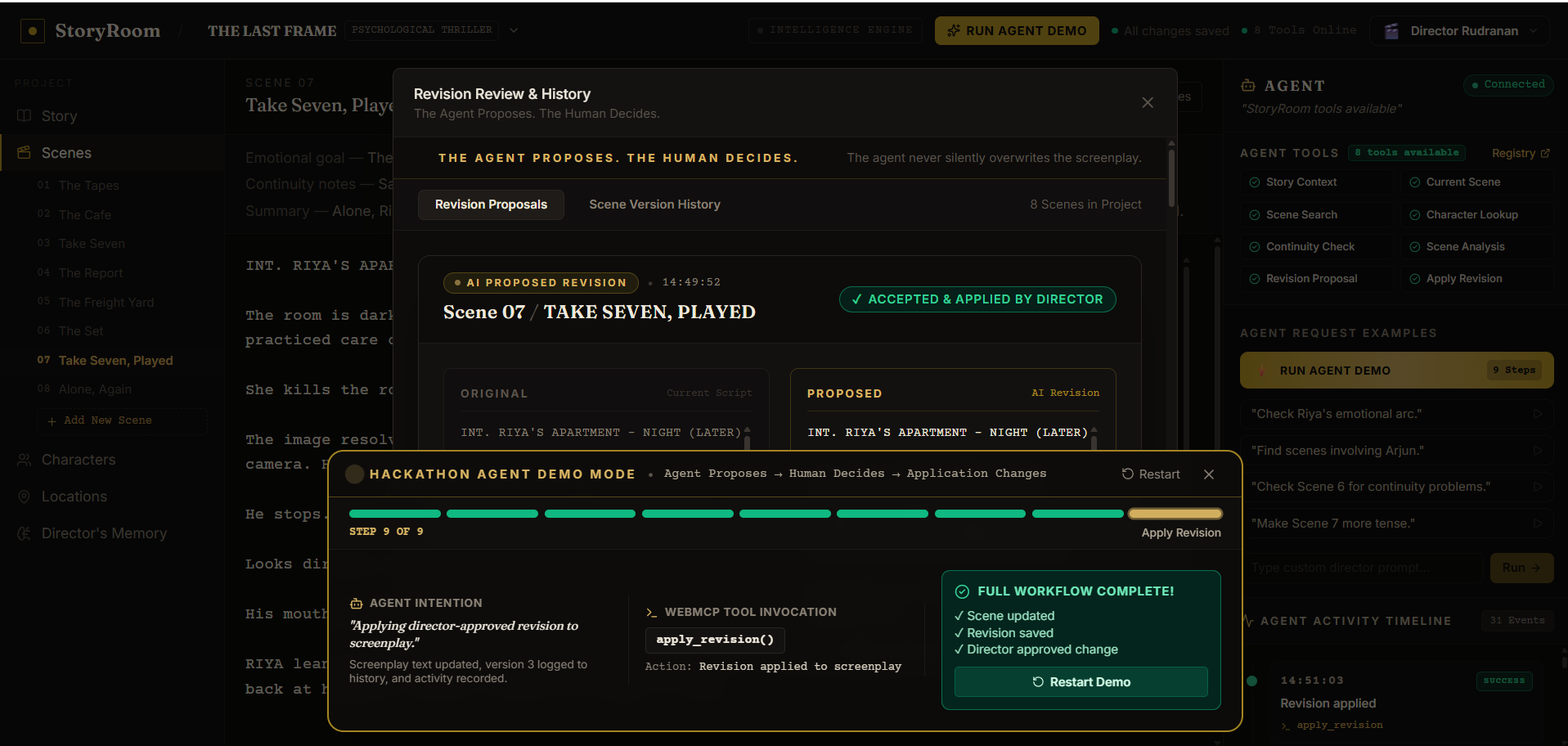
The centerpiece is the Human-In-The-Loop guarantee: the agent can never silently overwrite creative work. Every proposed rewrite is delivered as a side-by-side visual diff (red = removed, green = added). The director must explicitly click Accept Revision before any change reaches the script.
How we built it
StoryRoom is engineered in 5 architectural layers:
1. Presentation Layer
React 18 + Vite + TailwindCSS cinematic workspace with a Screenplay Editor (industry-standard formatting), Character Manager, Locations Panel, Director's Memory rules editor, and a Revision Review modal.
2. WebMCP Tool Registry
All 8 tools are registered on document.modelContext with strict JSON Schema
definitions and input validation. They are also mirrored on
navigator.modelContext and window._STORYROOM_WEBMCP_ so judges can
verify every tool directly in Chrome DevTools (F12).
3. WebMCP State Bridge
WebMCPProvider synchronizes the tool registry with the live React
ProjectStore using mutable refs - ensuring every tool call reads genuine,
real-time application state rather than stale closures.
4. Dual-Mode AI Intelligence Layer
- Primary: Google Gemini 1.5 Flash via REST API, with an automatic
model cascade (tries
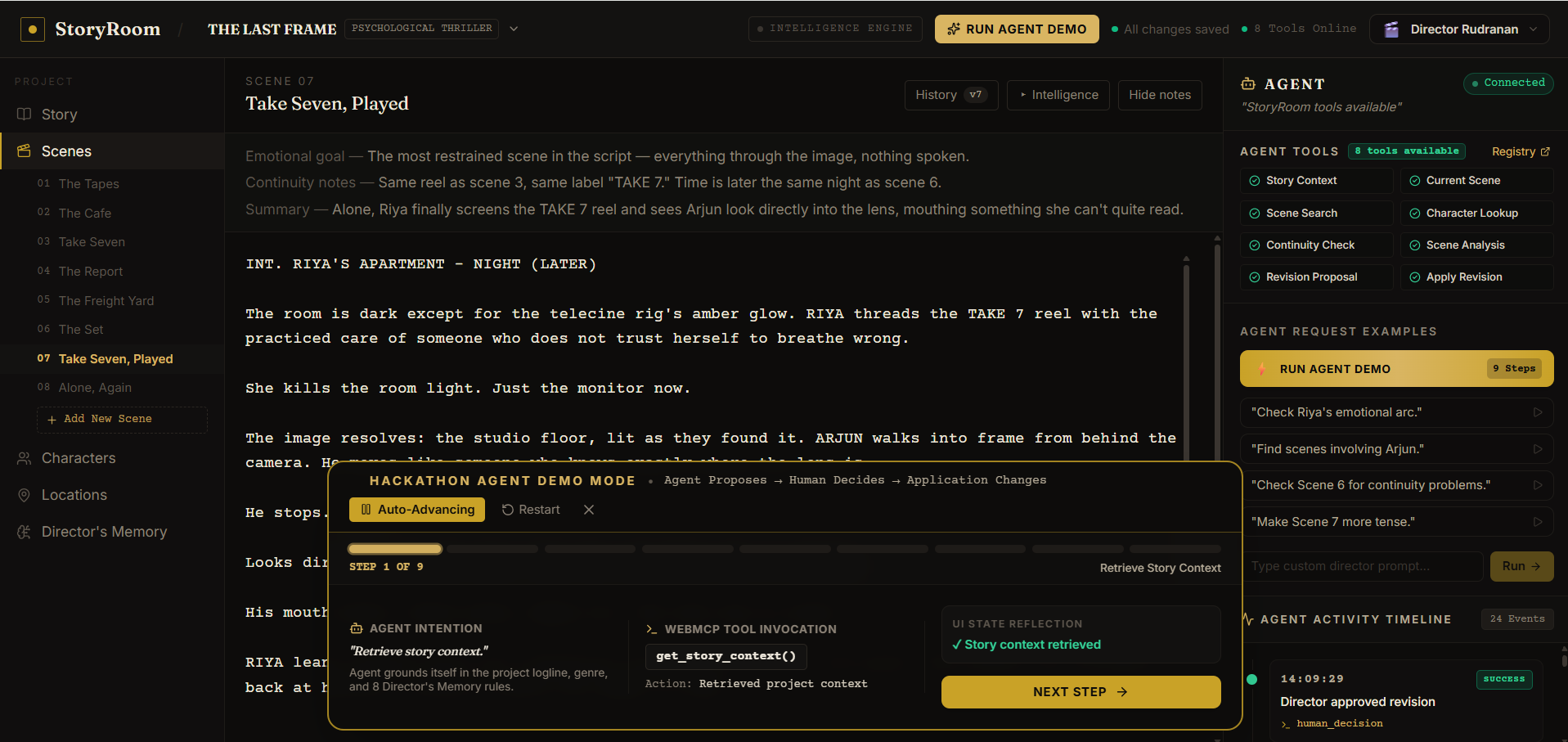
gemini-1.5-flash→gemini-2.0-flash-exp→gemini-1.5-pro) so the app never hard-crashes on model deprecation - Fallback: A deterministic offline simulation engine that produces high-quality, scene-aware responses with zero API key - so the full 9-step demo scenario runs for any judge, anywhere, at any time
5. Human-In-The-Loop Security Gate
apply_revision checks revision status before executing. Any direct commit
attempt on a pending revision is hard-blocked at the tool layer:
{ "success": false, "error": "HUMAN_APPROVAL_REQUIRED" }
The director reviews a visual diff and clicks Accept - only then does the tool commit Version 3 to the live screenplay.
Challenges we ran into
1. WebMCP state synchronization with async React rendering
The hardest engineering problem. React re-renders asynchronously; the
WebMCP tool registry registers once at mount. Getting check_continuity
to always read the current screenplay state — not a stale snapshot from
when the tool was first registered — required storing all reactive state
in mutable refs inside the provider, rather than capturing values in
closure scope. A subtle but critical distinction.
2. Designing the Human-In-The-Loop gate to feel like a creative decision The HITL gate had to be firm enough to be a real security guarantee, but natural enough that reviewing a diff feels like a directorial choice, not a bureaucratic approval form. Getting the visual diff presentation and the modal flow right required multiple iterations.
3. Gemini model deprecation mid-development
The originally pinned model name (gemini-2.0-flash) returned 404 from
the API partway through development. This could have broken the live demo.
I responded by implementing an automatic model cascade that silently tries
the next available production model before falling back to the offline
simulation engine - so the app is resilient to future deprecations too.
4. Making the offline demo indistinguishable from the live AI path The deterministic fallback engine needed to produce screenplay analysis that felt genuinely thoughtful - not canned. I built scene-aware demo responses that reference real props, characters, and Director's Memory rule numbers so the 9-step walkthrough demonstrates the full product experience even without a Gemini API key configured.
Accomplishments that we're proud of
- The Human-In-The-Loop security guarantee is real and enforced at the
tool layer - not just a UI convention.
apply_revisiongenuinely rejects unauthorized commits with a structured error response. - All 8 WebMCP tools are verifiable in Chrome DevTools in under 30
seconds. Any judge can open
F12, runwindow._STORYROOM_WEBMCP_.tools, and see the full registry. They can call any tool directly from the console. - The 9-step deterministic demo works completely offline. Zero API keys, zero setup, zero loading screens - the entire WebMCP collaboration workflow runs in one click for any evaluator.
- The continuity auditing is genuinely useful. The
check_continuitytool catches a real planted narrative contradiction (a prop locked in a safe in Scene 4 being examined without an unlocking action in Scene 7) - the kind of error that slips through human review but a structured agent catches immediately. - Building a product that feels premium, not like a proof of concept. From the cinematic design language to the visual diff review to the Director's Memory rules system, StoryRoom feels like a tool a real filmmaker would want to use.
What we learned
- WebMCP's
document.modelContextis genuinely powerful for domain-specific applications. The moment you give an agent structured, typed access to live application state instead of raw text, the quality of its reasoning improves dramatically - because hallucination requires filling in gaps, and structured tools leave fewer gaps. - The Human-In-The-Loop pattern is not a limitation on AI capability - it is a trust feature. Agents that can be overruled are agents that can be trusted with higher-stakes tasks. The HITL gate is what makes directors willing to let the AI touch their screenplay at all.
- Deterministic fallback engines are engineering discipline, not a shortcut. A project that only works when the right API key is configured is a fragile demo. Building a high-quality offline simulation layer means the product experience is always fully evaluable.
- State synchronization between a reactive UI and a browser-standard tool registry is a genuinely new design problem that WebMCP introduces. The mutable ref pattern we developed is something future WebMCP + React projects will likely need too.
What's next for StoryRoom
- Multi-agent collaboration: Allow two external agents to work on different scenes simultaneously, with the director moderating conflicts between competing proposed rewrites through a merge review interface
export_final_draftWebMCP tool: Let the agent package the approved screenplay into a properly formatted Final Draft (.fdx) or PDF with one tool call after director sign-off- Voice direction: Let directors leave audio notes on scenes that the
agent transcribes, interprets as creative directives, and uses to inform
future
analyze_sceneevaluations - Production breakdown integration: Add
get_budget_impactandcheck_location_availabilitytools so the agent can flag rewrites that introduce expensive new locations or VFX requirements before the director approves them - Persistent Director's Memory across productions: Build a profile system where directors' aesthetic rules, stylistic preferences, and approval patterns persist across projects and inform future agent recommendations
Built With
- gemini
- javascript
- lucide-react
- react
- tailwindcss
- vercel
- vite
- webmcp

Log in or sign up for Devpost to join the conversation.