Inspiration
Bedtime stories and cartoons usually ask kids to do one thing: sit still and watch. We wanted to turn that around. What if a child could help the Tortoise win the race, make a beanstalk grow, or hold up the Three Little Pigs' house against the wind, just by moving their body? We also wanted it to be something a parent and child do together on the couch, not another solo screen. And because it's for kids, privacy had to be built in from the start: the camera never sends a single frame anywhere.
What it does
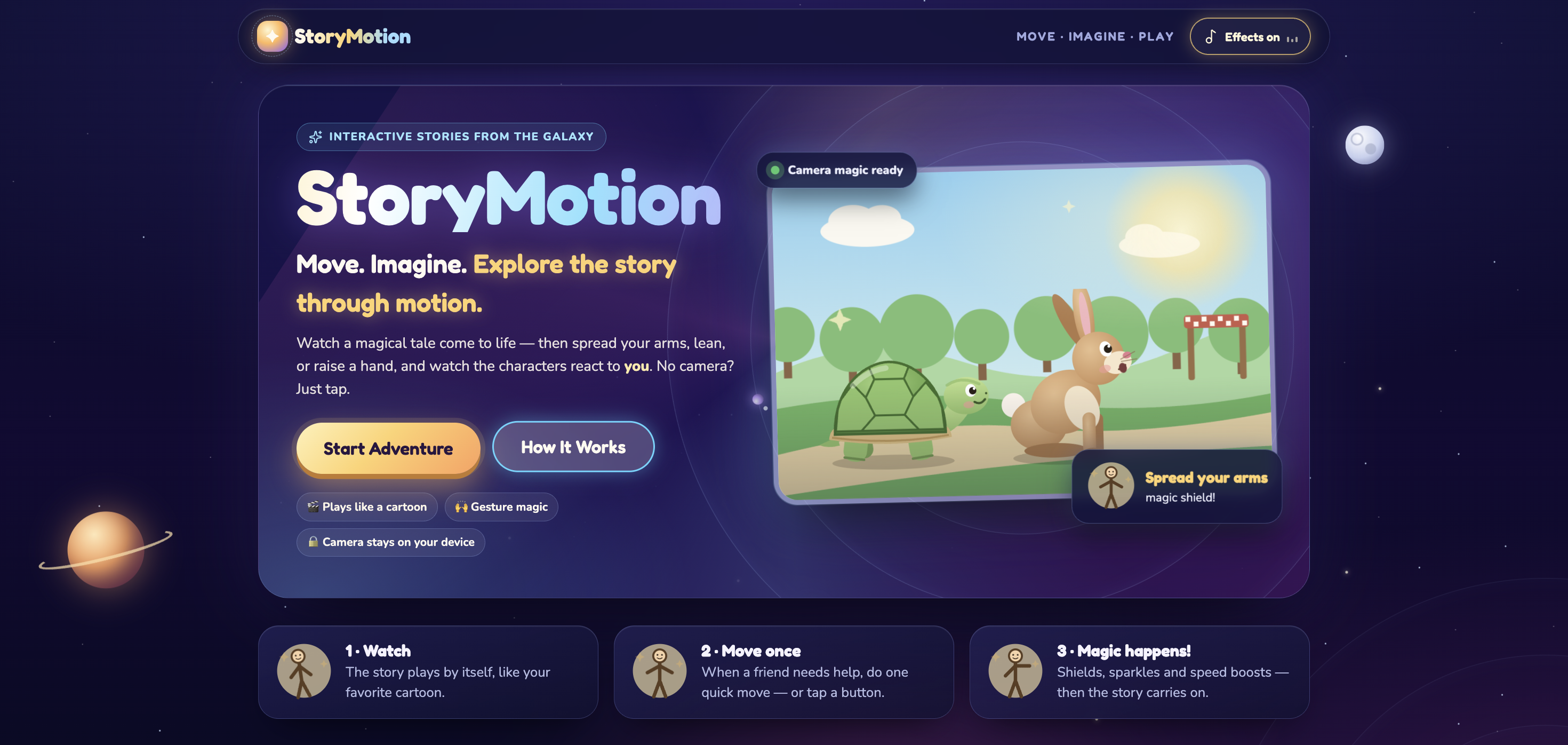
StoryMotion is an animated, interactive picture book for kids ages about 5–10. Pick a story, pick your hero, and the story starts playing like a short cartoon, with narration and captions always on screen.
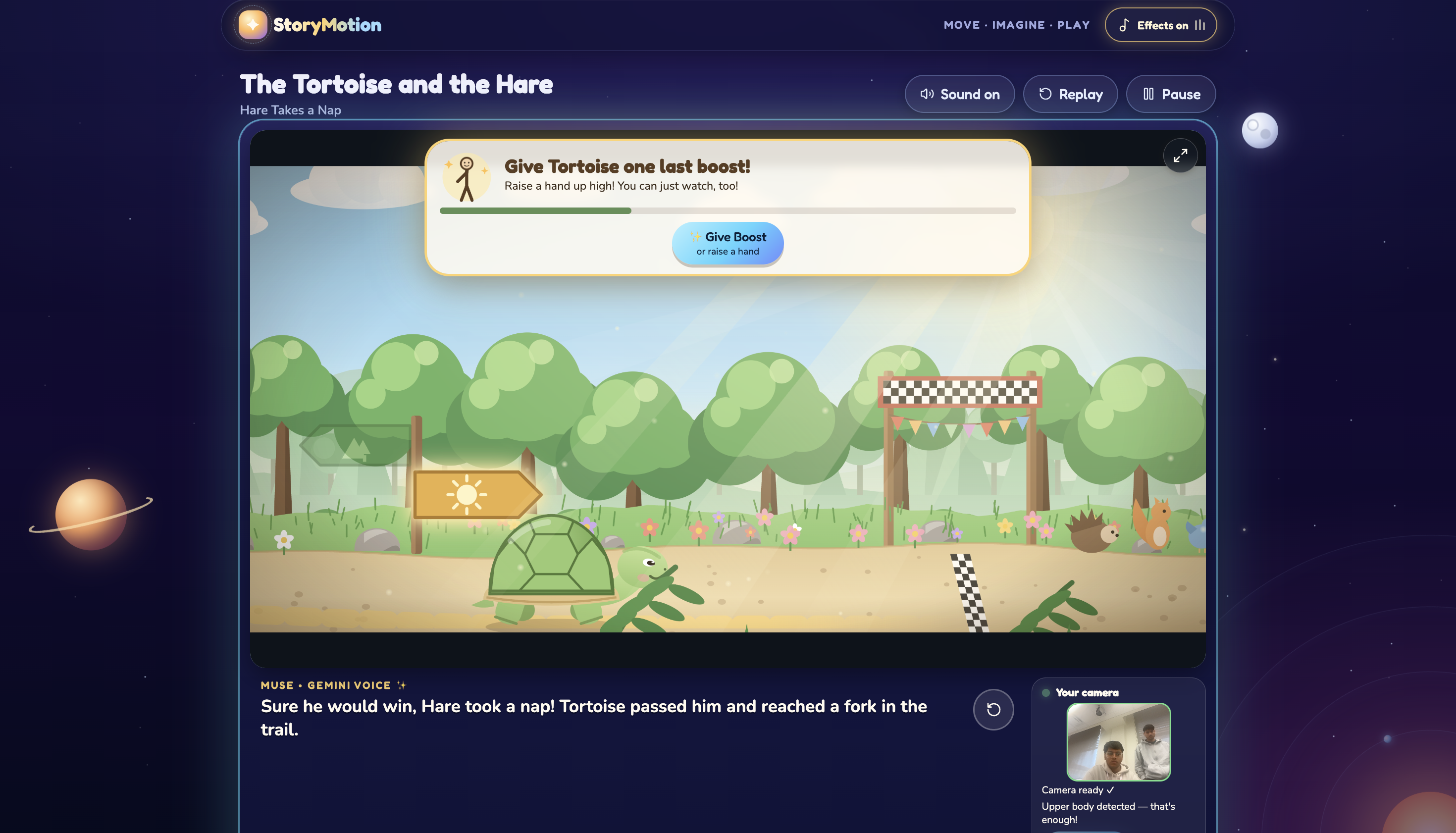
At key moments the story pauses and asks the child for help:
- Spread your arms wide to make a magic shield, protect the house, or hold it steady.
- Lean left or right to choose a path or dodge an obstacle.
- Raise your hand for a speed boost, to make the beanstalk grow, or to place the last brick.
The laptop webcam recognizes the movement in real time and the scene reacts right away with sparkles, shields, chosen paths and confetti. If nobody moves, the story gently carries on, so there's no failing and no dead end. Every gesture also has a big on-screen button, so kids can play seated, without a camera, or with help.
There are three stories: The Tortoise and the Hare, Jack and the Beanstalk, and The Three Little Pigs. Each has its own animated world, characters, moral and reward badge. In Family Adventure mode, the story ends with a reflection prompt for the parent and child to talk about together.
How we built it
- React 19 + TypeScript + Vite for the app, with React Router for the screens.
- A story engine written as one pure function. Story time moves forward on a 200 ms tick, and each moment opens only after its narration finishes. Camera gestures and on-screen buttons send the exact same events, so they behave identically.
- One file holds every story's plot (scenes.ts). Narration, captions, animation and gesture moments all read the same scene, so what's said always matches what's shown.
- All art is drawn in code with SVG, not images. Every character and background is written by hand in code. The animation is calculated from story time, so pause and restart always stay in sync. A screen-refresh loop smooths the 200 ms ticks to 60 fps and writes positions directly onto the page instead of going through React. Each story has its own scenes: a side-scrolling forest race with layered depth, a vertical beanstalk climb, and a storybook-style scene system. Particle effects use a small canvas engine we wrote, with no extra library.
- Pose detection with Google MediaPipe Pose Landmarker, running in a Web Worker so the animation never stutters. Our own gesture detector, which has unit tests, measures movement relative to the child's shoulder width. It learns the child's standing position, needs a short steady hold, waits for a return to neutral, and has a cooldown, so each movement counts exactly once.
- Narration voiced with Google Gemini text-to-speech, generated ahead of time by a script and stored as audio files. Each recording only plays if it was made from the exact current caption. Otherwise the app falls back to the browser's built-in voice.
- Sound effects generated in code with Web Audio, so there are no audio files and no licensing questions.
- Vitest + React Testing Library for the story engine, gesture detector, story completeness and UI tests.
Challenges we ran into
- MediaPipe inside a background worker failed with ModuleFactory not set. Switching to the package's ES-module loader fixed it while keeping detection off the main page.
- The camera worked once, then broke. The Vite dev server re-bundled MediaPipe in the middle of a session. Bundling it up front fixed it.
- Slow venue Wi-Fi stalled the model download. We now serve the pose model from our own app, with Google's official copy as a backup.
- Keeping narration, captions and animation in sync across three stories. Moving every story into one file of scenes solved it.
Accomplishments that we're proud of
- Three complete, animated stories with original art drawn entirely in code. No stock images.
- Movement-controlled play that runs entirely on the device: no recording, no uploads, no accounts, no personal data.
- Every child can finish every story, whether they move, tap a button or play seated. Nobody gets stuck or "fails".
- A story engine that can be fully tested without a browser, camera or AI model.
- Narration that feels like a real storyteller, with automatic fallbacks so it never breaks.
What we learned
- Pose models only give you raw body points. Turning them into gestures a 6-year-old can trigger reliably needs a careful state machine, measurements relative to the body, and generous timing.
- Moving inference into a background worker is worth it, but each worker bug needed a real-browser test to show up, not just unit tests.
- Calculating animation directly from story time made pause, restart and testing almost free.
- For kids, the best way to handle "no input" is to let the story carry on gently instead of waiting.
What's next for StoryMotion
- More stories, plus a simple way for parents or teachers to write their own.
- More movements, such as jumping, marching and balancing, tuned through real-world testing with families.
- Real two-player Family Mode, where the parent makes story choices and the child does the movements.
- Gemini narration for every story (Three Pigs still uses the browser voice), and short story-aware character reactions generated by AI.
- Better support for tablets and classrooms, with difficulty and accessibility settings.
Built With
- gemini
- mediapipe
- muse
- react
- typescript
- vercel
- vite

Log in or sign up for Devpost to join the conversation.