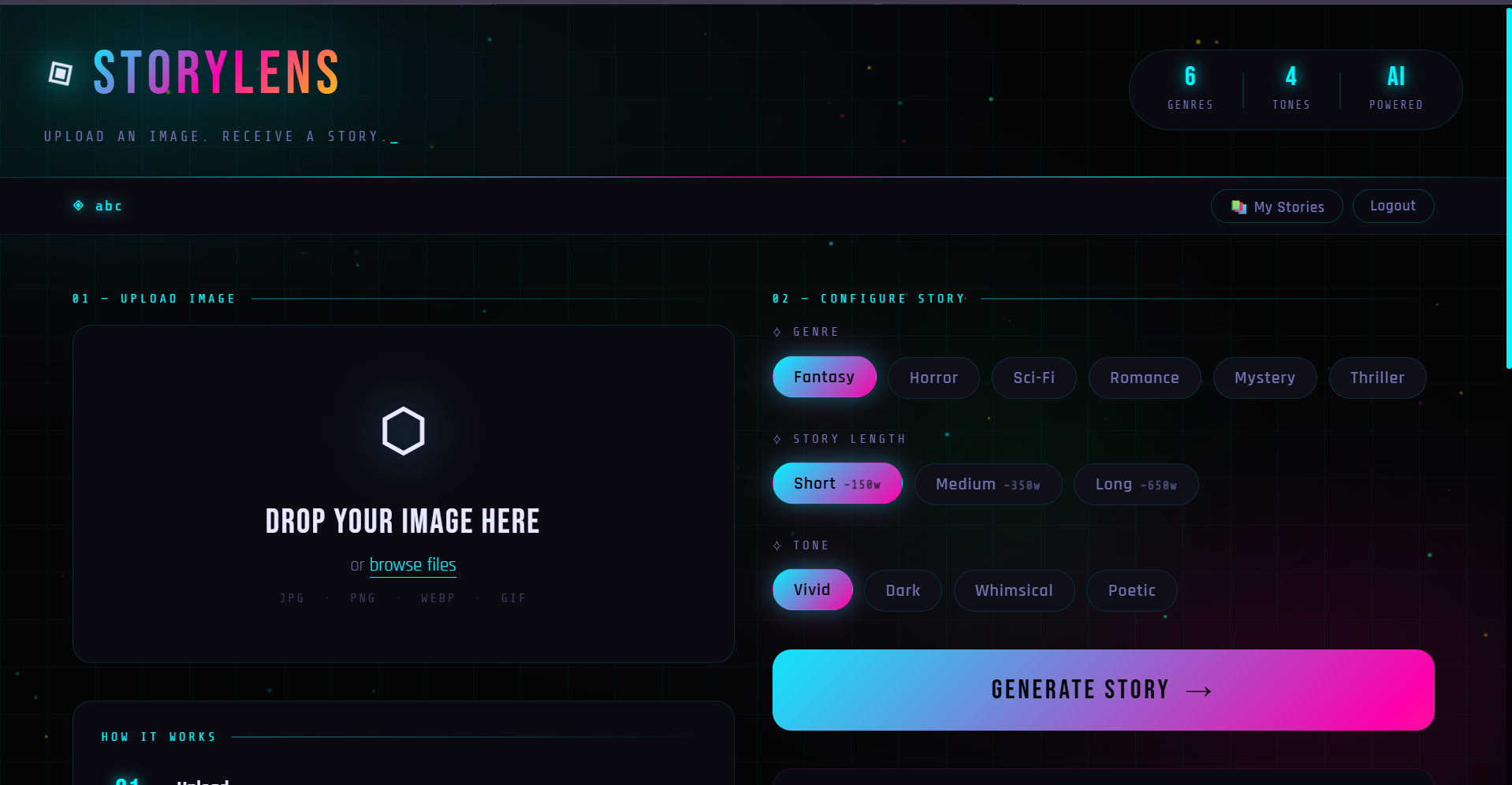
About The Project StoryLens is a creative AI web application that transforms any image into an original short story using Google's Gemini Vision AI. Users upload a photo, choose a genre, tone, and length — and the AI analyzes the visual scene to craft a compelling, immersive narrative complete with a title and characters.
This project was built as part of the BuildAI Project Challenge to demonstrate the real-world application of multimodal AI (vision + text generation) in a creative tool.
Problem It Solves Creative writing often requires inspiration that is hard to generate instantly. StoryLens bridges the gap between visual content and written storytelling — making it useful for writers, educators, content creators, and anyone who wants to explore AI creativity.
Features Feature Description Image Upload Drag and drop or browse — supports JPG, PNG, WEBP, GIF 6 Genres Fantasy, Horror, Sci-Fi, Romance, Mystery, Thriller 3 Story Lengths Short (~150w), Medium (~350w), Long (~650w) 4 Tones Vivid, Dark, Whimsical, Poetic Auto Characters AI generates characters directly from the image scene Copy to Clipboard One-click copy of the full story Regenerate Re-run with same image for a completely different story Zero Dependencies Pure HTML/CSS/JS — no npm, no build step, no frameworks Animated UI Neon particle canvas, glowing elements, smooth transitions Tech Stack Layer Technology Purpose Frontend HTML5, CSS3, Vanilla JS UI structure and styling AI Model Google Gemini 2.0 Flash Vision analysis + story generation Fonts Bebas Neue, Rajdhani, Share Tech Mono Typography Animation Canvas API + CSS Keyframes Particle effects and transitions API Google Generative Language API Multimodal AI requests Setup Prerequisites A modern web browser (Chrome, Firefox, Edge) A free Google Gemini API key Step 1 — Clone the Repository git clone https://github.com/YOUR_USERNAME/storylens.git cd storylens Step 2 — Get a Free Gemini API Key Visit aistudio.google.com/app/apikey Sign in with your Google account Click "Create API Key in new project" Copy your key Step 3 — Add Your API Key Open app.js and replace the placeholder on line 6:
// Before const GEMINI_API_KEY = 'YOUR_GEMINI_API_KEY_HERE';
// After const GEMINI_API_KEY = 'AIzaSy_your_actual_key_here'; Step 4 — Run It Option A — Open directly:
Double-click index.html to open in your browser Option B — Local server (recommended):
Python
python -m http.server 8080
Node.js
npx serve . Then visit http://localhost:8080
Project Structure storylens/ ├── index.html # Main HTML — layout and structure ├── style.css # All styling — dark neon theme + animations ├── app.js # JavaScript — Gemini API logic + UI interactions └── README.md # This file How It Works User uploads image | v Image converted to Base64 | v Sent to Gemini 2.0 Flash API with genre / tone / length prompt | v Gemini analyzes the visual scene | v Returns JSON: { title, characters[], story } | v Story displayed with animations API Cost This project uses Gemini 2.0 Flash which is completely free under Google AI Studio's free tier:
Metric Free Limit Requests per minute 15 Requests per day 1,500 Cost $0 Future Extensions Multi-image stories — combine several images into one narrative arc Voice narration — Web Speech API text-to-speech readout Comic strip mode — generate panel-by-panel story descriptions PDF / TXT export — download your generated story Story history — save and revisit past generations Custom prompts — let users add their own story instructions Social sharing — share stories via a link Contributing Contributions are welcome! Here is how:
1. Fork the repo
2. Create a feature branch
git checkout -b feature/your-feature-name
3. Commit your changes
git commit -m "Add: your feature description"
4. Push and open a Pull Request
git push origin feature/your-feature-name License Distributed under the MIT License. See LICENSE for more information.
Author Your Name
GitHub: PuskarDas Email: [email protected] Acknowledgements Google Gemini AI — for the powerful vision and text model BuildAI Project Challenge — for the inspiration and project brief Google AI Studio — for the free API tier If you found this project useful, please give it a star!
Built with HTML, CSS, JavaScript, and Google Gemini AI
Built With
- ai
- animation-canvas
- api
- api-google
- css
- css3
- frontend-html5
- keyframes-particle
- mono-typography
- rajdhani
- vanilla-forums
- vanilla-js-ui-structure-and-styling-ai-model-google-gemini-2.0-flash-vision-analysis-+-story-generation-fonts-bebas-neue

Log in or sign up for Devpost to join the conversation.