-
-
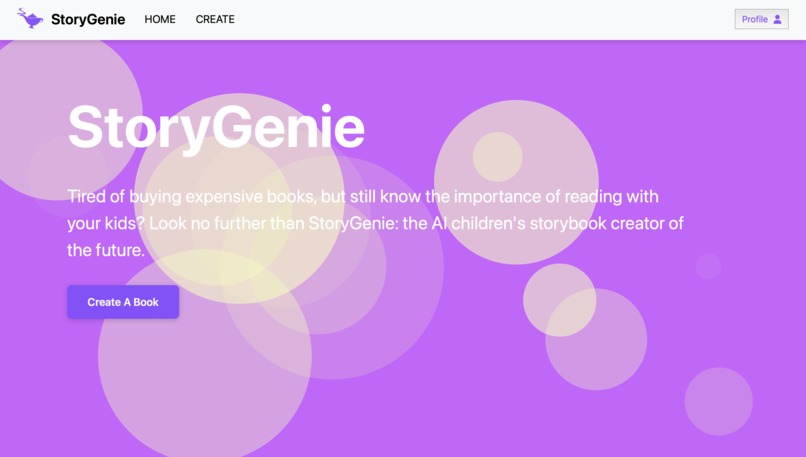
StoryGenie WebApp
Inspiration
We built StoryGenie so that every kid can experience the magic of bedtime stories.
StoryGenie generates free picture books for families who otherwise can’t afford them. Not only are they valuable educational resources, with studies showing improvements in creativity and social skills for young children, but picture books also lead to cherished family time and lifelong memories.
What it does
Input a theme (e.g. fantasy, coming-of-age) and lesson (e.g. kindness is contagious), and StoryGenie will use AI to generate an interactive picture book with hyperrealistic page flipping. Each book can be saved to the user’s profile page or as a pdf file to be viewed later. The app takes user input in the form of prompts, which it then passes to two external API's, which generate images and stories.
How we built it
We built the frontend using the MERN tech stack as well as multiple external libraries like bootstrapCSS and particlesJS. We used Typescript with React and used the vite template. We used React components in the App.tsx file and third party libraries for styling and animations.
For the backend, we used Cohere AI to generate the story, Monster API for the images, and MongoDB for the database. We used the theme and lessons to generate the story, then extract characters and key scenes to prompt engineer the images for consistency.
Challenges we ran into
When implementing the AI, it was difficult to choose image generation APIs and prompt engineer them to create cohesive stories with consistent characters. We mitigated these issues by preprocessing the text input to generate contextual representations of the story.
On the frontend, some challenges include not being able to fetch data from the DB, not being able to post data, getting the wrong data, object attributes being incorrect or not displaying correctly, user logins not working, etc.
One of our members lives in another country, and his flight got canceled because of the hurricane. Luckily he was still able to compete virtually, but it led to some communication challenges.
Accomplishments that we're proud of
We’re proud of integrating the frontend and backend to create a fully functioning web app because all of us either only have experience with one or neither, so adding the user login feature with the database was a team success.
We’re also proud of adding 3D graphics and animations to the website to enhance the visual appeal because none of us have had experience in that area before.
What we learned
For many of us, this was our first hackathon and we learned a lot about how to collaborate using Git (from the many mistakes along the way). On the technical side, we learned how to implement text and image generation APIs, add 3D visual graphics to our web app, and add user logins with a database.
What's next for StoryGenie
We plan to add multiple languages for the books so that StoryGenie can be used as a language learning tool for children. We would also add a recommendation algorithm based on their past book generations. Finally, adding a speech generation functionality to the book would make it a more immersive experience for the reader and also visually impaired readers.

Log in or sign up for Devpost to join the conversation.