-
-
StormCheck
Inspiration
Every hurricane season, Miami residents get flooded with messages. Some are real warnings from the National Weather Service or Miami-Dade County. Others are rumors forwarded in group chats, or scams pretending to be FEMA that ask for gift cards, Social Security numbers, or a "processing fee."
The people most at risk are often the ones with the least time to double-check: older neighbors, families who mainly speak Spanish or Haitian Creole, and anyone whose power and internet just went out. I wanted a tool that gives a clear answer in seconds, explains it in plain words, and still works when the network doesn't.
What it does
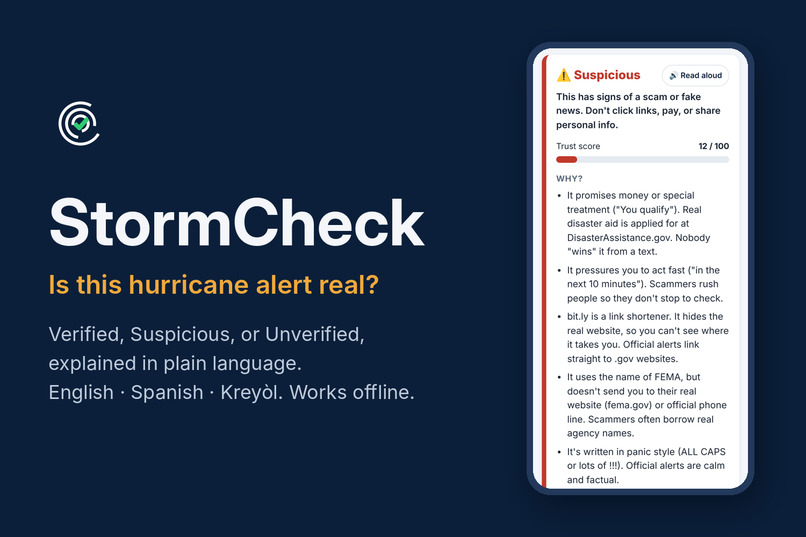
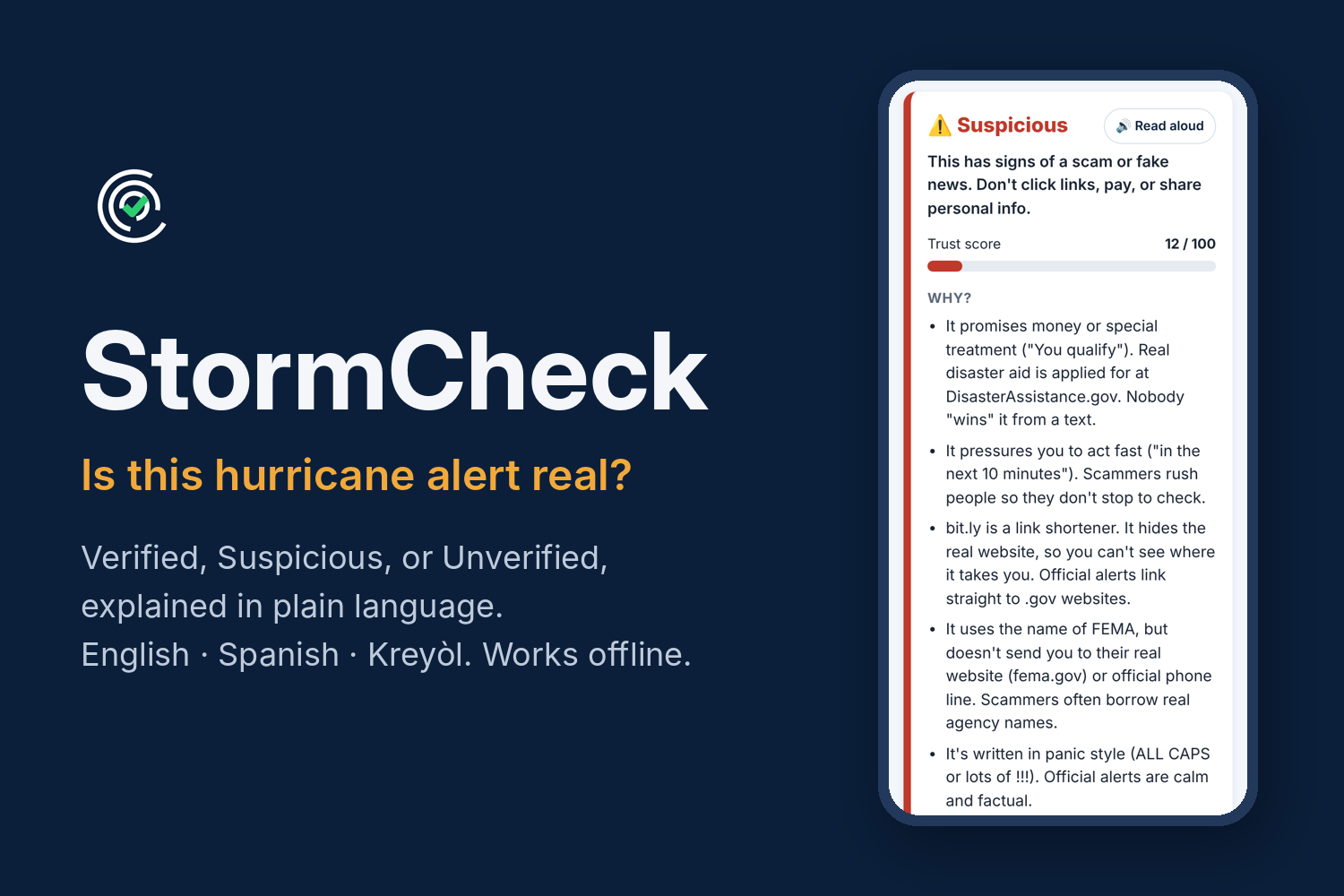
Paste any alert, text message, or link, and StormCheck gives one of three labels with a trust score from 0 to 100:
- Verified: it links to an official source (like weather.gov, fema.gov, or miamidade.gov) or matches an official alert that is active right now, and shows no warning signs.
- Suspicious: it shows scam or fake-news signs, such as payment requests, gift cards, requests for a Social Security number, fake look-alike websites, impossible storm facts ("Category 6"), or pressure to act fast.
- Unverified: no warning signs, but nothing official confirms it. StormCheck treats it as a rumor instead of guessing.
Every result explains why in plain language, highlights the exact suspicious words in the message, and runs a Link X-ray that shows where each link really goes.
Built for Miami
- English, Spanish, and Kreyòl. The whole app, including every explanation, switches language. It also detects scam phrases written in Spanish and Haitian Creole.
- Read aloud for people who'd rather listen than read.
- Live official alerts for Miami-Dade from the National Weather Service, saved on the phone and compared with every message. It flags storms that don't exist and old alerts being re-shared.
Works when the network goes down
- It installs like an app and opens with no internet.
- All checks run on the phone, so nothing is sent anywhere. That also protects privacy.
- The latest official alerts are saved for offline comparison.
- Share with a neighbor by QR code: their phone camera opens StormCheck, which re-checks the message on their phone. The code carries the message, not the verdict, so nobody can fake a "Verified" code.
Teaches, not just detects: "Spot the Fake" is a 5-round game where people guess real or fake and learn the red flags to watch for.
How I built it
StormCheck is a Progressive Web App (PWA) built with plain HTML, CSS, and JavaScript, with no framework and no backend. It's hosted on Netlify and deploys from GitHub on every push.
- Rules engine: a rule-based classifier that runs entirely in the browser. It checks links against trusted government domains, catches look-alike domains (including tricks like "n0aa" and fake subdomains like fema.gov.claims.com), link shorteners, raw IP addresses, and app-file downloads. It also scores red-flag phrases in English, Spanish, and Kreyòl, checks for impossible storm facts, and verifies official phone numbers. Each warning sign has a weight, and the total decides the label.
- Official data: pulls active alerts for Miami-Dade from the National Weather Service API (api.weather.gov), saves them on the phone, and falls back to the saved copy when offline. A demo mode loads a clearly labeled practice storm for presentations.
- Offline: a service worker caches every app file, and all logic runs locally.
- Translations: every explanation is stored as a key plus details, so the same result can be shown in any of the three languages.
- QR sharing: packs the message into a link inside a QR code, generated offline with an open-source QR encoder bundled into the app.
- Testing: 60 automated tests cover sample alerts, comparisons with official data, every game message in all three languages, and QR round trips.
Challenges I ran into
- Deciding what "Verified" means. A wrong "Verified" is dangerous, so StormCheck defaults to Unverified whenever it can't confirm something.
- No hurricane during the hackathon. I built a demo mode with a labeled practice storm. Real live data still runs whenever demo mode is off.
- Old real alerts. A genuine advisory from a past storm can look completely official. Comparing messages with today's official alerts was the fix.
- Three languages in one weekend. I restructured the engine so reasons are keys instead of fixed English sentences. Testing then showed it missed Kreyòl scam wording, so I added Haitian Creole and Spanish red-flag phrases.
- Offline sharing without a server. The QR code had to carry everything and be generated with no internet, so I bundled an encoder and verified the codes by decoding them in tests.
Accomplishments that I'm proud of
- All three challenge requirements work end to end: labels, plain-language explanations, and full offline use.
- 60 automated tests pass, including tricky cases like fake subdomains and re-shared old alerts.
- The QR design: a scammer can't forge a "Verified" result.
- Real support for Miami's three main languages, on screen and in scam detection.
- Built solo in one weekend, as a working app anyone can install from a link.
What I learned
- How scammers exploit disasters: urgency, fake authority, look-alike links, and payment methods that can't be traced.
- How service workers and local storage let a web app work fully offline.
- Good security tools explain themselves. A label alone doesn't build trust, but a clear reason does.
- How much testing helps under time pressure.
What's next for StormCheck
- Screenshot checking: read text from a photo of an alert, since many fakes spread as images.
- Community reports so residents can flag new scams and the rules update faster.
- Review by native speakers for the Kreyòl and Spanish text, plus more languages.
- Partner with Miami-Dade Emergency Management to add their official alert feeds and phone lines.
Built With
- css
- github
- html
- javascript
- national
- national-weather-service-ndfd
- netlify
- pwa
- service-worker

