-
-
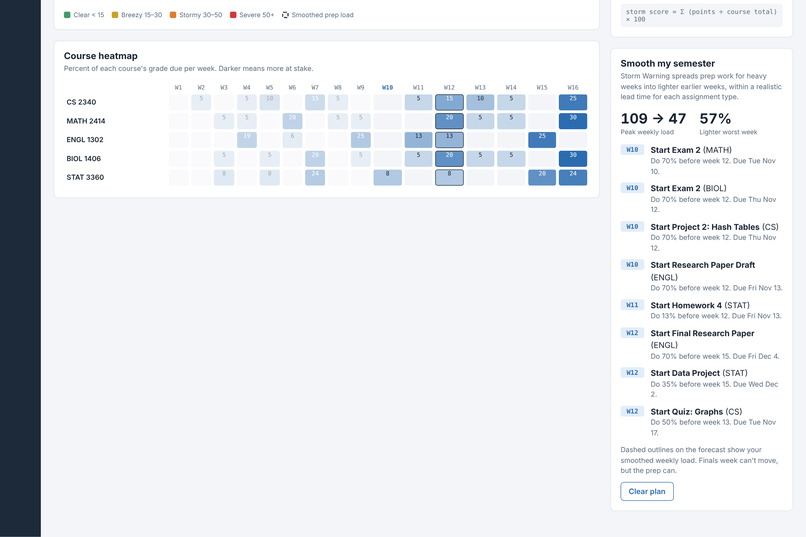
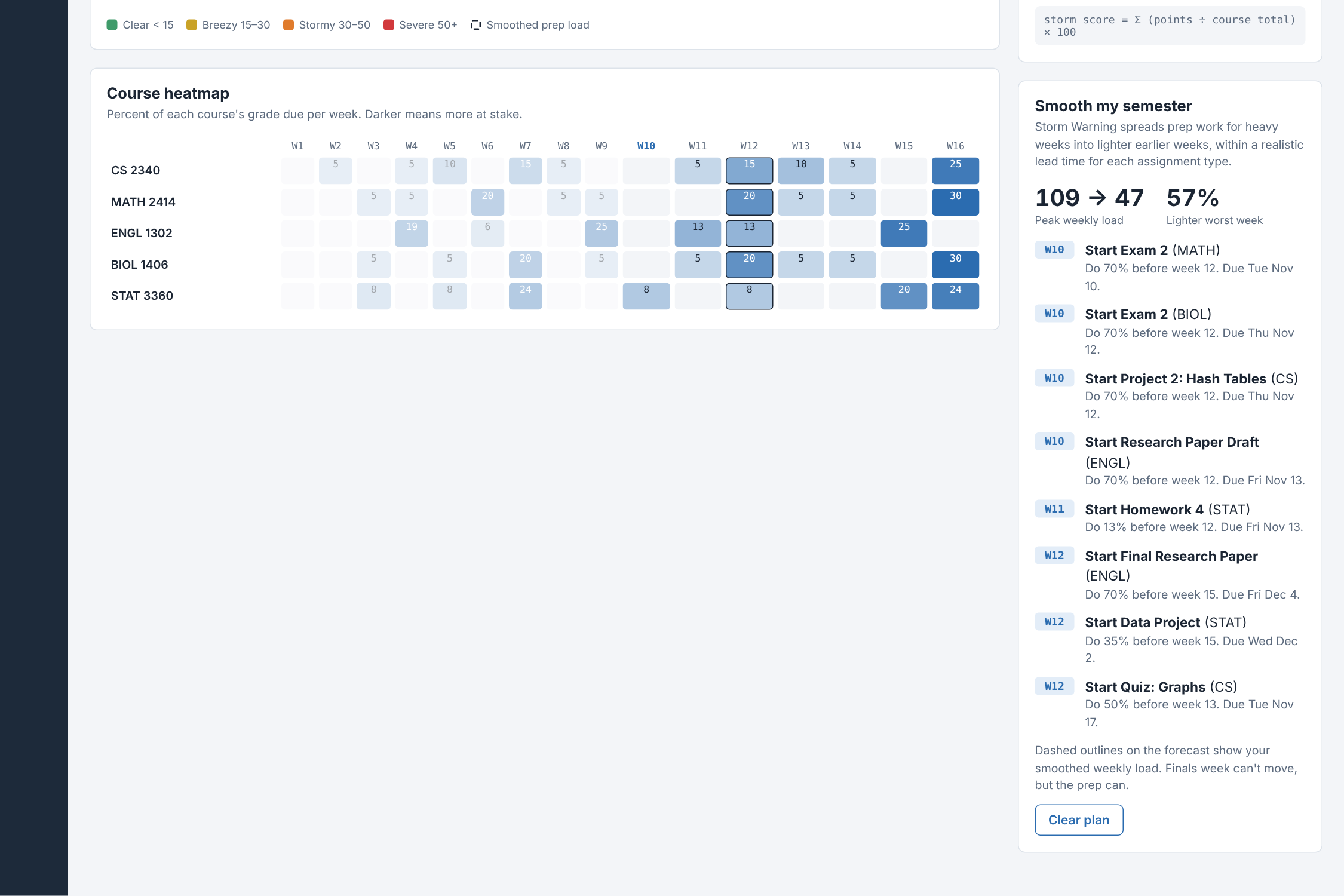
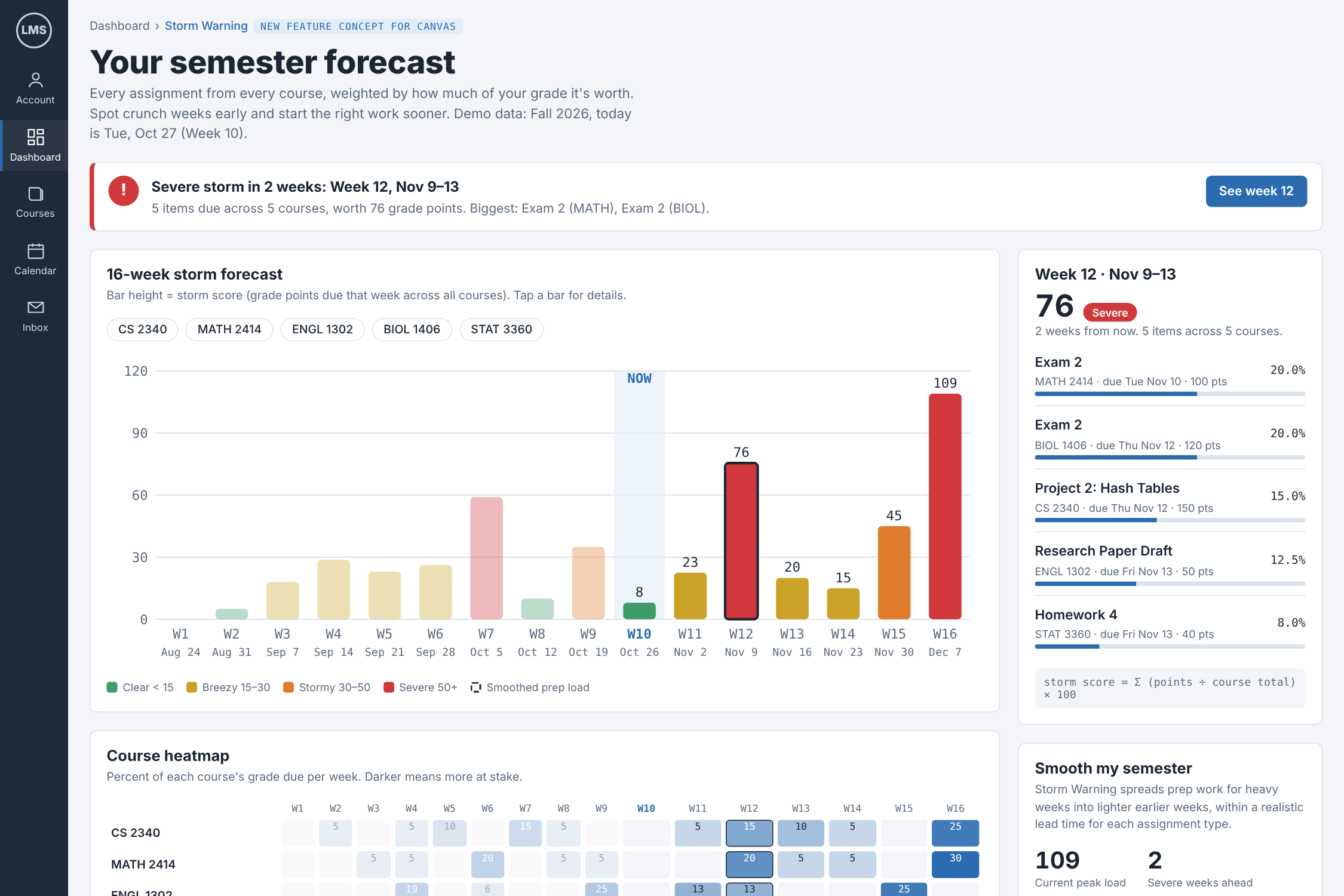
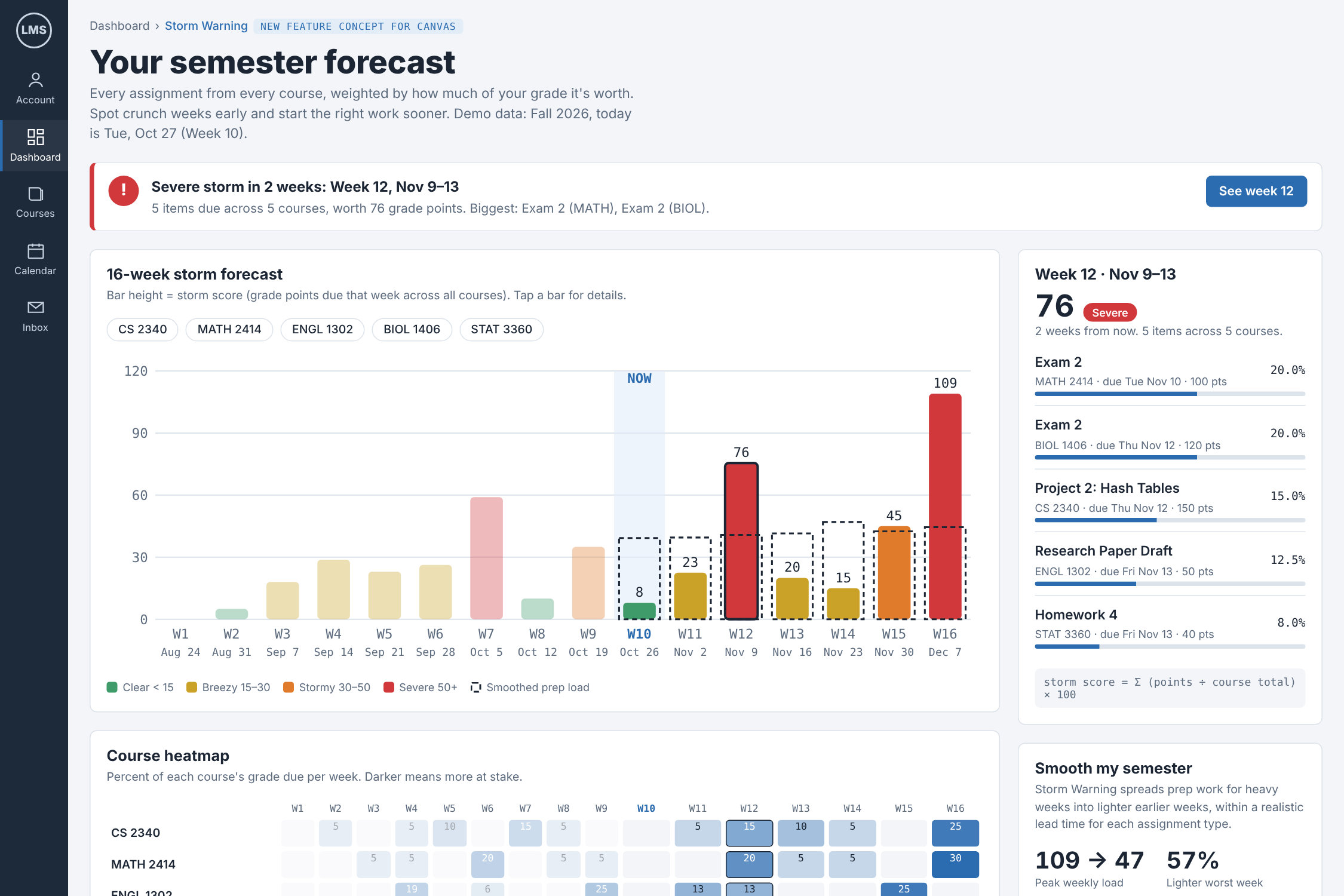
The start-early plan tells you when to begin each assignment, and the course heatmap shows which class is causing each pileup.
-
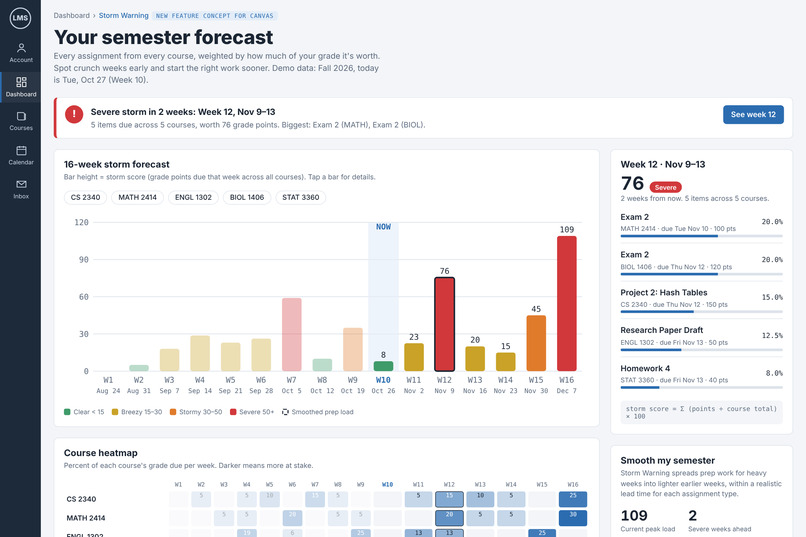
Storm Warning forecasts your whole semester. Week 12 is flagged Severe two weeks early, with every assignment weighted by its share of grade
-
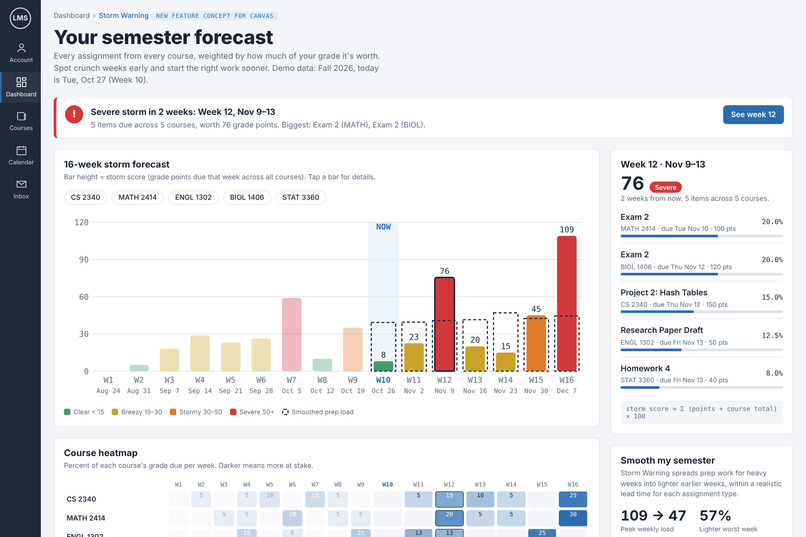
After ‘Build my prep plan,’ the dashed outlines show the smoothed workload. The worst week drops from 109 to 47
Inspiration
Every student knows the feeling: a calm week, then suddenly three exams, two essays, and a lab report all land at once. Canvas lists every deadline, but only as a flat to-do list. It never tells you that week 9 is going to be a disaster until you're already in it. We wanted Canvas to warn us the way a weather app warns you about a storm.
What it does
Storm Warning adds a workload forecast to Canvas. It pulls assignments from all your courses and turns them into a week-by-week heatmap, so you can see pileups weeks in advance.
- Storm forecast: each week gets a "storm level" from Clear to Severe, based on how much is due.
- Early warnings: when a heavy week is coming, it flags it and suggests which assignments to start early.
- Drill-down: tap any week to see exactly what's due and how much each item is worth.
Each week's storm score weights assignments by their share of the course grade:
$$S_w = \sum_{a \in w} \frac{\text{points}_a}{\text{course total}_a} \times 100$$
How we built it
We built Storm Warning as a web prototype that mimics the Canvas dashboard, using HTML, CSS, and JavaScript. We modeled a realistic semester of assignment data across several courses, matching the fields Canvas exposes through its API (due date, points possible, course). We then computed weekly storm scores and rendered them as an interactive heatmap.
Challenges we ran into
- Finding a scoring formula that was fair: a 5-point quiz and a 200-point final shouldn't count the same, so we normalized by each course's total points.
- Picking thresholds for "Clear" vs. "Severe" that felt right to real students.
- Building and polishing a working demo in a short time window.
Accomplishments that we're proud of
- A clear, one-glance view of an entire semester's workload.
- A design that feels like it belongs inside Canvas instead of being a separate app.
- Turning a common student frustration into something actionable.
What we learned
- How to model and weight assignment data so the visualization reflects real effort, not just item counts.
- That good data visualization is mostly about choosing what not to show.
What's next for Storm Warning
- Connect to the real Canvas API with student login.
- Let students rate how hard each assignment is so forecasts get more personal.
- Push notifications two weeks before a Severe week.
- Calendar integration that blocks out "start early" time automatically.
Built With
- css3
- data-visualization
- google-fonts
- html5
- javascript
- svg

Log in or sign up for Devpost to join the conversation.