-
-

Stop & Save logo
-
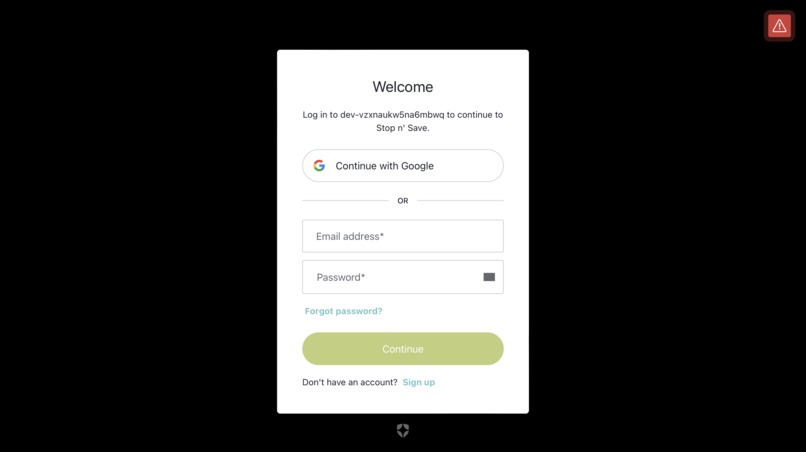
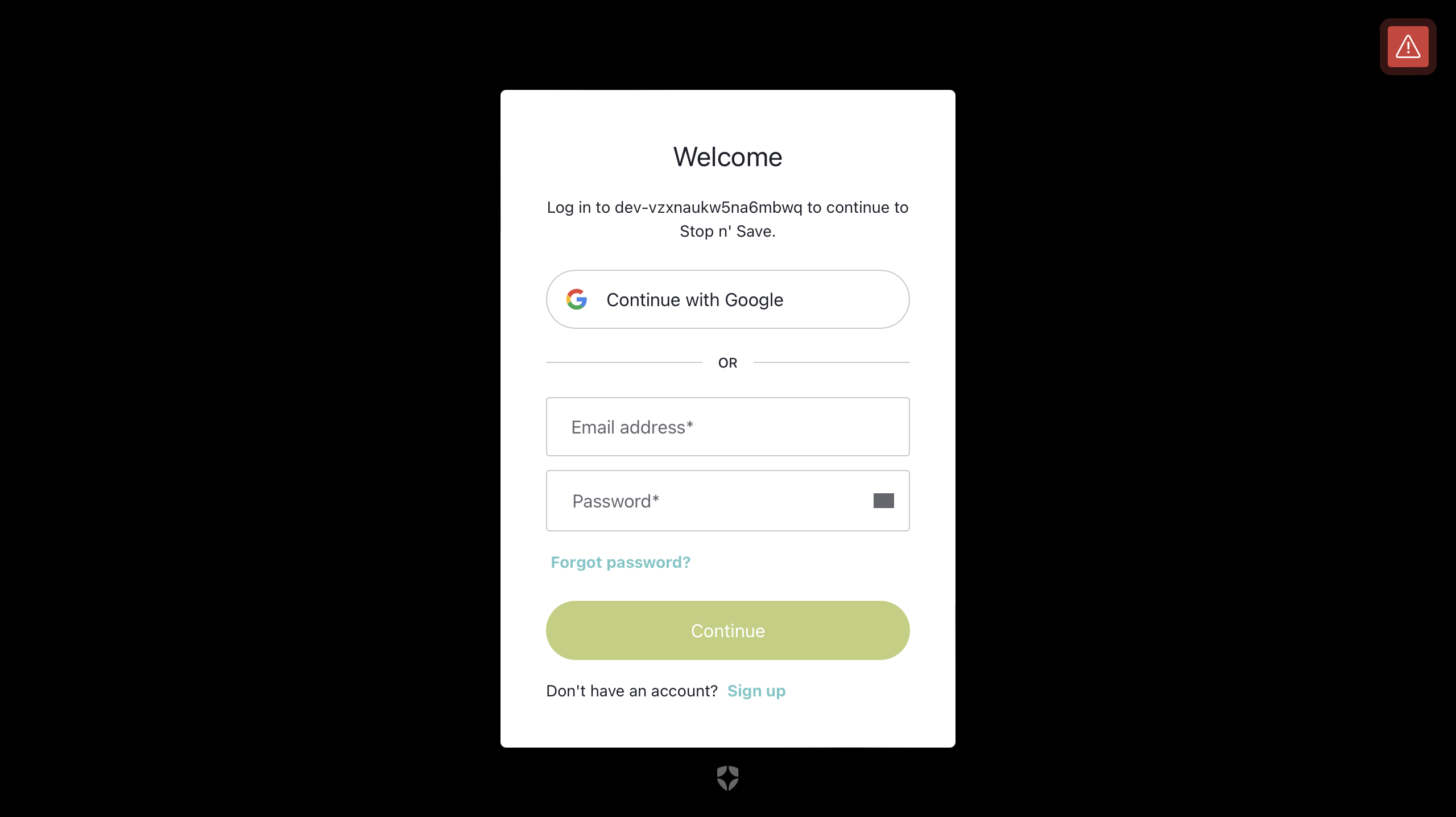
login page is powered by Auth0, providing secure and seamless authentication for users.
-
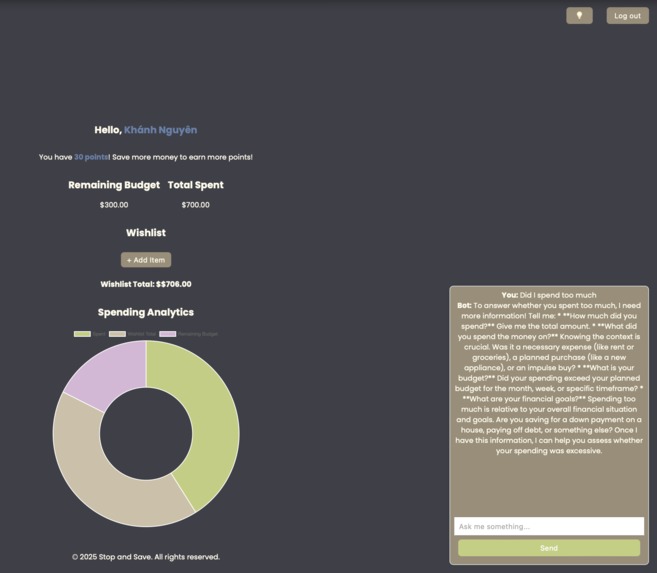
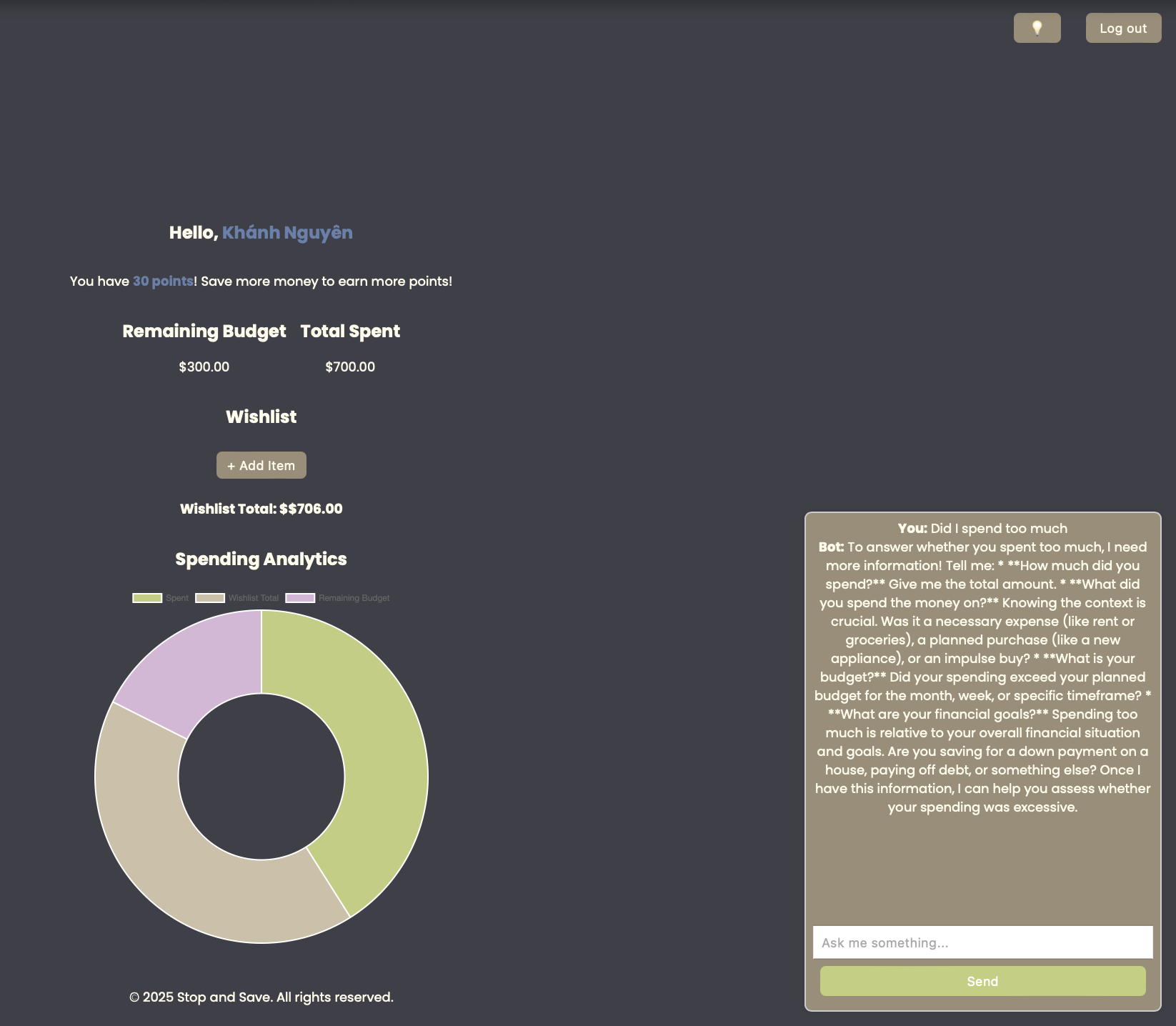
AI Financial chatbot for budgeting tips.
-

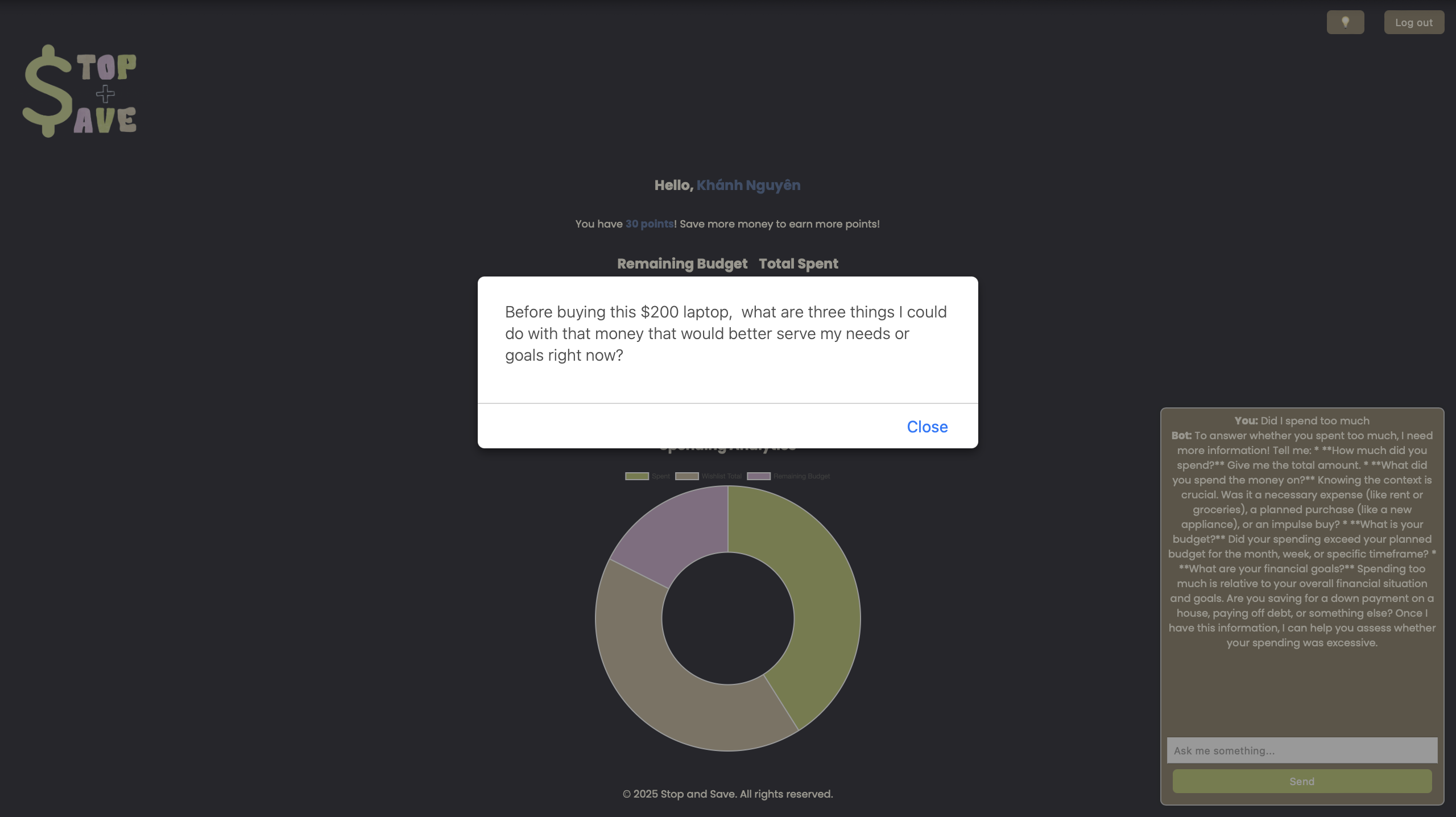
displays a pop-up reminder to encourage users to be mindful of their purchases
-

This page allows users to purchase items from their wishlist once they are unlocked.
-
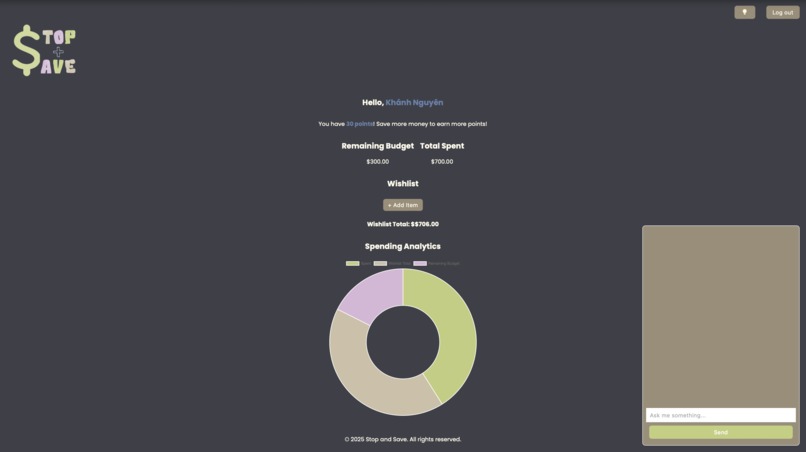
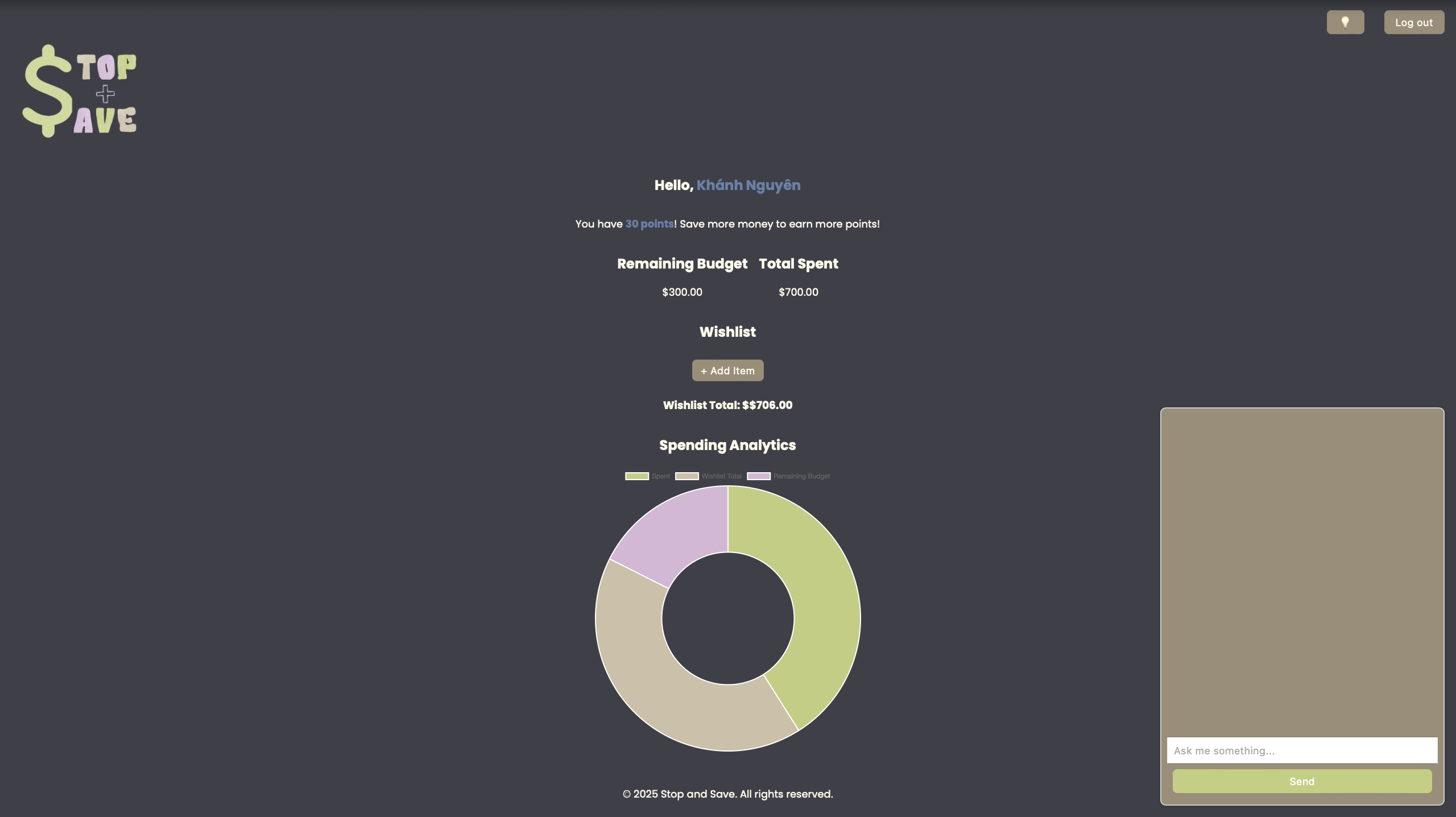
Dashboard Page in "dark" mode.
-
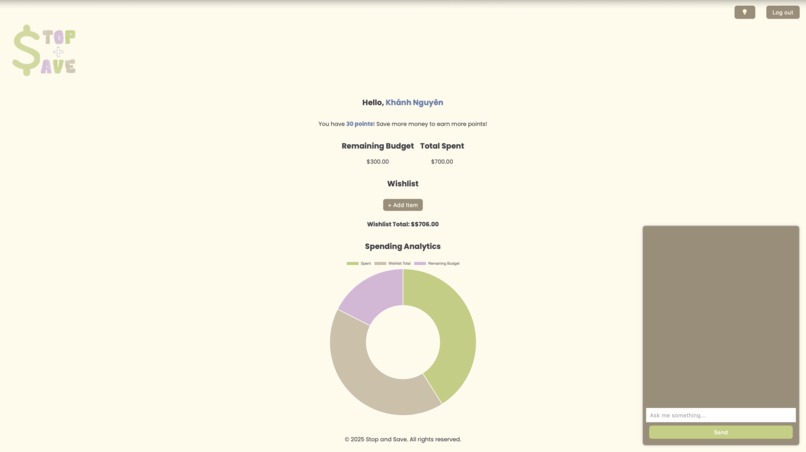
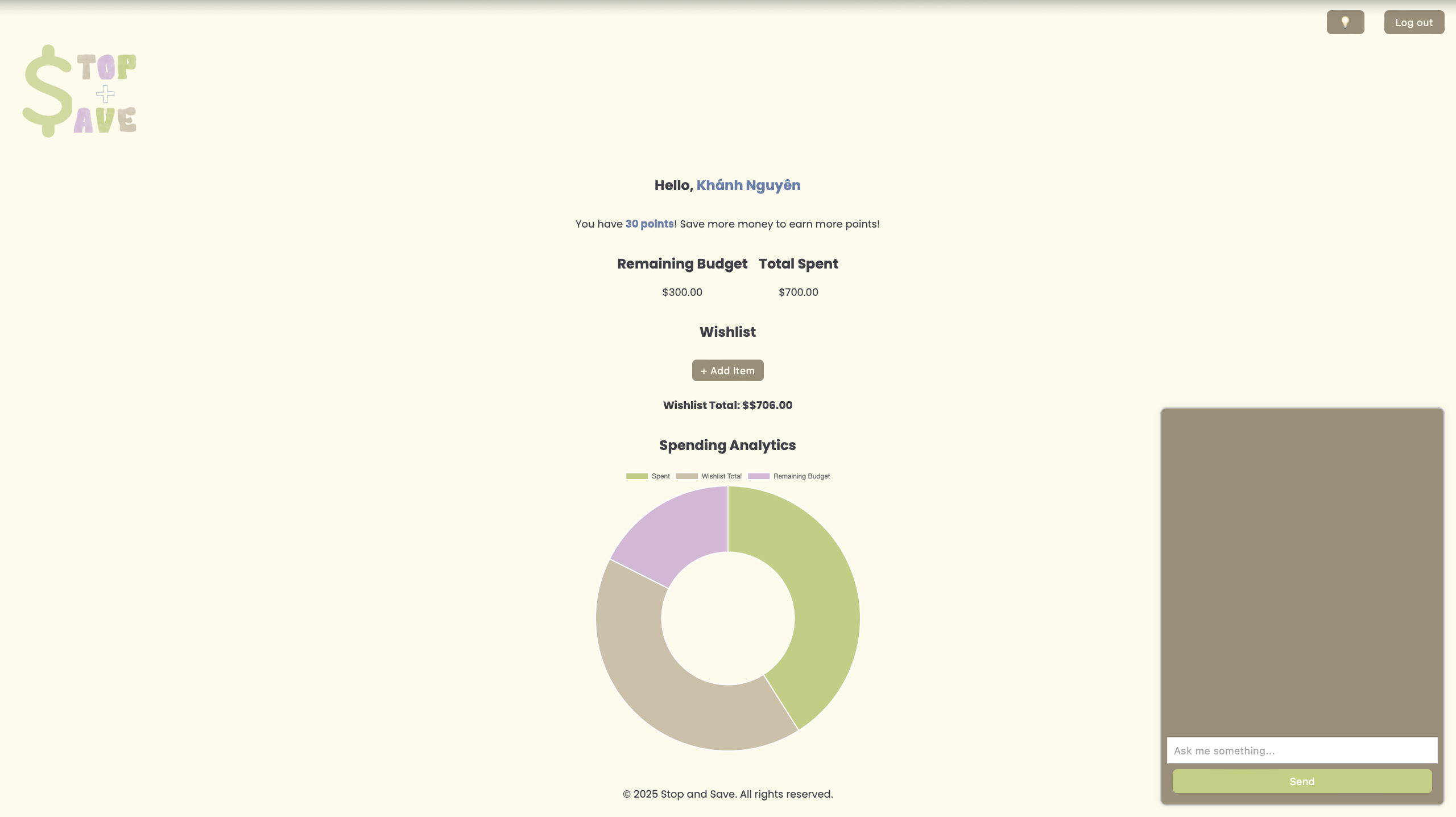
Dashboard Page in "light" mode.
-
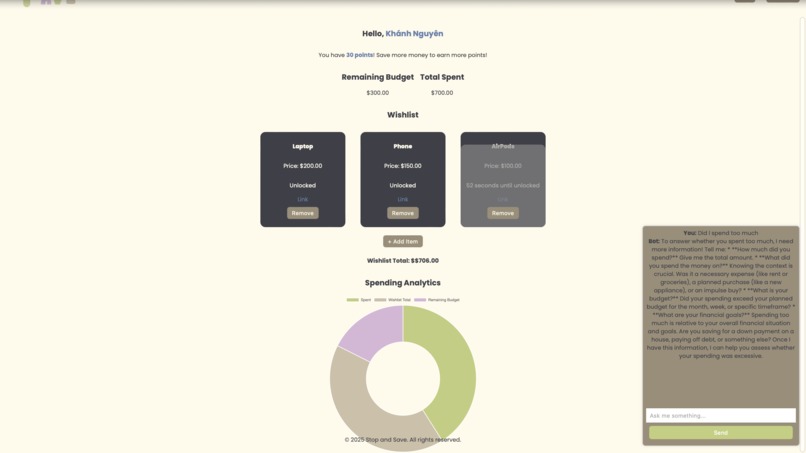
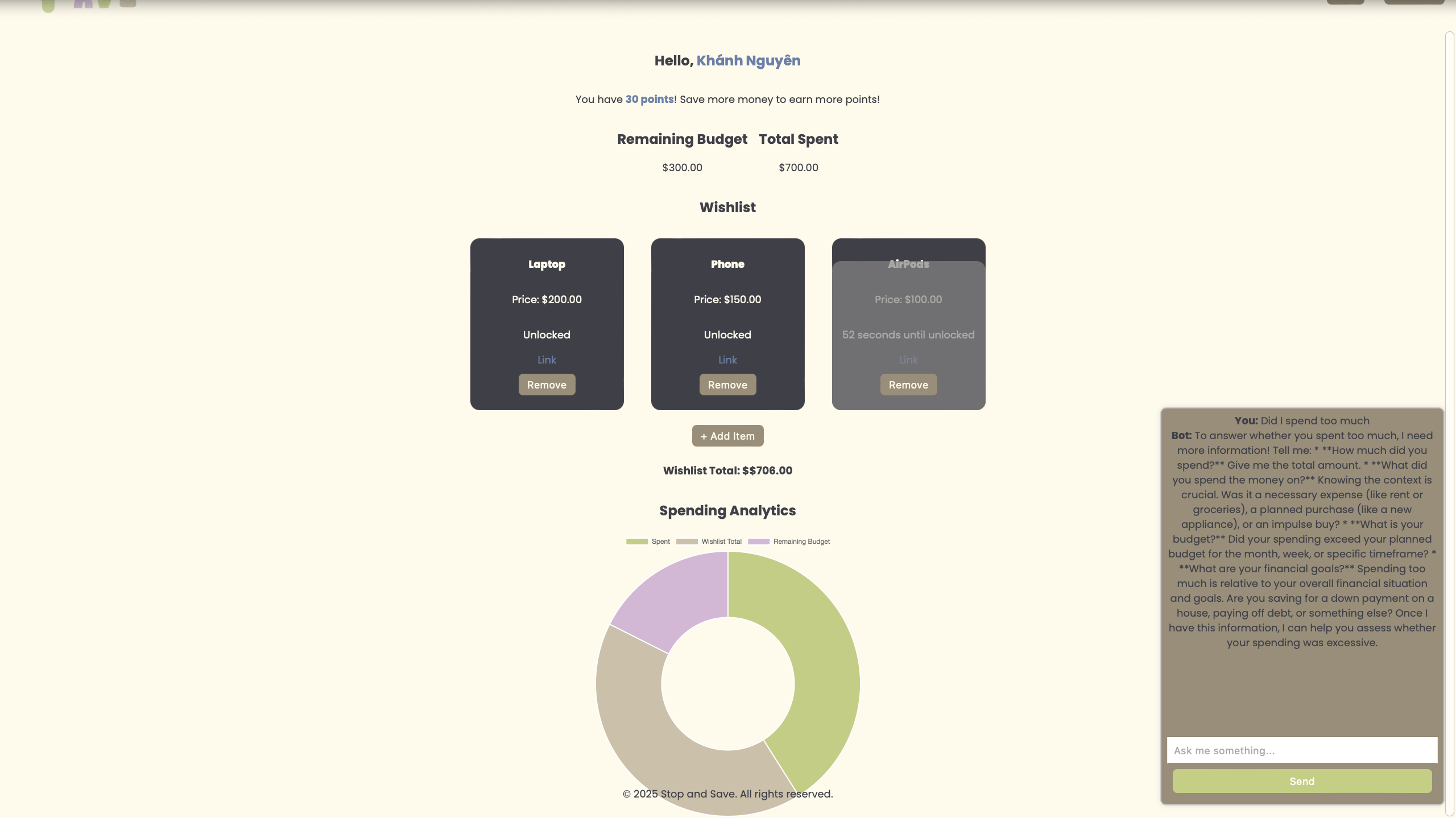
Displays all the items you've added to your wishlist.
-
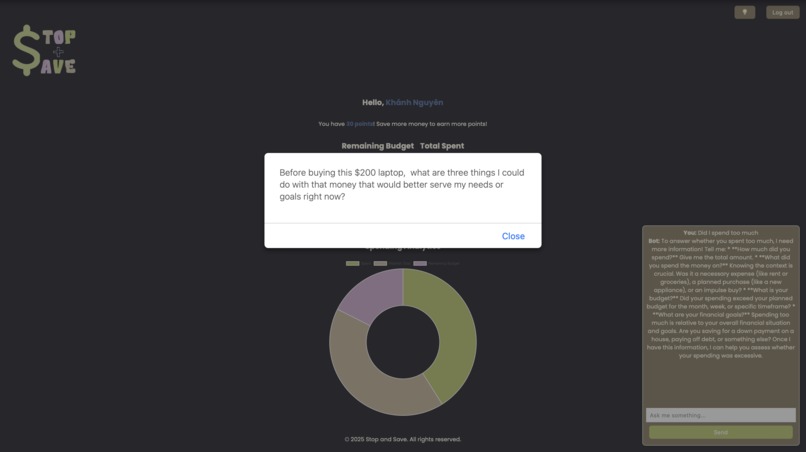
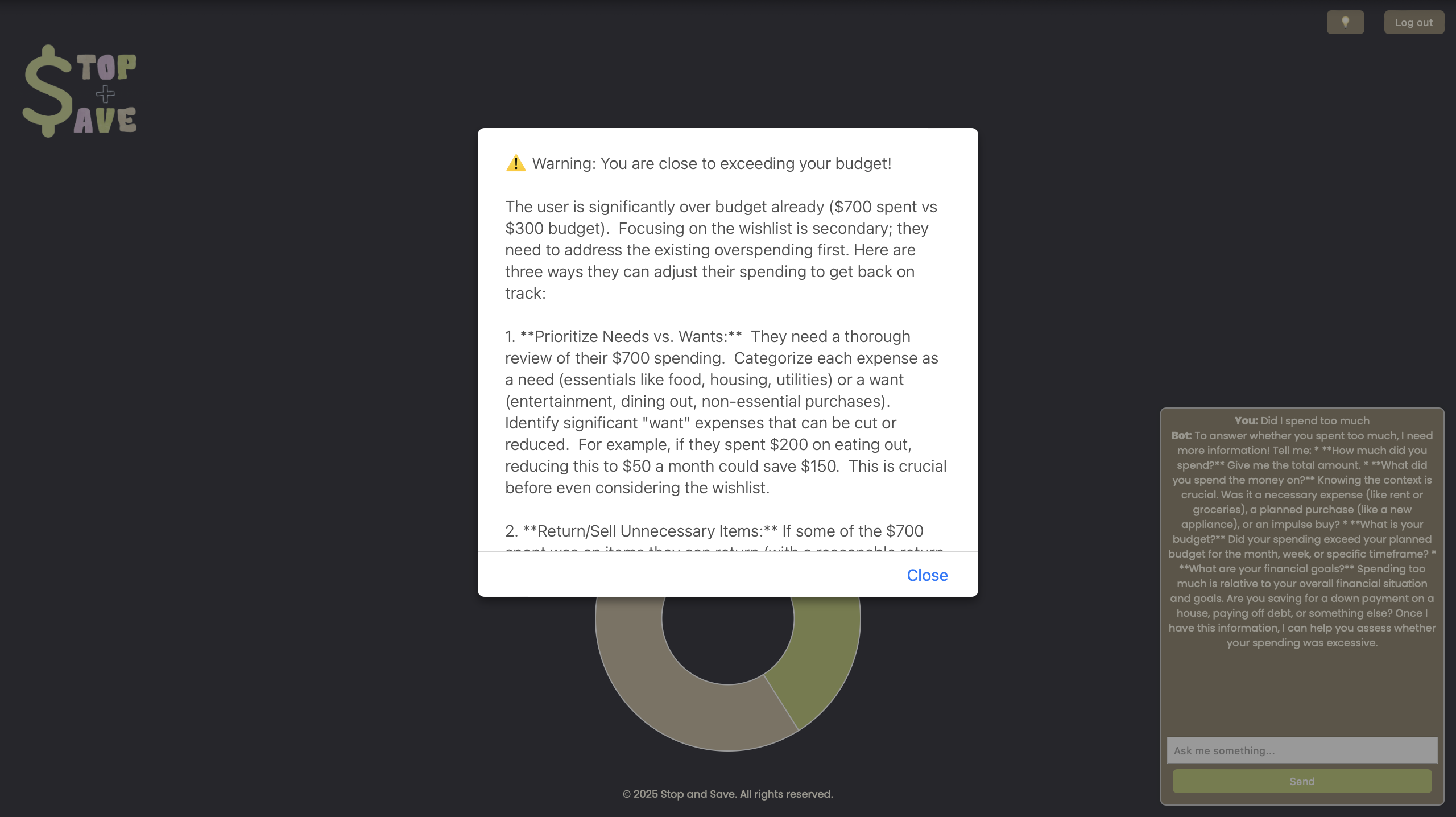
The AI generates a warning and reminder to help users stay on track with their saving plans.
-

Log In Page
-
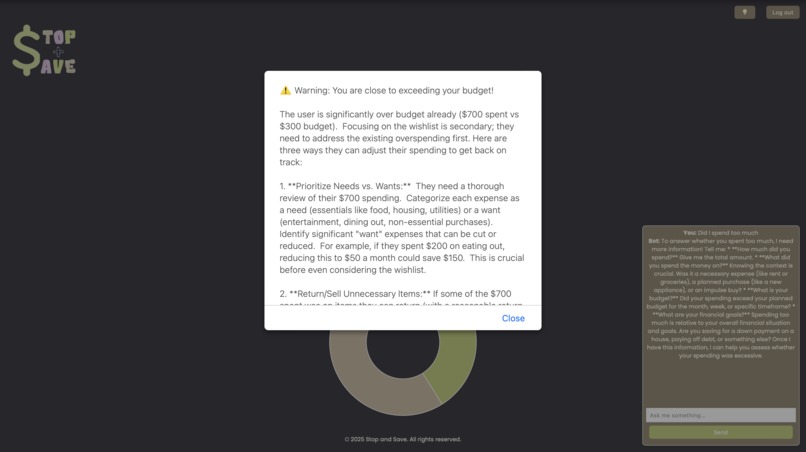
Gemini generates a warning when the user is close to overspending.




Inspiration
Impulse buying is a common struggle—we’ve all been there. Social media makes shopping seamless, but that convenience comes at a cost. We wanted to build a tool that not only tracks spending but actively prevents financial mismanagement by introducing thoughtful delays and AI-powered interventions. Our goal is to make mindful spending an easy habit rather than a struggle.
What it does
Stop & Save is an impulse buying timer designed to put you back in control of your spending. Instead of making instant purchases, users can:
- Add an item they want to buy.
- Set a custom waiting period (a day, a week, or a month).
- Track their spending habits in real time with a budget tracker.
- Decide if they still want the item after the waiting period ends.
- Sending budget alerts when users approach spending limits.
- Get AI-powered purchase reflection for mindful spending
- Use an AI Financial ChatBot for budget tips which analyzes spending patterns,
By incorporating these features, Stop & Save empowers users to control their finances, not their impulses.
How we built it
We developed Stop & Save using:
- 🖥️ Frontend: HTML, CSS, and JavaScript for an interactive experience.
- 📊 Data Visualization: Chart.js to display spending habits dynamically.
- 🔐 Authentication: Auth0 for secure login and user management.
- 🤖 AI Integration: GeminiAI API for:
- 1. Smart Budget Alerts
- 2. AI-Powered Purchase Reflection
- 3. AI Chatbot for Spending Advice
The app dynamically updates the user’s budget, wishlist, and spending chart in real-time, creating a seamless financial tracking system.
Challenges we ran into
- 🚧 First-time AI Integration: We had to quickly learn how to incorporate machine learning into our project.
- 🔄 Collaboration Issues: Using VSCode Live Share was new to most of us, and syncing changes in real time was tricky.
- 🎨 UI/UX Design: Creating an intuitive and visually appealing interface took extra effort, but we prioritized usability to enhance engagement. Despite these challenges, we adapted, learned from each other, and successfully built a functional prototype.
Accomplishments that we're proud of
- 🏆 Successfully integrating AI-driven financial insights for personalized spending analysis.
- 📈 Building an interactive budget tracker and real-time spending chart for better financial awareness.
- 🎨 Designing an engaging, user-friendly interface that encourages thoughtful spending habits.
What we learned
- 📌 How AI-powered financial insights can change user behavior for the better.
- 📌 The importance of user experience design in creating intuitive and effective budgeting tools.
- 📌 How to collaborate remotely and troubleshoot new technologies under time constraints.
What's next for Stop&Save
- 🚀 Developing a Chrome extension for seamless online shopping integration.
- 🎮 Adding gamification elements, where users earn points for mindful spending.
- 🤖 Expanding AI-powered features with personalized shopping alternatives and sustainability recommendations.
- 📊 Enhancing spending analytics to provide deeper financial insights for users.
With Stop & Save, we’re not just helping people pause before purchases—we’re changing the way they think about spending. 🚀
Built With
- auth0
- canva
- chatgpt
- css
- geminiai
- geminiaiapi
- github
- html
- javascript
- vscode

Log in or sign up for Devpost to join the conversation.