-
-
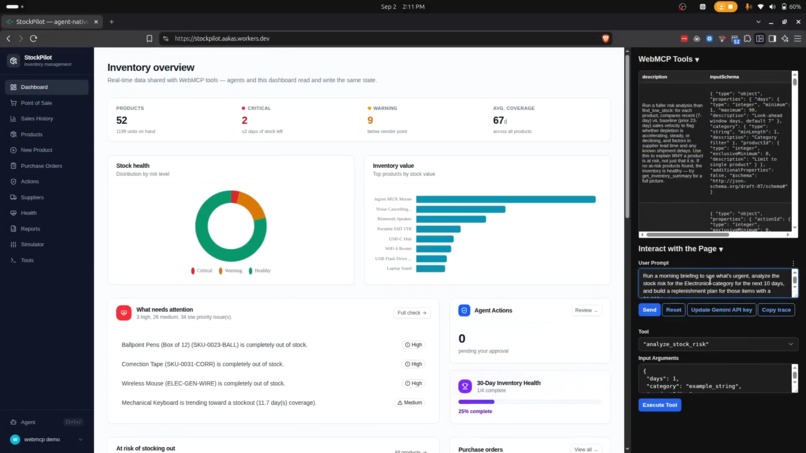
StockPilot with WebMCP
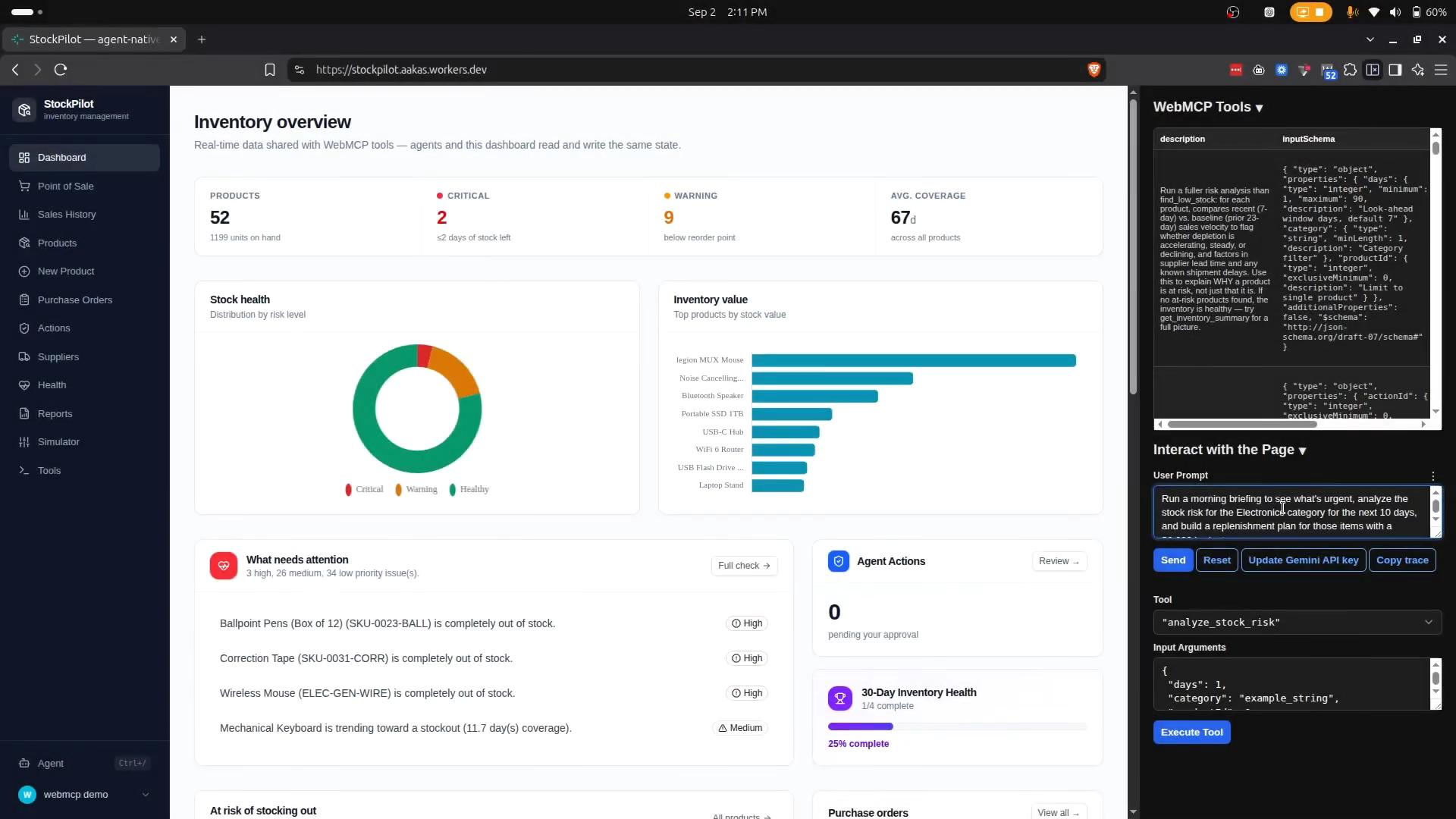
StockPilot
Why WebMCP Is a Strong Fit
Inventory management is fundamentally a shared-state problem. The dashboard shows data, but analyzing it requires cross-referencing products, suppliers, sales velocity, and profit margins — work that takes 30-60 minutes manually. WebMCP solves this by letting an AI agent operate on the same data, through the same logic, as the UI — not a copy, not a mirror, the identical code path.
The agent doesn't just read data. It proposes actions (replenishment plans, purchase orders), but the human retains control over consequential decisions. This is only possible because WebMCP tools are registered on document.modelContext — they execute in the browser, against the same database, with the same server-side validation as the dashboard.
How It Creates a Better User Experience
Before WebMCP:
- User opens dashboard → sees health score, at-risk products, open POs
- User manually clicks each product → checks velocity → mental math on profit
- User opens spreadsheet → calculates which products are worth restocking
- User creates POs one by one, copying supplier data manually
- Time: 30-60 minutes for a weekly inventory review
With WebMCP Agent:
- User types: "Protect my inventory with a $3,000 budget"
- Agent analyzes all products in one call → risk levels, velocity, profitability
- Agent proposes a budget-aware replenishment plan → grouped by supplier with cost subtotals
- User clicks Approve → POs are created → stock is received
- Time: 2 minutes for the same review
The agent auto-navigates to relevant pages after each action. The Agent Activity Panel shows every tool call in real-time. The human always knows what the agent is doing.
What People and Agents Can Do Together That Was Difficult or Impossible Before
Cross-Product Profitability Analysis: "Which products will make me $1,000 profit this month?" — impossible to answer manually without cross-referencing sales velocity, profit margins, and inventory levels across all products. The agent calls
get_profitability_analysisonce and returns sorted projections.Budget-Aware Replenishment: "Replenish my inventory with a $3,000 budget" — the agent prioritizes by urgency (critical → warning → watch), fits items within budget, and returns what fits vs. what's rejected. Manual equivalent: 2+ hours of spreadsheet work.
Emergency Impact Simulation: "What if my electronics supplier delays 10 days?" — instant analysis of which products stock out, days until stockout, alternate suppliers available, total revenue at risk. Manual equivalent: calling each supplier, checking lead times, calculating impact.
Agent Proposes → Human Approves: The agent can't unilaterally place orders. It files pending actions with reasoning and cost estimates. The human approves or rejects via the Agent Actions queue. Server enforces the approval gate — the agent can't bypass it.
Real-Time Visibility: The Agent Activity Panel shows every tool call as it happens. The human watches the agent work, sees the reasoning, and can intervene at any point.
How WebMCP Was Implemented
Architecture: Shared domain logic in inventory.server.ts (~2,200 lines) is called by two entry points:
- UI: TanStack Start server functions via
inventory.functions.ts - WebMCP: 52 tools registered via
document.modelContext.registerTool()intools.ts
Tool Design: Each tool has:
- 4 annotations (
readOnlyHint,destructiveHint,idempotentHint,openWorldHint) - Zod → JSON Schema input validation (auto-generated, no manual drift)
- Structured error codes (
NOT_FOUND,CONFLICT,PRECONDITION_FAILED,INVALID_INPUT) - Audit trail logging to
agent_tool_callstable
Collaboration Model:
- 24 consequential tools are marked with agent hints ("only call after human approval")
- Server-side enforcement: PO state machine (
draft → approved → received),decidedByderived from session - Agent Activity Panel: real-time visibility into every tool call
- Auto-navigation: 9 tools navigate to relevant pages after execution
Deployment: Cloudflare Workers with D1 (SQLite) database. Live at https://stockpilot.aakas.workers.dev
Tech Stack: TanStack Start, React 19, Tailwind CSS 4, Drizzle ORM, Cloudflare D1, TypeScript 5.7
Built With
- cloudflare
- react
- tailwind
- tanstack

Log in or sign up for Devpost to join the conversation.