-
-
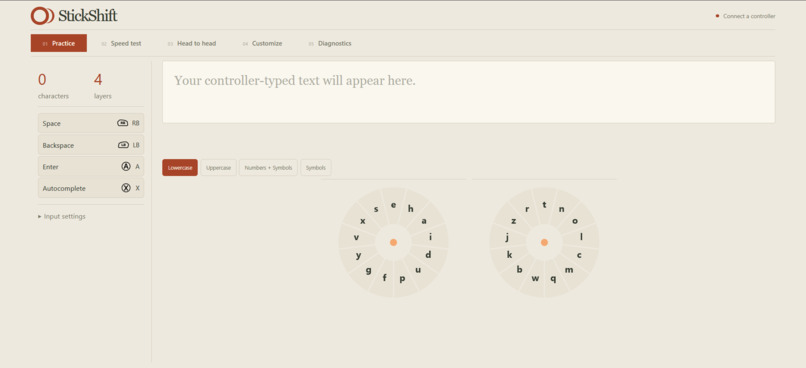
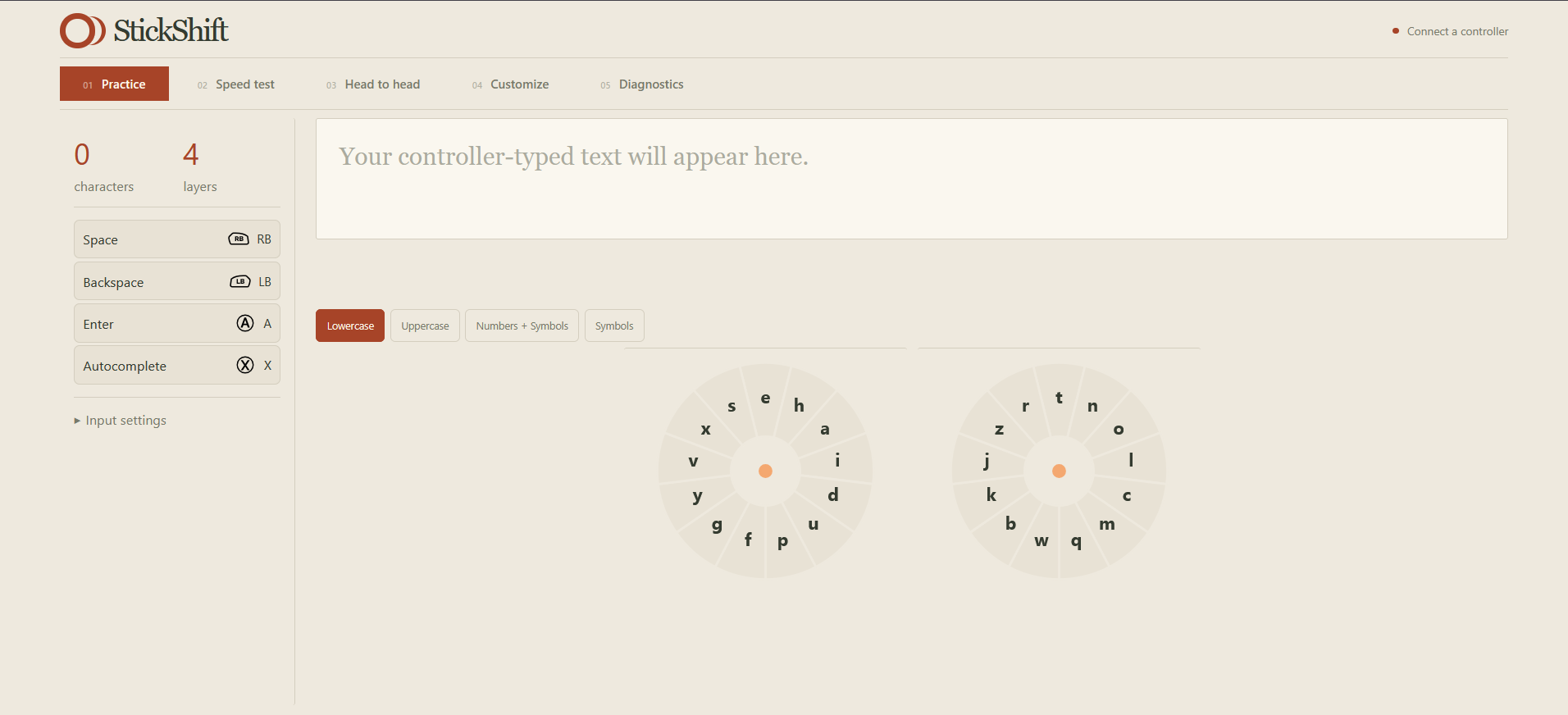
Practice Page
-
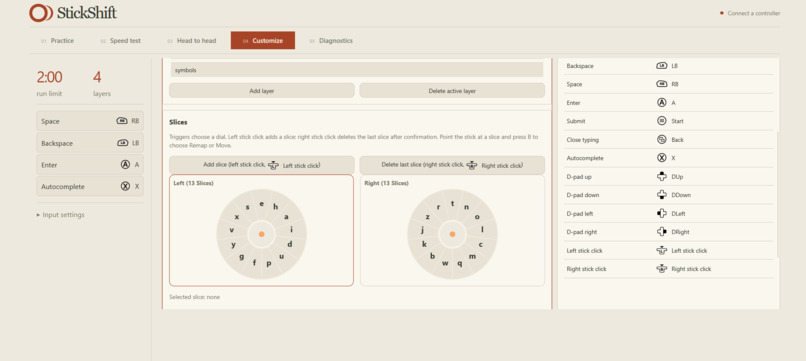
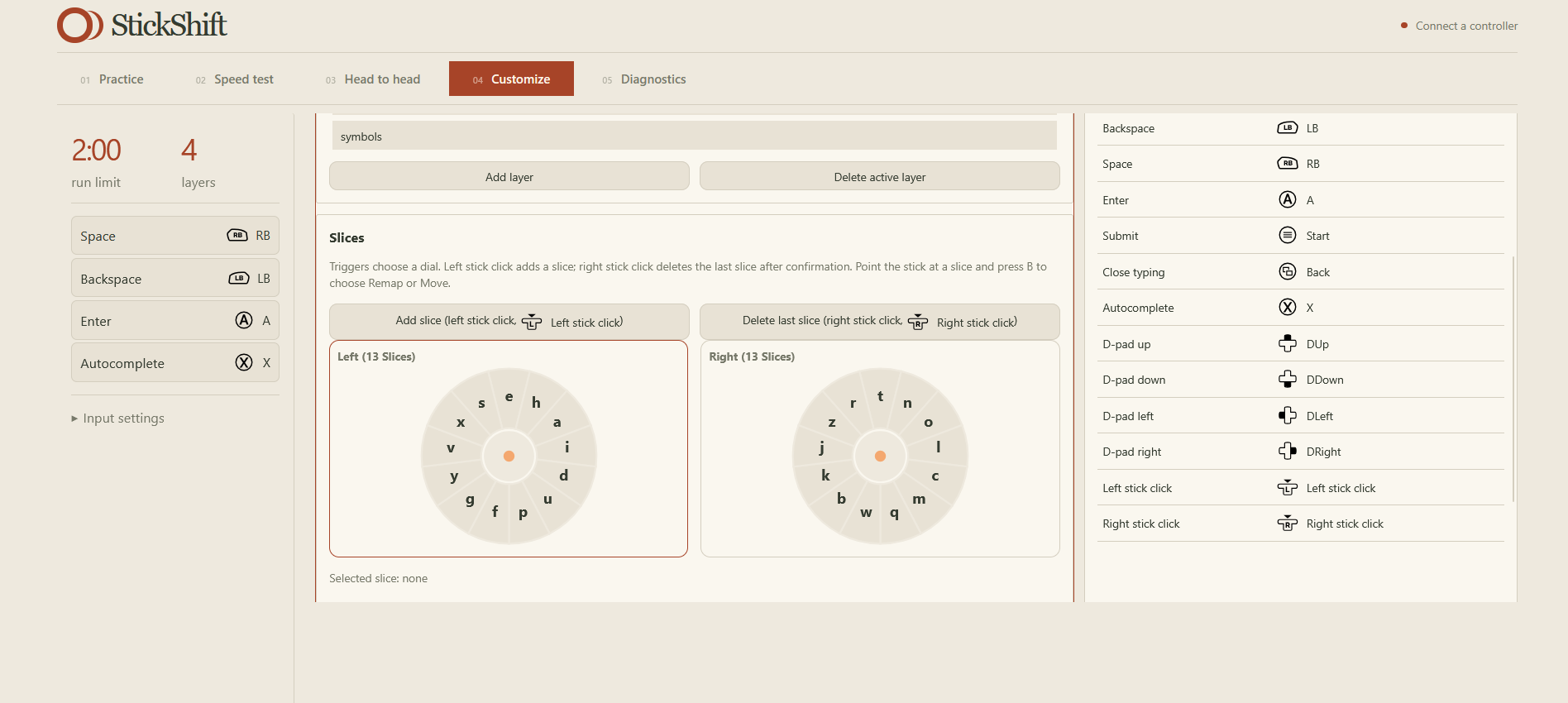
Customize Page
-
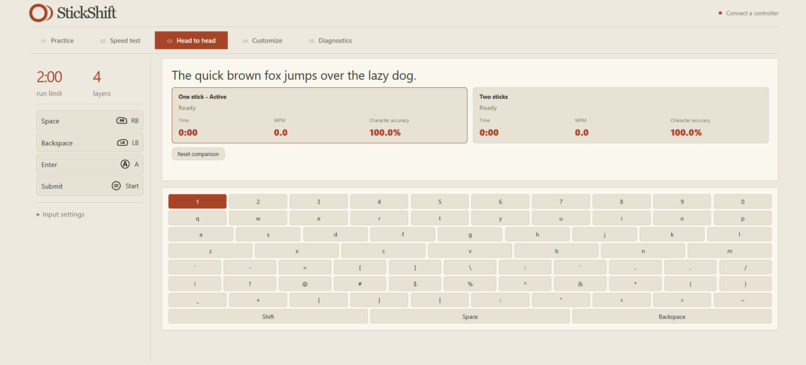
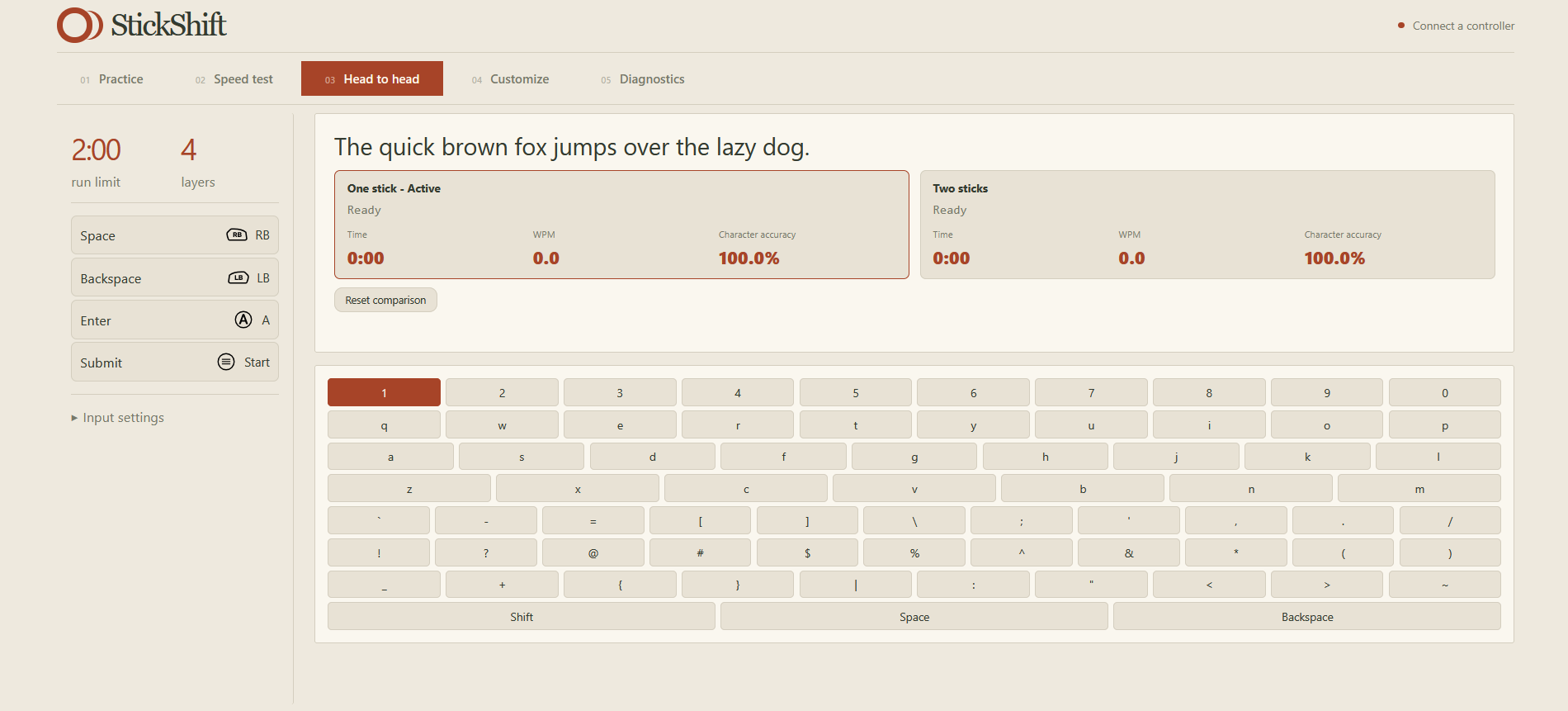
Head to Head Page
-
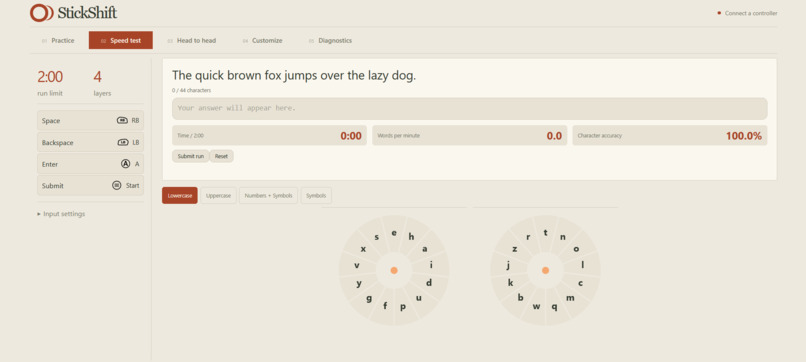
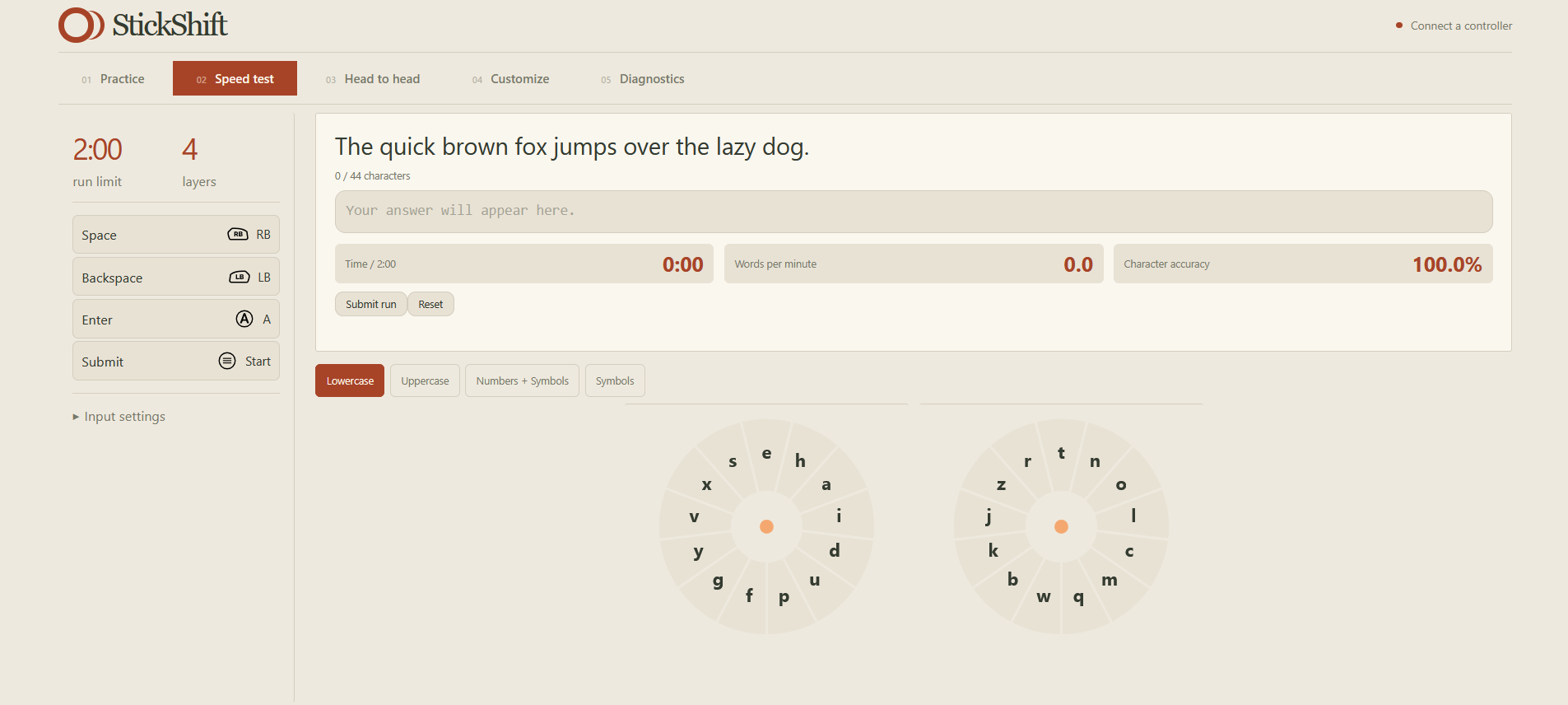
Speed Test Page
-
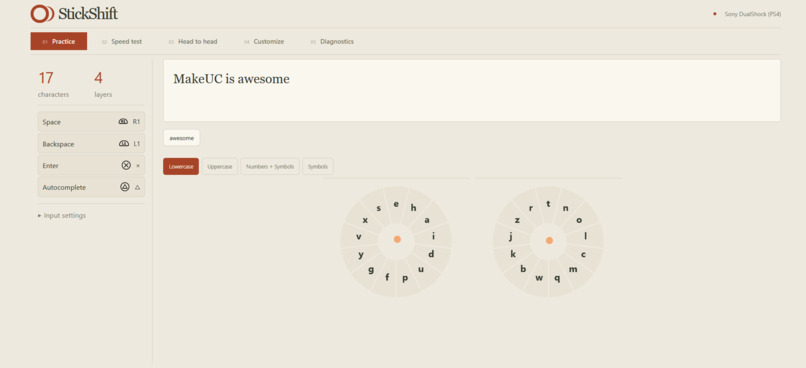
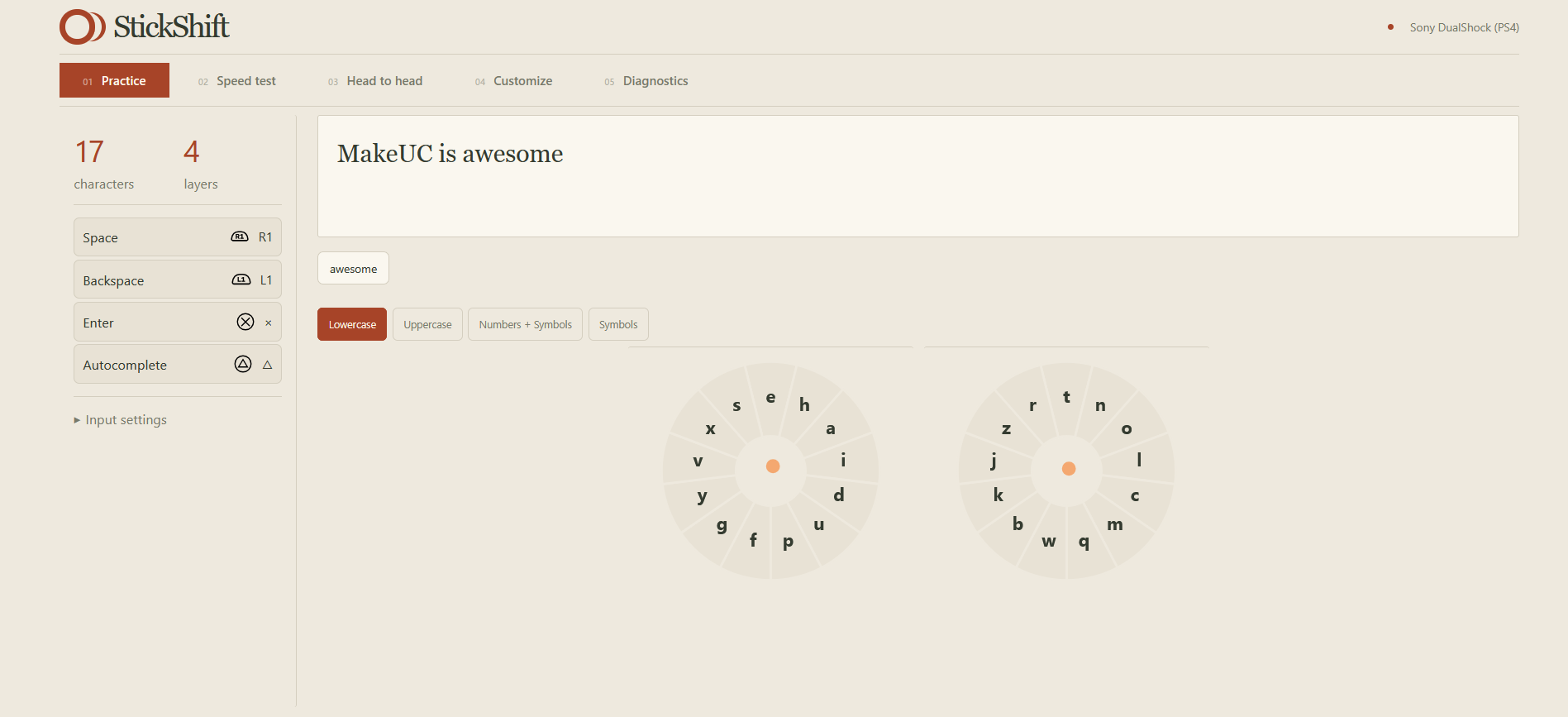
Practice Page Showing Typing
-
Inspiration
We have all played console games before! We have also all endured the horrid experience that typing is on a console. When consoles need input, the QWERTY keyboard isn't the right modality! We were tired of this experience, and thus, created StickShift.
This implementation also is an extension of the following research papers:
- Joystick text entry with word prediction for people with motor impairments
- Bimanual text entry using game controllers: Relying on users’ spatial familiarity with QWERTY
- Text entry using a dual joystick game controller
These papers do not cover all of the features given in our implementation, such as customizability, autocomplete, and this specific implementation of the dials.
We would like our solution to be applied to the Social Issues and Hardware tracks:
- Social Issues: many people want quicker ways to type with console controllers, and individuals with disabilities who have an adaptive controller will give them a more accessible way to type
- Hardware: our solution integrates software with hardware controllers and other similar HIDs.
What it does
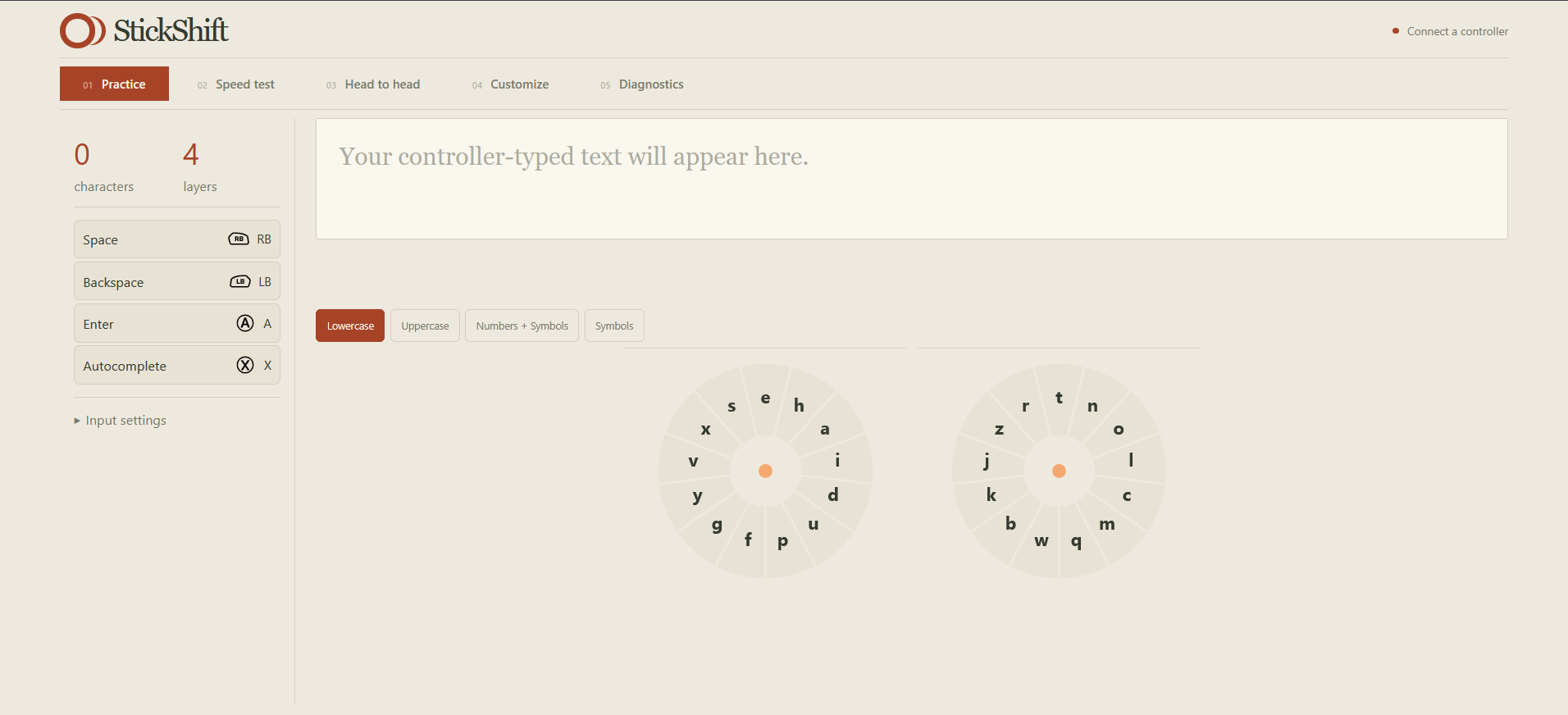
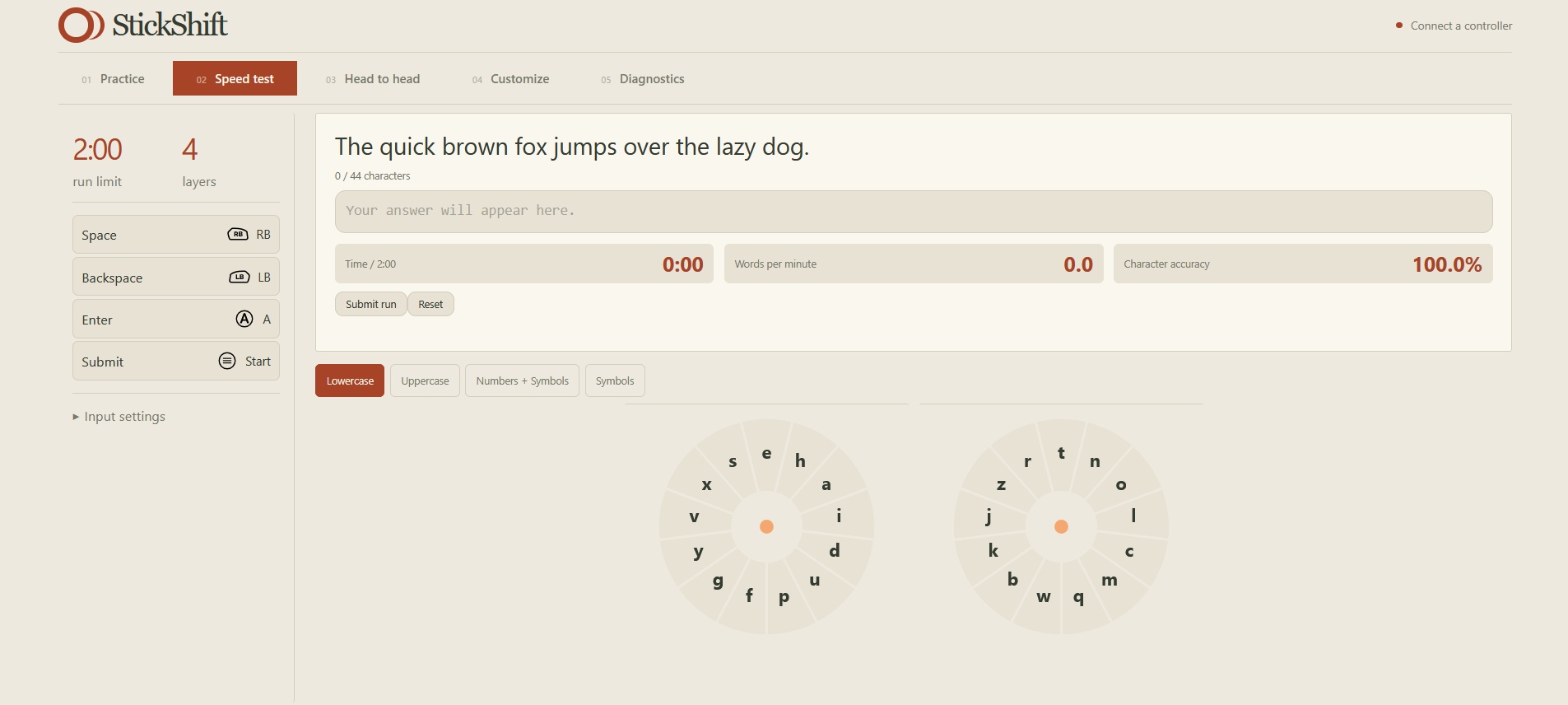
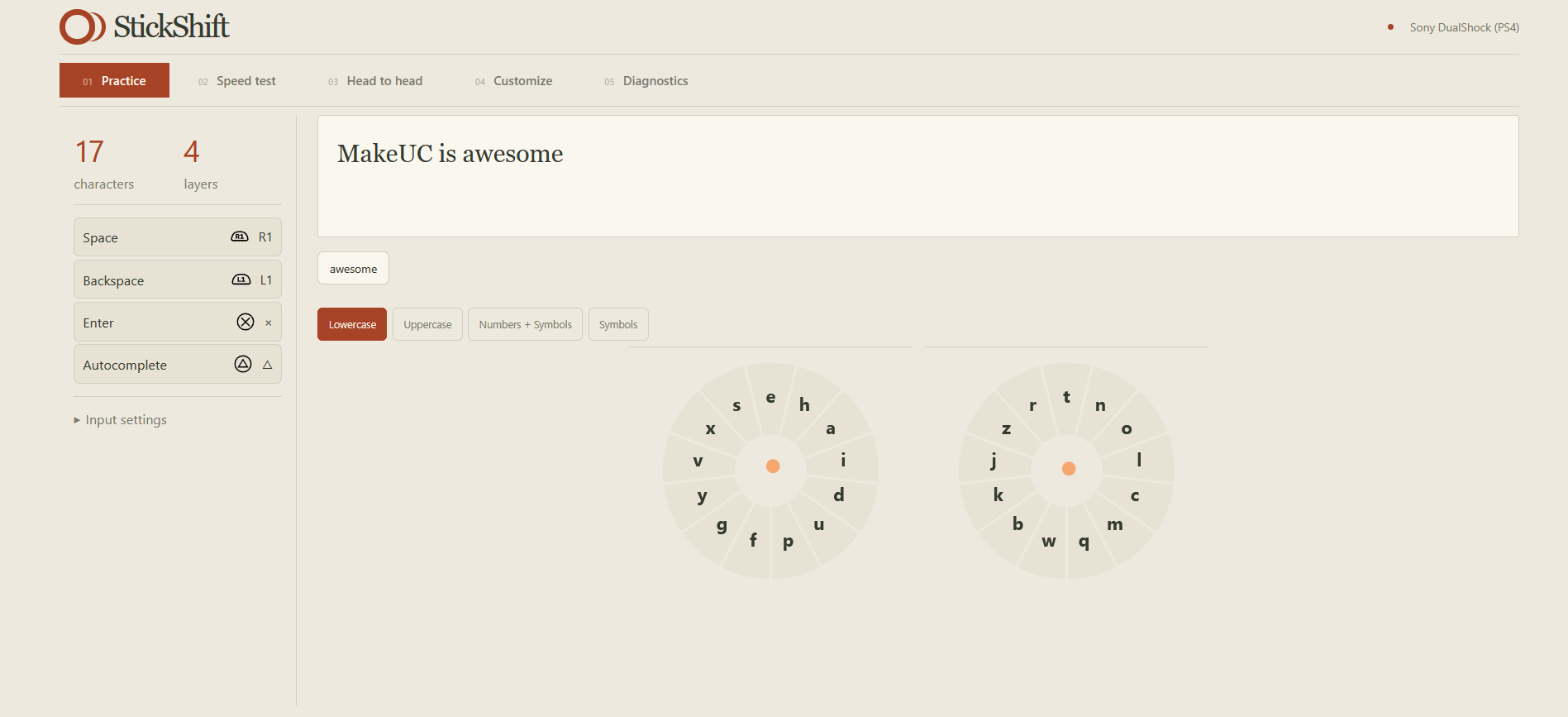
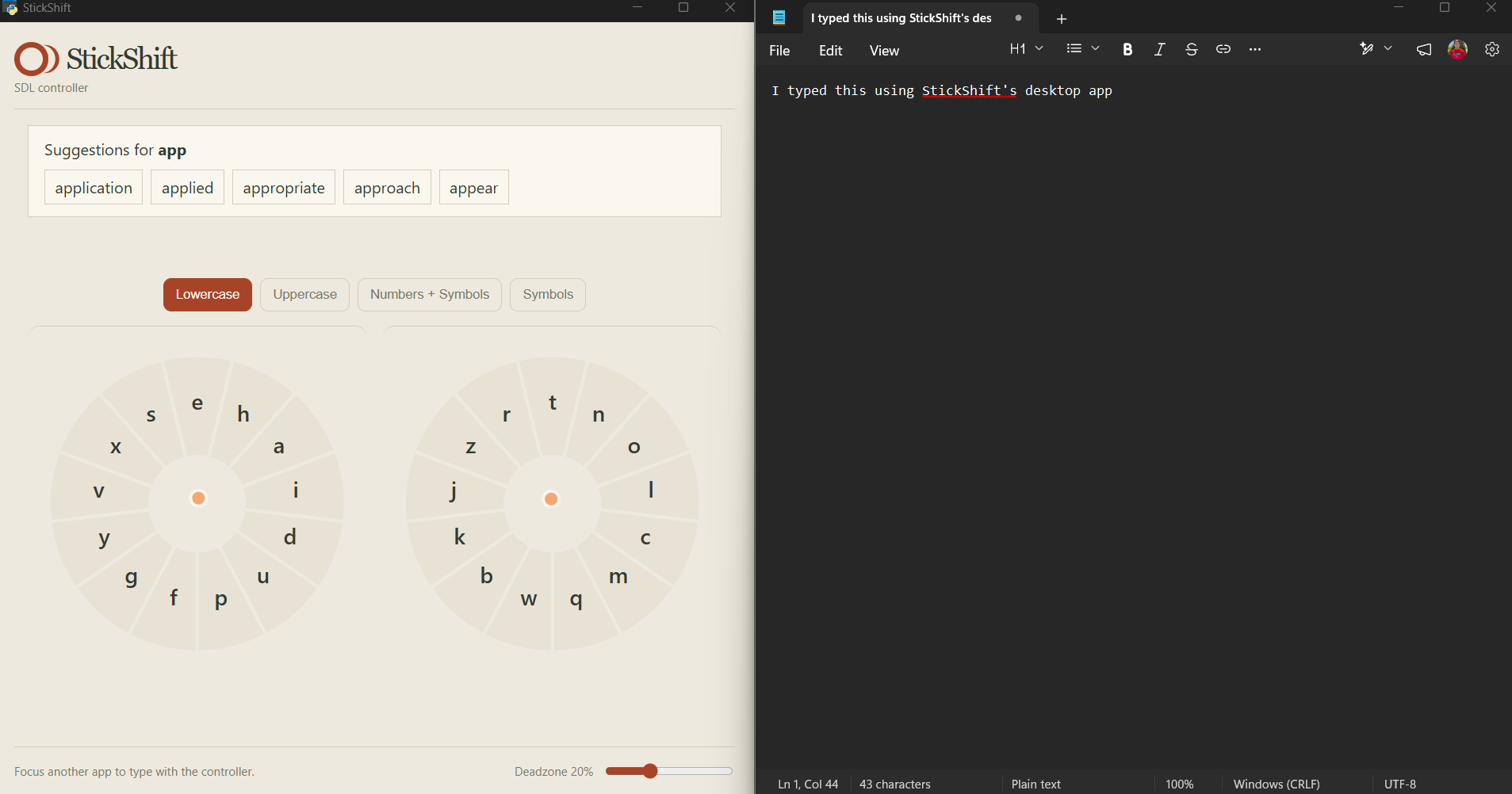
StickShift uses both joysticks as inputs to a layered dial system. Each tilt of the joystick turns your input into a character. The layering system allows for multiple different sets of inputs (like lowercase, capital, numbers, and symbols) on the same two joysticks. It, of course, has the usual space, backspace, submit, and also features autocomplete! The autocompletion feature was done using the english word frequency kaggle dataset, after we filtered out some of the more unique words.
Our dials have been tuned through the research provided in the paper, English Letter Frequency Counts: Mayzner Revisited or ETAOIN SRHLDCU. This splits letters that are most commonly together, such as T-H, A-N, and Q-U, onto separate dials. That way, the user can use both joysticks more efficiently.
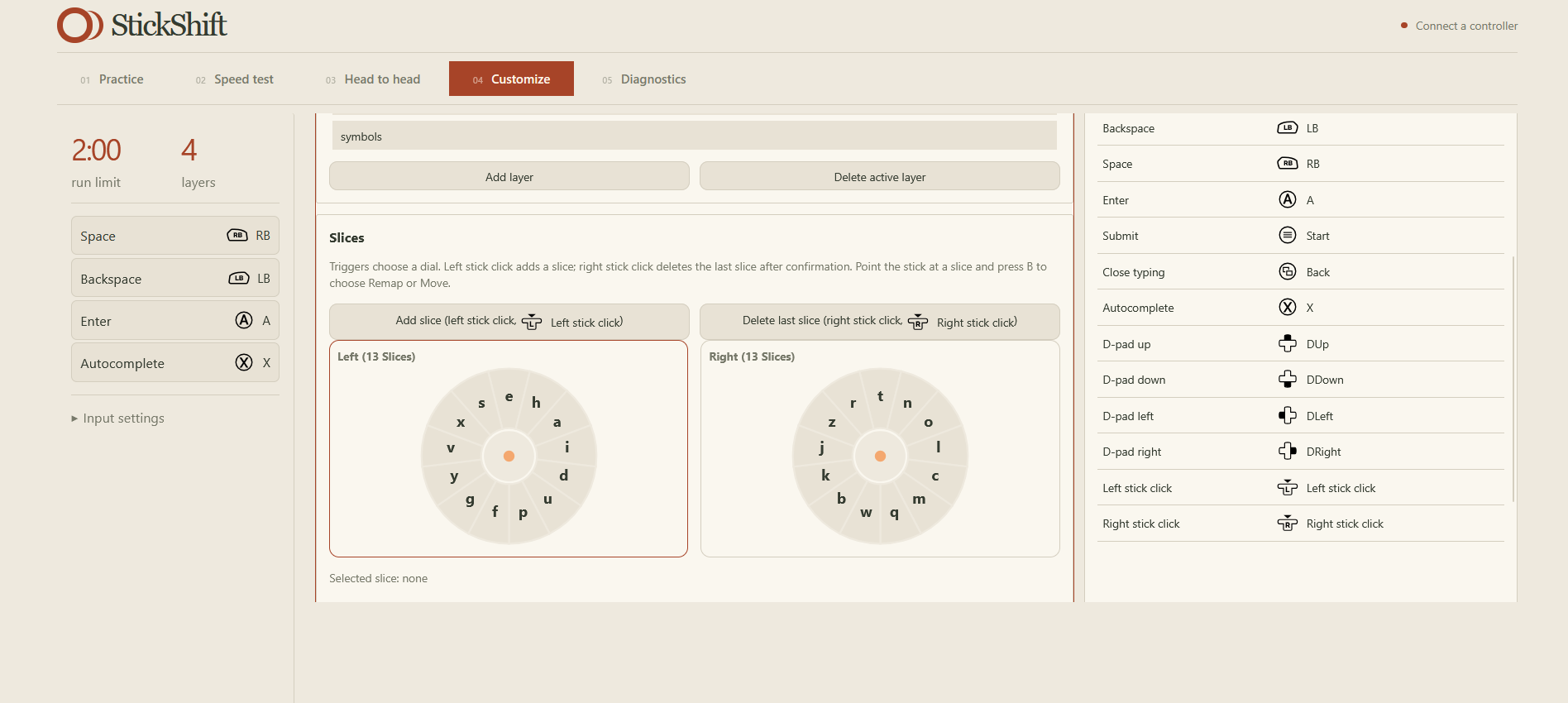
If a user doesn't like our default setup, that is ok! Each user can have their own layouts, being able to customize their own dial setup, including their layers, order of the splits, and how many characters per dial!
This implementation has a two different implications:
- Normal console users should experience speed-ups in typing speed after practice
- Some people with disabilities may find a standard keyboard difficult to use, so an adaptive controller could give them a more accessible way to type
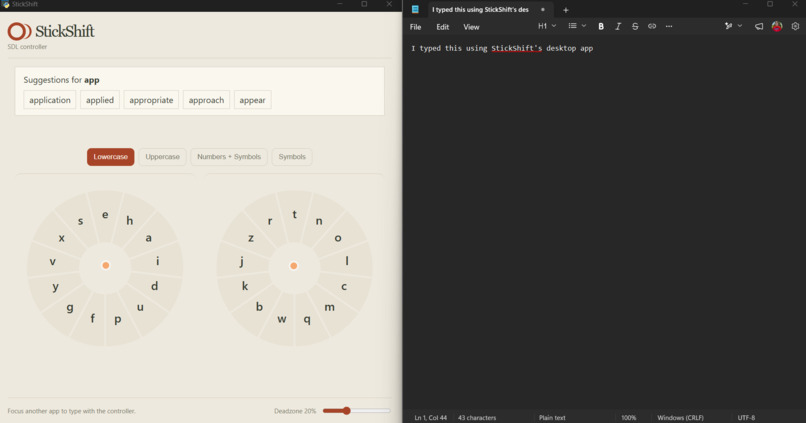
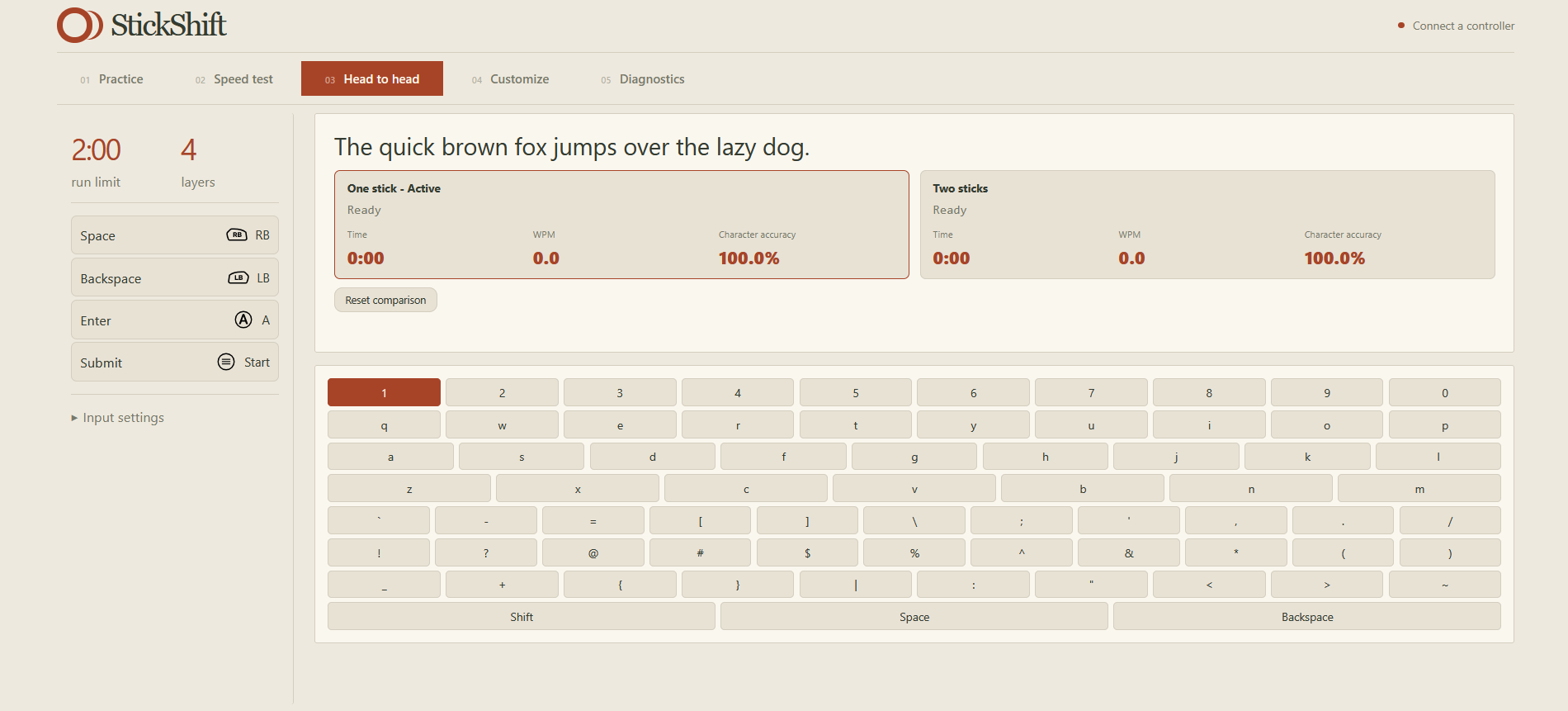
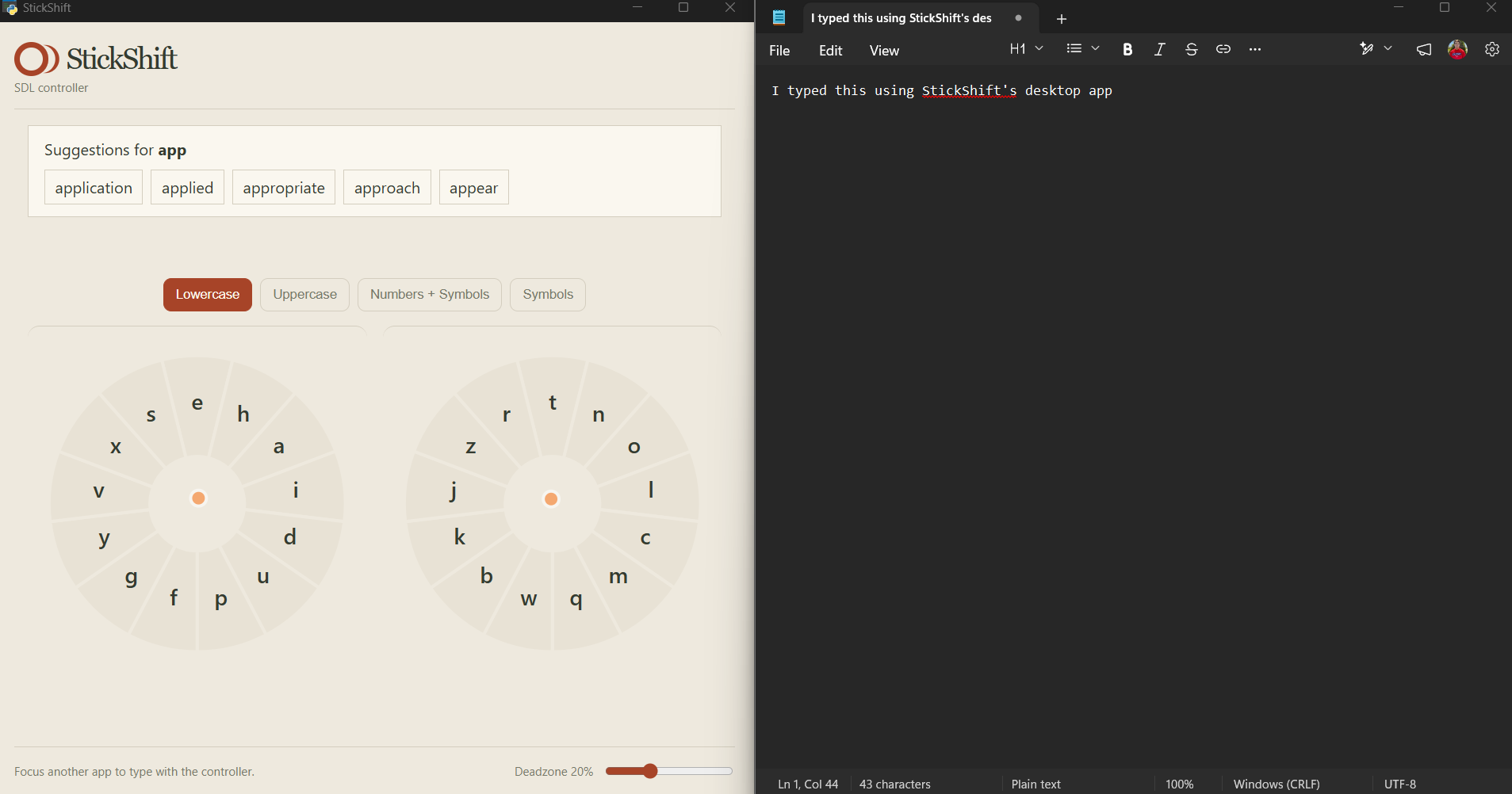
Here are some images of our app!
Watch the demo video here!
How we built it
There are two parts to our app:
The demo site was built with React, using the GamepadAPI. It consists of a few different parts:
- The practice section allows people to practice their skills before adopting this as their more "mainstream" way of typing
- The timed section allows people to type a given sentence, while recording accuracy, WPM, and time spent
- The head to head section allows you to test a normal uni-joystick setup against the bi-joystick approach on the same sentence
- The configuration tab allows you to change the configuration of your layout
The desktop app is written in Python and uses input libraries to act as an HID in order to use this as a device similar to how other keyboard devices input, which allow you to use the controller across any part of your computer. The functionality works the same as the web app though!
Challenges we ran into
- Porting the React app to Python after the implementation work was done
- Implementing multiple different controller types
- Configuring the system for multiple different input styles.
Accomplishments that we're proud of
- Successfully implementing the app
- Showing improvement of WPM in our testing compared to the uni-joystick measurements
- Adding a new layer of acccessibility to those who will benefit from it
What we learned
A small tool may go a long way and touch populations that weren't initially thought of!
What's next for StickShift
Hardening testing and more niche controller support!
P.S. have a controller handy if you wanna try this out yourself! Playstation and Xbox controllers work best!
Built With
- accessibility
- controller
- gamepad
- html
- keyboard
- python
- react
- typescript
- typing


