-
-
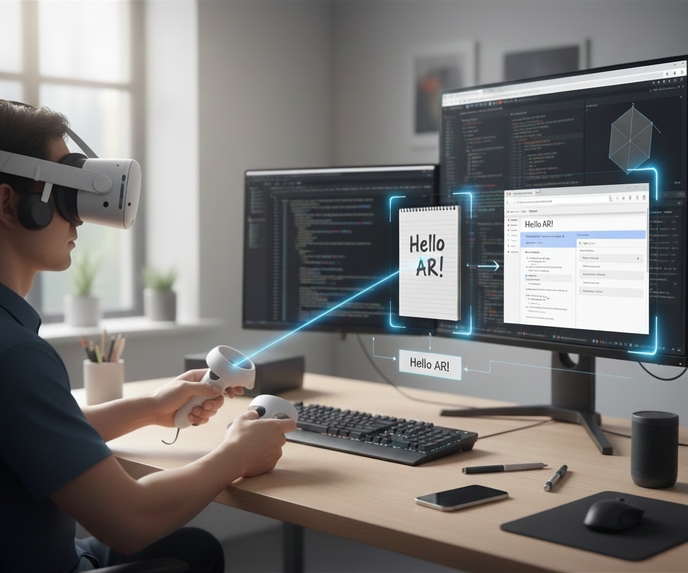
StickAR : Spatial Notes & Beyond Typing
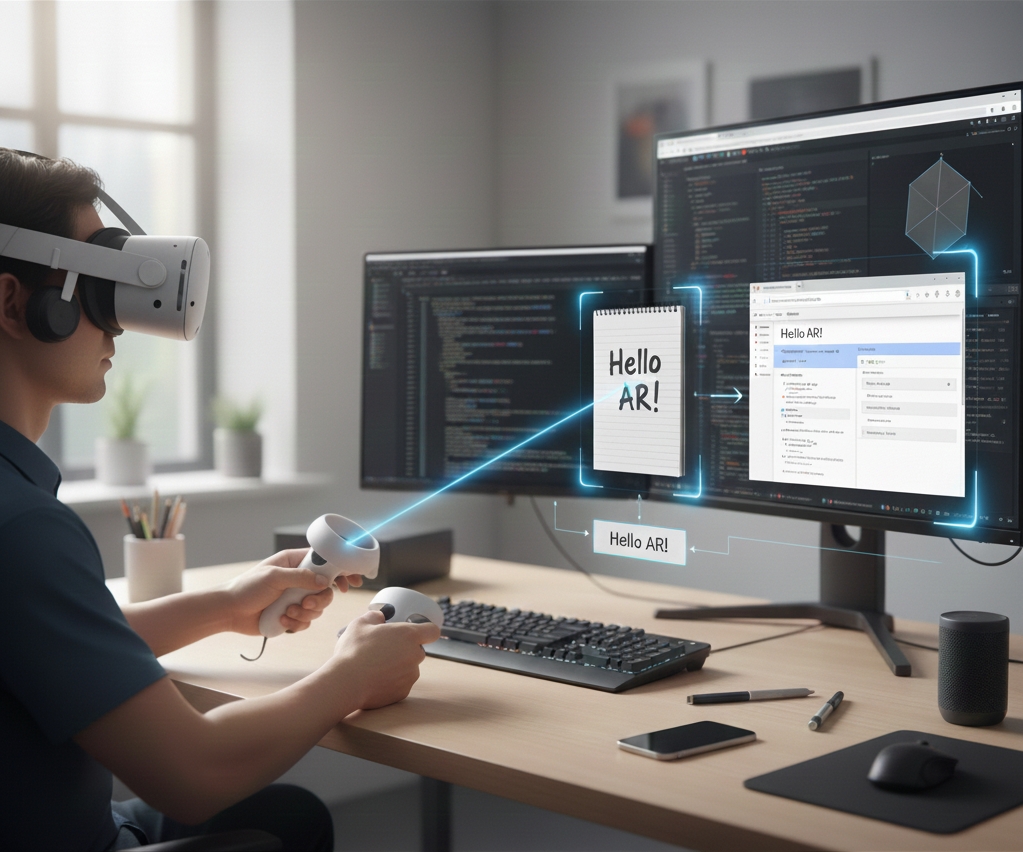
StickAR – Project Story
Introduction / Inspiration
There are many situations where users want to quickly digitize and share information from the physical world.
When using AR/MR in everyday environments, however, a physical keyboard is not always within reach.
While virtual keyboards, hand-gesture input, and controller-based spatial drawing do exist, these methods are generally better suited for expressive or free-form drawing rather than entering detailed character shapes. This becomes especially challenging in languages such as Japanese or Chinese, where complex characters make gesture-based text input impractical for quick note-taking.
StickAR addresses this challenge by enabling users to:
“Capture text directly from your view, convert it instantly, and share it effortlessly—without typing.”
How It Was Built
StickAR combines Meta Quest’s passthrough camera, an AI-powered OCR workflow, and spatial UI to create a lightweight process where real-world text becomes shareable digital content with minimal friction.
● Capture text from passthrough
Users can capture text from paper notes, whiteboards, screens, and other real-world surfaces directly through passthrough.
● Perspective correction for improved OCR accuracy
Since angled captures degrade OCR accuracy, StickAR applies projective transformation to generate a front-facing view before sending it to OCR.
● AI-based OCR (Text Recognition)
StickAR uses an AI-powered OCR system (currently cloud-hosted) to perform high-accuracy text recognition.
Captured text is processed instantly, and the system supports multiple languages, including Japanese and English.
● Google Docs integration
The recognized text is inserted directly into Google Docs through JavaScript communication.
This allows users to save content without typing and enables collaborative editing with others on PC, mobile, or other devices.
Updates Developed During This Competition
StickAR was originally prototyped shortly after the Meta Quest Passthrough Camera API became available.
Because this capability is still very new, the application required exploring new interaction models and building mechanisms from scratch—giving the project strong inherent novelty.
During the competition period, the prototype was expanded and significantly improved through the following updates:
● Initial position assist for the “Scan Area Setup Object” using point-cloud data
To enhance the sense of integration with the physical workspace, which is an essential aspect of Mixed Reality, StickAR introduces a depth-based initial placement assist for the Scan Area Setup Object.
Using depth-sensor point-cloud data, StickAR now:
Accurately estimates the location indicated by the controller ray
and immediately places the Scan Area Setup Object at that position.
This significantly streamlines the previous workflow:
“Find scan area setup object → Grab → Move manually.”
Benefits:
- Far-away text can be scanned immediately
- Scan area setting object search steps are removed
- MR workflows remain smooth and uninterrupted
Subtle adjustments are still possible with the controller.
● Spatial Anchor persistence for browser and scan area
To further strengthen the continuity between the virtual interface and the user’s real environment, StickAR now supports persistent spatial placement through the use of Spatial Anchors.
The embedded browser and scan area positions are saved using Spatial Anchors, enabling:
- Persistent placement across app restarts
- Automatic restoration when returning to the same room
This significantly improves spatial continuity and everyday usability.
Learnings & Challenges
Point-cloud data contains a large amount of information, and its values often fluctuate due to sensor noise.
A major challenge was determining which parts of the data should be used for initial object placement while accounting for this variability.
Balancing stability with intuitive interaction required careful tuning.
Additionally,
- Perspective correction for better OCR accuracy
- Secure JavaScript integration with Google Docs
were key technical learnings.
Future Improvements
- Automatic detection of scan targets to further enhance usability
- Better handling of diagrams and mixed visual data
- Voice input and external device integration
- Transition toward faster, more private offline OCR
- AI-generated summaries across multiple captured notes
StickAR continues to evolve toward becoming
a new standard for spatial note-taking and real-world text interaction that seamlessly links the physical workspace with the cloud.


Log in or sign up for Devpost to join the conversation.