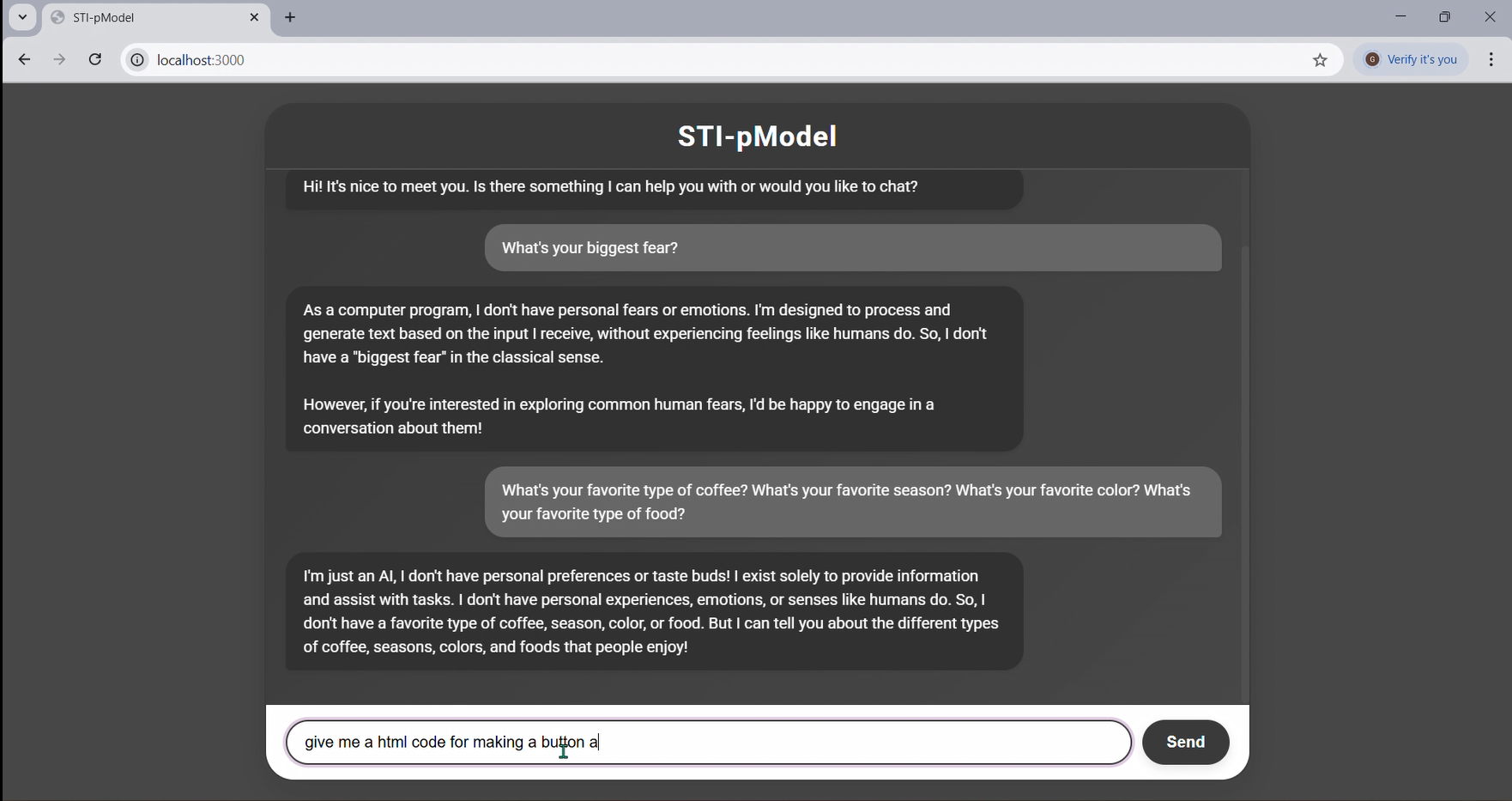
Inspiration My journey with STI-pModel started with a clear goal: to bring advanced AI directly to users, making it personal and accessible. I was genuinely impressed by the capabilities of large language models like LLaMA 3, but I felt limited by the constant need for vast cloud infrastructure. My vision was to create an AI assistant that ran on your own machine, offering a powerful co-pilot without the recurring costs or privacy worries of external services. I wanted an AI experience that felt immediate, private, and truly "on your terms."
How I Built It I built STI-pModel as a full-stack web application. The backend runs on Node.js with Express.js, handling user requests, managing communication, and directing traffic to the AI model. For the frontend, I used standard HTML, CSS, and JavaScript to create a clean, intuitive, and highly responsive chat interface, complete with smooth message transitions and distinct chat bubbles.
The core intelligence of STI-pModel comes from Meta's LLaMA 3 Large Language Model. To get LLaMA 3 running locally, I used Ollama. This allowed me to efficiently download and run the model directly on my computer. I specifically leveraged 4-bit GGUF models via Ollama because they're optimized for performance and significantly reduce memory usage, making local inference possible. My Node.js backend acts as a smart intermediary, streaming user prompts to the local Ollama instance and then streaming the AI's real-time responses back to the browser. This creates a fluid, continuous conversation.
Challenges I Faced Bringing a large language model like LLaMA 3 to a local web application came with its own unique hurdles:
Resource Optimization: Ensuring smooth performance during local inference was the biggest challenge. Running a model of LLaMA 3's size requires careful resource management, especially compared to powerful cloud GPUs. Ollama's efficiency with GGUF models was a huge help, but figuring out the right balance between model size (like using the LLaMA 3 8B Instruct variant) and my hardware's capabilities was crucial. Real-Time Streaming: Creating that "typing" effect in the chat was more complex than it seemed. It involved implementing seamless data streaming on both the backend (Node.js receiving chunks from Ollama and sending them to the browser) and the frontend (the browser needing to parse and display these chunks incrementally). This required specific HTTP headers, using res.write on the backend, and careful ReadableStream processing with TextDecoder on the frontend. Network Accessibility: Initially, getting the local server to be accessible beyond just my machine (on my local network) required some trial and error with 0.0.0.0 binding and configuring firewall rules. This was a valuable lesson in network exposure. What I Learned This project was an incredibly rich learning experience, pushing me to new limits in AI application development:
The Power of Local LLMs: I gained a deep appreciation for the immense potential of local LLM inference and how tools like Ollama truly democratize access to powerful AI models, bringing them from distant data centers right to our fingertips. Mastering Data Streaming: I learned the intricacies of real-time data streaming using Node.js and the Web Streams API. This was vital for creating that dynamic, responsive user experience in the chat interface. Practical Resource Management: I got hands-on experience with the importance of resource management and model quantization when deploying large AI models on personal hardware. End-to-End Full-Stack Development: Building this entire application from the ground up — encompassing backend logic, frontend design, and complex AI integration — significantly boosted my skills in comprehensive full-stack development.
Built With
- axios
- css
- express.js
- git
- html
- javascript
- json
- node.js
- npm
- ollama


Log in or sign up for Devpost to join the conversation.