-
-
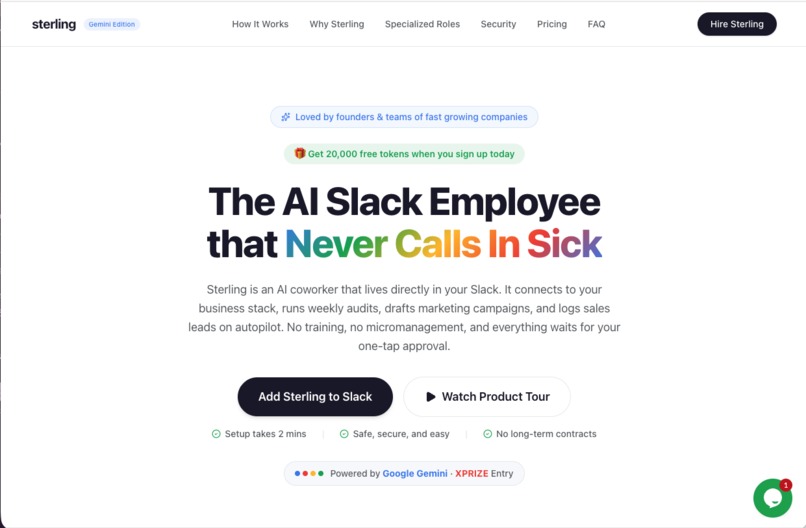
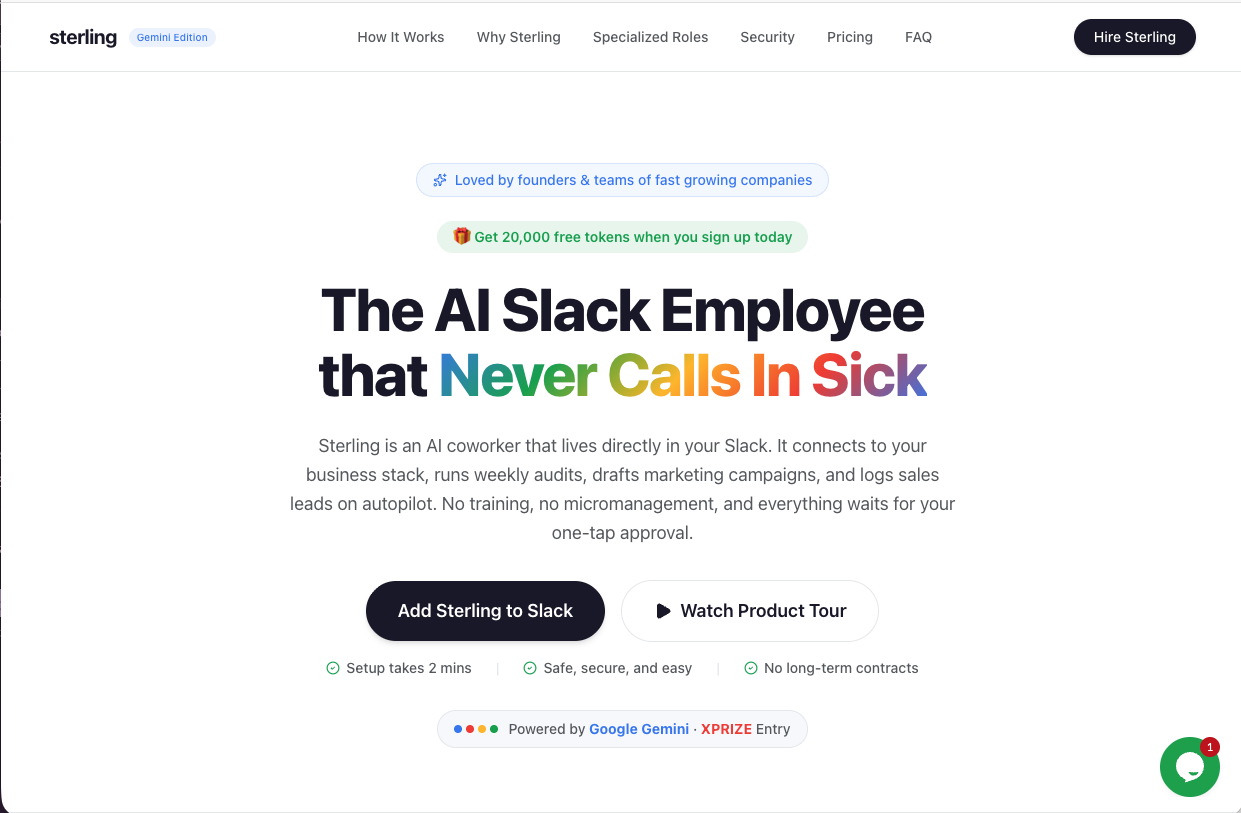
SterlingCoWorker - Home Page
-
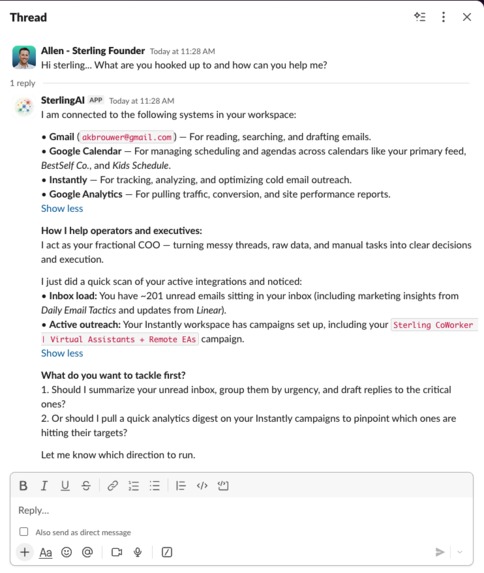
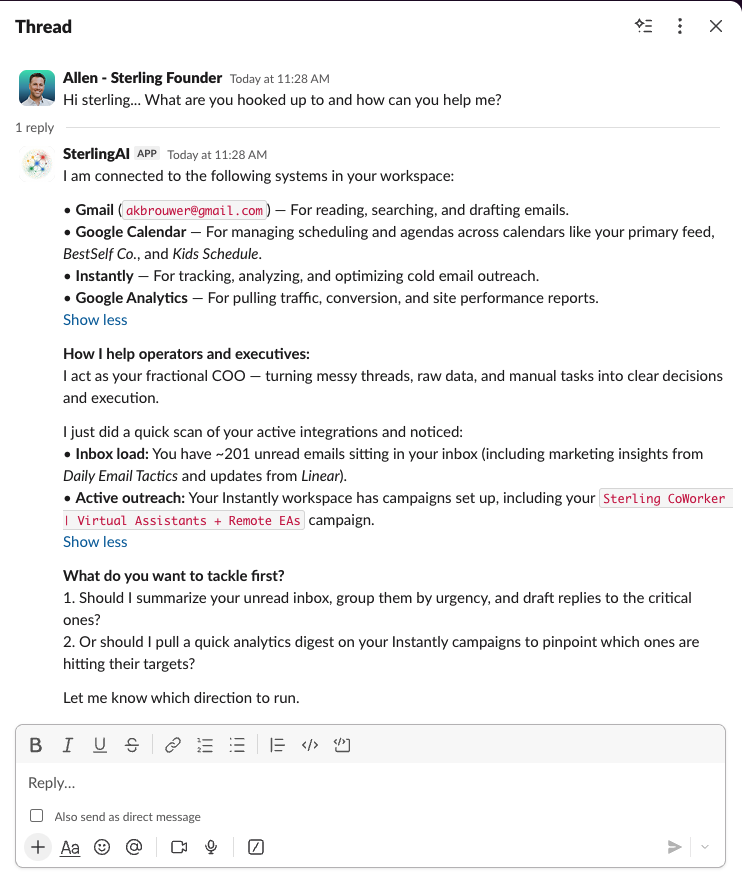
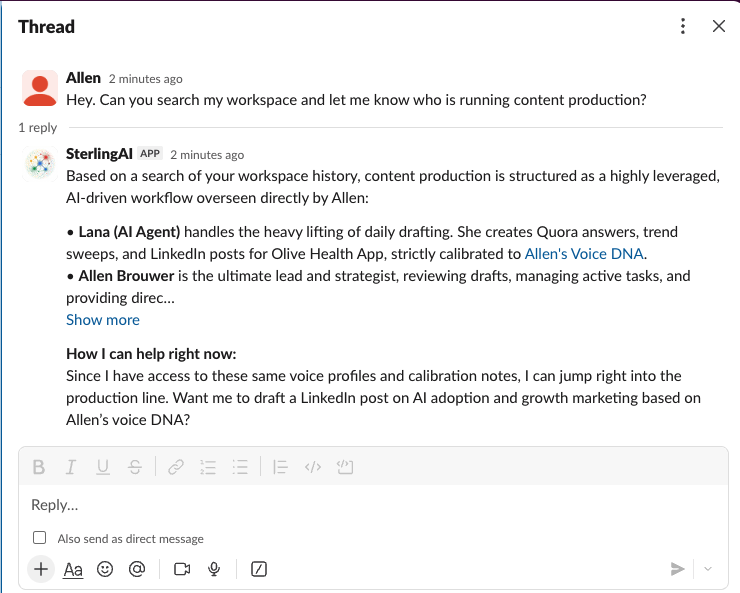
Sterling Jumps into Action To Help Business Owners
-
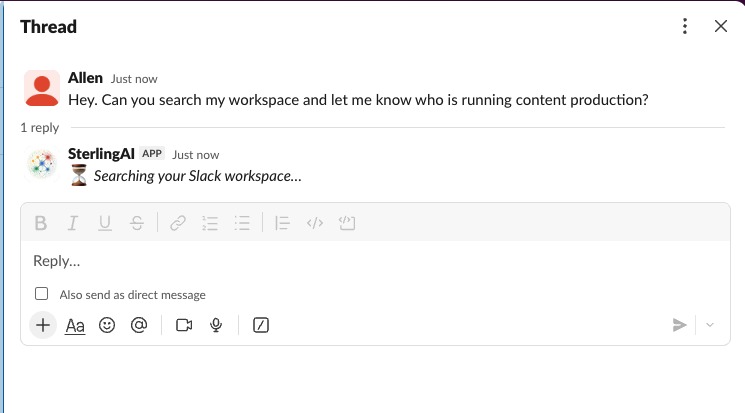
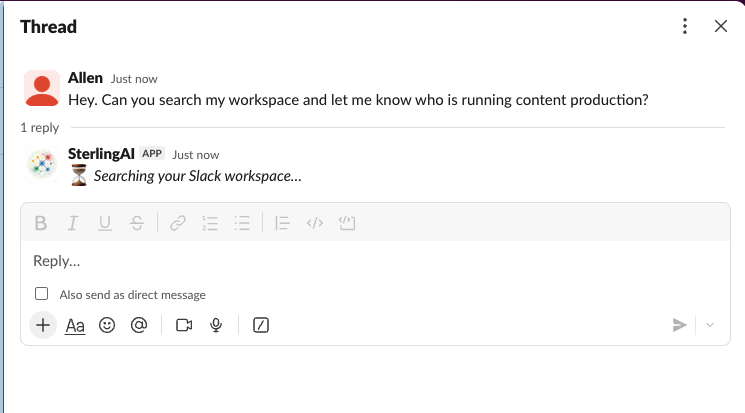
Searching using Slack Real Time Search API in Action
-
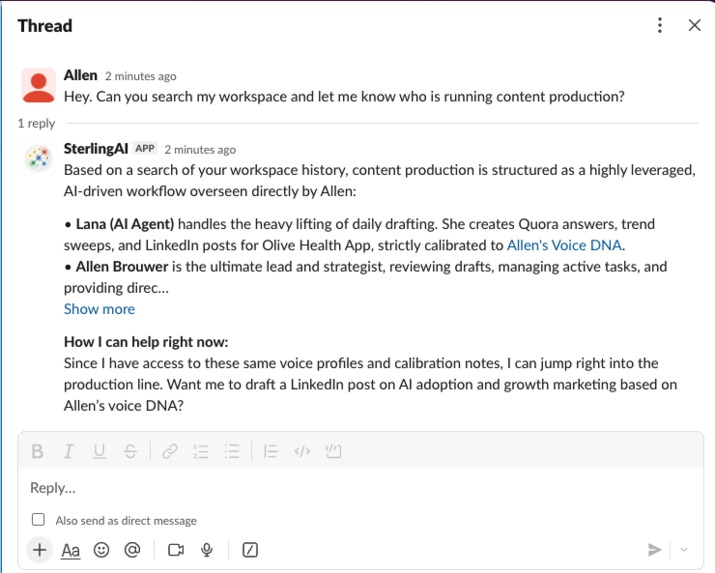
Slack Real Time Search API Answer... With Eagerness to help
-
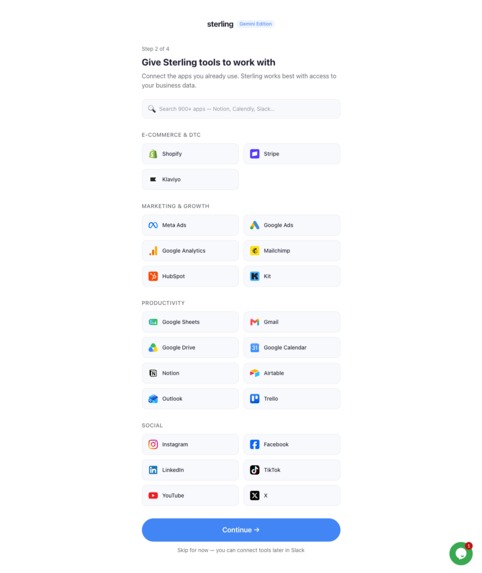
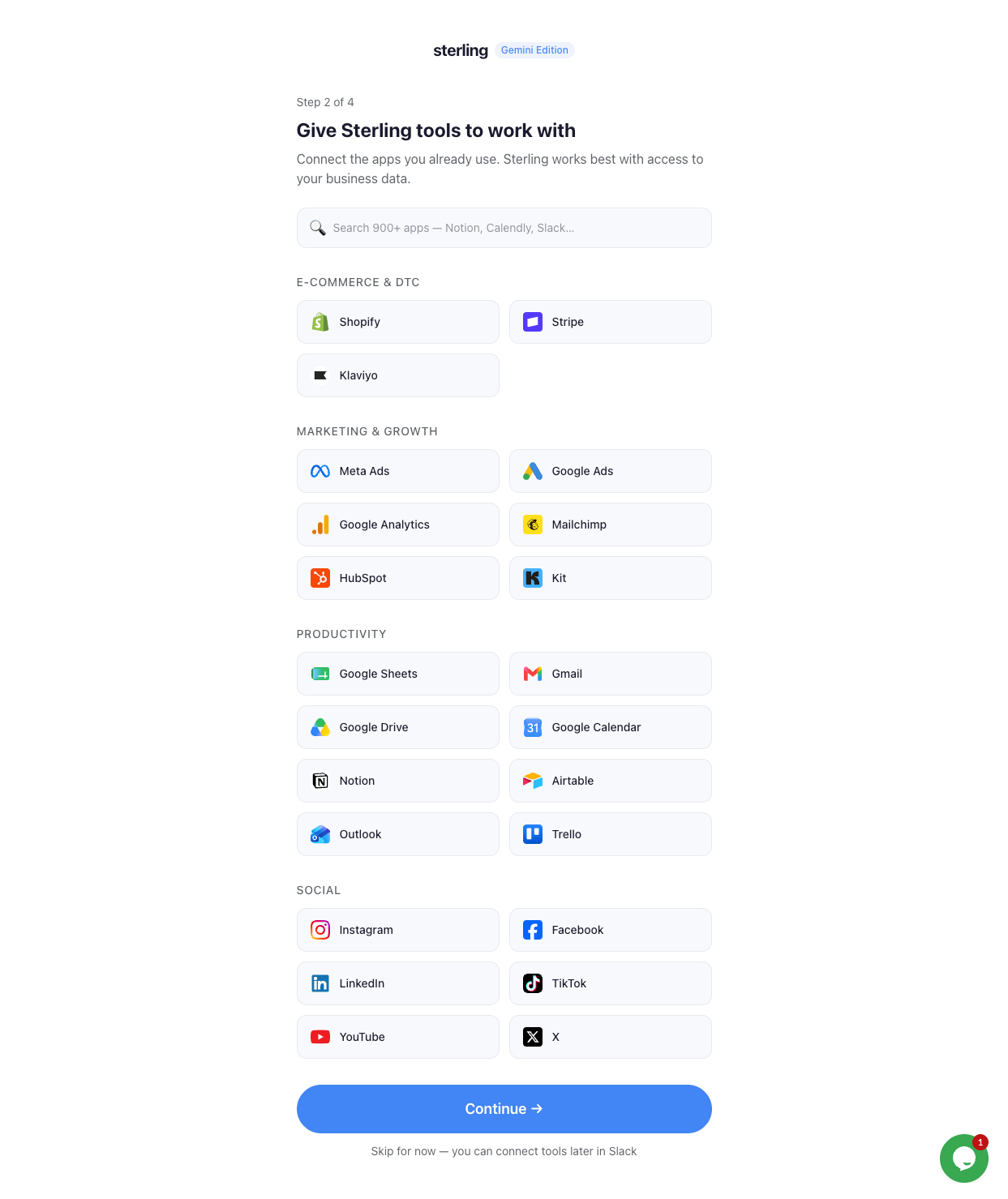
Onboarding Tools You Can Connect To (over 900+ connections)
-
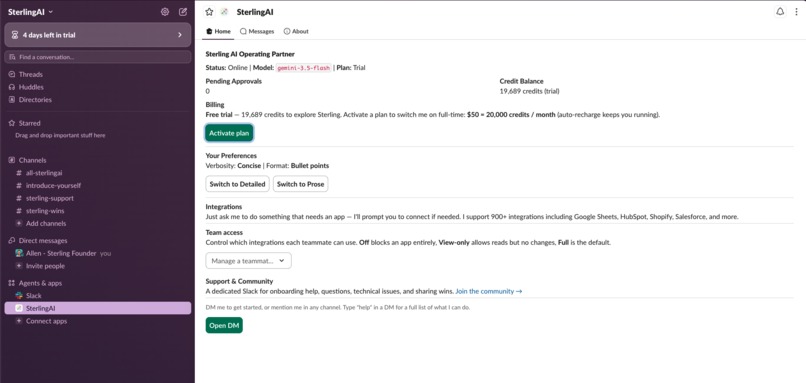
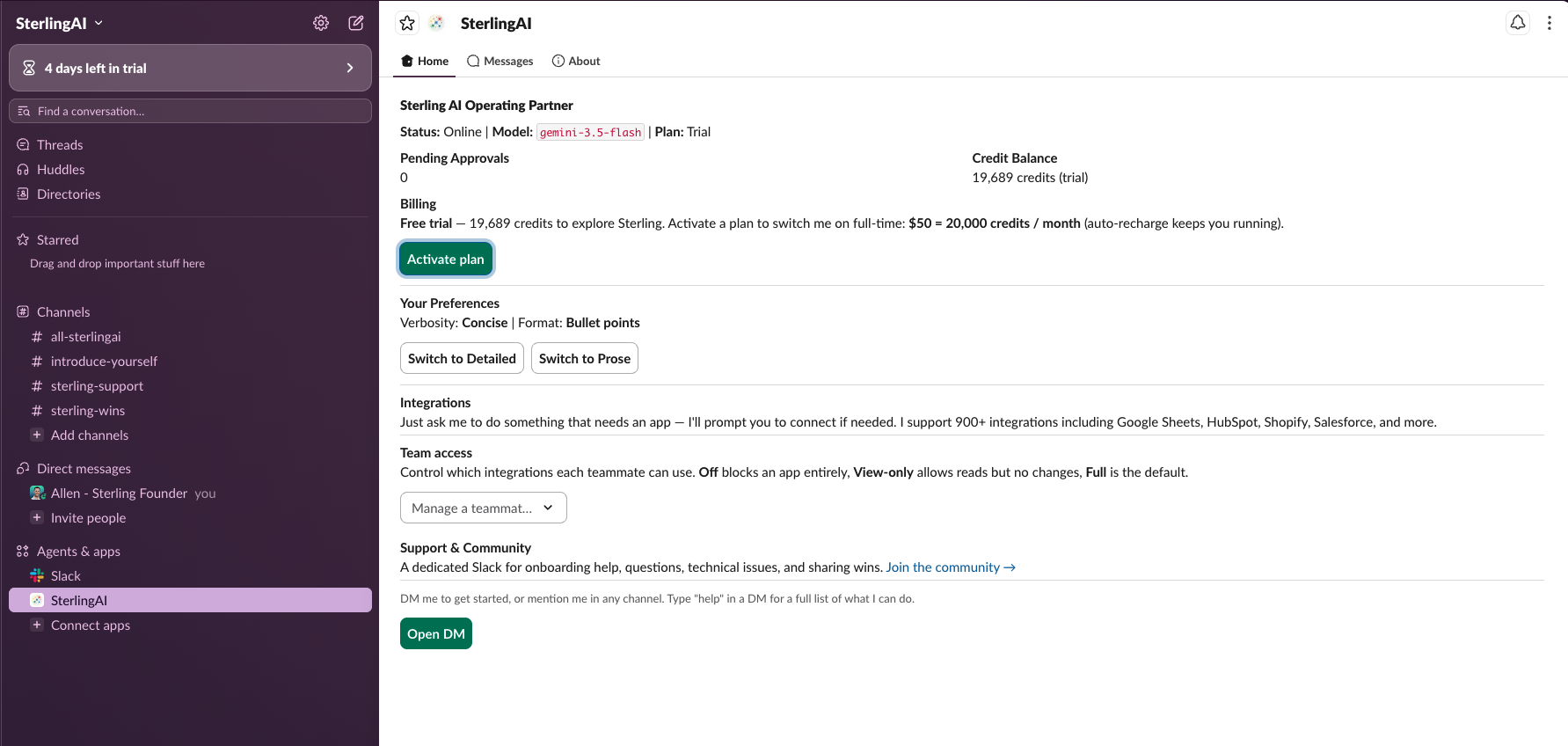
Sterling - Main App Workstation / Settings / Dashboard
-
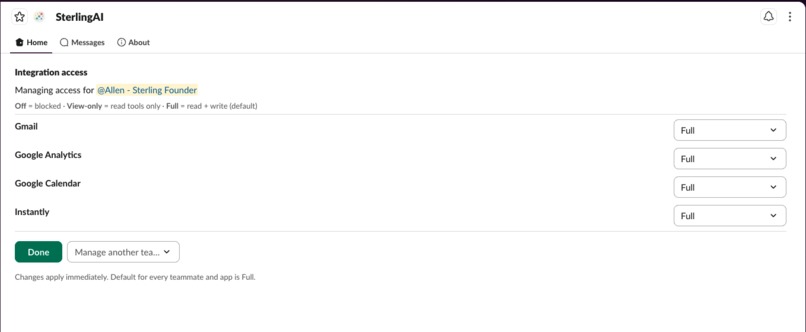
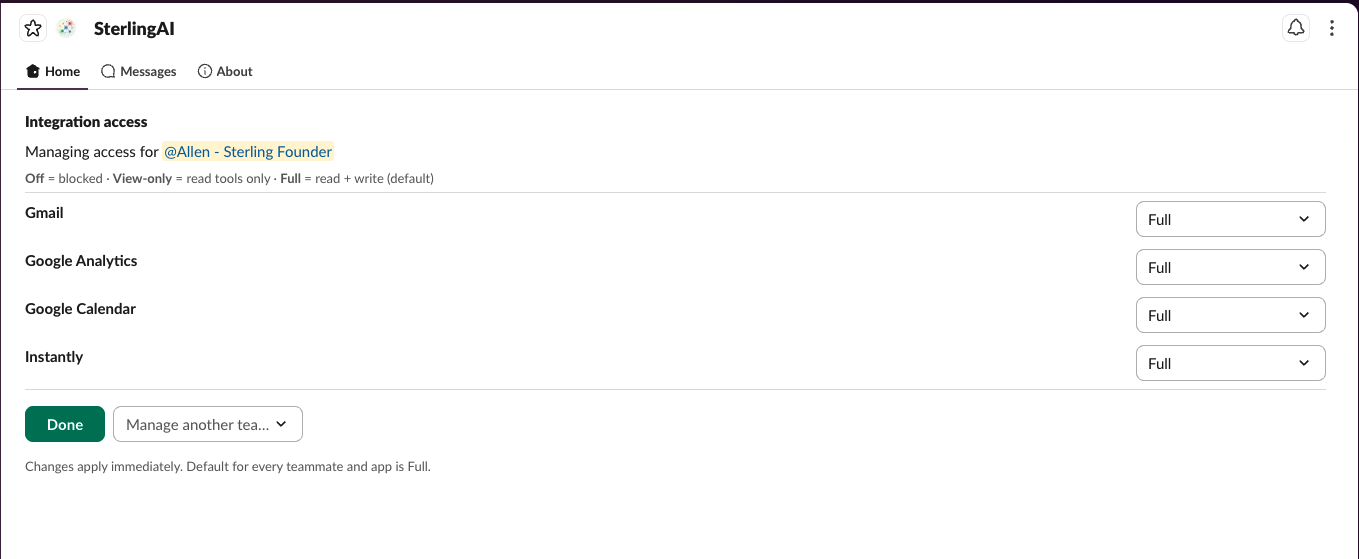
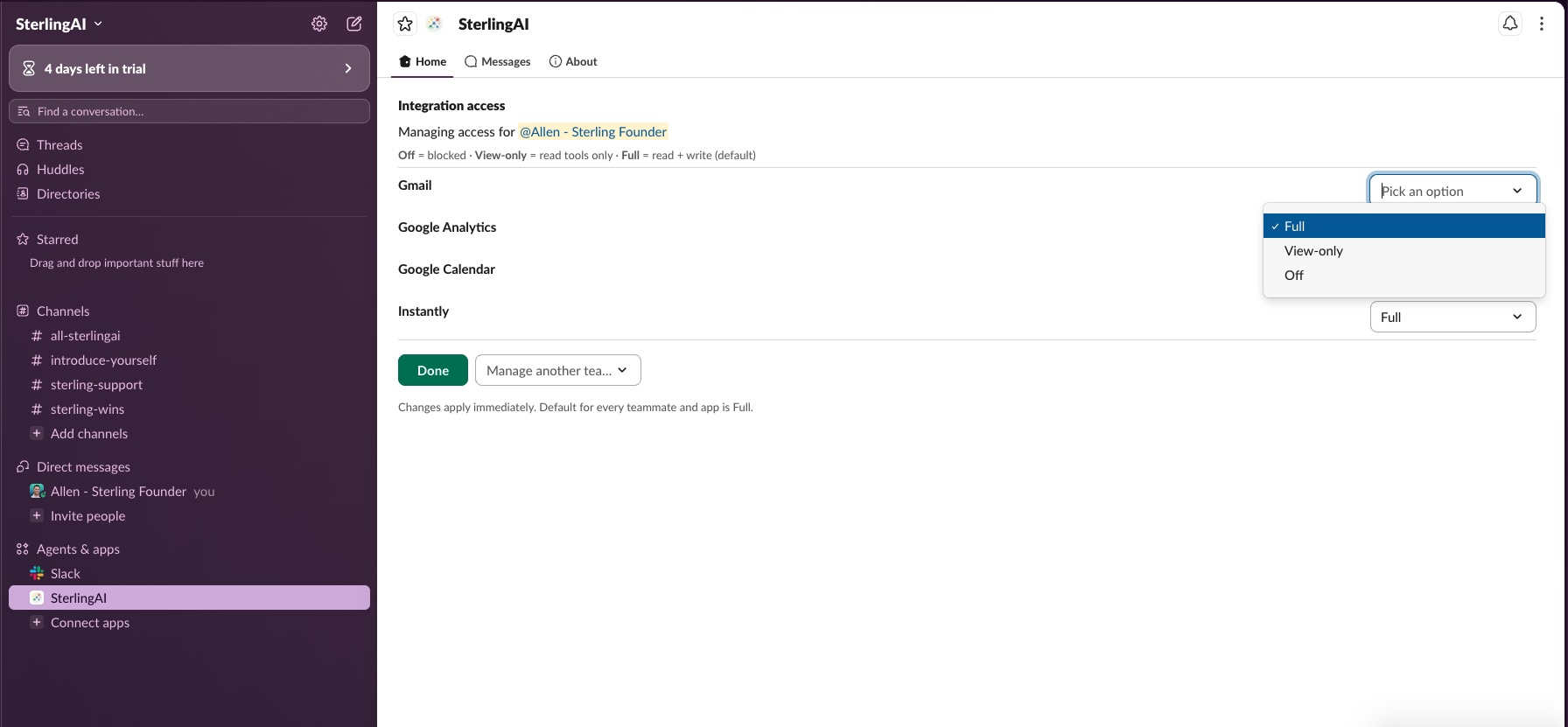
Permission Controls For Each Connection
-
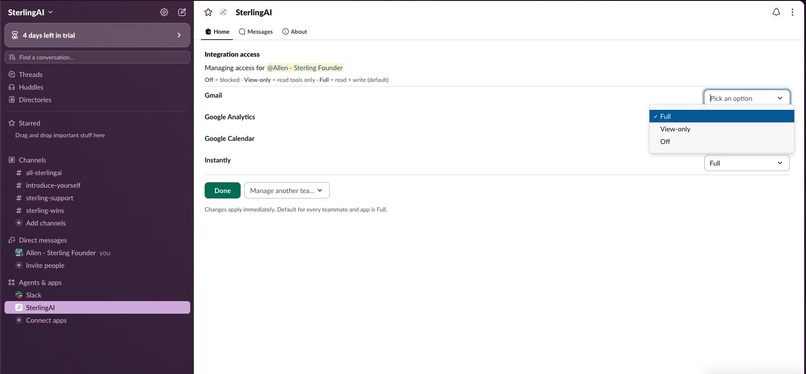
Permission Controls
-
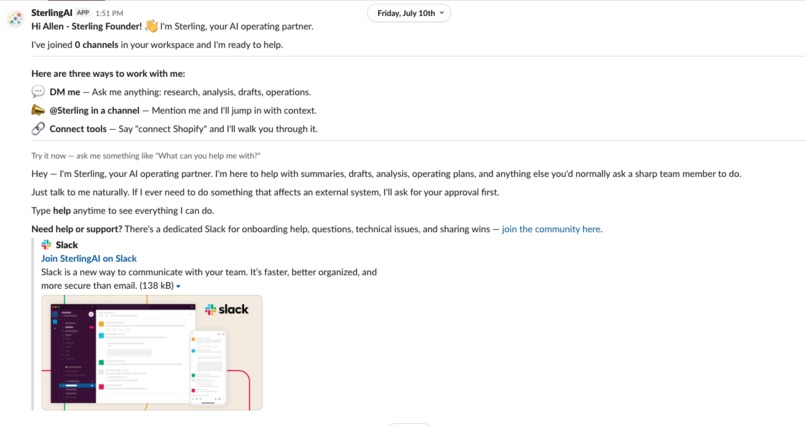
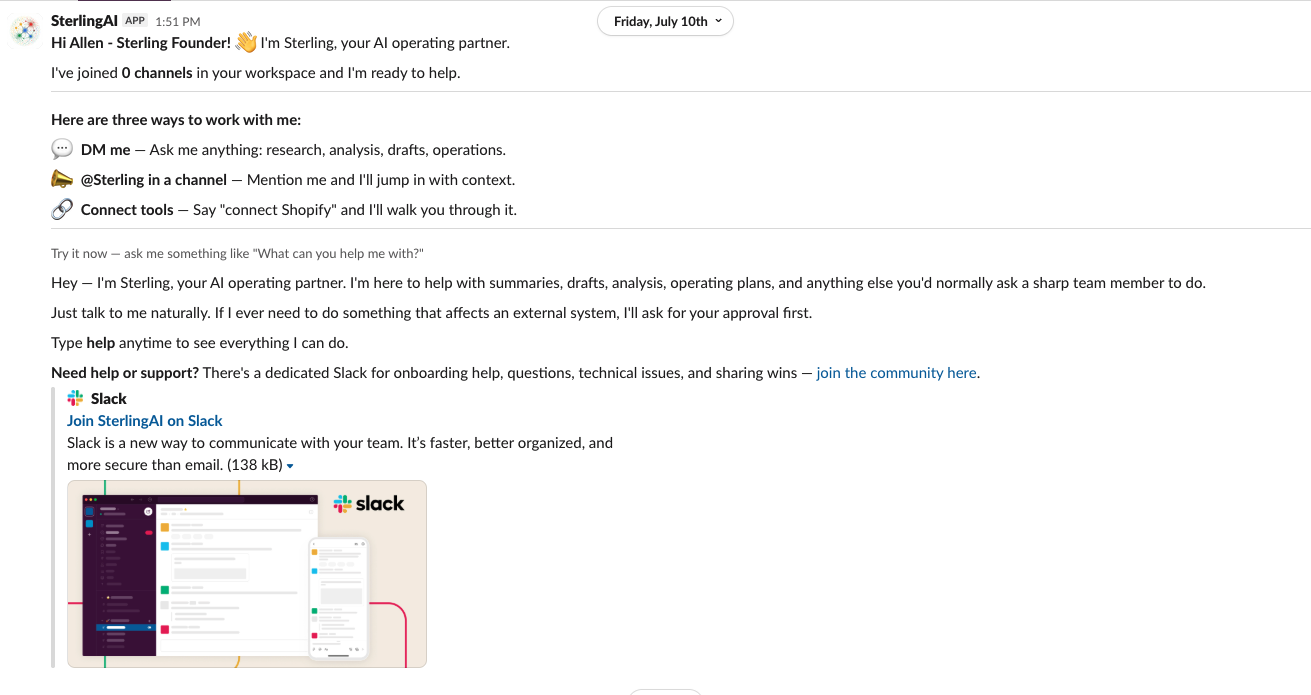
Welcome Message From Sterling
Inspiration
Agentic AI works — but only if you're the kind of person who enjoys terminals, MacMinis, VPS boxes, and API keys. I'm a fractional CAIO, so I am that kind of person. The business owners I support are not. They don't want a Mac Mini running an agent in a closet. They want the work done.
Their teams already live in Slack all day. So the question became: can a real agentic AI employee — one that connects to your actual business systems, respects roles & responsibilities per team member, and can actually execute on mission critical items — live entirely inside Slack, installed in one click?
That's Sterling CoWorker.
What it does
Sterling is a Slack-native AI operating partner for small businesses, agencies, virtual assistants. You @mention it or DM it like a coworker, and it:
- Searches your workspace's memory in real time. Ask "what did we decide about pricing last month?" and Sterling uses Slack's Real-Time Search API to search your workspace's messages and files, then answers with clickable permalinks to the exact messages — so every claim is one click from its source.
- Works across your business stack. Through secure per-workspace OAuth connections, Sterling can pull reports and take actions in Stripe, Shopify, Klaviyo, Google Workspace, HubSpot, Meta Ads, Social accounts, and 3000+ other tools — no tab-switching, no copy-paste relay between systems.
- Asks before it acts. Write actions (sending an email, changing a campaign) go through human-in-the-loop approval buttons in Slack. Reads are instant; writes wait for a click.
- Respects your org chart. Workspace admins control which members can talk to the bot at all, and per-user access levels control which connected tools each person can use — ie. the intern can use the Instagram tools but never sees QuickBooks.
- Feels alive. Responses stream into Slack token-by-token with live status lines ("Searching your Slack workspace…", "Working in Shopify…") instead of a silent spinner.
How we built it
Slack events (mentions, DMs, App Home, interactive buttons) hit an Express +
TypeScript service on Google Cloud Run over signature-verified HTTPS. Each request
runs an agentic loop on Gemini 3.5 Flash (via the @google/genai SDK) — up to 18
tool turns — with three tool paths: Slack's Real-Time Search API
(assistant.search.context, called with the workspace's own bot token under the
granular search:read.* scopes), Composio for OAuth'd business integrations, and
approval-gated write actions. Firestore holds workspace state, thread history,
approvals, per-user access maps, and a full audit log; secrets live in GCP Secret
Manager; usage is metered to Stripe with free trial credits. Onboarding is a
one-click install from sterlingcoworker.com with a CSRF-signed OAuth flow that
stores a bot token per workspace.
The agent runs as a single Cloud Run service shipped from Docker via Cloud Build CI/CD; the marketing site and one-click onboarding flow are a Next.js / React / Tailwind app on Vercel.
Security was a first-class requirement, not a patch: every piece of user content and every tool result is wrapped in untrusted-data envelopes to blunt prompt injection, secrets are redacted before anything reaches the model or the logs, all actions are audit-logged, and uninstalling triggers a full data purge after a 30-day grace window.
Challenges we ran into
- Making it fast enough to feel like a coworker. The first cut routed every message through a Hermes CLI subprocess and was too slow. We tore it out and called the Gemini SDK directly, pulling round-trips down to ~3–8s.
- Reliable in-chat OAuth across 900+ apps. Authorizing Composio connections from inside Slack — without a brittle SDK session — took several rewrites; we ended up driving the connect flow over REST and passing exact connect URLs back into the thread.
- Multi-tenant token isolation. Every workspace's bot token, integration
connections, and per-user access map has to stay walled off from every other
tenant. We scoped connections to a
teamIdentity so one workspace can never see another's data or tools. - Prompt injection on untrusted content. Slack messages, file contents, and tool results are all attacker-controllable, so we wrap every one in untrusted-data envelopes and redact secrets before anything reaches the model or the logs.
- Cost and token burn. An always-on agent with large tool schemas burns tokens fast; stabilizing the prompt prefix for caching and scoping the tool-router to only connected toolkits kept margins sane.
- Metering money correctly. Usage-based billing means every token has to map to Stripe meter events and trial credits without double-charging or drift.
- Making Slack feel alive. Streaming token-by-token into a Slack message — within Slack's message-update rate limits — while showing honest status lines took real plumbing.
- Marketplace-grade compliance. Uninstall data purge, AI disclosures, and signed-cookie / OAuth-state hardening were the last mile to a listable app, and each was its own project.
Accomplishments that we're proud of
- It's live and multi-tenant, not a demo — any workspace can install it in one click from sterlingcoworker.com.
- 900+ real integrations with per-user access control — the intern gets Instagram, never QuickBooks.
- Human-in-the-loop approvals on every write, so an autonomous agent never sends an email or changes a campaign without a click.
- Real-Time Search answers that cite their sources — every claim is one permalink from the exact Slack message.
- Security as a feature, not a patch: untrusted-data envelopes, secret redaction, a full audit log, uninstall purge, and signed cookies + OAuth-state.
- Live token streaming with honest status lines instead of a spinner.
- Usage-metered billing with free trial credits — a real business model, wired end-to-end.
- Built solo in ~5–6 weeks, from PRD to a production Cloud Run service.
What we learned
"I'll prompt this over a weekend" turned into two months of real engineering. An AI employee that businesses can trust needs four things — easy setup, real integrations, member-level access control, and security — and each one is its own project. The hardest lessons were the invisible ones.
What's next
Sterling is live and continuing past the hackathon: Slack Marketplace distribution, a customer web dashboard for admins, and deeper proactive workflows (scheduled pulses, anomaly alerts) so Sterling doesn't just answer — it notices. The goal stays the same: take work off people's plates so they can spend time on the things that matter.
We'd love for you to try it: https://sterlingcoworker.com/
And of Course - Join our Slack Community here: https://join.slack.com/t/sterling-coworker/shared_invite/zt-4171rp4ap-AkFY44_7mOZnLV0telpnNw
Built With
- cloud-build
- composio
- docker
- express.js
- firestore
- google-analytics
- google-cloud
- google-cloud-run
- google-gemini
- meta-capi
- next.js
- node.js
- oauth2
- react
- rewardful
- secret-manager
- slack-api
- slack-real-time-search-api
- stripe
- tailwindcss
- typescript
- vercel
- zod


Log in or sign up for Devpost to join the conversation.