-
-
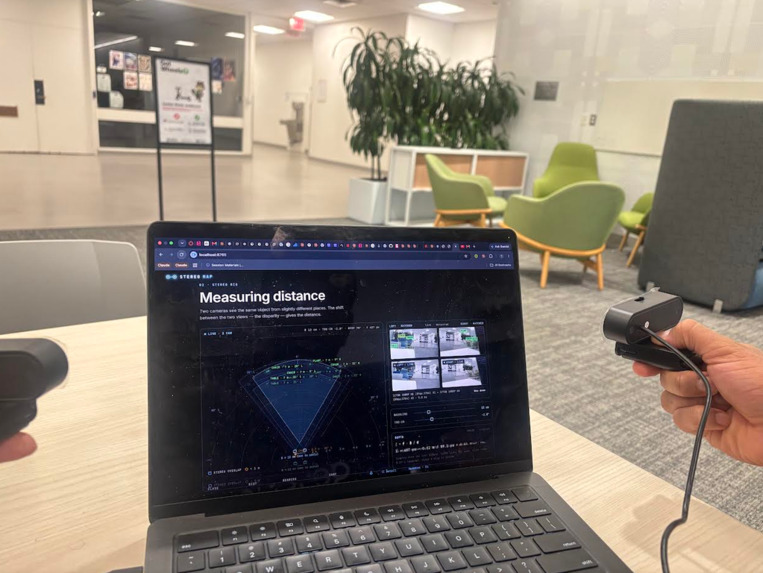
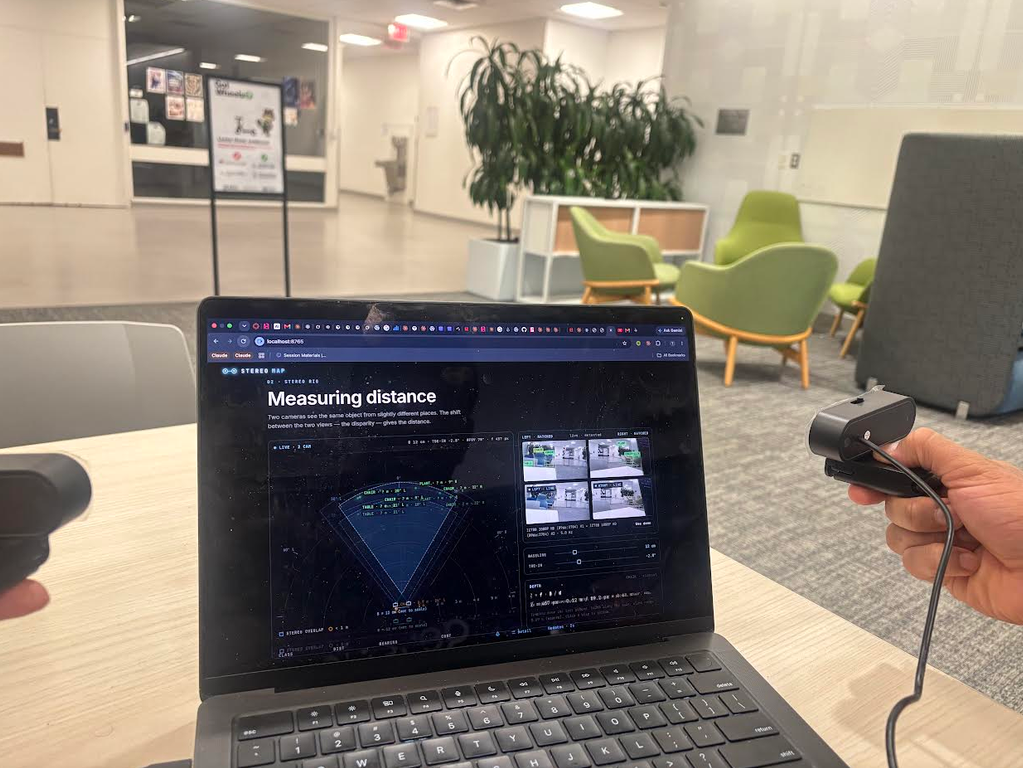
Two webcameras, distance detection system
Inspiration
“Where’s the chair?”
It’s a small question. Sometimes the answer only needs to be: “Two metres ahead, slightly to your left.”
For someone who is blind and using spoken feedback to explore a room, getting that answer shouldn’t mean listening to a description of everything else in it. And asking for less information should be just as easy as asking for more.
That’s where Ring Sensor started. We wanted to make one everyday interaction simpler: point at something, press a button, and hear what’s there.
A cane provides valuable feedback about nearby obstacles. Camera apps can help describe surroundings. We wanted to add a way to ask a specific question about the space you’re pointing toward—and get an answer at the level of detail you choose.
What it does
Ring Sensor is designed to be worn on your pointing finger. Our hackathon prototype uses two webcams mounted on a bar to develop and test the sensing and voice interaction.
- Point and hear. It identifies objects, estimates their distance, and tells you their direction: “Chair, about 2.1 metres, eleven o’clock.”
- Ask naturally. You can say “What’s in front of me?” or “How far away is the door?” and ask follow-up questions without pressing the button again.
- Choose how much it says. Say “Just the basics,” “More detail,” or “Stop saying the o’clock.” Droid, Factory’s agent, adjusts the reporting settings to match your request.
- Explore a building. As you move, the system builds a 3D model and floor plan that it uses to provide spoken directions to a destination.
The person using it controls the conversation, including when they’ve heard enough.
How we built it
We started with two webcams and a rigid bar. The cameras see the same object from slightly different positions. We use that difference to estimate depth through triangulation:
$Z = \frac{f \cdot B}{d}$
Here, $f$ is the focal length, $B$ is the distance between the cameras, and $d$ is the object’s shift between the two images.
For object detection, we use YOLO in Python and TensorFlow.js in the browser app. The browser also handles speech recognition and text-to-speech.
We built a detail setting from 0 to 1 that controls how many objects get reported, how distances are rounded, and whether the response includes directions or explanations.
Droid translates spoken preferences into changes to that setting. It runs with restricted, read-only access, and we validate its response before applying it. If the request fails or the response is invalid, the existing settings stay in place.
Challenges we ran into
Small camera errors became big distance errors. With the cameras 12 centimetres apart, even a one-degree alignment error could throw a reading at two metres off by roughly 29%. Eyeballing the setup wasn’t enough. We built a calibration step: someone stands two metres away, and the user says “Calibrate.”
The cameras didn’t always capture the same moment. Two ordinary webcams can capture frames up to 16 milliseconds apart. When the cameras are turning, that difference can spoil the depth estimate. We had to carefully pair frames from the two feeds.
We had to work within the hardware we had. Two camera feeds put pressure on USB bandwidth, and all the processing had to run on a laptop CPU without a GPU. Camera configuration, compressed video, and processing load all mattered.
Voice preferences couldn’t interrupt live feedback. A Droid request can take seconds. We kept it separate from the real-time sensing loop, so the system continues detecting and reporting while a settings change is being processed.
What we learned
Accuracy starts before the AI. Camera mounting, calibration, and timing can determine whether a distance estimate is useful.
Saying less can make the system more useful. A short answer is easier to act on when it contains exactly what someone asked for. Giving people control over that also lets the system do less unnecessary work.
Silence must never mean “the path is clear.” Every question needs a spoken response, even when that response is “I can’t tell.” Uncertainty has to be something the user can hear.
What’s next
We want to move from the webcam prototype to a wearable ring with a depth sensor and a small camera connected to a phone.
The next essential step is testing with blind users. We need to learn which information is useful, when the voice becomes distracting, whether pointing feels natural, and what we’ve missed.
We have a prototype and an idea of how it could help. The people who might wear it should help decide what it becomes.
Built With
- 3d-environment-recreation
- 3d-gaussian-splatting
- claude
- droid
- factory.ai
- grok
- python
- yolo
