-
-
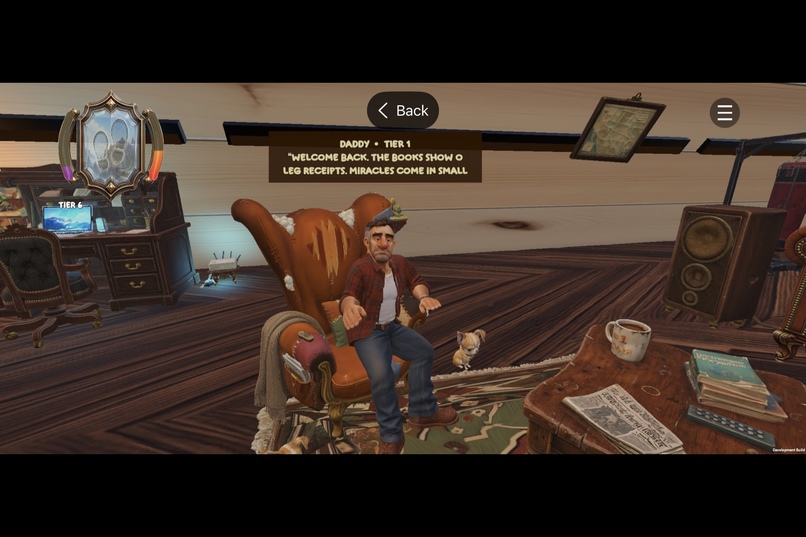
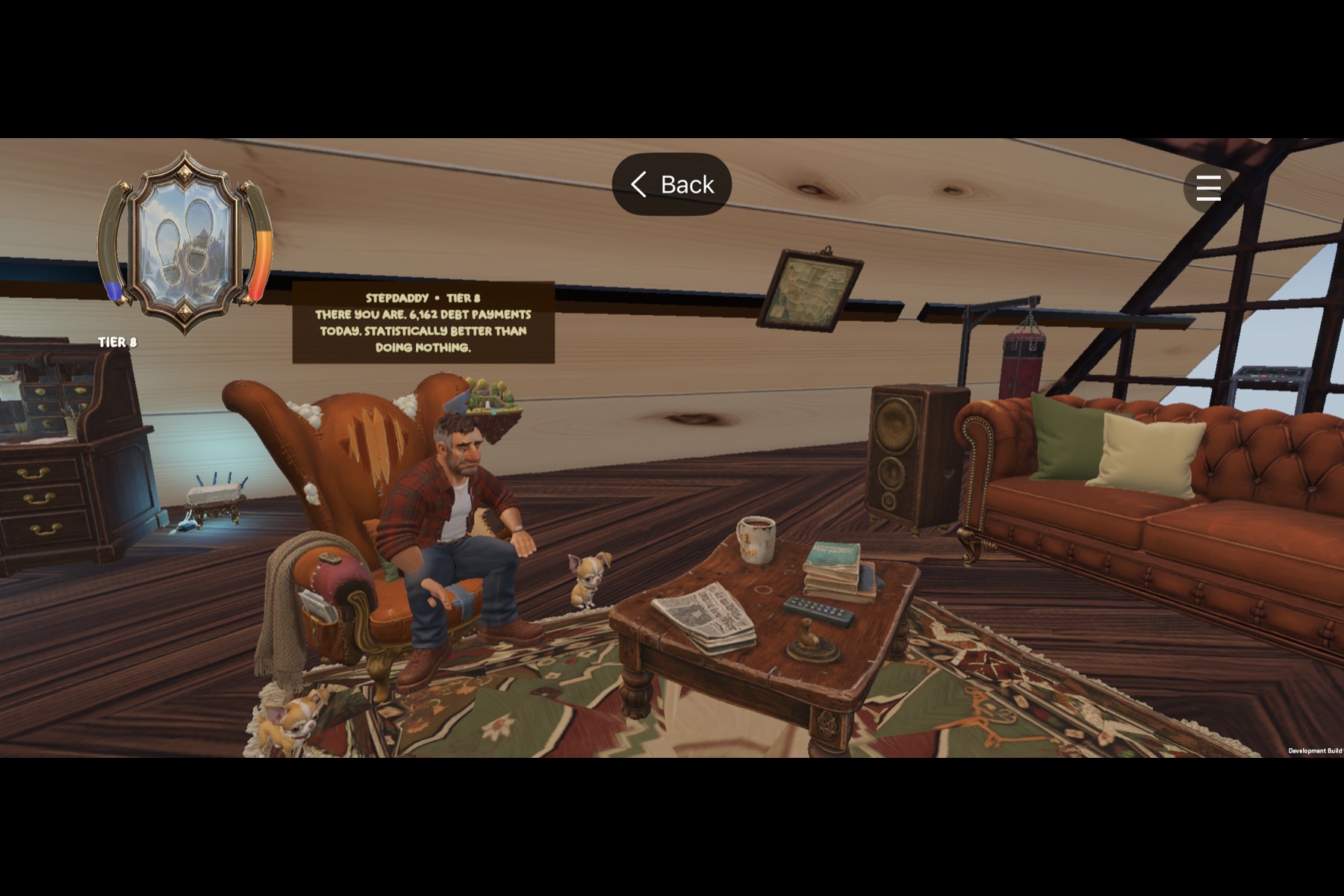
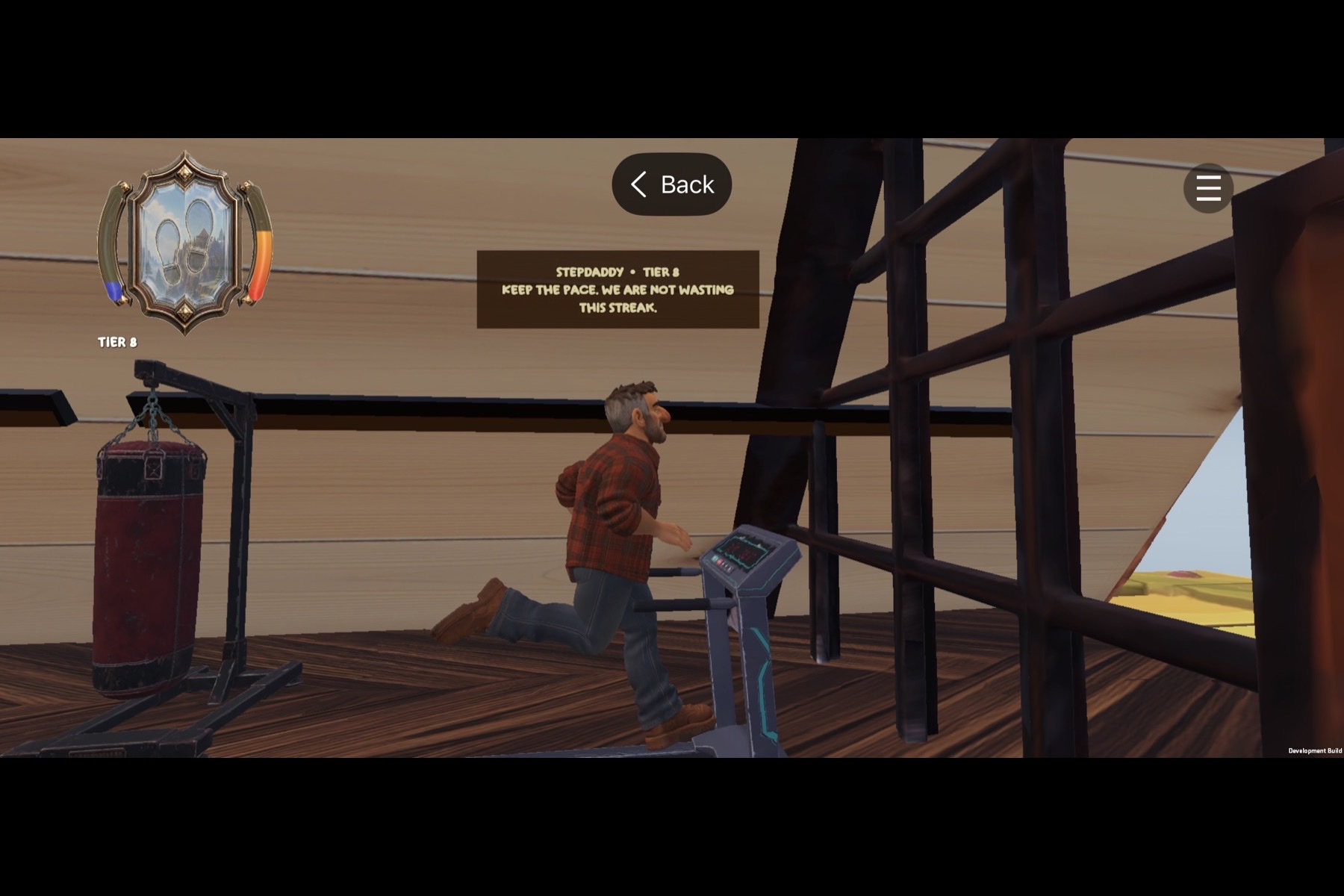
StepDaddy evaluates your real HealthKit progress.
-
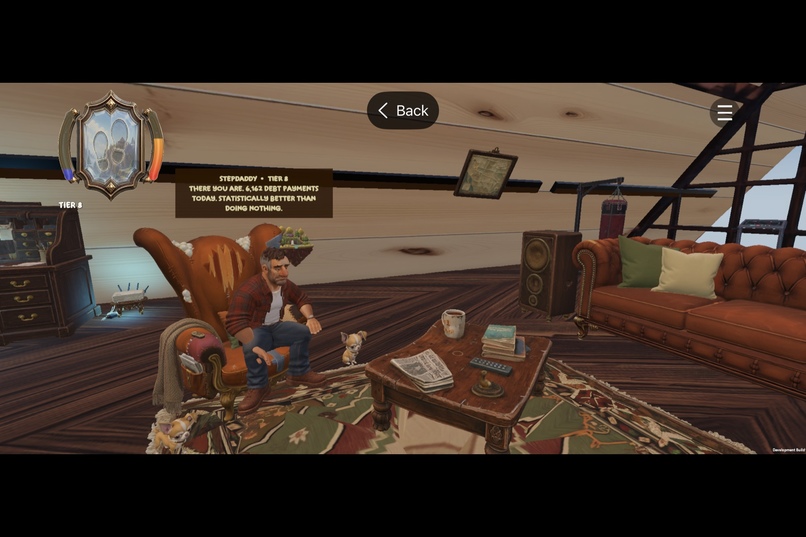
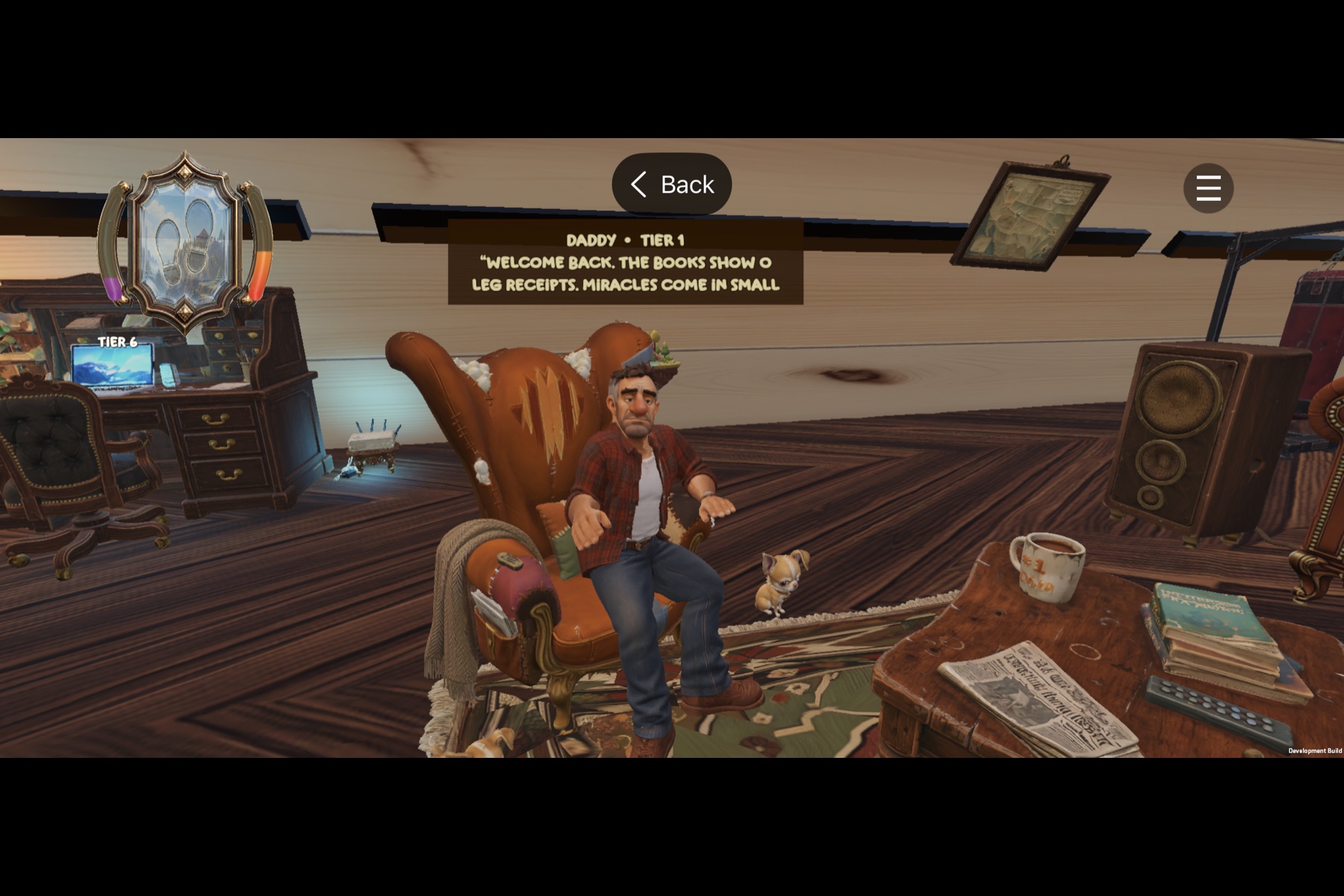
StepDaddy reacts with tier-specific dialogue.
-
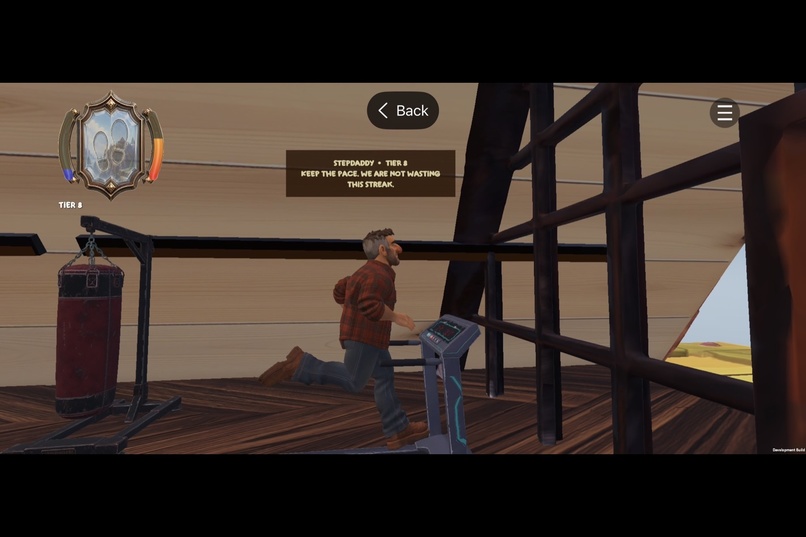
Dynamic treadmill routine with motivational roasts.
-
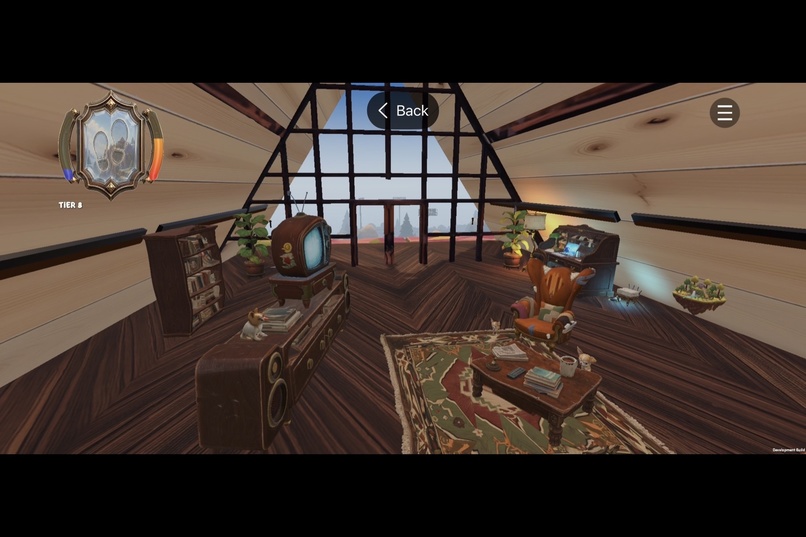
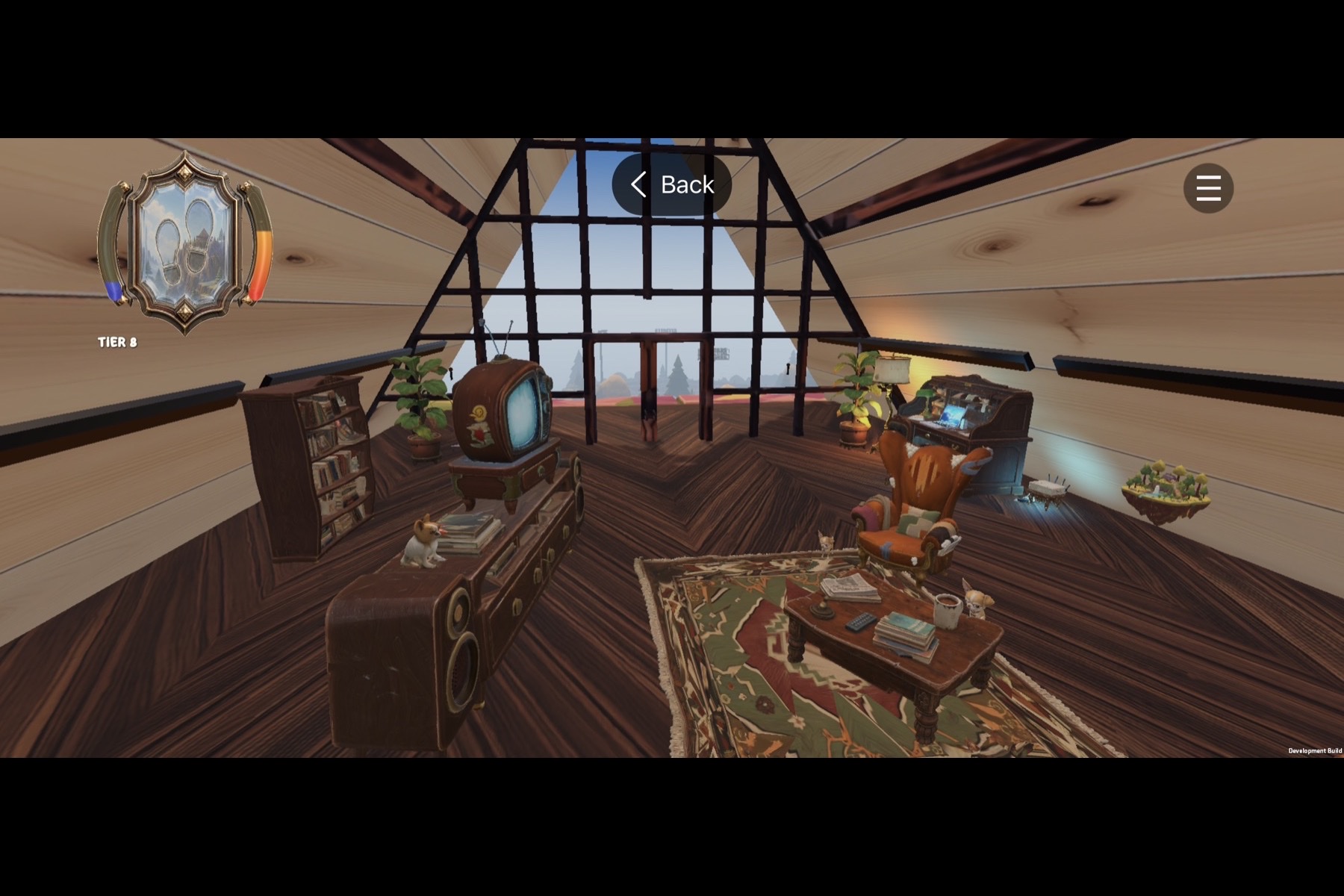
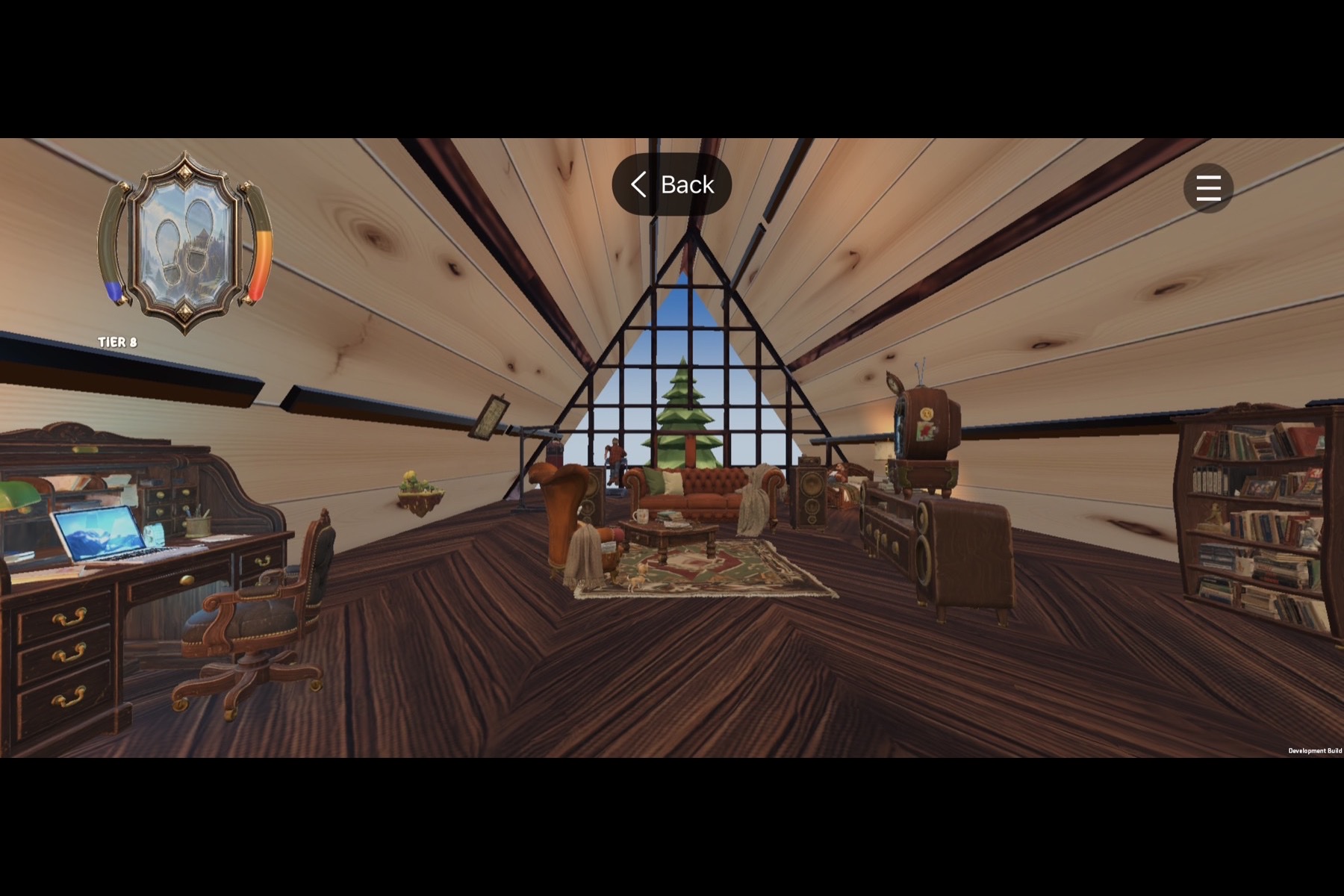
The A-frame cabin sits atop a fully explorable floating island.
-
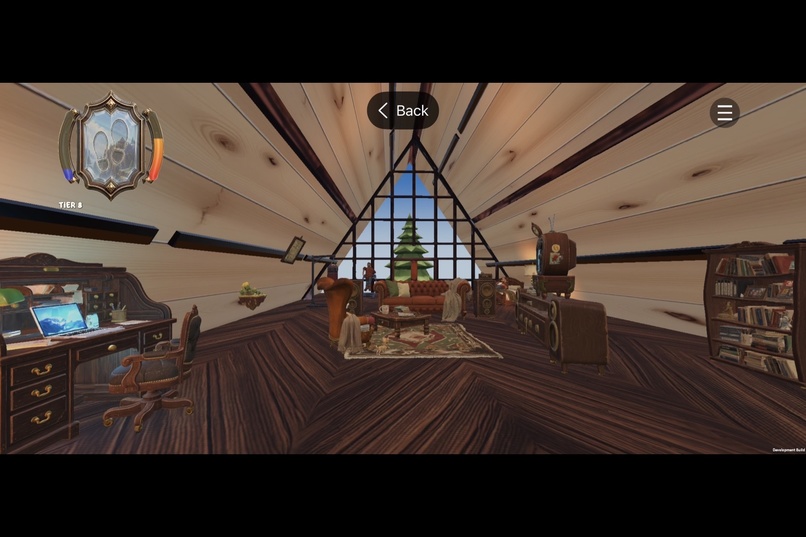
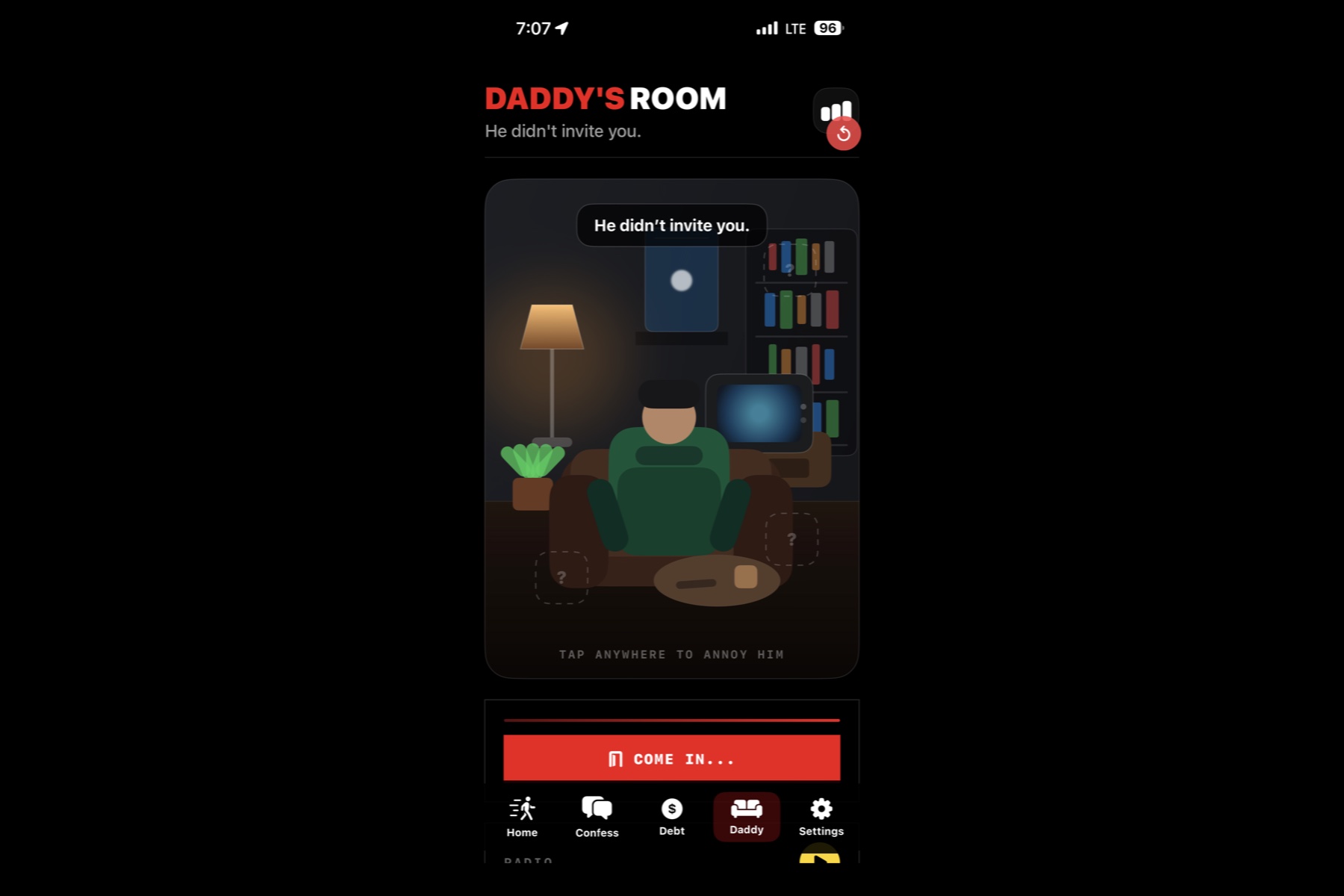
StepDaddy's Room
-
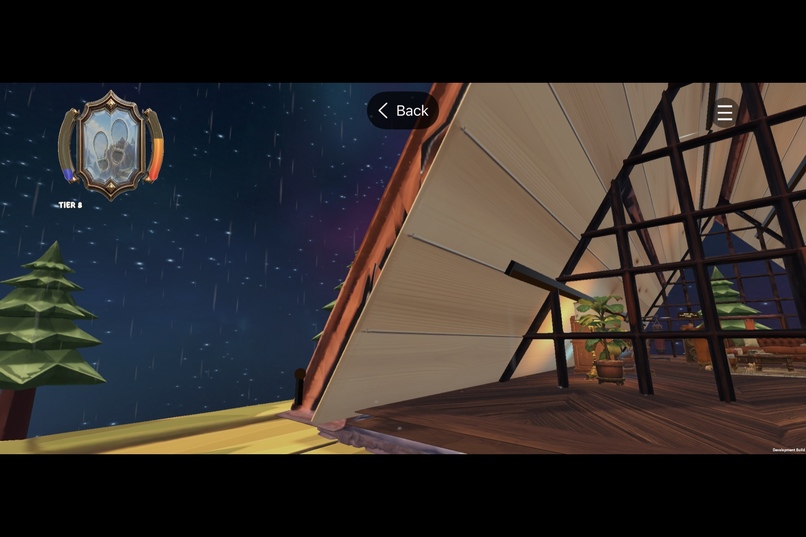
The A frame
-
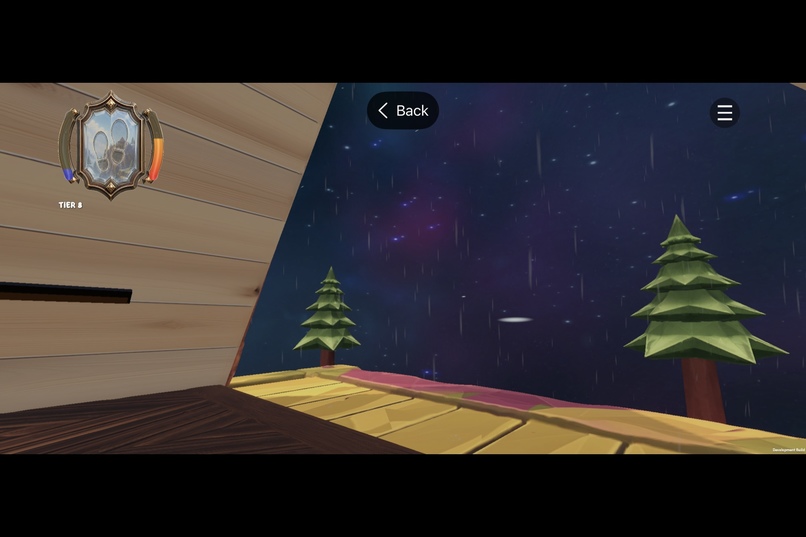
StepDaddy's patio.
-
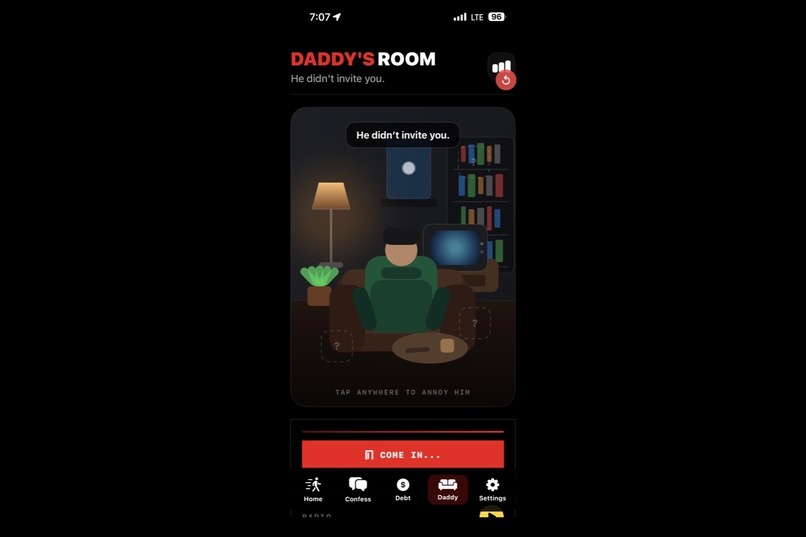
The 2D room unlocks the full 3D world.
-
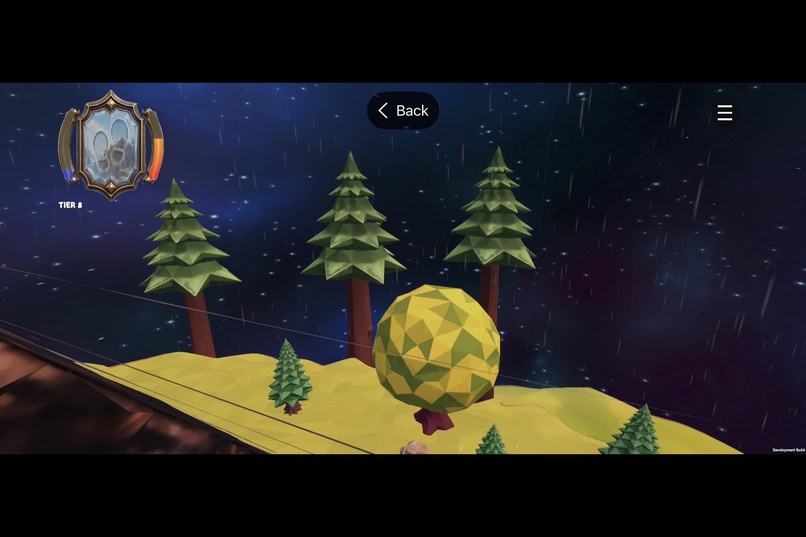
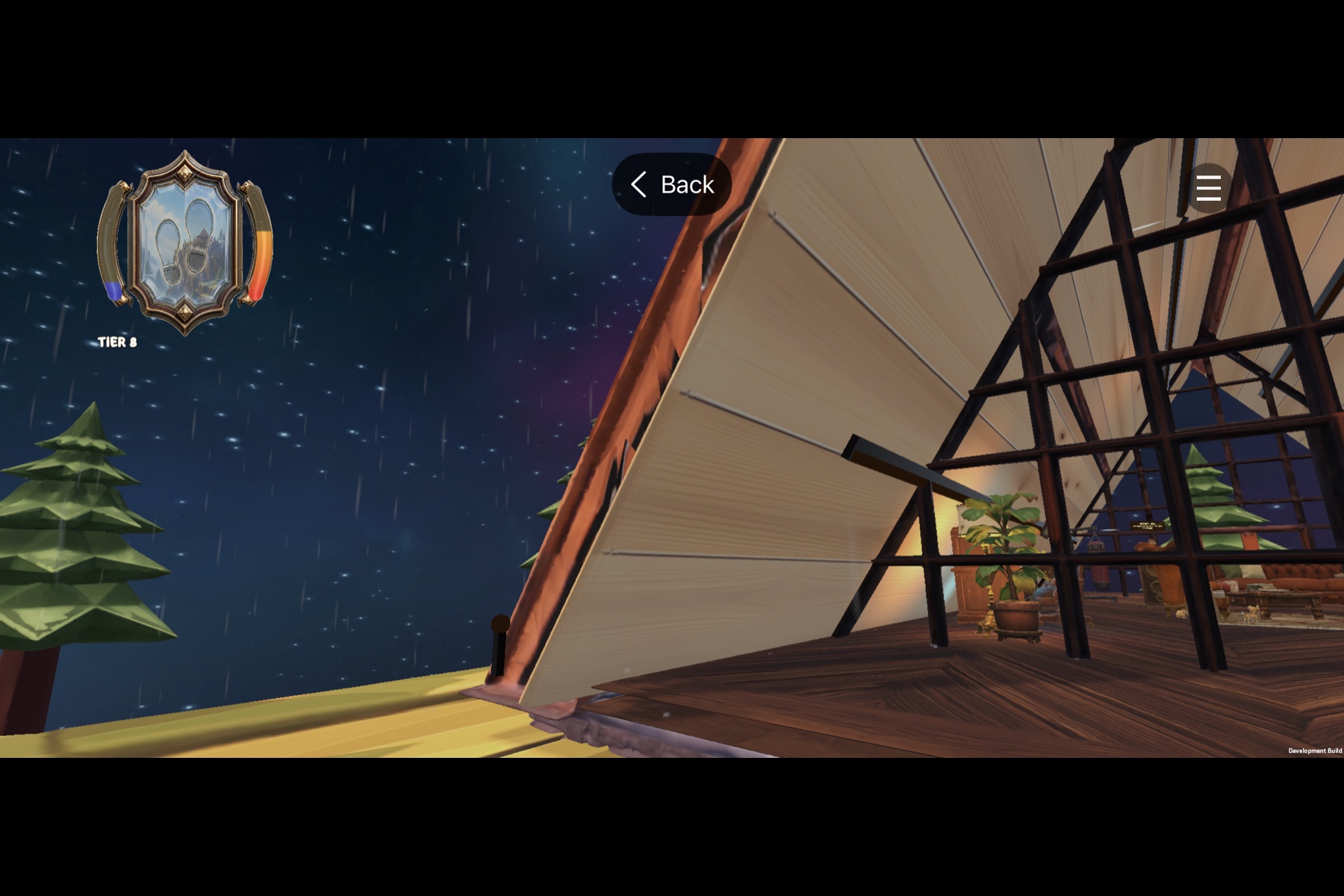
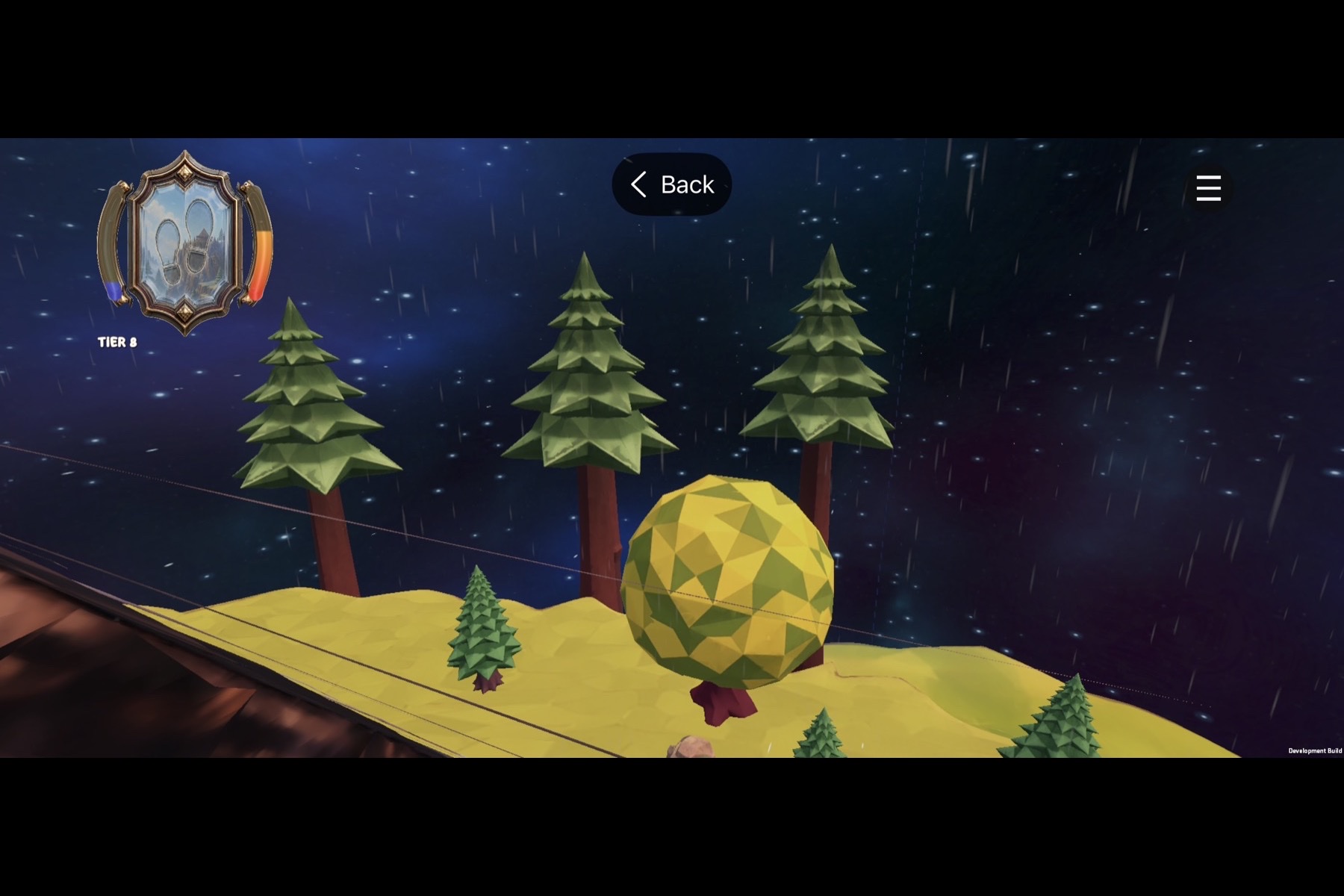
Explore Daddy’s floating island under a dynamic universe sky.
-
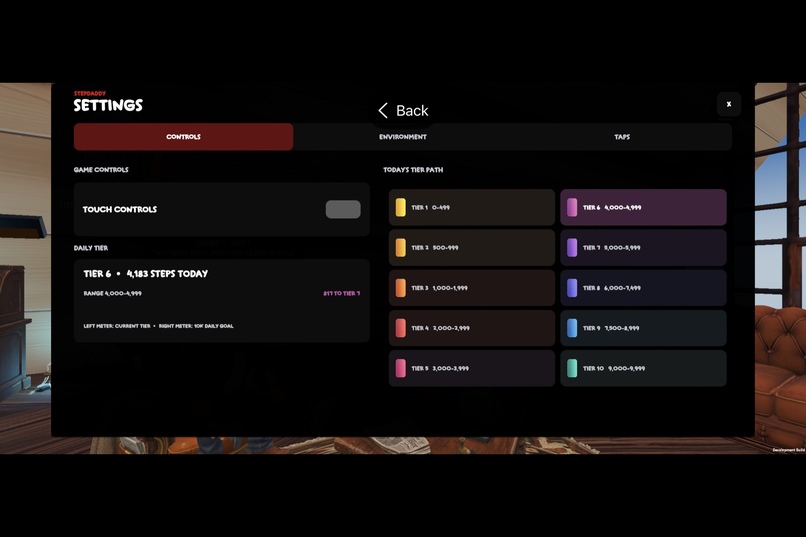
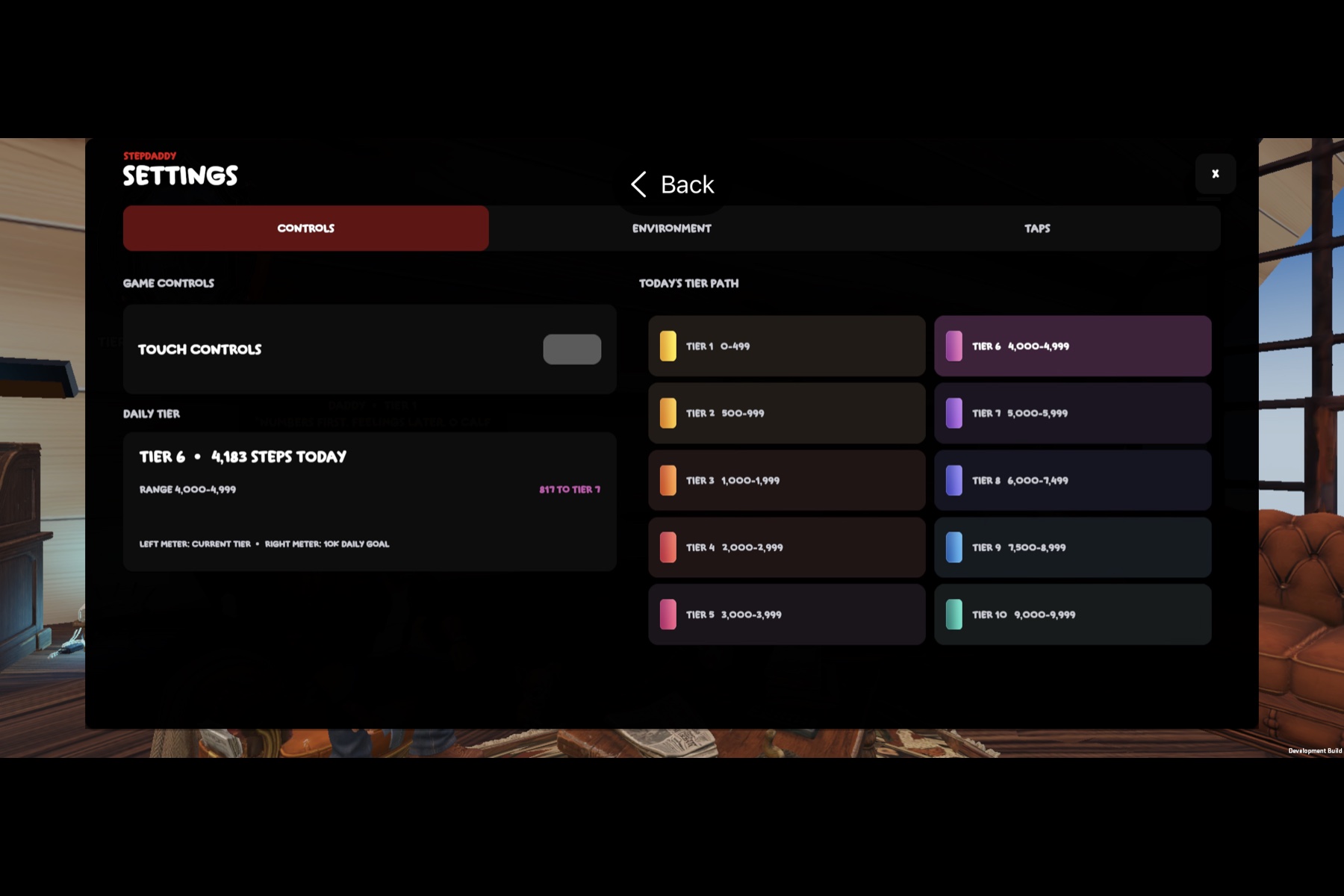
Daily tier tracking and progression.
-
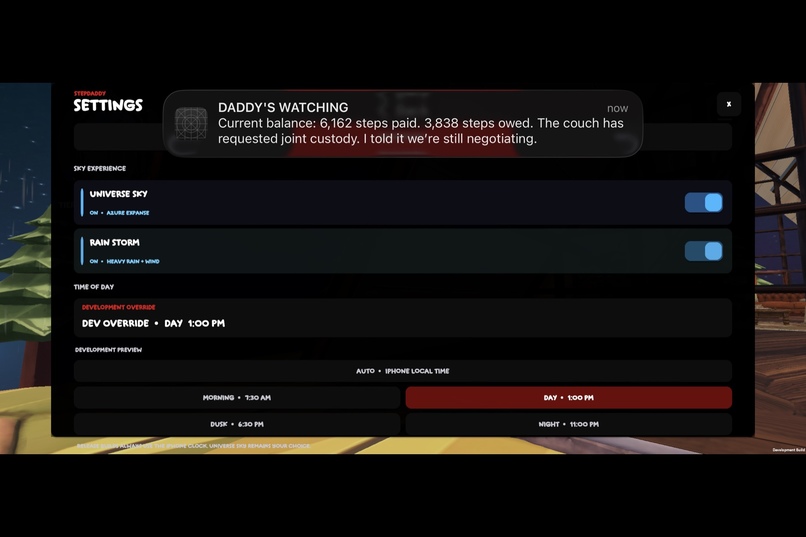
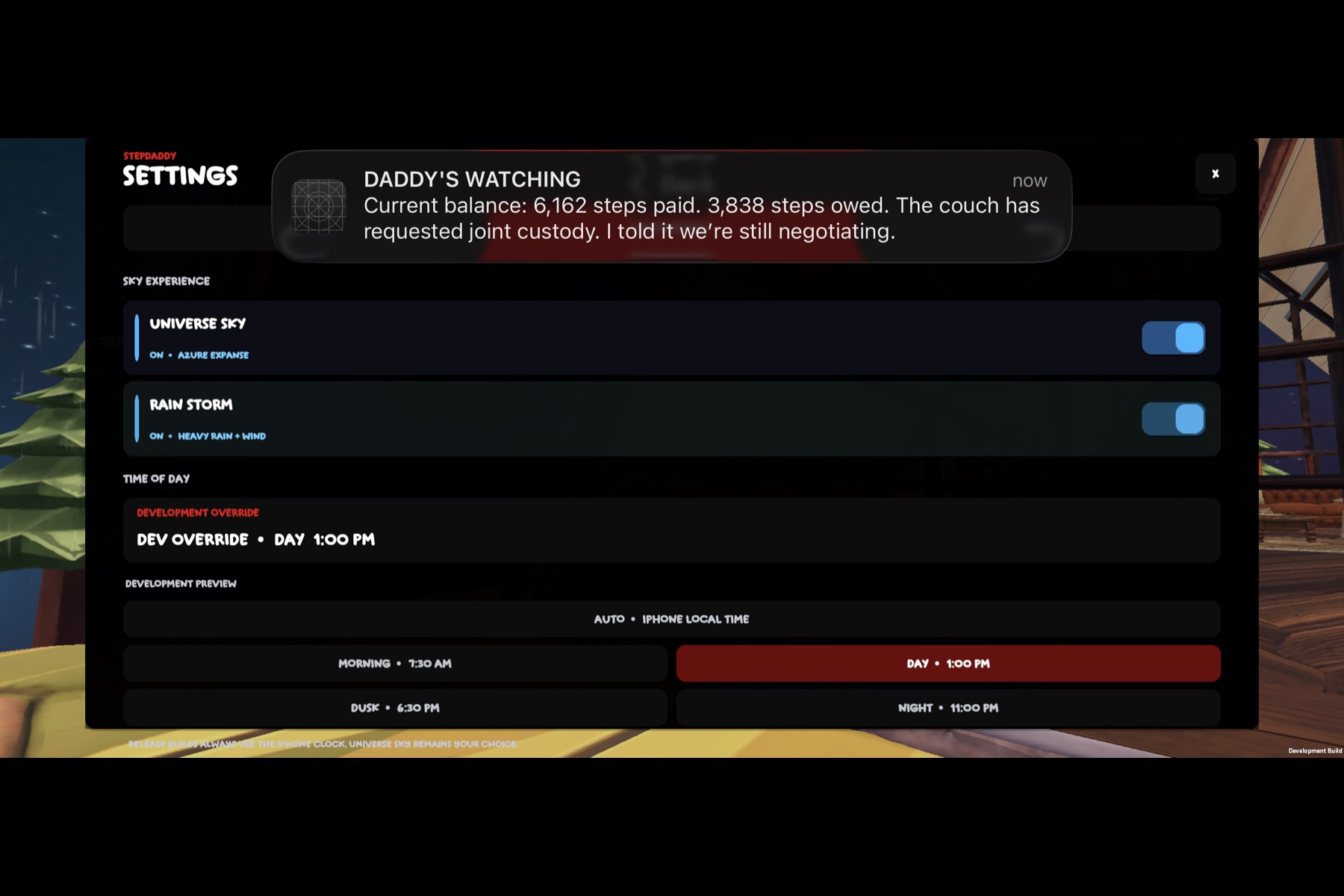
Custom weather, sky, and time-of-day controls.
-
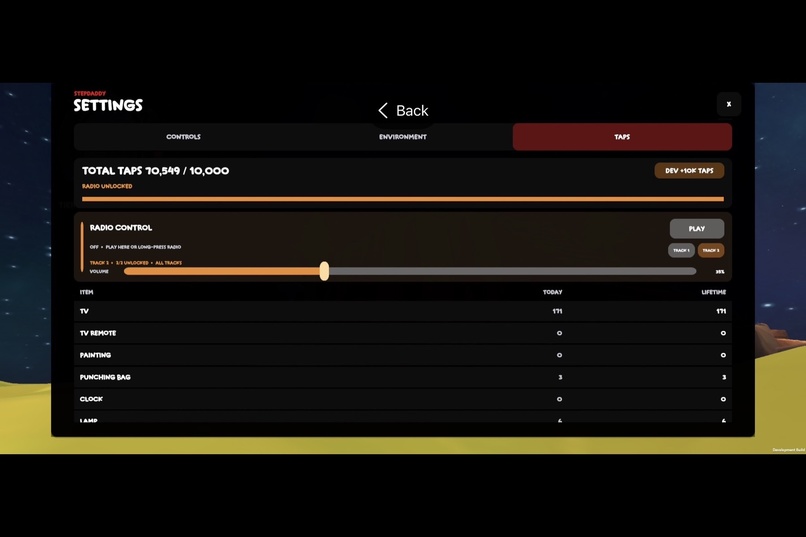
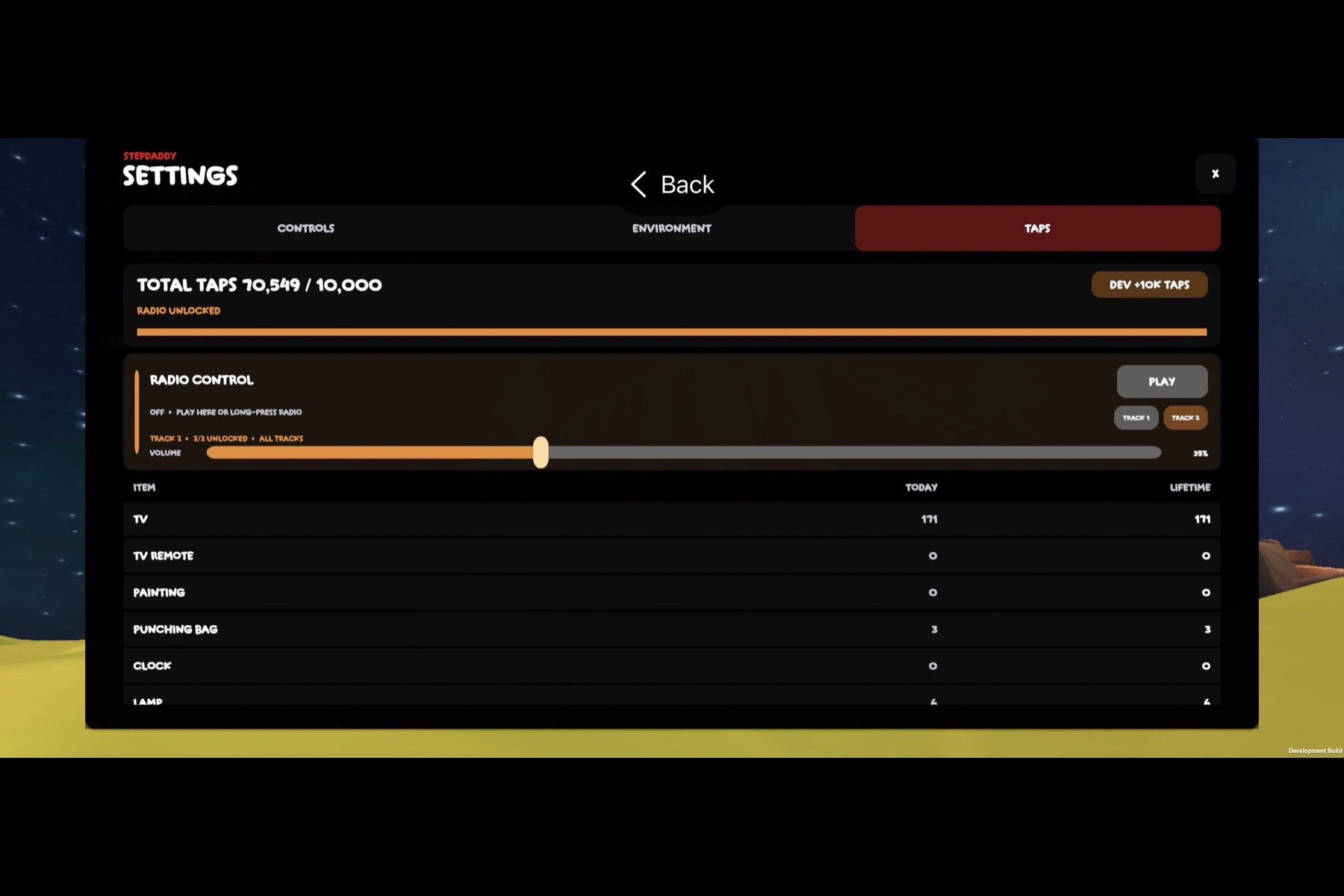
Tap progression unlocks the interactive radio.
-
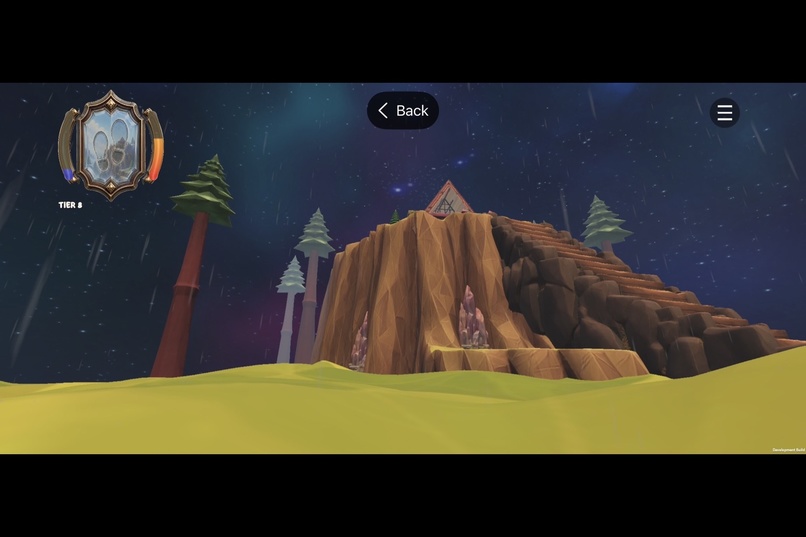
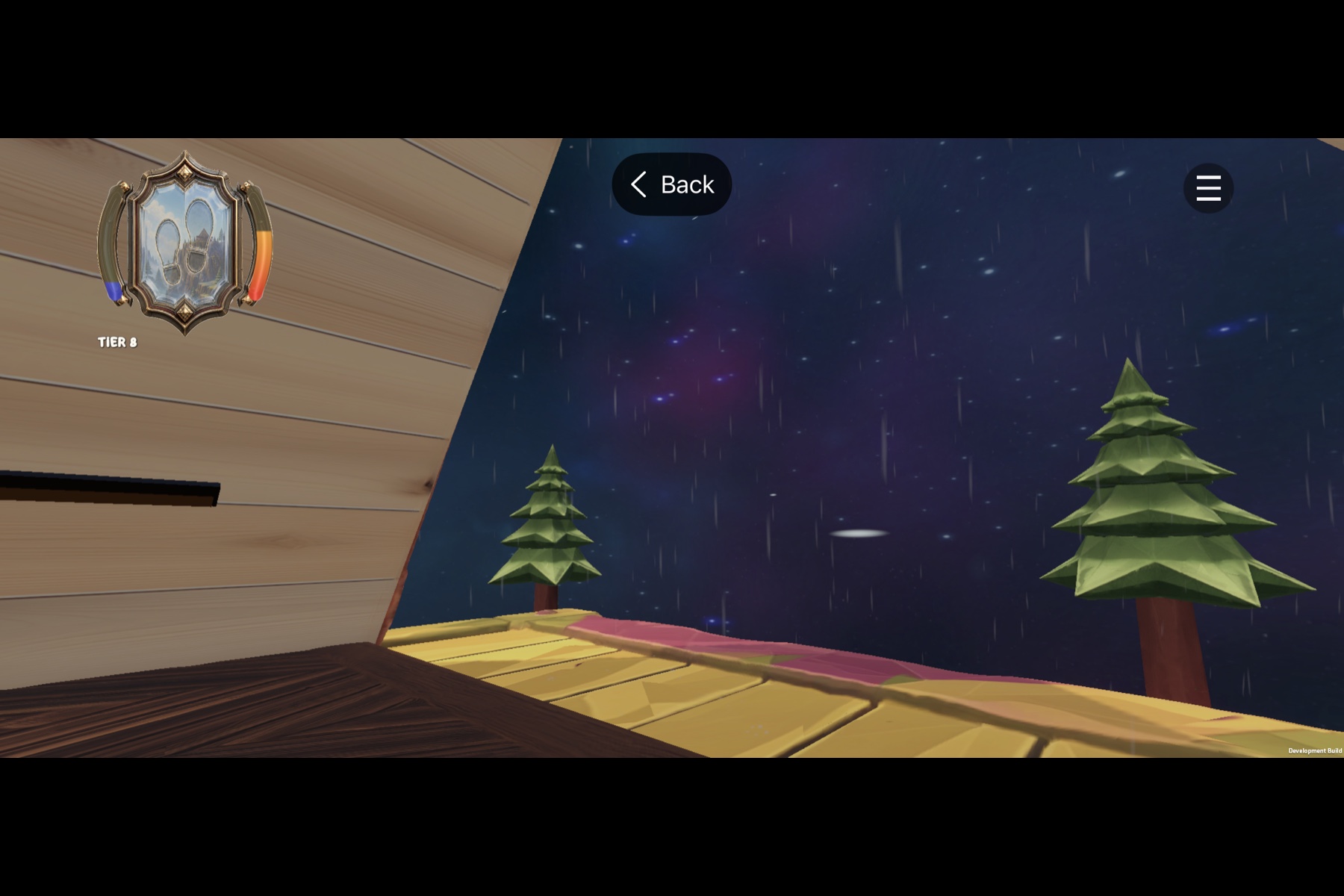
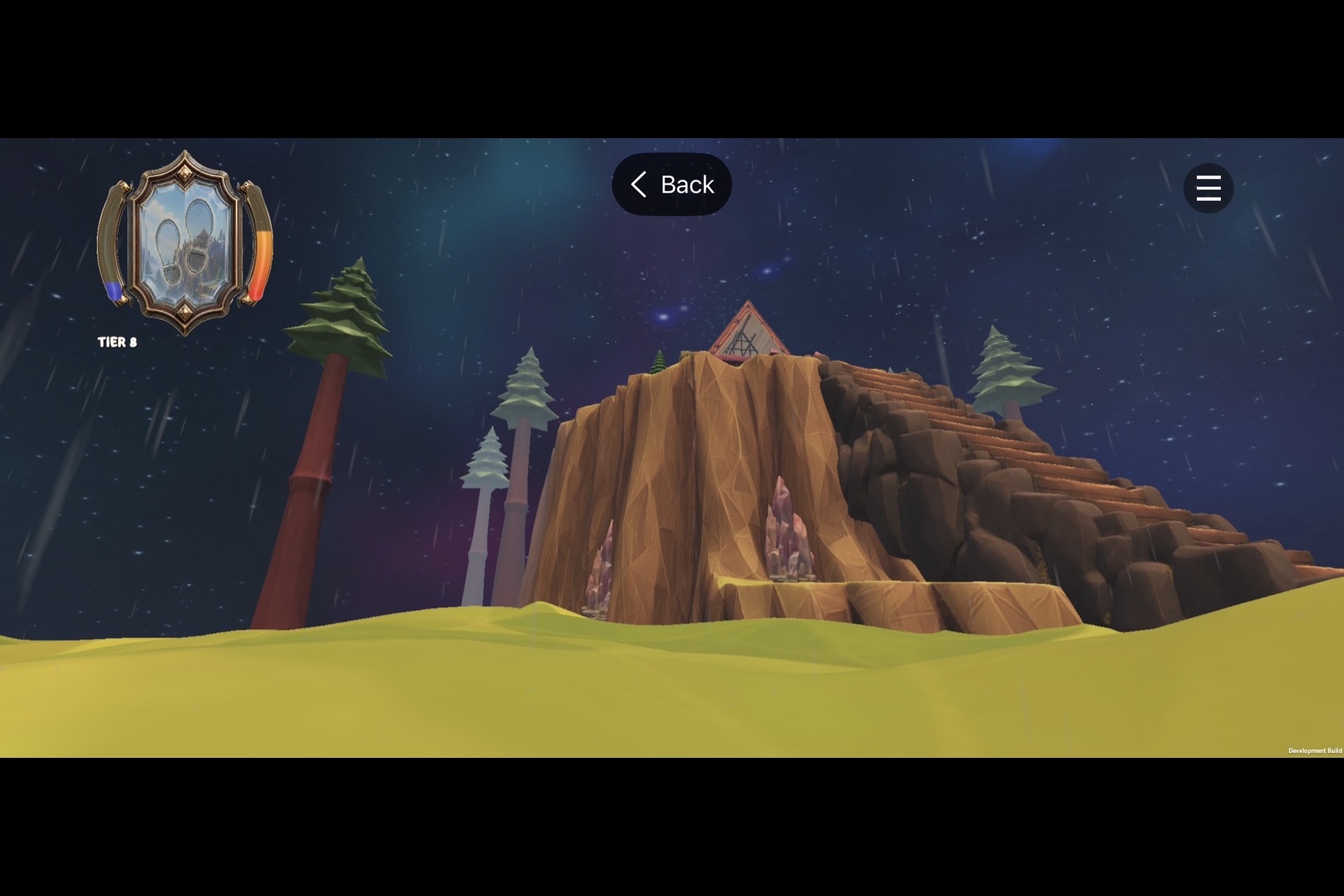
Explore Daddy’s floating island under a dynamic universe sky. Rain.
-
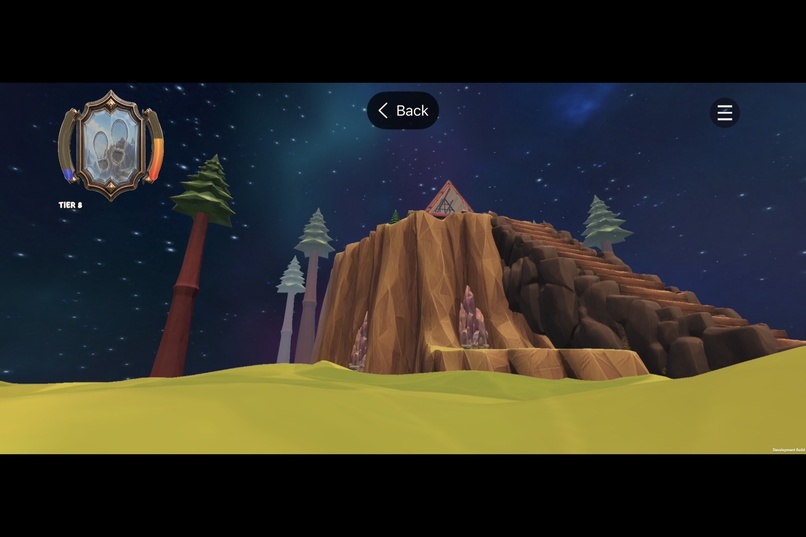
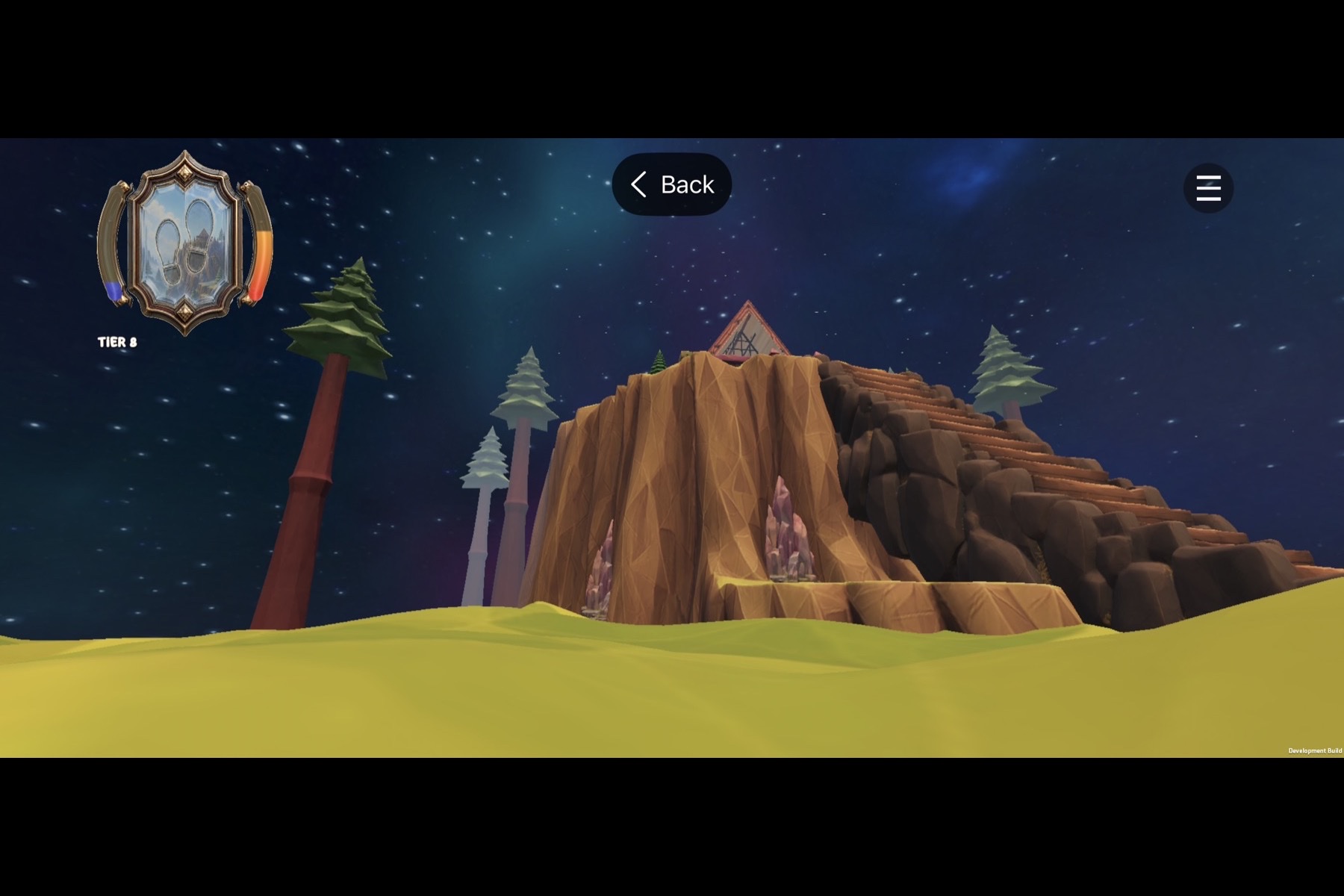
Explore Daddy’s floating island under a dynamic universe sky. No Rain.
Inspiration
StepDaddy did not begin as a game.
In July 2025, it began as an idea for a sarcastic fitness app built around one reversal:
Most fitness apps ask users to work toward 10,000 steps.
StepDaddy begins each day by telling the user they already owe 10,000.
Every step pays down that debt.
That became Daddy Debt, a fitness system based not only on what a person accomplished, but on the movement they still owe themselves.
The original concept was simple: the user’s phone becomes StepDaddy, a sarcastic and emotionally intense authority figure that knows when the user has moved, knows when they have been inactive, and refuses to congratulate them merely for opening a graph.
The core voice was:
“I am your phone. I know you better than anyone.
I am not your trainer. I am your StepDaddy.”
The app would read step data through Apple HealthKit, track inactivity, send behavior-based notifications, and respond with different levels of encouragement.
Users could choose anything from gentle nudges to full Reckoning, or activate a deliberately ridiculous soft mode called Lie to Me, Daddy, where the app offers affirmations such as:
“Sitting perfectly still is technically a form of resistance training.”
At first, StepDaddy was barely an app. It was a red block, a step counter, and a growing collection of ideas.
I stopped working on it and returned roughly a year later.
By then, I had completed Army Basic Training and begun Army Advanced Individual Training. I built this phase of StepDaddy during the limited time available between classes, formations, studying, physical requirements, and the rest of the AIT schedule.
I had only been working on the renewed app for a few weeks when its direction changed completely.
How the Game Began
The 3D world was never part of the original plan.
I saw a simple Apple Watch experience where users could tap the screen and unlock new ducks.
The ducks are not part of StepDaddy.
What stayed with me was the idea that real movement could unlock or change something playful.
That made me wonder:
What if the user could tap StepDaddy instead?
My first idea was a flat illustrated room.
Daddy would sit in a chair. The user would tap him, and he would react through dialogue, expressions, statistics, and sarcastic responses.
That tapping screen became more detailed.
Then I wanted the room to feel real.
Then I wanted Daddy to be a real 3D character.
Then I wanted the user to enter the room.
Four days after Daddy first stood beside a rug and lamp in an empty Unity scene, he was living inside a furnished A-frame house surrounded by an explorable floating world.
The app evolved from:
step counter → sarcastic character → interactive room → native fitness app containing a playable 3D world
Current Prototype Status
This Build Week submission is a working prototype and development milestone, not the completed StepDaddy vision.
The current TestFlight build is real, installable, and technically functional. It demonstrates the systems I designed, connected, and tested during the competition.
However, StepDaddy has only begun.
The larger world, deeper character behavior, progression systems, stories, rewards, long-term consequences, and many of the experiences I have planned are still ahead.
This submission represents the foundation of that larger vision, not its endpoint.
Try StepDaddy
StepDaddy is available as a public iPhone beta through TestFlight:
https://testflight.apple.com/join/rJbq38zM
Installation happens entirely on the iPhone:
- Open the TestFlight link.
- Install Apple TestFlight if prompted.
- Return to the same link.
- Tap StepDaddy.
- Tap Install.
No computer, developer account, username, or password is required.
An iPhone running iOS 18 or later is required. Apple Health permission provides live step-based progress.
The Pre-Build Week Baseline
The original StepDaddy concept and native fitness application existed before OpenAI Build Week.
Before the competition began, the project already included:
- The StepDaddy name, personality, and visual identity
- Daddy Debt
- The Legacy system
- A native SwiftUI application
- Apple HealthKit step tracking
- Behavior-based notifications
- Multiple roast and encouragement levels
- The Lie to Me, Daddy concept
- The Confess experience
- An early flat interactive-room concept
- An embedded Unity prototype
- The A-frame house and surrounding environment
- Basic mobile exploration
- An early Swift-to-Unity lifecycle
- An experimental Unity-to-Xcode export workflow
A technical review performed before Build Week showed major unfinished areas involving mobile controls, camera structure, Unity lifecycle management, export reliability, source organization, and cross-runtime state.
Most importantly, the Unity world did not yet contain a fitness interface powered by the user’s real Apple Health data.
The native application and Unity could open together, but they did not yet behave like one synchronized experience.
That transformation began on July 13, 2026.
What Changed During OpenAI Build Week
OpenAI Build Week began on Monday, July 13, 2026.
The central goal became:
Make the native SwiftUI application and the Unity world behave like two views of the same living system.
During Build Week, real health information, progression, taps, audio, character behavior, time, weather, and environmental state began crossing the boundary between the native iOS layer and Unity.
These systems are still early, but they established the architecture needed for the much larger StepDaddy experience I intend to build.
The Hand-Drawn Health HUD
The first Build Week feature began as a drawing I made on paper during AIT.
The drawing showed a small interface in the top-left corner of the Unity screen, similar to where a minimap might normally appear.
It was not a map.
It was a compact visual representation of the user’s real fitness progress.
The center contained two footprints.
One curved bar represented progress toward the next movement tier.
A second curved bar represented progress toward the daily 10,000-step target.
I gave the drawing to GPT-5.6 and described how I wanted the interface to look, what it should represent, and how it should behave.
GPT-5.6 helped translate the sketch into an initial visual design. I then refined it into an ornate glass-style interface using gold, metal, transparent elements, and two selectable visual skins.
Codex helped turn that visual direction into a functional Unity interface.
The current HUD includes:
- Two central footprint symbols
- Progress toward the next movement tier
- Progress toward the daily 10,000-step target
- Transparent glass-style visual elements
- An ornate design matching the A-frame environment
- Two selectable visual skins
- Tap-based switching between the two skins
This became the first live fitness interface inside the Unity world.
Live Apple Health Data Inside Unity
The most important part of the HUD is that it does not display sample data.
It is connected to the user’s actual movement.
Before Build Week, the native StepDaddy application already knew how to retrieve step data from Apple HealthKit.
During Build Week, Codex helped build the missing bridge that transferred this data from the native Swift layer into Unity.
The resulting data path became:
Apple HealthKit
      ↓
Native Swift application
      ↓
Swift-to-Unity bridge
      ↓
Unity C#
      ↓
Live in-world HUD and tier system
The system:
- Reads the user’s current daily step count through HealthKit.
- Passes the value through the native Swift application.
- Sends it across the Unity bridge.
- Receives it inside Unity.
- Calculates the current tier and progress values.
- Updates the Unity HUD.
The step value refreshes automatically while the experience is active.
A user can walk in real life, return to StepDaddy, and see the in-world interface reflect the updated Apple Health total.
Before this feature, the native app and Unity world could open together.
After this feature, the user’s real behavior could directly change what appeared inside the 3D world.
Settings and Progress Explanation Redesign
Once the Unity HUD became functional, the application still needed to explain what its values and tiers represented.
Codex helped redesign the native Settings interface and create dedicated areas explaining:
- Movement tiers
- Current progress
- Progress toward the next tier
- Daddy Debt
- Tap statistics
- Radio unlock progress
- Related StepDaddy mechanics
This gave users a clearer relationship between the information shown inside the native interface and the information displayed inside Unity.
One World in 2D and 3D
During Build Week, I restored the completed native 2D Daddy’s Room from an earlier Git checkpoint and placed it in front of the 3D experience.
The room initially appears to be a small tapping screen.
After 50 taps, a simple Come in invitation opens the Unity world.
The reveal works because the native room and Unity room now share their state:
- Taps performed in either environment contribute to the same total
- The current movement tier is shared
- Apple Health information remains consistent
- Radio unlock progress is shared
- Music playback state can move between environments
- Settings apply across the experience
The user is not leaving one game and opening another.
They are changing how they view the same room.
This continuity is still at an early stage, but it establishes one of the most important ideas behind StepDaddy: the native interface and Unity world should eventually feel like one place.
Shared Tap Progression
StepDaddy tracks one persistent tap total across the native SwiftUI interface and Unity.
During Build Week, Codex helped connect both systems so taps performed in either environment contribute toward the same progression.
Tap in native SwiftUI ─┐
                       ├── Shared persistent tap total
Tap in Unity 3D ───────┘
A user can tap inside the native room, enter Unity, and continue from the same total.
Taps performed inside Unity also appear in the native statistics.
This prevents the two environments from developing separate or conflicting progression values.
Interactive Objects and Persistent Statistics
The A-frame interior now contains 22 tappable objects across 19 tracked categories.
Each valid object has a reaction matching what it is:
- The television toggles
- The remote dips
- Picture frames tilt
- The punching bag swings
- The clock and plants wiggle
- The lamp changes state
- The radio pulses
- The treadmill reacts
- Furniture compresses or bounces
- Dog figures respond
The speakers, television stand, house structure, floors, walls, windows, and stairs were deliberately protected from accidental interaction.
Each valid tap updates:
- A daily count that resets at the user’s local midnight
- A lifetime count that persists across launches
The native Settings interface includes a dedicated Taps page showing:
- Daily tap totals
- Lifetime tap totals
- Individual object counts
- Combined room totals
- Radio-unlock progress
The first implementation revealed a serious mobile-control problem.
Oversized invisible hitboxes and a long interaction ray could steal the movement finger even when the player was far from an object.
The interaction system was rebuilt so:
- Maximum interaction distance is limited
- Hitboxes match visible object bounds more closely
- Taps cannot pass through walls or furniture
- A touch must begin and end on the same object
- Dragging cancels the tap
- Movement, camera, jump, Settings, and HUD controls retain priority
That turned the room into a touchable environment without sacrificing exploration.
The current interaction set is only the beginning. More objects, reactions, rewards, and consequences are planned.
The Radio Reward
The radio became the first larger reward tied to room interaction.
At 10,000 lifetime taps:
- The radio permanently unlocks
- Its warm light turns on
- The user can play or pause it
- Volume can be controlled independently
- Two selectable tracks become available
- A long press on the in-world radio toggles playback
- A development button can grant the required taps for testing
Because taps are shared, interactions from either the native room or Unity contribute toward the same unlock.
The current radio is an early example of how interaction, persistence, and rewards may eventually shape the larger world.
Continuous Music Between SwiftUI and Unity
During initial testing, music restarted whenever the user moved between the native interface and Unity.
I proposed transferring the active track and playback position whenever the application switched environments.
Codex implemented synchronization of:
- The selected track
- Playback state
- Volume
- Current playback timestamp
- Radio unlock state
If a song is one minute into playback in the native view, Unity begins at approximately that point.
When the user returns, Swift receives the updated timestamp and continues playback.
The result is not two unrelated audio players attempting to imitate each other.
It is one persistent radio experience handed between two runtime environments.
This is an early implementation of the broader continuity I want throughout StepDaddy.
Daddy Became a Character
Before Build Week, Daddy was primarily a model placed inside the environment.
During Build Week, he became an animated character.
Codex helped implement and debug a routine in which Daddy:
- Begins seated in his chair.
- Stands using blended animation.
- Follows an editable route through the furnished room.
- Approaches and aligns with the treadmill.
- Runs on the treadmill.
- Moves to another exercise position.
- Performs a squat routine.
- Returns to the chair.
- Rests before repeating the cycle.
The path uses editable scene waypoints so future activities can be added without replacing the complete behavior system.
Getting Daddy to follow the intended route, face the correct direction, maintain floor contact, align with the treadmill, and transition naturally between imported animation clips required repeated Unity and physical-device testing.
This routine is Daddy’s first behavior sequence, not his finished character system.
The larger plan includes many more activities, destinations, schedules, moods, reactions, and story-driven behaviors.
Tier-Aware World-Space Dialogue
Daddy’s speech bubble follows him through the room rather than remaining fixed to the screen.
The current bubble:
- Expands to fit the complete line
- Uses the name StepDaddy
- Follows Daddy in world space
- Reads the same live tier and step data shown in the native app
- Selects dialogue from the matching tier
- Displays a line for a controlled period
- Disappears before returning with another line
- Moves spoken lines to the back of a queue so they do not immediately repeat
The Unity dialogue library contains more than 700 organized lines derived from the native StepDaddy writing.
Room-entry evaluations can reference:
- The user’s current step count
- The current tier
- The remaining distance from the next tier
Daddy no longer appears disconnected from the fitness application around him.
He understands the same live information.
This is still only an early version of the character intelligence and behavior I have planned.
Cinematic Lighting
The A-frame world already contained furniture, textures, Daddy, and an exterior landscape.
However, much of the environment received similar brightness.
Walls, floors, furniture, and the character visually blended together, making the room appear flatter than the models deserved.
The goal was not photorealism.
The goal was a more cinematic version of the existing StepDaddy identity:
Warm interiors, cool exterior light, rich dark wood, a readable character, directional light through the A-frame windows, restrained shadows, and softly faded distant islands.
GPT-5.6 helped define the visual direction, implementation constraints, and mobile-performance requirements.
Codex helped implement the system without changing the core gameplay architecture.
The lighting system includes:
- A centralized lighting controller
- Tunable presets
- Interior and exterior lighting zones
- Directional sunlight
- Warm and cool light separation
- Controlled ambient lighting
- Reflection intensity control
- Fog
- Interior accent lights
- Global atmosphere controls
- Mobile-safe shadow settings
The coordinated lighting approach uses:
**Warm directional sunlight
- cool low-intensity environmental light
- restrained warm interior accents**
The work improved:
- Directional depth
- Warm highlights
- Cooler shadows
- Darker room corners
- Character separation
- Furniture readability
- Exterior atmosphere
- Distant scenery
- The overall identity of the A-frame environment
The current lighting system establishes the foundation for future locations and more advanced environmental storytelling.
A World Connected to the User’s Real Time
After the lighting foundation was established, I asked Codex to make the environment automatically match the time on the user’s iPhone.
If it is morning in real life, the world should feel like morning.
If it is daytime, the sun and atmosphere should reflect that.
If it is dusk, the sky, fog, glow, and environmental color should transition naturally.
If it is night, the moon, stars, cabin lighting, particles, and atmospheric effects should appear.
For development, I also wanted manual controls so every state could be previewed without waiting for the real time to change.
The current system includes:
- Automatic local-time synchronization
- Automatic refresh during use
- Refresh after application focus or resume
- Morning, day, dusk, and night states
- Continuous transitions between states
- Dynamic sun behavior
- Dynamic moon behavior
- Stars
- Changing ambient lighting
- Fog
- Cabin and path glow
- Wind
- Mist
- Floating motes
- Fireflies
Development settings allow manual previews of:
- Auto
- Morning
- Day
- Dusk
- Night
Release builds hide the manual controls and use the user’s actual local time.
The system was verified through:
- Unity validation
- Interaction regression testing
- Scene fingerprint checks
- iOS export verification
- Arm64 Xcode compilation
- Installation on the target iPhone
- Physical-device testing
This is the first step toward a world that changes with the user’s schedule, behavior, and long-term activity.
Weather, Sky, and Shelter
The Unity environment gained a rain option that operates independently from the selected sky.
Rain can be enabled with multiple sky states.
Rain audio has an independent volume control so it can remain atmospheric without overpowering the radio or other sounds.
The A-frame also behaves like a shelter.
Rain continues across the outdoor environment and still falls on the structure, but particles do not fill the interior.
The world also gained a space-style sky and moving starfield.
During testing, the stars initially moved across the wrong visual plane.
I described the intended direction relative to the island and background movement. Codex then helped correct the motion so the starfield supports the illusion that the floating island is traveling through space rather than sliding sideways across a static background.
A large nebula asset package was tested, rejected, and removed completely rather than leaving unnecessary weight inside the project.
These environment options are early experiments in how StepDaddy’s world may eventually reflect mood, progress, inactivity, time, and story.
What the Current Prototype Does
StepDaddy is currently a native iPhone fitness prototype where the user’s real movement affects both the application and the world inside it.
After the user grants permission, the app reads daily step data from Apple HealthKit.
Inside the native application, the user can currently view:
- Today’s real step count
- Daddy Debt
- Daily progress
- Activity history
- Behavior-based feedback
- Legacy information
- Confessions
- Notification and personality settings
- The native 2D Daddy’s Room
- Shared tap statistics
- Radio progress and controls
The Unity world is embedded inside the SwiftUI application rather than launching as a separate standalone game.
Inside the current Unity prototype, the user can:
- Enter Daddy’s room
- Move through the environment
- Look around
- Jump
- Sprint
- Explore the A-frame house
- Explore the surrounding floating environment
- Tap and animate room objects
- Track daily and lifetime interactions
- Unlock and control the radio
- Change sky and weather options
- Watch Daddy move through his first exercise routine
- Receive tier-aware dialogue
- Return to the native SwiftUI application
The current world reacts to four kinds of user and device information:
- The user’s physical movement
- The user’s local time
- The user’s interactions with the room
- Shared state from the native interface
The user walks in real life, and the HUD changes.
Time passes in real life, and the world changes.
The user touches the room, and objects, statistics, rewards, and Daddy respond.
These systems prove the direction of the project. They do not yet represent the full scale of the experience I intend to create.
The Larger StepDaddy Vision
Daddy Debt
Each day begins with 10,000 steps owed.
Walking pays the number down.
Reaching zero means the user has met the daily baseline.
Going beyond it represents surplus effort.
Instead of saying:
“You are 54% toward your goal,”
StepDaddy can say:
“You still owe 4,597.”
It turns activity into something the user is actively resolving rather than passively watching.
Daddy Debt is already part of the application, but its influence over the world, character behavior, rewards, stories, and long-term consequences is still in its early stages.
Behavior-Based Personality
StepDaddy responds to real behavior instead of sending unrelated motivational quotes.
The native application contains:
- Behavior-based notifications
- Multiple response pools
- Activity thresholds
- Adjustable personality intensity
- Gentle and aggressive modes
- Tier-aware reactions
During Build Week, part of that personality crossed into Unity.
Daddy now receives live tier and step information, performs a physical routine, and speaks through a world-space dialogue system without immediately repeating himself.
The broader roadmap includes:
- Deeper inactivity responses
- More time-specific dialogue
- More activities and routes
- More emotional and behavioral states
- Gentler encouragement hidden beneath sarcasm
- Additional connections between native notifications and the Unity world
- Reactions to long-term consistency or neglect
- Story moments tied to real behavior
The character is judgmental, but the real purpose is accountability.
StepDaddy is secretly rooting for the user even when he refuses to sound impressed.
Confession and Interaction
The native application includes a Confess experience where users can interact with StepDaddy’s personality and receive responses.
The larger plan is to connect those interactions more deeply to the 3D character and environment.
Confessions may eventually affect:
- Daddy’s dialogue
- His mood
- The room
- Long-term relationship state
- Story events
- Future consequences and rewards
The goal is not simply to display statistics.
It is to give those statistics a character, a setting, and consequences the user can feel.
Legacy
StepDaddy asks a question most fitness applications ignore:
What about everything a person did before today?
A former athlete may have spent years training, competing, running, swimming, lifting, or practicing a discipline.
Most applications treat each new day as if that history never happened.
StepDaddy includes a Legacy system where users can record meaningful past effort and preserve the story of what their body has already accomplished.
Daily debt still matters.
Past achievement does not excuse today’s inactivity.
But the application remembers that the user did not begin from nothing.
The future vision is to represent that legacy physically through a living tree inside Unity.
- A strong legacy and consistent movement would keep the tree alive.
- Long-term inactivity and accumulated debt would cause it to weaken.
- The user could revive it by returning, moving, and paying down what was neglected.
The Legacy Tree is not implemented yet.
It represents where StepDaddy is going: a world where users can see both their past effort and present choices.
How I Built It
I began this phase of the project without knowing how to use Unity.
I used GPT-5.6 to help:
- Turn ideas into concrete systems
- Translate my hand-drawn HUD into a visual interface
- Refine the HUD’s visual language
- Reason through architecture
- Define technical behavior
- Diagnose failures
- Compare implementation approaches
- Write implementation briefs
- Establish acceptance criteria
- Protect working systems during major changes
- Define the lighting direction
- Plan the submission story
- Challenge weak or inaccurate assumptions
I used Codex as an implementation, research, testing, and debugging partner across the native iOS and Unity projects.
Codex helped implement and verify:
- Native Swift-to-Unity communication
- HealthKit data delivery into Unity
- The live in-game health HUD
- Automatic health-data refresh
- Two HUD skins
- Shared 2D and 3D tap progression
- Persistent daily and lifetime statistics
- Mobile movement and camera controls
- Jumping and sprinting
- Unity-to-Xcode export automation
- Performance auditing
- Scene and asset optimization
- The centralized lighting system
- The local-time environment system
- Dynamic sun and moon behavior
- Stars, fog, mist, motes, wind, and fireflies
- Interactive room objects
- Touch and gesture arbitration
- The radio unlock and playback system
- Native-to-Unity audio-state handoff
- Shared 2D and 3D world state
- Independent rain and sky controls
- Interior rain protection
- Daddy’s seated, walking, treadmill, squat, and rest routine
- Editable animation waypoints
- Tier-aware world-space dialogue
- The Unity dialogue library
- Unity regression testing
- iOS export verification
- Arm64 Xcode compilation
- Submission-repository preparation
I provided:
- The original product concept
- Daddy Debt
- The Legacy philosophy
- The StepDaddy personality
- The visual direction
- The paper interface drawing
- Feature definitions
- Product priorities
- Test expectations
- Acceptance criteria
- Decisions about what should enter the current prototype
My typical workflow was:
- Describe the desired behavior in plain language.
- Explain the current behavior or failure.
- Define what a correct result should look like.
- Allow GPT-5.6 or Codex to inspect and reason through the architecture.
- Review the proposed implementation.
- Test the result in Unity or on a physical iPhone.
- Report the exact outcome.
- Refine or reject the implementation.
- Repeat until the behavior matched the product idea.
My process was not traditional programming by hand.
It was repeatedly asking the next necessary question, testing the answer, identifying what failed, and refusing to move forward until the behavior matched the idea.
Challenges
Connecting Native iOS and Unity
The most difficult Build Week challenge was connecting technologies that normally operate separately.
HealthKit exists in the native iOS layer.
The 3D experience runs inside Unity.
The system had to:
- Request HealthKit permission correctly.
- Retrieve the current step data.
- Move that data through Swift.
- Pass it across the native Unity bridge.
- Receive it safely in C#.
- Calculate meaningful progress.
- Update the in-game HUD.
- Refresh the data.
- Continue working through focus changes, backgrounding, and reopening.
This bridge is working, but it is only the foundation for the deeper native-to-Unity communication planned for the future.
Mobile Performance
At one point, the broader Unity scene contained approximately 30 million active triangles, consumed substantial memory, and caused device heat.
The environment was rebuilt and optimized to approximately 1.5 million triangles while preserving its visual identity.
The current build runs smoothly on the target iPhone without the earlier heat problem during normal use.
Future environments, characters, effects, and interactions will require continued optimization as the project grows.
Mobile Touch Arbitration
Touch input on an iPhone had to distinguish between:
- Walking
- Looking
- Jumping
- Opening Settings
- Switching the HUD
- Tapping nearby objects
- Holding the radio
- Dragging instead of tapping
A loose interaction solution made the room interactive but damaged movement.
The current system required:
- Short-range raycasts
- Accurate object bounds
- Touch-phase validation
- Obstruction checks
- Same-object start and end validation
- Strict input priority
State Continuity
SwiftUI and Unity have separate runtime systems.
The user still needed them to feel like one continuous place.
Tap totals, unlock state, selected track, volume, playback state, and song timestamp now cross that boundary.
Additional world state, character behavior, progression, stories, and long-term memory will eventually need to cross it as well.
Character Animation
Imported clips contained different root positions and orientations.
Daddy needed:
- One scene-controlled anchor
- Blended transitions
- Editable routes
- Correct floor contact
- Consistent facing
- Treadmill alignment
- Dialogue that follows his body
These details were repeatedly adjusted through physical iPhone testing rather than accepted from the first implementation.
The current routine proves that Daddy can move through the room and perform actions, but his finished behavior system will be far larger.
Dynamic Environment Safety
The environment needed to change:
- Sunlight
- Moonlight
- Ambient lighting
- Fog
- Stars
- Environmental glow
- Wind
- Mist
- Floating particles
- Fireflies
- Rain
It needed to do all of this without breaking:
- Player controls
- HUD behavior
- HealthKit integration
- Swift-to-Unity communication
- Existing room interactions
- Scene geometry
- Mobile performance
What I Learned
I learned that “I do not know how” and “I cannot do it” are not the same statement.
A 3D game originally felt impossible.
I did not understand Unity, game engines, collision systems, mobile rendering, animation pipelines, lighting systems, or Unity’s relationship with native iOS.
The project became possible when I stopped trying to understand the entire problem at once and instead fought the next thing directly in front of me:
- How do I put Daddy into Unity?
- How do I move the camera?
- How do I make the world solid?
- How do I install it on an iPhone?
- Why is the phone overheating?
- How do I pass real HealthKit data into Unity?
- How do I make the HUD reflect actual movement?
- How do I synchronize taps across two runtime environments?
- How do I make music continue between them?
- How do I make the world follow the user’s local time?
- How do I animate Daddy without breaking the room?
- How do I change the atmosphere without destroying performance?
Each answer became part of the current prototype.
I also learned that AI-assisted development still demands judgment.
Generated work must be:
- Inspected
- Tested
- Challenged
- Backed up
- Verified
- Compared against the original intent
AI can implement quickly, but it does not decide what deserves to exist, whether an experience feels right, or when a solution violates the product’s identity.
The tools accelerated implementation.
They did not replace the need to decide what StepDaddy should become, test it on the actual device, recognize when something felt wrong, and keep revising it until it matched the idea.
Build Week Scope and Eligibility
StepDaddy existed before OpenAI Build Week.
The earlier project included:
- The StepDaddy concept and personality
- Daddy Debt
- Legacy
- The native SwiftUI fitness application
- Apple HealthKit step retrieval
- The roast and notification systems
- Existing progression mechanics
- The Confess experience
- The early native Daddy’s Room
- The embedded Unity prototype
- The A-frame environment
- Basic mobile exploration
- Foundational Unity embedding
The work claimed for Build Week began on July 13, 2026 and includes:
- The hand-drawn Unity health HUD
- The polished glass HUD design
- The functional Unity HUD
- Live Apple Health data displayed inside Unity
- Live tier and progress calculations
- The redesigned Settings and progression explanation
- Shared tap progression between SwiftUI and Unity
- Persistent daily and lifetime tap statistics
- The restored native 2D Daddy’s Room
- The 50-tap Come in reveal
- Interactive Unity room objects
- Mobile-safe touch arbitration
- The 10,000-tap radio unlock
- Music controls and volume behavior
- Track and playback-position synchronization
- StepDaddy’s first character routine
- The treadmill and squat sequences
- Tier-aware world-space dialogue
- The expanded Unity dialogue library
- The cinematic lighting system
- The local-time environment system
- Dynamic sun and moon behavior
- Stars, fog, mist, motes, wind, and fireflies
- The new space-style sky
- Dynamic rain
- Interior rain protection
- Corrected starfield movement
- Unity and iPhone verification work
Earlier functionality is included because it is necessary to understand and evaluate the complete prototype.
It is not presented as newly created during Build Week.
Supporting evidence is available through:
- Repository commit history
- Codex session records
- The submitted conversation thread
- Reports and verification material inside the repository
- The public TestFlight build
- The demonstration video
What’s Next
StepDaddy is still an active prototype.
The current Build Week TestFlight build establishes the foundation, but a substantial amount of the larger experience remains to be designed and implemented.
Future work includes:
- More Daddy activities and destination routes
- Bedtime and local-time character behavior
- More natural transitions between exercise and rest
- Story-driven moments
- More dialogue tied to time, inactivity, consistency, and long-term behavior
- Voice performance and expanded sound design
- More object reactions, rewards, and progression
- Larger consequences for debt and inactivity
- The Legacy Tree
- Debt-recovery systems
- World progression tied to activity
- Deeper connections between Confess and the Unity character
- More environments and explorable areas
- Long-term character memory
- Accessibility improvements
- HealthKit fallback states
- Additional device testing
- App Store release preparation
The long-term vision is larger than a fitness dashboard.
I want StepDaddy to become a place users can enter, where their effort is visible, their history is remembered, and the world changes with the way they live.
This prototype proves that the pieces can connect.
It does not yet represent everything StepDaddy is intended to become.
The user walks in real life.
The phone remembers.
Daddy notices.
The world responds.


Log in or sign up for Devpost to join the conversation.