-
-
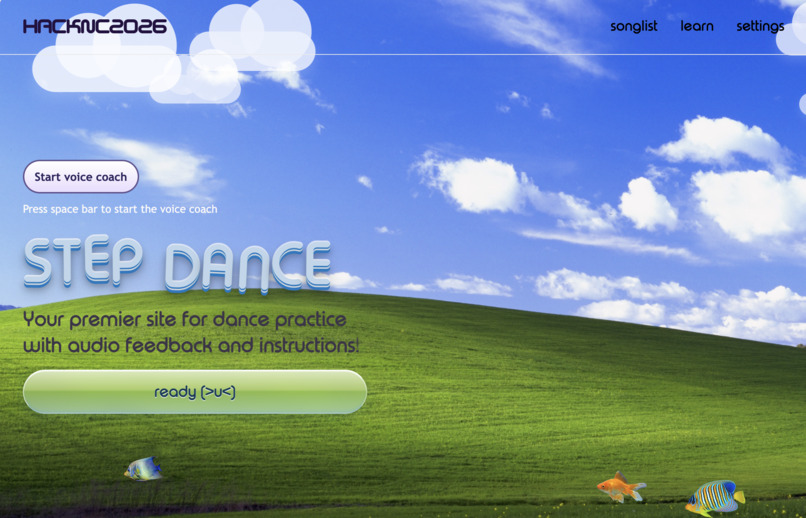
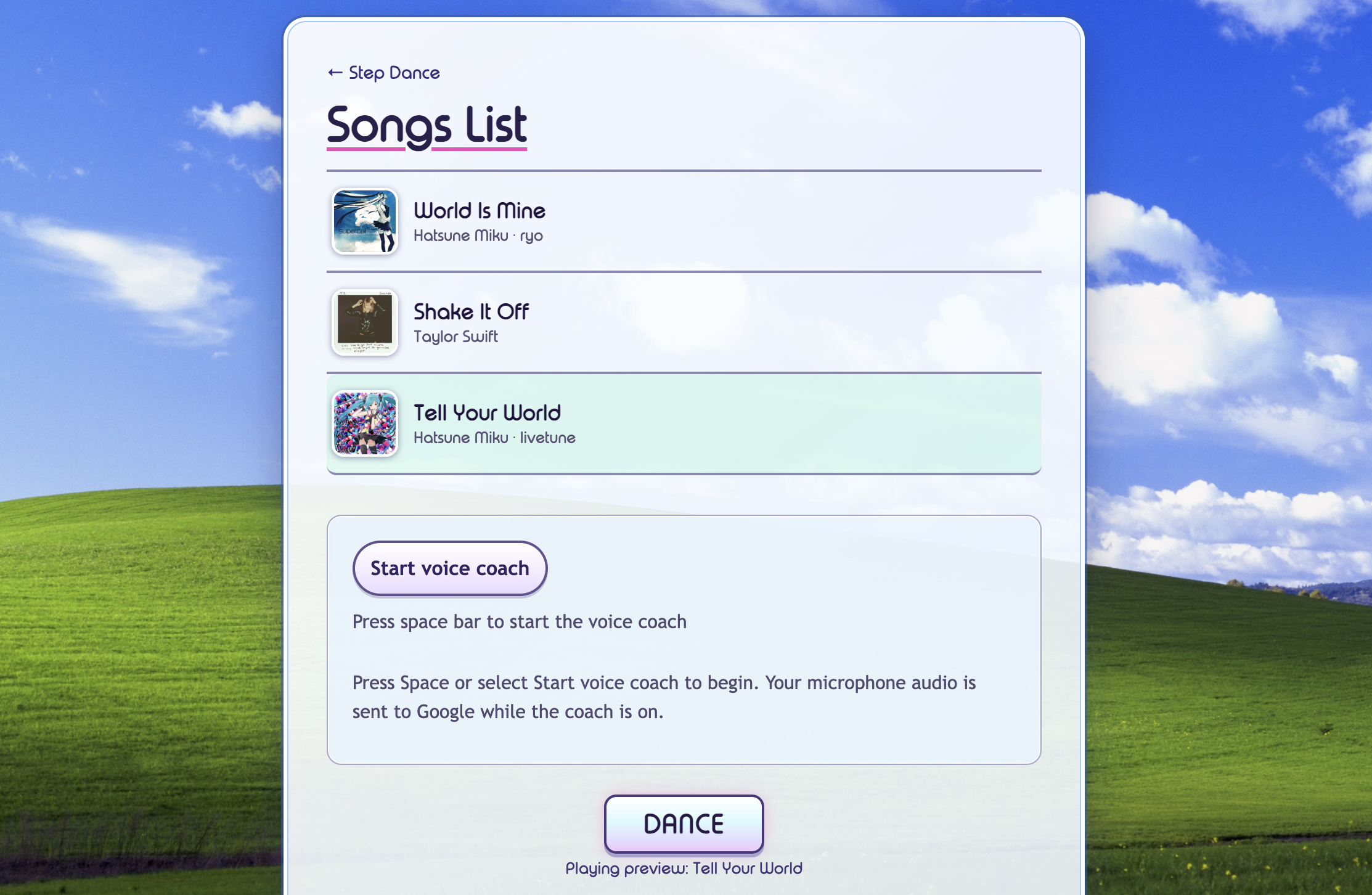
Frutiger Aero Theme!
-
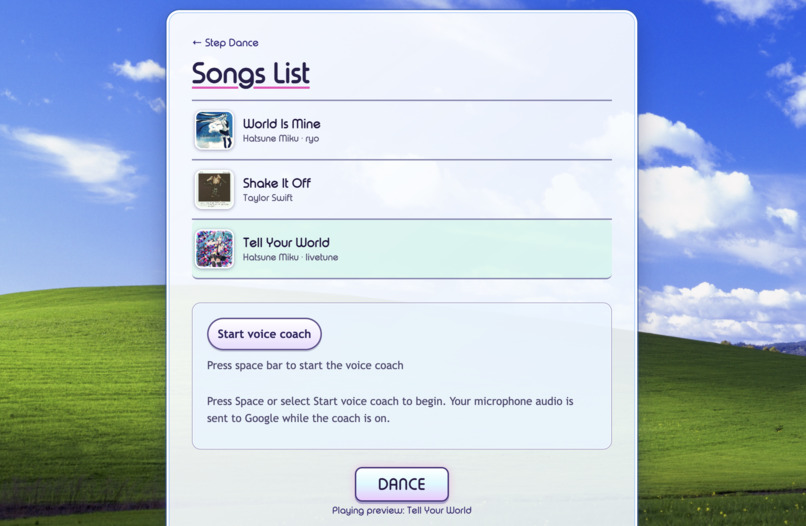
Choose your song to dance to!
-
Inspiration
At least 2.2 billion people worldwide live with some form of vision impairment, according to the World Health Organization. Yet almost every dance tutorial online assumes you can watch a screen and copy what you see. That leaves out people who are blind or have low vision, and it isn't much help to anyone dancing across the room from their laptop. On top of that, classes cost money, and trying something new in front of strangers is scary. We wanted learning to dance to feel like having a patient friend in the room, and never judges your dance moves. And we wanted it to look like something fun people want to actually partake in, so we went all in on the Frutiger Aero theme by including blue skies, glossy bubbles, drifting clouds, and swimming fish.
What it does
Step Dance is a free dance practice site you can use with your voice and your ears.
- Talk to your coach. Press the space bar and a voice coach greets you, reads out the song list, and plays the one you pick. Ask it questions, interrupt it, or just say "Dance!". No mouse or screen reading needed.
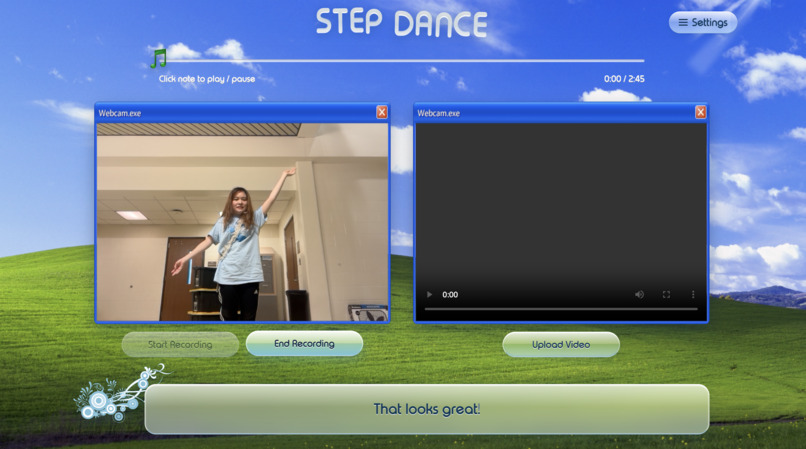
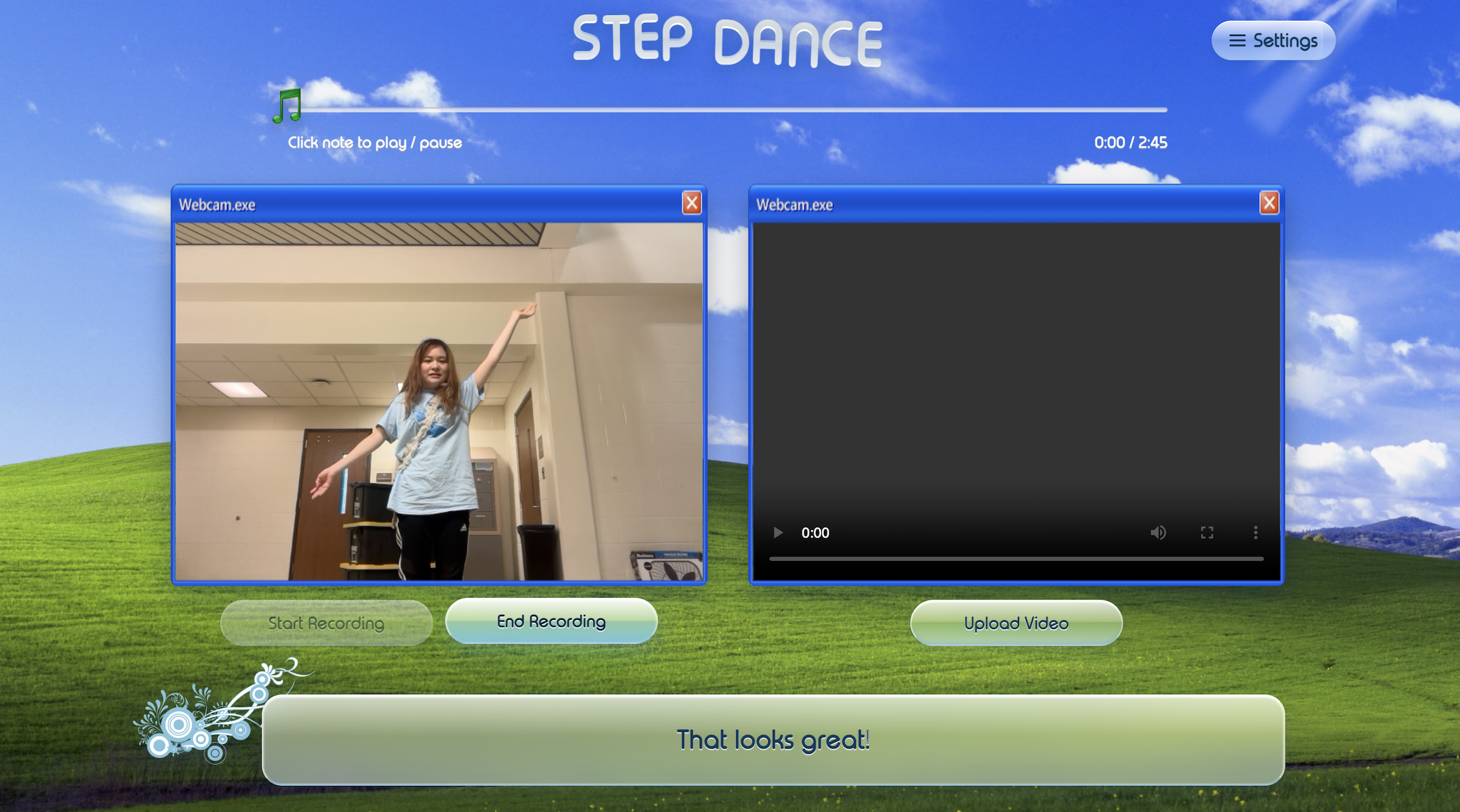
- Practice on camera. After you dance, the coach watches your dance moves and calls out improvement recommendations.
- Hear it in a human voice. Feedback is spoken in a warm, natural voice, so it feels like encouragement instead of a robot reading an error message.
- See your skeleton. Record a practice and our computer vision backend sends it back with your pose drawn over it.
- Keep your progress. Every practice session is logged, and you can save a tamper-proof "practice complete" record that belongs to you.
How we built it
- Gemini API: a live, two-way voice conversation for the coach, plus image understanding that turns webcam snapshots into short spoken cues
- ElevenLabs: the natural voice for cues and encouragement
- Computer vision: MediaPipe pose tracking in a Python Flask backend that analyses recorded practice videos
- Tiger Data: a time-series log of practice sessions
- Solana: a practice record saved on-chain (devnet) from the dancer's own wallet
- Frontend: hand-written HTML, CSS, and JavaScript
- Hosting: Vercel, at stepdances.tech
Challenges we ran into
- Keeping Gemini on task: a coach that rambles is useless mid-dance, so we worked to get cues down to a few words
- Making every step work by voice and keyboard, including not letting the song's own lyrics trigger voice commands
- Getting a browser recording, a Python vision backend, and several cloud services to talk to each other in one weekend
Accomplishments that we're proud of
- You can pick a song and start dancing without touching a mouse or reading the screen
- A working pipeline from webcam to AI feedback to spoken voice
- A site that makes people smile the moment it loads
What we learned
- Designing for the ear first: it changes what gets said, when, and how briefly.
- Real-time AI: fast models and tight instructions matter more than using the biggest model.
- Computer vision in the real world: pose tracking on messy webcam video is far harder than on clean demo footage.
- Accessibility-focused design: every feature needs a path that works without sight or a mouse.
What's next for Step Dance
- Test with blind and low-vision dancers and let their feedback set our priorities.
- Compare each move against a reference routine, beat by beat.
- Add more songs and teach full routines step by step.
- Turn saved practice records into streaks and badges.
- Bring the voice coach to phones, so the camera can sit across the room.

Log in or sign up for Devpost to join the conversation.