Inspiration
We were tired of scanning through countless tutorials, finding one that explains clearly. Instead of waiting, we made Step by Step.
What it does
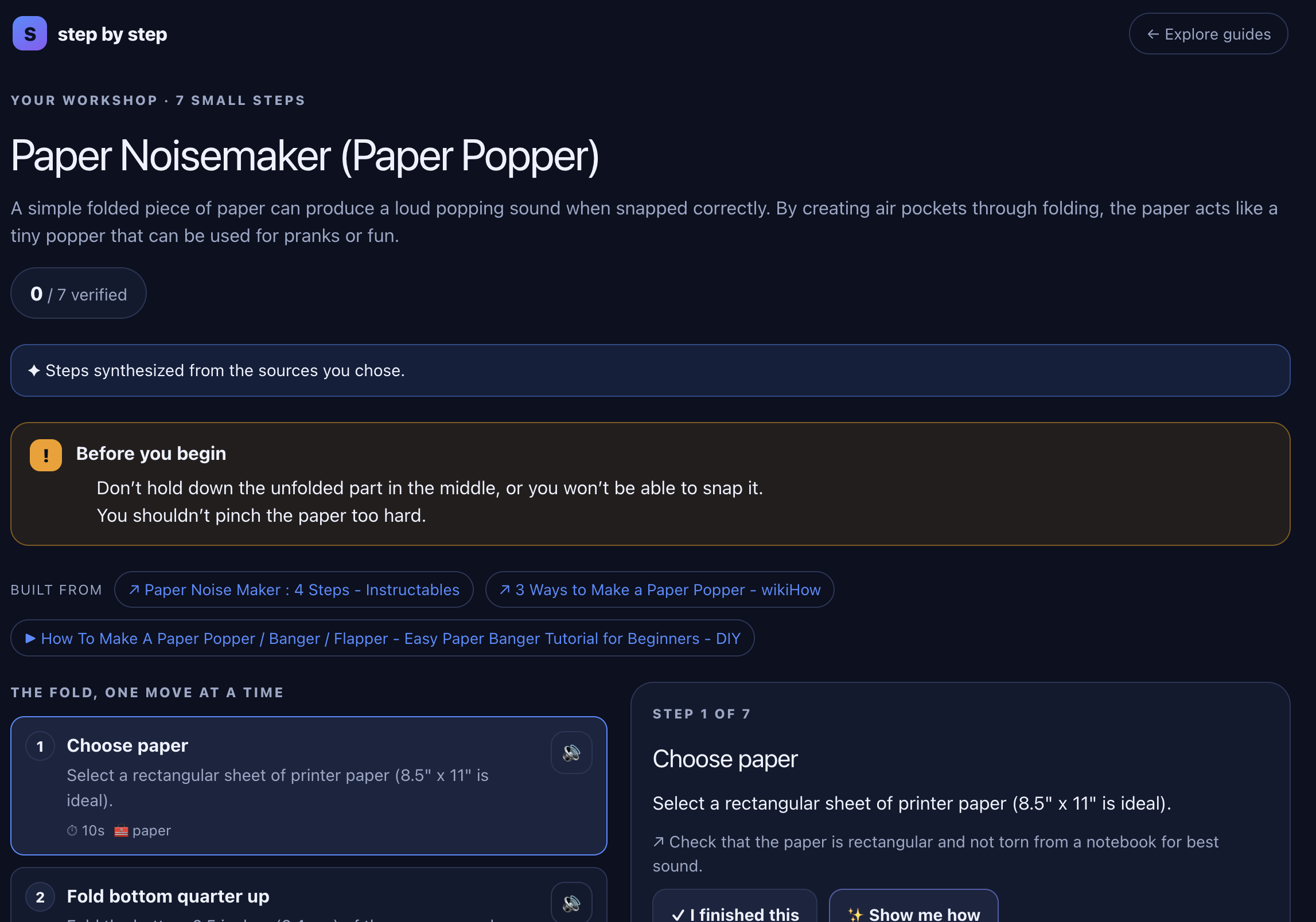
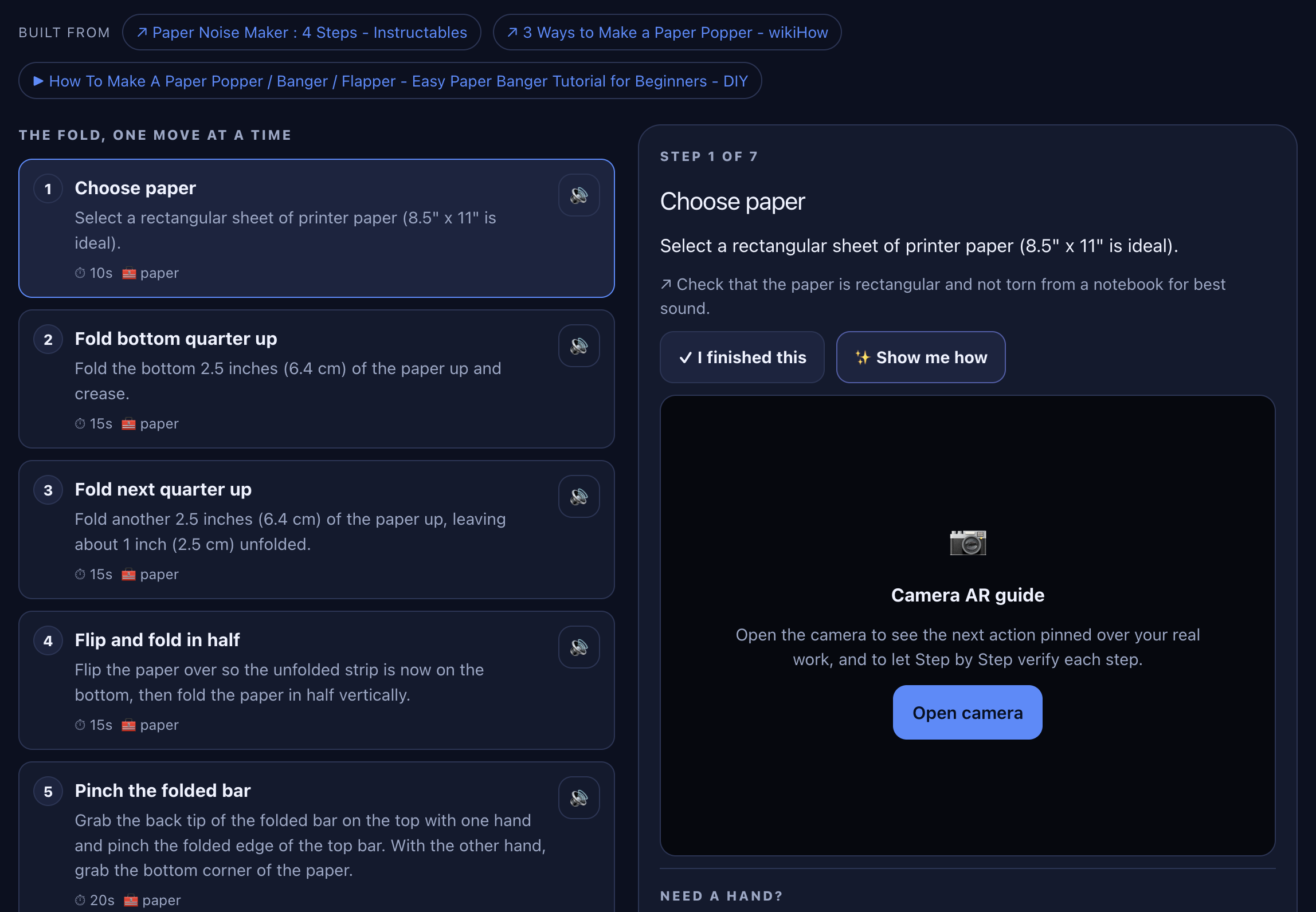
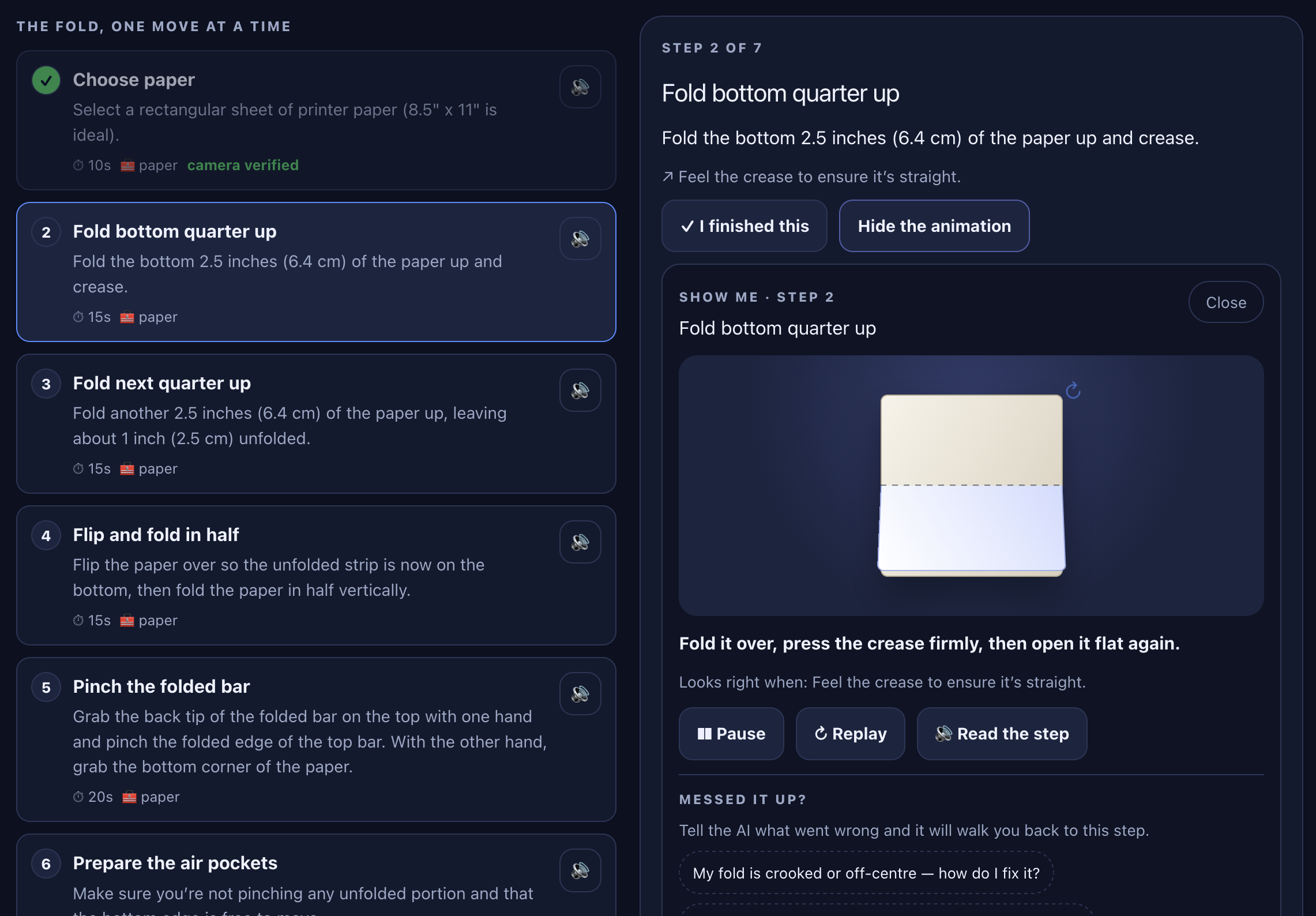
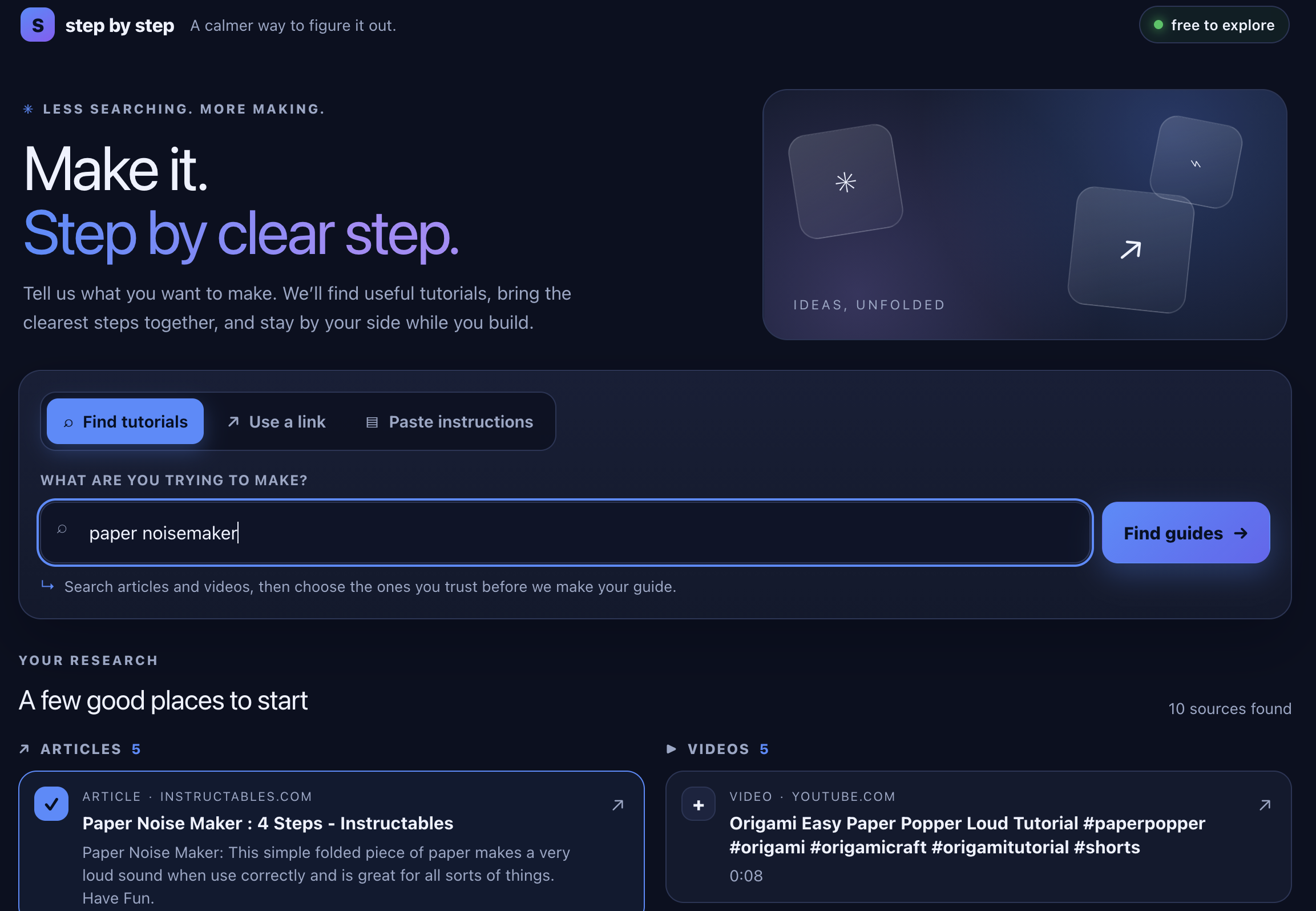
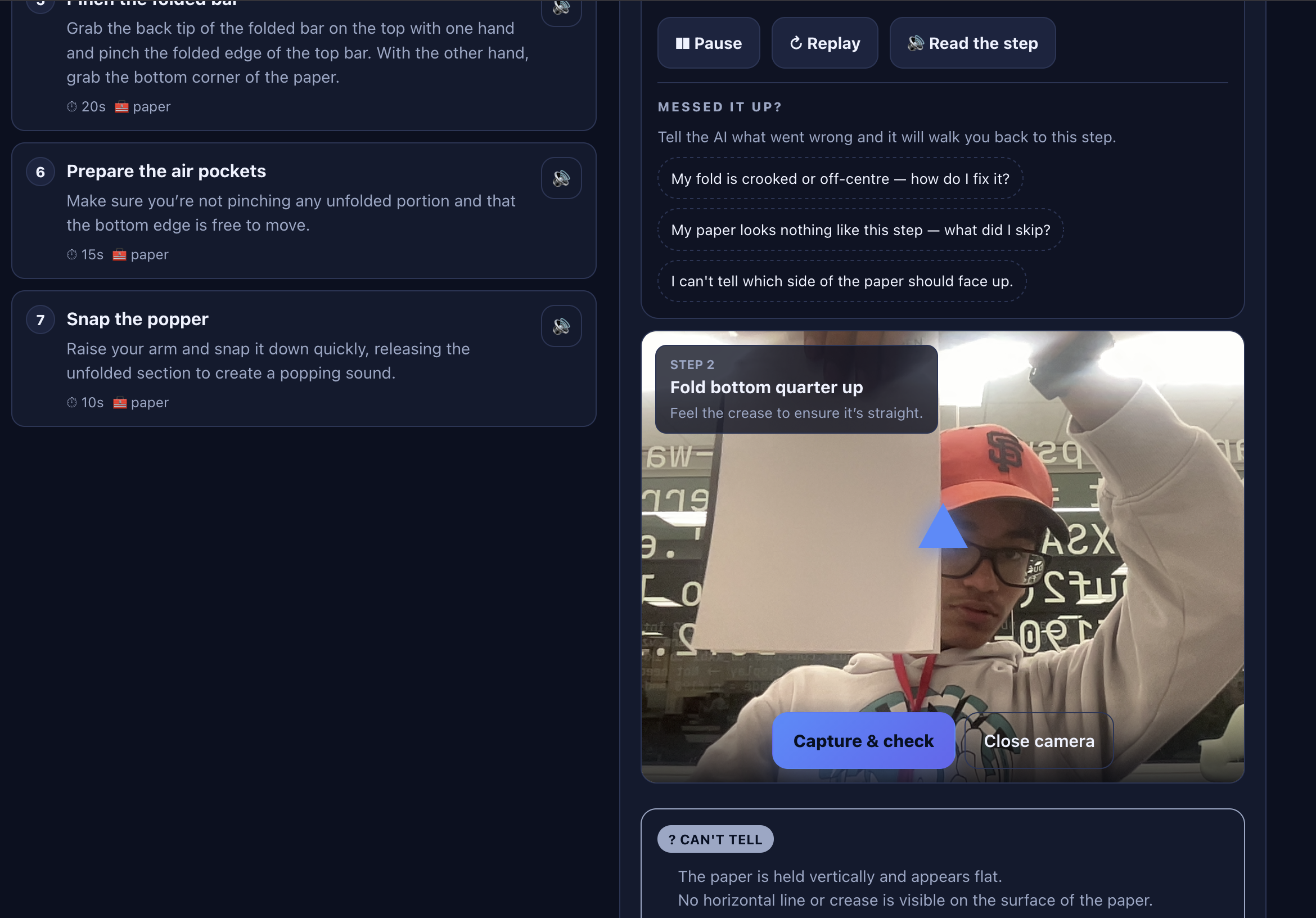
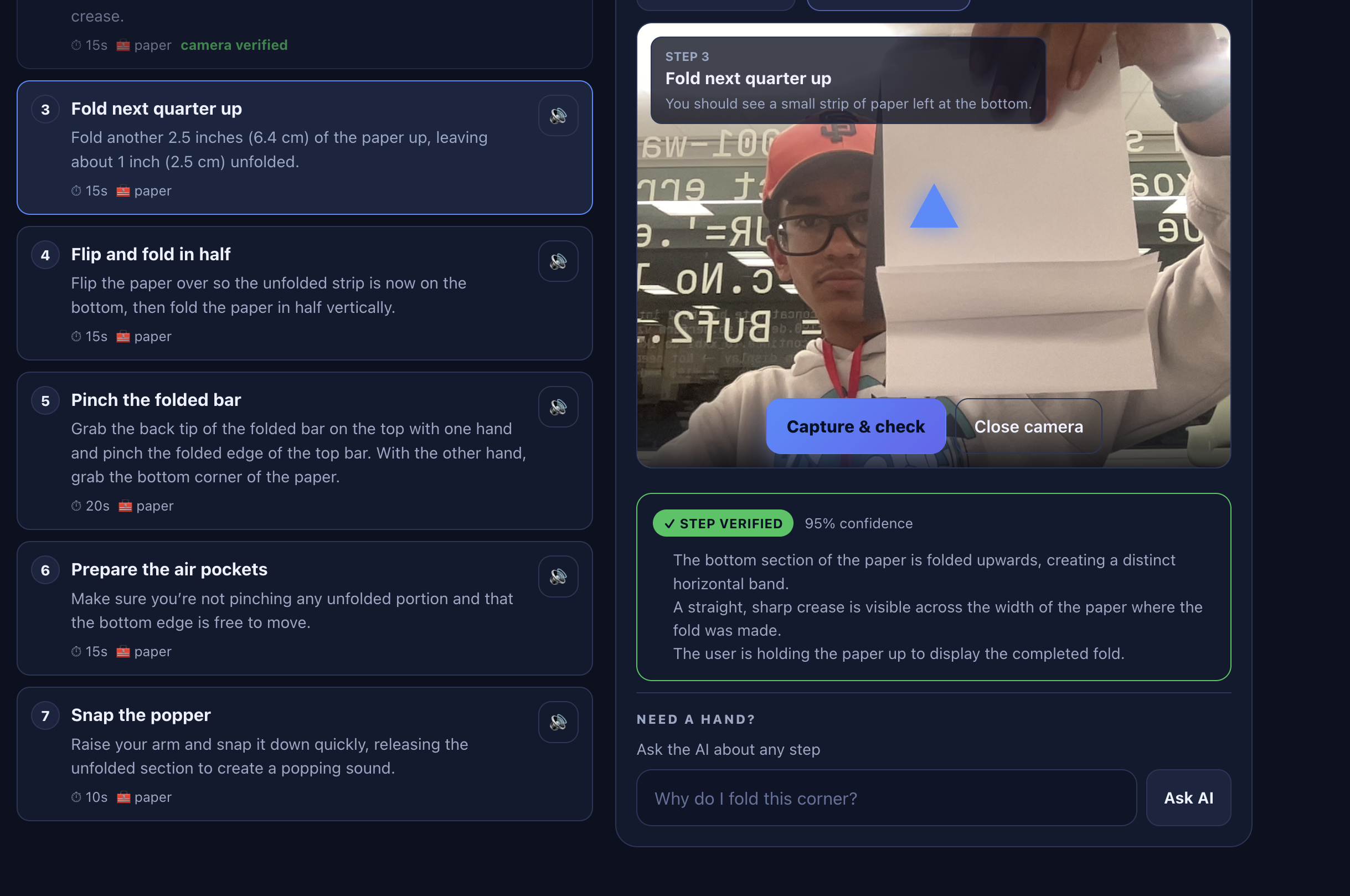
Step by Step is an AI-powered website that can explain tutorials to you. Step by step, it clearly describes what you need to do for each step, and you can even use the built-in camera feature to check your work, getting constrouctive feedback from Step by Step.
How we built it
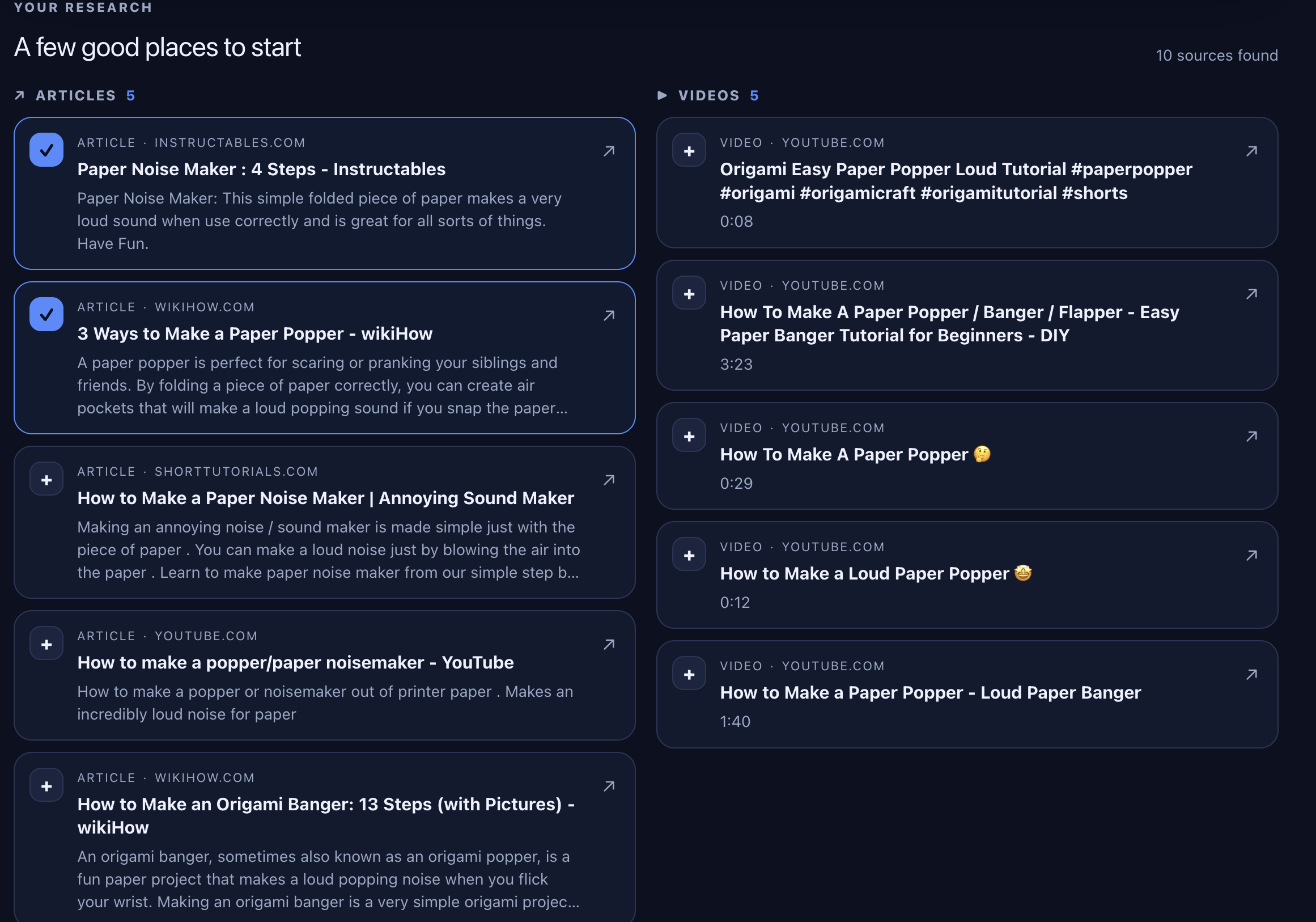
Step by Step was built as a deliberately lightweight local app using a pure Python standard-library HTTP server (server.py) that serves a plain JavaScript/HTML/CSS frontend—no heavy frameworks. The core pipeline searches the web (DuckDuckGo with Bing fallback), extracts steps preferentially from schema.org HowTo/Recipe markup and falls back to rule-based sentence heuristics, then grounds every step against the source text via simple retrieval so unsupported content is filtered out. Optional AI step-building and answers are supported via any OpenAI-compatible endpoint but left off by default after a local 1.5B model proved too slow. Paper guides include a custom fold simulator (fold.js) driving three.js 3D previews. The desktop experience is packaged with PyInstaller into an unsigned Windows EXE and an ad-hoc-signed Apple Silicon DMG, both built and smoke-tested on free GitHub Actions runners, while Playwright-driven headless browser tests cover the main flows.
Challenges we ran into
Grounding extracted steps was a core difficulty: we had to score every step against the source text with simple retrieval and aggressively drop anything unsupported, because generative AI tended to invent plausible-sounding but unfaithful instructions. A local 1.5B model proved too slow (often 2–3+ minutes) and unreliable for step-building, so we demoted AI to an optional, opt-in feature and leaned on schema.org HowTo markup plus rule-based heuristics instead. Extraction quality on arbitrary web pages remained noisy—pages without structured markup produced messier steps, search engines could block or change their HTML, and warning detection (even with keyword fallbacks) still missed real warnings or occasionally pulled in non-warnings. Packaging the desktop builds added friction: Windows EXEs triggered SmartScreen because they were unsigned, the Apple Silicon Mac app was only ad-hoc signed and never notarized (so Gatekeeper blocked it), and real-laptop testing of the installers was never completed. Finally, we deliberately kept the scope honest—camera AR, paper recognition, and fully generative answers stayed experimental or unshipped—while still delivering a working local checklist experience.
Accomplishments that we're proud of
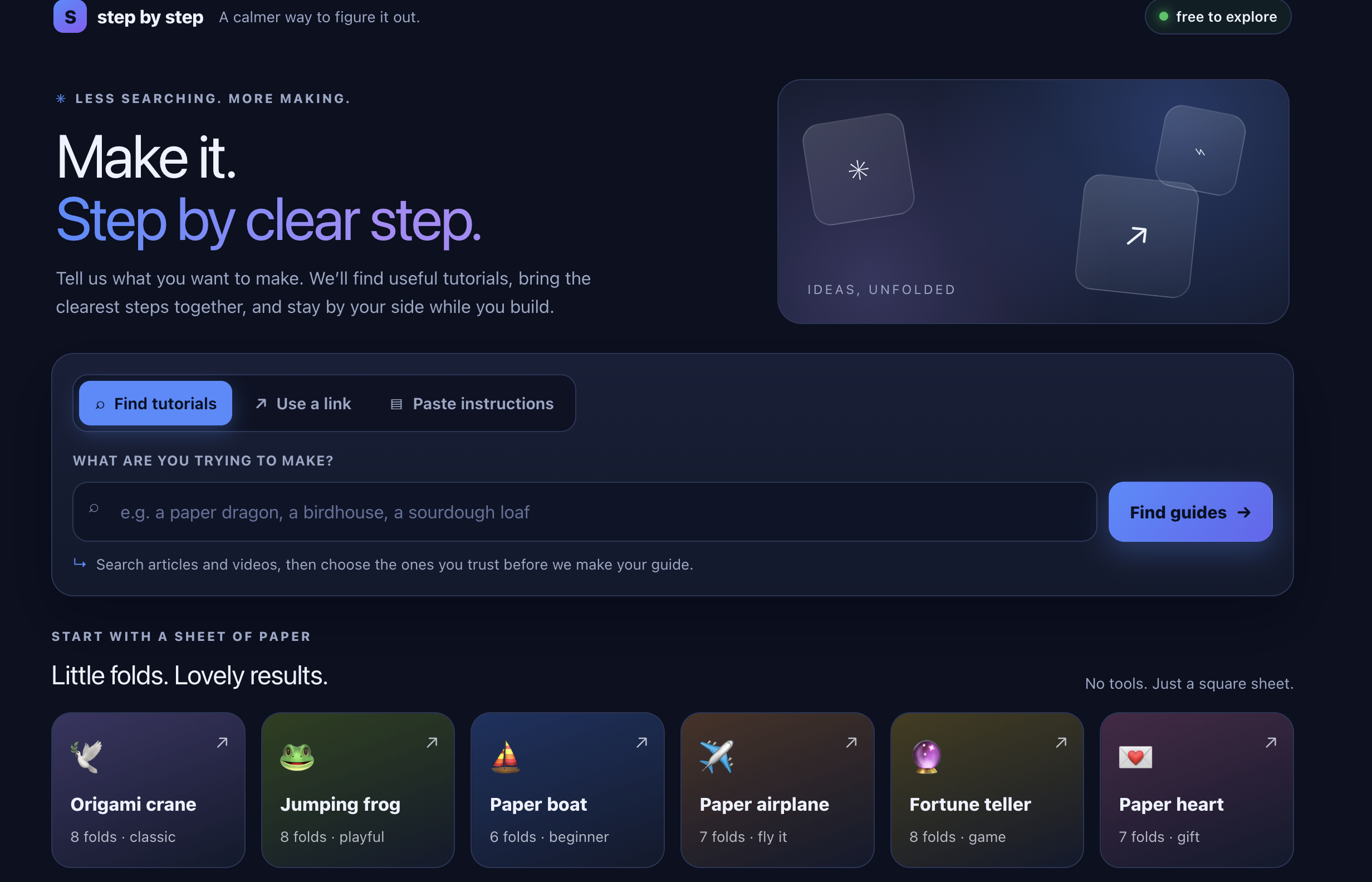
Delivered a fully working local checklist app that turns any topic or tutorial link into actionable steps, with warnings and materials listed first. Built a reliable extraction pipeline that prioritizes schema.org HowTo/Recipe markup and falls back to solid rule-based heuristics, then grounds every step against the source text so unsupported content is filtered out. Added a practical “I’m stuck” feature that retrieves relevant passages from the source and cleanly abstains when the text doesn’t cover the question (no hallucinated answers by default). Shipped six polished built-in guides (including paper airplane, boat, crane, etc.) plus a camera-free 3D fold simulator and preview for the paper projects. Produced real desktop installers — a Windows EXE and an Apple Silicon Mac DMG — built and smoke-tested on GitHub Actions. Maintained a solid automated test suite (12 core tests + 15 browser end-to-end checks + walkthrough and specialized tests) that all pass under headless Chrome. Kept the entire product honest and lightweight: clear labeling of what is simulated vs. extracted, optional AI only, and no overclaiming of unbuilt features like camera AR or paper recognition.
What we learned
The creators learned several practical lessons while building Step by Step. A small local language model (1.5B parameters) proved too slow—often taking two to three minutes—and too unreliable for generating steps, so they made AI step-building strictly opt-in and relied instead on schema.org HowTo markup plus rule-based extraction. They also discovered that grounding every extracted step against the source text and discarding unsupported ones was essential for trustworthiness, because pure generation without retrieval quickly produced plausible but incorrect instructions. Structured data turned out to be far more reliable than free-text heuristics, while search-engine pages could change or block scrapers at any time. Finally, shipping real desktop installers surfaced many non-code problems—unsigned Windows EXEs triggered SmartScreen, ad-hoc-signed Mac apps were blocked by Gatekeeper, and real-device testing was harder than headless CI checks—reinforcing that it is better to ship a smaller, honestly scoped product that works than to over-promise unfinished features.
What's next for Step By Step
Several natural enhancements could be added to Step by Step. Reliable AI step-building and answers could be enabled by default with a faster hosted or more capable local model, since the current 1.5B option proved too slow. Camera-based paper recognition would let the app detect real paper and verify each fold, while the existing experimental AR pages could be expanded into a polished markerless phone experience that overlays instructions on the actual paper. Properly signed and notarized installers would eliminate SmartScreen and Gatekeeper friction, and the extraction pipeline could be strengthened with better warning detection and a broader accuracy study. Additional built-in guides, interactive materials checklists, a mobile-friendly progressive web app, and cross-device progress syncing would further improve everyday usability—all building directly on the solid local foundation already in place.
Built With
- beautiful-soup
- css
- html
- javascript
- playwritght
- python
- requests
- trifilatura

Log in or sign up for Devpost to join the conversation.