Inspiration The inspiration for STEM Sandbox comes from the stark reality of educational inequality. Millions of students worldwide lack access to physical laboratory equipment, making advanced chemistry and biology purely theoretical concepts. We built this platform to democratize science—giving every student a safe, secure, and resource-rich sandbox to experiment, make mistakes, and learn without boundaries
What it does
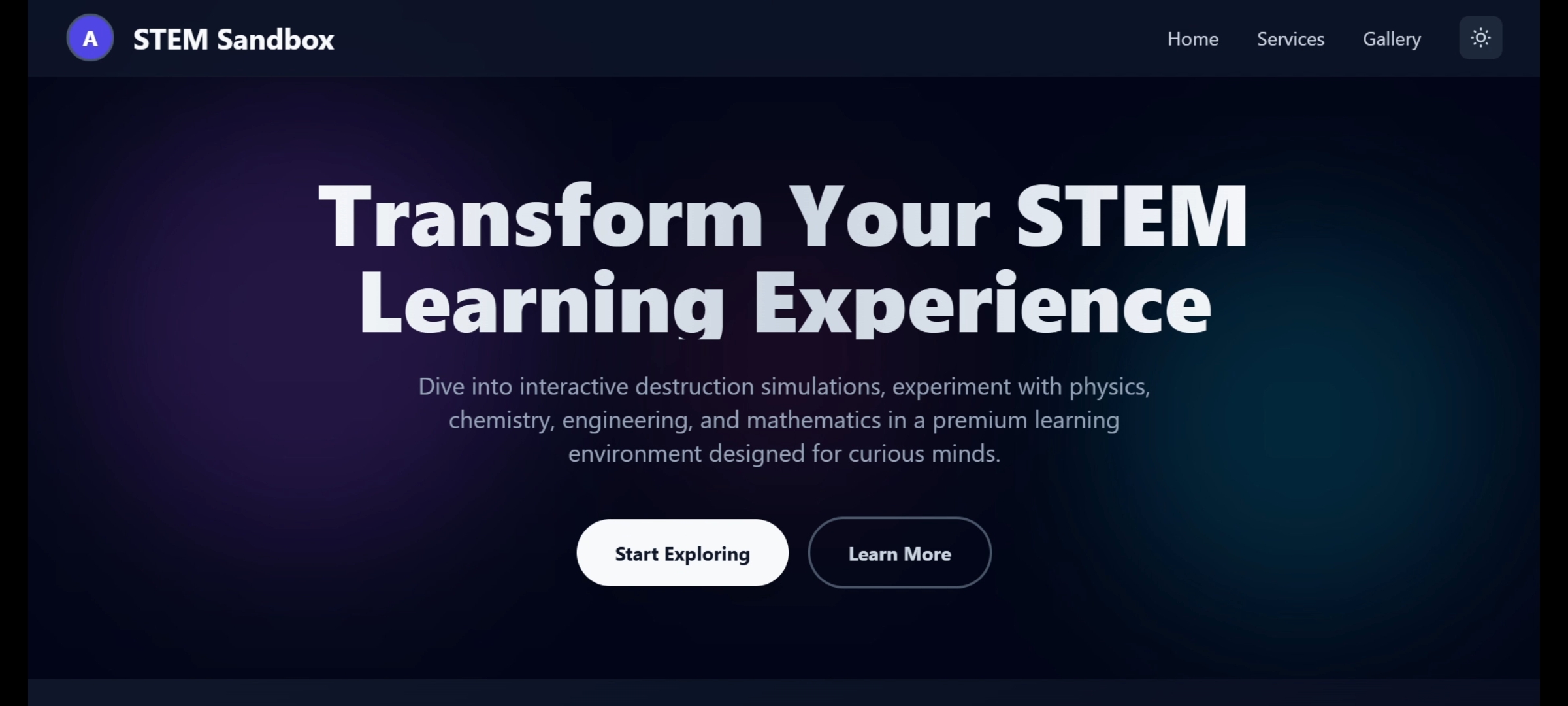
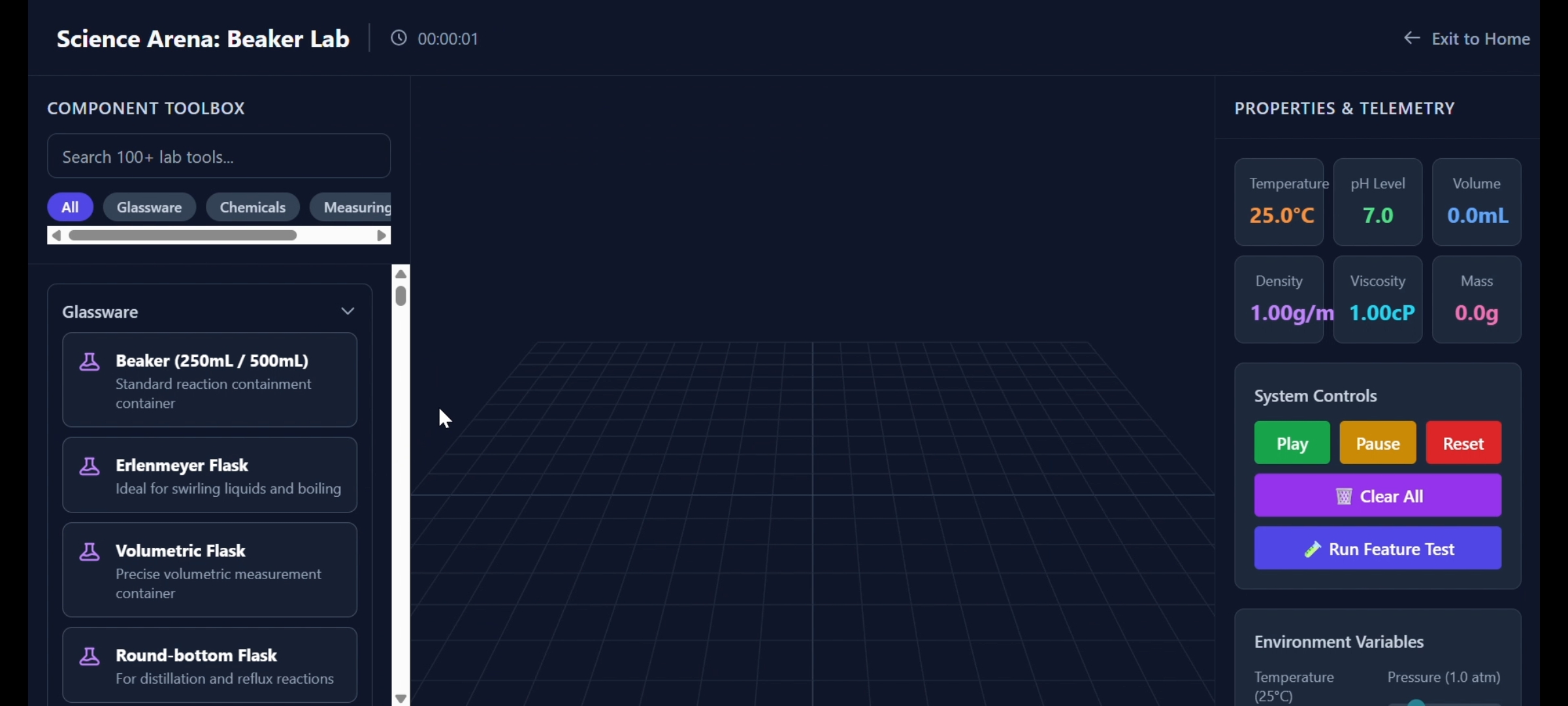
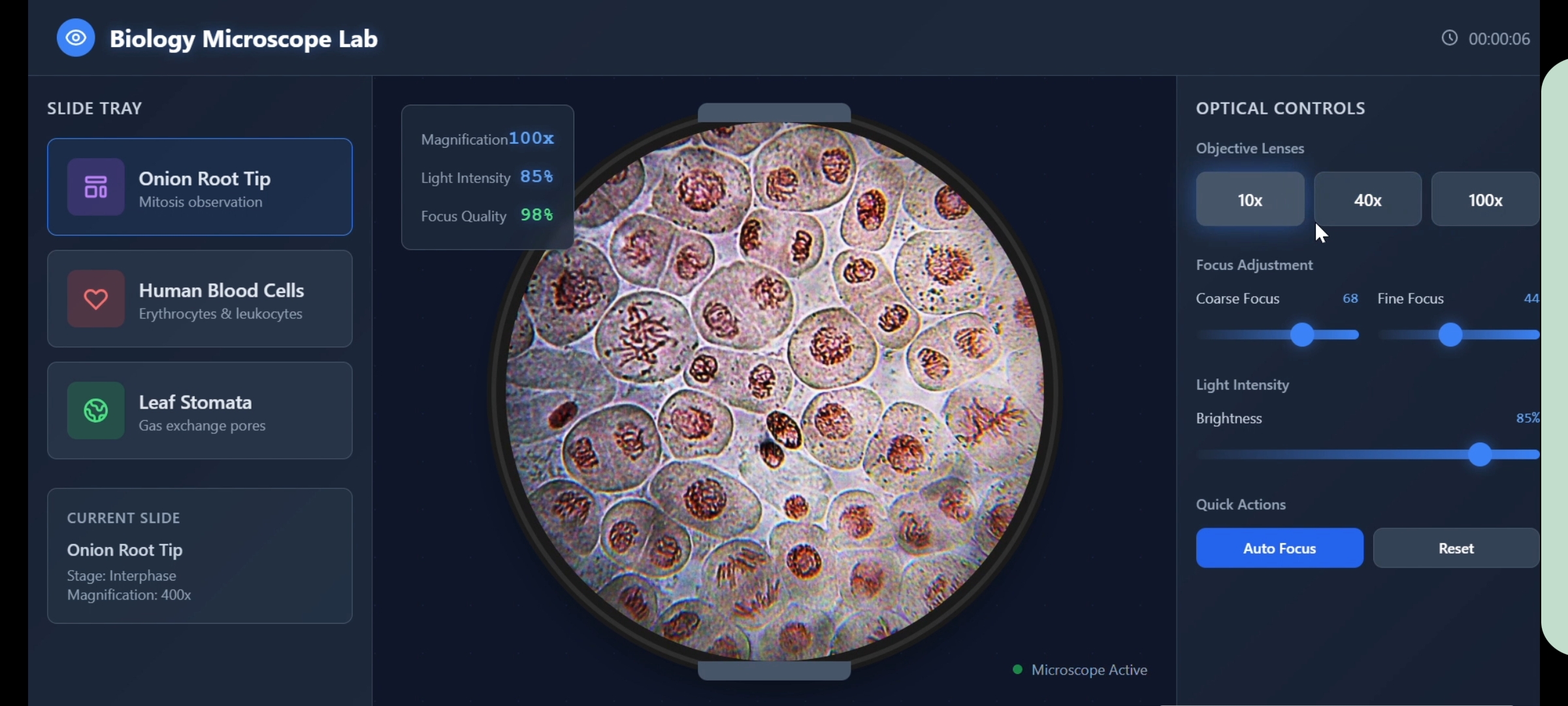
STEM Sandbox is a secure, browser-based digital laboratory platform that brings interactive STEM education to students who lack physical lab access. The platform includes a secure user authentication gateway and a fully compliant legal/attribution framework for open-access learning. Inside the workspace, students can access two fully realized interactive modules: the Chemistry Arena, which handles fluid transfers with real-time telemetry updates, and the Microscope Lab, which simulates professional optical scaling across 10x, 40x, and 100x magnifications to explore cellular biology. All of this is built into a modular, scalable infrastructure designed to easily integrate future simulations like particle physics and neural
How we built it
STEM Sandbox is built as a highly responsive, modern web application designed for maximum performance and low bandwidth. The front-end user interface is engineered using HTML5, custom structured layout modules, and Tailwind CSS for a clean, professional, and accessible UI. The core interactive elements—including the physics-adjacent fluid simulation and the optical magnification engine—are powered entirely by vanilla JavaScript. By leveraging absolute DOM manipulation and dynamic dataset binding, the application processes real-time telemetry changes locally in the browser without relying on heavy external libraries. This architecture ensures the platform remains incredibly lightweight and fully functional on low-spec student devices and standard school network connections.
Challenges we ran into
Our biggest challenge was engineering the real-time data hand-off during interactive simulations. In the Chemistry Arena, we repeatedly hit walls where the data payload would disconnect during the drag-and-drop lifecycle, causing the telemetry to display as an "unknown chemical." We resolved this under intense time constraints by bypassing standard browser data-transfer pipelines and building a global state synchronization model that directly binds variables to the target container components. Additionally, designing a professional-grade "Coming Soon" UX while keeping the repository clean and locking down incomplete modules required strict version control and rapid routing triage right up to the final submission deadline
Accomplishments that we're proud of
We are incredibly proud of successfully shipping a multi-module interactive platform from scratch under immense time pressure. Engineering a fluid drag-and-drop system that instantly communicates with a live telemetry dashboard—while simultaneously building a functional optical zoom simulator for the Microscope Lab—is a massive technical win for us. We managed to maintain clean, lightweight code that loads instantly, proving that educational tools don't need heavy, expensive software to be highly effective.
What we learned
This project forced us to master rapid problem-solving, real-time debugging, and strict project triage. We learned how to handle complex asynchronous data states in JavaScript when linking UI components together, and how to effectively scope a project under a tight deadline. Most importantly, we learned how to build a clean, professional user experience that balances working features with a clear future product roadmap.
What's next for STEM sandbox
The immediate next step for STEM Sandbox is launching our next two interactive modules: the Particle Collider astrophysics simulation and the Neural Network visualizer. Architecturally, we plan to implement state persistence so students can save their lab progress, and eventually transition to a cloud-synced backend to support persistent student profiles and classroom tracking for educators.
Built With
- css
- html5
- javascript
- microsoft
- tailwind
- word


Log in or sign up for Devpost to join the conversation.