
Inspiration
The inspiration for Stella came directly from our own frustrations as students and researchers. We were constantly drowning in information, our focus shattered by the process of "learning." We'd read an article, highlight a confusing term, then open a new tab to Google it, another for a YouTube video, and another for related papers. This fragmented, "15-tab" workflow was a massive barrier to productive learning. We were inspired by the Google Chrome Built-in AI Challenge to finally build the tool we always wished we had: a single, intelligent "guide" that lives right in the browser, helping us understand information without ever breaking our focus.
What it does
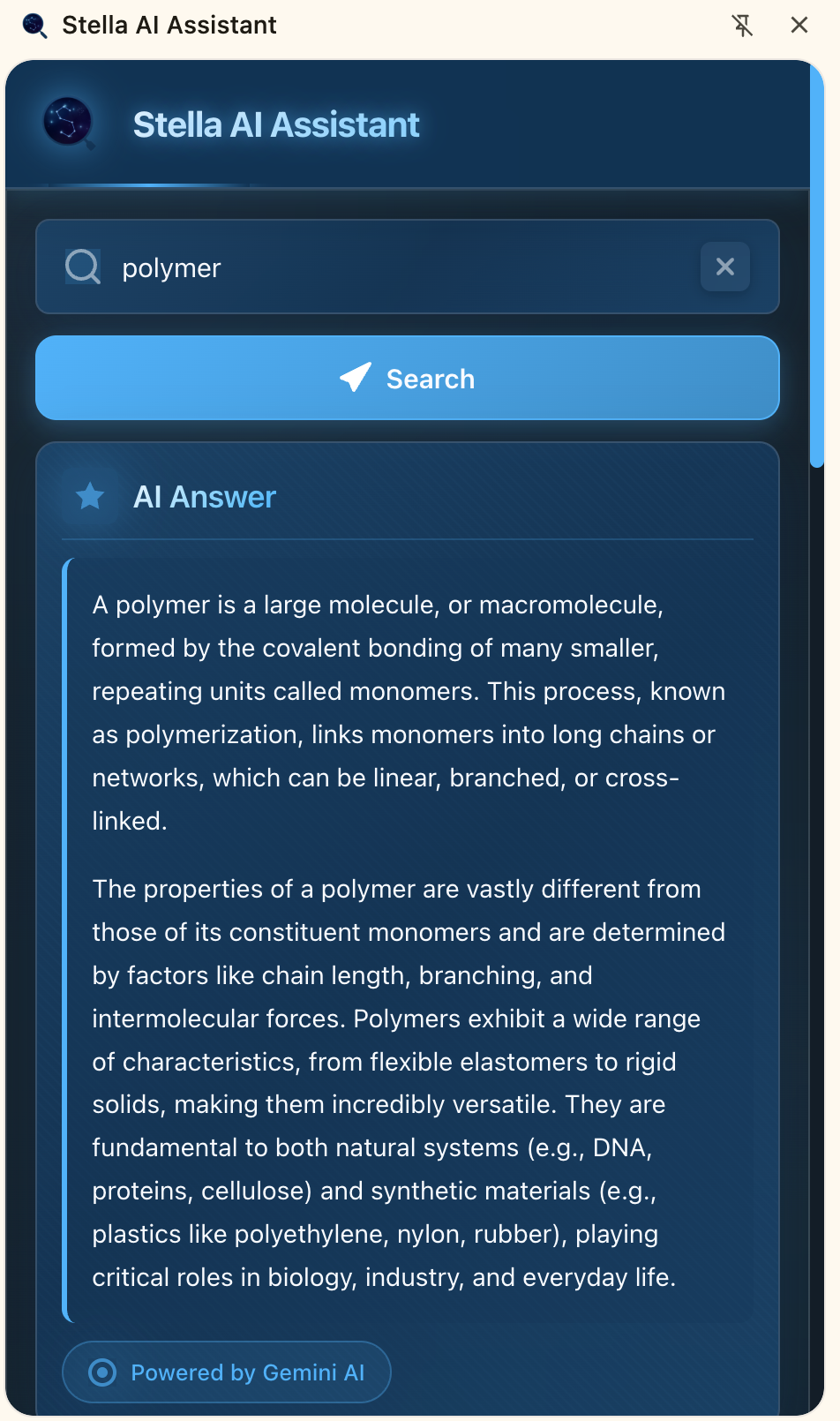
Stella is an AI-powered study assistant built as a Chrome extension. When a user highlights text on any webpage, Stella provides a suite of learning tools in a non-intrusive side panel:
- Instant AI Summary: Get a concise, AI-generated summary of the selected text using Google Gemini.
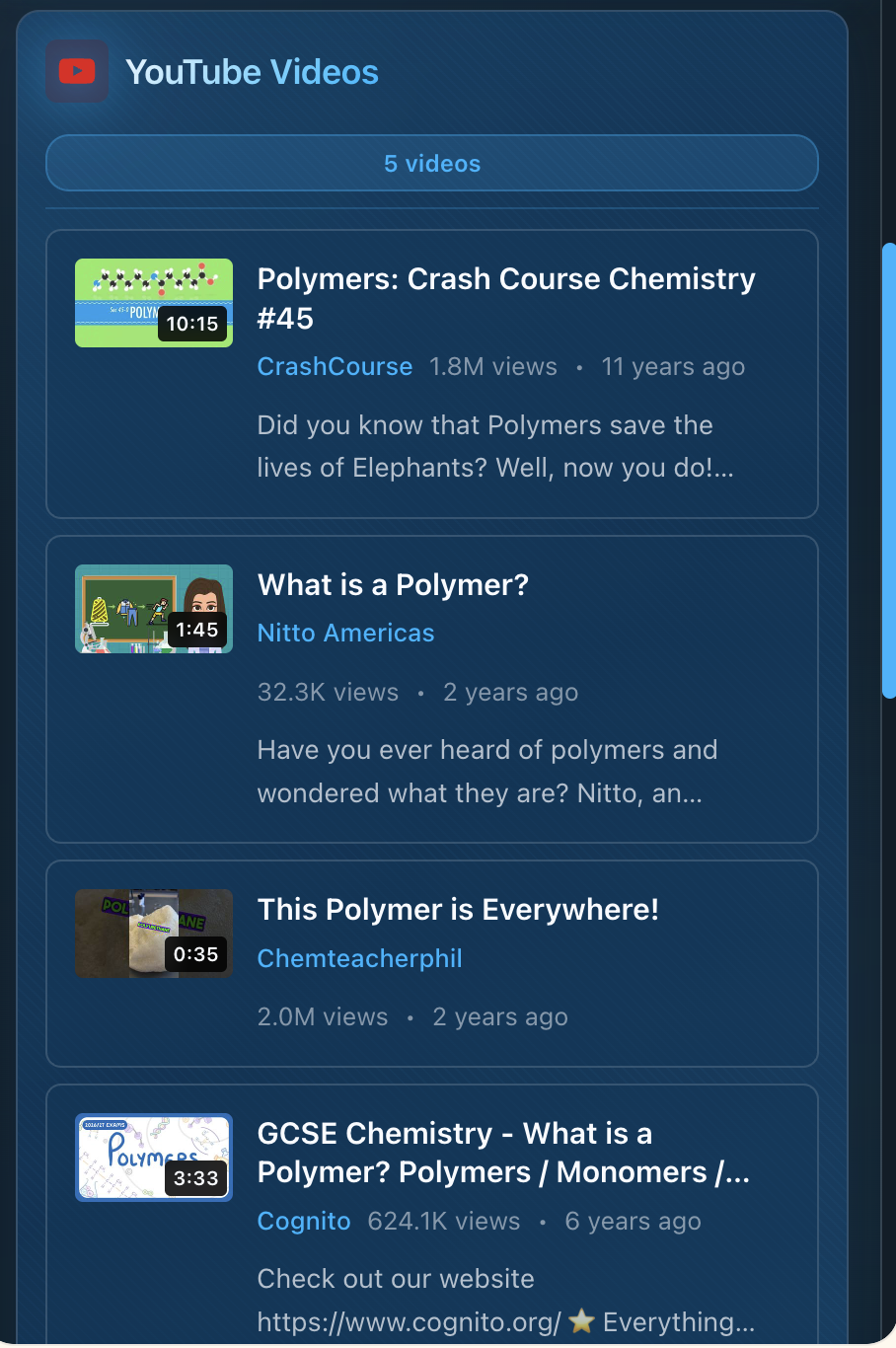
- Related Video Search: Finds and displays relevant YouTube videos, complete with AI summaries, to offer visual explanations.
- Request More Info: An AI-powered chat that allows users to ask for deeper explanations.
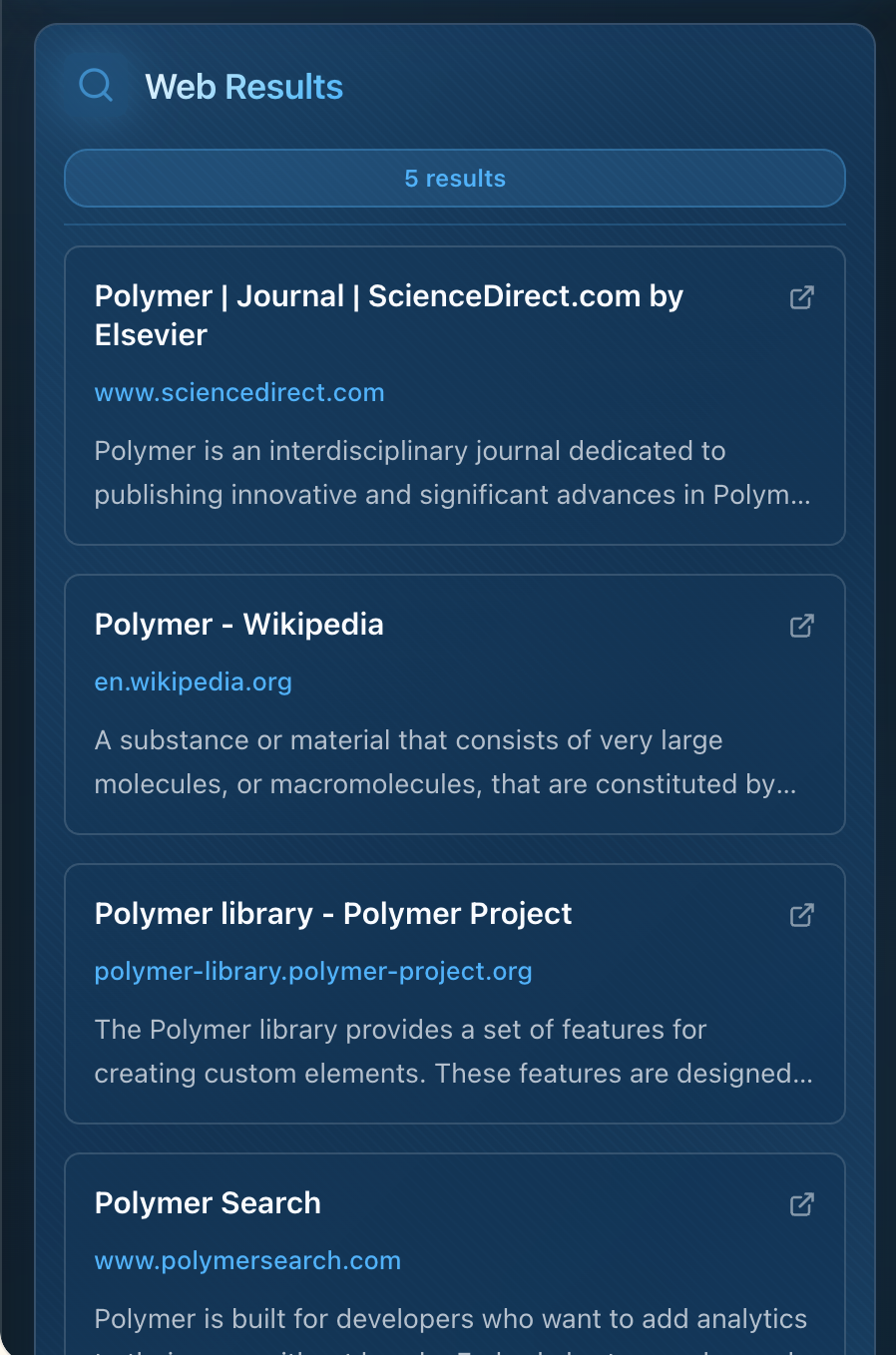
- Related Pages: Discovers other high-quality web pages and articles related to the topic.
How we built it
Stella is a serverless Chrome extension, meaning it runs entirely in the user's browser with no backend server required.
- Frontend: We used React with TypeScript and Vite to build the fast, responsive side panel UI.
- Extension: It's built on Chrome Manifest V3, using a service worker to manage API calls and extension logic.
- APIs: The "brain" of Stella relies on three key Google APIs:
- Google Gemini API: For all AI-powered tasks, including summaries, translations, and the "Request More Info" feature.
- YouTube Data API v3: To find relevant videos based on the highlighted context.
- Google Custom Search API: To discover related web pages.
Challenges we ran into
Our biggest challenge was twofold: security and performance in a serverless architecture.
- Security: Since we have no backend, we couldn't hide our API keys on a server. We had to learn how to properly secure them on the client side. We solved this by using environment variables during development and, crucially, implementing strict API key restrictions in the Google Cloud Console, locking them down to our specific extension ID and domains.
- Performance: When a user highlights text, we need to make three separate API calls (to Gemini, YouTube, and Custom Search) and display the results almost instantly. Orchestrating these parallel, asynchronous requests to load quickly without a janky or slow UI was a significant state-management challenge in React.
Accomplishments that we're proud of
We are incredibly proud of building a tool that genuinely solves a problem we face every day. Our biggest accomplishment is the serverless architecture—we created a powerful, AI-driven application that is lean, scalable, and requires no backend maintenance. We're also proud of the intuitive UX. We successfully integrated three different APIs into a single, clean side panel that feels like a natural part of the Chrome browsing experience, directly aiding focus rather than adding more clutter.
What we learned
We learned a massive amount about the modern web extension ecosystem. Our key takeaway was the critical importance of client-side security; simply hiding API keys isn't enough, and mastering Google Cloud's API restrictions is non-negotiable. We also sharpened our skills in managing complex asynchronous operations in React to build a responsive, high-performance UI. Finally, we learned just how powerful and flexible the Gemini API is for creating context-aware tools that go far beyond simple chatbots.
What's next for Stella
Our goal is to get Stella published on the Chrome Web Store. Beyond that, we have a clear roadmap for new features:
- Deeper Google Scholar Integration: A dedicated tab to find and summarize academic papers.
- Conversation History: Allowing users to save their "Request More Info" chats for future reference.
- Full-Page Analysis: Moving beyond highlighted text to offer a summary and analysis of an entire webpage.
- User Customization: Allowing users to customize which "widgets" (Videos, Related Pages, etc.) they want to see in their side panel.

Log in or sign up for Devpost to join the conversation.