-
-
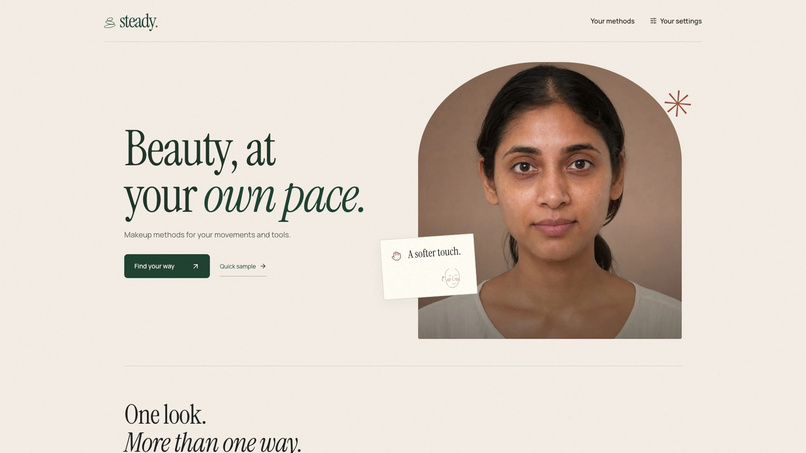
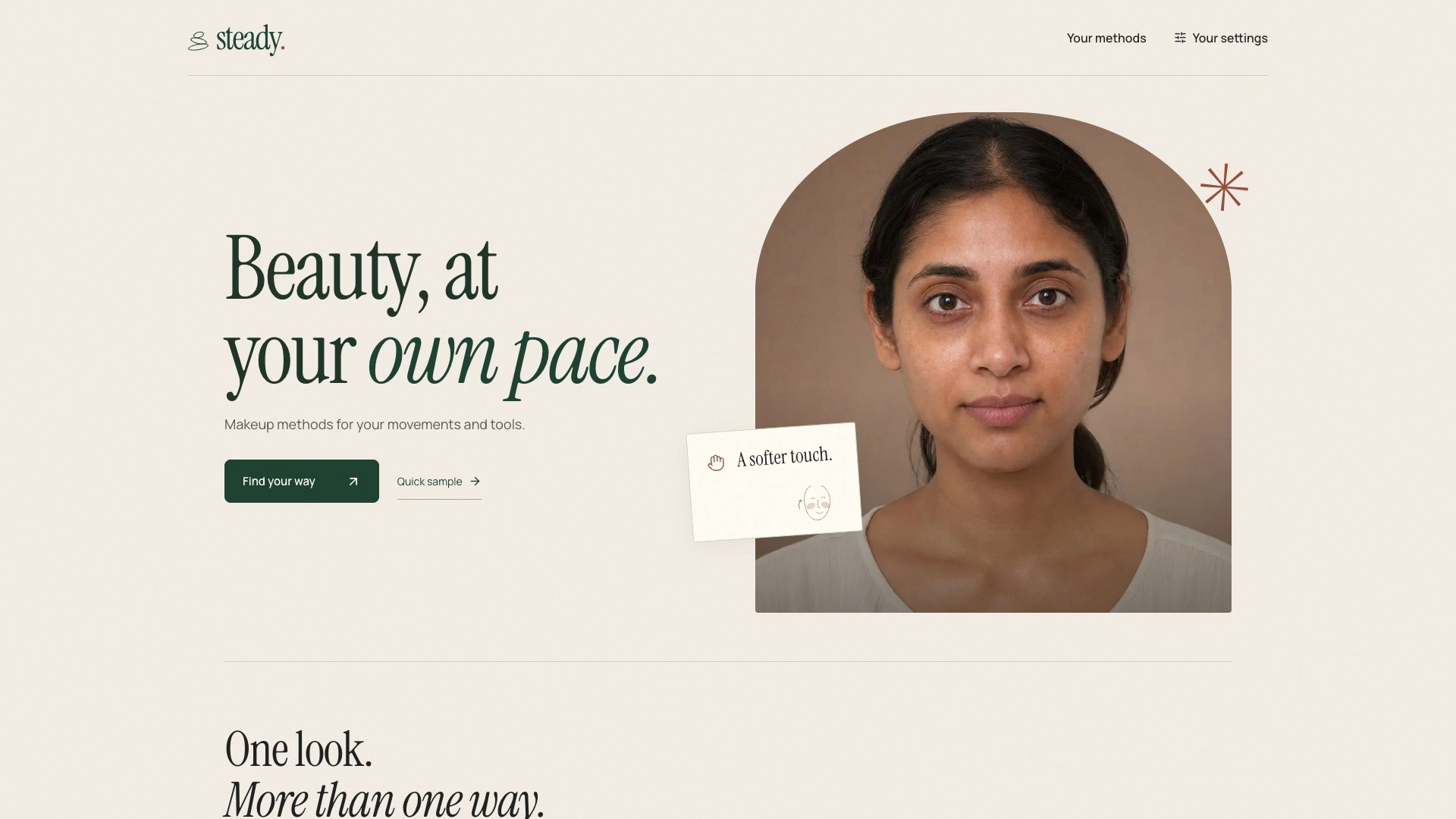
Beauty, at your own pace. Start with movements and tools that work for you.
-
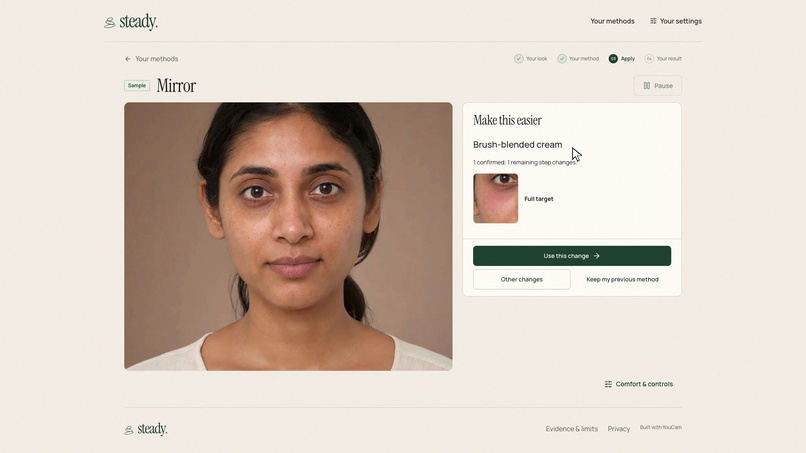
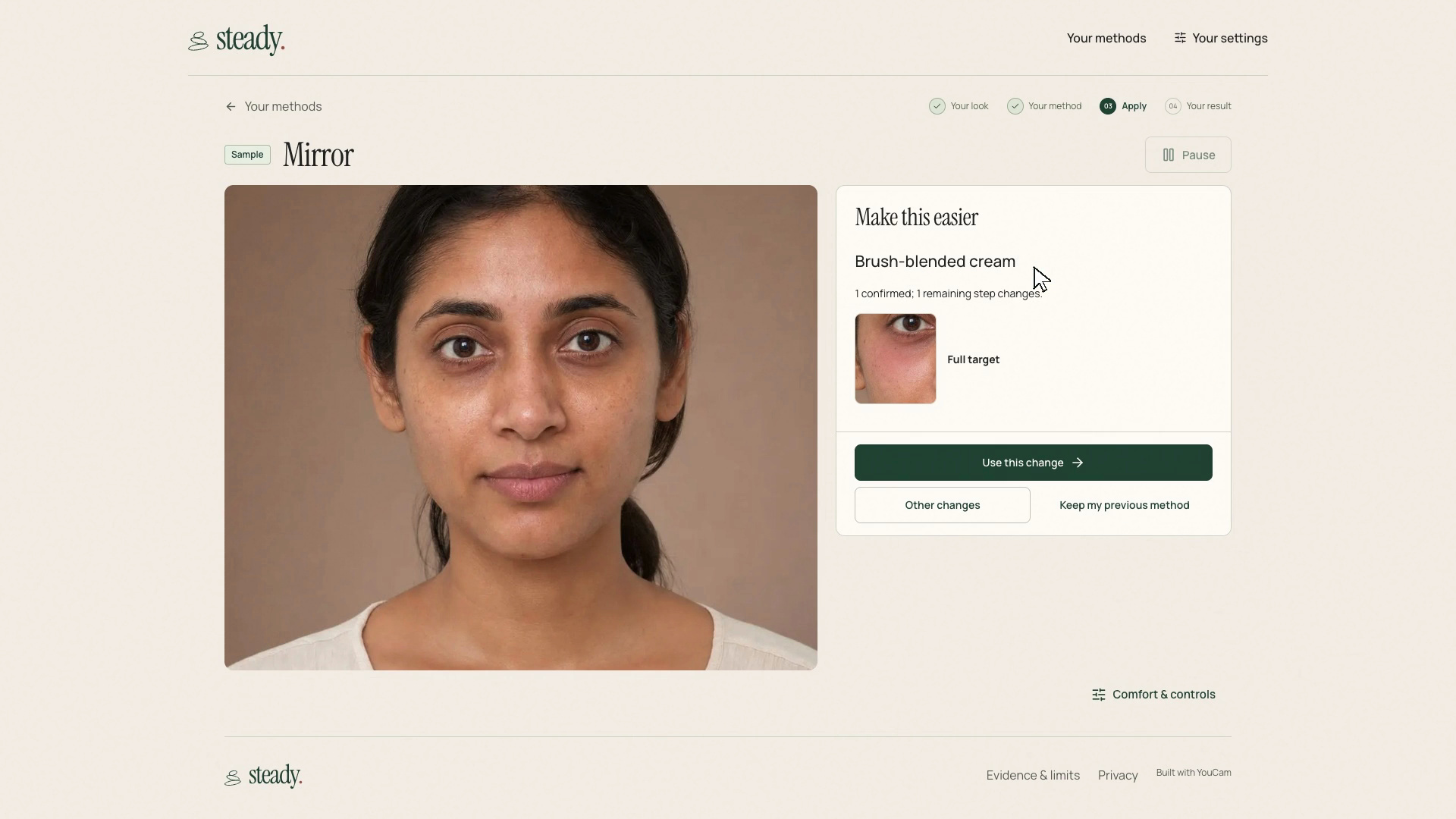
Change the remaining method while keeping the step already confirmed.
-
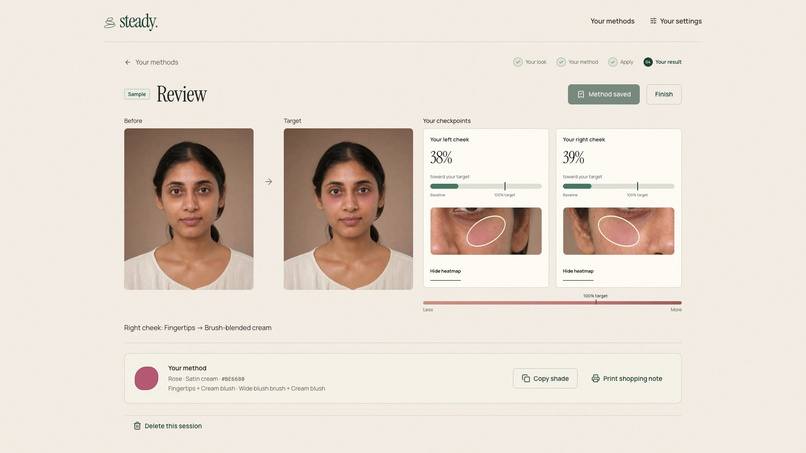
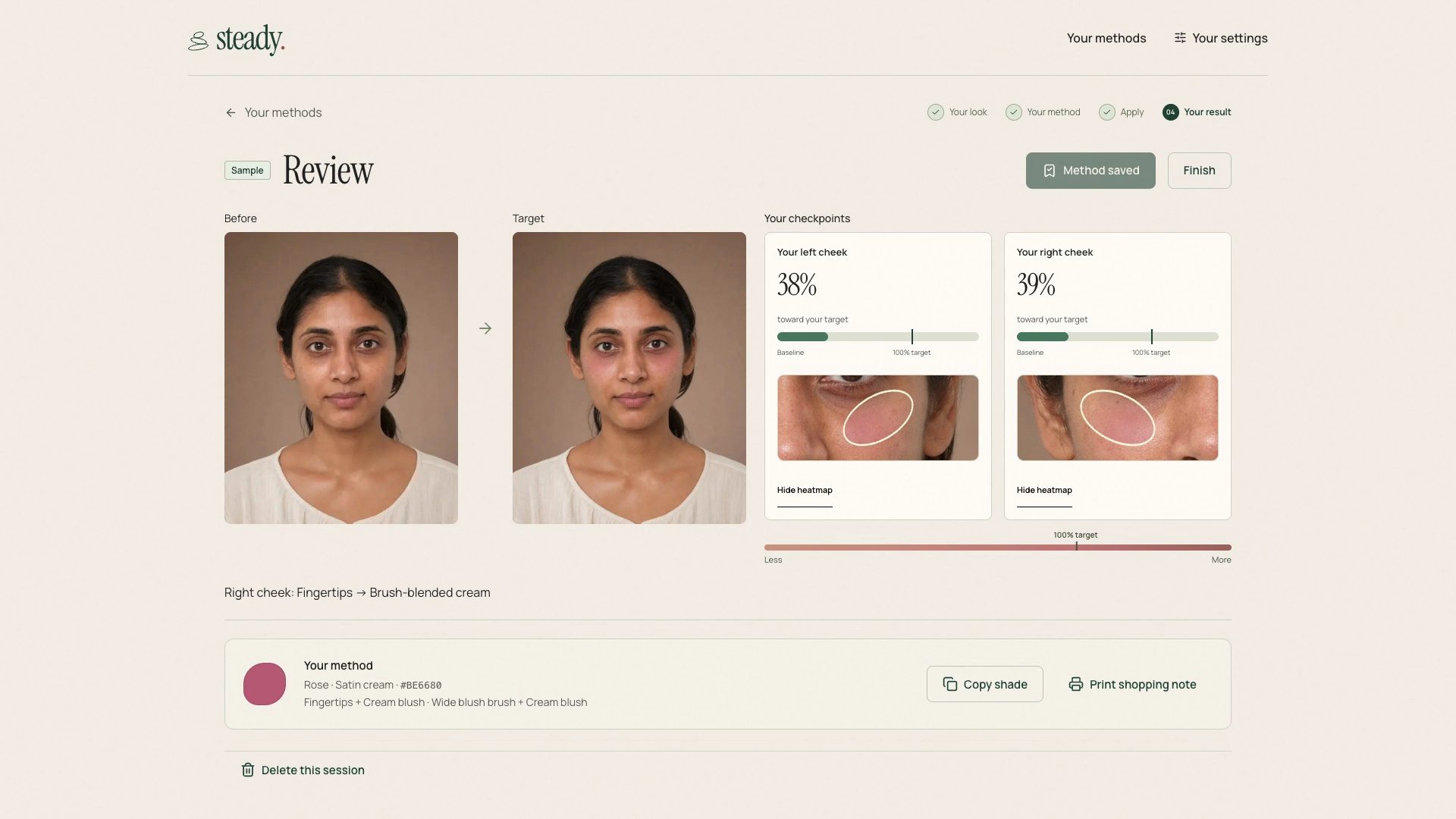
Save the method with separate cheek checkpoints and its decision history.
-
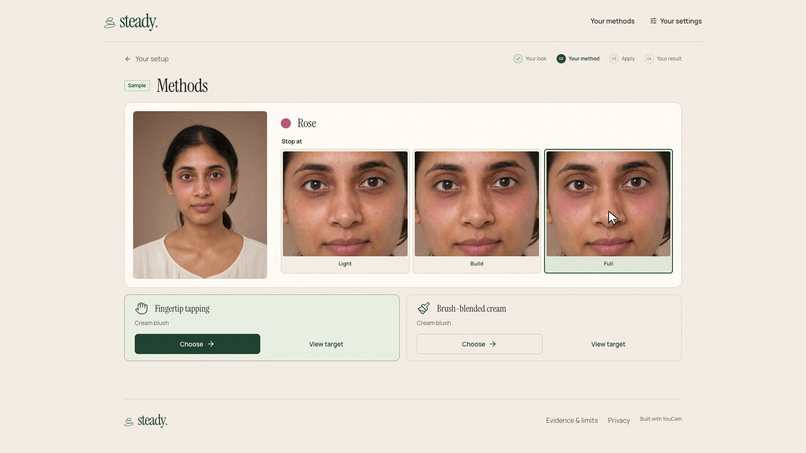
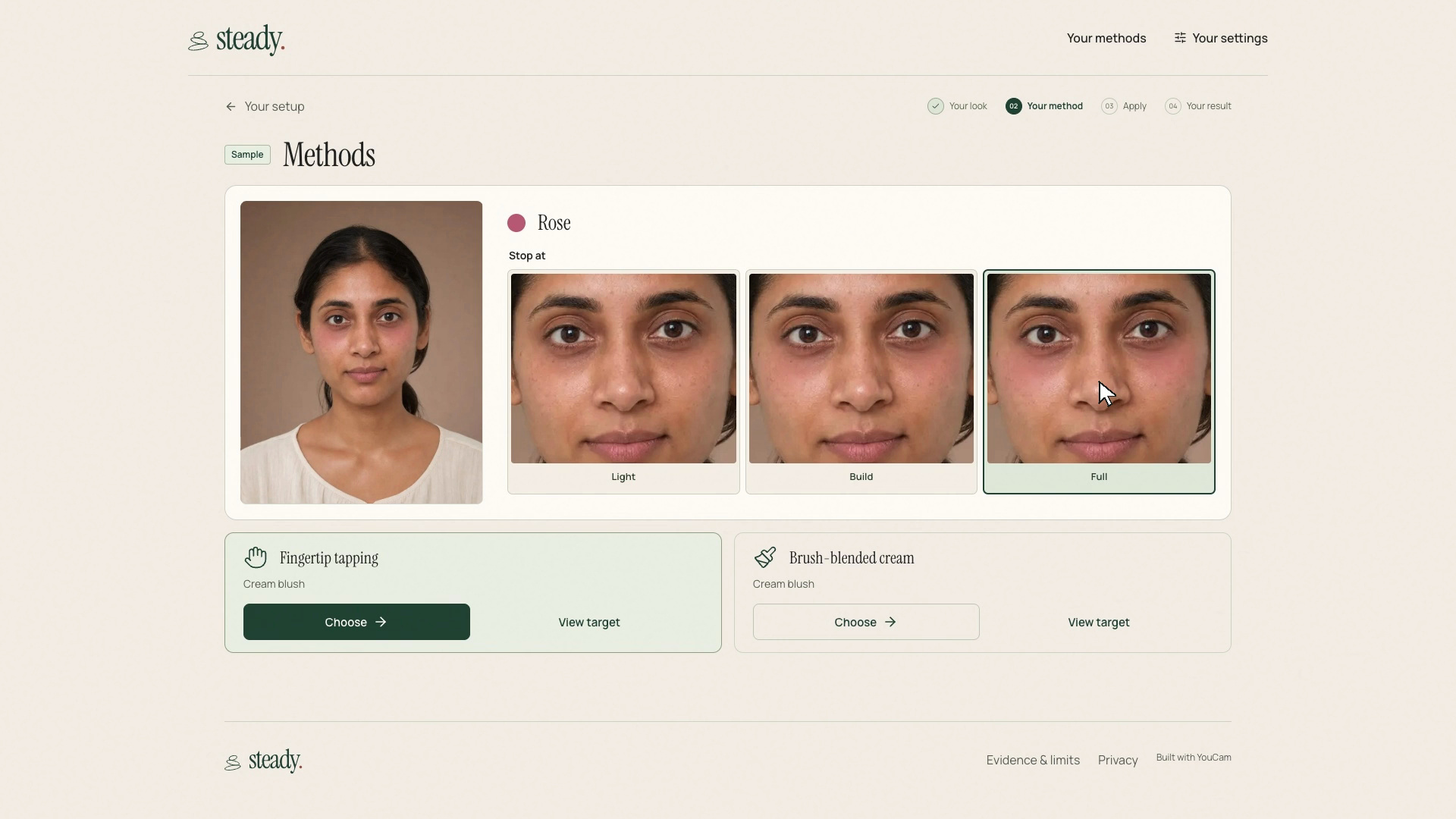
YouCam previews make the stopping point visible: Light, Build or Full.
-
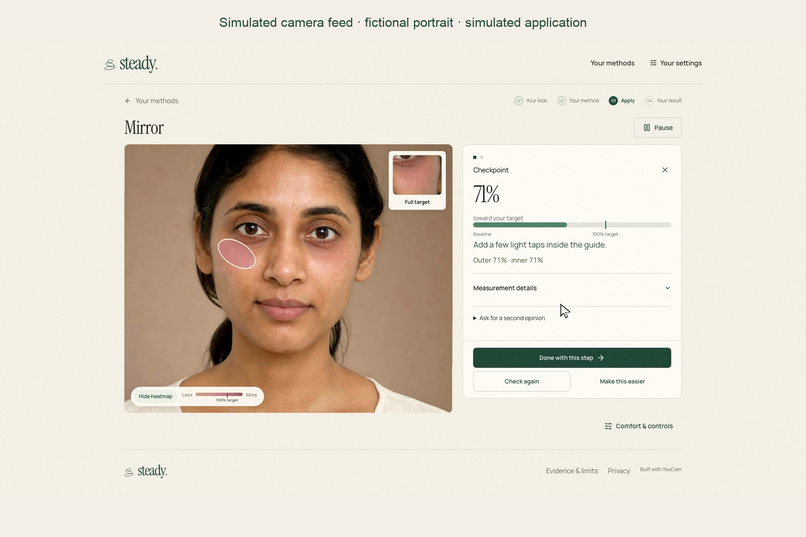
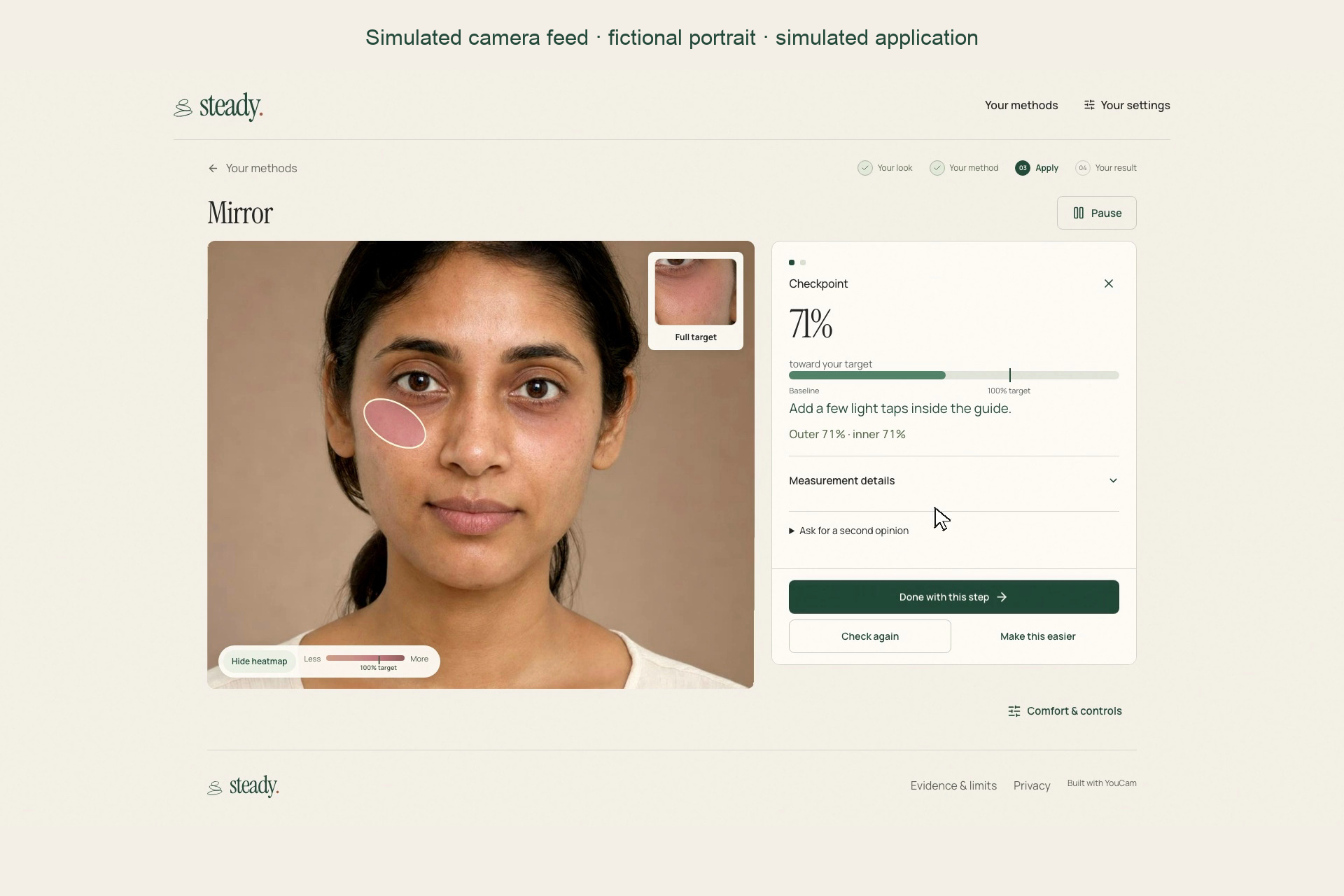
The live mirror tracks a simulated camera feed and measures its changing image.
-
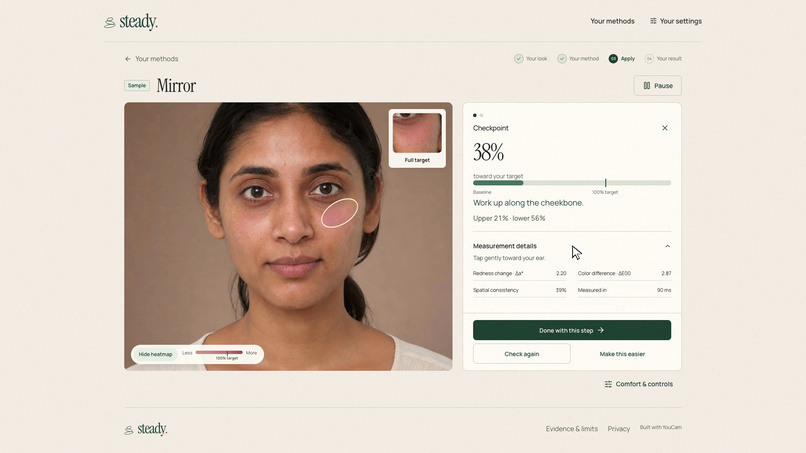
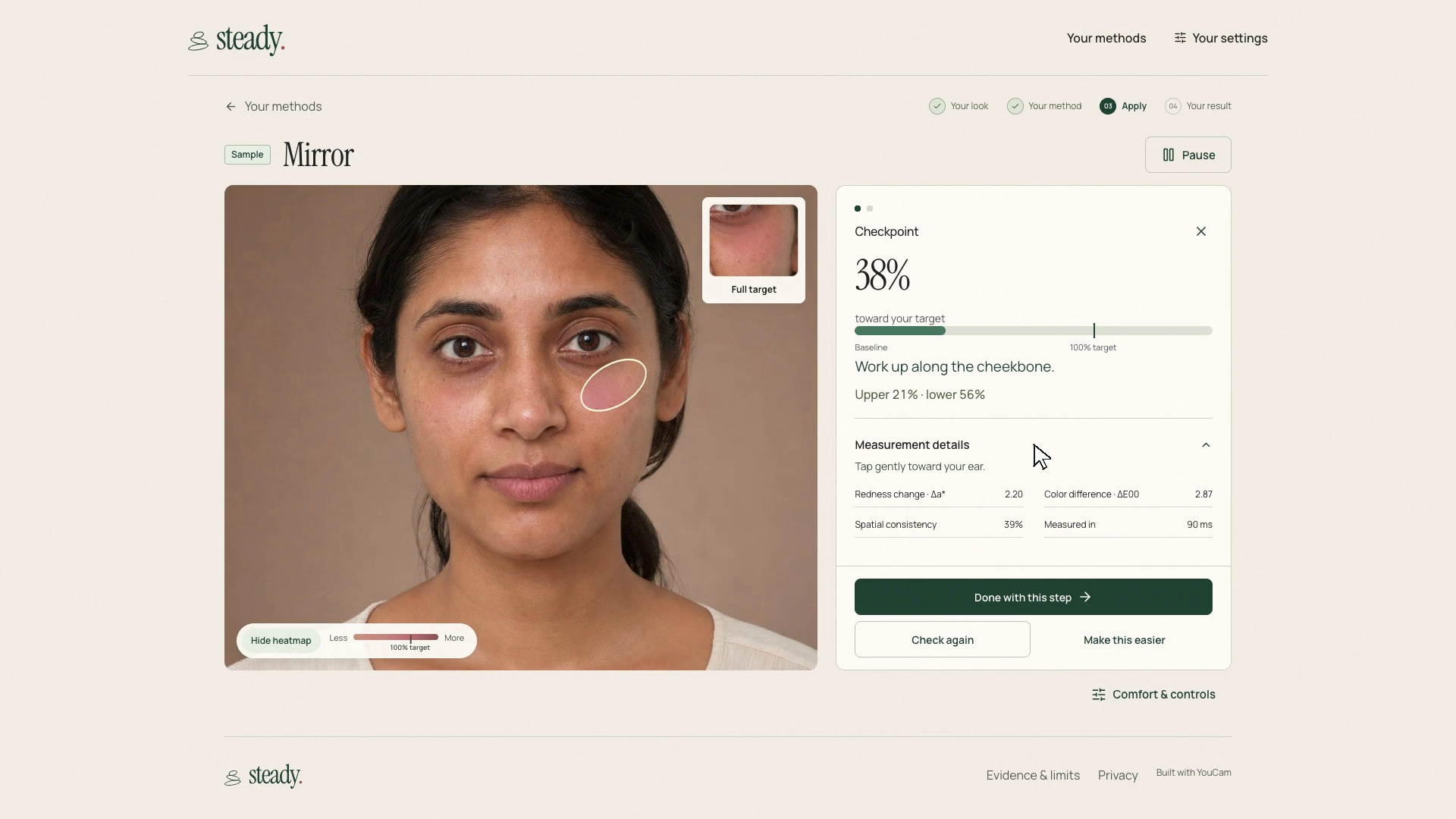
Inspect a local color checkpoint with regional feedback and a warm heatmap.
Inspiration
Choosing a makeup look and following the movements needed to create it are two different problems. A tutorial can show exactly where a brush should go and still assume steady hands, a particular grip, or the use of both hands. With tremor, arthritis, limited grip or one-handed use, that assumption can make a wanted look difficult to approach.
I built STEADY around a different question: what movements, tools and products does this person feel comfortable using? The person supplies those answers. The app then offers a method and a visible stopping point. Its purpose is to leave room for a different way of getting there, including changing the plan partway through.
What it does
Choose a target, follow one instruction, and decide when a step is done. Light, Build and Full show three intensities of the same blush. A checkpoint compares the selected region with its baseline and target, showing where color has changed and which part trails behind. The reading supports a decision; it does not make the decision for the user.
If fingertip tapping becomes difficult, change the remaining cheek to a brush method using the same cream product. The completed cheek stays confirmed. For eyes, fine liner can become softly tapped shadow, with an explanation that the appearance will change. A method can be saved and reopened with its previous decisions intact.
The camera-free Quick sample makes that sequence easy to inspect without uploading a photo. Personal mode adds a live face guide, local checkpoints and optional instruction reading. In the film, the real live mirror processes a moving fictional portrait on a clearly labelled simulated camera feed.
How it was built
YouCam Makeup Virtual Try-On creates the appearance targets. The application binds each target to its exact photo, recipe and output. Those images give the workflow a concrete reference instead of leaving “a little more blush” undefined.
A finite technique library supplies methods with explicit movement, tool and product requirements. The planner excludes unconfirmed requirements. Adapting a method preserves confirmed actions and explains any change to the remaining goal before acceptance.
MediaPipe FaceLandmarker runs in browser workers. STEADY captures landmarks on the exact checkpoint image, normalizes its color, and compares the region with the baseline and YouCam target in a perceptual color space. A four by four grid drives the warm heatmap and regional advice. Changes in pose, uneven lighting, obstruction signals or an indistinct target can pause the reading instead of producing a misleading percentage.
The application uses Next.js, React, TypeScript, PostgreSQL, private Vercel Blob and Vercel Workflow. Saved studios and jobs survive navigation. Local measurement frames remain in browser memory; generating personal targets sends the selected reference photo to YouCam with consent. Optional selected-image assistance is separate from automatic local measurement.
Challenges
The difficult part was making a measurement worth showing. Lighting changes can resemble added color, and a tiny target difference can make a percentage unstable. The implementation uses separate normalization and validation regions, exact checkpoint landmarks and explicit reasons to abstain. A warm shade-derived overlay also makes low progress readable without the cool patches that initially looked like bruising.
Another challenge was preserving meaning when the plan changes. A softer target or a different eye finish must not rewrite the earlier result. Saved observations therefore retain their original target and region, while each explicit confirmation remains part of the history.
What was learned
A useful guide needs a stopping rule and a way to change course. “Done with this step” works even without a measurement. The user can keep the look, change the movement, accept a different appearance or finish early.
The result is a working connection between a chosen virtual appearance, an adjustable method and feedback the user can inspect. Automated tests, recorded-image checks and browser journeys cover the software. The measurement is experimental image-color feedback, demonstrated with fictional imagery. The next step is testing with intended users across real lighting, cameras and application conditions, including whether changing a method helps them complete the look they chose.
Built With
- better-auth
- deepgram
- gemini
- makeup-virtual-try-on
- mediapipe
- neon
- next.js
- openai
- playwright
- postgresql
- react
- typescript
- vercel
- vercel-blob
- vercel-workflow
- vitest
- web-speech-api
- youcam-api

Log in or sign up for Devpost to join the conversation.