Inspiration
We started with MagTrack, a hardware project that uses five magnetic sensors to track a magnet’s position and direction in 3D. We inserted a magnet into a pen, turning it into a tracked stylus: move the pen above the board, and its digital counterpart follows on screen.
Once that worked, we wanted to give the tracking a purpose. Holding the pen like an instrument made precision, depth, and steadiness feel like natural things to explore. That led us to surgical practice.
Our first drills exposed problems the tracking demo hadn’t. Small sensor fluctuations made precise movements frustrating. Tilting the pen changed where a cut landed. Finishing a procedure gave us a score, but little guidance on getting better.
Each problem drove another iteration. We improved the tracking, corrected how the instrument interacted with tissue, and built analytics and coaching around the user’s actual movements. That progression became Steady Hands.
What it does
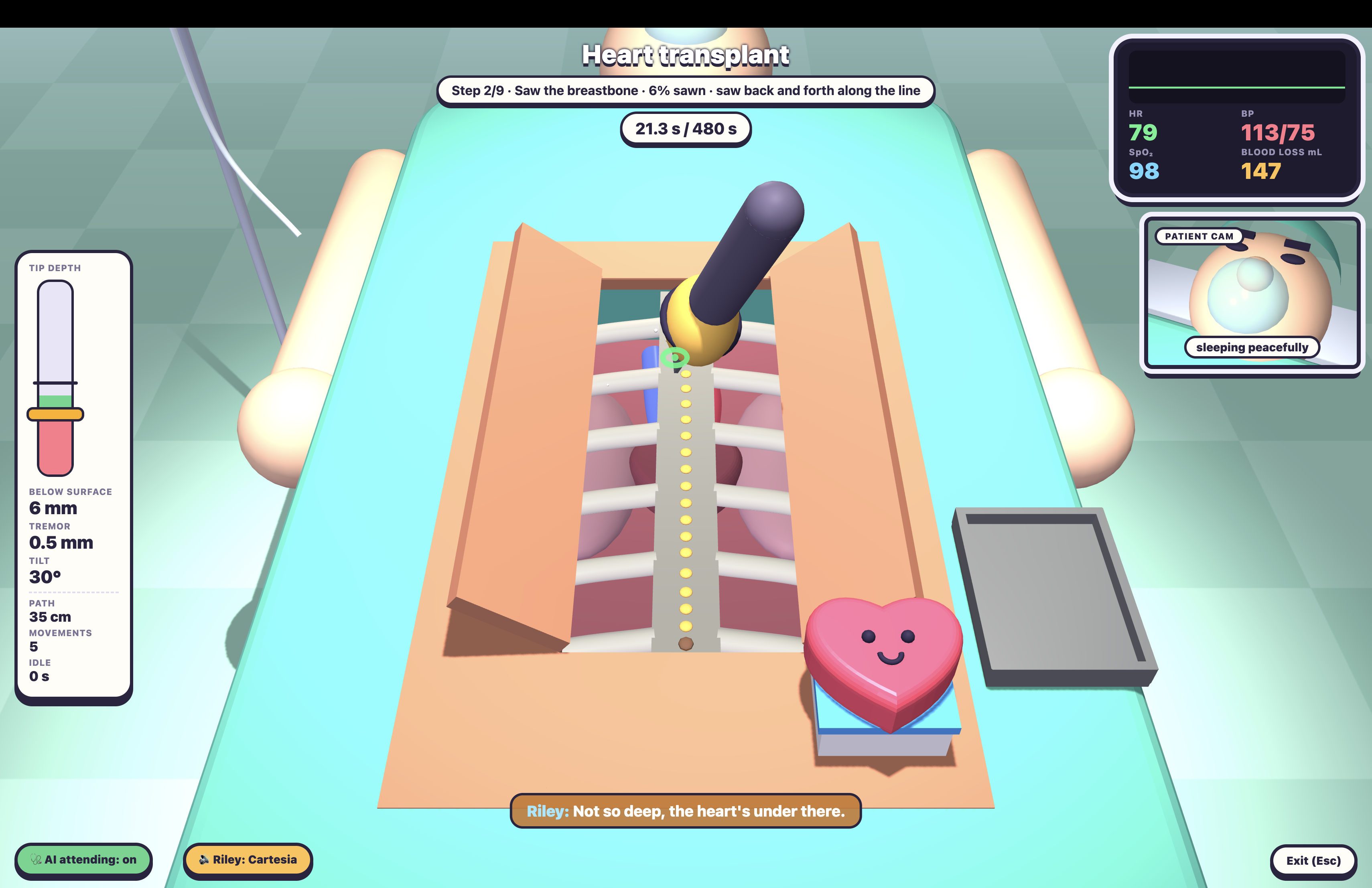
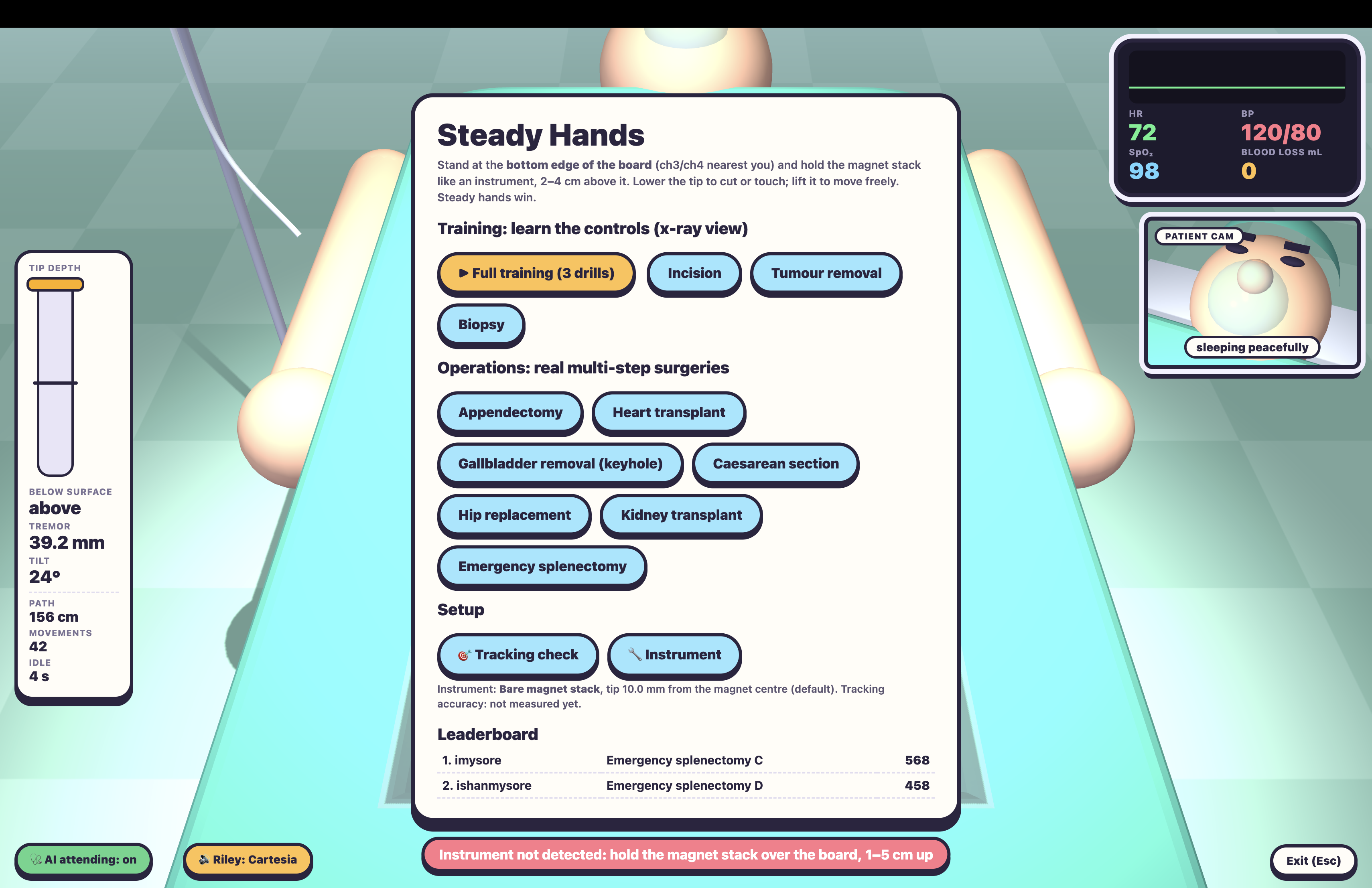
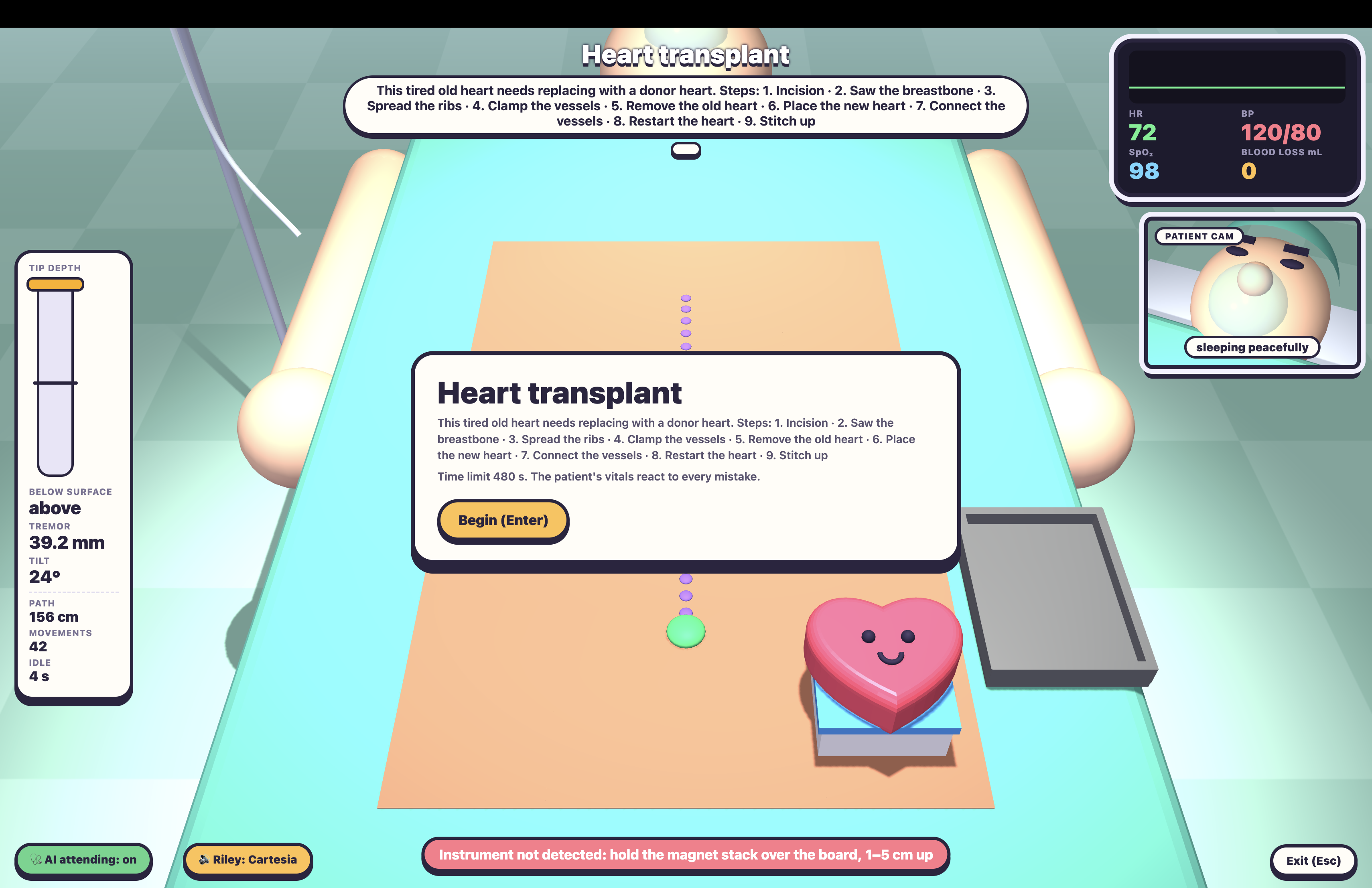
Steady Hands turns your desk into a surgical training ground. Our magnet-equipped pen controls a virtual surgical instrument, letting users practice precise movements through interactive drills and simulated operations. The simulation responds to how they move, including mistakes in positioning and depth.
During practice, a voice assistant named Riley provides spoken instructions and real-time warnings based on the user’s movements. After each procedure, an AI coach reviews their performance and previous attempts, highlights improvements, and recommends what to practice next.
How we built it
From magnetic fields to a tracked pen
Our board contains five MLX90393 three-axis magnetometers connected through an I²C multiplexer to an RP2040 microcontroller. CircuitPython firmware streams 15 magnetic-field measurements per sample to the browser over USB at roughly 19 Hz. The browser reads them through Web Serial.
Those sensors measure magnetic fields, so we solve an inverse problem to recover the pen’s pose: where would a magnet have to be, and which direction would it point, to produce these readings?
We model the magnet as a magnetic dipole. At each sensor, the predicted field is:
$$ \mathbf{B}(\mathbf{r},\mathbf{m}) = \frac{\mu_0}{4\pi|\mathbf{r}|^3}\left[3(\mathbf{m}\cdot\hat{\mathbf{r}})\hat{\mathbf{r}}-\mathbf{m}\right] $$
Here, r points from the magnet to the sensor, and m is the magnetic moment. We recover the magnet’s pose by minimizing the weighted mismatch between measured and predicted fields:
$$ E(\mathbf{p},\mathbf{m}) = \sum_i w_i^2 \left|\mathbf{B}_{i,\mathrm{measured}}-\mathbf{B}(\mathbf{s}_i-\mathbf{p},\mathbf{m})\right|^2 $$
Here, p is the magnet’s position, sᵢ is each sensor’s known position, and wᵢ weights its contribution to the fit. For each candidate position, the model is linear in the magnetic moment, allowing a weighted linear least-squares solve. A Levenberg–Marquardt search then refines the position to minimize this error. The recovered position and magnetic direction give us five degrees of freedom: three position coordinates and two orientation angles.
Before fitting, we subtract the background field, correct sensor orientation, and exclude saturated readings. We weight the residuals so the closest sensor doesn’t dominate the fit. After fitting, we reject isolated jumps and apply One Euro filtering, whose cutoff increases with estimated movement speed:
$$ f_c = f_{\min} + \beta|\widehat{\dot{\mathbf{x}}}| $$
This provides stronger smoothing when the hand is still and a faster response during deliberate movement. Rendering interpolates between tracking samples so the virtual instrument moves smoothly.
From pen pose to surgical interaction
We built the simulation with JavaScript and Three.js. A calibrated offset translates the magnet’s center into the pen tip’s location.
For cuts, we calculate where the instrument’s axis intersects the virtual tissue surface. This matters when the pen is tilted: the point where it enters tissue differs from the tip beneath it. Accounting for that geometry makes the interaction more intuitive and the scoring more consistent with what users see.
From movement to measurable progress
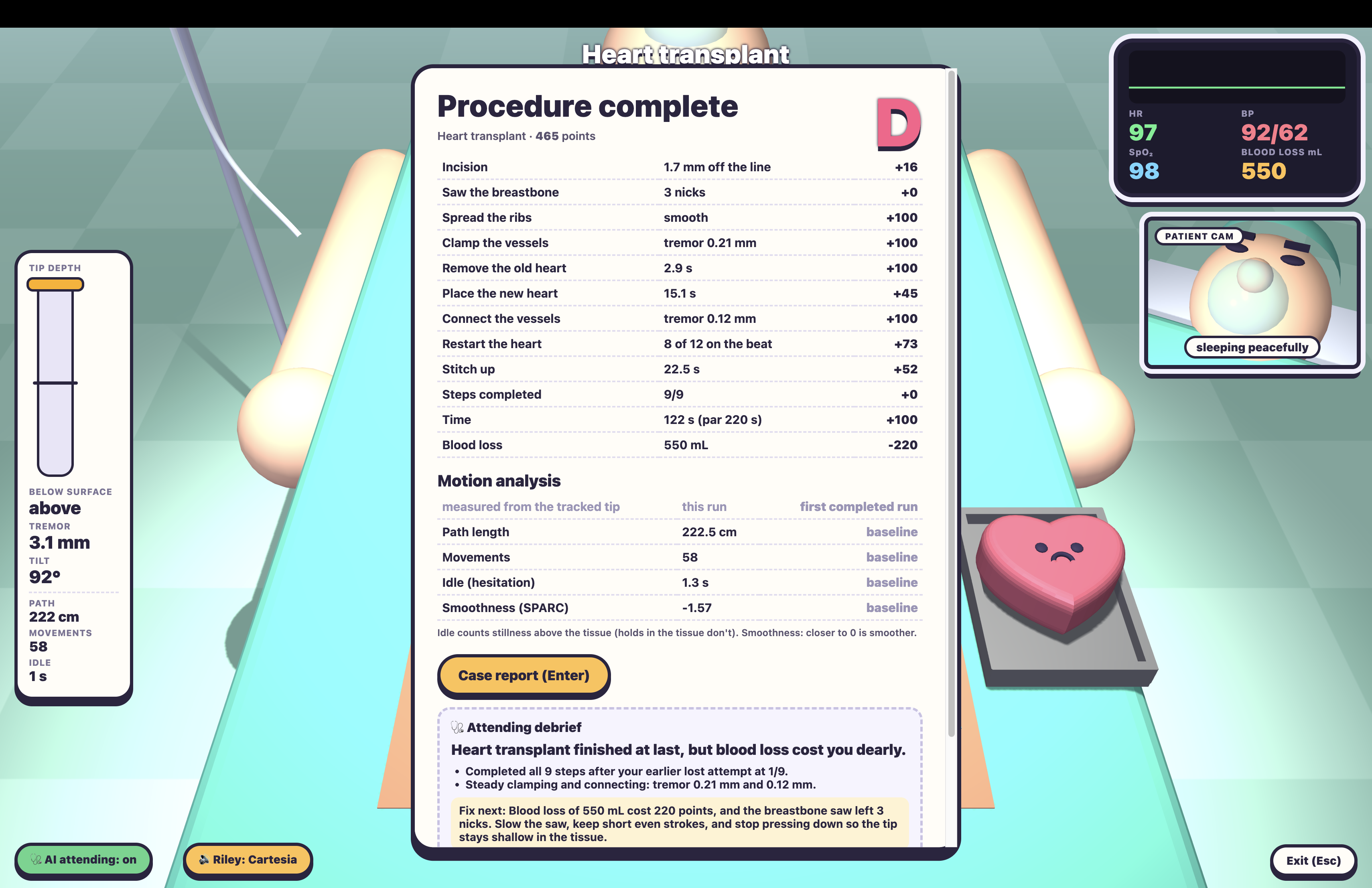
We record the tracked tip’s trajectory throughout each attempt and calculate four measures:
- Path length: how far the instrument travels.
- Distinct movements: how many separate movements the user makes.
- Hesitation time: how long the user remains still while hovering above tissue.
- Smoothness: how smoothly the user executes each movement.
Each metric needs to account for sensor noise. Path length uses a noise floor so holding still doesn’t accumulate distance. Movement detection uses different speed thresholds for starting and ending a movement, preventing small fluctuations from repeatedly splitting one action. Hesitation excludes intentional holds inside tissue.
For smoothness, we use SPARC—spectral arc length—which examines the frequency spectrum of a movement’s speed profile. We first normalize the magnitude of that spectrum by its zero-frequency component:
$$ \hat{V}(f) = \frac{|V(f)|}{|V(0)|} $$
We then calculate the negative arc length of the normalized spectrum up to a selected cutoff frequency:
$$ \mathrm{SPARC} = -\int_0^{f_c}\sqrt{\frac{1}{f_c^2}+\left(\frac{d\hat{V}(f)}{df}\right)^2}\,df $$
Here, V(f) is the Fourier transform of the instrument’s speed profile, and f_c limits the calculation to the relevant frequency range. Smoother movements generally produce scores closer to zero; fragmented or hesitant movements produce more negative scores. We calculate SPARC for individual movements and use their median as the attempt’s smoothness score.
We save results locally by procedure and compare them with the user’s last three completed attempts. That gives the feedback a history: it can identify improvement across runs instead of treating every attempt as a fresh start.
From measurements to coaching
Claude receives the procedure results, task-specific measurements, motion analytics, and recent history. We ask it to return a structured debrief:
- What went well.
- The single most useful correction, tied to a measured number.
- A recommended drill and the reason to practice it.
The game owns the measurements and scoring; the model translates that evidence into understandable coaching. This lets us connect feedback to actual behavior, such as inconsistent depth or unnecessary movement.
During play, Riley handles immediate spoken feedback through Cartesia. Game events and live state trigger instructions and warnings about depth, nearby hazards, movement, and patient condition.
A speech director assigns priorities, lets urgent warnings interrupt lower-priority guidance, and drops stale callouts. Cooldowns prevent repetition, while recurring mistakes can trigger more urgent wording and delivery.
A local Node server proxies Cartesia requests, keeps its API key out of the browser, and caches and prefetches likely lines. Speech runs asynchronously so it doesn’t block tracking. Riley’s live dialogue is scripted and informed by game state; Claude provides the personalized post-procedure analysis.
Challenges we ran into
The first challenge was making five sensors agree on one magnet. Axis mapping, background fields, and sensor placement all affected the fit. Recording and replaying raw readings let us investigate those problems and compare fixes against the same data.
Then we had to make the tracking feel usable. Too little filtering made the instrument shake; too much made it lag behind the hand. Adaptive filtering and outlier rejection helped balance steadiness with responsiveness.
We also had to make feedback meaningful. Tracking noise could inflate movement metrics, and constant narration could overwhelm the user. We addressed both by deciding what should count: which movements were deliberate, which pauses were hesitation, and which events were urgent enough to speak.
Accomplishments that we're proud of
We took a magnetic tracking experiment and built an entire practice experience around it. A magnet inside a pen now connects physical hand movements to virtual interactions, performance measurements, and personalized coaching.
We’re especially proud that feedback is grounded in what the user actually did. The system can connect an attempt to previous runs and turn that comparison into a concrete next step.
We also built calibration and validation tools to understand the hardware’s limits. Our nine-point check measured approximately 2.8 mm horizontal RMS error and 0.4 mm stationary jitter, while the larger 8.2 mm overall 3D RMS error identified depth accuracy as an area to improve.
What we learned
Every layer exposed something the previous layer couldn’t. A tracking visualization showed us whether the magnet moved. A precision game showed us whether the tracking was usable. Analytics showed us whether we could measure performance, and coaching forced us to decide which measurements were actually helpful.
We learned that smooth-looking tracking isn’t necessarily accurate tracking, and that a higher score isn’t automatically useful feedback. The strongest improvements came from recording behavior, identifying a specific problem, and building the next iteration around it.
What's next for Steady Hands
We want to improve depth accuracy and validate tracking across more pen angles and working heights. We also want to refine the stylus and board so the physical setup is easier to use.
On the software side, we want to make coaching more adaptive across repeated sessions, using each user’s history to suggest what to practice next.
Finally, we want to work with surgical educators to refine the exercises and evaluate whether the feedback improves movement control beyond the game.
Built With
- anthropic
- cartesia
- circuitpython
- claude
- css3
- html5
- i?c
- javascript
- mlx90393
- node.js
- rp2040
- three.js
- web-serial-api

Log in or sign up for Devpost to join the conversation.