Inspiration
Millions of older adults spend much of their day alone, while their children and grandchildren live in other cities, other states, or other countries. Families want their loved ones to keep the independence of staying in their own homes, but they carry a constant worry: what if they fall and no one is there?
The fall itself isn't the only danger. The real danger is the delay, lying on the floor for hours before anyone notices.
Existing solutions force a tradeoff between safety and dignity. On one end, cameras and constant monitoring invade privacy. On the other end, emergency buttons only work if the person is conscious, wearing the device, and willing to press it. The numbers show how well that's working:
- 44% of adults have had an accidental fall since turning 65.
- Only 9% use a medical alert device.
- Only 18% of users wear their device at all times, and 64% don't wear it in the shower, one of the highest-risk places for falls.
There was nothing in the middle for people who aren't in constant danger but where it's better to be safe than sorry. We built SteadiStep to fill that gap: safety with every step.
What it does
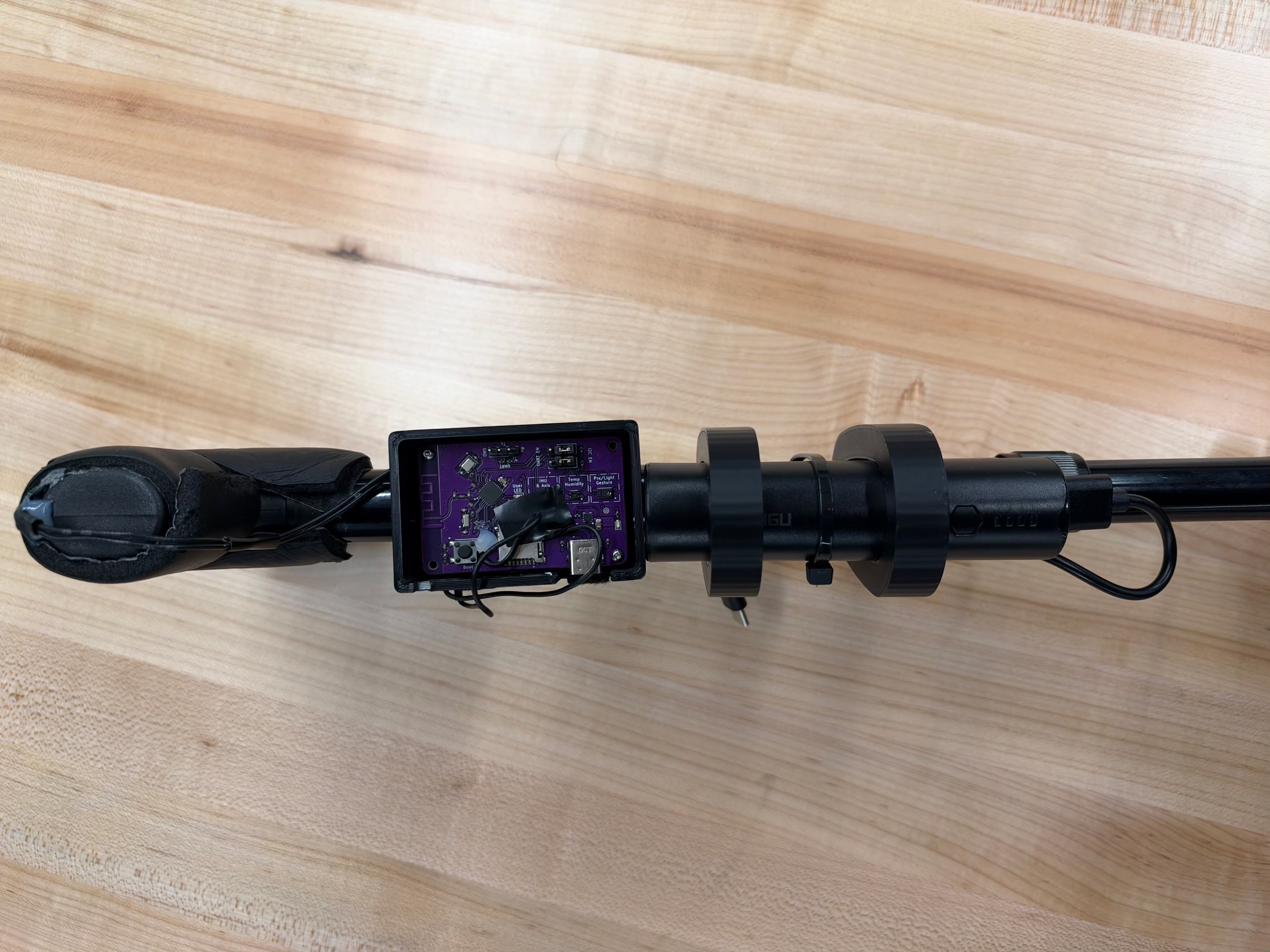
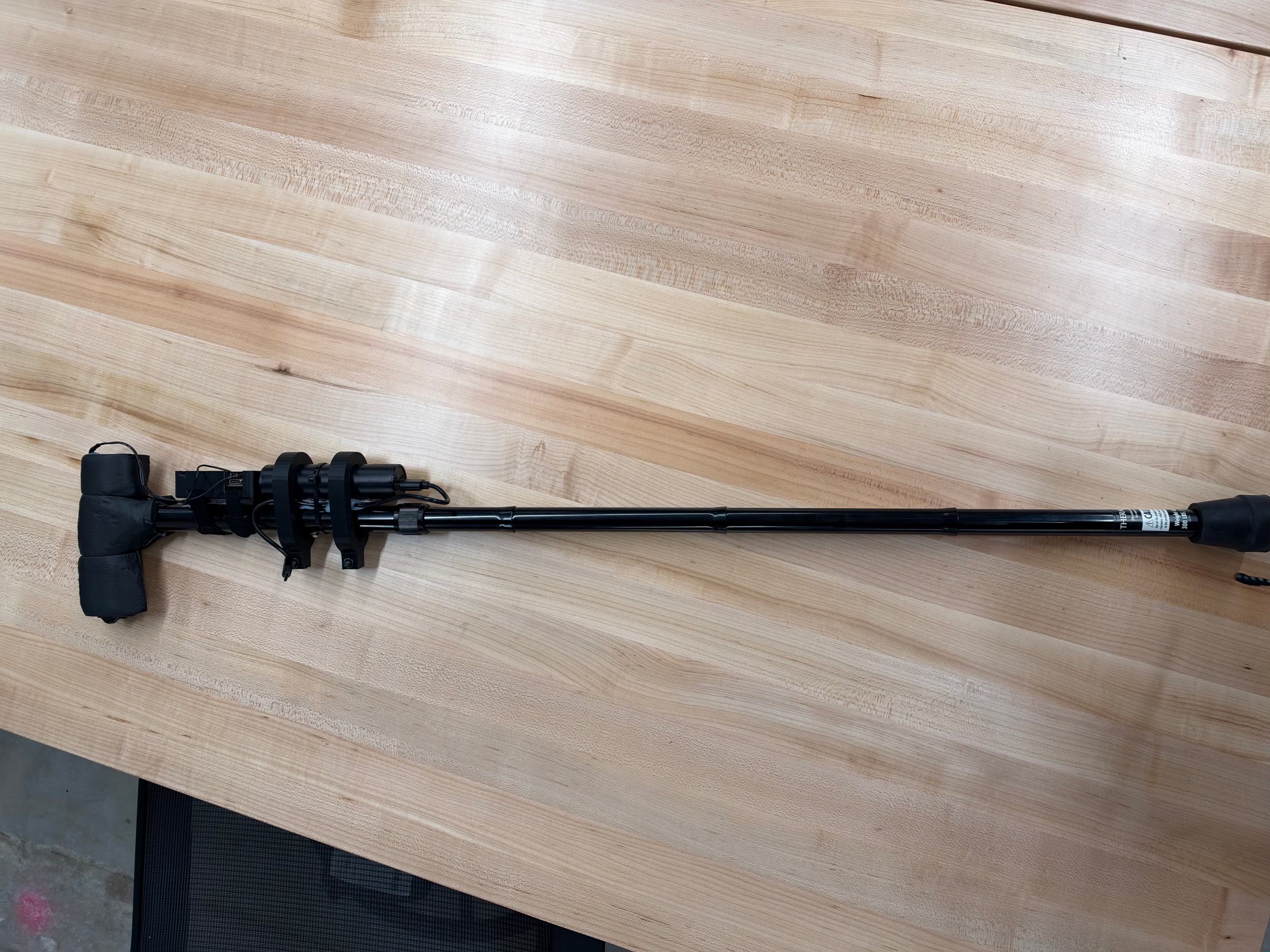
SteadiStep is an adjustable fall detection device that attaches to any walking guide, identifies potential risks, and automatically sends an alert via phone notification. It uses no cameras and no microphones, and it asks nothing of the person using it: no app to learn, no buttons to press, and no extra device to remember to wear or charge.
How we built it
The sensing layer
- A BMI270 IMU (accelerometer and gyroscope) connected to an ESP32 over I2C
- A flexible touch sensor along the cane's natural grip area, wired to a GPIO pin with a pull-down resistor, so the system knows whether a hand is on the cane
- Foam insulation compressed inside the 3D-printed collar to absorb high-frequency vibration (like walking on concrete) before it reaches the IMU
The detection engine
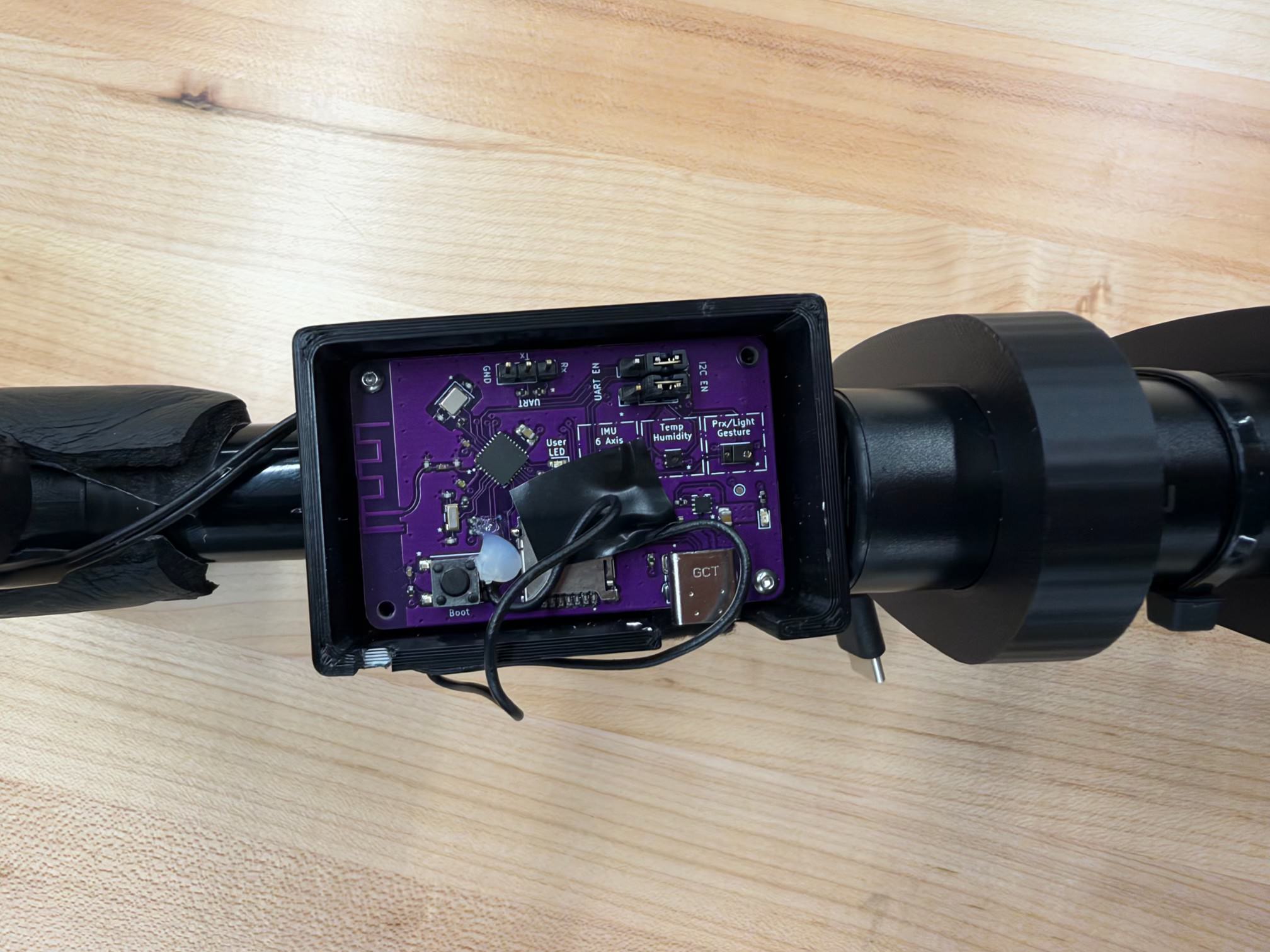
The ESP32 reads the BMI270 continuously and runs a five-state machine that separates a person falling from a cane that was simply dropped. It combines three signals: total acceleration, rotation rate, and the cane's tilt angle, all computed from the IMU, plus whether a hand is on the touch sensor.
- Normal: The cane is upright and being used.
- Cane dropped (freefall): Acceleration drops below 0.35g, meaning the cane is falling on its own. When it hits the ground, the system resets with no alert.
- User falling: The hand is on the cane, rotation exceeds 150°/s, and the tilt passes 35° from upright.
- Impact: After that sequence, a hit above 2.0g is detected.
- Fall confirmed: Two seconds after impact, if the cane is lying nearly flat (tilt above 65°) and still (rotation below 35°/s), the fall is confirmed. If the cane is upright or moving, it's treated as a false alarm.
The sequence matters: a swing, a bump, or a dropped cane can each trigger one or two signals, but only a real fall triggers all of them in order.
Communication
- Every state change is published to an Adafruit IO feed over Wi-Fi, which gives a live dashboard of the cane's status.
- On a confirmed fall, the ESP32 sends an urgent alert via phone notification.
Mechanical design and CAD
We designed the enclosure ourselves in SolidWorks and printed it on a Bambu 3D printer. The goal was a mount that attaches to any cane without modifying it:
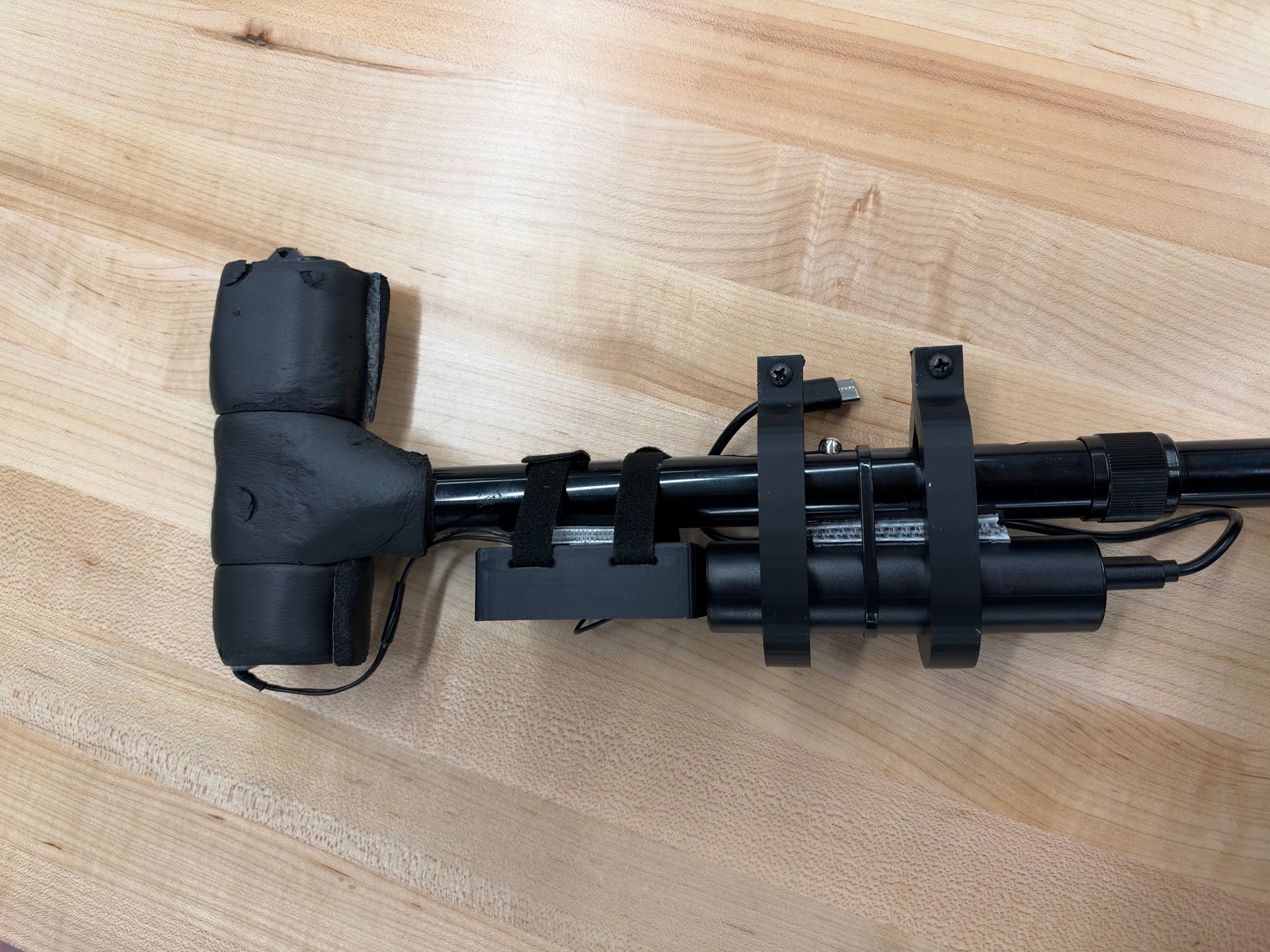
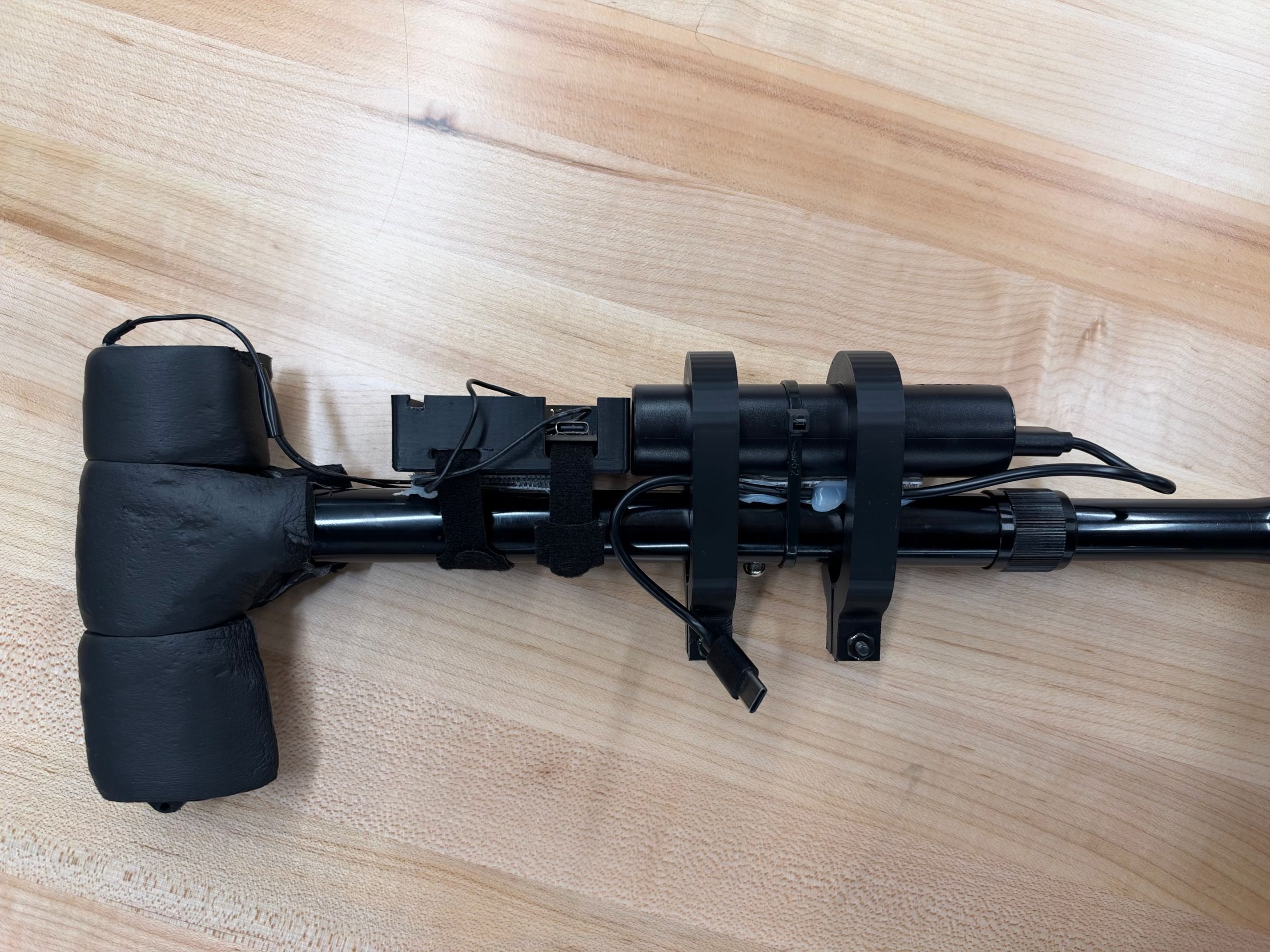
- Adjustable clamp mount: A two-piece clamp housing tightened with M3 20 mm bolts and hex nuts. Tightening compresses the foam onto the shaft for a zero-slip fit, and it's designed to fit common cane diameters in a range of 19-22 mm.
- Vibration dampening: Foam insulation wrapped around the shaft, under the housing, absorbs vibration from walking on hard surfaces before it reaches the IMU.
- Sturdy battery bracket: A bracket that holds the PowerNano 5000 mAh power bank, refined over three printed iterations (see the challenges section) until it stayed secure and didn't bend when dropped.
- Separate ESP32 enclosure: A dedicated box for the ESP32 and BMI270, designed in SolidWorks, with a slot for the touch sensor cable.
Challenges we ran into
Designing a bracket that stays put and fits any cane
The hardest mechanical problem was holding the battery securely on a moving, vibrating cane while fitting different cane diameters. We designed in SolidWorks and 3D printed on Bambu, and it took three iterations to get it right:
- Version 1: too thin, not secure. We made the bracket too thin, and the snap-lock mechanism wasn't secure enough to hold the battery during normal use.
- Version 2: adjustable but still weak. We switched to a clamp-style housing that screws together with M3 bolts and hex nuts. Tightening or loosening the bolts adjusts the fit, so one design works on any walking aid.
- Version 3: strong enough to survive a drop. We printed multiple brackets together so the assembly is sturdier and doesn't bend when dropped, which matters on a cane that will inevitably get knocked over.
Each print showed us a problem we couldn't see on screen, so we learned to test physically instead of trusting the CAD.
Cane drop vs. human fall
Separating a cane that was dropped (the user is safe) from a person who fell was the central problem. We added a short stationary monitoring period after a potential fall event to account for the time it may take a person to get back up or retrieve their cane. This delay gives the system time to evaluate what happens after the initial impact rather than immediately triggering an alert, helping distinguish a dropped or swung cane from a potential human fall.
Accomplishments that we're proud of
- Designing for real older adults first: zero setup and no learning curve
- Filling the "missing middle" between surveillance and panic buttons
What we learned
- Tuning beats theory. Our planned thresholds didn't hold up in testing, so we tuned them using real recorded drops, swings, and falls.
- Combining signals beats any single one. Acceleration alone can't tell a cane drop from a person falling. Adding rotation, tilt, and hand contact made the difference.
- Order and timing cut false alarms. Requiring events in sequence, with time windows, filtered out normal motion.
- Real hardware is noisy. Vibration and touch-sensor noise forced us to add filtering and foam damping.
- Print early and iterate. Each of our three bracket versions revealed problems we couldn't see in CAD.
- Design around real habits. Older adults forget to charge, skip wearing devices, and don't want new apps, so the best interface is none.
What's next for SteadiStep
- A smaller, integrated enclosure with a built-in single-cell battery, reprinted in a tougher material like PETG or TPU to increase durability
- Multiple emergency contacts, an "Are you okay?" cancel option, and multilingual alerts
- Pilot testing with older adults, caregivers, and occupational therapists

Log in or sign up for Devpost to join the conversation.